6 Best Black and White Printer and Scanner Combos for 2027
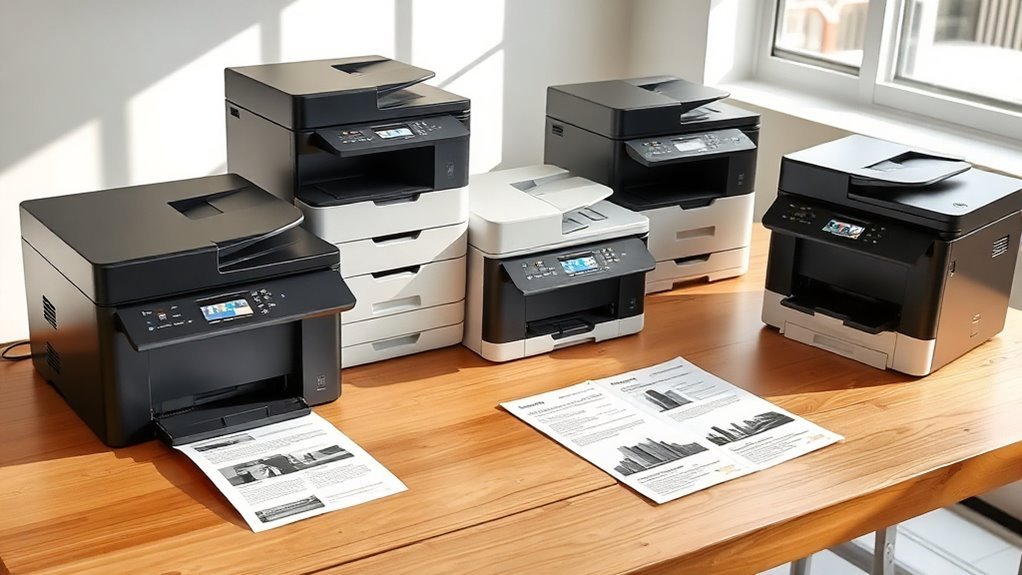
If you need fast, dependable black and white printer and scanner combos in 2027, there are some great options to consider. Models like the Brother DCP-L2640DW and Canon imageCLASS MF465dw II deliver sharp text quality and efficient duplexing, making them ideal for busy offices. These combos handle heavy workloads without breaking a sweat.
HP’s LaserJet M234sdw and MFP M140w stand out with seamless mobile connectivity and smart security features. They’re perfect if you want to print and scan directly from your phone or tablet. Plus, their security helps keep your documents safe.
For those with lower volume needs, the Canon MF3010 is a solid choice. It fits well in smaller spaces and gets the job done without extra bulk.
Meanwhile, the HP Pro 3105sdw offers a nice balance between speed and automation, helping you stay productive without hassle.
Keep exploring to find the perfect fit for your workspace needs. There’s definitely a black and white printer and scanner combo out there that matches your style and workflow.
| Image | Name | Editor's Rating | Price |
|---|---|---|---|

|
|
||

|
|
||

|
|
Brother DCP-L2640DW Wireless Monochrome Printer
- BEST FOR SMALL BUSINESSES – Engineered for extraordinary productivity, the Brother DCP-L2640DW Monochrome (Black & White) 3-in-1 combines laser printer, scanner, copier...
- FAST PRINTER WITH EFFICIENT SCANNING – Produces documents quickly with print speeds up to 36 ppm(2) and scan speeds up to 23.6/7.9 ipm(3) (black/color). A 50-page auto...
- FLEXIBLE CONNECTION OPTIONS – Easily navigate the changing demands of your business with secure multi-device connectivity via built-in dual-band wireless (2.4GHz...
- BROTHER MOBILE CONNECT APP – Print, scan, and manage your wireless printer anytime, from almost anywhere from your mobile device. Order Brother Genuine Supplies, track...
- CHOOSE BROTHER GENUINE TONER – When it’s time to replace your toner, be sure to choose Brother Genuine TN830 or TN830XL replacement toner. And with Refresh EZ Print...

The Brother DCP-L2640DW is designed to streamline your printing, scanning, and copying tasks with ease. Its fast monochrome printing reaches up to 36 pages per minute, helping you complete high-volume jobs quickly. This makes it ideal for busy small offices or home workspaces where efficiency matters.
The compact 3-in-1 design saves space while offering practical functionality. A 50-sheet auto document feeder and 250-sheet paper tray reduce interruptions, so you spend less time managing paper and more on your work. It also supports automatic duplex printing, helping you cut paper use effortlessly.
Connectivity is versatile with dual-band wireless, Ethernet, and USB options. You can print directly from laptops, smartphones, or tablets using the Brother Mobile Connect app, which simplifies remote work and mobile printing. This printer is easy to maintain and built for consistent performance.
While it only supports monochrome printing, this focus ensures sharp, clear text output. Power consumption can peak at 470 W during heavy use, so consider your energy needs accordingly. Overall, it balances speed, convenience, and eco-friendly features.
Best for: Small businesses and home offices needing a reliable, efficient monochrome printer with scanning and copying capabilities.
What We Like:
- Fast print and copy speeds up to 36 ppm for high productivity.
- Multiple connectivity options including dual-band Wi-Fi and mobile app printing.
- Automatic duplex printing reduces paper waste.
- Compact all-in-one design saves space.
- Easy maintenance with a sizeable paper capacity and auto document feeder.
Specification:
| Feature | Details |
|---|---|
| Manufacturer | Brother |
| Dimensions | Approx. 15.7 x 14.2 x 7.2 in |
| Weight | Approx. 15.4 lb (7 kg) |
| Color | White |
| Connectivity | Dual-band wireless, Ethernet, USB |
HP LaserJet M234sdw Monochrome Laser Printer | All-in-One
No products found.
The HP LaserJet M234sdw is designed to streamline black-and-white printing, copying, and scanning for small teams. Its fast print speed of 30 pages per minute helps reduce wait times, keeping your workflow smooth and efficient. Automatic duplexing saves paper by printing on both sides without extra effort.
This all-in-one printer handles various media types up to 8.5 x 14 inches, including envelopes and labels. The 40-page automatic document feeder simplifies multi-page scanning and copying, cutting down manual tasks and improving productivity.
Connectivity is straightforward with dual-band Wi-Fi, Ethernet, USB, and mobile printing through the HP Smart app. These options ensure easy access from multiple devices and locations. The printer’s compact design fits well in small office spaces, while Energy Star certification helps manage power use responsibly.
Maintenance is simple with a 150-sheet capacity, though frequent refills may be needed in high-volume settings. At 19 pounds, it is sturdy but less portable. The monochrome output focuses on clear, professional documents but limits color printing needs.
Best for: Small teams and home offices requiring fast, reliable monochrome printing, copying, and scanning with versatile connectivity.
What We Like:
- Fast print speed with automatic duplexing for efficient output
- Supports various media types up to legal size
- Multiple connectivity options including mobile printing
- Compact design ideal for limited workspace
- Energy-efficient with easy maintenance
Specification:
| Feature | Details |
|---|---|
| Manufacturer | HP |
| Dimensions | Not specified |
| Weight | 19 lb (8.6 kg) |
| Media Size | Up to 8.5 x 14 inches |
| Connectivity | Dual-band Wi-Fi, Ethernet, USB, Mobile printing via HP Smart app |
| Auto Document Feeder | 40 pages |
HP Laserjet MFP M140w Wireless Printer
- FROM AMERICA'S MOST TRUSTED PRINTER BRAND – Perfect for small teams printing, scanning and copying professional-quality black & white documents and reports. Perfect for...
- WORLD'S SMALLEST LASER IN ITS CLASS – Precision laser printing, scanning, and copying that fits anywhere
- FAST PRINT SPEEDS – Up to 21 black-and-white pages per minute single-sided
- WIRELESS WITH SELF-RESET – Helps you stay connected
- EASILY COPY ID CARDS AND MORE – Copy both sides of ID cards or other small-size documents onto the same side of one sheet of paper
Experience efficient black-and-white printing designed to meet the needs of small teams and tight workspaces. The HP LaserJet MFP M140w combines compact design with multifunction capabilities, allowing you to print, scan, and copy professional documents quickly and reliably.
This wireless printer supports seamless connectivity with mobile devices, PCs, and tablets. Compatible with Microsoft, Mac, AirPrint, Android, and Chromebook, it simplifies your workflow by enabling printing from virtually anywhere. The HP Smart app enhances productivity by letting you scan directly to the cloud and automate routine tasks.
Maintenance is straightforward with this model, which works exclusively with original HP cartridges to ensure consistent print quality. Firmware updates provide security by blocking unauthorized chips, though this can limit the use of third-party cartridges. Its small footprint makes it ideal for limited spaces without sacrificing performance.
Best for: Small teams of one to three users needing a compact, fast, and reliable wireless black-and-white printer for professional document tasks.
What We Like:
- Compact size saves valuable workspace
- Fast printing at up to 21 pages per minute
- Multifunction capabilities: print, scan, and copy
- Broad wireless compatibility with mobile devices
- HP Smart app enhances scanning and task automation
Specification:
| Feature | Details |
|---|---|
| Manufacturer | HP |
| Dimensions | Approx. 14.1 x 14.1 x 8.7 in (35.8 x 35.8 x 22.1 cm) |
| Weight | Approx. 11.4 lb (5.17 kg) |
| Print Technology | Laser |
| Color Options | Black and white only |
| Connectivity | Wireless (Wi-Fi), USB |
Canon imageCLASS MF465dw II Wireless Laser Printer
- Monochrome Wireless, Duplex 4-in-1: Print, Scan, Copy, Fax
- Print up to 42 ppm
- Easy Wireless Setup
- 5-inch Touchscreen
- Mobile Device Printing
The Canon imageCLASS MF465dw II is a practical solution for small offices and hybrid workspaces seeking efficient monochrome printing. It delivers sharp documents at speeds up to 42 pages per minute, helping reduce wait times and improve daily productivity. Its compact design fits neatly into limited desk space without compromising performance.
This 4-in-1 laser printer simplifies tasks by combining printing, copying, scanning, and faxing in one device. The 5-inch customizable touchscreen makes navigation intuitive, while the 50-sheet duplex automatic document feeder (ADF) streamlines multi-page jobs. Wireless, Ethernet, and USB connectivity options offer versatile ways to connect and print.
Maintenance is straightforward with a high-yield toner cartridge that keeps running costs manageable. The paper capacity can expand to 900 sheets with an optional cassette, supporting higher volume needs without frequent refills. However, note that it only supports monochrome output and has a relatively high power consumption of 1250 W.
Best for: Small offices and hybrid work environments needing a fast, reliable, and versatile monochrome 4-in-1 laser printer with wireless and mobile printing capabilities.
What We Like:
- Fast print speed up to 42 ppm with sharp 1200 x 1200 dpi quality
- Four-in-one functionality with easy-to-use 5-inch touchscreen
- Flexible connectivity including Wi-Fi, Ethernet, USB, and mobile printing
- High-yield toner lowers running costs and reduces maintenance frequency
- Optional paper capacity expansion supports higher volume printing
Specification:
| Feature | Details |
|---|---|
| Manufacturer | Canon |
| Dimensions | Not specified |
| Weight | Not specified |
| Print Speed | Up to 42 ppm |
| Print Resolution | 1200 x 1200 dpi |
| Connectivity | Wireless, Ethernet, USB |
| Paper Capacity | Expandable up to 900 sheets |
| Display | 5-inch customizable touchscreen |
| Power Consumption | 1250 W |
HP LaserJet Pro 3105sdw Monochrome Laser Printer | All-in-One
No products found.
Experience seamless productivity with the HP LaserJet Pro 3105sdw, a versatile all-in-one monochrome laser printer designed to simplify everyday office tasks. It combines printing, scanning, copying, and faxing into one compact device, ideal for busy small business environments or workgroups. This printer helps reduce downtime with fast print speeds of up to 33 pages per minute, keeping your workflow smooth and efficient.
The automatic duplex feature allows for two-sided printing and scanning, saving time and reducing paper waste. Connectivity options such as Wi-Fi, Ethernet, and USB ensure flexible setup and easy sharing across your team. Control and monitor print jobs remotely using the HP app on your smartphone, making mobile printing straightforward and convenient.
Maintenance is hassle-free with a single 250-sheet paper tray designed for moderate daily use. The device supports up to seven users, making it practical for small teams. Its built-in AI features enhance productivity by smartly formatting scanned documents and emails, while HP Wolf Pro security protects sensitive data through advanced security protocols.
One trade-off is the monochrome-only output, which limits color printing options. Additionally, cartridge enforcement requires original HP toner, which helps maintain print quality but restricts third-party cartridge use.
Best for: Small businesses and teams up to seven users requiring reliable black-and-white printing and multifunction capabilities with mobile connectivity.
What We Like:
- Fast printing speeds with automatic duplex two-sided printing
- Flexible connectivity including Wi-Fi, Ethernet, and USB
- Mobile control via the HP app for ease of use
- AI-driven smart formatting for scans and emails
- Strong security with HP Wolf Pro and genuine cartridge enforcement
Specification:
| Feature | Details |
|---|---|
| Manufacturer | HP |
| Dimensions (W×D×H) | Approximately 16.4 × 14.2 × 12.9 inches (41.7 × 36.1 × 32.8 cm) |
| Weight | About 18.7 lb (8.5 kg) |
| Color Options | Monochrome (Black and White) |
| Paper Tray Capacity | 250 sheets |
Canon imageCLASS MF3010 Wired Monochrome Laser Printer
No products found.
The Canon imageCLASS MF3010 is designed to meet your everyday black-and-white printing needs efficiently. It delivers fast output at 19 pages per minute, helping you stay productive during busy workdays. Its automatic duplex printing reduces paper use, saving costs and minimizing waste.
This multifunction device also features a flatbed scanner for clear color scans up to 600 dpi. Copying documents is straightforward, with sharp 600 x 600 dpi resolution. The wired USB connection ensures a stable link to your computer, compatible with Windows, Mac, and Linux systems.
With a 150-sheet paper capacity, it suits small office environments or personal use. Toner replacement is simple, with an included cartridge yielding up to 2,300 pages, reducing downtime and maintenance. Energy saver mode helps lower power consumption during inactivity.
While it lacks wireless connectivity and has a modest print resolution, the MF3010 offers reliable performance for basic office tasks. Its compact design fits well in limited spaces without sacrificing functionality.
Best for: small offices or individuals needing fast, reliable black-and-white printing along with scanning and copying capabilities.
What We Like:
- Fast 19 ppm printing with automatic duplex to save paper
- Flatbed scanner supports color scans up to 600 dpi
- Toner cartridge yields up to 2,300 pages
- Compatible with Windows, Mac, and Linux
- Energy saver mode reduces power use
Specification:
| Feature | Details |
|---|---|
| Manufacturer | Canon |
| Dimensions (W×D×H) | 15.0 × 12.0 × 9.5 inches |
| Weight | 13.0 lb |
| Connectivity | Wired USB |
| Print Speed | 19 pages per minute |
| Print Resolution | 600 × 600 dpi |
| Scan Resolution | Up to 600 dpi (color) |
| Paper Capacity | 150 sheets |
Factors to Consider When Choosing a Black and White Printer and Scanner
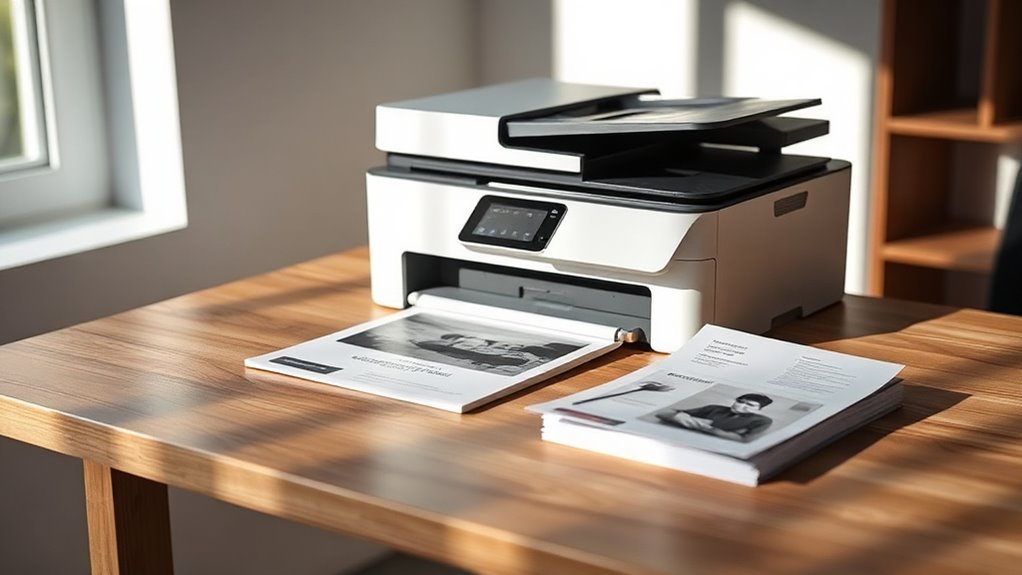
When choosing a black and white printer and scanner, you’ll want to prioritize print speed and scan quality to match your workflow. Consider connectivity options and paper handling capacity to guarantee smooth operation.
Don’t forget the benefits of duplex printing for saving time and paper. It really makes a difference when you have lots of documents to handle.
Print Speed Importance
Consider how print speed impacts your workflow efficiency when choosing a black and white printer and scanner combo. Higher print speeds, measured in pages per minute (ppm), cut wait times significantly—doubling from 20 to 40 ppm halves job completion time for large batches.
First-page-out time matters for short or intermittent prints, making the device feel faster even if the overall ppm is similar. You’ll want to match print speed to your scanner’s throughput (images per minute) to avoid bottlenecks; a scanner outputting 30 ipm paired with a 15 ppm printer will cause delays.
Also, check the duty cycle and sustained print speed to guarantee consistent performance over long runs. In shared environments, higher ppm prevents print-queue backlogs during peak demand, keeping your team productive.
Scan Quality Factors
Although print speed is essential, scan quality plays an equally indispensable role in selecting a black and white printer and scanner combo. You’ll want to prioritize optical resolution—scanners with 600 dpi capture sharper text and finer details than 300 dpi models.
Bit depth also matters; an 8–16 bit grayscale preserves subtle shading and boosts OCR accuracy, which is pivotal if you convert scans to editable text. Scan speed impacts productivity, so look for single-pass duplex ADFs that handle both sides of a page quickly and prevent misfeeds or skewed scans.
Adjustable contrast settings improve black-and-white scan clarity by reducing artifacts. Ultimately, a combination of high resolution, proper bit depth, reliable document feeding, and quality OCR software guarantees your scans are crisp, accurate, and efficient every time.
Connectivity Options Available
How will you connect your black and white printer and scanner combo to your devices? First, make certain it supports the network types you need—wired Ethernet for stable office use and dual-band Wi-Fi (2.4 GHz and 5 GHz) for faster, less-congested wireless connections.
If you plan to print or scan directly from smartphones and tablets, confirm compatibility with mobile and cloud printing services like AirPrint, Mopria, and Google or Apple cloud platforms. Check for USB 2.0/3.0 or USB-host ports for direct PC connections or walk-up USB thumb-drive printing and scanning.
Look for features like Wi-Fi self-reset, automatic reconnection, and integrated security protocols such as WPA3. And if multiple users share the device, prioritize models supporting Ethernet plus simultaneous wireless connections and remote management options for easier setup and monitoring.
Paper Handling Capacity
Once you’ve determined how your black and white printer scanner combo will connect to your devices, turn your attention to paper handling capacity. Check the main paper tray size—most small-office monochrome MFPs hold 150 to 250 sheets—since this affects how often you’ll need to refill.
Also, look at the automatic document feeder (ADF) capacity, usually 40–50 sheets, so you can scan or copy multiple pages without interruption. Don’t forget output capacity and maximum media size, like legal 8.5″ x 14″, to match your job requirements and reduce jams.
Evaluate the monthly duty cycle and recommended print volumes to make sure the device can keep up with your workload. Finally, verify support for different media types and weights to avoid misfeeds and manual paper handling.
Duplex Printing Benefits
When you choose a black and white printer scanner combo, consider duplex printing to cut your paper use roughly in half by printing on both sides. This feature helps reduce paper costs and waste, especially if you’re handling high-volume black-and-white jobs.
Two-sided scanning with a single-pass duplex ADF speeds up scanning by capturing both sides of multi-page documents in one go. It also minimizes jams, which is a nice bonus.
Keep in mind, duplex printing can slightly slow down first-page-out and per-page processing times. So, your effective pages per minute might dip a bit under heavy use.
Duplex printing also cuts storage and filing space by about 50%, thanks to double-sided documents. And if your workflow includes legal-size or mixed media, make sure the duplex mechanism supports those sizes and heavier paper weights. This helps avoid misfeeds or quality issues.
Consumables And Costs
Although choosing the right black and white printer scanner combo involves many factors, understanding consumables and their costs is essential for managing ongoing expenses. You should compare the page yield and cost-per-page by dividing cartridge or toner price by its stated yield to estimate printing costs accurately.
Look for high-yield or XL cartridges and long-lasting drum units to lower cost-per-page and reduce replacements. Don’t forget to factor in separate consumables like fusers and transfer belts, as some models need periodic maintenance kits that increase lifetime costs.
Optional subscription or auto-replenishment services can save money, but watch for enrollment rules and overage fees. Also, toner-save modes and duplex printing help reduce toner and paper usage, cutting your total consumable expenses substantially.
Device Compatibility Range
How well your black and white printer scanner combo fits into your existing tech setup can make or break your experience. First, make certain it supports the operating systems you use, like Windows, macOS, Linux, iOS, Android, or Chromebooks, since driver availability and app functionality vary.
Check connection options—Wi‑Fi (dual‑band 2.4/5 GHz), Ethernet, USB—to match your wired or wireless environment. Confirm compatibility with mobile printing standards such as AirPrint, Mopria, or cloud services to print and scan easily from smartphones or tablets.
If you need centralized access, verify network features like Active Directory or SMB/FTP scanning. Finally, review driver types to make certain advanced functions like duplex scanning and OCR are supported on your platforms, maximizing your device’s full potential.
Energy Efficiency Features
Energy efficiency often plays a pivotal role in choosing the right black and white printer scanner combo, especially if you want to keep operating costs low and reduce your environmental impact. Look for ENERGY STAR certification and EPEAT ratings to guarantee the model consumes less power and minimizes environmental harm.
Check typical and peak power draws—models with low sleep power (under 10 watts) and reasonable active wattage save money over time. Automatic duplex printing and scanning help reduce paper usage, cutting energy and material costs.
Features like toner-save modes and high-yield toner cartridges extend consumable life, lowering energy per page. Additionally, network apps with scheduled power-down and remote wake-on-LAN optimize energy use by minimizing idle time during off-hours, making your device both eco-friendly and cost-effective.
Frequently Asked Questions
How Do Black and White Printers Compare in Energy Consumption?
You’ll find black and white printers generally use less energy than color models because they have simpler printing mechanisms. They’re more efficient, especially in standby mode, helping you save power during long idle periods without sacrificing performance.
Pretty handy, right? It means you can keep your energy bills down while still getting the job done. So, if you don’t need color, black and white printers are a smart choice for saving energy.
What Is the Typical Lifespan of a Monochrome Printer?
You’d expect a monochrome printer to last about 3 to 5 years, but with heavy use, it might wear out sooner.
On the flip side, careful maintenance can stretch its life well beyond that. So, it really depends on how you treat it.
Are Black and White Printer Cartridges More Affordable Than Color Ones?
Yes, black and white printer cartridges are usually more affordable than color ones. You’ll find they cost less to replace and last longer.
This helps you save money, especially if you mainly print text documents. Makes sense, right?
Can These Printers Handle Heavy-Duty Printing Tasks?
Yes, these printers can handle heavy-duty printing tasks efficiently. You’ll find models designed for high volume output with durable components, fast speeds, and large paper capacities.
This ensures reliable performance for your demanding printing needs. So, if you’ve got a lot to print, these printers won’t let you down.
Do Black and White Printer Combos Support Mobile Printing Apps?
Yes, you can print from your phone, but don’t expect every model to be flawless.
Most black and white combos support mobile apps like AirPrint or Google Cloud Print. This lets you scan or print on the go with ease.
Conclusion
Choosing the perfect black and white printer and scanner combo is like finding a trusty compass in the tech jungle—guiding you through crisp prints and seamless scans. Whether you’re juggling work or personal projects, these top picks guarantee you never lose direction.
So, trust your instincts, weigh your needs, and let one of these machines become your reliable partner in productivity. Your perfect monochrome companion is just a decision away.
When it comes to selecting the best black and white printer and scanner combo, think about what matters most—speed, quality, or versatility. These combos are designed to boost your efficiency, offering sharp monochrome prints and smooth scanning experiences. With the right choice, you’ll enjoy hassle-free operation and consistent results every time.
In the end, investing in a reliable black and white printer and scanner combo means stepping up your game, whether for office tasks or personal use. So, take your time, compare features, and find that dependable monochrome device that fits your workflow perfectly. Your ideal black and white printer and scanner combo is waiting to make your life easier and more productive.