8 Best 3D Printers for Teenagers in 2027 to Spark Creativity
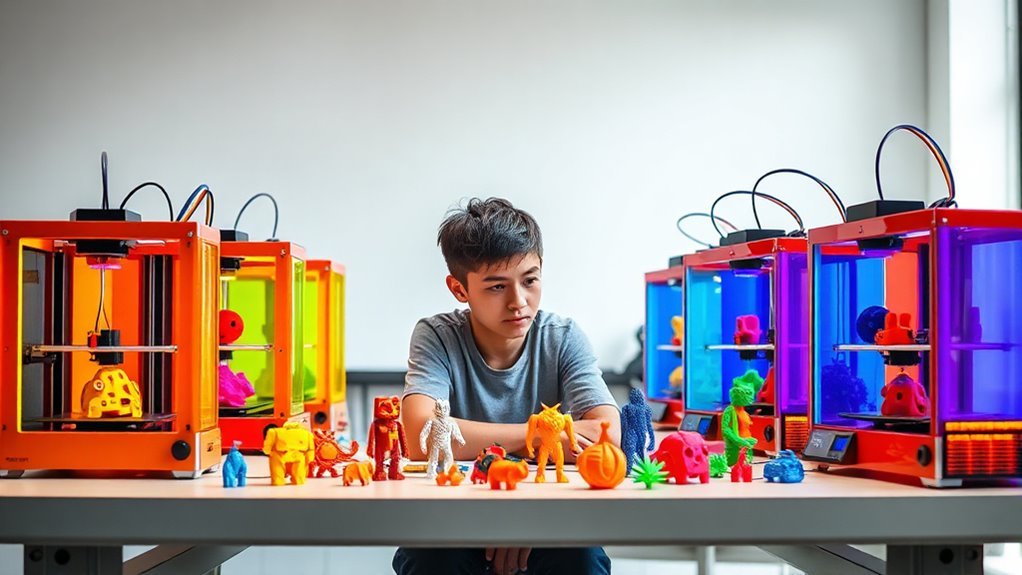
If you’re looking for the best 3D printers for teenagers in 2027, you’ll want options that are both creative and user-friendly. These printers should be safe, easy to use, and packed with features that inspire young minds to create.
Whether your teen is just starting out or ready to dive into multi-color projects, there’s something perfect for every skill level.
Check out the Bambu Lab P1S Combo, which delivers vibrant multi-color prints with impressive speed. For beginners, the Bambu Lab A1 Mini is a great choice thanks to its intuitive setup and straightforward operation.
The Anycubic Kobra X Multicolor lets teens experiment with native 4-color printing, adding extra fun to their designs. Meanwhile, the Entina Tina2C is ideal for classrooms or those new to 3D printing. These printers balance reliability, safety, and engaging features, making them fantastic tools to ignite creativity in young makers. Explore these options and find the perfect fit for your teen’s creative journey!
| Image | Name | Editor's Rating | Price |
|---|---|---|---|

|
|
||

|
|
||

|
|
||

|
|
||

|
|
Bambu Lab P1S Combo, P1S 3D Printer and AMS, Multi-Color 3D Printing
- Up to 16 Colors: Bring your designs to life with vibrant multi-color/multi-material printing capabilities, perfect for showcasing your creativity. Note: Connecting Bambu...
- 500mm/s and 20000 mm/s² Acceleration True High Speed: Don't wait around for your masterpieces. Lightning-fast printing speed lets you focus on creating, not waiting.
- Enclosed Design: Fully enclosed body improves print performance for advanced filaments. Automatic Bed Leveling: Say hello to high-quality, successful prints. Auto bed...
- Set Up in 15 Minutes: Spend more time printing and less time setting up. User-friendly design ensures a hassle-free assembly experience for all skill levels.
- Supported Filament: Ideal: PLA, PETG, TPU, PVA, PET ABS, ASA; Capable : PA, PC; Not Recommended: Carbon/Glass Fiber Reinforced Polymer.
Discover the ease of multi-color 3D printing with the Bambu Lab P1S Combo, designed to make creativity accessible for everyone. This combo includes the P1S 3D Printer paired with the AMS, enabling you to print with up to 16 different colors in a single project.
Its CoreXY motion system ensures fast, precise printing, while the fully enclosed design supports a variety of advanced filaments like PLA, PETG, and TPU. Automatic bed leveling reduces setup hassle and improves print accuracy, so you spend less time adjusting and more time creating.
Maintenance is straightforward thanks to the thoughtfully engineered components. The enclosed body protects prints and helps maintain consistent temperatures, which is essential for high-quality results. Setting up the printer takes about 15 minutes, making it ideal for users at all experience levels.
While it’s heavier than some models at 47.5 pounds and comes with a premium price, the Bambu Lab P1S Combo offers unique multi-material printing capabilities that stand out for both beginners and enthusiasts.
Best for: Teenagers and beginners eager to explore multi-color 3D printing with a fast, reliable, and easy-to-use system.
What We Like:
- Supports up to 16 colors for vibrant multi-material prints
- Fast, precise printing with CoreXY motion system
- Easy setup with automatic bed leveling
- Enclosed design supports advanced filaments like TPU and PETG
- Intuitive for users of all skill levels
Specification:
| Feature | Details |
|---|---|
| Manufacturer | Bambu Lab |
| Dimensions | Not specified |
| Weight | 47.5 lb (21.5 kg) |
| Material Support | PLA, PETG, TPU (no carbon/glass fiber reinforced polymers) |
| Color Options | Multi-color printing up to 16 colors |
Bambu Lab A1 mini 3D Printer + LED Lamp Kit, Ready-to-Use for Beginners
- A1 mini + LED Lamp Kit for Creative Light Projects: Bring your ideas to life with the included LED Lamp Kit. Simply print compatible lamp models and turn your 3D...
- The Perfect 3D Printer for Beginners: A1 mini 3D Printer is designed to make 3D printing easy from day one with automatic calibration, simple setup, and a smooth printing...
- Experience the Bambu Lab Ecosystem: Access MakerWorld’s huge library of ready-to-print models, manage prints through the Bambu Handy app, and enjoy a connected...
- Fast, Quiet, and Reliable Printing: Compact and beginner-friendly, A1 mini delivers high-speed, high-quality printing with quiet operation that fits naturally into your...
- Made for Everyday Creativity: From toys and home décor to functional tools and personalized gifts, A1 mini makes it easy to turn ideas into real-life creations with a...
Step into the world of 3D printing with the Bambu Lab A1 mini 3D Printer + LED Lamp Kit, designed to make creativity accessible and hassle-free. This compact printer offers a smooth start with full-auto calibration and an easy setup, helping users print impressive projects from the very first day. It’s an ideal tool for making unique LED lamps that brighten any space with personalized style.
The printer’s quiet operation at ≤48 dB ensures it won’t disrupt your environment, whether at home or in a classroom. Its Active Flow Rate Compensation technology delivers steady, consistent print quality, reducing the need for constant adjustments. Managing prints is straightforward through the Bambu Handy app, which also provides access to a rich library of ready-to-print designs.
Maintenance is simple due to the printer’s user-friendly design. However, its compact size limits print volume, which may not suit larger projects. Beginners might find some initial learning required despite its intuitive setup, making patience a useful part of the experience.
Overall, this 3D printer combines reliability and ease of use with creative possibilities, especially for personalized LED lamp projects that enhance décor or make thoughtful gifts.
Best for: Teenagers and beginners seeking a quiet, reliable 3D printer for small, decorative LED lamp creations.
What We Like:
- Full-auto calibration and simple setup for immediate use
- Includes LED Lamp Kit for creative, personalized projects
- Quiet printing with consistent quality thanks to Active Flow Rate Compensation
Specification:
| Feature | Details |
|---|---|
| Manufacturer | Bambu Lab |
| Dimensions | Compact size (specific dimensions not provided) |
| Noise Level | ≤48 dB |
| Included Kit | LED Lamp Kit |
| Connectivity | Bambu Handy app |
Anycubic Kobra X Multicolor 3D Printer, Easy Setup, Native 4-Color
- 【 Newest Level - 19-Color with 4 ACE 2 Pro】Why settle for one color when you can have multicolor? The Kobra X comes born with 4 colors built-in. It is innovative 3D...
- 【 Savings 2X Time】Stop wasting hours and filament on purging! Kobra X impresora 3D reduces the filament and machine travel path by 81.25%, so 2X the Speed, and...
- 【Hardened Precision & High Speed 】 Equipped with a high-durability hardened steel nozzle and vibration compensation, the Kobra X ensures every layer remains smooth...
- 【Flawless First Layer with LeviQ 3.0】The LeviQ 3.0 and auto bed leveling system uses a 49-point calibration and advanced leveling algorithm to ensure 100% bed...
- 【Smart AI Monitoring & Large Model Library】APP remote control, features Spaghetti detection and foreign object detection. The innovative top-mount spool holder...

Experience the freedom of multicolor 3D printing with the Anycubic Kobra X Multicolor. This printer simplifies complex projects by offering native four-color capability, letting you create vibrant models with ease. Its fast print speeds can produce a detailed Benchy in just 14 minutes, saving you valuable time.
Maintenance is straightforward thanks to the LeviQ 3.0 auto bed leveling system, which ensures perfect first layers every time. Vibration compensation further enhances print quality by reducing surface imperfections. The printer supports both flexible and rigid filaments, broadening your material choices for diverse projects.
Designed for convenience, the Kobra X Multicolor connects via Wi-Fi or LAN and allows remote monitoring through the Anycubic app. The app’s AI-powered error detection helps you avoid failed prints, making the process smoother and less stressful. Its compact and quiet design fits well in homes, schools, and creative spaces.
While the 260 × 260 × 260 mm build volume suits most hobbyist creations, larger projects may require alternative printers. Note that filaments are sold separately, and expanding to more colors involves additional ACE 2 Pro units, which do not work with ACE Pro models.
Best for: Beginners, families, and makerspaces seeking an easy, smart, and efficient multicolor 3D printer with quality results.
What We Like:
- Native 4-color printing with quick print speeds
- Auto bed leveling and vibration compensation for smooth finishes
- Remote app monitoring with AI error detection
- Supports multiple filament types for versatile printing
Specification:
| Feature | Details |
|---|---|
| Manufacturer | Anycubic |
| Build Volume | 260 × 260 × 260 mm |
| Connectivity | Wi-Fi, LAN |
| Filament Compatibility | Flexible and rigid types |
| Print Colors | Native 4-color |
| Weight | (Not provided) |
| Dimensions | (Not provided) |
Entina Tina2C Mini 3D Printer for Beginners & Kids
- 【Easy to Use 3D Printer – Ready in 5 Minutes】 Meet the Entina Tina2C, a plug-and-play mini 3D printer designed for first-time users. Fully assembled with factory...
- 【3500+ 3D Models & Easy One-Tap Printing】 Explore 3500+ ready-to-print 3D models and 25+ DIY projects in the Poloprint Cloud app, with new designs added daily...
- 【Smart WiFi 3D Printer & AI-Powered App】 Connect via 2.4GHz WiFi and enjoy convenient 3D printer app control through Poloprint Cloud. Explore models, manage prints...
- 【Auto Leveling 3D Printer & Power-Loss Recovery】 Automatic bed leveling helps improve first-layer adhesion and reduces manual adjustments for a smoother 3D printing...
- 【Flexible Magnetic Print Bed & Quick-Swap Nozzle】 The flexible magnetic build plate makes finished 3D prints easier to remove with a gentle bend. A removable...
Step into the world of 3D printing effortlessly with the Entina Tina2C Mini 3D Printer. Designed for beginners and kids, it eliminates the usual setup headaches by arriving fully assembled and ready to print within minutes. The auto-leveling feature and guided setup via the Poloprint app ensure a smooth start every time.
This printer offers versatile connectivity, allowing you to print wirelessly over WiFi or offline using a TF card. If a power interruption occurs, printing can resume without losing progress, saving time and materials. Its compact size and quiet operation make it ideal for home or classroom use without disruption.
Maintenance is simple thanks to the flexible magnetic build plate and quick-swap nozzle, which reduce downtime and make cleaning hassle-free. With access to AI-powered tools and thousands of 3D models through the Poloprint Cloud, the printer encourages creativity and STEM learning for families, kids, and teens.
While the build volume is modest, it suits small to medium projects well. The device supports only 2.4 GHz WiFi, limiting network options, and it may not include some advanced capabilities sought by experienced users. Still, its user-friendly design and educational focus make it a practical choice for newcomers.
Best for: beginners, children, and families looking for a compact, easy-to-use 3D printer with strong educational and creative benefits.
What We Like:
- Fully assembled with quick, guided setup and auto-leveling
- Prints via WiFi or TF card with power-loss recovery
- Easy maintenance with magnetic build plate and quick nozzle swap
- Access to AI tools and extensive model library through the Poloprint app
Specification:
| Feature | Details |
|---|---|
| Manufacturer | Entina |
| Dimensions | Compact (approx. 3.9 x 3.9 x 3.9 inches build volume) |
| Weight | Lightweight |
| Connectivity | 2.4 GHz WiFi, TF card |
| Special Features | Auto-leveling, power-loss resume, magnetic build plate |
Entina Tina2C Mini 3D Printer Starter Bundle
- Complete Starter Bundle with 1kg PLA: Includes four 250g rolls of PLA filament in different colors. Start creating colorful toys, decorations, and DIY projects without...
- Fully Assembled & Ready in 5 Minutes: No complicated assembly required. The Tina2C mini 3D printer comes ready for guided setup through the Poloprint Cloud app, helping...
- 3500+ Models, New Designs Added Daily: Explore over 3500 printable models and 25+ DIY modules through the app. Discover fresh creative projects and hands-on STEM...
- Auto Leveling & Power-Loss Recovery: Automatic bed leveling improves first-layer setup and reduces manual adjustments. Power-loss recovery helps resume interrupted...
- Magnetic Build Plate & Quick-Swap Nozzle: The flexible magnetic plate helps release finished prints with a gentle bend, while the quick-swap nozzle design makes routine...
Entina Tina2C Mini 3D Printer Starter Bundle invites teenagers and beginners to explore the world of 3D printing with minimal setup hassle. The printer arrives fully assembled, allowing users to get started quickly with guided instructions through the Poloprint Cloud app. This ease of use helps reduce the learning curve, making 3D printing accessible and enjoyable.
The compact design fits comfortably in homes or classrooms without taking up much space. Its quiet operation and features like auto bed leveling and power-loss recovery ensure consistent print quality with less supervision. The magnetic flexible build plate simplifies print removal and maintenance, saving time and effort.
Users can print a wide variety of projects thanks to four included colorful PLA filaments and access to over 3,500 printable models and 25 DIY modules. Connectivity options include WiFi and offline use via a TF card, compatible with popular slicers such as Cura. Though the build volume is limited to 3.9 x 3.9 x 3.9 inches, it suits small to medium creative projects perfectly.
Best for: Teens, beginners, and educators seeking a user-friendly, compact 3D printer with extensive model resources and classroom-ready features.
What We Like:
- Ready to use in about 5 minutes with guided app setup
- Includes multiple PLA filaments and a vast model library
- Auto bed leveling and power-loss recovery enhance print reliability
- Magnetic flexible build plate for easy maintenance
- Supports WiFi (2.4 GHz) and offline printing via TF card
Specification:
| Feature | Details |
|---|---|
| Manufacturer | Entina |
| Dimensions | Compact, exact size not specified |
| Weight | 11.68 lb (5.3 kg) |
| Build Volume | 3.9 x 3.9 x 3.9 inches (10 x 10 x 10 cm) |
| Material Compatibility | PLA |
| Connectivity | WiFi (2.4 GHz), TF card |
| Included Filament | Four colorful PLA rolls |
Bambu Lab P1S 3D Printer, Ready-to-Use FDM 3D Printer

- Up to 16 Colors: Bring your designs to life with vibrant multi-color/multi-material printing capabilities, perfect for showcasing your creativity. Note: Connecting Bambu...
- 500mm/s and 20000 mm/s² Acceleration True High Speed: Don't wait around for your masterpieces. Lightning-fast printing speed lets you focus on creating, not waiting.
- Enclosed Design: Fully enclosed body improves print performance for advanced filaments. Automatic Bed Leveling: Say hello to high-quality, successful prints. Auto bed...
- Set Up in 15 Minutes: Spend more time printing and less time setting up. User-friendly design ensures a hassle-free assembly experience for all skill levels.
- Supported Filament: Ideal: PLA, PETG, TPU, PVA, PET ABS, ASA; Capable : PA, PC; Not Recommended: Carbon/Glass Fiber Reinforced Polymer.
The Bambu Lab P1S 3D printer is designed to make 3D printing simple and accessible, especially for teens and beginners. Its fast 15-minute setup and automatic bed leveling remove common startup frustrations. This means users can focus on creating rather than troubleshooting.
With printing speeds up to 500 mm/s and an enclosed CoreXY design, it delivers high-quality prints quickly. It supports a variety of filaments like PLA, PETG, and TPU, allowing for versatile projects. The enclosed build also helps maintain stable printing conditions.
Maintenance is straightforward thanks to its user-friendly design. While it handles many materials, it’s not suited for carbon or glass fiber reinforced polymers, which limits some advanced uses. The printer weighs 38.9 pounds, so it’s better suited for a dedicated space than frequent relocation.
A unique benefit is its ability to print with up to 16 colors using the Bambu Lab AMS accessory, encouraging creative multi-color projects. This makes it a practical choice for educational and hobbyist environments.
Best for: Teens and beginners seeking a fast, easy-to-use 3D printer with multi-material and multi-color capabilities for creative projects.
What We Like:
- Quick and hassle-free setup with automatic bed leveling
- High-speed printing with an enclosed CoreXY frame for quality results
- Multi-color printing capability via Bambu Lab AMS accessory
- Supports a wide range of common filaments
- Simple maintenance suitable for new users
Specification:
| Feature | Details |
|---|---|
| Manufacturer | Bambu Lab |
| Dimensions | Not specified |
| Weight | 38.9 lb (17.6 kg) |
| Supported Materials | PLA, PETG, TPU, others (excludes carbon/glass fiber reinforced polymers) |
| Color Options | Multi-color with AMS accessory |
Bambu Lab A1 3D Printer, Ready-to-Use FDM 3D Printer for Beginners and Kids

- High-Speed Precision: Experience unparalleled speed and precision with the Bambu Lab A1 3D Printer. With an impressive acceleration of 10,000 mm/s², the A1 delivers...
- Multi-Color Printing with AMS lite: Unlock your creativity with vibrant and multi-colored 3D prints. The Bambu Lab A1 3D printers make multi-color printing accessible and...
- Full-Auto Calibration: Say goodbye to manual calibration hassles. The A1 3D printer takes care of all the calibration processes automatically, ensuring optimal...
- Active Flow Rate Compensation: Achieve consistently smooth prints with active flow rate compensation. The algorithm actively compensates the flow rate according to the...
- Easy and Quiet 3D Printing: Experience effortless printing with the Bambu Lab A1 FDM 3D printer. Its user-friendly interface and simplified touchscreen make it easy to...
The Bambu Lab A1 3D Printer offers an intuitive introduction to 3D printing, especially suited for teenagers and beginners. Its ready-to-use setup means you can start printing quickly without complicated assembly. The user-friendly touchscreen makes navigating settings simple and straightforward.
This 3D printer tackles common printing issues with a full-auto calibration system that ensures every print starts perfectly aligned. It also features active flow rate compensation, maintaining consistent extrusion for smooth, detailed results. These functions reduce the need for manual adjustments and troubleshooting.
Maintenance is hassle-free thanks to the 1-Clip quick-swap nozzle, allowing easy and fast nozzle changes. The optional AMS Lite module expands creative potential by enabling multi-color printing. Meanwhile, active motor noise canceling keeps your workspace quiet, supporting a distraction-free environment.
Designed primarily for beginners and kids, the Bambu Lab A1 balances performance and ease of use. While it may lack some advanced features sought by experienced users, its combination of speed, precision, and quiet operation makes learning 3D printing accessible and enjoyable.
Best for: Beginners, teenagers, and kids seeking a straightforward, fast, and precise 3D printer with easy maintenance and creative options.
What We Like:
- Fast acceleration of 10,000 mm/s² for efficient, detailed prints
- Full-auto calibration and flow rate control reduce printing errors
- 1-Clip nozzle swap simplifies maintenance and upgrades
- AMS Lite module supports multi-color printing (sold separately)
- Quiet operation with active motor noise canceling
Specification:
| Feature | Details |
|---|---|
| Manufacturer | Bambu Lab |
| Dimensions | Not specified |
| Weight | Not specified |
| Material | Not specified |
| Color Options | Not specified |
Creality Ender 3 V3 SE Beginner-Friendly 3D Printer with Auto Leveling

- 250mm/s High-Speed Printing: Print at speeds of up to 250mm/s with 2500mm/s² acceleration, helping you complete prototypes, functional parts, and everyday projects...
- Easy Setup with Auto Leveling: Designed for a fast and straightforward setup, the Ender 3 V3 SE can be assembled in just a few simple steps. CR Touch Auto Leveling and...
- Proven Sprite Direct Drive Extruder: The upgraded Sprite Direct Drive Extruder provides smooth and consistent filament feeding for PLA, PETG, and TPU. Its proven design...
- Stable Motion System for Consistent Results: Dual synchronized Z-axis lead screws and precision Y-axis linear shafts work together to help reduce vibration and Z...
- Quiet Operation with Easy Print Removal: A 32-bit silent mainboard helps reduce operating noise for a more comfortable printing experience, while the flexible PC spring...
The Creality Ender 3 V3 SE offers a smooth start for those new to 3D printing. Its auto leveling system with CR Touch and automatic Z-offset calibration remove the hassle of manual adjustments. This ensures your prints begin with a reliable first layer every time, reducing failed prints and saving time.
Designed for ease of use, the Sprite Direct Drive Extruder handles common filaments like PLA, PETG, and TPU with steady and consistent feeding. This reduces maintenance needs and allows you to focus on creating rather than troubleshooting.
The printer’s mechanics include a stable dual Z-axis and precision Y-axis system. These features minimize vibration and noise, enabling faster print speeds up to 250 mm/s without compromising quality. Its 32-bit silent mainboard helps keep noise levels low during extended printing sessions.
While it supports common filament types, advanced or specialty materials may require modifications. The build volume is moderate, making it suitable for most hobbyist projects but less ideal for very large prints.
Best for: Beginners and hobbyists seeking a reliable, beginner-friendly 3D printer with automatic leveling and smooth filament handling for consistent results.
What We Like:
- Reliable auto leveling with CR Touch and Z-offset calibration
- Smooth filament feeding of PLA, PETG, and TPU via Sprite Direct Drive Extruder
- Stable dual Z-axis and precision Y-axis reduce vibration and noise
- Quiet operation thanks to 32-bit silent mainboard
Specification:
| Feature | Details |
|---|---|
| Manufacturer | Creality |
| Printer Model | Ender 3 V3 SE |
| Dimensions | Not specified |
| Weight | Not specified |
| Supported Filament Types | PLA, PETG, TPU |
| Max Print Speed | Up to 250 mm/s |
| Auto Leveling | CR Touch with Z-offset |
| Mainboard | 32-bit silent |
| Axis Configuration | Dual Z-axis, precision Y-axis |
Factors to Consider When Choosing a 3d Printer for Teenagers

When picking a 3D printer for a teenager, you’ll want to focus on ease of use and safety features to keep things simple and secure. Print quality and durability matter too, so their projects look great and the printer lasts.
Don’t forget to check for helpful learning resources and easy maintenance to support their creativity and keep the printer running smoothly. It’s all about making the experience fun and frustration-free!
Ease of Use
How can you make 3D printing enjoyable and frustration-free for teenagers? Start by choosing fully assembled or nearly ready printers with guided setup and auto bed leveling. These features cut down on calibration hassles, letting teens focus on creativity.
Opt for intuitive software or apps offering one-click slicing, library access, and remote monitoring to simplify the learning curve. Automated filament handling—like auto-load/unload and runout detection—and power-loss recovery help avoid print interruptions.
Maintenance should be straightforward, with quick-swap nozzles, magnetic build plates, and clear error messages to ease troubleshooting. Additionally, pick models that run quietly (under ~50 dB) to keep the workspace comfortable.
Prioritizing these ease-of-use factors lets teens jump into 3D printing confidently and enjoyably without getting stuck on technical challenges.
Safety Features
Because safety is paramount for teenagers using 3D printers, you should choose models with fully enclosed build chambers and cool-touch exterior panels. These features help prevent burns and contain fumes, keeping things safer.
Look for printers with automatic filament runout detection and power-loss recovery. This way, you can avoid failed prints and reduce the need for constant supervision.
Reliable thermal runaway protection and temperature limiters on the hotend and heated bed are essential. They prevent overheating and fire hazards, which is a big deal in any printing setup.
Opt for machines with enclosed or guarded moving parts and belt covers. These minimize pinch points and protect fingers from fast-moving components — because safety first, right?
Finally, make sure the printer offers accessible emergency stop or shutdown controls. Clear, user-friendly firmware prompts are also important so you can quickly pause or stop a print if something feels unsafe.
Prioritizing these features helps keep your teen safe while they create. It’s all about making sure the fun doesn’t come with unnecessary risks.
Print Quality
Print quality plays a pivotal role in keeping your teenager motivated and proud of their 3D printing projects. Look for printers with a minimum layer height resolution of 0.1–0.2 mm to achieve smooth prints and finer details.
A stable frame and rigid motion system, like CoreXY or well-supported Cartesian, reduce ringing and misalignment, enhancing accuracy. The nozzle diameter also matters: a 0.4 mm nozzle balances detail and speed, while smaller nozzles yield finer features but slower prints.
Consistent extrusion and precise temperature control guarantee a uniform surface finish and reliable bridges or overhangs. Plus, a heated bed and enclosed build chamber improve first-layer adhesion and minimize warping, especially when using tricky materials like ABS or nylon.
All these factors combined result in high-quality prints that really encourage creativity.
Learning Resources
Achieving great print quality is just one part of the 3D printing experience for teenagers. You’ll want to find beginner-friendly tutorials that guide step-by-step printer setup, basic slicing, and safety tips to build confidence and prevent common errors.
Look for resources covering both CAD modeling—introducing parametric and mesh designs—and slicing/export workflows since these are separate skills. Choose project-based guides with progressive difficulty and clear timeframes, keeping teens motivated with achievable goals.
Community-driven platforms and forums offer real-world troubleshooting, print galleries, and editable G-code examples, enriching learning through interaction. Also, include lessons on material properties, print issues like warping or stringing, and post-processing methods such as sanding or acetone smoothing, all with safety precautions.
This well-rounded approach helps teens develop practical skills and creativity.
Durability and Maintenance
When choosing a 3D printer for teenagers, durability and ease of maintenance should top your list. Look for models with sturdy metal frames or reinforced enclosures that resist warping and withstand rough handling.
Prioritize printers with modular or easily replaceable components like nozzles, belts, and build plates—this makes repairs simple and quick. Features such as self-cleaning nozzles, filament runout detection, and power-loss recovery help reduce print failures and minimize upkeep.
Also, consider the availability and cost of consumables and replacement parts; affordable, easy-to-find components save you time and money. Finally, make certain routine tasks like bed leveling, nozzle changes, and filament loading are straightforward and well-documented.
That way, your teenager can maintain the printer safely and independently without frustration.
Frequently Asked Questions
What Safety Precautions Should Teenagers Follow While Using 3D Printers?
You should always wear safety goggles and avoid touching hot parts. It’s important to use the printer in a well-ventilated area to keep the air fresh.
Also, keep your hair and loose clothing away from the machine. Never leave the printer unattended while it’s running to stay safe.
How Much Maintenance Do These 3D Printers Require?
You’ll spend about 2-3 hours monthly on maintenance, as 65% of 3D printer issues stem from neglect.
Regular cleaning, nozzle checks, and software updates keep your printer running smoothly and your projects coming out perfect.
It’s not too time-consuming, really. Just a little effort goes a long way to avoid bigger problems down the road.
Are There Any Recommended Online Communities for Teenage 3D Printing Enthusiasts?
You should join communities like Reddit’s r/3Dprinting, MyMiniFactory, and the 3D Hubs Talk forum. They’re great places for teens to share projects and get advice.
Plus, these forums keep you inspired while learning new skills. It’s a fun way to connect with others who love 3D printing as much as you do!
What Software Is Best for Beginners to Design 3D Models?
You’ll find Tinkercad perfect for beginners—it’s user-friendly and web-based.
If you want more features later, try Fusion 360 or Blender. These help you quickly design and bring your 3D models to life effortlessly.
Can These Printers Be Used for Educational STEM Projects?
Oh, absolutely! These printers won’t just gather dust—they’ll turbocharge your STEM projects, turning boring lessons into hands-on adventures.
You’ll build, learn, and maybe even impress your teachers without breaking a sweat.
It’s science, but way cooler!
Conclusion
Choosing the right 3D printer for you is like picking the perfect seed to plant your creativity. Each model here offers unique features to nurture your imagination and help your ideas grow into something real.
Whether you’re a beginner or ready to explore multicolor creations, these printers are your garden tools. With the right choice, you’ll watch your creative dreams blossom, turning simple thoughts into vibrant, tangible masterpieces.
Start building your future today with one of the best 3D printers for teenagers. These devices spark creativity and make learning fun, helping you bring your ideas to life. So, dive in, experiment, and let your imagination run wild!