14 Best All in One Printer Scanner Models for 2026 Reviews
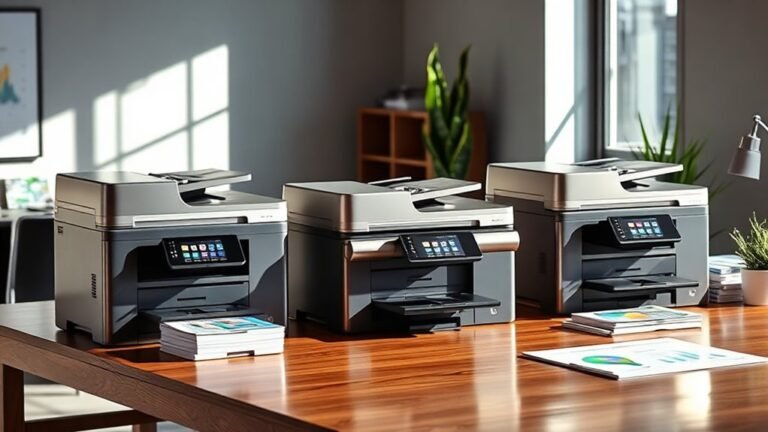
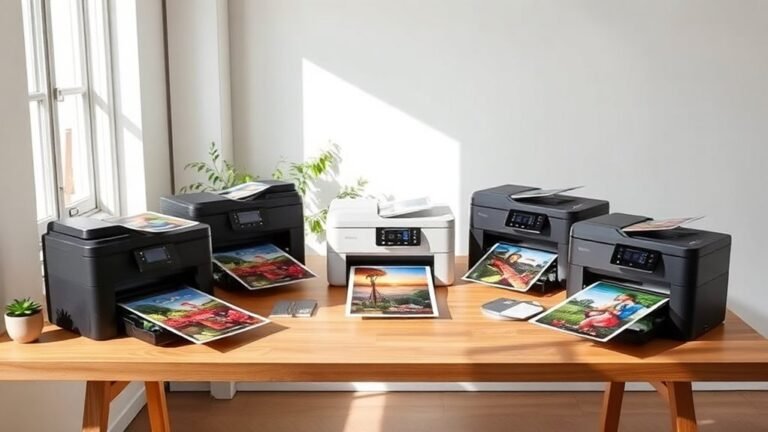
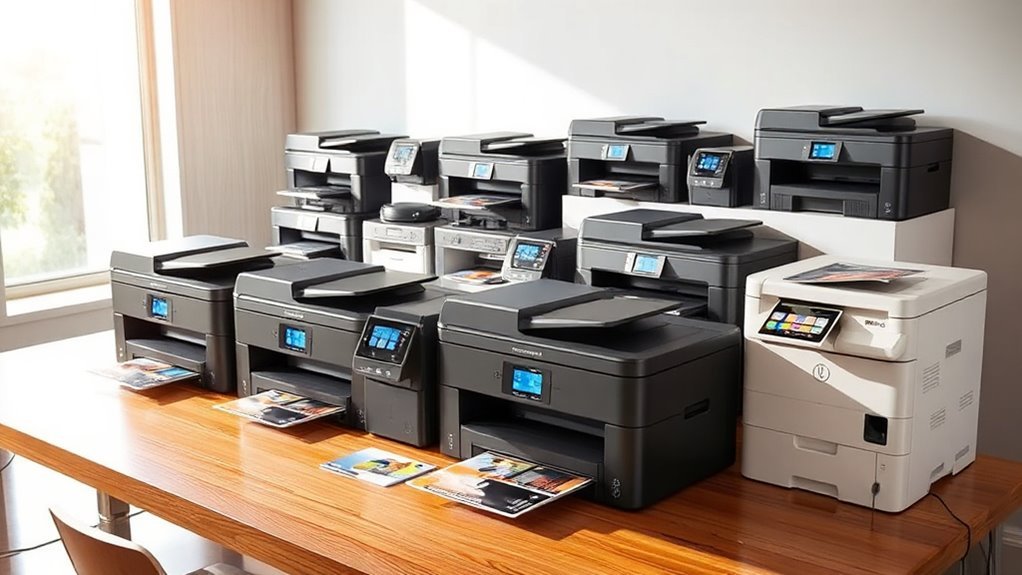
You’ll find top all-in-one printers like the HP OfficeJet Pro 8125 and Epson Workforce Pro WF-4935 delivering sharp prints, fast speeds, and versatile scanning with wireless ease. These models are perfect if you need a reliable all in one printer scanner that can handle everything from documents to photos without a hitch.
Brother’s INKvestment series offers impressive ink efficiency and high-volume capacity, making it ideal for both business and home use. Plus, with so many options out there, you’ll notice differences in paper handling, print quality, and eco-friendly features.
So, take your time to explore the details. This way, you can find the all-in-one printer scanner that truly matches your exact workflow and printing needs.
| Image | Name | Editor's Rating | Price |
|---|---|---|---|

|
|
||
|
|
||

|
|
||

|
|
||

|
|
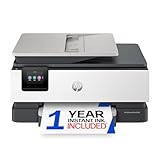
HP OfficeJet Pro 8125 Wireless All-in-One Printer
- FROM AMERICA'S MOST TRUSTED PRINTER BRAND – The OfficeJet Pro 8125 is perfect for home offices printing professional-quality color documents like business documents...
- 3 MONTH TRIAL OF INSTANT INK INCLUDED – Subscribe to the Instant Ink delivery service to get ink delivered directly to your door before you run out, and you save up to...
- KEY FEATURES – Fast color printing, scan, copy, auto 2-sided printing, auto document feeder, and a 225-sheet input tray
- 2.7-INCH TOUCHSCREEN – Quickly navigate your printer with a large color touchscreen and a phone-like user interface
- WIRELESS PRINTING – Stay connected with our most reliable dual-band Wi-Fi, which automatically detects and resolves connection issues

The HP OfficeJet Pro 8125 Wireless All-in-One Printer is designed to simplify your home or small office printing needs. It handles printing, scanning, copying, and faxing, helping you complete multiple tasks without switching devices. Its wireless dual-band Wi-Fi connection ensures smooth and flexible placement in your workspace.
This printer offers fast print speeds of up to 20 ppm for black and 10 ppm for color, which means less waiting and more productivity. The automatic duplex printing feature saves paper and effort by printing on both sides without manual intervention. With a 225-sheet input tray, it easily manages daily workloads.
Maintenance is straightforward thanks to compatibility with HP’s Instant Ink subscription, helping you avoid unexpected ink shortages and reduce running costs. The device’s eco-conscious design includes over 45% recycled plastic, balancing sustainability with impressive print durability that resists water and fading.
While faxing is accessible only through a mobile app, and the automatic document feeder only scans one side at a time, this all-in-one remains a reliable choice for everyday office tasks. Keep in mind that it requires original HP cartridges, which helps maintain quality but limits third-party ink use.
Best for: Small office and home users seeking a versatile, reliable all-in-one printer with wireless connectivity and eco-friendly features.
What We Like:
- Fast print speeds with automatic duplex printing
- Easy operation via 2.7-inch color touchscreen and dual-band Wi-Fi
- Eco-friendly design with over 45% recycled plastic
- Supports HP Instant Ink for convenient maintenance
- Water- and fade-resistant print quality
Specification:
| Feature | Details |
|---|---|
| Manufacturer | HP |
| Dimensions (W×D×H) | 17.2 × 15.9 × 9.9 inches |
| Weight | Approximately 17.4 lbs |
| Connectivity | Wireless dual-band Wi-Fi |
| Input Tray Capacity | 225 sheets |
| Display | 2.7-inch color touchscreen |
HP OfficeJet Pro 8139 Wireless All-in-One Printer
- FROM AMERICA'S MOST TRUSTED PRINTER BRAND – The OfficeJet Pro 8139 is perfect for home offices printing professional-quality color documents like business documents...
- 1 YEAR TRIAL OF INSTANT INK INCLUDED – Subscribe to the Instant Ink delivery service to get ink delivered directly to your door before you run out, and you save up to...
- KEY FEATURES – Fast color printing, scan, copy, fax, auto 2-sided printing, auto document feeder, and a 225-sheet input tray
- 2.7-INCH TOUCHSCREEN – Quickly navigate your printer with a large color touchscreen and a phone-like user interface
- WIRELESS PRINTING – Stay connected with our most reliable dual-band Wi-Fi, which automatically detects and resolves connection issues
The HP OfficeJet Pro 8139 Wireless All-in-One Printer is designed to bring professional-quality color printing to your home or home office. It delivers crisp documents with a sharp resolution of 4800 x 1200 dpi, helping you produce impressive reports and presentations effortlessly. This printer simplifies your workflow with automatic duplex printing, saving paper and time.
It features a 225-sheet input tray to handle large print jobs without frequent refills. The one-sided automatic document feeder (ADF) speeds up scanning and copying tasks, though it only supports single-sided pages. Wireless dual-band Wi-Fi and a 2.7-inch touchscreen make operation straightforward and flexible.
Maintenance is simplified thanks to HP’s AI, which helps optimize ink use and print settings. However, firmware updates restrict the printer to HP cartridges, which may impact ink expenses. Print speeds reach up to 20 ppm in black and 10 ppm in color, suitable for moderate workloads.
This model is also eco-conscious, made with over 45% recycled plastic, and includes a one-year Instant Ink trial to reduce running costs. Overall, it balances performance, convenience, and sustainability for everyday printing needs.
Best for: Home users and home office professionals who want a reliable, eco-friendly all-in-one printer that delivers high-quality color prints with wireless convenience and smart features.
What We Like:
- Sharp, professional color prints with high resolution.
- Automatic duplex printing for efficient double-sided jobs.
- Large 225-sheet tray reduces paper reloading.
- Wireless dual-band Wi-Fi and touchscreen enhance usability.
- Eco-friendly design with recycled plastic and Instant Ink trial.
Specification:
| Manufacturer | HP |
|---|---|
| Model | OfficeJet Pro 8139 |
| Print Resolution | Up to 4800 x 1200 dpi |
| Print Speed | Black: up to 20 ppm, Color: up to 10 ppm |
| Input Tray Capacity | 225 sheets |
| Connectivity | Wireless dual-band Wi-Fi |
| Display | 2.7-inch touchscreen |
| Dimensions (W×D×H) | Approx. 17.4 × 15.6 × 8.7 inches (44.2 × 39.6 × 22.1 cm) |
| Weight | Approx. 17.6 lb (8 kg) |
Epson Workforce Pro WF-4920 Wireless All-in-One Printer
- Built for Speed — PrecisionCore Heat-Free technology delivers fast, high-volume printing with 25 (black)/12 (color) ISO ppm and fast first-page-out
- High-Precision Office Printing — Accurate dot placement and DURABrite Ultra instant-dry pigment inks for professional-quality prints
- High-Volume Durability for Heavy Workloads — Innovative heat-free technology engineered for reliability and reduced downtime
- Designed for Productivity — All-in-one printer with auto 2-sided printing and 1-sided, 35-page ADF streamline workflow
- Maximize Printing Efficiency — High-performance office printer with large, 250-sheet paper capacity
Experience hassle-free high-volume printing with the Epson Workforce Pro WF-4920, designed to boost productivity in busy office environments. This all-in-one printer combines speed and precision, helping you complete large print jobs swiftly without compromising quality. Its PrecisionCore Heat-Free technology delivers sharp text and vibrant colors, enhancing every document you produce.
Maintenance is straightforward thanks to its reliable ink system using DURABrite Ultra pigment inks, which offer durability and crisp output. The 250-sheet paper capacity supports frequent printing, though very high-volume users might need to refill more often. The automatic duplex feature saves time and paper, making double-sided printing effortless.
Wireless connectivity options like Wi-Fi Direct, Apple AirPrint, and hands-free voice printing via Siri allow you to print from multiple devices effortlessly. The intuitive 4.3″ touchscreen and a 35-page automatic document feeder streamline workflow and reduce manual tasks.
While the printer works best on plain paper and requires genuine Epson cartridges to maintain warranty and print quality, its robust design meets the needs of professionals seeking reliability and versatile functionality.
Best for: Busy offices and professionals who need a fast, reliable all-in-one printer with high-volume capacity and versatile wireless connectivity.
What We Like:
- Fast print speeds up to 25 ppm black and 12 ppm color.
- Automatic duplex printing and 35-page automatic document feeder.
- Large, easy-to-use 4.3″ touchscreen interface.
- Wireless printing via Wi-Fi Direct, Apple AirPrint, and voice commands.
- Durable DURABrite Ultra pigment inks for crisp, long-lasting prints.
Specification:
| Feature | Details |
|---|---|
| Manufacturer | Epson |
| Model | Workforce Pro WF-4920 |
| Dimensions (W×D×H) | 18.5 × 18.1 × 15.1 inches |
| Weight | 20.7 lbs (9.4 kg) |
| Ink Type | DURABrite Ultra pigment inks |
| Paper Capacity | 250 sheets |
| Connectivity | Wi-Fi Direct, Apple AirPrint, Siri voice printing |
| Display | 4.3-inch touchscreen |
Epson Workforce Pro WF-4935 Wireless All-in-One Printer
- Built for Speed — PrecisionCore Heat-Free technology delivers fast, high-volume printing with 25 (black)/12 (color) ISO ppm and fast first-page-out
- High-Precision Office Printing — Accurate dot placement and DURABrite Ultra instant-dry pigment inks for professional-quality prints
- High-Volume Durability for Heavy Workloads — Innovative heat-free technology engineered for reliability and reduced downtime
- Complete Duplex Solution — All-in-one printer with auto 2-sided print, copy, scan and fax; plus 50-sheet ADF
- Maximize Printing Productivity — High-performance office printer with 500-sheet paper capacity; includes two 250-sheet trays for added convenience
The Epson Workforce Pro WF-4935 Wireless All-in-One Printer is designed to keep your office productive without constant interruptions. It uses advanced PrecisionCore Heat-Free inkjet technology to deliver sharp prints at high speeds, helping you meet tight deadlines with ease.
This printer handles multiple tasks effortlessly. You can print, copy, scan, and fax, all while enjoying features like auto-duplex printing and a 50-sheet automatic document feeder. Dual 250-sheet trays reduce the need for frequent paper refills, making it ideal for busy work environments.
Connectivity is simple and flexible, with Wi-Fi, Ethernet, and USB options. Managing your print jobs is convenient on the 4.3″ color touchscreen or through the Epson Smart Panel app. This reduces downtime and streamlines workflow.
While the printer excels in black-and-white print speed, color printing is slower, which may affect color-intensive projects. Its size and weight mean it needs a dedicated space, and it uses Epson 842 ink cartridges, which might be pricier than alternatives.
Best for: small to medium-sized offices or home offices needing reliable, high-volume printing with multifunction features and low maintenance.
What We Like:
- Sharp, high-resolution printing with PrecisionCore Heat-Free technology
- Multifunction efficiency including auto-duplex and large paper capacity
- Multiple connectivity options with easy touchscreen and app control
- Designed to minimize maintenance and downtime
Specification:
| Feature | Details |
|---|---|
| Manufacturer | Epson |
| Dimensions | Approx. 18.5 x 15.5 x 11.7 in (47 x 39.4 x 29.7 cm) |
| Weight | 23.6 lb (10.7 kg) |
| Printing Technology | PrecisionCore Heat-Free Inkjet |
| Connectivity | Wi-Fi, Ethernet, USB |
| Paper Capacity | Dual 250-sheet trays + 50-sheet ADF |
HP OfficeJet Pro 8135 Wireless All-in-One Printer
- FROM AMERICA'S MOST TRUSTED PRINTER BRAND – The OfficeJet Pro 8135 is perfect for home offices printing professional-quality color documents like business documents...
- 3 MONTH TRIAL OF INSTANT INK INCLUDED – Subscribe to the Instant Ink delivery service to get ink delivered directly to your door before you run out, and you save up to...
- KEY FEATURES – Fast color printing, scan, copy, fax, auto 2-sided printing, auto document feeder, and a 225-sheet input tray
- 2.7-INCH TOUCHSCREEN – Quickly navigate your printer with a large color touchscreen and a phone-like user interface
- WIRELESS PRINTING – Stay connected with our most reliable dual-band Wi-Fi, which automatically detects and resolves connection issues
The HP OfficeJet Pro 8135 Wireless All-in-One Printer is designed to streamline your printing tasks with speed and precision. Its fast printing rates of up to 20 ppm in black and 10 ppm in color help you complete jobs quickly, reducing wait times during busy workdays. Automatic two-sided printing saves paper and makes handling documents easier.
This printer’s 2.7-inch touchscreen offers simple control over functions, making operation straightforward even for non-technical users. Dual-band Wi-Fi and Ethernet connectivity ensure you stay connected with minimal interruptions, whether in a home office or small business environment. The AI-powered features intelligently optimize print layouts and remove unwanted content, helping to save ink and improve output quality.
Maintenance is hassle-free thanks to HP’s smart design, though note the auto document feeder only scans one side at a time, which might slow duplex scanning tasks. The printer enforces cartridge authentication, which ensures print quality but limits use of third-party cartridges. Initial prints may take about 18 seconds, which is standard for this class of printer.
Made with over 45% recycled plastic, the OfficeJet Pro 8135 supports eco-conscious users. The HP Smart app enhances your workflow by enabling easy scanning and faxing directly from your smartphone, making it a versatile tool for multitasking professionals.
Best for: Small offices, home offices, and home users needing efficient, high-quality color printing combined with smart connectivity.
What We Like:
- Fast print speeds with automatic duplex printing
- AI-driven print optimization for cleaner, efficient output
- Eco-friendly build using recycled plastics
- Easy touchscreen controls and strong wireless connectivity
Specification:
| Feature | Details |
|---|---|
| Manufacturer | HP |
| Dimensions (W x D x H) | Approximately 17.3 x 14.4 x 9.9 inches |
| Weight | About 17.3 lbs (7.85 kg) |
| Material | Over 45% recycled plastic |
| Connectivity | Dual-band Wi-Fi, Ethernet |
HP OfficeJet Pro 9125 Wireless All-in-One Printer
No products found.
The HP OfficeJet Pro 9125 Wireless All-in-One Printer is designed to keep busy offices running smoothly. It tackles high-volume printing tasks efficiently, delivering crisp documents and vibrant color at speeds up to 22 ppm in black and 18 ppm in color. This printer helps reduce interruptions with automatic duplexing and a 250-sheet input tray, ideal for steady workloads.
Its user-friendly 2.7-inch touchscreen and HP Smart app simplify operation and wireless printing. You can easily manage print jobs and scanning without complicated setups. Dual-band Wi-Fi and Ethernet connectivity ensure stable network performance, minimizing downtime.
Maintenance is straightforward, but keep in mind it uses HP 936 family cartridges with original chip authentication, which might increase ink costs. Its moderate paper capacity suits small to medium offices but may require refills during very busy periods.
Security is a strong point with HP Wolf Pro Security, helping protect sensitive data in a connected environment. The printer’s compact design and use of over 40% recycled plastic also contribute to sustainability without sacrificing performance.
Best for: busy small to medium-sized offices needing reliable, fast, and secure all-in-one printing solutions.
What We Like:
- Fast print speeds with automatic duplex printing and scanning
- Easy operation via color touchscreen and HP Smart app
- Dual-band Wi-Fi and Ethernet for dependable connectivity
- Enhanced security with HP Wolf Pro Security
- Environmentally conscious design using recycled materials
Specification:
| Feature | Details |
|---|---|
| Manufacturer | HP |
| Dimensions | Approx. 18.7 x 16.1 x 11.2 inches (W x D x H) |
| Weight | About 20.8 lb (9.4 kg) |
| Connectivity | Dual-band Wi-Fi, Ethernet |
| Screen | 2.7-inch color touchscreen |
| Paper Capacity | 250-sheet input tray |
| Print Speed | Up to 22 ppm black, 18 ppm color |
Canon PIXMA TR8620a All-in-One Home Office Printer

- Never run out of ink. Connect your printer to Alexa and receive notifications when you’re running low. Alexa can even place a smart reorder from Amazon on your behalf...
- Enrolling in Smart Reorders with Alexa ensures that you never have too much or too little ink supplies. No subscription needed.
- Wireless 4-in-1 (Print | Copy | Scan | Fax)
- 15 / 10 ipm Print Speed
- 200 Sheet Capacity (100 Cassette, 100 Rear Feed)
The Canon PIXMA TR8620a All-in-One Home Office Printer is designed to streamline your daily tasks. It combines printing, copying, scanning, and faxing into a compact device that fits well in small workspaces. This printer helps reduce paper waste with its automatic duplex printing and a 20-sheet document feeder, making multitasking easier.
Its dual trays hold up to 200 sheets, minimizing frequent paper refills during busy days. The five-ink system produces sharp color and black-and-white prints, enhancing the quality of your documents. Wireless features like AirPrint and Alexa integration allow you to print effortlessly from smartphones or PCs, adding convenience to your workflow.
Maintaining the printer is straightforward, though it is best suited for moderate workloads given its 1,000-page maximum duty cycle. Print speeds are adequate for home office use, though they are not the fastest in the market. The device supports a variety of connectivity options, ensuring flexibility in how you print and scan.
Best for: Small home offices or remote workers needing a versatile, compact all-in-one printer with wireless and smart features.
What We Like:
- Multifunctional design combining print, copy, scan, and fax.
- Automatic duplex printing with a 20-sheet document feeder.
- Wireless connectivity including AirPrint and Alexa integration.
- Dual paper trays for increased capacity.
- Vibrant output from a five-ink system.
Specification:
| Feature | Details |
|---|---|
| Manufacturer | Canon |
| Dimensions | Approx. 15.0 x 12.0 x 7.5 in (W x D x H) |
| Weight | Approx. 15 lbs (6.8 kg) |
| Color Options | Black |
| Connectivity | Wireless, USB, AirPrint, Alexa compatible |
Brother INKvestment 5010 Wireless Color Inkjet Printer

- BEST FOR SMALL BUSINESS: Print, copy, scan, and fax with one powerful device, with advanced security features for business. Includes one 1,800-page yield black ink...
- PRODUCTIVITY-FOCUSED FEATURES: A 250-sheet paper tray, 50-page single-pass duplex (2-sided) automatic document feeder (ADF), and automatic duplex printing on paper up to...
- SUPERIOR PRINTING: Engineered with the Brother PerfectPrint Auto Detection System, which helps ensure reliable, consistent print quality and performance you can depend on...
- SEAMLESS CONNECTIONS: Simplify your workflow with Wi-Fi Direct and multiple connection options, including wireless network interfacing, Ethernet, and USB. Plus, print...
- THE BROTHER MOBILE CONNECT APP: Put the power of printing at your fingertips. Go mobile with the simple-to-use Brother Mobile Connect app, which delivers easy on-screen...
The Brother INKvestment 5010 Wireless Color Inkjet Printer is designed to keep your busy workspace efficient and productive. It handles printing, copying, scanning, and faxing with ease, making it a versatile all-in-one device. Fast print speeds of up to 28 ppm in black and 26 ppm in color help you finish high-volume tasks quickly.
Its 250-sheet main tray and 50-page duplex automatic document feeder allow for uninterrupted workflow. Automatic duplex printing reduces paper waste, supporting cost-effective daily operations. Connectivity is flexible with dual-band Wi-Fi, Ethernet, and USB options, plus cloud service printing through a user-friendly 2.7″ touchscreen.
Maintenance is simplified by the INKvestment system, which uses high-yield cartridges that lower running costs over time. While the initial color cartridges yield fewer pages, the overall ink savings benefit small businesses and home offices. The printer’s size and weight may require adequate desk space but reflect its robust build quality.
Best for: Small businesses and home offices needing a reliable all-in-one printer that balances speed, efficiency, and ink cost savings.
What We Like:
- Fast print speeds with automatic duplex printing
- Large paper capacity and duplex ADF for smooth workflow
- Cost-effective INKvestment ink system with long-lasting cartridges
- Multiple connectivity options including wireless and cloud printing
Specification:
| Feature | Details |
|---|---|
| Manufacturer | Brother |
| Dimensions (W×D×H) | 16.1 × 15.7 × 11.7 inches |
| Weight | 30.9 lb (14.0 kg) |
| Connectivity | Dual-band Wi-Fi, Ethernet, USB |
| Display | 2.7″ Touchscreen |
| Paper Capacity | 250-sheet main tray, 50-page duplex ADF |
Brother INKvestment 1365 Wireless Color Inkjet Printer

- BEST FOR HOME AND HOME OFFICE: This multifunction printer makes it easy to print, copy, and scan—all in one compact printer. Includes one 1,200-page yield black...
- WIRELESS, MOBILE, AND USB CONNECTIVITY: Connect your way. Interface with your printer on your wireless network or via USB. Enhance your workflow with Wi-Fi Direct, which...
- CLOUD APP CONNECTIONS: Print from and scan to popular Cloud apps(3), including Google Drive, Dropbox, Box, OneDrive, and more, from an impressive 1.8” color display...
- PRODUCTIVITY-FOCUSED FEATURES: A 150-sheet paper tray(4), 20-page single-sided automatic document feeder (ADF)(4), and automatic duplex (2-sided) printing. Prints at fast...
- THE BROTHER MOBILE CONNECT APP: Put the power of printing at your fingertips. Go mobile with the Brother Mobile Connect app(6) that delivers easy onscreen menu navigation...
The Brother INKvestment 1365 Wireless Color Inkjet Printer is designed to simplify printing tasks for busy homes and small offices. It offers reliable color printing with efficient ink use, helping reduce frequent cartridge replacements. With print, copy, and scan capabilities, it handles everyday document needs in one compact device.
This printer improves workflow with a 20-page automatic document feeder and automatic duplex printing, letting you produce double-sided documents without extra effort. Its 150-sheet paper tray supports moderate printing volumes, minimizing interruptions during busy days. Fast black-and-white prints at up to 16 ppm keep essential tasks moving smoothly.
Maintenance is straightforward thanks to high-yield ink cartridges that extend printing capacity and lower costs. The Page Gauge feature provides clear ink-level tracking, so you know when it’s time to replace cartridges. Wireless and USB connectivity options allow easy printing from mobile devices and computers, while scanning directly to cloud services adds flexibility.
Best for: households and small offices needing a versatile, cost-effective color inkjet printer with wireless functionality and multi-tasking features.
What We Like:
- High-yield cartridges reduce ink replacement frequency
- Automatic duplex and document feeder enhance productivity
- Supports wireless and mobile printing for convenience
Specification:
| Feature | Details |
|---|---|
| Manufacturer | Brother |
| Dimensions | Approx. 16.1 x 14.1 x 7.6 inches |
| Weight | Approx. 13.8 lbs |
| Color Options | White |
| Paper Capacity | 150 sheets |
| Print Speed | Up to 16 ppm black, 9 ppm color |
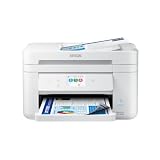
Epson Workforce WF-2990 Wireless All-in-One Printer
- Fast Professional-Quality Home Office Printing — Epson's leading-edge printing technology produces sharp text and clear, vibrant color graphics
- Our Fastest WorkForce Printer — Plus, a 150-sheet paper tray for convenient paper handling
- Convenient Operation — Large 2.4" color display for effortless navigation
- Engineered for Reliability — Consistently delivers high-quality prints with PrecisionCore Heat-Free technology and a permanent printhead designed to last the life of...
- Efficient, Economical Design — Automatic 2-sided printing helps you save paper and reduce paper waste
The Epson Workforce WF-2990 Wireless All-in-One Printer is designed to simplify your office tasks with reliable multifunction performance. It handles printing, scanning, copying, and faxing, all in one device that fits comfortably in small workspaces. Its automatic two-sided printing helps reduce paper use and saves time on larger jobs.
This printer delivers clear, sharp prints using PrecisionCore Heat-Free technology, producing detailed documents at up to 4800 x 1200 dpi. Print speeds of up to 15.5 pages per minute in black keep your workflow moving efficiently, though color prints run a bit slower. The 2.4-inch color touchscreen offers straightforward navigation without overwhelming complexity.
Maintenance is straightforward, but keep in mind it uses only Epson Genuine Cartridges, which may affect ink expenses. Connectivity options include Wi-Fi, Ethernet, and USB, allowing seamless integration into various office setups. The Epson Smart Panel app also lets you manage print jobs from your smartphone, adding convenience.
Overall, the WF-2990 is a practical choice for users needing dependable multifunction capabilities with wireless support and moderate volume handling.
Best for: Small offices or individuals who require an affordable, versatile all-in-one printer with wireless connectivity.
What We Like:
- Efficient automatic two-sided printing reduces paper waste.
- Sharp print quality with PrecisionCore Heat-Free technology.
- Multiple connectivity options including Wi-Fi, Ethernet, and USB.
- User-friendly 2.4″ color touchscreen for easy operation.
- Mobile app support for remote task management.
Specification:
| Feature | Details |
|---|---|
| Manufacturer | Epson |
| Dimensions (W×D×H) | 17.1 × 14.6 × 9.6 inches |
| Weight | 11.5 lbs (5.22 kg) |
| Color Options | White |
| Connectivity | Wi-Fi, Ethernet, USB |
Epson Workforce Pro WF-4930 Wireless All-in-One Printer

- Built for Speed — PrecisionCore Heat-Free technology delivers fast, high-volume printing with 25 (black)/12 (color) ISO ppm and fast first-page-out
- High-Precision Office Printing — Accurate dot placement and DURABrite Ultra instant-dry pigment inks for professional-quality prints
- High-Volume Durability for Heavy Workloads — Innovative heat-free technology engineered for reliability and reduced downtime
- Complete Duplex Solution — All-in-one printer with auto 2-sided print, copy, scan and fax; plus 50-sheet ADF
- Maximize Printing Productivity — High-performance office printer with 500-sheet paper capacity; includes two 250-sheet trays for added convenience
Experience a new level of efficiency with the Epson Workforce Pro WF-4930 Wireless All-in-One Printer. This model is designed to handle high-volume printing tasks with ease, reducing downtime and boosting productivity in busy work environments. Its PrecisionCore Heat-Free technology delivers sharp, professional-quality prints quickly.
The printer supports printing, copying, scanning, and faxing, making it a versatile solution for various office needs. Automatic duplexing and a 50-sheet automatic document feeder simplify multi-page jobs, saving time and effort. Dual 250-sheet trays help manage large print runs without frequent paper refills.
Connectivity options include Wi-Fi, Ethernet, and USB, plus mobile printing through the Epson Smart Panel app, allowing seamless integration into modern workflows. Maintenance is straightforward, though it requires exclusive use of Epson Genuine Cartridges, which may affect ongoing costs.
Its compact design fits well in most office spaces, though the unit is somewhat larger and heavier than basic models. The combination of speed, multifunction features, and connectivity makes it well-suited for demanding offices.
Best for: businesses or home offices needing a reliable, high-volume all-in-one printer with fast speeds and versatile connectivity options.
What We Like:
- Fast print speeds of up to 25 ppm black and 12 ppm color with high resolution.
- Multifunction device handling print, copy, scan, and fax with duplexing and ADF.
- Multiple connectivity choices including wireless and mobile app support.
- Dual paper trays reduce the need for frequent reloading.
Specification:
| Feature | Details |
|---|---|
| Manufacturer | Epson |
| Dimensions | Approx. 16.5 x 22.7 x 12.4 in (42 x 58 x 31.5 cm) |
| Weight | Approx. 23.1 lb (10.5 kg) |
| Color Options | Black |
| Connectivity | Wi-Fi, Ethernet, USB, Mobile App |
Brother INKvestment 6560 Wireless Color Inkjet Printer
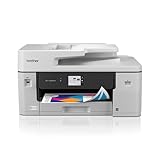
- BEST FOR SMALL BUSINESS: This multifunction printer makes it easy to print, copy, scan, and fax, and includes one 1,800-page yield black ink cartridge and one 750-page...
- PRODUCTIVITY-FOCUSED FEATURES: A 250-sheet paper tray(3), 50-page single-sided ADF(3), and automatic duplex (2-sided) printing for media-handling capabilities on paper up...
- SPEED & QUALITY: Engineered with MAXIDRIVE Technology with print speeds of up to 31 pages per minute (ppm) in black and up to 30 ppm in color(5). The Brother PerfectPrint...
- INNOVATIVE TECHNOLOGY: With Wi-Fi Direct, print wirelessly without an external network connection. Print from and scan to Cloud apps(6), including Google Drive, Dropbox...
- THE BROTHER MOBILE CONNECT APP: The power of printing at your fingertips. Go mobile with the simple-to-use Brother Mobile Connect app(7) that delivers onscreen menu...
Experience the power of fast, reliable printing with the Brother INKvestment 6560 Wireless Color Inkjet Printer. Designed to help small businesses and offices handle diverse printing needs, it delivers sharp, vibrant prints at speeds up to 31 ppm in black and 30 ppm in color. This printer handles media sizes up to ledger (11” x 17”), making it ideal for a range of documents and presentations.
Maintenance is simple thanks to the large 250-sheet tray and 50-page automatic document feeder, which support high-volume tasks with less frequent paper refills. Automatic duplex printing reduces paper waste, helping your workspace stay efficient and eco-friendly. The printer connects easily via dual-band Wi-Fi, Ethernet, or USB, offering flexible options for different office setups.
Its 2.7” color touchscreen and Brother Mobile Connect app simplify operation, saving you time on routine tasks. While the printer’s color cartridges yield about 750 pages each, the ink subscription service offers convenience and predictable supply management for busy users. However, some features come with additional costs and subscription requirements.
Overall, the Brother INKvestment 6560 is a solid choice for offices needing dependable color printing with versatile media handling and smart connectivity.
Best for: Small businesses and office environments requiring fast, versatile color printing with flexible connectivity.
What We Like:
- Fast print speeds up to 31 ppm black and 30 ppm color with sharp resolution
- Supports large media sizes up to 11” x 17” and high capacity paper tray
- Multiple connectivity options including dual-band Wi-Fi and Ethernet
- Easy operation via 2.7” touchscreen and mobile app integration
Specification:
| Feature | Details |
|---|---|
| Manufacturer | Brother |
| Dimensions (W x D x H) | Approx. 16.1” x 17.7” x 7.8” |
| Weight | 44.1 lb (20 kg) |
| Print Resolution | Up to 1,200 x 4,800 dpi |
| Media Size Supported | Up to 11” x 17” (ledger size) |
| Paper Tray Capacity | 250 sheets |
| Automatic Document Feeder | 50 pages |
| Connectivity | Dual-band Wi-Fi, Ethernet, USB |
Brother INKvestment 4555 Wireless Color Inkjet Printer
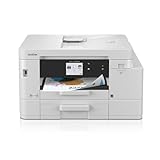
- BEST FOR SMALL OFFICE AND SMALL BUSINESS: This multifunction printer makes it easy to print, copy, scan, and fax —all in one compact printer. Includes one 1,800-page...
- INNOVATIVE CONNECTIVITY TECHNOLOGY: Connect your way via ethernet, wireless network, or USB connection. Wi-Fi Direct enables convenient wireless printing, even without an...
- CLOUD APP CONNECTIONS: Print from and scan to popular Cloud apps(4), including Google Drive, Dropbox, Box, OneDrive, and more with an impressive 2.7” color touchscreen...
- PRODUCTIVITY-FOCUSED FEATURES: Automatic duplex (2-sided) printing, 400-sheet paper capacity between 2 trays, 20-page single-sided auto document feeder (ADF), 1-sheet...
- THE BROTHER MOBILE CONNECT APP: Put the power of printing at your fingertips. Go mobile with the Brother Mobile Connect app(7) that delivers easy onscreen menu navigation...
The Brother INKvestment 4555 Wireless Color Inkjet Printer transforms how small offices and home businesses handle daily printing needs. It combines printing, copying, scanning, and faxing into one reliable device, streamlining tasks and saving valuable space.
With dual trays and a manual feed slot, it supports up to 400 sheets, reducing the need for frequent refills. Print speeds of up to 20 ppm in black and 19 ppm in color help maintain productivity without long waits. The 2.7″ color touchscreen simplifies navigation, making operation intuitive for all users.
Wireless connectivity allows seamless printing and scanning from cloud services like Google Drive, enhancing workflow flexibility. Automatic two-sided printing cuts paper usage, supporting cost-effective and eco-friendly practices. Starter cartridges offer high yields, but color cartridges may require more frequent replacement.
While the printer is efficient, its larger size means it needs dedicated desk space. The USB host port is limited to JPEG plug-and-print, which may restrict some direct USB printing options.
Best for: Small offices and home businesses seeking an all-in-one wireless color inkjet printer with versatile functionality and cloud connectivity.
What We Like:
- Large paper capacity with dual trays plus manual feed slot.
- Fast print speeds and automatic duplex printing.
- User-friendly 2.7″ color touchscreen.
- Supports wireless printing from multiple cloud applications.
- Energy-efficient design for everyday use.
Specification:
| Feature | Details |
|---|---|
| Manufacturer | Brother |
| Dimensions | Not specified |
| Weight | Not specified |
| Material | Not specified |
| Color Options | Not specified |
HP OfficeJet Pro 8125e Wireless All-in-One Printer

- The OfficeJet Pro 8125e is perfect for home offices printing professional-quality color documents like business documents, reports, presentations and flyers. Print speeds...
- PERFECTLY FORMATTED PRINTS WITH HP AI – Print web pages and emails with precision—no wasted pages or awkward layouts; HP AI easily removes unwanted content, so your...
- UPGRADED FEATURES – Fast color printing, scan, copy, auto 2-sided printing, auto document feeder, and a 225-sheet input tra
- WIRELESS PRINTING – Stay connected with our most reliable dual-band Wi-Fi, which automatically detects and resolves connection issues
- 3 MONTHS OF INSTANT INK WITH HP+ ACTIVATION – Subscribe to Instant Ink delivery service to get ink delivered directly to your door before you run out. After 3 months...
The HP OfficeJet Pro 8125e Wireless All-in-One Printer offers a practical solution for busy home offices needing versatile functionality. It handles printing, scanning, copying, and faxing via app, streamlining multiple tasks in a single device. This helps reduce clutter and simplifies your workflow.
With a 225-sheet capacity and duplex printing, you can print double-sided documents efficiently without constant paper refills. The dual-band Wi-Fi and touchscreen interface make wireless setup and navigation straightforward, saving time and effort.
Maintenance is hassle-free thanks to included setup ink cartridges and a 3-month trial of Instant Ink, ensuring you stay stocked without frequent trips to the store. Its eco-friendly design uses recycled materials and meets ENERGY STAR standards, supporting sustainability in your workspace.
Print speeds reach 20 ppm for black and 10 ppm for color, delivering sharp documents quickly. Smart AI features assist in optimizing layouts, improving the quality and presentation of your prints.
Best for: home office users needing a reliable, wireless all-in-one printer that supports efficient duplex printing and smart document handling.
What We Like:
- Efficient duplex printing with fast black and color output
- Multifunction device covering print, scan, copy, and fax via app
- Easy wireless setup with touchscreen and dual-band Wi-Fi
- Eco-conscious design using recycled materials and ENERGY STAR rating
Specification:
| Feature | Description |
|---|---|
| Manufacturer | HP |
| Dimensions | Approx. 17.3 x 14.6 x 9.6 in (44 x 37 x 24.4 cm) |
| Weight | Approx. 15.6 lb (7.1 kg) |
| Paper Capacity | 225 sheets |
| Connectivity | Dual-band Wi-Fi |
| Functions | Print, Scan (flatbed + ADF), Copy, Fax via app |
Factors to Consider When Choosing an All in One Printer Scanner 2026
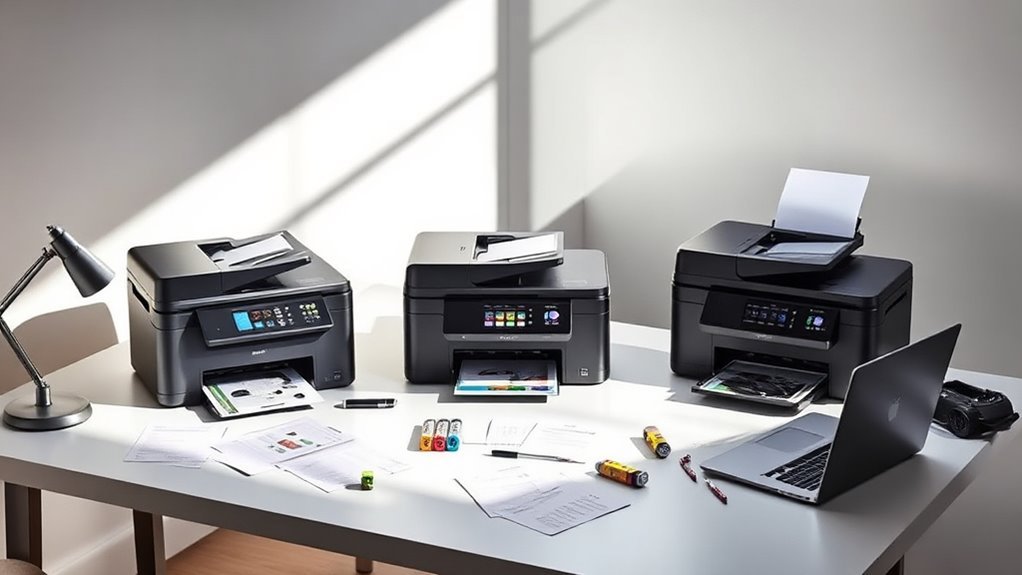
When choosing an all-in-one printer scanner in 2026, you’ll want to focus on print quality and scanning features that match your needs. Consider how fast the device works and the connectivity options it offers for seamless use.
Don’t forget to check ink and cartridge costs to avoid surprises down the line. It’s always good to think about how much you’ll be printing and scanning regularly. That way, you pick a device that fits your budget and workflow perfectly.
Print Quality Standards
Although choosing an all-in-one printer scanner can feel overwhelming, focusing on print quality standards will help you make a smart decision. Look for printers with at least 1200 x 1200 dpi input resolution to guarantee crisp text and fine lines. And up to 4800 x 1200 optimized dpi for vibrant photo or graphic prints.
Pay attention to ink type—pigment inks offer durable, fade-resistant text, while dye-based inks provide more vivid colors for photos. Don’t just trust advertised speed; check ISO/IEC print-speed and color accuracy metrics like Delta E or ICC-profile support for real-world performance.
Also, consider print rendering features such as true 1200 ppi processing and driver-level color calibration. These help maintain consistent, predictable color across various media and devices.
Scanning Features Overview
Since scanning is a key function of all-in-one printers, you’ll want to focus on features that boost efficiency and quality. Start by checking the automatic document feeder (ADF) type and capacity—single-pass duplex ADFs scan both sides in one go and usually handle 20–50 sheets, saving you hassle.
Look for a high optical resolution, like 600 x 600 dpi, paired with 24- or 48-bit color depth for sharp text and vibrant images. Make sure the scanner supports file formats such as searchable PDF with OCR, JPEG, and TIFF, plus direct saving to cloud or network folders for easy access.
Don’t forget software features like accurate OCR, automatic cropping, blank-page removal, and batch naming to streamline your scanning workflow without extra manual work. These little extras really make a difference when you’re scanning lots of documents.
Speed and Efficiency
Boost your productivity by choosing an all-in-one printer that excels in speed and efficiency. Focus on ISO/IEC print speed ratings and first-page-out times to get realistic black and color throughput.
Don’t overlook ADF capacity and duplexing—single-pass duplex ADFs handle two-sided documents faster than dual-pass models. Scanner throughput, measured in images per minute (ipm), also matters; aim for 50+ duplex ipm for quick batch scanning.
Check warm-up times and first-scan latency since faster hardware cuts delays when scanning large files or using OCR. Finally, consider paper tray and output stacking capacities—larger trays mean fewer interruptions during high-volume tasks.
Prioritizing these factors helps you find a device that keeps up with your workflow demands seamlessly.
Connectivity Options Available
When selecting an all-in-one printer scanner in 2026, you’ll want to prioritize connectivity options that match your workflow and environment. Dual-band Wi-Fi (2.4 GHz and 5 GHz) offers reliable wireless printing with faster transfers on less-crowded networks.
If you’re in an office with multiple users, Ethernet provides the most stable, low-latency connection. Wi-Fi Direct lets you print directly from your mobile device without relying on a router, which is super handy when you’re on the go.
Look for support of protocols like Apple AirPrint, Mopria, and IPP so you can print natively from smartphones and tablets without any extra drivers. Also, USB ports and thumb-drive support let you print or scan directly when network access isn’t available.
That way, you get maximum flexibility no matter where you are or what device you’re using.
Ink and Cartridge Costs
Connectivity options keep your printing seamless, but managing ink and cartridge costs will impact your long-term expenses more.
To get a clear picture, calculate the cost per page (CPP) by dividing the replacement cartridge price by its ISO page yield. Choose printers with high-yield or XL cartridges and individual color tanks so you replace only the empty color, cutting CPP markedly compared to combined cartridges.
You might also consider subscription ink services—they often lower CPP but may lock you into specific billing and replacement policies. Always check ISO/IEC page yields rather than approximate claims, and factor in how much you print in color versus black.
Finally, be aware of firmware or warranty rules that block third-party or refilled cartridges since these can increase your ongoing costs.
Paper Handling Capacity
To keep your printing running smoothly, focus on the printer’s paper handling capacity and features. Choose an input tray size that fits your monthly volume—150–250 sheets work for home use, while small offices benefit from 500+ sheets to cut down on refills.
Look for multi-tray designs or a combo of main plus multipurpose trays if you handle mixed media or want longer print runs. Check the Automatic Document Feeder (ADF) capacity and duplex scanning support to speed up batch tasks.
Don’t forget to verify the output tray’s capacity and the duty cycle to avoid frequent emptying or overheating. Finally, confirm supported media types and sheet sizes for each tray so you can print everything from envelopes to glossy photo paper without hassle.
Security and Privacy
Although all-in-one printers offer convenience and versatility, they also present security risks that you can’t ignore. To protect your sensitive data, choose devices supporting encrypted protocols like WPA3 for Wi-Fi and TLS for cloud printing.
Make sure the printer regularly updates its firmware to fix vulnerabilities. Opt for models with built-in access controls such as user authentication via PIN or LDAP integration, and role-based permissions to limit functions.
Look for on-device storage encryption and automatic data purging after tasks finish to prevent lingering files. Secure print release, encrypted scan destinations, and controls to disable USB ports enhance privacy.
Finally, verify vendor transparency on data collection. Prefer options supporting on-premises management to reduce cloud exposure and safeguard your information.
Environmental Impact Considerations
When choosing an all-in-one printer scanner in 2026, you should prioritize its environmental impact to minimize your carbon footprint. Look for models built with at least 40–45% post-consumer or ocean-bound recycled plastics and recyclable packaging to reduce embodied carbon.
Also, check for ENERGY STAR or EPEAT certifications. Make sure power consumption stays below 20 watts in active or standby modes to cut electricity use.
Opt for printers with individual, replaceable ink or toner cartridges, high-yield, or refillable systems to lower material waste. It’s a smart way to keep things efficient and eco-friendly.
Evaluate longevity by choosing devices with user-replaceable parts, modular designs, and transparent firmware updates to extend lifespan. This means your printer can stay useful longer, which is better for the planet.
Finally, consider manufacturers offering take-back programs and cartridge recycling. That helps properly handle end-of-life waste and supports circular material recovery. It’s all about closing the loop and reducing waste.
Frequently Asked Questions
How Do I Properly Recycle Ink Cartridges From These Printers?
You can properly recycle ink cartridges by locating a nearby recycling center or using manufacturer take-back programs.
Don’t toss them in regular trash; instead, drop them off at designated collection points to help reduce environmental waste.
It’s pretty simple once you know where to go, and it makes a big difference for the planet!
Can These Printers Be Used With Linux Operating Systems?
Like a bridge linking two islands, these printers often support Linux, but compatibility varies.
You’ll want to check each model’s drivers or community forums to guarantee smooth printing and scanning without frustrating hiccups.
What Are the Common Troubleshooting Steps for Paper Jams?
You’ll want to turn off the printer first. Then, gently remove the jammed paper to avoid any damage.
Next, check for any torn bits of paper stuck inside. Cleaning the rollers can also help if the problem keeps happening.
After that, reload the paper properly and restart the printer. If the jam persists, it’s a good idea to consult the manual or contact support for help.
How Do These Printers Handle Borderless Photo Printing?
These printers handle borderless photo printing smoothly, letting you print edge-to-edge without white margins.
You’ll just need to select the borderless option in settings and use compatible photo paper for the best results. It’s pretty straightforward!
Are There Any Subscription Plans for Ink Replacement Services?
Yes, many all-in-one printers offer subscription plans for ink replacement. You’ll get automatic shipments before you run out, saving time and money while ensuring you never miss a print job.
It’s super convenient! Just check with specific brands to see the details and find the plan that works best for you.
Conclusion
Choosing the perfect all-in-one printer scanner for 2026 might feel like hunting for a unicorn in a tech jungle—but it doesn’t have to be that wild! With these top models, you’re basically guaranteed a device that’ll handle everything from printing masterpieces to scanning ancient scrolls (well, almost).
So go ahead, pick your favorite, and watch your productivity skyrocket like a rocket-powered coffee machine. You’ll wonder how you ever lived without one!
When searching for the best all-in-one printer scanner, it’s important to consider factors like print quality, scanning speed, and connectivity options. These printers combine multiple functions into one convenient device, making them ideal for home offices, students, and small businesses.
By choosing one of these top all-in-one printer scanner models for 2026, you’re investing in efficiency and versatility. Whether you need crisp prints, fast scans, or reliable copying, these devices have you covered. So, don’t wait—upgrade your workspace with a reliable all-in-one printer scanner and enjoy seamless performance every day!