11 Best All-in-One Printers for Business in 2027
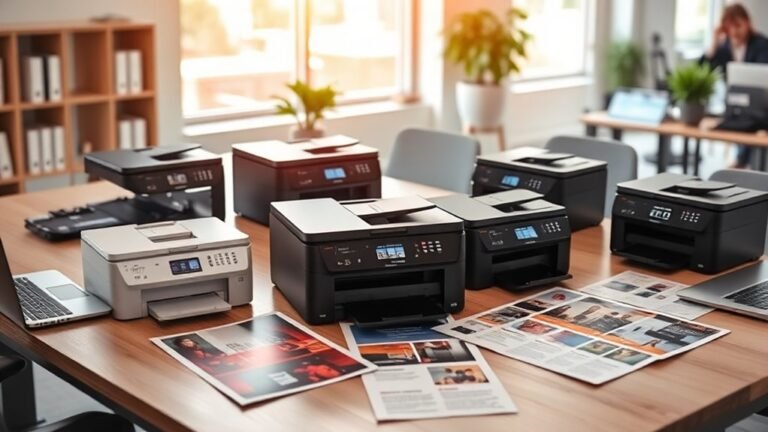
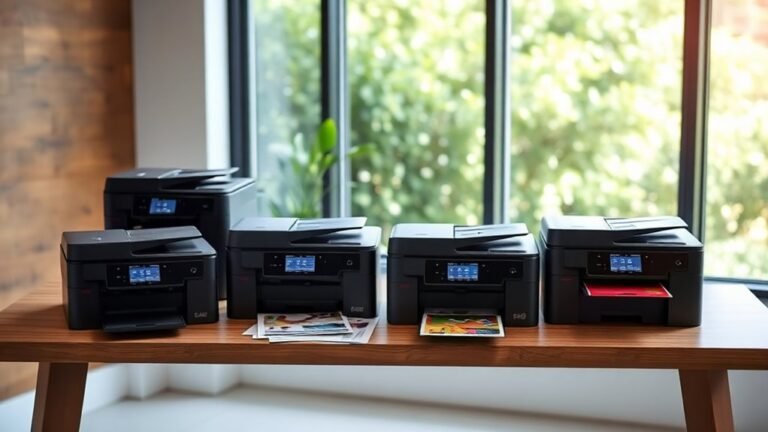
You need a reliable all-in-one printer that handles fast, secure, and high-quality printing for your business in 2027. Finding a model that combines speed, security, and affordability is key to keeping your office productive and efficient.
Whether you’re dealing with heavy print volumes or just want a machine that won’t slow you down, there’s an option tailored for you.
Models like the Brother MFC-L5915DW deliver lightning-fast monochrome prints, perfect for busy work environments. On the other hand, the Epson EcoTank Pro ET-5800 offers cost-effective, high-volume output that helps save on running costs.
HP’s OfficeJet Pro and Color LaserJet lines bring robust security features and wireless convenience to the table.
So, whether blazing speeds, low running costs, or smart connectivity are your top priorities, the right choice is here to keep your workflow smooth. Let’s discover which model fits your business needs best.
| Image | Name | Editor's Rating | Price |
|---|---|---|---|

|
|
||

|
|
||

|
|
||

|
|
||

|
|
Brother MFC-L5915DW Professional Laser Printer All-in-One
- FAST BUSINESS PRINTING AND COPYING: The Brother MFC-L5915DW business monochrome laser all-in-one printer delivers high-quality output and print and copy speeds of up to...
- LOW-COST OUTPUT: Help reduce operating costs by using the Brother Genuine TN920UXXL ultra high-yield 18,000-page replacement toner cartridge. Includes a Brother Genuine...
- FAST, HIGH-VOLUME SCANNING: The 70-page capacity(3) auto document feeder offers single-pass, two-sided scanning up to 56ipm(4). Features a large document glass for up to...
- FLEXIBLE CONNECTIVITY OPTIONS: Features built‐in Gigabit Ethernet and dual band wireless networking to seamlessly set up and share on your wired.

Experience reliable and efficient printing designed to keep your business moving smoothly. The Brother MFC-L5915DW Professional Laser Printer All-in-One delivers fast monochrome prints at up to 50 pages per minute. Its 70-page auto document feeder handles large tasks effortlessly, reducing time spent on manual scanning and copying.
This printer’s intuitive 5-inch color touchscreen makes operation straightforward, while dual-band WiFi and Gigabit Ethernet ensure stable, flexible connectivity. You can easily print from mobile devices or use voice commands to simplify workflows.
Maintenance is hassle-free with ultra high-yield toner cartridges that produce up to 18,000 pages, helping to lower operating costs. Duplex printing and scanning capabilities save paper and enhance productivity. The scalable paper capacity adapts to your workload, though the 250-sheet maximum may require refills during very large jobs.
Built with robust security features, this monochrome laser printer protects sensitive data, making it ideal for professional environments where confidentiality is critical.
Best for: Businesses and professionals needing fast, high-volume monochrome printing with advanced connectivity and security.
What We Like:
- High-speed printing and duplex scanning with a large auto document feeder
- Cost-efficient ultra high-yield toner for extended use
- Flexible connectivity including dual-band WiFi and Gigabit Ethernet
- User-friendly 5-inch touchscreen interface
Specification:
| Feature | Details |
|---|---|
| Manufacturer | Brother |
| Dimensions (W×D×H) | 16.1 × 15.7 × 12.5 inches |
| Weight | 20.9 lbs (9.5 kg) |
| Printing Technology | Monochrome Laser |
| Connectivity | Dual-band WiFi, Gigabit Ethernet, Mobile Printing |
| Auto Document Feeder | 70 pages |
| Paper Capacity | Up to 250 sheets |
Brother MFC-L8930CDW Color Laser All-in-One Printer
- Updated design, professional results. High-quality output with sharp color and black printing. Fast print and copy speeds up to 33ppm(1) help boost productivity. Reliable...
- Maximize printing budgets. Offers built-in value with included Brother Genuine 3,000-page black and 1,800-page color standard yield toner cartridges. Help lower printing...
- Advanced scanning. High-speed, two-sided scanning up to 104ipm(3) with 80-page auto document feeder(4) and legal-size glass. Scan to cloud, email, SharePoint, and more...
- Productivity-enhancing features. Flexible connectivity, including built-in dual-band (2.4GHz / 5GHz) wireless networking and Gigabit Ethernet networking. 7” color...
- Triple Layer Security. Advanced security features to help keep devices secure, protect documents in transit to and from print devices, and safeguard networks. Includes an...
The Brother MFC-L8930CDW is designed to meet the demands of busy offices needing fast, reliable color printing and versatile all-in-one functionality. Its compact design saves space without sacrificing speed, producing up to 33 pages per minute for both print and copy tasks. This efficiency helps reduce wait times and keeps workflows moving smoothly.
Navigating the printer is simple thanks to the 7-inch touchscreen, which makes managing jobs quick and intuitive. The high-speed two-sided scanner captures documents at 104 images per minute, streamlining digitization and minimizing manual effort. These features combine to enhance office productivity.
Maintenance is straightforward with high-yield toner options that lower running costs and reduce cartridge replacements. The printer supports dual-band wireless and Gigabit Ethernet connections, enabling flexible setup in various network environments. Security is reinforced by triple-layer protection and NFC badge authentication, safeguarding sensitive data.
While the printer weighs 71.2 pounds, which may limit portability, its compact footprint fits comfortably in most office spaces. Initial toner cartridges offer moderate page yields, so investing in high-yield replacements can optimize uptime. Paper trays are smaller compared to larger models, requiring more frequent refills but fitting well in tight spaces.
Best for: Offices needing a secure, fast, and space-efficient all-in-one color laser printer with advanced scanning and cost-effective maintenance.
What We Like:
- Fast printing and copying at up to 33 ppm with quality color output
- Intuitive 7-inch touchscreen for easy operation
- High-speed duplex scanning boosts document handling efficiency
- Robust wireless and Ethernet connectivity options
- Enhanced security with triple-layer protection and NFC badge access
Specification:
| Feature | Details |
|---|---|
| Manufacturer | Brother |
| Dimensions (W x D x H) | Approx. 16.1 x 18.5 x 16.7 in (41 x 47 x 42.5 cm) |
| Weight | 71.2 lb (32.3 kg) |
| Color Options | White with black accents |
Brother INKvestment 5010 Wireless Color Inkjet Printer
- BEST FOR SMALL BUSINESS: Print, copy, scan, and fax with one powerful device, with advanced security features for business. Includes one 1,800-page yield black ink...
- PRODUCTIVITY-FOCUSED FEATURES: A 250-sheet paper tray, 50-page single-pass duplex (2-sided) automatic document feeder (ADF), and automatic duplex printing on paper up to...
- SUPERIOR PRINTING: Engineered with the Brother PerfectPrint Auto Detection System, which helps ensure reliable, consistent print quality and performance you can depend on...
- SEAMLESS CONNECTIONS: Simplify your workflow with Wi-Fi Direct and multiple connection options, including wireless network interfacing, Ethernet, and USB. Plus, print...
- THE BROTHER MOBILE CONNECT APP: Put the power of printing at your fingertips. Go mobile with the simple-to-use Brother Mobile Connect app, which delivers easy on-screen...
The Brother INKvestment 5010 Wireless Color Inkjet Printer is designed to simplify office tasks and boost efficiency. It handles printing, scanning, copying, and faxing with ease, making it a reliable all-in-one solution for busy small businesses. The fast print speeds of up to 28 ppm in black and 26 ppm in color reduce wait times for important documents.
This printer helps streamline workflows with automatic duplex printing and a 50-page automatic document feeder. It supports wireless, Ethernet, and USB connections, allowing users to print and scan remotely through the Brother Mobile Connect app. These features make managing tasks from anywhere more convenient.
Maintenance is straightforward with high-yield ink cartridges and a Page Gauge feature that tracks ink levels, preventing unexpected shortages. The printer’s design focuses on durability and consistent performance, although its weight of 30.9 pounds may limit portability and the 250-sheet tray might require frequent refills during heavy use.
Best for: Small businesses seeking a versatile and secure all-in-one printer with efficient wireless and mobile connectivity.
What We Like:
- Fast printing speeds with sharp 4800 x 1200 dpi quality
- Automatic duplex printing and 50-page ADF for multitasking
- Multiple connectivity options including Wi-Fi Direct and Ethernet
- Ink level monitoring with high-yield cartridges
- Easy remote printing and scanning via mobile app
Specification:
| Feature | Details |
|---|---|
| Manufacturer | Brother |
| Dimensions (W x D x H) | Not specified |
| Weight | 30.9 lbs (14.0 kg) |
| Printing Technology | Wireless Color Inkjet |
| Max Print Speed | 28 ppm (black), 26 ppm (color) |
| Max Print Resolution | 4800 x 1200 dpi |
| Paper Capacity | 250-sheet main tray |
| Automatic Document Feeder | 50 pages |
HP OfficeJet Pro 8125 Wireless All-in-One Printer
- FROM AMERICA'S MOST TRUSTED PRINTER BRAND – The OfficeJet Pro 8125 is perfect for home offices printing professional-quality color documents like business documents...
- 3 MONTH TRIAL OF INSTANT INK INCLUDED – Subscribe to the Instant Ink delivery service to get ink delivered directly to your door before you run out, and you save up to...
- KEY FEATURES – Fast color printing, scan, copy, auto 2-sided printing, auto document feeder, and a 225-sheet input tray
- 2.7-INCH TOUCHSCREEN – Quickly navigate your printer with a large color touchscreen and a phone-like user interface
- WIRELESS PRINTING – Stay connected with our most reliable dual-band Wi-Fi, which automatically detects and resolves connection issues
Experience efficient printing that fits perfectly into your home office routine with the HP OfficeJet Pro 8125 Wireless All-in-One Printer. Designed for busy users, it simplifies wireless printing with fast speeds of up to 20 ppm in black and 10 ppm in color. Duplex printing and a 225-sheet tray reduce interruptions, helping you stay productive.
The printer’s 2.7-inch color touchscreen offers straightforward navigation, while dual-band Wi-Fi and mobile printing options, including Apple AirPrint, keep you connected from anywhere. Print quality reaches up to 4800 x 1200 dpi, ensuring sharp, vibrant documents every time.
Maintenance is simple with easily replaceable HP 923 series ink cartridges, though costs may be higher without an Instant Ink subscription. The device is built sustainably, using over 45% recycled plastic, and features HP Wolf Essential Security to protect your data.
This all-in-one printer combines reliability, quality, and eco-conscious design to meet the needs of home office users seeking a secure and efficient wireless printing solution.
Best for: Home office users needing a reliable, fast, and secure wireless all-in-one printer with high-quality color output and an eco-friendly build.
What We Like:
- Fast black and color print speeds with duplex capability
- Easy-to-use 2.7-inch color touchscreen interface
- Multiple connectivity options including dual-band Wi-Fi and Apple AirPrint
- Sustainable design with over 45% recycled plastic content
- Enhanced security through HP Wolf Essential Security
Specification:
| Feature | Details |
|---|---|
| Manufacturer | HP |
| Dimensions (W x D x H) | Approx. 17.2 x 15.5 x 9.3 in |
| Weight | Approx. 17.6 lbs (8 kg) |
| Material | Plastic (45%+ recycled) |
| Color Options | Black/Gray |
HP Color LaserJet Pro MFP 3301sdw Printer
- FROM AMERICA'S MOST TRUSTED PRINTER BRAND – Perfect for small teams printing, scanning and copying professional-quality color documents and reports. Print speeds up to...
- PROFESSIONAL PRODUCTIVITY – Proficiency with every print—next-generation TerraJet toner brings your business to life with more vivid colors.
- ORIGINAL HP TONER CARTRIDGES – This HP printer uses Original HP 218A standard and 218X high yield LaserJet toner cartridges.
- UPGRADED FEATURES – Fast color printing, scan, copy, auto 2-sided printing, auto document feeder, and a 250-sheet input tray.
- AWARD-WINNING RELIABILITY – Performance you can count on page after page, and always ready for the high demands of business.
Businesses that require fast and dependable color printing will find the HP Color LaserJet Pro MFP 3301sdw a practical solution. It prints up to 26 pages per minute in both color and black-and-white, helping reduce wait times and increase productivity. The device’s sharp 600 x 600 dpi resolution ensures clear, professional-quality prints suitable for everyday office tasks.
This all-in-one printer combines printing, scanning, and copying into one compact unit. The flatbed scanner and automatic document feeder streamline multi-page tasks, saving time and effort. Wireless printing options, including Wi-Fi and mobile printing via the HP app, provide flexibility for various work environments.
Maintenance is straightforward with a 250-sheet input tray that minimizes paper reloads. However, users should note it only supports HP 218A or 218X toner cartridges, which restricts third-party options. Built-in HP Wolf Pro security features protect sensitive data, making it suitable for offices that prioritize information safety.
Best for: Businesses and professionals needing a reliable, secure color laser printer that supports a busy workflow with versatile connectivity.
What We Like:
- Fast print and copy speed up to 26 ppm in color and black-and-white
- Multiple connectivity options including USB, Wi-Fi, Ethernet, and mobile printing
- Integrated HP Wolf Pro security safeguards sensitive documents
- Efficient multi-function design with flatbed scanner and auto document feeder
Specification:
| Feature | Description |
|---|---|
| Manufacturer | HP |
| Model | Color LaserJet Pro MFP 3301sdw |
| Print Speed | Up to 26 ppm (color and B&W) |
| Print Resolution | 600 x 600 dpi |
| Paper Tray Capacity | 250 sheets |
| Connectivity | USB, Wi-Fi, Ethernet, Mobile printing |
| Weight | 37.7 lb (17.1 kg) |
Epson EcoTank Pro ET-5800 Wireless Color All-in-One Supertank Printer

- 2 Years of Unlimited Ink promo valid for ET-5150, ET-5170, ET-5180, ET-5800, ET-5850, ET-5880, ET-16600 or ET-16650 printers purchased from 10/1/2021 to...
- Warning – Printer Designed For Use With Pigment Inks Only Use of Dye Inks May Cause Damage not covered by the Epson Limited Wnty
- You can save up to 80 percent with low-cost replacement ink bottles vs standard-capacity color laser toner cartridges (1) — very low cost per page with about 2 cents...
- Epson EcoTank is the #1 Best Selling Supertank Printer*
- Fast print speed — powered by PrecisionCore Heat-Free Technology up to 25 ISO ppm black (ƚ) no warmup time for fast first page out
The Epson EcoTank Pro ET-5800 is designed to tackle high-volume printing challenges with ease. It offers fast, reliable output that keeps your work flowing without delays. This wireless color all-in-one printer helps reduce downtime by eliminating warmup time, producing sharp prints at speeds up to 25 ppm for black documents.
Its innovative refillable supertank system cuts ink costs by up to 80%, printing thousands of pages before needing a refill. This setup lowers maintenance efforts and waste, thanks to its zero-cartridge design. The DURABrite pigment-based inks ensure vibrant, smudge-resistant prints that dry instantly, making it ideal for busy office environments.
The printer’s energy-efficient operation supports eco-conscious workplaces. While it performs best with genuine Epson ink, this ensures consistent quality and durability. Users should note the initial setup requires registration to access certain promotions, and the upfront cost may be higher compared to standard cartridge models.
Overall, the Epson EcoTank Pro ET-5800 combines functionality and sustainability to meet demanding office needs with minimal interruptions.
Best for: businesses and professionals needing efficient, cost-effective color printing with strong environmental benefits.
What We Like:
- High-volume printing with minimal interruptions
- Up to 80% ink cost savings via refillable supertank bottles
- Fast output with no warmup time
- Vibrant, instant-dry prints using DURABrite inks
- Eco-friendly design reducing waste and energy use
Specification:
| Feature | Details |
|---|---|
| Manufacturer | Epson |
| Dimensions | Not specified |
| Weight | Not specified |
| Technology | PrecisionCore Heat-Free |
| Print Speed | Up to 25 ppm (black) |
| Ink System | Refillable supertank bottles |
| Color Printing | Yes, wireless color all-in-one |
Epson Workforce Pro WF-4935 Wireless All-in-One Printer

- Built for Speed — PrecisionCore Heat-Free technology delivers fast, high-volume printing with 25 (black)/12 (color) ISO ppm and fast first-page-out
- High-Precision Office Printing — Accurate dot placement and DURABrite Ultra instant-dry pigment inks for professional-quality prints
- High-Volume Durability for Heavy Workloads — Innovative heat-free technology engineered for reliability and reduced downtime
- Complete Duplex Solution — All-in-one printer with auto 2-sided print, copy, scan and fax; plus 50-sheet ADF
- Maximize Printing Productivity — High-performance office printer with 500-sheet paper capacity; includes two 250-sheet trays for added convenience
The Epson Workforce Pro WF-4935 is designed to keep busy offices running smoothly. It tackles high-volume printing, scanning, copying, and faxing with ease, reducing downtime and boosting productivity. Its wireless capabilities mean you can print or scan from almost anywhere, streamlining your workflow.
With crisp 4800 x 2400 dpi resolution and fast speeds—up to 25 black and 12 color pages per minute—this printer handles diverse office tasks efficiently. The large 500-sheet paper capacity and 50-sheet automatic document feeder minimize interruptions, letting you focus on work instead of constant refills.
Maintenance is straightforward thanks to durable DURABrite Ultra pigment inks that dry instantly and resist smudging. This reduces paper jams and keeps print quality consistent, even during heavy workloads. The intuitive 4.3″ color touchscreen and Epson Smart Panel app make controlling and monitoring the device simple and convenient.
While the color print speed is slower than black, it balances quality and performance for everyday office use. The use of proprietary ink cartridges supports reliable output but may affect running costs.
Best for: Busy offices and professionals who require fast, high-volume wireless printing, scanning, copying, and faxing with reliable performance and versatile connectivity options.
What We Like:
- Fast print speeds with sharp, high-resolution output
- Large paper capacity and efficient automatic document feeder
- Easy-to-use touchscreen and mobile app control
- Durable, instant-dry pigment inks for reduced maintenance
Specification:
| Feature | Details |
|---|---|
| Manufacturer | Epson |
| Dimensions (W×D×H) | 18.3 × 18.5 × 14.6 inches |
| Weight | 22.5 lb (10.2 kg) |
| Color Options | Black |
| Connectivity | Ethernet, Wi-Fi, USB |
Canon Color imageCLASS MF753Cdw II – All-in-One Color Duplex Laser Printer

- Color, Wireless, Duplex 4-in-1: Print, scan, copy, fax.
Experience fast, reliable color printing designed to keep your small or home office running smoothly. The Canon Color imageCLASS MF753Cdw II streamlines your workflow by handling printing, scanning, copying, and faxing in one compact device. Its duplex laser technology delivers crisp documents at up to 35 pages per minute, ensuring you stay productive without delays.
This all-in-one printer reduces paper handling with a 50-sheet duplex automatic document feeder and a paper cassette that holds 250 sheets, expandable up to 850 sheets. Wireless connectivity combined with the Canon PRINT app allows easy printing from mobile devices, making remote work simpler and more efficient. The customizable 5-color touchscreen lets you control tasks quickly and intuitively.
Maintenance is straightforward, with Energy Star certification highlighting its energy efficiency. While the printer supports media sizes up to Legal (8.5 x 14 inches), it may not suit larger format printing needs. The multifunction features offer versatility but could be more complex for users seeking only basic printing.
Best for: Small or home offices and hybrid work environments needing fast, reliable, and versatile all-in-one color printing solutions.
What We Like:
- Sharp 1200 x 1200 dpi resolution with high-speed printing up to 35 ppm
- Efficient duplex document feeder and expandable paper capacity
- Wireless printing with mobile device support via Canon PRINT app
- Intuitive customizable 5-color touchscreen for easy operation
Specification:
| Feature | Description |
|---|---|
| Manufacturer | Canon |
| Dimensions (WxDxH) | 17.7 x 18.5 x 15.4 inches |
| Weight | 42.3 lb (19.2 kg) |
| Printer Type | All-in-One Color Duplex Laser |
| Print Speed | Up to 35 ppm |
| Maximum Print Resolution | 1200 x 1200 dpi |
| Paper Capacity | 250 sheets (expandable to 850) |
| Media Size Support | Up to Legal (8.5 x 14 inches) |
| Connectivity | Wireless, USB |
Brother MFC-L2820DW Wireless Monochrome Laser Printer

- BEST FOR SMALL OFFICES – Combining space-saving efficiency and premium monochrome (black & white) print quality with affordability, the Brother MFC-L2820DW delivers...
- EFFICIENT PRINTING & SCANNING – Produces black & white documents quickly with print speeds up to 36 ppm(2) and scan speeds up to 23.6/7.9 ipm(3) (bk/cl). A 50-page auto...
- FLEXIBLE CONNECTION OPTIONS – Securely connect to multiple devices with built-in dual-band wireless (2.4GHz / 5GHz), Ethernet, or connect locally to a single computer...
- 2.7" TOUCHSCREEN – The intuitive 2.7” touchscreen enables effortless navigation with the added ability to print-from and scan-to popular Cloud-based apps such as...
- BROTHER MOBILE CONNECT APP – Print, scan, and manage your wireless printer anytime, from almost anywhere from your mobile device. Order Brother Genuine Supplies, track...
Experience efficient printing designed to meet the demands of small offices with the Brother MFC-L2820DW Wireless Monochrome Laser Printer. Its compact size fits easily into tight spaces, helping you maintain an organized workspace. This all-in-one printer streamlines tasks with fast printing, copying, and scanning speeds, reducing wait times and boosting productivity.
Wireless connectivity options, including dual-band Wi-Fi, Ethernet, and USB, allow seamless integration into any network. Mobile printing through the Brother Mobile Connect App adds flexibility, letting you print from smartphones or tablets without hassle. The 250-sheet paper tray and 50-page automatic document feeder support continuous work without frequent interruptions.
Maintenance is straightforward with energy-saving features like Toner Save Mode and automatic duplex printing, which also help reduce paper waste. While it only prints in monochrome, this printer excels in delivering sharp black-and-white prints efficiently. Its simple design and reliable performance make it a practical choice for everyday office needs.
Best for: Small office environments and home users needing a compact, fast, and versatile monochrome all-in-one printer with wireless connectivity.
What We Like:
- Fast print speed up to 36 ppm with efficient scanning and copying.
- Multiple connectivity options including dual-band Wi-Fi, Ethernet, and USB.
- Mobile printing support via Brother Mobile Connect App.
- Energy-saving Toner Save Mode and automatic duplex printing.
- Compact design ideal for limited workspace.
Specification:
| Feature | Description |
|---|---|
| Manufacturer | Brother |
| Dimensions (W x D x H) | 16.1 x 15.7 x 12.5 inches (41 x 40 x 32 cm) |
| Weight | 18.7 lbs (8.5 kg) |
| Printing Technology | Monochrome Laser |
| Connectivity | Dual-band Wi-Fi, Ethernet, USB |
| Paper Capacity | 250-sheet tray, 50-page ADF |
HP OfficeJet Pro 9135 Wireless All-in-One Printer

- FROM AMERICA'S MOST TRUSTED PRINTER BRAND – The OfficeJet Pro 9135 is perfect for offices printing professional-quality color documents like presentations, brochures...
- 3 MONTH TRAIL OF INSTANT INK INCLUDED – Subscribe to the Instant Ink delivery service to get ink delivered directly to your office door before you run out, and you save...
- KEY FEATURES – Fast color printing, copy, fax, auto 2-sided printing, auto document feeder with single-pass 2-sided scanning, and two 250-sheet input trays
- 4.3-INCH TOUCHSCREEN – Quickly navigate your printer with a large color touchscreen and a phone-like user interface
- WIRELESS PRINTING – Stay connected with our most reliable dual-band Wi-Fi, which automatically detects and resolves connection issues
The HP OfficeJet Pro 9135 is designed to meet the demands of busy offices that require fast, reliable printing with versatile functionality. It handles printing, scanning, copying, and faxing with ease, helping businesses streamline daily tasks. Its wireless all-in-one design reduces clutter and simplifies setup.
With print speeds up to 25 ppm in black and 20 ppm in color, this printer keeps up with tight deadlines. The 4.3-inch touchscreen offers intuitive navigation, while automatic duplex printing and a single-pass duplex ADF save time on double-sided documents. These features reduce manual effort and improve workflow efficiency.
Maintenance is straightforward thanks to its compatibility with original HP cartridges, ensuring consistent print quality. The 500-sheet input capacity minimizes refills, ideal for medium print volumes. The device also incorporates HP Wolf Pro Security to protect sensitive documents and network connections.
Built with over 40% recycled plastic, the printer supports eco-friendly business practices. Dual-band Wi-Fi, Ethernet, and AirPrint connectivity make it adaptable to various office environments and devices. Its sturdy build suits small to medium-sized workspaces, though its size may require consideration for placement.
Best for: Small to medium-sized businesses needing a fast, multifunctional wireless printer with reliable security and eco-conscious design.
What We Like:
- Fast print speeds for efficient document handling
- Automatic duplex and single-pass duplex ADF boost productivity
- Strong security features with HP Wolf Pro Security
- Large input capacity reduces maintenance interruptions
- Eco-friendly build with recycled materials
Specification:
| Feature | Details |
|---|---|
| Manufacturer | HP |
| Dimensions (W×D×H) | 17.3 × 13.3 × 9.6 inches |
| Weight | Approximately 19.5 lbs (8.85 kg) |
| Printing Technology | Wireless All-in-One Color Inkjet |
| Connectivity | Dual-band Wi-Fi, Ethernet, AirPrint |
| Touchscreen | 4.3-inch color touchscreen |
| Input Capacity | 500 sheets |
| Duplex Printing | Automatic duplex and single-pass duplex ADF |
HP Color LaserJet Pro 3304fdw | Color Laser Printer | Wireless | All-in-One

- FROM AMERICA'S MOST TRUSTED PRINTER BRAND – Perfect for office teams creating professional-quality color documents and reports. Auto 2-sided printing/scanning, auto...
- SIMPLIFY SCAN TO EMAIL – Save time when scanning documents to email. HP AI automatically generates smart subject lines, file names, and actionable summaries to...
- BLAZING FAST COLOR – Up to 26 color pages per minute, with sharp details and incredible color
- STAYS CONNECTED – Reliable Wi-Fi automatically reconnects to stay online and ready to print
- PROTECTS YOUR DATA – Includes HP Wolf Pro Security with customizable settings so your printer and information are always secure
The HP Color LaserJet Pro 3304fdw is designed to streamline your office tasks with reliable all-in-one functionality. It efficiently handles printing, scanning, copying, and faxing, making it a versatile solution for small teams. Fast print speeds of up to 26 pages per minute and automatic duplex printing help save time and reduce paper waste.
Maintenance is straightforward thanks to original HP cartridges that ensure consistent quality and fewer interruptions. The 251-sheet capacity supports various media types, keeping your workflow steady without frequent refills. Wireless connectivity, along with USB, Ethernet, Apple AirPrint, and Mopria options, offers flexible setup and easy sharing across devices.
This printer suits teams of up to seven who need dependable color laser printing with enhanced security. HP Wolf Pro Security helps protect sensitive data, giving you peace of mind during daily operations. While its 600 x 600 dpi resolution meets standard office needs, it may not be ideal for high-detail graphics.
At 37.7 pounds, it is designed more for stationary use rather than portability, and its power consumption of 416 watts is something to consider for energy-conscious environments.
Best for: Small to medium office teams requiring a versatile all-in-one color laser printer with robust connectivity and security features.
What We Like:
- Fast and efficient printing with automatic duplex to save paper
- Multiple connectivity options including wireless and Ethernet
- Enhanced security with HP Wolf Pro Security
- Large paper capacity supports varied media types
- Original HP cartridges ensure consistent print quality
Specification:
| Feature | Details |
|---|---|
| Manufacturer | HP |
| Dimensions (W×D×H) | Not specified |
| Weight | 37.7 lb (17.1 kg) |
| Connectivity | Wireless, USB, Ethernet, AirPrint, Mopria |
| Print Speed | Up to 26 ppm (color and B&W) |
| Print Resolution | 600 x 600 dpi |
| Paper Capacity | 251 sheets |
Factors to Consider When Choosing an All in One Printer Business
When choosing an all-in-one printer for your business, you’ll want to focus on print speed to keep up with your workload. Make sure it offers a variety of connectivity options and meets your quality standards.
Don’t forget to think about cost efficiency and how much paper it can handle at once. These factors can really make a difference in your daily operations. So, it’s worth taking a closer look before making your choice.
Print Speed Importance
How quickly can your business afford to wait for printing tasks? Print speed plays a critical role in keeping your operations efficient.
Faster printers, producing up to 50 pages per minute, cut down wait times considerably, especially during high-volume jobs. When your team can print quickly, they spend less time waiting and more time on essential tasks. This boosts overall productivity.
In busy offices, a printer that handles around 30 pages per minute or more meets the demands of multiple users without causing delays. Choosing a printer with the right speed for your business needs also lowers operational costs by minimizing downtime and streamlining workflow.
Connectivity Options Variety
Since your business relies on quick and easy access to printing, choosing an all-in-one printer with versatile connectivity options is essential. Look for models that offer both wired connections like USB and Ethernet and wireless options such as dual-band Wi-Fi and Wi-Fi Direct.
These provide flexibility in how you set up your network and share the printer among multiple users.
Mobile printing support is another key factor. Printers compatible with Apple AirPrint, Google Cloud Print, or NFC let you print directly from smartphones and tablets, saving time.
Advanced options that integrate with cloud services like Google Drive or Dropbox streamline workflows further by allowing direct printing without a computer.
Multiple connectivity choices guarantee smooth integration into your office network, boosting productivity and accessibility for everyone.
Print Quality Standards
Although many factors influence your choice, print quality remains a top priority when selecting an all-in-one printer for your business. You should look for printers with high resolutions, such as 1200 x 1200 dpi for sharp text and detailed images.
For vibrant color prints, devices supporting wider color gamuts and resolutions like 2400 x 600 dpi are ideal. The type of ink or toner also matters—pigment-based inks usually provide better longevity and resist fading compared to dye-based inks.
To keep print quality consistent, perform regular maintenance by cleaning print heads and using high-quality paper. While faster print speeds can boost productivity, make sure they don’t sacrifice clarity and detail.
It’s all about striking the right balance between speed and sharpness for your business needs.
Cost Efficiency Factors
When choosing an all-in-one printer for your business, you need to evaluate cost efficiency to keep expenses manageable over time. Start by comparing the cost-per-page for both color and monochrome printing.
Opt for models with high-yield cartridges that can lower costs dramatically, sometimes to as little as 2 cents per color page versus 14 cents with standard cartridges. Also, check if the printer includes starter cartridges with higher yields to reduce initial expenses.
Automatic duplex printing is a helpful feature that cuts paper use in half, saving money and supporting eco-friendly practices. Finally, consider energy efficiency—printers with ENERGY STAR certification consume less electricity, which can lead to significant savings on your business’s utility bills over time.
Paper Handling Capacity
Choosing an all-in-one printer with the right paper handling capacity can really boost your business’s efficiency. Look for models with input trays that hold between 250 to 500 sheets. This way, you won’t have to keep refilling constantly.
If you often scan or copy multi-page documents, an automatic document feeder (ADF) that handles 50 to 80 pages will save you a lot of time. Also, make sure the printer supports various media sizes, especially if you deal with legal documents up to 8.5 x 14 inches or even larger.
Don’t forget about the output tray capacity. It can range from 150 to over 900 sheets, which helps reduce interruptions when emptying it. Finally, it’s a good idea to pick a printer with expandable paper capacity. That way, your printer can grow with your business and handle increasing printing demands smoothly and efficiently.
Security Features Needed
Expanding your printer’s paper handling capacity is just one piece of the puzzle for business efficiency. You also need to prioritize security features to protect sensitive information.
Look for printers with Triple Layer Security to prevent unauthorized access and safeguard your documents. Make certain the device supports secure network protocols like IPsec and SSL/TLS to encrypt data transmissions.
Consider models with NFC card readers, allowing secure, quick authentication before printing. Built-in protections against malware and network intrusions are essential to keep your device safe from cyber threats.
Finally, choose a printer that provides regular firmware updates, so you can address vulnerabilities promptly and maintain robust security. These features help you keep your business data secure without sacrificing performance.
User Interface Usability
Several key factors can make or break your experience with an all-in-one printer’s user interface. A user-friendly touchscreen display lets you quickly access printing, scanning, and copying functions without hassle.
Customizable shortcuts streamline your workflow by cutting down the steps for frequent tasks. Clear, intuitive menu layouts help you find features and settings fast, reducing the learning curve and boosting productivity.
Visual indicators like ink levels and paper capacity shown right on the screen keep you informed, preventing interruptions. Plus, support for mobile apps and wireless connectivity means you can manage and operate your printer remotely from smartphones or tablets.
That adds valuable flexibility to your business environment. Prioritizing these elements guarantees smooth, efficient printer operation every day.
Frequently Asked Questions
How Do I Recycle Printer Cartridges Responsibly?
You can recycle printer cartridges responsibly by returning them to the manufacturer’s take-back program or using local recycling centers. Don’t toss them in the trash; many stores offer free drop-off points to guarantee proper handling.
It’s pretty easy to do, and it helps keep harmful materials out of landfills. Plus, recycling cartridges often means the materials get reused, which is great for the environment. Just check with your cartridge brand or nearby stores to find the best drop-off spot for you!
What Are the Energy Efficiency Ratings of These Printers?
You’ll find most top all-in-one printers have ENERGY STAR ratings, ensuring they use less power during operation and standby.
Look for models with sleep modes and efficient ink usage to save energy and reduce your business’s carbon footprint.
These features not only help cut down on electricity bills but also make your printing setup more eco-friendly.
Can These Printers Integrate With Cloud Storage Services?
Just like a modern-day Hermes delivering messages, these printers seamlessly integrate with cloud storage services. You’ll easily print, scan, or save documents directly to platforms like Google Drive, Dropbox, and OneDrive without missing a beat.
It’s super convenient and saves you a ton of time. No need to juggle files or switch devices — everything’s right there at your fingertips!
What Are the Typical Warranty Terms for Business Printers?
You’ll typically get a one-year warranty covering parts and labor, with options to extend up to three years. Most warranties cover hardware defects but exclude consumables like ink or paper jams, so check specifics carefully.
It’s pretty standard to see these kinds of terms, but don’t just assume. Always take a moment to read the fine print so you know exactly what’s covered and what’s not.
Are There Any Subscription Plans for Ink or Toner Supplies?
Back in the day, you’d buy ink by the cartridge, but now you can subscribe to ink or toner plans. These services auto-ship supplies before you run out, saving you time and preventing frustrating downtime.
It’s pretty convenient, right? No more last-minute trips to the store or scrambling when your printer runs dry. Just set it up once, and the rest takes care of itself!
Conclusion
Choosing the right all-in-one printer for your business is like picking the perfect tool from a bustling workshop—it needs to fit your unique rhythm and demands. Whether you’re chasing speed, color brilliance, or wireless convenience, these top picks have you covered.
With the right printer by your side, you’ll turn everyday tasks into smooth, seamless masterpieces that keep your business humming like a well-oiled machine. Having a reliable all-in-one printer is key to maintaining productivity and efficiency in any business setting.
Ready to print your success story? Picking the best all-in-one printer means balancing features like print quality, speed, and connectivity to match your business needs perfectly. When you invest in the right all-in-one printer, you’re not just getting a device—you’re empowering your business to operate smarter and faster every day.