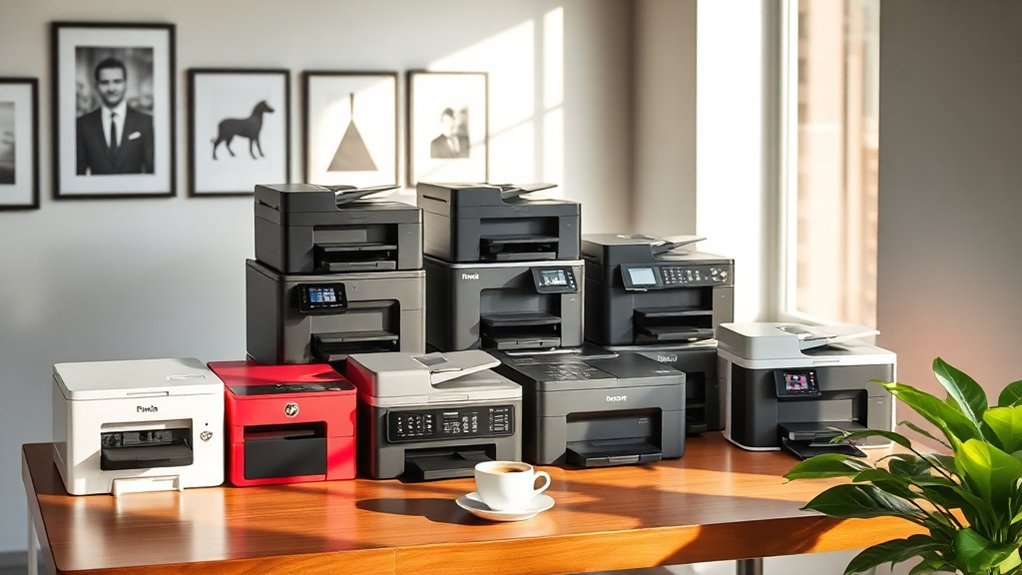
9 Best Automatic Printers for 2027 That Simplify Your Life
Looking for the best automatic printers for 2027? You’ve come to the right place! Whether you need a reliable printer for home, office, or high-speed tasks, there are plenty of great options to choose from.
You can’t go wrong with models like the Brother Work Smart 1360 and Epson Expression Home XP-5250 for everyday home use.
If speed is your priority, the 260E TIJ Inkjet Printer offers fast, efficient printing that won’t slow you down.
For those who want vibrant, high-quality prints, the Canon PIXMA TS6520 is a standout choice.
Each of these printers features wireless connectivity, quick print speeds, and easy-to-use designs.
Stick around to find out which automatic printer fits your lifestyle and printing needs perfectly!
| Image | Name | Editor's Rating | Price |
|---|---|---|---|

|
|
||

|
|
||

|
|
||

|
|
||

|
|
Brother Work Smart 1360 Wireless Color Inkjet All-in-One Print, Scan, Copy
- AFFORDABLE ALL-IN-ONE FOR HOME AND HOME OFFICE: Print, copy, and scan on one compact wireless printer designed for everyday home office printing, schoolwork, documents...
- EASY TO USE WITH CLOUD APP CONNECTIONS: Print from and scan to popular Cloud apps(2), including Google Drive, Dropbox, Box, OneDrive, and more from the simple-to-use...
- FULL-SIZE FEATURES IN A COMPACT DESIGN: This printer includes automatic duplex (2-sided) printing, a 20-sheet single-sided Automatic Document Feeder (ADF)(3), and a...
- MULTIPLE CONNECTION OPTIONS: Connect your way. Interface with your printer on your wireless network or via USB.
- MOBILE PRINTING MADE EASY: Go mobile with the Brother Mobile Connect app(5) that delivers easy onscreen menu navigation for printing, copying, scanning, and device...

The Brother Work Smart 1360 Wireless Color Inkjet All-in-One printer streamlines printing, scanning, and copying for busy students and home office users. Its wireless connectivity and USB options allow flexible placement without tangled cables, improving workspace organization. This printer handles everyday tasks efficiently, reducing time spent waiting for documents.
With fast print speeds of up to 16 ppm in black and 9 ppm in color, it meets the demands of both text and color printing with ease. The automatic duplex printing helps save paper and cuts manual effort in half. Multi-page scanning and copying are simplified by the 20-sheet Automatic Document Feeder, making document management quicker.
Maintaining the printer is straightforward, though users should note the 150-sheet paper capacity may require regular refills during heavy use. While setup might be challenging for newcomers to wireless devices, the companion Brother Mobile Connect app offers easy mobile printing and device management for everyday convenience.
The compact design fits well in smaller spaces, and the clear display guides users smoothly through functions. This all-in-one printer supports a balanced workflow by combining essential features with user-friendly operation.
Best for: Students and home office users needing a reliable, space-saving all-in-one printer for daily printing, scanning, and copying tasks.
What We Like:
- Fast printing speeds for black and color documents
- Automatic duplex printing reduces paper waste
- Wireless and USB connectivity options
- Easy mobile printing with Brother Mobile Connect app
- Compact design fits small workspaces
Specification:
| Feature | Details |
|---|---|
| Manufacturer | Brother |
| Dimensions (W x D x H) | Approx. 16.1 x 13.9 x 7.9 inches |
| Weight | Approx. 15 lbs |
| Color Options | White |
| Paper Capacity | 150 sheets |
| Connectivity | Wireless, USB |
Epson Expression Home XP-5250 Wireless All-in-One Printer
- Remarkable Prints and Photos — Home printer with Epson's leading-edge printing technology produces crystal clear prints and rich colors
- Our Fastest Expression Home Printer — Plus, a 150-sheet paper tray for convenient paper handling
- Convenient Operation — Large 2.4" color display for effortless navigation
- Epson Smart Panel App¹ — Transforms your mobile device into a high-performance command center and adds time-saving features like Smart Setup
- Engineered for Reliability — Consistently delivers high-quality prints with PrecisionCore Heat-Free technology and a permanent printhead designed to last the life of...
Looking for a compact printer that adapts to your busy home or small office? The Epson Expression Home XP-5250 Wireless All-in-One Printer delivers reliable performance without occupying much space. Its lightweight design fits neatly on any desk or shelf, helping you keep your work area organized and efficient.
This printer uses advanced PrecisionCore technology to produce sharp black-and-white documents and vibrant color prints. You can print wirelessly through Wi-Fi or Wi-Fi Direct, making it easy to connect multiple devices without cables. The 2.4-inch color display simplifies navigation, so you can manage tasks quickly.
Maintenance is straightforward with individual ink cartridges, reducing waste and cost. Automatic duplex printing helps you save paper by printing on both sides, adding an eco-friendly touch to your workflow. While its 150-sheet tray limits capacity, it suits low to moderate printing volumes well.
Best for: Individuals or small home offices needing a compact, versatile printer with wireless connectivity and easy upkeep.
What We Like:
- Compact design fits small spaces effortlessly
- High-quality prints with PrecisionCore technology
- Simple operation via color display and wireless options
- Individual ink cartridges for cost-effective maintenance
- Automatic duplex printing to reduce paper use
Specification:
| Feature | Details |
|---|---|
| Manufacturer | Epson |
| Dimensions | 14 x 12.2 x 6 inches |
| Weight | 11.9 lbs (5.4 kg) |
| Color Options | White |
| Connectivity | Wi-Fi, Wi-Fi Direct |
| Display | 2.4-inch color LCD |
| Paper Capacity | 150 sheets |
Automatic Inkjet Coding Machine with Touchscreen
- EFFICIENT MACHINE - 260E automatic inkjet coding machine is a flexible and efficient multi-function tool, ideal to help increase productivity in industrial assembly...
- ORIGINAL INK CARTRIDGES- The 260E coding machine includes 1 pcs ER520 Quick Dry Ink Cartridge (black), which prints very clearly and sharply. The ink cartridge can...
- INTELLIGENT- 7" touch screen with 20+ languages built-in, you can edit the print content on the machine or use U-disk to import more content. The Intelligent inkjet...
- WIDELY USED- It can print any content up to 300 DPI, including text, dates, images, QR codes, dynamic security barcodes and more. It can print on almost any packing or...
- ADVANCED CONFIGURATION & SYSTEM INTEGRATION: Powered by a Cortex-A7 dual-core processor with FPGA acceleration. Built for industrial automation, the 260E supports RS...
Experience hassle-free coding with the 260E TIJ Inkjet Printer, designed to simplify your packaging process. Its intuitive 7” touchscreen makes operation straightforward, reducing training time and user errors. This printer boosts productivity with speeds up to 60 m/min, ensuring your production line moves smoothly.
The 260E TIJ handles various materials like carton, metal, and plastic, printing clear text, images, and QR codes with a sharp 300 DPI resolution. Its versatile coding capability helps you meet diverse packaging needs without switching machines. Integration with existing systems is seamless, supporting stable operation even in demanding environments.
Maintenance is minimal thanks to the efficient ER520 ink cartridge, which dries quickly and resists leaks. This reduces downtime and keeps your workflow consistent. While the printer uses a single 0.5-inch nozzle and specific ink cartridges, these choices help maintain print quality and reliability.
Best for: Businesses seeking a dependable, fast, and user-friendly coding solution for multiple packaging surfaces.
What We Like:
- Easy-to-use 7” touchscreen interface
- High-speed printing up to 60 m/min
- Compatible with carton, metal, and plastic surfaces
- Quick-drying, leak-resistant ink cartridge
- Smooth integration with existing systems
Specification:
| Feature | Details |
|---|---|
| Manufacturer | Not specified |
| Dimensions | Not specified |
| Weight | Not specified |
| Print Speed | Up to 60 m/min |
| Resolution | 300 DPI |
| Touchscreen Size | 7 inches |
| Compatible Surfaces | Carton, metal, plastic |
| Nozzle Size | 0.5 inches |
| Ink Cartridge | ER520 (leak-resistant) |
Canon PIXMA TS6520 Wireless Color Inkjet Printer, 1.42″ OLED Display, White
- Affordable Versatility - A budget-friendly all-in-one printer perfect for both home users and hybrid workers, offering exceptional value
- Crisp, Vibrant Prints - Experience impressive print quality for both documents and photos, thanks to its 2-cartridge hybrid ink system that delivers sharp text and vivid...
- Effortless Setup & Use - Get started quickly with easy setup for your smartphone or computer, so you can print, scan, and copy without delay
- Reliable Wireless Connectivity - Enjoy stable and consistent connections with dual-band Wi-Fi (2.4GHz or 5GHz), ensuring smooth printing from anywhere in your home or...
- Scan & Copy Handling - Utilize the device’s integrated scanner for efficient scanning and copying operations
The Canon PIXMA TS6520 is designed to simplify your home office printing needs with its compact and stylish build. This wireless color inkjet printer connects effortlessly via dual-band Wi-Fi, allowing you to print from multiple devices without hassle. Its user-friendly 1.42″ OLED display keeps you updated on ink levels and printer status, reducing downtime.
With automatic two-sided printing, this printer helps you save paper and cut costs while boosting productivity. The hybrid ink system produces sharp text and vivid colors, making it ideal for both documents and photos. Maintenance is straightforward, thanks to easy access to cartridges, though replacement costs may add up over time.
Weighing just 15.4 pounds, the PIXMA TS6520 fits neatly into most workspaces but is less portable compared to lighter models. While its print speed is moderate, it balances functionality and quality for everyday tasks without overwhelming complexity.
Best for: Home office users seeking a compact, wireless all-in-one printer that delivers vibrant prints with efficient paper handling.
What We Like:
- Seamless wireless connectivity with dual-band Wi-Fi
- Efficient automatic two-sided printing to reduce paper use
- Crisp text and rich colors via hybrid ink technology
- Clear OLED display for easy monitoring
- Combines printing, scanning, and copying in one device
Specification:
| Feature | Details |
|---|---|
| Manufacturer | Canon |
| Dimensions | Compact size (exact size not specified) |
| Weight | 15.4 lb (7 kg) |
| Color Options | White |
| Display | 1.42″ OLED |
| Connectivity | Dual-band Wi-Fi |
HP OfficeJet Pro 8125 Wireless All-in-One Printer
- FROM AMERICA'S MOST TRUSTED PRINTER BRAND – The OfficeJet Pro 8125 is perfect for home offices printing professional-quality color documents like business documents...
- 3 MONTH TRIAL OF INSTANT INK INCLUDED – Subscribe to the Instant Ink delivery service to get ink delivered directly to your door before you run out, and you save up to...
- KEY FEATURES – Fast color printing, scan, copy, auto 2-sided printing, auto document feeder, and a 225-sheet input tray
- 2.7-INCH TOUCHSCREEN – Quickly navigate your printer with a large color touchscreen and a phone-like user interface
- WIRELESS PRINTING – Stay connected with our most reliable dual-band Wi-Fi, which automatically detects and resolves connection issues
The HP OfficeJet Pro 8125 Wireless All-in-One Printer is designed to streamline your home office tasks with reliable performance and smart functionality. It delivers sharp prints quickly, helping you maintain productivity without delays. The easy-to-use 2.7-inch color touchscreen lets you manage printing jobs smoothly and with minimal effort.
This printer supports wireless mobile printing through the HP app, allowing you to print directly from your smartphone or tablet. Its 225-sheet input tray reduces the need for frequent refills, making it ideal for busy workdays. Maintenance is straightforward, and the included 3-month trial of Instant Ink helps manage your ink supply efficiently.
Built with over 45% recycled materials, it offers an eco-friendly option without sacrificing durability or print quality. The HP Wolf Essential Security safeguards your documents and data, addressing privacy concerns for home office environments. However, it only supports letter-sized media and uses HP 923 series cartridges, which may limit cartridge options.
Best for: Home office users seeking a reliable, versatile all-in-one printer that balances performance with sustainable design.
What We Like:
- Fast print speeds for both black and color documents.
- Intuitive 2.7-inch color touchscreen for easy navigation.
- Wireless mobile printing via the HP app enhances convenience.
- Large 225-sheet input tray reduces interruptions.
- Eco-conscious build with over 45% recycled plastic.
Specification:
| Specification | Details |
|---|---|
| Manufacturer | HP |
| Dimensions (W x D x H) | 17.2 x 14.2 x 7.5 inches |
| Weight | 17.6 lbs (8 kg) |
| Material | Over 45% recycled plastic |
| Color Options | Black and white |
HP DeskJet 4327 Color Inkjet Printer | Wireless | All-in-One
No products found.
Compact and efficient, the HP DeskJet 4327 All-in-One printer is designed to simplify your home printing tasks. It handles printing, copying, and scanning with ease, making daily document management straightforward. Its wireless connectivity allows seamless printing from smartphones through the HP app, eliminating the hassle of cables.
This color inkjet printer delivers decent print speeds—up to 8.5 ppm for black and 5.5 ppm for color—helping you stay productive without long waits. The smart AI technology enhances print formatting for clear, precise results. Its eco-friendly design, made with at least 70% recycled plastics, supports sustainable usage.
Maintenance is made easier with a 6-month Instant Ink trial, which helps reduce ink expenses and keeps you running longer between cartridge changes. The compact size fits well in home offices with limited space, though the modest paper tray and auto document feeder mean frequent refills might be necessary.
While it lacks duplex printing, requiring manual page flipping for double-sided documents, the DeskJet 4327 remains a reliable choice for everyday tasks. Its balance of functionality and convenience suits users needing a versatile, space-saving printer.
Best for: Home users seeking a compact, versatile all-in-one printer for everyday printing, copying, and scanning.
What We Like:
- Affordable ink management with 6-month Instant Ink trial
- Easy mobile printing via HP app and wireless connectivity
- Eco-conscious build using recycled plastics and ENERGY STAR certification
- Smart AI ensures accurate print formatting and quality
Specification:
| Feature | Details |
|---|---|
| Manufacturer | HP |
| Dimensions | Compact size (exact size not provided) |
| Weight | Not specified |
| Connectivity | Wireless, mobile printing via HP app |
| Print Speed | Up to 8.5 ppm (black), 5.5 ppm (color) |
| Paper Capacity | 60-sheet input tray, 35-sheet ADF |
| Duplex Printing | Manual (no automatic duplex) |
| Material | At least 70% recycled plastics |
| Certifications | ENERGY STAR, EPEAT certified |
Brother DCP-L2640DW Wireless Monochrome Multi-Function Printer

- BEST FOR SMALL BUSINESSES – Engineered for extraordinary productivity, the Brother DCP-L2640DW Monochrome (Black & White) 3-in-1 combines laser printer, scanner, copier...
- FAST PRINTER WITH EFFICIENT SCANNING – Produces documents quickly with print speeds up to 36 ppm(2) and scan speeds up to 23.6/7.9 ipm(3) (black/color). A 50-page auto...
- FLEXIBLE CONNECTION OPTIONS – Easily navigate the changing demands of your business with secure multi-device connectivity via built-in dual-band wireless (2.4GHz...
- BROTHER MOBILE CONNECT APP – Print, scan, and manage your wireless printer anytime, from almost anywhere from your mobile device. Order Brother Genuine Supplies, track...
- CHOOSE BROTHER GENUINE TONER – When it’s time to replace your toner, be sure to choose Brother Genuine TN830 or TN830XL replacement toner. And with Refresh EZ Print...
Experience seamless document management with the Brother DCP-L2640DW, a wireless monochrome multi-function printer designed to enhance your office workflow. This compact device merges printing, scanning, and copying, helping you handle multiple tasks efficiently without taking up much space.
Its high-speed printing of up to 36 pages per minute means you spend less time waiting and more time focusing on work. The 50-page automatic document feeder simplifies handling multi-page documents, improving productivity during busy days.
Connectivity is straightforward with dual-band wireless and Ethernet options. You can easily print and scan from your mobile device using the Brother Mobile Connect App, adding convenience to your daily routine.
Maintenance is hassle-free thanks to genuine toner supplies and a subscription service that keeps your printer ready without interruptions. While it’s limited to monochrome printing, its compact design fits well in small office environments, although paper capacity may be less than larger models.
Best for: Small businesses and home offices needing an efficient, wireless monochrome multi-function printer for everyday document tasks.
What We Like:
- Fast print speeds up to 36 ppm for quick output
- Combines printing, scanning, and copying in one compact unit
- Wireless and Ethernet connectivity for flexible use
- Mobile device management through Brother Mobile Connect app
- Easy maintenance with genuine toner and subscription options
Specification:
| Feature | Details |
|---|---|
| Manufacturer | Brother |
| Dimensions (W×D×H) | 16.1 × 15.7 × 12.5 inches |
| Weight | Approximately 14.1 lbs (6.4 kg) |
| Color Options | White |
| Connectivity | Dual-band wireless, Ethernet |
Canon PIXMA TS4320 – Wireless Color Inkjet Printer with Print, Copy, Scan

- Affordable Versatility - A budget-friendly all-in-one printer perfect for both home users and hybrid workers, offering exceptional value
- Crisp, Vibrant Prints - Experience impressive print quality for both documents and photos, thanks to its 2-cartridge hybrid ink system that delivers sharp text and vivid...
- Effortless Setup & Use - Get started quickly with easy setup for your smartphone or computer, so you can print, scan, and copy without delay
- Reliable Wireless Connectivity - Enjoy stable and consistent connections with dual-band Wi-Fi (2.4GHz or 5GHz), ensuring smooth printing from anywhere in your home or...
- Scan & Copy Handling - Utilize the device’s integrated scanner for efficient scanning and copying operations
The Canon PIXMA TS4320 is designed to meet the needs of home users and hybrid workers who want a compact, all-in-one printer. It handles printing, copying, and scanning with ease, making daily tasks simpler and more efficient. Its sleek design fits comfortably in small spaces without sacrificing functionality.
This printer’s 2-cartridge hybrid ink system delivers sharp text and vibrant colors, ensuring your documents and photos look professional. Wireless connectivity through dual-band Wi-Fi allows you to print directly from smartphones, tablets, or computers, reducing setup hassles and clutter.
Maintenance is straightforward, but depending on your printing volume, cartridge replacements may be frequent. The printer is not built for heavy-duty tasks, as its print speed is moderate and best suited for low to medium usage.
Automatic double-sided printing helps save both time and paper, supporting eco-friendly practices. Weighing just 15.5 pounds, the PIXMA TS4320 is easy to move and install wherever you need it.
Best for: Home users and hybrid workers seeking a reliable, space-saving all-in-one printer for everyday tasks.
What We Like:
- Multifunctional with print, copy, and scan features
- Sharp, vibrant output from hybrid ink cartridges
- Easy wireless setup with dual-band Wi-Fi
- Automatic double-sided printing to reduce paper use
Specification:
| Feature | Details |
|---|---|
| Manufacturer | Canon |
| Dimensions | Compact (exact size not specified) |
| Weight | 15.5 lb (7.0 kg) |
| Ink System | 2-cartridge hybrid ink |
| Connectivity | Dual-band Wi-Fi |
| Functions | Print, Copy, Scan |
Canon MegaTank G3270 All-in-One Wireless Color Printer

- Wireless Print/Copy/Scan
- Up to 2 years of ink included (2)
- Print up to 6,000 black & white / 7,700 color pages using a single set of inks! (1)
- Save up to $1,000 on ink (1)
- 1.35” Square LCD display
The Canon MegaTank G3270 All-in-One Wireless Color Printer brings efficiency and affordability to your workspace. Its compact design fits neatly in homes or offices, saving valuable desk space without sacrificing performance. This printer handles everyday tasks with ease, offering printing, copying, and scanning functions all in one device.
Designed to reduce frequent ink replacements, the MegaTank system delivers up to 7,700 color pages and 6,000 black-and-white pages per refill. This feature minimizes maintenance interruptions and lowers long-term printing costs. Print speeds reach up to 11 pages per minute for black-and-white documents and 6 pages per minute for color, balancing quality and productivity.
Connectivity is simple and flexible with both USB and Wi-Fi options, allowing you to manage print jobs from multiple devices seamlessly. The printer produces vibrant, high-resolution output at 4800 x 1200 dpi, ensuring professional-looking documents and photos every time. While the 1.35” LCD screen is small, it provides straightforward navigation for basic settings.
Best for: Home and office users needing a reliable, cost-effective printer with high ink capacity and versatile multitasking features.
What We Like:
- High-volume MegaTank ink system reduces frequent refills and lowers costs.
- Compact design fits easily in tight office or home environments.
- Wireless and USB connectivity for flexible device management.
- Multi-functionality supports printing, scanning, and copying needs.
Specification:
| Feature | Detail |
|---|---|
| Manufacturer | Canon |
| Dimensions | Compact (exact size not provided) |
| Weight | Not specified |
| Color Options | Standard white/black printer |
| Connectivity | USB, Wi-Fi |
Factors to Consider When Choosing an Automatic Printer
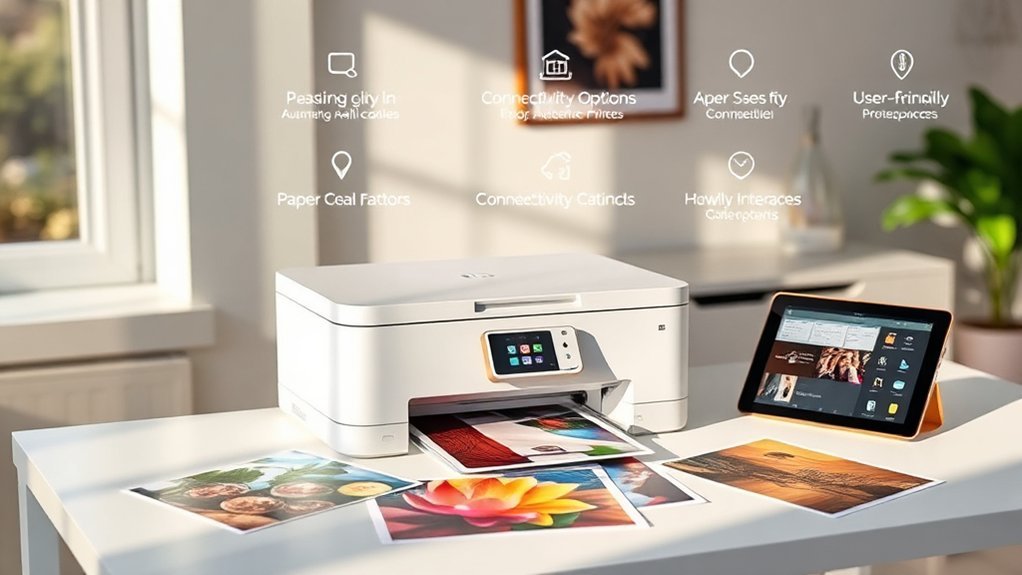
When you’re choosing an automatic printer, think about the key features that matter most to you. Consider print quality, connectivity options, and how the size and design fit your space.
Also, weigh the cost against the efficiency to guarantee you’re making a smart investment. It’s all about finding the right balance for your needs.
Key Features Needed
Choosing the right automatic printer can really boost your workflow, especially when things get busy. Look for models with high print speeds—think up to 36 pages per minute for monochrome and 20 for color—to keep things moving fast.
Automatic duplex printing is a must-have. It cuts down on paper use and makes handling documents way simpler.
Wireless connectivity is another big deal. Dual-band Wi-Fi ensures a steady connection and lets you print right from your phone or tablet without any hassle.
You’ll also want a high-capacity paper tray, ideally holding 150 sheets or more. That way, you won’t have to keep refilling it during big jobs.
And don’t forget about user-friendly features like a color touchscreen and mobile apps. They make managing your print tasks super easy and convenient.
All these elements together will help you pick a printer that fits right into your daily routine.
Print Quality Considerations
To achieve stunning print results, you need to contemplate several factors that influence quality. Start by checking the printer’s DPI; higher resolutions, like 4800 x 1200, yield sharper images, especially for photos.
The ink system matters too—a hybrid setup usually delivers better color accuracy and clearer text than standard cartridges. Consider automatic duplex printing, which not only reduces paper curl but also guarantees even ink distribution on both sides.
Consistent print speeds, like 16 pages per minute for black and 9 for color, help maintain quality by minimizing drying and smudging. Finally, verify the printer supports various media types, such as glossy or cardstock, to achieve the best output for your specific projects.
Connectivity Options Available
Connectivity options are essential for maximizing the functionality of your automatic printer. When choosing a printer, consider USB, Wi-Fi, and Ethernet connections to enhance versatility in different environments.
Look for mobile printing capabilities that let you print directly from your smartphone or tablet using apps or protocols like Apple AirPrint and Google Cloud Print. Dual-band Wi-Fi (2.4GHz and 5GHz) offers more stable connections, minimizing disruptions during printing.
Also, Wi-Fi Direct allows for direct printing from devices without needing a network, which can be quite convenient. Finally, make sure the printer supports cloud services compatible with platforms like Google Drive, Dropbox, and OneDrive. This way, you get seamless integration for both printing and scanning tasks.
Cost and Efficiency
When it comes to selecting an automatic printer, cost and efficiency can really impact your overall experience. Think about the ink system first. Models with refillable ink tanks, like MegaTank systems, can save you up to $1,000 over two years.
Also, check out the print speed. Faster printers can churn out up to 36 pages per minute, which definitely boosts your productivity. Don’t forget to look for automatic duplex printing capabilities. This feature not only saves paper but also helps cut down on supply costs.
Make sure to assess the paper handling capacity, too. Larger trays that hold up to 225 sheets mean fewer paper refills and smoother workflow. And lastly, don’t overlook warranty and support options. A solid warranty gives you peace of mind and can help avoid future repair expenses, keeping things efficient in the long run.
Size and Design Factors
Choosing the right size and design for your automatic printer can really boost your workspace efficiency. Think about the dimensions and weight.
Compact models fit better in tighter spaces, while heavier ones need a dedicated spot. It’s also smart to look for user-friendly designs, like color displays, that make navigation and operation easier.
Check out the paper handling features too. Things like input tray capacity and automatic document feeders (ADF) can save you time when dealing with multi-page tasks.
And hey, don’t forget aesthetics. A stylish printer can complement your workspace and keep things looking professional.
Lastly, consider mobility. Lighter models are easier to move around or tuck away when you’re not using them. By focusing on these points, you’ll find a printer that suits both your practical needs and your style.
Frequently Asked Questions
How Do I Connect My Automatic Printer to Wi-Fi?
To connect your automatic printer to Wi-Fi, access the printer’s settings menu and select the Wi-Fi option. Then, choose your network and enter the password.
Once connected, your printer’s ready for wireless printing! It’s pretty straightforward, so you’ll be up and running in no time.
What Is the Average Lifespan of an Automatic Printer?
An automatic printer typically lasts around 3 to 5 years, depending on usage and maintenance. Regularly cleaning and replacing parts can extend its lifespan, ensuring you get the most out of your investment.
Can I Use Third-Party Ink Cartridges With These Printers?
Yes, you can use third-party ink cartridges with these printers, but check compatibility first. Sometimes, using them may void warranties or affect print quality, so weigh your options before making a choice.
Just make sure you know what you’re getting into. It’s worth double-checking to avoid any surprises down the line.
How Often Should I Perform Maintenance on My Printer?
You should perform maintenance on your printer every few months. Imagine dust settling inside, ink clogging nozzles.
Regularly cleaning, checking settings, and updating software keeps your printer running smoothly. It also helps you avoid frustrating surprises.
Are Automatic Printers Compatible With Mobile Printing Apps?
Yes, automatic printers usually support mobile printing apps. You can easily connect your smartphone or tablet via Wi-Fi or Bluetooth.
This lets you print documents and photos directly from your device without any hassle. It’s pretty convenient and saves you time!
Conclusion
In the world of printing, choosing the right automatic printer is like finding the perfect key to open up your productivity. With options like the Brother Work Smart and Canon PIXMA, you’re set to simplify your tasks and enhance your workspace.
Keep in mind factors like wireless capabilities and multifunctionality to guarantee you pick the best fit for your needs. These features make a huge difference when you’re juggling multiple tasks or working remotely.
Embrace the convenience of these printers, and watch your efficiency soar! Automatic printers not only save time but also reduce hassle, making them essential for any busy environment. By selecting the best automatic printer, you’re investing in smoother workflows and smarter solutions that truly simplify your life.