8 Best 11×17 Printers for Home Use in 2027
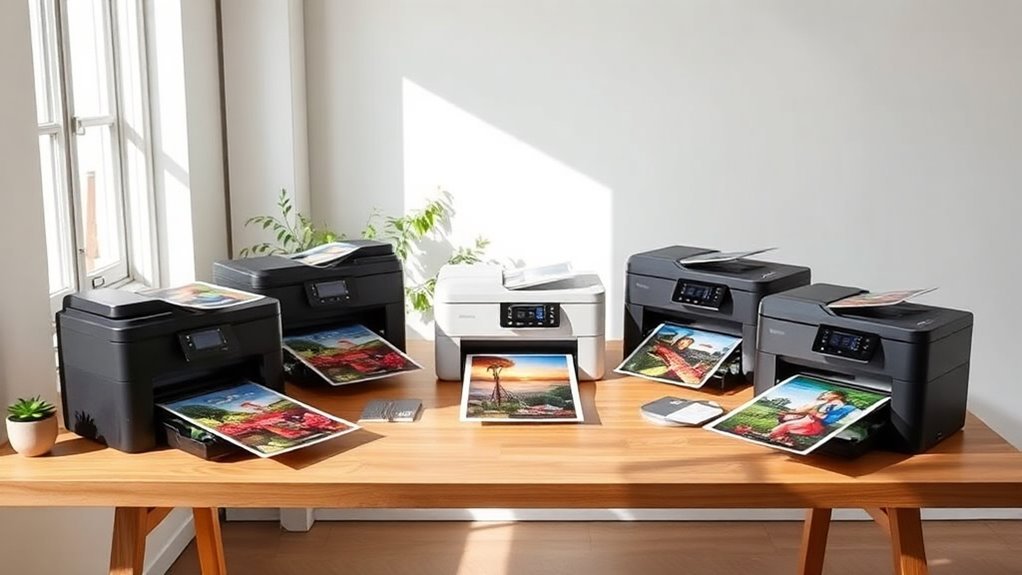
If you need reliable 11×17 printing at home, there are some great options to consider. Models like the Brother INKvestment 6560 or HP OfficeJet Pro 9730 are solid choices for all-in-one functionality. These printers handle everyday tasks well and offer good connectivity for home use.
Epson’s EcoTank ET-15000 stands out with its refillable ink tanks and can print wide-format up to 13×19 inches. This makes it a fantastic pick if you want to save on ink costs over time. For those who need photo-quality prints, Epson’s ET-8550 really shines with vibrant colors and sharp details.
If space is tight, the Canon PIXMA TS9521Ca is a compact option that fits creative needs perfectly. Each of these printers balances print quality, connectivity, and capacity differently. Exploring their features will help you find the perfect match for your home printing needs.
Brother INKvestment 6560 Wireless Color All-in-One Printer
The Brother INKvestment 6560 Wireless Color All-in-One Printer is designed to streamline your home office tasks. It handles large 11×17 media effortlessly, making printing, copying, scanning, and faxing more efficient. This printer’s automatic duplex feature for ledger and tabloid sizes reduces manual handling and saves time on double-sided projects.
Maintenance is straightforward with high-yield cartridges included, minimizing frequent replacements. The printer supports multiple connection methods, including dual-band Wi-Fi, Ethernet, and USB, ensuring flexibility for various workspace setups. Controlling your print jobs is simple through the 2.7” touchscreen and a mobile app, offering convenience at your fingertips.
Built for small business owners and home office users, this printer balances performance with compact design. While the 250-sheet tray may require occasional refills during heavy use, its fast print speeds—up to 31 ppm for black and 30 ppm for color—keep your workflow moving smoothly. The subscription-based ink refresh service adds convenience but could lead to ongoing costs after the trial period.
Best for: Small business owners or home office users needing a versatile all-in-one printer capable of handling large 11×17 media with reliable wireless connectivity.
What We Like:
- Supports large media sizes up to 11”x17” with automatic duplex printing
- Fast print speeds of up to 31 ppm black and 30 ppm color
- Multiple connectivity options including dual-band Wi-Fi, Ethernet, and USB
- User-friendly 2.7” touchscreen and mobile app for easy control
- High-yield cartridges reduce maintenance frequency
Specification:
| Specification | Details |
|---|---|
| Manufacturer | Brother |
| Dimensions | Approx. 16.1 x 15.7 x 9.7 inches (WxDxH) |
| Weight | Approx. 22.3 lbs (10.1 kg) |
| Media Size Support | Up to 11” x 17” (ledger/tabloid) |
| Connectivity | Dual-band Wi-Fi, Ethernet, USB |
| Display | 2.7-inch color touchscreen |
HP OfficeJet Pro 9730 Wide-Format Wireless Printer
The HP OfficeJet Pro 9730 Wide-Format Wireless Printer is designed to make large-format printing simple and efficient. Whether you’re working on detailed floorplans or colorful mood boards, this printer handles sizes up to 11 x 17 inches with precision. Its sharp 4800 x 1200 dpi resolution ensures your documents look professional and clear.
This printer speeds up your workflow by printing up to 22 pages per minute in black and 18 in color. Duplex printing and scanning help save paper and effort. You’ll appreciate the convenience of two 250-sheet trays that reduce the need for constant refills.
Connecting is straightforward with dual-band Wi-Fi, Ethernet, or USB options. The 4.3-inch touchscreen and HP Smart app make managing print jobs quick and easy. Maintenance is simplified with a three-month Instant Ink trial, which keeps ink supplies consistent.
The printer’s larger size means it needs a dedicated space, and some users have noted occasional issues. After the trial, Instant Ink requires a subscription, which is important to consider.
Best for: professionals and home users who require high-quality wide-format printing for detailed projects like floorplans and spreadsheets.
What We Like:
- Wide-format printing up to 11 x 17 inches with sharp resolution
- Fast print speeds with duplex printing and scanning
- Multiple connectivity options including Wi-Fi, Ethernet, and USB
- User-friendly touchscreen and HP Smart app control
- Convenient Instant Ink trial for hassle-free maintenance
Specification:
| Feature | Details |
|---|---|
| Manufacturer | HP |
| Dimensions (W x D x H) | Approximately 20.2 x 16.6 x 9.8 inches |
| Weight | About 22.5 lbs (10.2 kg) |
| Color Options | Black |
| Print Resolution | Up to 4800 x 1200 dpi |
| Max Print Size | 11 x 17 inches |
| Connectivity | Dual-band Wi-Fi, Ethernet, USB |
Epson Workforce Pro WF-7310 Wireless All-in-One Wide-Format Inkjet Printer
Experience the convenience of wide-format printing at home with the Epson Workforce Pro WF-7310. Designed to handle borderless prints up to 11×17 inches, it delivers sharp, vibrant images that meet the needs of creative and professional projects alike. This printer helps you save time with fast print speeds and automatic duplexing, making it easier to manage large print jobs efficiently.
Its DURABrite Ultra pigment inks produce durable, smudge-resistant prints that are ideal for both documents and photos. The wireless and Ethernet connectivity options simplify setup and allow you to print directly from mobile devices, adding flexibility to your workflow. The large 500-sheet paper capacity reduces frequent refills, supporting uninterrupted productivity.
Maintenance is straightforward, though the scanner uses a sheetfed mechanism, so it’s best suited for single-page scanning rather than bulky documents. While some advanced features require the mobile app and internet connection, the overall design focuses on ease of use and eco-friendly performance.
This all-in-one printer is a practical choice for those who need versatile wide-format printing without sacrificing speed or quality.
Best for: Home users and small offices requiring reliable wide-format printing with wireless convenience.
What We Like:
- Prints borderless 11 x 17-inch documents with high-quality pigment inks
- Fast output speeds up to 25 ppm in black and 12 ppm in color
- Automatic duplex printing saves paper and time
- Large 500-sheet paper capacity supports heavy workloads
- Wireless and Ethernet connectivity for flexible printing options
Specification:
| Feature | Details |
|---|---|
| Manufacturer | Epson |
| Model | Workforce Pro WF-7310 |
| Max Print Size | 13 x 19 inches |
| Print Speed (Black) | Up to 25 ppm |
| Print Speed (Color) | Up to 12 ppm |
| Paper Capacity | 500 sheets |
| Scanner Type | Sheetfed only |
| Connectivity | Wireless, Ethernet |
| Ink Type | DURABrite Ultra pigment |
Epson Workforce Pro WF-7820 Wireless All-in-One Wide-Format Inkjet Printer
Experience the convenience of professional-quality wide-format printing right from your home or office with the Epson Workforce Pro WF-7820. This all-in-one inkjet printer handles vibrant 13 x 19-inch prints with ease, making large projects manageable without compromising speed. It solves the challenge of producing sharp, detailed prints while fitting seamlessly into your workspace.
Its functionality supports busy workflows through automatic duplex printing and a 50-sheet automatic document feeder. The ample 250-sheet paper capacity reduces interruptions, helping you maintain productivity during multi-page tasks. Connectivity is straightforward with Wi-Fi, Bluetooth, and Ethernet options, allowing flexible placement and easy sharing.
Maintenance is simplified with DURABrite Ultra pigment inks and PrecisionCore technology, which deliver consistent, high-quality results. The 4.3-inch touchscreen and voice command capabilities provide intuitive control, so you can manage your print jobs effortlessly. While color printing speed is moderate, the overall design balances quality and efficiency.
Best for: professionals and home office users needing reliable, wide-format printing with versatile all-in-one features and streamlined workflow.
What We Like:
- Wide-format printing up to 13 x 19 inches with sharp, vibrant output
- Automatic duplex and 50-sheet ADF for enhanced productivity
- Multiple connectivity options including wireless, Bluetooth, and Ethernet
- User-friendly touchscreen and voice control interface
Specification:
| Feature | Details |
|---|---|
| Manufacturer | Epson |
| Dimensions | Not specified |
| Weight | Not specified |
| Printing Technology | Inkjet (PrecisionCore) |
| Max Print Size | 13 x 19 inches |
| Print Speed (Black) | 25 ppm |
| Print Speed (Color) | 12 ppm |
| Paper Capacity | 250 sheets |
| ADF Capacity | 50 sheets |
| Connectivity | Wi-Fi, Bluetooth, Ethernet |
| Control Interface | 4.3-inch touchscreen, voice commands |
Epson EcoTank ET-15000 Wireless All-in-One Wide-Format Supertank Printer
The Epson EcoTank ET-15000 is designed to meet the needs of users who require wide-format printing without the hassle of frequent ink replacements. Its cartridge-free system uses large refillable tanks, significantly reducing ink costs and maintenance time. This design ensures you can print large, vibrant documents up to 13 x 19 inches with ease.
This all-in-one printer goes beyond printing by offering scanning, copying, and faxing capabilities. Its wireless connectivity and 2.7″ color touchscreen simplify operation, while voice-activated printing adds convenience for busy workspaces. The rear-feed tray supports various media types, making it adaptable for creative projects or professional documents.
Maintenance is straightforward thanks to the supersized ink tanks that minimize interruptions. However, the scanner and copy functions are limited to smaller sizes (up to 8.5 x 14 inches), which might require workarounds for wider originals. Some features, like Wi-Fi Direct and voice printing, may need additional setup or accounts.
With a monthly duty cycle of up to 33,000 pages, the ET-15000 balances high-volume efficiency and eco-friendly printing. Its high-resolution output ensures sharp results, making it a reliable choice for home offices or small businesses aiming to cut running costs without sacrificing quality.
Best for: users needing a versatile, cost-effective all-in-one printer capable of handling wide-format printing in home or small office environments.
What We Like:
- Cartridge-free printing with refillable ink tanks that cut ink costs by up to 90%
- Wide-format printing up to 13 x 19 inches for large documents and creative work
- Wireless connectivity with a user-friendly color touchscreen and voice-activated printing
- High monthly duty cycle supports heavy workloads efficiently
Specification:
| Feature | Details |
|---|---|
| Manufacturer | Epson |
| Dimensions (W×D×H) | Approx. 23.1 x 19.1 x 9.2 inches |
| Weight | Approx. 15.4 lbs |
| Color Options | White |
| Maximum Print Size | 13 x 19 inches |
| Scanner/Copy Size | Up to 8.5 x 14 inches |
Epson WorkForce Pro WF-7840 Wireless All-in-One Wide-Format Inkjet Printer
The Epson WorkForce Pro WF-7840 is designed for those who demand professional-quality prints without leaving their home or office. It solves the problem of producing wide-format documents up to 13 x 19 inches, making it ideal for marketing materials and detailed presentations. You can quickly print sharp images and text with its high resolution of 4800 x 2400 dpi.
This all-in-one printer offers fast printing speeds of up to 25 pages per minute in black and 12 in color, helping you complete large print jobs efficiently. Wireless connectivity and a 4.3-inch touchscreen simplify operation, while support for mobile printing through AirPrint and Epson Connect enhances versatility. Its large 500-sheet paper capacity and duplex printing reduce interruptions and increase productivity.
Maintenance is straightforward, although the printer’s sizeable footprint means it requires a dedicated space. While it performs well for high-volume tasks, users should be aware that it may not fit comfortably in smaller offices. This model balances robust functionality with convenience for demanding print needs.
Best for: professionals and home office users who require fast, high-volume wide-format printing with clear, detailed output.
What We Like:
- Wide-format printing up to 13 x 19 inches for versatile document sizes
- Fast print speeds with sharp 4800 x 2400 dpi resolution
- Wireless and mobile printing support including AirPrint and Epson Connect
- Large 500-sheet capacity and duplex printing for uninterrupted workflow
Specification:
| Feature | Details |
|---|---|
| Manufacturer | Epson |
| Dimensions | 38.4 x 20.5 x 20.3 inches |
| Weight | 45.4 pounds |
| Print Resolution | Up to 4800 x 2400 dpi |
| Print Speed | Up to 25 ppm black, 12 ppm color |
| Connectivity | Wireless, AirPrint, Epson Connect |
Canon PIXMA TS9521Ca – Wireless Home All-in-One Inkjet Printer
Experience the convenience and creativity the Canon PIXMA TS9521Ca brings to your home or small office. This versatile all-in-one inkjet printer is designed to handle a wide variety of media sizes and types, including large 11×17 inch sheets, banners, and scrapbooking paper. It solves the challenge of managing diverse printing projects without needing multiple devices.
The intuitive 4.3″ touch LCD and a 20-sheet automatic document feeder simplify scanning and copying tasks, saving you time and effort. Wireless, Ethernet, and mobile printing options through the Canon PRINT app keep you connected and productive from anywhere. Its five individual ink tanks make replacing colors efficient and cost-effective.
Maintenance is straightforward, with auto duplex printing reducing paper waste and boosting productivity. Although print speeds are moderate, the PIXMA TS9521Ca balances performance and quality well. Its compact design fits easily in home offices or small business spaces without sacrificing functionality.
Best for: Home office users and small business owners who need a flexible all-in-one printer capable of handling various media sizes and wireless printing.
What We Like:
- Supports large media sizes up to 11×17 inches and specialty papers.
- Easy-to-use 4.3″ touch LCD and 20-sheet automatic document feeder.
- Wireless, Ethernet, and mobile printing options with efficient individual inks.
- Auto duplex printing reduces paper use and enhances productivity.
Specification:
| Feature | Details |
|---|---|
| Manufacturer | Canon |
| Dimensions (W×D×H) | Approx. 17.3 × 13.1 × 5.8 in |
| Weight | Approx. 14.5 lb (6.6 kg) |
| Ink Type | Five individual dye-based inks |
| Media Sizes Supported | Up to 11×17 inches |
| Connectivity | Wireless, Ethernet, USB |
Epson EcoTank Photo ET-8550 Wireless Wide-Format All-in-One Tank Printer
Bring your creative visions to life with the Epson EcoTank Photo ET-8550, a wireless wide-format printer designed for sharp, lab-quality photo printing. Its ability to print borderless images up to 13 x 19 inches makes it perfect for photographers and designers who demand professional results at home or in small offices.
This all-in-one tank printer uses a cartridge-free 6-color Claria ET Premium ink system, cutting printing costs and minimizing waste. The refillable EcoTank bottles provide up to two years of ink, which means fewer interruptions and lower maintenance efforts. You’ll appreciate how it handles various media, including cardstock up to 1.3 mm thick and even customized CDs or DVDs.
The printer’s wireless connectivity offers flexible placement options, though its larger size means it needs ample desk space. While refilling ink bottles requires care, the long-term savings and eco-friendly design make it worthwhile. Note that using non-genuine ink may void the warranty, so sticking with Epson’s ink preserves optimal performance.
Best for: Creators, photo enthusiasts, and home office users who need wireless, wide-format, high-quality, and cost-effective printing with versatile media handling.
What We Like:
- Cartridge-free 6-color EcoTank system delivers vibrant, lab-quality prints with low cost per photo
- Supports wide-format borderless printing up to 13 x 19 inches and thick cardstock
- Refillable ink bottles provide up to two years of ink, reducing waste and cost
- Prints on customized CDs/DVDs for creative projects
- Wireless connectivity allows flexible setup in home studios or offices
Specification:
| Feature | Details |
|---|---|
| Manufacturer | Epson |
| Model | EcoTank Photo ET-8550 |
| Printing Technology | Inkjet (6-color Claria ET Premium) |
| Max Print Size | 13 x 19 inches |
| Media Thickness Support | Up to 1.3 mm |
| Connectivity | Wireless |
| Ink System | Refillable EcoTank bottles |
| Dimensions (W x D x H) | Large footprint (exact size not specified) |
| Weight | Heavier than standard printers (exact weight not specified) |
Factors to Consider When Choosing an 11X17 Printer for Home

When choosing an 11×17 printer for your home, you’ll want to focus on print quality, connectivity, and how much media it can handle.
Consider the type and cost of ink, too, since that affects long-term expenses. Also, make sure the printer’s size fits comfortably in your space.
Print Quality Essentials
Several key factors determine the print quality of an 11×17 printer for home use. First, look for a high optical resolution—at least 2400 x 1200 dpi—to guarantee sharp graphics and detailed photos.
Choose pigment-based inks if you want crisp text and long-lasting prints, or a 6-color dye/pigment hybrid system for richer colors and smooth gradients. Check the printer’s color depth and bits-per-channel to guarantee accurate color reproduction, especially if you work with sRGB or Adobe RGB profiles.
Also, consider the scanner’s optical resolution; 600 dpi or higher is best for detailed large-format scans. Finally, smaller droplet sizes and precise printhead technology deliver smoother tones and finer image quality. That’s critical for professional-looking 11×17 prints at home.
Connectivity Options Available
How do you make certain seamless printing from multiple devices in your home? Start by choosing a printer with dual-band Wi-Fi (2.4 GHz and 5 GHz) to guarantee stable wireless performance and less interference.
Wi-Fi Direct is a bonus—it lets your phone or tablet print without joining your home network. If you often print large wide-format files or have several users, consider a wired Ethernet connection for reliability.
Don’t overlook USB 2.0/3.0 or USB host ports for direct printing from a PC or external drives. Finally, verify the printer supports popular mobile print standards like AirPrint, Mopria, and Google or Apple printing to easily print from smartphones and cloud apps.
These options keep your home printing smooth and flexible.
Media Handling Capacity
Choosing the right connectivity options is just one piece of the puzzle for smooth home printing. You also need to factor in media handling capacity to avoid constant interruptions.
Check the maximum media size the printer supports—make sure it can handle 11″x17″ sheets and whether it offers borderless printing if you want full-bleed prints. Look at paper capacity too; a 250+ sheet input tray helps when you tackle big jobs.
Don’t forget specialty feeds for heavier media like cardstock or glossy paper, and confirm the max paper weight your printer can handle. Automatic duplex printing on 11″x17″ media saves time and paper, so see if it supports two-sided printing for wide formats.
Finally, if you scan or copy multi-page wide documents, factor in additional feeders and ADF capacity. This way, you won’t be stuck feeding pages one by one.
Ink Type and Cost
While picking an 11×17 printer for home use, you’ll want to take into account the type of ink it uses and the associated costs. Printers typically use replaceable cartridges or refillable tank systems.
Tank systems can cut your ink expenses by 70–90% compared to cartridges, thanks to their higher yield and lower per-page cost. Keep in mind that ISO cost-per-page estimates may differ from real-world use because print settings and color coverage affect ink consumption.
Consider high-capacity cartridges or larger refill bottles to reduce replacement frequency and long-term costs. Also, think about ink type: pigment inks are pricier but offer durability and water resistance, while dye inks provide vibrant colors and quick drying.
Finally, weigh subscription ink services carefully—they may offer convenience but can add ongoing fees over time.
Size and Footprint
Ink costs matter, but so does where you’ll place your 11×17 printer at home. First, measure your available space and compare it to typical wide-format printer footprints, which range from 15 to 39 inches wide and 12 to 20 inches deep.
Make sure to allow an extra 4 to 6 inches behind and above the printer for paper trays, rear feeds, and ventilation. Keep in mind many models weigh between 25 and 45 pounds, so check that your furniture can support the weight safely.
Also, plan for 1 to 2 cubic feet of nearby storage to handle larger input trays and output stacks. If you’ll move the printer often, consider a lighter, compact model and measure doorways to ensure it fits through without hassle.
Frequently Asked Questions
Can These Printers Handle Cardstock or Photo Paper Thickness?
Yes, these printers can handle cardstock and photo paper thickness. You’ll just need to check each model’s specs for maximum paper weight.
Make sure to adjust the settings accordingly to guarantee smooth feeding and high-quality prints every time. It’s pretty straightforward once you know the limits of your printer.
What Is the Average Cost per Page for Color and Black-And-White Prints?
You’ll usually pay around 5 to 12 cents per black-and-white page and 15 to 30 cents for color prints. Costs vary depending on ink type and printer model, so check cartridges before buying.
It’s a good idea to keep an eye on what kind of ink your printer uses. That way, you can avoid surprises when it’s time to replace cartridges. Plus, some printers are more cost-effective than others, so a little research goes a long way!
Are These Printers Compatible With Macos and Windows Operating Systems?
You’ll find most 11×17 printers fully compatible with both macOS and Windows, so you won’t have to worry about drivers or software issues.
Just double-check the specs to guarantee seamless integration with your system. It’s always better to be sure than run into unexpected problems later on.
Do These Printers Support Direct Printing From Smartphones and Tablets?
Yes, these printers support direct printing from smartphones and tablets.
You’ll find they’re compatible with popular mobile printing apps like AirPrint and Google Cloud Print. This makes wireless printing convenient and straightforward, no matter your device.
What Are the Typical Maintenance Requirements for Home Use?
You’ll need to regularly replace ink or toner, clean print heads, and update firmware. Also, keep paper trays stocked and clear jams promptly.
Performing occasional deep clean cycles guarantees consistent print quality and prolongs your printer’s life. It’s all about keeping things running smoothly!
Conclusion
You might think an 11×17 printer is too bulky or expensive for home use, but these models prove otherwise—they’re compact, affordable, and packed with features perfect for your projects.
Whether you need sharp photos, vibrant color, or reliable wireless printing, there’s an option here that fits your space and budget.
Don’t let size or cost hold you back; upgrading to one of these 11×17 printers will make your home printing easier and more versatile than ever.
With the best 11×17 printers for home use, you can enjoy large-format printing without the hassle or high price. These printers offer excellent quality, convenience, and flexibility, making them ideal for creative projects and everyday tasks alike.
So why wait? Choose an 11×17 printer that suits your needs and transform your home office or craft space today.