5 Best All In One 3D Printers for 2027 You Can’t Miss
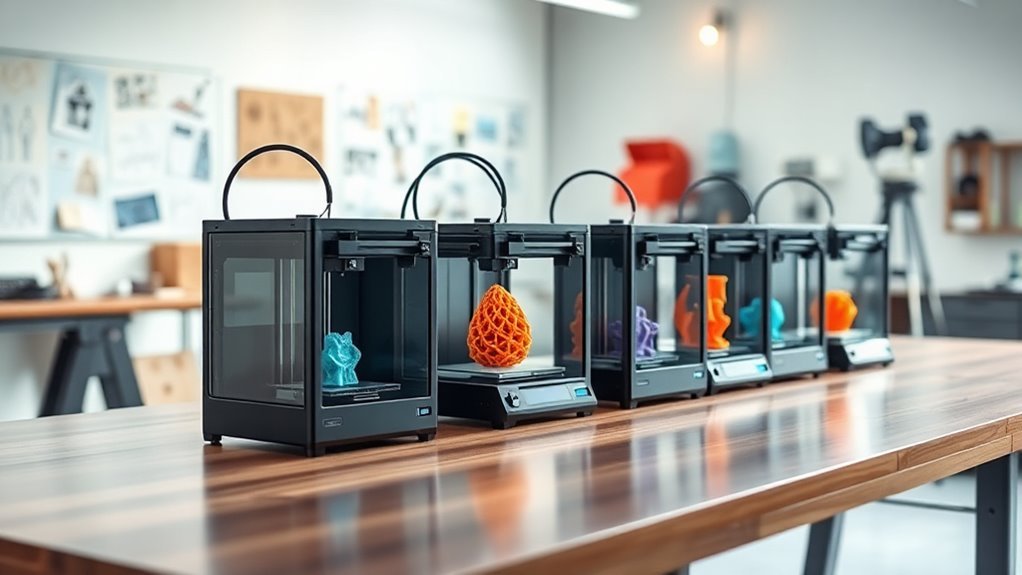
You’ll want powerful all-in-one 3D printers like the Bambu Lab P2S Combo with its fast CoreXY motion and AMS 2 Pro multi-material add-on. Or check out the FLASHFORGE Creator 5 series, which offers true multi-color printing and smart filament management.
The AD5X delivers high-speed, simultaneous 4-color printing, while Snapmaker U1’s quick toolchanger lets you switch materials seamlessly. These printers combine speed, precision, and automation to minimize waste and print failures.
Discover what makes each stand out so you can match them to your specific needs. Whether you’re after versatility, efficiency, or cutting-edge features, these all-in-one 3D printers have got you covered.
| Image | Name | Editor's Rating | Price |
|---|---|---|---|

|
|
||

|
|
||

|
|
||

|
|
||

|
|
Bambu Lab P2S Combo, P2S 3D Printer & AMS 2 Pro, Multi-Color 3D Printing
- High-Speed Precision: The Bambu Lab P2S 3D printer prints up to 600 mm/s while maintaining exceptional accuracy. With the PMSM Servo Extruder and Active Flowrate...
- Ready to Print in 15 Minutes: Set up your P2S FDM 3D printer and start printing in just 15 minutes. With AI failure detection, quick-swap nozzles, and automatic...
- Effortless Multi-Color Printing: The AMS 2 Pro enables seamless multi-color/multi-material 3D printing. It features built-in filament drying at up to 65 °C, keeping...
- Smart Airflow for Any Filament: The Adaptive Airflow System automatically balances cooling and heat retention—keeping overhangs crisp with cool air, or maintaining a...
- Limitless Creativity, Seamless Workflow: Explore over one million 3D models on MakerWorld and bring them to life with a smooth, unified workflow using Bambu Studio, Bambu...
Experience the future of 3D printing with the Bambu Lab P2S Combo, designed to bring speed and versatility to your workspace. This high-performance 3D printer combines rapid printing capabilities with multi-color and multi-material options, allowing you to tackle complex projects with ease and precision.
Its CoreXY design enables printing speeds up to 600 mm/s, reducing wait times without sacrificing detail. The integrated PMSM Servo Extruder and Active Flowrate Compensation ensure smooth, sharp layers, improving the quality of every print. The addition of the AMS 2 Pro facilitates seamless multi-color printing, expanding your creative possibilities.
Maintenance is straightforward. The heated chamber and adaptive airflow system maintain optimal printing conditions, enhancing reliability and reducing print failures. Setup is quick, about 15 minutes, and the built-in AI failure detection helps catch issues early, saving materials and time.
This combo is ideal for professionals and enthusiasts who need a reliable, fast, and multi-functional 3D printer. Although it requires dedicated space due to its size and weight, its advanced features justify the footprint for serious users.
Best for: Professionals and hobbyists seeking a high-speed, multi-color 3D printing solution with advanced precision and reliable multi-material capabilities.
What We Like:
- Fast printing speeds up to 600 mm/s with high accuracy
- Seamless multi-color and multi-material printing via AMS 2 Pro
- Easy setup and AI-assisted failure detection for reliable prints
- Heated chamber and adaptive airflow improve print consistency
Specification:
| Feature | Details |
|---|---|
| Manufacturer | Bambu Lab |
| Dimensions | 18 x 22 x 18 inches |
| Weight | 46.3 lb (21 kg) |
| Printing Technology | CoreXY with PMSM Servo Extruder |
| Multi-Color Capability | Yes, with AMS 2 Pro add-on |
FLASHFORGE Creator 5 Multi-Color 3D Printer
- 4 Independent Toolheads for True Multi-Color: Unlike traditional single-nozzle multi-color printers, the Creator 5 utilizes 4 independent toolheads to prevent color...
- 7-Second Swaps with Intelligent Preheating: Standard single-nozzle setups demand constant filament loading, unloading, and purging for every color change. The Creator...
- Up to 80% Less Filament Waste: Single-nozzle multi-color printing generates massive amounts of wasted "poop." The Creator 5's independent architecture completely bypasses...
- True Multi-Material & Clean Support Removal: Print PLA, PETG, TPU, PETG-CF and support materials in a single job. By allocating one toolhead exclusively to specialized...
- 600mm/s CoreXY Speed & Auto Calibration: Built upon a rigid CoreXY motion system with fully automatic calibration, the Creator 5 delivers stable high-speed printing up to...
Experience the freedom of true multi-color 3D printing with the FLASHFORGE Creator 5 Multi-Color 3D Printer. Its four independent toolheads eliminate the hassle of color mixing and clogging, delivering vibrant prints with precision. Fast 7-second FlashSwap changes and intelligent preheating make switching colors seamless, reducing downtime and boosting productivity.
This printer is designed to cut filament waste by up to 80%, helping you save on materials and costs. It handles a wide range of filaments including PLA, TPU, PETG, and carbon fiber effortlessly. One toolhead is dedicated to support materials, allowing for easy removal and cleaner prints.
Built around a CoreXY system, the Creator 5 prints at speeds up to 600 mm/s with automatic calibration. While the multi-toolhead design offers advanced functionality, it also requires regular maintenance to ensure optimal performance. Its larger footprint means it fits best in spacious work areas.
Best for: Creators and professionals who need efficient, high-quality multi-color 3D printing with minimal filament waste.
What We Like:
- Four independent toolheads enable vibrant, clog-free multi-color prints
- Quick 7-second toolhead swaps with smart preheating improve workflow
- Supports diverse materials including carbon fiber and dedicated support filaments
- CoreXY system ensures fast, precise printing with automatic calibration
Specification:
| Feature | Details |
|---|---|
| Manufacturer | FLASHFORGE |
| Dimensions (W×D×H) | Approx. 600 × 600 × 850 mm |
| Weight | Around 30 kg |
| Supported Materials | PLA, TPU, PETG, Carbon Fiber |
| Toolheads | Four independent toolheads |
FLASHFORGE AD5X Multi-Color High-Speed 3D Printer
- Vivid Multi-Color Printing: Bring your creations to life with vibrant, multi-color prints. This printer supports up to 4 colors simultaneously, giving you endless...
- 1-Click Auto Leveling: Enjoy smooth, uninterrupted prints with the advanced 1-Click Auto Leveling feature that automatically calibrates your print bed for optimal results...
- Ultra-Fast 12X Printing Speed: The AD5X features a Core XY structure with speeds up to 600mm/s and acceleration of 20,000mm/s². Its stable design boosts both efficiency...
- Exceptional Print Quality: The AD5X delivers outstanding print results with its advanced dual-channel cooling fan, vibration compensation system, and 300°C direct-drive...
- Versatile Nozzle Options: The AD5X supports four nozzle sizes (0.25mm to 0.8mm) for full creative control. The 0.4mm nozzle comes pre-installed for versatile, everyday...
Experience rapid, precise multi-color 3D printing with the FLASHFORGE AD5X Multi-Color High-Speed 3D Printer. Designed to tackle the challenge of slow prototyping, this printer accelerates your workflow with speeds up to 600 mm/s and advanced Core XY mechanics. It allows you to create complex, vibrant models quickly, eliminating the wait for multiple single-color prints.
Its ability to print up to 4 colors simultaneously means you can bring detailed, multi-hued designs to life seamlessly. The range of nozzle sizes from 0.25 mm to 0.8 mm lets you balance fine details and larger parts effortlessly. The direct-drive extruder heats to 300°C, supporting a variety of filaments for diverse project needs.
Maintenance is simplified with features like 1-click auto leveling and vibration compensation, ensuring consistent print quality without manual adjustments. Power interruptions won’t disrupt your work thanks to the resume function. Remote control through a dedicated app adds convenience and flexibility to your printing process.
Best for: professionals and hobbyists who require fast, accurate multi-color 3D printing for rapid prototyping and small batch production.
What We Like:
- Ultra-fast printing speeds with Core XY tech for efficiency
- Simultaneous 4-color printing with multiple nozzle options
- Easy maintenance via auto leveling and vibration compensation
- Power-loss resume feature safeguards print jobs
- Remote operation through a user-friendly app
Specification:
| Feature | Details |
|---|---|
| Manufacturer | FLASHFORGE |
| Build Volume | 220 x 220 x 220 mm |
| Printing Speed | Up to 600 mm/s |
| Acceleration | 20,000 mm/s² |
| Nozzle Sizes | 0.25 mm to 0.8 mm |
| Max Nozzle Temp | 300°C |
| Weight | 24.2 lb (11 kg) |
| Color Options | Multi-color simultaneous |
Snapmaker U1 3D Printer,4-Toolhead with 5s Toolchanger,Multi-Color Printing
- 【4-Toolhead System with 5-Second Tool Changer】 Powered by the SnapSwap system, Snapmaker U1 multi-color 3D printer features four independent toolheads with filaments...
- 【5X Faster Printing, 5X Less Waste】 Unlike traditional filament-changing systems, Snapmaker U1 3D printer swaps toolheads instead of repeatedly loading, unloading...
- 【True Multi-Material & Mixed-Material Printing】 Snapmaker U1 3D printer combines rigid and flexible materials, water-soluble supports, and engineering materials in a...
- 【Smart Calibration】 Automatic toolhead offset calibration, vibration compensation, fine-tuned extrusion, and perfect first-layer work together to deliver smooth...
- 【Easy to Use for Beginners & Professionals】 With a built-in model library, Snapmaker Orca — custom open-source slicing software, makes it easy to get started with...
Experience seamless multi-material 3D printing with the Snapmaker U1 3D Printer. Its innovative 4-toolhead system includes a 5-second automatic toolchanger, allowing you to switch between materials quickly without manual filament changes. This reduces print time and waste significantly.
Designed with a CoreXY motion system, the U1 achieves speeds up to 500 mm/s within a compact 270 × 270 × 270 mm build volume. It supports a variety of materials, including PLA, TPU, and soluble supports, enabling intricate multi-color and multi-material projects with ease.
Maintenance is straightforward thanks to smart calibration and AI-powered monitoring. These features ensure precise, high-quality prints while simplifying setup and reducing errors. The touchscreen and remote control options make it accessible to both beginners and professionals.
While the printer is relatively heavy at 57.9 pounds, its solid build supports consistent performance. The moderate build volume may limit very large projects, but it balances precision and versatility for most creative needs.
Best for: Creators and professionals seeking efficient, precise multi-material 3D printing with minimal waste and easy operation.
What We Like:
- Fast automatic 4-toolhead system with 5-second toolchanger
- Wide material compatibility including flexible and soluble filaments
- Smart calibration combined with AI monitoring for reliable prints
- User-friendly touchscreen and remote control interface
Specification:
| Feature | Details |
|---|---|
| Manufacturer | Snapmaker |
| Build Volume | 270 × 270 × 270 mm |
| Print Speed | Up to 500 mm/s |
| Toolhead System | 4-toolhead with 5s toolchanger |
| Weight | 57.9 lb (26.3 kg) |
| Supported Materials | PLA, TPU, soluble supports |
FLASHFORGE Creator 5 Pro Multi-Material 3D Printer
- More Savings: Featuring 4 independent toolheads and a 7-second FlashSwap changer, the Creator 5 Pro switches nozzles without flushing filament. This completely eliminates...
- More Possibilities: Designed for industrial engineering, the fully enclosed frame features an active heated chamber up to 65°C to prevent warping in advanced filaments...
- More Stability: Built on a ultra-rigid integrated architecture combining a CoreXY motion structure, precision linear rails, and 1.5GT high-torque timing belts. Delivers...
- More Safety: Prioritizing workspace safety, the dual HEPA 13 and activated carbon system effectively traps ultrafine particles and fumes from filaments. Paired with a...
- More Control: Get a flawless first layer with automated toolhead offset calibration, vibration compensation, and dynamic flow calibration. Monitor real-time progress via...
The FLASHFORGE Creator 5 Pro Multi-Material 3D Printer transforms complex printing tasks into efficient, precise operations. Its four independent toolheads and rapid 7-second FlashSwap nozzle changer eliminate filament waste and speed up multi-color and multi-material prints. This design lets users achieve professional results without the usual downtime or material loss.
Maintaining print quality is straightforward thanks to the ultra-rigid CoreXY frame and automated calibrations. These features reduce vibrations and ensure every layer starts perfectly. The active heated chamber stabilizes temperature, allowing reliable use of demanding industrial materials like ABS and PC.
Safety and convenience are also priorities. Dual HEPA 13 and activated carbon filters keep the printing environment clean and odor-free. Remote monitoring enables users to oversee prints from anywhere, making it easier to manage production workflows.
While the printer’s footprint and weight may require ample workspace, its advanced capabilities justify the investment. New users should anticipate a learning curve to master the multi-toolhead setup, but the efficiency gains are significant.
Best for: Professionals and industrial users needing high-speed, multi-material 3D printing with minimal waste and consistent quality.
What We Like:
- Four independent toolheads with quick FlashSwap nozzle changer reduce filament waste.
- Ultra-rigid CoreXY design and automated calibration deliver precise, vibration-free prints.
- Heated chamber supports industrial-grade materials like ABS and PC.
- Dual HEPA and carbon filtration create a safe, odorless environment.
- Remote monitoring enhances print management and convenience.
Specification:
| Feature | Details |
|---|---|
| Manufacturer | FLASHFORGE |
| Dimensions (W×D×H) | Not specified |
| Weight | 39 lb (about 17.7 kg) |
| Material Capability | Multi-material (ABS, PC, etc.) |
| Color Options | Not specified |
Factors to Consider When Choosing an All in One 3D Printer
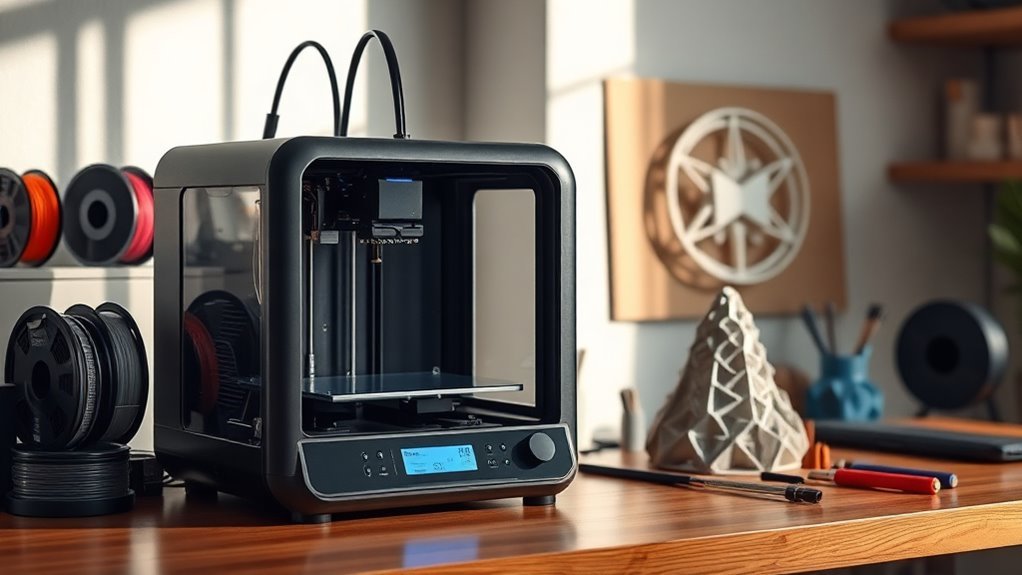
When choosing an all in one 3D printer, you’ll want to focus on print speed and precision to guarantee quality results. It’s super important to get prints that look great and come out quickly.
Also, consider if the printer supports multiple materials and offers enough build volume for your projects. You don’t want to be limited by size or material options.
Don’t forget to check ease of use, reliability, and durability to get the best long-term value. After all, you want a machine that’s going to last and be hassle-free.
Print Speed and Precision
Although print speed often grabs attention, you’ll want to weigh it carefully against precision when choosing an all-in-one 3D printer. Look for machines with CoreXY or similar high-speed motion systems, and check rated top speeds—many reach up to 600 mm/s—but don’t rely on speed alone.
Balance it with acceleration and jerk specs to reduce layer ringing and improve short-travel accuracy. Pay attention to nozzle size options: smaller nozzles (0.25–0.4 mm) offer finer detail at lower speeds, while larger ones (0.6–0.8 mm) boost volumetric throughput for faster, coarser prints.
Also, make sure the printer has rigid linear rails, vibration compensation, and tuned drive geometry to maintain positional precision at high speeds. Finally, verify the extrusion system’s flow consistency to keep layers accurate even when printing fast.
Multi-Material Compatibility
Since you’ll likely work with various filament types, ensuring your all-in-one 3D printer supports a broad range of materials is essential. Check which filament families it handles—PLA, PETG, TPU, ABS, Nylon, and more—and confirm its extruder and chamber temperatures meet these materials’ requirements.
Opt for printers with independent multi-tool or multi-nozzle setups to swap filaments quickly, reducing purging and waste. If you plan to print flexible or abrasive filaments, look for direct-drive extruders and hardened nozzles.
Also, make sure the printer offers active filament management like drying and filament detection to prevent moisture issues. Finally, verify the slicer and firmware allow precise per-tool temperature control and material-specific calibration for consistent adhesion and accuracy across materials.
Build Volume Capacity
Evaluate the build volume capacity carefully to match your typical project sizes and avoid unnecessary limitations. Consider the maximum dimensions (X × Y × Z) you need—small (≈150–220 mm), medium (≈220–300 mm), or large (>300 mm)—since this sets the largest single part you can print without splitting.
Remember, larger volumes mean longer print times, more filament use, and potential warping, so check if the printer has adequate chamber temperature control or an enclosure. Also, factor in the trade-off between volume and resolution; bigger builds require stiffer motion systems and precise calibration to keep accuracy.
Verify the usable build area, as toolheads or add-ons can reduce it. If you print multi-part or multi-material projects, make certain the printer supports slicing strategies like tiling or stacking and has enough Z-height for your workflow.
Ease of Use
When choosing an all-in-one 3D printer, ease of use can make or break your experience, especially if you want to start printing quickly without a steep learning curve. Look for printers with guided setup and a ready-to-print timeline under 30 minutes to reduce frustration.
Automatic calibration features like bed leveling and flow calibration help you get reliable first layers without technical hassle. Integrated filament management—such as drying, spooling, and automatic feeding—minimizes failed prints and maintenance.
Built-in print monitoring through cameras or sensors lets you catch problems early without constant supervision. Finally, a unified, user-friendly software with presets for common materials and one-click slicing accelerates your workflow, making routine printing tasks simple and efficient from day one.
Reliability and Durability
Although ease of use gets you printing quickly, reliability and durability guarantee your all-in-one 3D printer keeps performing well over time. Choose a model with a rigid frame and high-quality linear rails or CoreXY motion to reduce vibrations and maintain accuracy during long prints.
You’ll want to check the rated duty cycle, maximum continuous operating hours, and MTBF to make sure it suits your workload—whether you’re a hobbyist or running production. Look for robust extruder components with metal gearing and high-temp wiring, plus easy access to replaceable parts to minimize downtime.
Features like heated chambers, adaptive airflow, filament drying, and dust filtration help protect components and prevent jams. And don’t forget to verify the availability of firmware updates, spare parts, and clear service docs to ensure strong manufacturer support and a longer printer lifespan.
Software and Connectivity
Getting your software and connectivity right can make all the difference in how smoothly your all-in-one 3D printer operates. You want a unified software ecosystem that combines slicer, printer control, and remote monitoring. This ensures a seamless workflow and easy firmware updates.
Look for slicers with advanced features like adaptive flow control, automatic calibration, and multi-extruder management. These help achieve precise multi-material prints. It’s also important to check if the printer supports USB, Ethernet, Wi-Fi, and mobile apps.
Plus, secure remote control and real-time monitoring with camera integration are great for unattended jobs. Make sure the printer handles standard file formats like G-code, STL, and OBJ. Integration with cloud libraries or APIs can be a big bonus.
Finally, prioritize automation features such as print failure detection, filament status, queued jobs, and profile libraries. These help minimize manual effort and reduce print failures.
Frequently Asked Questions
How Do All-In-One 3D Printers Compare to Modular Setups?
All-in-one 3D printers save you time and space with integrated features. They’re great if you want a straightforward setup without the hassle of piecing everything together.
On the other hand, modular setups offer more customization and upgrade options. You can tweak and improve parts as you go, which is perfect if you like to experiment or have specific needs.
What Are the Best Materials for Everyday 3D Printing?
You’ll want PLA and PETG for everyday 3D printing since they’re easy to use, versatile, and offer good strength.
ABS is tougher but needs more care.
TPU’s great for flexible parts if you need that.
How Important Is Customer Support for 3D Printer Brands?
Customer support is essential because you’ll need quick help with troubleshooting, maintenance, or upgrades.
Good support saves you time and frustration, ensuring your 3D printer works smoothly and your projects stay on track.
It’s always nice to know someone is there to help when things don’t go as planned. Plus, responsive support can make a big difference in how much you enjoy using your 3D printer.
Can All-In-One Printers Be Used for Professional Prototyping?
Oh, sure, if you want your prototypes to scream “amateur hour.”
But seriously, all-in-one printers can handle professional prototyping well, especially when you need speed, precision, and versatility without juggling multiple devices.
What Software Is Recommended for Beginners Using All-In-One Printers?
You should try Ultimaker Cura or PrusaSlicer; they’re user-friendly and perfect for beginners. Both offer intuitive interfaces, helpful presets, and strong community support.
This makes getting your all-in-one 3D printer up and running really quick and easy. Plus, if you ever get stuck, there’s plenty of advice out there to help you out!
Conclusion
Choosing the perfect all-in-one 3D printer might seem tricky, but it’s funny how these top picks—like the Bambu Lab P2S Combo and FLASHFORGE Creator 5—just happen to cover every need you have. Whether it’s multi-color magic or speedy prints, these printers align with your creative goals effortlessly.
So, why not seize the chance? One of these could be exactly what you didn’t even know you were looking for in 2027. With features that blend innovation and ease of use, these all-in-one 3D printers make your projects smoother and more enjoyable.
If you’re aiming to boost your creativity or streamline your workflow, investing in a reliable 3D printer from this list can be a game-changer. Don’t miss out on the best all-in-one 3D printers for 2027—they’re designed to meet all your printing needs in one compact package.