10 Best 3D Printers for Workshop Use in 2027
If you want a high-speed, multi-material 3D printer for your workshop in 2027, consider options like the FLASHFORGE Creator 5 Pro with its four toolheads.
This model offers versatility and speed, perfect for complex projects.
Another great choice is the large-volume Creality K2 Plus Combo, which supports up to 16-color printing.
It’s ideal if you need vibrant, multi-color outputs without switching materials constantly.
For those with limited space, the compact Bambu Lab P1S is a winner.
It features quick setup and supports a wide range of materials, making it incredibly user-friendly.
Models equipped with CoreXY frames guarantee precision and stability during prints.
Plus, AI monitoring technology enhances reliability by catching issues early.
Explore these picks and key factors to make the best choice tailored to your workshop’s needs.
Your perfect 3D printer is out there, ready to boost your creativity and productivity!
| Image | Name | Editor's Rating | Price |
|---|---|---|---|

|
|
||

|
|
||

|
|
||

|
|
||

|
|
FLASHFORGE Creator 5 Pro 4-Toolhead 3D Printer
- More Savings: Featuring 4 independent toolheads and a 7-second FlashSwap changer, the Creator 5 Pro switches nozzles without flushing filament. This completely eliminates...
- More Possibilities: Designed for industrial engineering, the fully enclosed frame features an active heated chamber up to 65°C to prevent warping in advanced filaments...
- More Stability: Built on a ultra-rigid integrated architecture combining a CoreXY motion structure, precision linear rails, and 1.5GT high-torque timing belts. Delivers...
- More Safety: Prioritizing workspace safety, the dual HEPA 13 and activated carbon system effectively traps ultrafine particles and fumes from filaments. Paired with a...
- More Control: Get a flawless first layer with automated toolhead offset calibration, vibration compensation, and dynamic flow calibration. Monitor real-time progress via...
Experience a new level of efficiency with the FLASHFORGE Creator 5 Pro 4-Toolhead 3D printer. Designed to tackle the challenges of multi-material and multi-color printing, this printer reduces filament waste through its innovative 7-second FlashSwap changer. It switches nozzles swiftly without flushing filament, ensuring material savings and faster production times.
The printer’s four independent toolheads enable complex prints with up to five times the speed of traditional multi-color printing. Its fully enclosed CoreXY frame provides exceptional rigidity, minimizing vibrations to maintain consistent precision throughout each build. Automated calibrations simplify setup and reduce user error, streamlining your workflow.
Maintenance is straightforward thanks to the active heated chamber that stabilizes temperatures and the dual-filtration system combining HEPA 13 and activated carbon filters. This setup promotes a safe and odorless workspace, ideal for extended use in professional or industrial environments. Remote monitoring capabilities keep you connected to your print jobs at all times.
While it requires dedicated space due to its size and weight, the Creator 5 Pro’s robust design and industrial filament support make it a reliable choice for precise, durable parts. Users should expect a learning curve with its advanced features but will benefit from its high-speed, multi-material capabilities.
Best for: Professionals and industrial engineers seeking high-speed, multi-material 3D printing with minimal waste and precise, robust part production.
What We Like:
- Four independent toolheads with fast FlashSwap nozzle changer reduce filament waste.
- Rigid CoreXY frame with automated calibrations enhances print accuracy and stability.
- Active heated chamber combined with dual HEPA 13 and activated carbon filters ensures a safe, odorless environment.
- Supports industrial-grade filaments like ABS and PC for durable, high-quality prints.
Specification:
| Feature | Details |
|---|---|
| Manufacturer | FLASHFORGE |
| Dimensions | Not specified |
| Weight | 39 lb (approx. 17.7 kg) |
| Frame Type | Fully enclosed CoreXY |
| Toolheads | Four independent |
| Filament Support | Industrial-grade (ABS, PC) |
| Filtration System | Dual HEPA 13 + activated carbon |
| Chamber Heating | Active heated chamber |
Creality K2 Plus Combo 3D Printer Large Volume
- Multi Color Printing with All-new CFS: K2 Plus Combo multi-color flagship printing, exciting for you to combine. With four CFS units hooked together, it is possible to...
- Larger Size to Meet More Needs: Compared to Creality K2 and K2 Pro, the Creality K2 Plus offers an extraordinary 350*350*350mm large build volume, great for handling...
- 600mm/s High Speed Printing: Creality 3D Printer K2 Plus Combo adopting industry-grade FOC step-servo motors for the XYZ axis and extrusion, Step-servo Motor System...
- Super Master of Materials: The Creality K2 Plus 3d printer actively maintains a constant temperature of up to 60°C, allowing you to easily print high-end filaments like...
- Dual AI Cameras & Automation: K2 Plus features 18 smart sensors. Everything is automated and closely monitored. It has two AI cameras. One is on the chamber side to watch...
The Creality K2 Plus Combo 3D Printer is designed to tackle large-scale, multi-color printing challenges with ease. Its spacious 350 × 350 × 350 mm build volume lets you create sizable projects without interruptions. The innovative CFS system enables smooth printing with up to 16 colors, reducing the need for time-consuming post-processing.
This printer’s advanced automation features simplify complex workflows. RFID filament detection and automatic switching ensure continuous printing without manual intervention. Dual AI cameras monitor extrusion in real time, helping maintain print quality and reduce errors.
Built with a stable dual Z-axis and aerospace-grade aluminum frame, the K2 Plus delivers precise, high-speed printing up to 600 mm/s. It supports high-temp engineering filaments, making it suitable for durable prototypes and functional parts. Maintenance is manageable but may require some technical knowledge due to its sophistication.
Weighing 70.4 lb, it demands a sturdy setup rather than portability. Its complexity might present a learning curve, but the benefits for professional use are substantial.
Best for: professional workshops and designers requiring large-volume, multi-color 3D printing with reliable precision and automation.
What We Like:
- Large build volume with seamless 16-color multi-filament printing
- Automated filament switching and RFID detection for uninterrupted workflow
- Dual AI cameras for real-time extrusion monitoring
- Stable dual Z-axis and durable aerospace-grade aluminum frame
- Supports high-temperature engineering filaments for tough parts
Specification:
| Feature | Details |
|---|---|
| Manufacturer | Creality |
| Build Volume | 350 × 350 × 350 mm |
| Weight | 70.4 lb (31.9 kg) |
| Frame Material | Aerospace-grade aluminum |
| Max Print Speed | Up to 600 mm/s |
| Color Capability | Up to 16 colors via CFS system |
Heavy Duty 3D Printer Stand with Filament Storage,3D Printer Table
- 【High Load Capacity & Low Vibration】 This 3D printer stand features an metal frame structure.The base is engineered with a rigid,low vibration that maintains...
- 【4 Adjustable Filament Holders + Side Pegboard】3D printer shelf features 4 adjustable filament holders compatible with various spool sizes,helping prevent tangles and...
- 【Durable Wooden Worktop with Safety Edge & Cable Management】The 16mm thick and scratch-resistant wooden top supports long prints without warping—ideal as a...
- 【Low-Noise Design for Home,Dorm & Shared Studios】Our 3d printer table features a cabinet-style design,engineered to provide a sturdy base that absorbs vibrations at...
- 【Easy To Assembly & Service】Clear instructions,a video guide,and labeled hardware help you assemble this complete 3d printer workstation in about 35 minutes.Our...
When your 3D printing projects demand a stable and quiet workspace, the Heavy Duty 3D Printer Stand with Filament Storage offers a practical solution. Its robust metal frame supports heavy equipment, ensuring your printer stays secure during operation. The wooden top and cabinet design help reduce vibrations and noise, creating an ideal environment for precise printing.
The 16 mm thick scratch-resistant countertop resists warping, maintaining a smooth surface for your printer. Cable management holes and a raised safety edge keep cords organized and prevent accidental slips. This thoughtful design simplifies setup and daily maintenance.
Organizing your supplies is effortless with four adjustable filament holders that keep spools tangle-free and accessible. A side pegboard provides convenient storage for tools, helping you maintain a clutter-free workstation. Assembly is straightforward, taking about 35 minutes with clear instructions and responsive support.
This stand’s sturdy construction and storage features improve workflow and workspace efficiency. However, its 60-pound weight makes it less suited for frequent relocation, and it comes only in black, which may limit aesthetic options.
Best for: hobbyists, professionals, and educators seeking a durable, organized 3D printer table that minimizes noise and vibration.
What We Like:
- Supports up to 1,100 lbs with a solid metal frame
- Reduces noise and vibration through wooden top and cabinet design
- Integrated filament storage and tool pegboard for neat organization
- Scratch-resistant, warp-proof countertop with cable management
- Clear assembly instructions with quick customer support
Specification:
| Feature | Details |
|---|---|
| Manufacturer | Belalcin |
| Dimensions | Not specified |
| Weight | 60 lb (27.2 kg) |
| Material | Metal frame, wooden top |
| Color Options | Black only |
Anycubic Kobra X Multicolor 3D Printer, Easy Setup, Native 4-Color
- 【 Newest Level - 19-Color with 4 ACE 2 Pro】Why settle for one color when you can have multicolor? The Kobra X comes born with 4 colors built-in. It is innovative 3D...
- 【 Savings 2X Time】Stop wasting hours and filament on purging! Kobra X impresora 3D reduces the filament and machine travel path by 81.25%, so 2X the Speed, and...
- 【Hardened Precision & High Speed 】 Equipped with a high-durability hardened steel nozzle and vibration compensation, the Kobra X ensures every layer remains smooth...
- 【Flawless First Layer with LeviQ 3.0】The LeviQ 3.0 and auto bed leveling system uses a 49-point calibration and advanced leveling algorithm to ensure 100% bed...
- 【Smart AI Monitoring & Large Model Library】APP remote control, features Spaghetti detection and foreign object detection. The innovative top-mount spool holder...
Experience the freedom of true multicolor 3D printing with the Anycubic Kobra X Multicolor 3D Printer. This printer is designed for creators who want native 4-color capability right out of the box, simplifying complex projects without extra hardware hassle. Its intuitive setup and user-friendly design get you printing quickly and efficiently.
With a 260mm³ build volume, you can handle a wide range of projects, while the LeviQ 3.0 auto bed leveling ensures your prints start perfectly every time. The hardened steel nozzle supports filaments up to 300°C, expanding your material choices for varied applications. Vibration compensation guarantees sharp details at speeds up to 600 mm/s, enhancing precision.
Maintenance is straightforward, with reliable components built for consistent performance. The top-mount spool holder saves workspace and lets you easily swap filaments. Smart AI monitoring and quiet operation at 45 dB make it ideal for classrooms, workshops, or home studios. Remote control via the Anycubic app adds convenience to your workflow.
Best for: hobbyists, educators, and professionals seeking a fast, precise, and easy-to-use native 4-color 3D printer with remote and multicolor expansion options.
What We Like:
- Native 4-color printing with easy expansion up to 19 colors
- Fast, precise printing with auto bed leveling and vibration compensation
- Smart AI monitoring and quiet 45 dB operation
- Remote control through Anycubic app
- Space-saving top-mount spool holder
Specification:
| Feature | Specification |
|---|---|
| Manufacturer | Anycubic |
| Build Volume | 260 × 260 × 260 mm |
| Nozzle Material | Hardened Steel |
| Max Nozzle Temperature | 300°C |
| Max Print Speed | 600 mm/s |
| Noise Level | 45 dB |
| Color Capability | Native 4-color, expandable |
Bambu Lab P1S 3D Printer, Ready-to-Use FDM 3D Printer
- Up to 16 Colors: Bring your designs to life with vibrant multi-color/multi-material printing capabilities, perfect for showcasing your creativity. Note: Connecting Bambu...
- 500mm/s and 20000 mm/s² Acceleration True High Speed: Don't wait around for your masterpieces. Lightning-fast printing speed lets you focus on creating, not waiting.
- Enclosed Design: Fully enclosed body improves print performance for advanced filaments. Automatic Bed Leveling: Say hello to high-quality, successful prints. Auto bed...
- Set Up in 15 Minutes: Spend more time printing and less time setting up. User-friendly design ensures a hassle-free assembly experience for all skill levels.
- Supported Filament: Ideal: PLA, PETG, TPU, PVA, PET ABS, ASA; Capable : PA, PC; Not Recommended: Carbon/Glass Fiber Reinforced Polymer.
Step into the world of high-speed 3D printing with the Bambu Lab P1S, designed to boost your workshop productivity. Its CoreXY enclosed design delivers precise, rapid printing up to 500 mm/s, letting you complete projects faster and with consistent quality. The compact setup means you’re ready to print in just 15 minutes.
This printer handles a variety of filaments like PLA, PETG, TPU, and ABS, catering to diverse project needs. Automatic bed leveling simplifies maintenance, reducing calibration time and effort. The optional AMS accessory expands your creative reach by supporting up to 16 color prints, perfect for intricate multi-material designs.
While the P1S excels in speed and versatility, note that multi-color printing requires additional investment, and it isn’t suited for carbon or glass fiber reinforced polymers. Its 38.9-pound weight offers a sturdy build but limits easy portability.
With its beginner-friendly interface and robust features, the Bambu Lab P1S is a practical choice for those who want quick, reliable results without complex setup.
Best for: hobbyists and small workshop users seeking a fast, versatile, and beginner-friendly 3D printer with multi-material and multi-color capabilities.
What We Like:
- Fast printing speed up to 500 mm/s with precise CoreXY mechanics
- Supports multiple filament types with automatic bed leveling
- Quick and straightforward setup in 15 minutes
- Optional AMS accessory enables up to 16-color printing
- Enclosed design helps maintain print quality and safety
Specification:
| Feature | Details |
|---|---|
| Manufacturer | Bambu Lab |
| Dimensions | Not specified |
| Weight | 38.9 lb (17.6 kg) |
| Material Support | PLA, PETG, TPU, ABS |
| Color Options | Up to 16 colors with AMS accessory |
Anycubic Kobra S1 Max Combo 3D Printer, Large Build Size 350x350x350 mm³
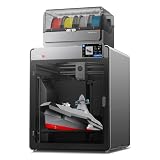
- 【Massive 350x350x350mm³ Build Volume】 Anycubic Kobra S1 Max Combo has extra-large 350x350x350mm³ workspace, provides expansive space for engineers and makers to...
- 【Fully-Enclosed CoreXY Structure】 Built with a solid all-metal frame that stays rock-steady even at top speed. Core XY design eliminates shaking and wobbling, giving...
- 【600mm/s Ultra High-Speed Printing】 Delivers up to 600mm/s print speed and 20,000mm/s² acceleration, finishing a standard Benchy in just 15 minutes. Stop wasting...
- 【Native 4-Color to Max 16-Color】 Bundled with the ACE 2 Pro for 4-color printing out of the box, expanding up to 16 colors with 4 ACE 2 Pro boxes. Say goodbye to...
- 【65°C Heated Chamber for Advanced Materials】Features a 65°C heated chamber and 350°C hotend to easily print tough engineering materials and consumer-grade...
Experience the freedom to create large-scale prototypes and complex models with the Anycubic Kobra S1 Max Combo 3D Printer. Its impressive build volume of 350 x 350 x 350 mm³ lets you print sizable objects without breaking them into parts. This saves time and hassle during assembly, improving workflow efficiency.
The printer’s all-metal CoreXY frame ensures stability and accuracy, even at print speeds up to 600 mm/s. This combination reduces production time while maintaining high-quality results. The heated chamber keeps prints free from warping, providing consistent dimensional accuracy.
Maintenance is simplified with the Smart LeviQ 3.0 auto-leveling system, which guarantees precise first layers and a smooth printing process. The unit supports native 4-color printing, expandable to 16 colors, allowing for vibrant, multi-material projects without manual filament changes.
While weighing 77.8 pounds, the printer is designed for stationary use in professional or advanced hobbyist workshops. Its robust construction and advanced features make it a reliable choice for demanding, large-format 3D printing needs.
Best for: Professionals and advanced hobbyists requiring large, high-speed multi-color 3D printing with consistent precision.
What We Like:
- Large 350x350x350 mm³ build volume for extensive projects.
- Stable CoreXY design enabling fast, accurate prints up to 600 mm/s.
- Heated chamber minimizes warping for better print quality.
- Smart LeviQ 3.0 auto-leveling simplifies setup and maintenance.
- Native multi-color printing with expansion to 16 colors enhances design versatility.
Specification:
| Feature | Details |
|---|---|
| Manufacturer | Anycubic |
| Build Volume | 350 x 350 x 350 mm³ |
| Print Speed | Up to 600 mm/s |
| Frame Material | All-metal |
| Weight | 35.3 kg (77.8 lb) |
| Color Printing | 4 colors native, expandable to 16 |
FLASHFORGE Creator 5 Pro Industrial 3D Printer
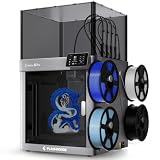
- 【Active Chamber Heating, All-Season Engineering-Grade Printing】 Break free from environmental limitations. The Creator 5 Pro features an active chamber heating system...
- 【Adaptive Air Circulation System + HEPA13 Filtration】 Experience a cleaner, safer, and more reliable printing environment. The advanced air system features an...
- 【4 Independent Extruders, Efficient Multi-Color Printing】Achieve true multicolor and multi-material printing without color mixing or cross-contamination. With four...
- 【Industrial-Grade Speed and Intelligent Stable Architecture】Don't sacrifice speed for quality. With a blistering 600mm/s print speed and 30,000mm/s² acceleration...
- 【Comprehensive Safety Monitoring and Convenient Operation】Print with total peace of mind. A comprehensive sensor suite monitors for filament run-out, tangles to...
The FLASHFORGE Creator 5 Pro Industrial 3D Printer is designed to meet the demanding needs of workshop professionals. Its active heated chamber and fully sealed enclosure with HEPA13 filtration ensure minimal warping and reduce odors, creating a safer, cleaner workspace. This feature helps maintain print quality even with challenging engineering-grade materials.
This printer’s four independent extruders allow true multi-color and multi-material printing without the hassle of cross-contamination or long purging processes. The all-metal CoreXY frame provides a rigid, vibration-free platform that guarantees precision and consistency in every print.
Maintenance is straightforward thanks to the automatic leveling system, ensuring perfect first layers with minimal user intervention. The 256 mm³ build volume is ideal for detailed projects, while the intuitive 4-inch touchscreen simplifies operation for both professionals and advanced users.
Although the build volume may limit very large prints and the nearly 49-pound weight affects portability, the Creator 5 Pro balances speed, accuracy, and safety in a robust industrial design.
Best for: Professionals and advanced users needing reliable multi-material 3D printing with engineering-grade materials.
What We Like:
- Heated chamber and HEPA13 filtration reduce warping and odors
- Four independent extruders enable multi-color and multi-material printing
- Rigid CoreXY metal frame for vibration-free precision
- Automatic leveling for easy, accurate setup
Specification:
| Feature | Details |
|---|---|
| Manufacturer | FLASHFORGE |
| Build Volume | 256 mm³ |
| Weight | ~49 lbs (22.2 kg) |
| Frame Material | All-metal CoreXY |
| Heated Chamber Temp | Up to 65°C |
| Enclosure | Sealed with HEPA13 |
| Touchscreen | 4-inch color display |
Creality Ender-3 V3 Mega Combo 3D Printer

- 𝐋𝐚𝐫𝐠𝐞𝐫 𝐏𝐫𝐢𝐧𝐭 𝐒𝐢𝐳𝐞𝐬: The Creality Ender-3 V3 Mega features a 16.5 ×16.5×16.5 in build volume fits larger models and more...
- 𝐑𝐞𝐥𝐢𝐚𝐛𝐥𝐞 𝟖𝟓𝐀 𝐒𝐨𝐟𝐭‑𝐓𝐏𝐔 𝐏𝐫𝐢𝐧𝐭𝐢𝐧𝐠: Sprite 2 features enhanced grip and a 14% shorter feed...
- 𝐄𝐚𝐬𝐢𝐥𝐲 𝐒𝐰𝐢𝐭𝐜𝐡 𝐂𝐨𝐥𝐨𝐫𝐬: Creality 3d printer ender 3 v3 mega combo enables automatic 4‑color filament switching...
- 𝐒𝐭𝐚𝐛𝐥𝐞 𝐇𝐢𝐠𝐡‑𝐒𝐩𝐞𝐞𝐝 𝐋𝐚𝐫𝐠𝐞‑𝐅𝐨𝐫𝐦𝐚𝐭 𝐏𝐫𝐢𝐧𝐭𝐢𝐧𝐠: Rigid metal frame, dual...
- 𝐄𝐚𝐬𝐲 𝐒𝐞𝐭𝐮𝐩 & 𝐌𝐚𝐢𝐧𝐭𝐞𝐧𝐚𝐧𝐜𝐞: Equipped with 81‑point auto‑leveling to calibrate the large build plate for...

The Creality Ender-3 V3 Mega Combo 3D Printer transforms large-format printing into a seamless experience. Its generous 16.5-inch cubic build volume allows you to create sizable models or batch multiple parts at once, saving time and effort. Designed for workshops and advanced users, it tackles complex projects with ease.
This printer’s automatic 4-color filament switching simplifies multi-color printing, while its ability to print flexible TPU materials down to 85A opens up new creative possibilities. The rigid metal frame combined with dual motors and 81-point auto-leveling delivers consistent stability and sharp precision in every print.
Maintenance is straightforward thanks to features like filament monitoring, which alerts you to supply issues, and quick-swap nozzles that minimize downtime. The Sprite 2 extruder ensures smooth filament feeding, reducing clogs and improving reliability. Although slightly bulky, its robust design supports demanding print jobs without sacrificing accuracy.
Overall, the Ender-3 V3 Mega Combo offers a practical solution for users needing versatile, high-precision multi-material printing in a single machine.
Best for: professionals and hobbyists requiring a large-build, multi-color 3D printer capable of handling flexible materials with reliable performance.
What We Like:
- Spacious 16.5-inch cubic build volume for large or multi-part projects
- Automatic 4-color filament switching with TPU printing support
- Sturdy metal frame with dual motors and 81-point auto-leveling
- Filament monitoring and quick-swap nozzles simplify maintenance
- Smooth, reliable feeding via the Sprite 2 extruder
Specification:
| Feature | Details |
|---|---|
| Manufacturer | Creality |
| Build Volume | 16.5 inches cubic |
| Frame Material | Metal |
| Color Printing | Automatic 4-color switch |
| TPU Printing Capability | Yes, down to 85A shore hardness |
| Extruder Type | Sprite 2 extruder |
| Auto-leveling Points | 81 |
| Dimensions | Not specified |
| Weight | Not specified |
Creality K2 Plus Combo 3D Printer, Multi Color Printing with New CFS

- 𝐄𝐧𝐣𝐨𝐲 𝐏𝐫𝐢𝐧𝐭𝐢𝐧𝐠 𝐢𝐧 𝐌𝐮𝐥𝐭𝐢𝐩𝐥𝐞 𝐂𝐨𝐥𝐨𝐫𝐬: By hooking up as many as four CFS units...
- 𝐇𝐢𝐠𝐡 𝐒𝐩𝐞𝐞𝐝 𝐏𝐫𝐢𝐧𝐭𝐢𝐧𝐠: Step-servo Motor System 30000mm/s² accelaration, 40mm³/s High-flow and quiet. For a large-format...
- 𝐌𝐮𝐥𝐭𝐢 𝐌𝐚𝐭𝐞𝐫𝐢𝐚𝐥 𝐂𝐚𝐩𝐚𝐛𝐢𝐥𝐢𝐭𝐲: K2 Plus Combo equipped with Actively Heated Chamber & High-temp Nozzle...
- 𝐃𝐮𝐚𝐥 𝐀𝐈 𝐂𝐚𝐦𝐞𝐫𝐚𝐬: K2 Plus uses an Al camera on the chamber side to watch over spaghetti failure, foreign objects, idling, etc. It...
- 𝐈𝐧𝐠𝐞𝐧𝐢𝐨𝐮𝐬 𝐀𝐧𝐭𝐢-𝐭𝐢𝐥𝐭 𝐀𝐮𝐭𝐨 𝐋𝐞𝐯𝐞𝐥𝐢𝐧𝐠: K2 Plus features dual independently motorized...
Experience the future of 3D printing with the Creality K2 Plus Combo, designed to bring vibrant, multi-color creations to life without the hassle of constant filament changes. This innovative printer connects up to four CFS units, enabling seamless printing with up to 16 colors at once. It solves the common challenge of filament swapping, allowing you to focus on your design without interruption.
Powered by a turbocharged step-servo motor, it reaches impressive speeds of up to 600 mm/s. The actively heated chamber supports a wide range of materials, including PLA, ABS, and carbon-fiber blends, ensuring your prints are not only fast but also durable. Its robust frame and dual Z-axes guarantee stable, precise results throughout complex or large-format projects.
Maintenance is straightforward thanks to the smart Creality Automatic Material System, which manages multiple filaments effortlessly and reduces downtime. The addition of AI cameras offers real-time monitoring for safety and quality control, making it easier to oversee your print jobs remotely.
The Creality K2 Plus Combo is ideal for creators seeking high-speed multi-color printing combined with advanced filament management and detailed project oversight. Its size and setup complexity may require dedicated workspace and some technical familiarity.
Best for: Professionals and creators needing fast, multi-color 3D printing with reliable filament management and precise monitoring for intricate or large-scale projects.
What We Like:
- Prints with up to 16 colors simultaneously using multiple CFS units
- High-speed printing capability with turbocharged step-servo motor
- Actively heated chamber supports diverse materials including carbon-fiber blends
- AI cameras provide real-time print monitoring and safety oversight
- Sturdy frame and dual Z-axes ensure accuracy and stability
Specification:
| Feature | Details |
|---|---|
| Manufacturer | Creality |
| Dimensions (L×W×H) | Not specified |
| Weight | Not specified |
| Material Compatibility | PLA, ABS, Carbon-fiber blends |
| Color Options | Multi-color (up to 16 colors) |
Bambu Lab X1E Combo High-Speed 3D Printer

- PROFESSIONAL ENCLOSED DESIGN: CoreXY 3D printer built for secure network environments and high-speed professional production.
- HIGH-SPEED MOTION SYSTEM: Features a CoreXY motion system for fast, precise printing with consistent, reliable results.
- EXTREME TEMPERATURE CAPABILITY: Supports a maximum nozzle temperature of 320°C, enabling compatibility with advanced engineering-grade materials.
- AI PRINT FAILURE DETECTION: Intelligent monitoring automatically detects print failures in real time, reducing waste and improving print success rates.
- ACTIVE CHAMBER HEATING & AIR FILTRATION: Integrated active chamber heating ensures stable printing conditions, while the built-in high-performance filtration system keeps...
Experience the power of high-speed precision with the Bambu Lab X1E Combo 3D Printer, engineered for professionals who require reliable, fast results. This printer tackles complex projects with ease, reducing downtime and boosting productivity in demanding workspaces.
Its CoreXY motion system ensures consistent, accurate movements at rapid speeds. The active chamber heating and 320°C nozzle support advanced engineering materials, minimizing warping for stronger, more precise parts. This makes it ideal for prototypes and functional components.
Maintenance is straightforward thanks to its integrated air filtration, which keeps the environment clean and safe. The AI-driven print failure detection monitors prints in real time, helping you avoid costly errors and wasted materials.
Designed as a compact, enclosed unit, the gray Bambu Lab X1E fits neatly into professional workshops and secure networks. While it requires dedicated space and a controlled environment, its robust build guarantees dependable, high-quality output every time.
Best for: professionals and engineers in secure production settings needing fast, precise 3D printing with advanced material support.
What We Like:
- High-speed CoreXY system delivers reliable, consistent print quality
- Active chamber heating and 320°C nozzle reduce warping with tough materials
- AI print failure detection minimizes waste through real-time monitoring
- Integrated air filtration maintains a clean, safe workspace
- Compact enclosed design suitable for secure, professional environments
Specification:
| Feature | Details |
|---|---|
| Manufacturer | Bambu Lab |
| Dimensions (W×D×H) | Not specified |
| Weight | Relatively heavy (exact weight not provided) |
| Material Compatibility | Engineering-grade materials |
| Max Nozzle Temperature | 320°C |
| Color | Gray |
Factors to Consider When Choosing a 3D Printer for Workshop
When choosing a 3D printer for your workshop, you’ll want to contemplate the build volume and the range of materials it can handle. Pay attention to precision and speed, as well as safety features that protect your workspace.
Also, think about how well the printer integrates with your existing workflow to keep projects running smoothly. It’s all about finding the right balance that fits your specific needs and keeps things efficient.
Build Volume Needs
Although choosing a 3D printer involves many factors, matching the build volume to your largest planned part is essential. Make sure the printer’s X×Y×Z capacity comfortably fits your biggest prototype or assembly, including clearance, so you avoid splitting models and seams.
Remember, the usable build volume is often smaller than the advertised envelope due to carriage and toolhead offsets, especially with multi-tool or multi-color heads. It’s a good idea to check the specs carefully.
Larger build volumes mean longer print times and more material usage, so balance capacity with your workflow and storage needs. You don’t want to end up with a huge printer that’s slow and takes up too much space.
For tall prints, prioritize machines with stable Z-axis support and enclosed chambers to prevent warping. These features really help maintain print quality.
If you print multi-part assemblies frequently, choose a build volume that lets you print intact assemblies. That way, you preserve strength and surface continuity without needing extra bonding.
Material Compatibility Range
Material versatility plays a vital role in selecting a 3D printer that meets your workshop’s demands. Start by checking the maximum nozzle and chamber temperatures; printers with ≥300°C nozzles and ≥60°C chambers handle engineering plastics like PC, PA, PEEK, and high-temp nylons.
Next, consider the extruder type and hotend materials—direct drive systems with hardened-steel or all-metal hotends manage abrasive or flexible filaments such as TPU and carbon-fiber composites reliably. If you plan multi-material prints, make sure the printer supports multi-extruder setups or filament switching with near-zero purge strategies for soluble supports like PVA.
Also, look for filament handling features: heated/enclosed chambers, run-out detection, and dry-boxes to protect moisture-sensitive materials. Finally, verify that the build plate and adhesion methods can handle high temperatures and reduce warping on large parts.
Precision and Speed
After ensuring your 3D printer handles the materials your workshop needs, you’ll want to focus on how precisely and quickly it can produce parts. Match the printer’s maximum speed and acceleration to your workflow. Higher speeds boost throughput but demand a rigid motion system to prevent ringing and maintain accuracy.
Look for motion architectures like CoreXY or well-braced gantries with precision rails and high-torque belts or lead screws for consistent layer registration. Choose nozzle sizes wisely: smaller nozzles deliver finer detail but slower prints, while larger ones speed up production at some quality cost.
Automated calibrations and dynamic flow compensation help keep first layers precise and extrusion consistent during long or fast runs. It’s all about balancing your tolerance and surface finish needs against production speed to optimize results.
Workspace Safety Features
You should always prioritize workspace safety features when choosing a 3D printer for your workshop. Opt for models with enclosed, actively heated chambers around 60–65°C to reduce warping, contain fumes, and prevent accidental contact with hot parts.
Look for printers equipped with HEPA H13 and activated carbon filters to capture ultrafine particles and volatile organic compounds from filament emissions. Features like filament run-out detection, automatic jam pause, and spool management help avoid hazardous unattended failures.
Make certain the printer has robust cable management, grounded metal frames, and safety clearances to prevent pinch points. Thermal runaway protection and temperature-limited power components in firmware add essential safeguards.
Finally, maintain a dedicated, well-ventilated space with smoke detectors, a fire extinguisher rated for electrical fires, and supervision policies during long or high-temp prints. It’s all about keeping your workspace safe and your prints successful!
Workflow Integration Options
When integrating a 3D printer into your workshop, seamless workflow compatibility is essential to keep production efficient and error-free. Make sure your printer supports networked control via Ethernet or Wi-Fi. This lets you queue, start, and monitor jobs remotely from a central station or mobile device.
Choose printers compatible with common slicers and file formats like G-code, STL, and 3MF. Also, look for models that offer stable APIs or plugins to integrate with your CAD/CAM and job management software. That way, everything works smoothly together.
Automated features such as auto-bed leveling, filament run-out detection, and toolhead scripting should fit neatly into your workflow. These help minimize manual tasks and keep things running without hiccups.
Don’t forget physical factors like printer footprint, part loading access, filament storage, and cable routing. These details can make a big difference in daily use and maintenance.
Finally, require logging and reporting capabilities to streamline inventory, scheduling, and maintenance planning. Having clear records makes managing your production a whole lot easier.
Frequently Asked Questions
How Do 3D Printers Handle Different Filament Materials?
3D printers handle different filaments by adjusting temperature, speed, and extrusion settings. You’ll need to use compatible printers and fine-tune these parameters to guarantee smooth printing with materials like PLA, ABS, or flexible filaments.
It’s kind of like cooking—you tweak the heat and timing depending on what you’re making. So, dialing in those settings ensures your prints come out just right, no matter the filament.
What Maintenance Is Required for Workshop 3D Printers?
You’ll need to regularly clean the print bed and lubricate moving parts to keep everything running smoothly. Also, make sure to check the nozzle condition often to avoid clogs or poor print quality.
Don’t forget to update the firmware whenever there’s a new version available. Proper filament storage is key too—it helps prevent moisture damage and ensures better prints.
Routine calibration is a must. Plus, removing any debris or leftover filament keeps your 3D printer in top shape and consistently producing quality prints.
Are There Safety Concerns for Indoor 3D Printing?
Yes, you should be cautious. 3D printers emit fumes and particles that can irritate your lungs.
Always make sure there is proper ventilation. Use enclosed printers with filters, and wear protective gear to keep your indoor workspace safe.
Can These Printers Be Upgraded With New Features?
You can bet your bottom dollar these printers are upgradeable! Manufacturers design them with modular parts, so you can easily add new features, improve performance, and keep your machine cutting-edge without buying a whole new setup.
It’s pretty cool, right? Instead of starting from scratch, just tweak what you have. This way, your printer stays relevant as new tech rolls out.
What Software Compatibility Do These 3D Printers Have?
You’ll find these 3D printers compatible with popular software like Cura, PrusaSlicer, and Simplify3D. They also support various file formats such as STL and OBJ, letting you easily integrate them into your existing workflow.
This means you don’t have to worry about switching tools or converting files all the time. It’s pretty straightforward, making your printing projects smoother and hassle-free.
Conclusion
Choosing the right 3D printer for your workshop is like picking the perfect tool from a well-stocked toolbox—it needs to fit your specific needs, whether that’s speed, multi-color capability, or large build volume.
By considering factors like print quality, ease of use, and durability, you’ll make certain your projects come to life smoothly.
With the options here, you’re well-equipped to find a reliable 3D printer that keeps your creativity flowing and your workflow efficient. Finding the best 3D printer for workshop use ensures you get consistent results, whether you’re prototyping or producing functional parts.
Remember, investing in the right 3D printer means less downtime and more productivity, making your workshop a hub of innovation in 2027 and beyond.