2 Best 3D Printer Projects to Try in 2027
You’ll love trying the AOSEED X-Maker X-Racer—a transformable modular racing car that sparks creativity and sharpens your 3D printing skills. This project is perfect for those looking to dive into innovative design while having fun.
Another top pick is the Makerworld MH002 wireless mouse kit, letting you build and customize a sleek, functional device for your Bambu printer. It’s a great way to combine hands-on learning with practical tech.
Both projects balance customization and real-world use, making them ideal for anyone wanting to enhance their 3D printing experience. If you want to pick the perfect project and master essential skills, exploring their unique features will definitely help.
| Image | Name | Editor's Rating | Price |
|---|---|---|---|

|
|
||

|
|
AOSEED X-Maker 3D Printer Transformable Mod Kit, X-Racer
- The X-Racer mod kit allows you to build a dynamic and customizable car that can adapt to various terrains and challenges. Elevate your 3D printing skills and embrace the...
- X-Racer is the ultimate creation kit for young racing enthusiasts. It lets them design, build, and race their own customizable cars
Dive into 3D printing with the AOSEED X-Maker 3D Printer Transformable Mod Kit, X-Racer, designed to fuel creativity through hands-on learning. This innovative kit allows users to build and customize a modular racing car, providing a practical way to develop 3D printing skills. Its transformable design makes it easy to experiment with different setups for varied racing conditions.
The compact size and lightweight build ensure the kit is easy to handle and assemble, making it accessible for beginners. Maintenance is straightforward, as the modular parts can be easily replaced or upgraded, which extends the product’s usability. The kit encourages problem-solving and fine motor skills while offering an engaging introduction to 3D printing technology.
Ideal for adapting to diverse terrains, the X-Racer lets users explore how different parts affect performance. This versatility enhances learning opportunities and keeps the experience fresh and challenging. However, younger users might need supervision or some prior knowledge to assemble the kit effectively.
Best for: Young racing enthusiasts and beginners seeking an interactive way to learn 3D printing through customizable modular car projects.
What We Like:
- Promotes creativity and practical 3D printing skills
- Lightweight and compact for easy handling
- Modular design supports easy maintenance and upgrades
- Adaptable for different racing terrains and challenges
Specification:
| Feature | Details |
|---|---|
| Manufacturer | AOSEED |
| Dimensions | 6.6 x 3.1 x 6.6 inches |
| Weight | 1.19 pounds |
| Material | Modular 3D printed components |
| Color Options | Not specified |
Makerworld MH002 Wireless Mouse Components Kit for Bambu
- 【For bambu lab original componentsThe mouse operates with such buttery smoothness,that it feels like it's floatingallowing for seamless navigation.on the...
- 【Easy Assembly】Plug the receiver into the USB port of your device after installing the motherboard.No need for complex software or drivers
- 【Compatibility】Wireless Mouse Model kit is compatible with bambulab P1P/P1S/A1/A1 Mini/X1/X1C/X1E 3D printers.The printed part is not included,please download the...
- 【Attention】It is recommended to use this product indoors at room temperature and avoid using it on glass or reflective surfaces.Wipe with a clean cloth and avoid...
- 【Operation System】Suitable for Windows,Linux and Mac OS,fits desktops,laptops,Macbooks

Experience the freedom of customizing your wireless mouse with the Makerworld MH002 Wireless Mouse Components Kit, designed specifically for Bambu 3D printer users. This kit lets you build a fully functional mouse tailored to your preferences, solving the challenge of finding a compatible wireless mouse that fits your workflow.
The kit includes key parts such as the mainboard, scroll wheel, optical lens, receiver, and toggle switch. You maintain full control over the design by 3D printing the shell yourself using files from Makerworld’s website. This approach allows easy maintenance and personalization.
With six buttons and optical tracking, the mouse delivers precise control and a wireless range of up to 33 feet. Its plug-and-play USB receiver works seamlessly across Windows, Mac, and Linux without needing drivers. For reliable use, avoid reflective surfaces and remember that batteries are sold separately.
This components kit is ideal if you want to build a custom, wireless mouse that integrates perfectly with your Bambu 3D printer setup, combining flexibility with essential functionality.
Best for: DIY enthusiasts and Bambu 3D printer users seeking a customizable wireless mouse components kit.
What We Like:
- Compatible with multiple Bambu printer models and major operating systems
- Essential wireless mouse parts included for straightforward assembly
- Optical tracking with a wireless range of up to 33 feet
- Plug-and-play USB receiver requiring no additional drivers
Specification:
| Feature | Details |
|---|---|
| Manufacturer | Makerworld |
| Dimensions | Varies (dependent on shell) |
| Weight | Not specified |
| Material | Electronic components + 3D printed shell |
| Color Options | Customizable via 3D print |
Factors to Consider When Choosing 3d Printer Projects
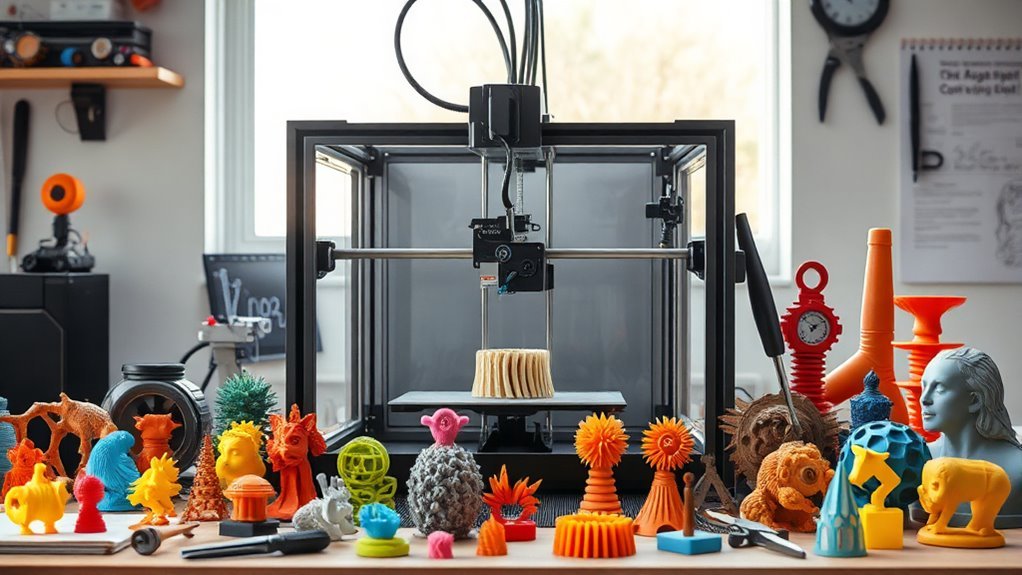
When picking a 3D printer project, you’ll want to contemplate how complex it is and whether you have the materials on hand. Think about what skills you want to build and if the project allows for customization.
Also, keep in mind how you plan to use the finished piece to make sure it fits your needs. It’s all about finding the right balance between challenge and practicality. Take your time to choose something that excites you!
Project Complexity Level
Choosing the right 3D printer project depends heavily on understanding the complexity involved. You’ll want to assess print time and part count—beginner projects usually take under 4 hours with a single part, while advanced ones can exceed 12–24 hours and involve multiple parts.
Evaluate model geometry and support needs; simple designs have minimal overhangs and little support, whereas complex models feature intricate overhangs, internal voids, and extensive supports. Also, consider post-processing: easy projects need light or no finishing, but complex ones may require sanding, priming, painting, or assembly.
Match your printer’s capabilities too; advanced projects demand fine layer heights, precise tuning, and features like heated beds. Finally, factor in your design skills—novice-friendly projects use ready-made STL files, but advanced ones expect CAD and slicing expertise.
Required Materials Availability
Although selecting an exciting 3D printer project is important, ensuring you have all the required materials on hand is essential to avoid delays and frustrations. Start by checking filament compatibility with your printer and confirming local or online suppliers stock the needed type and diameter, like PLA or TPU in 1.75 mm or 2.85 mm.
Inventory non-filament parts—fasteners, bearings, electronics—so you don’t run short mid-build. For specialty materials such as carbon-fiber filament or soluble supports, plan for longer lead times and minimum orders.
Don’t forget post-processing supplies, including sandpaper, paints, and safety gear. Make sure you can source suitable grades. Keep spare parts like nozzles and belts ready to prevent unexpected downtime during your project.
Skill Development Opportunities
Develop your 3D printing skills by selecting projects that gradually increase in complexity, starting with simple single-piece prints and advancing to multi-part assemblies. This approach helps you master CAD modeling, slicing parameter tuning, and assembly techniques step-by-step.
Choose prints that challenge you with different techniques like bridging, overhangs, and fine details to gain hands-on experience adjusting nozzle temperature, cooling, layer height, and print speed. It’s a great way to learn by doing.
Incorporate projects with mechanical or electronic components to practice tolerance design, fit testing, and post-processing for functional results. Planning a series of 10–15 projects that target specific learning goals, such as surface finish control and dimensional accuracy, really pays off.
Finally, pick projects allowing iterative testing using calipers or fit checks so you can refine your slicer settings and improve part quality objectively over time. This steady improvement will boost your confidence and skills.
Customization And Flexibility
When selecting 3D printer projects, you should focus on customization and flexibility to get the most value from your prints. Prioritize projects with parametric or modular designs, so you can adjust dimensions or swap parts without starting over.
Choose editable file formats like STEP or native CAD files, enabling you to tweak models easily. Keep in mind that intricate customizations might require finer layer heights or support structures, which can increase print time and material use.
Select materials that suit your needs—TPU for flexible parts or PETG for heat resistance—to make sure your custom prints remain functional. And finally, design with standard connection interfaces and document tolerances to guarantee parts fit well. This way, you can upgrade or modify your projects smoothly over time.
End-Use Functionality
Evaluate the functional demands of your 3D printed parts carefully to make certain they perform as intended. Assess mechanical needs like load-bearing, flex resistance, and wear. Adjust print orientation, infill (50%+ for strength), and layer height (0.2 mm or less) accordingly.
Match material properties to your application—use PLA for simple prototypes, PETG or ASA for impact and weather resistance, and Nylon or carbon-fiber blends for high strength. Define dimensional tolerances and plan post-processing steps like sanding or annealing to guarantee parts fit and move smoothly.
Also, consider the operating environment—temperature, UV, chemicals—and select filaments and coatings that hold up under those conditions. Finally, design for easy maintenance with modular parts and document your settings to replicate reliable performance over time.
Frequently Asked Questions
How Do I Maintain My 3D Printer for Long-Term Use?
You should regularly clean the nozzle and bed, lubricate moving parts, update firmware, and check belts for tension.
Also, store filament properly to avoid moisture. Calibrate your printer often to guarantee long-term, reliable performance.
Taking these simple steps can really help keep your 3D printer running smoothly over time. Just a little maintenance goes a long way!
What Software Is Best for Designing 3D Printer Projects?
You’ll want to try Fusion 360 for powerful CAD. Tinkercad is great if you’re just starting out, and Blender works well for detailed designs.
Each one offers unique tools. So, pick the one that matches your skill level and the complexity of your project.
Can 3D Printing Be Used for Educational Purposes?
You can use 3D printing to explore, to create, and to learn. It brings abstract concepts to life, enhances hands-on experience, and sparks creativity.
This makes education more engaging, interactive, and effective for you and your students. It’s a great way to make learning fun and memorable!
How Do I Troubleshoot Common 3D Printing Errors?
You troubleshoot common 3D printing errors by checking your nozzle for clogs, ensuring bed leveling, and adjusting temperature settings. It’s also a good idea to review your slicing software to catch any mistakes there.
Don’t forget to calibrate your printer regularly. Using quality filament can also help you avoid a lot of common issues. Just a little maintenance goes a long way!
What Materials Are Safest for Home 3D Printing?
You’ll find PLA and PETG safest for home 3D printing since they emit fewer fumes and are non-toxic.
Avoid ABS unless you have proper ventilation, as it releases harmful fumes during printing. It’s better to be cautious with materials that can affect your indoor air quality.
Conclusion
Diving into 3D printing projects in 2027 is like unsealing a treasure chest of creativity and innovation. With the AOSEED X-Maker and Makerworld MH002 kits, you’re not just building—you’re crafting future tech with your own hands.
Keep your toolkit ready, embrace challenges as stepping stones, and let your imagination run wild. These projects aren’t just tasks; they’re your launchpad to mastering a world where ideas take shape layer by layer.
Whether you’re a beginner or a seasoned maker, these 3D printer projects offer endless opportunities to explore design, engineering, and problem-solving. So, gear up for an exciting journey, and watch your ideas come alive with every print. In 2027, mastering 3D printing means turning creativity into reality—one layer at a time.