11 Best 3D Printer Precision Printing Models for 2027
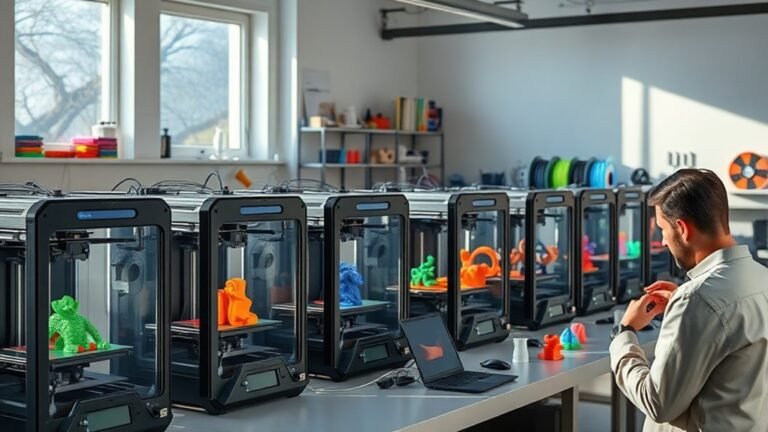
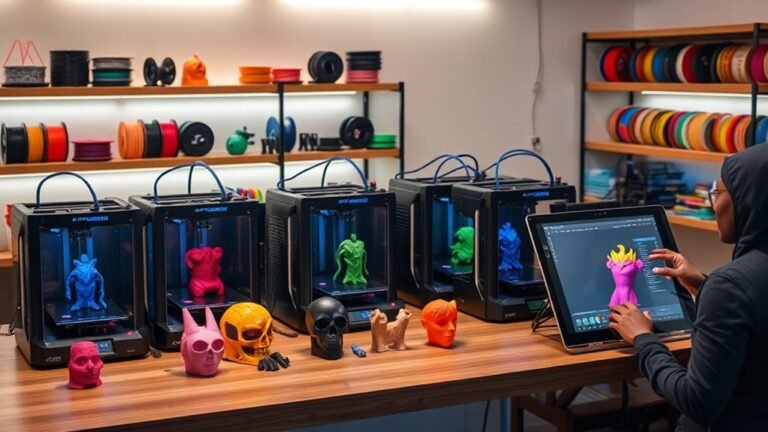
You’ll find top precision and vibrant multi-color printing with models like Bambu Lab’s P1S, A1 Mini, and P2S Combos, plus Creality K2 Combo’s robust multicolor capabilities. These printers are perfect if you’re looking for sharp details and eye-catching colors in every print.
For fast, smooth multicolor prints, check out Anycubic Kobra X and ELEGOO Centauri Carbon 2. These models offer great speed without sacrificing quality, making them ideal for projects that need both efficiency and flair.
FLASHFORGE AD5X excels in speed and calibration, helping you get precise results quickly. Meanwhile, ELEGOO Mars 5 is a standout for detailed resin prints, offering incredible accuracy for miniatures and prototypes.
These options balance speed, automation, and material versatility—perfect for professionals and enthusiasts alike. Explore how each matches your needs for 2027 and find the best fit for your precision printing projects.
| Image | Name | Editor's Rating | Price |
|---|---|---|---|

|
|
||

|
|
||

|
|
||
|
|
||

|
|
Bambu Lab P1S Combo, P1S 3D Printer and AMS, Multi-Color 3D Printing
- Up to 16 Colors: Bring your designs to life with vibrant multi-color/multi-material printing capabilities, perfect for showcasing your creativity. Note: Connecting Bambu...
- 500mm/s and 20000 mm/s² Acceleration True High Speed: Don't wait around for your masterpieces. Lightning-fast printing speed lets you focus on creating, not waiting.
- Enclosed Design: Fully enclosed body improves print performance for advanced filaments. Automatic Bed Leveling: Say hello to high-quality, successful prints. Auto bed...
- Set Up in 15 Minutes: Spend more time printing and less time setting up. User-friendly design ensures a hassle-free assembly experience for all skill levels.
- Supported Filament: Ideal: PLA, PETG, TPU, PVA, PET ABS, ASA; Capable : PA, PC; Not Recommended: Carbon/Glass Fiber Reinforced Polymer.
The Bambu Lab P1S Combo redefines multi-color 3D printing by combining speed, precision, and ease of use. This system integrates the P1S 3D printer with the AMS, enabling seamless printing with up to 16 colors. It addresses the challenge of producing vibrant, detailed models without complex setup or long wait times.
Its advanced CoreXY architecture and automatic bed leveling provide consistent accuracy and efficiency. The enclosed design stabilizes printing conditions, allowing users to work confidently with a wide range of filaments, including PLA, PETG, and TPU. Setup is straightforward and can be completed in about 15 minutes, minimizing downtime and maximizing productivity.
Maintenance is simplified through the printer’s robust construction and streamlined workflow. However, users should note that the full multi-color capability depends on using the AMS, which adds to setup complexity and cost. The printer’s weight also makes it less portable, and it is not suited for carbon or glass fiber reinforced polymers.
This combo is ideal for creators who need fast, detailed multi-material prints with minimal hassle. It balances advanced features with practical usability for professional and enthusiast use.
Best for: Professionals and hobbyists seeking efficient, high-precision multi-color 3D printing with versatile material support.
What We Like:
- Supports up to 16 colors with AMS for complex, vibrant prints
- High-speed CoreXY system ensures precise and efficient printing
- Enclosed body accommodates advanced filaments and stable conditions
- Quick setup process reduces downtime
- Reliable automatic bed leveling enhances print quality
Specification:
| Feature | Details |
|---|---|
| Manufacturer | Bambu Lab |
| Dimensions | Not specified |
| Weight | 47.5 lb (21.5 kg) |
| Material Support | PLA, PETG, TPU, others |
| Color Options | Multi-color via AMS (up to 16) |
Bambu Lab A1 Mini Combo, A1 Mini 3D Printer&AMS lite, Multi-Color Printing
- High-Speed Precision: Experience unparalleled speed and precision with the Bambu Lab A1 Mini 3D Printer. With an impressive acceleration of 10,000 mm/s², the A1 Mini...
- Multi-Color Printing with AMS lite: Unlock your creativity with vibrant and multi-colored 3D prints. The Bambu Lab A1 Mini 3D printers make multi-color printing...
- Full-Auto Calibration: Say goodbye to manual calibration hassles. The A1 Mini 3D printer takes care of all the calibration processes automatically, ensuring optimal...
- Active Flow Rate Compensation: Achieve consistently smooth prints with active flow rate compensation. The algorithm actively compensates the flow rate according to the...
- Easy and Quiet 3D Printing: A1 mini 3D printer offers easy printing with a user-friendly interface and simplified touchscreen. Setup for your first print takes just...
Discover how the Bambu Lab A1 Mini Combo transforms your 3D printing experience with vibrant, multi-color creations. Its AMS lite accessory enables seamless color changes, addressing the challenge of producing eye-catching prints without complex setups.
This printer delivers high-speed performance with precise detail, thanks to acceleration up to 10,000 mm/s² and Active Flow Rate Compensation. You can rely on consistent extrusion for smooth finishes every time.
Maintenance is simple with full-auto calibration for Z-offset and bed leveling, reducing setup time to about 20 minutes. Quick-swap nozzles further ease upkeep, while the touchscreen interface keeps controls straightforward and accessible.
Designed to fit comfortably in small workspaces, the A1 Mini Combo operates quietly due to active motor noise cancellation. Its compact, lightweight build suits hobbyists and beginners who want reliable multi-color printing without fuss.
Best for: hobbyists and beginners seeking a compact, user-friendly 3D printer capable of high-speed, precise multi-color printing with easy maintenance.
What We Like:
- Vibrant multi-color printing enabled by AMS lite accessory
- Simplified setup with full-auto calibration and quick-swap nozzles
- Quiet operation ideal for shared or home workspaces
- Compact design fits neatly into limited spaces
Specification:
| Feature | Details |
|---|---|
| Manufacturer | Bambu Lab |
| Dimensions | Compact (exact size not specified) |
| Weight | Lightweight (exact weight not specified) |
| Color Options | Not specified |
| Acceleration | Up to 10,000 mm/s² |
| Calibration | Full-auto (Z-offset & bed leveling) |
| Noise Cancellation | Active motor noise cancellation |
Bambu Lab P2S Combo, P2S 3D Printer & AMS 2 Pro, Multi-Color 3D Printing
- High-Speed Precision: The Bambu Lab P2S 3D printer prints up to 600 mm/s while maintaining exceptional accuracy. With the PMSM Servo Extruder and Active Flowrate...
- Ready to Print in 15 Minutes: Set up your P2S FDM 3D printer and start printing in just 15 minutes. With AI failure detection, quick-swap nozzles, and automatic...
- Effortless Multi-Color Printing: The AMS 2 Pro enables seamless multi-color/multi-material 3D printing. It features built-in filament drying at up to 65 °C, keeping...
- Smart Airflow for Any Filament: The Adaptive Airflow System automatically balances cooling and heat retention—keeping overhangs crisp with cool air, or maintaining a...
- Limitless Creativity, Seamless Workflow: Explore over one million 3D models on MakerWorld and bring them to life with a smooth, unified workflow using Bambu Studio, Bambu...
Experience precise, multi-color 3D printing like never before with the Bambu Lab P2S Combo. Designed to tackle complex projects, this combo delivers rapid print speeds and consistent accuracy that saves time without sacrificing quality. Its high-speed CoreXY system and advanced extruder ensure every detail is sharp and every layer smooth.
The AMS 2 Pro accessory expands functionality by enabling seamless multi-material and multi-color prints. It features built-in filament drying and adaptive airflow control, helping maintain optimal conditions for engineering-grade materials. This reduces print failures and keeps maintenance minimal.
Setting up the combo is straightforward, with automatic calibration and AI-powered error detection that simplify operation. A unified interface through Bambu Studio and Handy apps streamlines workflow, making it easier to manage projects and access a vast library of models.
While the printer’s size and weight may limit portability, and multi-color printing requires the AMS 2 Pro add-on, the system is ideal for users who demand high-speed, reliable multi-material printing with smart automation and environmental control.
Best for: professionals and advanced hobbyists seeking efficient, precise multi-color 3D printing with automated maintenance and material management.
What We Like:
- Fast printing speeds up to 600 mm/s with high precision
- Adaptive filament drying and airflow control for reliable multi-material use
- Easy setup with automatic calibration and AI error detection
- Integrated software for seamless project management
- Engineering-grade material compatibility with environmental controls
Specification:
| Feature | Details |
|---|---|
| Manufacturer | Bambu Lab |
| Dimensions | Not specified |
| Weight | 46.3 lb (21 kg) |
| Material | Engineering-grade filaments |
| Color Options | Not specified |
Creality K2 Combo (A) 3D Printer, Multicolor Printing with CFS
- 𝐍𝐞𝐱𝐭-𝐆𝐞𝐧 𝐌𝐮𝐥𝐭𝐢𝐜𝐨𝐥𝐨𝐫 𝟑𝐃 𝐏𝐫𝐢𝐧𝐭𝐢𝐧𝐠: K2 Combo 3d printer comes with one CFS unit (expandable...
- 𝐒𝐦𝐚𝐫𝐭 𝐅𝐢𝐥𝐚𝐦𝐞𝐧𝐭 𝐒𝐲𝐬𝐭𝐞𝐦, 𝐃𝐫𝐲, 𝐀𝐮𝐭𝐨 & 𝐑𝐞𝐥𝐢𝐚𝐛𝐥𝐞: Experience intelligent...
- ...
- 𝐔𝐥𝐭𝐫𝐚 𝐐𝐮𝐢𝐞𝐭 & 𝐔𝐬𝐞𝐫-𝐅𝐫𝐢𝐞𝐧𝐝𝐥𝐲: Enjoy a peaceful workspace with Silent Mode, dynamically balanced fans, and...
- 𝐃𝐢𝐫𝐞𝐜𝐭 𝐃𝐫𝐢𝐯𝐞, 𝐏𝐫𝐨-𝐋𝐞𝐯𝐞𝐥 𝐌𝐚𝐭𝐞𝐫𝐢𝐚𝐥𝐬: Equipped with a 40 mm³/s high-flow hotend, a...
Experience vibrant multicolor 3D printing with the Creality K2 Combo, designed to bring your creative projects to life. Its advanced CFS unit enables up to 16 seamless color shifts, eliminating manual filament changes and saving you time. This smart system enhances workflow and reduces interruptions during complex prints.
Maintenance is simplified with the Smart Filament System and RFID technology, ensuring efficient filament tracking and airtight storage to keep materials dry and ready. The printer’s aerospace-grade aluminum frame and dual Z-axis provide a stable, precise foundation for detailed models, even at high speeds up to 600 mm/s.
The direct drive extrusion supports a variety of filaments, expanding your material choices without compromising quality. Quiet operation and the integrated AI Chamber Camera offer a smoother, more monitored printing experience. With Wi-Fi connectivity and 8 GB of storage, managing files and remote control become effortless.
The Creality K2 Combo is ideal for professionals and creators who need reliable, multicolor, and multi-material printing with advanced automation and precision.
Best for: Professionals and creators requiring fast, precise, and multicolor 3D printing with streamlined filament management.
What We Like:
- Seamless 16-color filament switching via CFS unit
- Durable aerospace-grade aluminum frame with dual Z-axis stability
- Smart Filament System with RFID for easy storage and tracking
- Quiet operation paired with AI Chamber Camera monitoring
- Wi-Fi connectivity and ample onboard storage
Specification:
| Feature | Details |
|---|---|
| Manufacturer | Creality |
| Dimensions (inches) | 21 x 25 x 20 |
| Weight (lbs) | 55 |
| Frame Material | Aerospace-grade aluminum |
| Color Options | Multicolor printing support |
Anycubic Kobra X Multicolor 3D Printer, Easy Setup, Native 4-Color
- 【 Newest Level - 19-Color with 4 ACE 2 Pro】Why settle for one color when you can have multicolor? The Kobra X comes born with 4 colors built-in. It is innovative 3D...
- 【 Savings 2X Time】Stop wasting hours and filament on purging! Kobra X impresora 3D reduces the filament and machine travel path by 81.25%, so 2X the Speed, and...
- 【Hardened Precision & High Speed 】 Equipped with a high-durability hardened steel nozzle and vibration compensation, the Kobra X ensures every layer remains smooth...
- 【Flawless First Layer with LeviQ 3.0】The LeviQ 3.0 and auto bed leveling system uses a 49-point calibration and advanced leveling algorithm to ensure 100% bed...
- 【Smart AI Monitoring & Large Model Library】APP remote control, features Spaghetti detection and foreign object detection. The innovative top-mount spool holder...
Experience effortless multicolor 3D printing with the Anycubic Kobra X Multicolor. Its native 4-color system dramatically reduces filament purging and travel time by 81.25%, cutting waste and doubling your print speed. This means you spend less time waiting and more time creating vibrant, detailed models.
The printer reaches speeds up to 600 mm/s, paired with a hardened steel nozzle that ensures smooth, consistent layers. Setup is straightforward, thanks to LeviQ 3.0 auto bed leveling and smart AI monitoring, which also help maintain print quality with minimal intervention.
Designed for versatility, the Kobra X supports various filament types and offers a 260 mm cubic build volume. With built-in dual-band Wi-Fi, you can control and monitor your prints remotely, making it ideal for both home and professional environments.
Maintenance is simple, as the system minimizes material waste and wear. Expansion beyond four colors is possible but requires additional ACE 2 Pro units, which are not compatible with the ACE Pro system, a factor to consider if you plan to upgrade.
Best for: hobbyists, educators, and professionals seeking fast, high-quality multicolor 3D printing with easy setup and versatile material compatibility.
What We Like:
- Native 4-color printing system reduces filament waste and purging time.
- High-speed printing up to 600 mm/s with vibration compensation.
- Easy setup with LeviQ 3.0 auto bed leveling and AI monitoring.
- Supports multiple filament types and remote Wi-Fi control.
Specification:
| Feature | Details |
|---|---|
| Manufacturer | Anycubic |
| Build Volume | 260 × 260 × 260 mm |
| Print Speed | Up to 600 mm/s |
| Nozzle Material | Hardened steel |
| Color Options | Native 4-color printing |
| Connectivity | Dual-band Wi-Fi |
FLASHFORGE Adventurer 5M 3D Printer, All-Metal CoreXY, 600mm/s Max Travel

- One-Click Automatic Printing: Experience hassle-free 3D printing with the Adventurer 5M Series. Enjoy automatic bed leveling for flawless first layers, ensuring...
- 12X Ultra Fast Printing: Featuring a CoreXY structure with 600mm/s travel speed and 20000mm/s² acceleration, the AD5M maximizes efficiency, reduces production cycles...
- Smart and Efficient Design: Quick 3-second nozzle changes, a high-flow 32mm³/s nozzle, and fast 35-second warm-up to 200°C deliver stable high-speed printing. Its...
- Superior Print Quality & Adaptability: Combines a 280°C direct drive extruder with dual-fan cooling and vibration compensation. Includes a standard 0.4mm nozzle and...
- Real-Time App Monitoring: Monitor print progress, adjust settings, and receive instant status alerts remotely with the Flash Studio. Smart mobile control ensures a...
The FLASHFORGE Adventurer 5M redefines speed and precision in 3D printing. Its all-metal CoreXY design enables a maximum travel speed of 600 mm/s, significantly cutting down production time without compromising accuracy. This makes it ideal for fast-paced environments where rapid prototyping and efficient mass production are essential.
Maintenance is straightforward, with features like a quick 35-second warm-up and nozzle changes completed in just 3 seconds. Dual-sided PEI platforms allow easy part removal, while automatic bed leveling ensures consistent first-layer adhesion every time. These elements reduce downtime and simplify daily use.
Designed for professional applications, this printer’s all-metal direct drive extruder supports a nozzle temperature up to 280°C. This temperature range covers a wide variety of materials but may limit some high-performance filaments. High-speed operations require careful calibration to maintain optimal print quality.
The smart mobile control feature enhances convenience by enabling remote monitoring and adjustments. Overall, the Adventurer 5M offers a balanced combination of speed, precision, and user-friendly maintenance for demanding production needs.
Best for: Professionals and businesses seeking a high-speed, precise 3D printer optimized for rapid prototyping and efficient mass production.
What We Like:
- Rapid printing with up to 600 mm/s travel speed and 20,000 mm/s² acceleration
- Easy maintenance with quick nozzle swaps and automatic bed leveling
- Durable all-metal construction and versatile dual-sided PEI build platform
- Remote print monitoring and control via smart mobile interface
Specification:
| Feature | Details |
|---|---|
| Manufacturer | FLASHFORGE |
| Build Mechanism | All-metal CoreXY |
| Max Travel Speed | 600 mm/s |
| Acceleration | 20,000 mm/s² |
| Nozzle Temperature | Up to 280°C |
| Warm-up Time | 35 seconds |
| Nozzle Change Time | 3 seconds |
| Platform | Dual-sided PEI |
| Control Method | Smart mobile control |
68Pcs 3D Printer Tools Kit with Storage Case

- 【Upgraded 68-in-1 3D Printer Tools Kit, 1-Year Warranty】Designed by a Team of 15-Year 3D Printing Enthusiasts, the kit includes all essential tools. From wire cutters...
- 【Scrapers for Flawless Removal 3D Printed Models】One Stainless Steel removal scraper features a 15-degree angled (0.5mm thickness, 1.57-inch length), providing...
- 【1 Deburring Tool & 10 HSS BS1010 Swivel Blades】Our model polishing tools include 3 engraving knives with 9 types of blades, 5 different metal files and a...
- 【Nozzle Cleaning Needles, Brushes & Tweezers】To avoid inconsistent filament extrusion caused by a clogged nozzle, we provide 5 types of cleaning needles, (0.2mm...
- 【3D Printer Accessories Gifts Must-Have】4 cut-resistant finger cots to protect your fingers while working. A black sleeve case makes it easy to find, organize, store...
Maintain and upgrade your 3D printer with ease using this comprehensive 68-piece 3D printer tools kit. It is designed to tackle common challenges like nozzle clogs, surface imperfections, and precise part cleaning. The kit keeps your printer running smoothly and your prints looking their best.
The tools are neatly organized in a durable 900D Oxford fabric case with bright orange tags. This design ensures quick access and protects your tools during transport or storage. You’ll find essential items such as scraper tools, engraving knives, nozzle cleaning needles, and a high-quality hand drill that simplify routine maintenance.
Specifically made for 1.75mm filament printers, this set fits popular models like Bambu Lab, Ender 3, and Kobra. It includes safety features like cut-resistant finger cots, helping you work confidently and avoid injuries while handling sharp tools. The kit’s variety supports both beginners and advanced users aiming for precise, hassle-free printer care.
While the kit covers a wide range of needs, it may be heavier than simpler sets and is tailored primarily for 1.75mm filament, limiting use with other filament sizes.
Best for: Owners of 1.75mm filament 3D printers seeking a well-organized, versatile toolset for detailed maintenance and upgrades.
What We Like:
- Wide range of specialized tools for effective printer upkeep
- Durable, organized storage case for easy tool management
- Safety-focused with cut-resistant finger cots
- Compatible with major 1.75mm filament printer models
Specification:
| Feature | Details |
|---|---|
| Manufacturer | Not specified |
| Dimensions | Not specified |
| Weight | 2.27 lb (approx. 1.03 kg) |
| Material | 900D Oxford fabric case |
| Color Options | Case with bright orange tags |
212Pcs 3D Printer Tool Kit with Accessories
- 212Pcs 3D Printing Tool Set:Nylon Board Brush, Plastic Scraper, Wire Brush, Stainless Steel Scraper, Trimming Knife Kit, Engraving Knife, tweezers, A5 cutting mat...
- Multi-Functional 3d Printer Tools:This 3D printing toolkit offers model makers and DIY enthusiasts a comprehensive set of tools, from precision instruments to cleaning...
- Easy to Carry:All accessories in the 3D printer toolkit are neatly organized in a portable tool case for convenient transport and storage. You can effortlessly take the...
- Ideal Gift:The 3D printing tool kit makes the perfect gift for family and friends, especially DIY printing enthusiasts. You can also use this kit to create beautiful...
- Excellent Customer Service:We prioritize your satisfaction! Should you have any questions or concerns regarding our 3D printing tools, our dedicated support team is...

The 212Pcs 3D Printer Tool Kit is designed to streamline every step of your 3D printing process. It equips you with the right tools to tackle common challenges like removing supports, cleaning prints, and making precise adjustments. This kit keeps your workflow smooth and your prints flawless.
Each tool is thoughtfully chosen to assist with detailed tasks such as deburring, trimming, and fine-tuning. The included A5 cutting mat protects your work surface and helps maintain a clean, organized space. The portable carrying case ensures your tools are easy to store and transport, enhancing convenience.
Maintenance becomes simpler with tools that are easy to handle and built for repeated use. While some tools, like the hand drill kit, may require practice to master, they expand your ability to customize and repair prints. The kit’s design balances functionality with portability, although it may feel a bit heavy for those wanting ultra-light travel gear.
This comprehensive set supports both hobbyists and professionals by offering reliable, multi-functional tools in one place. It helps improve precision and efficiency, making your 3D printing projects easier to manage from start to finish.
Best for: DIY printing enthusiasts and model makers seeking a versatile, portable tool kit for detailed assembly and finishing of 3D printed parts.
What We Like:
- Wide range of tools for deburring, cleaning, and fine-tuning prints
- Portable carrying case with A5 cutting mat for organized workspace
- Tools designed for precision and repeated use
- Dedicated customer support within 24 hours
- Compact design suitable for both beginners and experienced users
Specification:
| Feature | Details |
|---|---|
| Manufacturer | Not specified |
| Dimensions | Includes A5 cutting mat |
| Weight | 4.6 lb (2.09 kg) |
| Material | Various tool-grade materials |
| Color Options | Not specified |
ELEGOO Centauri Carbon 2 Combo 3D Printer, Multicolor Printing
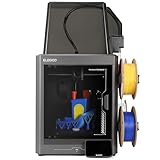
- 4-Color Printing with CANVAS - Enjoy seamless 4-color printing with the CANVAS system's instant color switching and smart filament detection. Auto refill and tangle...
- Redefining Material Versatility - Print across a wide range of materials, from basic to engineering-grade, made possible through an advanced process and temperature...
- Easy from Start to Finish - Fully automated calibration and monitoring deliver reliable results with zero hassle. Just load, tap print, and walk away
- Designed for Speed - Enjoy blazing speeds up to 500 mm/s and acceleration of 20,000 mm/s². The advanced CoreXY system and rigid aluminum frame team up to deliver...
- Smoother, Sharper, Smarter - Enjoy smooth surfaces and crisp details forged through smart calibration and active vibration compensation
Experience precise multicolor 3D printing like never before with the ELEGOO Centauri Carbon 2 Combo. Designed to solve the common challenge of seamless color transitions, its 4-color CANVAS system switches colors instantly without interrupting your print. This feature ensures smooth, continuous multicolor creations, saving you time and frustration.
The printer’s CoreXY motion system paired with a sturdy aluminum frame delivers fast speeds up to 500 mm/s while maintaining detailed accuracy. Active vibration compensation reduces printing errors, producing clean, sharp results. Its automated calibration and 1-click auto leveling simplify setup, allowing for confident unattended printing and easy maintenance.
Built for versatility, the Centauri Carbon 2 supports engineering-grade materials with a 350°C hotend, making it suitable for a broad range of projects. Integration with Nexprint Model Hub streamlines your workflow, offering efficient model management within the ELEGOO ecosystem.
However, its larger size requires ample workspace, and it will be available starting December 2025.
Best for: Professionals and enthusiasts seeking high-precision multicolor 3D printing with advanced automation and material versatility.
What We Like:
- Instant multicolor switching with 4-color CANVAS system
- Fast, stable prints via CoreXY and vibration compensation
- Easy, reliable unattended printing with auto leveling and calibration
Specification:
| Specification | Details |
|---|---|
| Manufacturer | ELEGOO |
| Dimensions | Not specified |
| Weight | Not specified |
| Frame Material | Aluminum |
| Color Options | Multicolor printing |
| Max Print Speed | Up to 500 mm/s |
| Hotend Max Temp | 350°C |
FLASHFORGE 3D Printer AD5X 4*10g HS PLA, IFS Multi-Color Printing CoreXY
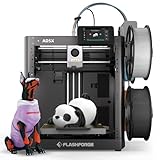
- FLASHFORGE 5X 4-color 3D Printer with 4*10g HS PLA filaments
Experience the power of high-speed, multi-color 3D printing with the FLASHFORGE AD5X. Its advanced CoreXY motion system delivers precise prints at speeds up to 600 mm/s, helping you complete projects faster without sacrificing quality. This printer tackles the challenges of multi-material printing with ease, making complex designs more accessible.
The AD5X features an IFS multi-color printing core and a 300°C direct drive extruder specially designed for smooth PLA extrusion. This combination ensures consistent results and reduces common printing issues like clogging or uneven layers. Maintenance is simplified with auto calibration and vibration compensation, keeping prints stable and accurate over time.
Compact yet robust, this 22-pound printer fits well in professional or home studios where space is limited. It includes four 10g HS PLA filaments to get you started but may require additional supplies for extended use. The AD5X is ideal for creators who demand quality multi-color prints with minimal setup and maintenance.
Best for: Professionals and creators needing a reliable, fast, and precise multi-color 3D printer with advanced motion control and easy calibration.
What We Like:
- Fast printing speeds up to 600 mm/s for efficient output
- IFS multi-color core with high-temperature direct drive extruder
- Auto calibration and vibration compensation for consistent quality
- Compact and sturdy design suitable for limited spaces
Specification:
| Feature | Details |
|---|---|
| Manufacturer | FLASHFORGE |
| Dimensions | Not specified |
| Weight | 22 pounds (approx. 10 kg) |
| Material Compatibility | PLA (High-Speed PLA included) |
| Extruder Temperature | Up to 300°C |
| Motion System | CoreXY |
| Included Filaments | 4 x 10g HS PLA |
ELEGOO Mars 5 Resin 3D Printer
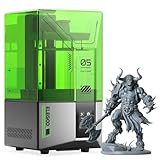
- 【Effortless Magic with One-Click Automatic Leveling】Effortless precision is just a click away. ELEGOO Mars 5 resin 3D printer offers advanced automatic leveling...
- 【Print Smarter, Print Worry-Free】With a smart mechanical sensor, ELEGOO Mars 5 resin printer supports residue detection to prevent damage to the LCD screen. Plus...
- 【One-Click Self-Check, Ensuring Reliable Prints】Tired of setup hassles and unexpected errors ruining your printing projects? With just a simple click, ELEGOO Mars...
- 【4K Mono LCD for Stunning Details】Featuring a 4K mono LCD with advanced COB light source, ELEGOO Mars 5 impresora 3D de resina faithfully reproduces intricate details...
- 【Advanced Overheat Protection, Cool and Safe】No more overheating worries. The advanced overheat protection automatically halts printing and triggers an alarm if the...
Experience precision like never before with the ELEGOO Mars 5 Resin 3D Printer, designed to deliver high-detail prints effortlessly. Its 4K mono LCD ensures every miniature and model comes out with crisp, intricate detail, solving common issues with print clarity.
The printer features a compact 5.65 × 3.53 × 5.91-inch build volume, ideal for hobbyists and professionals working on detailed resin projects. Setup is straightforward thanks to one-click automatic leveling and self-checks, helping you avoid print failures and wasted resin.
Maintenance is simplified with built-in safety alerts, including resin shortage alarms and smart residue sensors, which protect the LCD and reduce material waste. The Mars 5 also includes overheat protection and efficient cooling, ensuring consistent performance during extended use.
Its compact and lightweight design fits neatly on any desk, providing a reliable and space-saving solution for precision resin printing. While resin printing requires careful handling and post-processing, this printer’s smart features help minimize common maintenance challenges.
Best for: hobbyists and professionals focused on creating highly detailed miniatures and resin models in a compact workspace.
What We Like:
- Crisp 4K mono LCD with COB light source for exceptional detail
- Easy setup with one-click leveling and print failure prevention
- Smart safety features safeguard components and reduce waste
- Overheat protection and cooling enhance reliability
Specification:
| Feature | Details |
|---|---|
| Manufacturer | ELEGOO |
| Build Volume | 5.65 × 3.53 × 5.91 inches |
| Weight | 14.52 pounds |
| Display | 4K Mono LCD with COB light |
| Safety Features | Resin shortage alarm, residue sensor, overheat protection |
Factors to Consider When Choosing 3d Printer Precision Printing

When choosing a 3D printer for precision printing, you’ll want to focus on print speed and accuracy to get the best results. Pay attention to the motion system architecture and how easy it is to calibrate and level the machine.
Also, consider if you need multi-color printing options and a wide range of material compatibility to suit your projects. These features can really make a difference depending on what you plan to create.
Print Speed And Accuracy
Choosing a 3D printer for precision printing means balancing print speed with accuracy to achieve your desired quality without wasting time. You’ll find that higher print speeds, like 300–600 mm/s travel and 100–600 mm/s printing, cut down print time but need carefully tuned acceleration and jerk settings to avoid ringing or loss of detail.
Acceleration rates up to 20,000 mm/s² boost throughput but risk artifacts unless your printer’s frame and motion components are rigid and vibration-damped. Layer height and nozzle size directly affect vertical resolution—smaller nozzles (0.25 mm) and thinner layers (0.1 mm) increase detail but slow prints.
Also, active compensation systems like flow-rate and vibration compensation maintain accuracy at high speeds. Balancing these factors guarantees your prints stay sharp without unnecessary delays.
Motion System Architecture
Although many factors influence print quality, the motion system architecture plays a pivotal role in achieving precision printing. You’ll want to contemplate CoreXY or CoreXZ systems, which separate X and Y movements from the printhead’s mass. This setup allows faster travel speeds and better positional accuracy than moving-bed Cartesian designs.
Gantry systems with stationary beds reduce moving mass, lowering vibrations and enhancing repeatability for fine details. When it comes to guideways, linear rails or hardened steel are way better than V-rollers or smooth rods. They really help improve layer registration and corner sharpness.
Belt drives deliver speed but risk stretch and backlash unless properly tensioned. On the other hand, ballscrews offer excellent precision and torque, though at slower speeds. Finally, choosing closed-loop servo motors over standard steppers can minimize missed steps and keep accuracy steady during rapid accelerations.
Calibration And Leveling
The motion system sets the stage for precise printing, but fine-tuning your printer’s calibration and leveling takes that precision a step further.
Automatic bed leveling systems that probe multiple points across the build plate reduce first-layer inconsistencies and compensate for slight warping. You should regularly calibrate your Z-offset within 0.05 mm to guarantee proper first-layer adhesion without nozzle damage. This is vital for fine-resolution prints.
PID tuning stabilizes the hotend and heated bed temperatures within ±1°C. This prevents extrusion issues and dimensional drift during lengthy prints.
Don’t forget to calibrate nozzle diameter and extrusion multiplier using single-wall cubes or extrusion tests. Doing this helps maintain dimensional accuracy.
Always verify and re-level after mechanical changes like belt adjustments or nozzle swaps. It’s the best way to prevent layer shifts and adhesion failures.
Multi-Color Printing Options
When you want to add vibrant detail to your prints, multi-color printing options play a crucial role in achieving precision and quality. You can choose from integrated multi-nozzle systems, multi-extruder toolheads, or external filament-switching modules. Each one impacts purge volume, print time, and hardware complexity differently.
Native multi-color setups built into the gantry reduce filament travel and purging, which saves time and material. To keep those color shifts sharp, your printer’s firmware and slicer need to support toolchange sequencing and precise retraction routines.
Managing filament well—through drying, routing, and sensors—helps avoid interruptions and color shifts during long prints. And don’t forget, consistent extrusion, accurate toolhead calibration, and error compensation are key to preventing layer misalignment and color bleeding. This way, your multi-color prints come out crisp and precise every time.
Material Compatibility Range
Since material choice directly impacts print quality and durability, you’ll want to make sure your 3D printer supports a wide range of filament types and temperatures. Check that it can reach maximum extrusion and hotend temperatures around 350°C to handle everything from PLA and ABS to high-temp nylons and carbon-fiber composites.
Make sure the printer supports flexible filaments like TPU through direct-drive or optimized Bowden paths with proper filament guides and retraction controls to avoid jams. A heated build plate and enclosed, temperature-controlled chamber near 50°C help with adhesion and reduce warping, especially for hygroscopic or engineering plastics.
Also, confirm filament handling suits moisture-sensitive materials, with sealed bays or built-in dryers and standard filament diameters. Finally, consider nozzle materials and max temperatures for abrasive or high-temp filaments to guarantee durability and consistent precision.
Noise And Vibration Control
Material choice isn’t the only factor that influences print quality; controlling noise and vibration plays a big role in achieving precision. When selecting a 3D printer, you want a rigid frame with dual Z-axis support and linear or hardened steel rails to minimize resonance and layer artifacts.
High speeds and accelerations increase vibration, so choose motion systems with well-tuned jerk and acceleration settings for a balance between speed and surface finish. It’s all about finding that sweet spot.
Consider vibration compensation methods like dampers, belt tensioners, and firmware-based input shaping to reduce ringing. Also, opt for lighter moving parts, such as remote extruders, to lower inertial loads and improve detail accuracy.
Finally, active cooling, balanced fans, sound-damping enclosures, and noise-cancellation algorithms can keep noise levels below 48 dB for a quieter printing experience. It makes the whole process a lot more pleasant!
Usability And Setup Time
Although precision printing demands careful calibration, choosing a 3D printer with user-friendly features can drastically cut setup time and simplify usability. Opt for pre-assembled or near-preassembled models to reduce first-print setup to 10–20 minutes, instead of spending hours assembling kits.
Look for automatic bed leveling and auto Z-offset features, which cut calibration time to under 5 minutes, compared to manual leveling that can take up to 30 minutes. Quick-swap nozzle systems and tool-less filament access speed up maintenance and material changes, minimizing downtime.
Integrated one-click calibration routines help avoid failed first layers, saving you from repeated setups. Plus, built-in diagnostics, cameras, filament sensors, and guided interfaces reduce troubleshooting time, ensuring consistent print quality with minimal intervention. This makes your 3D printing experience smoother and more efficient.
Frequently Asked Questions
How Do I Maintain and Clean a 3D Printer for Best Results?
You should regularly clean the nozzle, bed, and extruder. Lubricate moving parts and check belts for tension.
Also, keep the printer dust-free and update the firmware. Don’t forget to inspect wiring too. This way, your 3D printer will deliver consistent, precise results every time.
What Are the Best Filaments for High-Precision 3D Printing?
Think of filaments as the paintbrush for your masterpiece. You’ll want PLA for its smooth finish, PETG for strength, and ABS for durability.
These materials deliver crisp, precise details that’ll make your prints truly shine. It’s all about choosing the right one to match your project’s needs.
Can I Upgrade My 3D Printer’s Firmware for Better Precision?
Yes, you can upgrade your 3D printer’s firmware to improve precision. Just make sure to check compatibility first.
It’s important to follow the manufacturer’s instructions carefully. Also, back up your current settings to avoid any issues during the update process.
How Does Ambient Temperature Affect 3D Printing Accuracy?
Ambient temperature affects 3D printing accuracy by causing material expansion or contraction. If it’s too cold or hot, your prints may warp or layer adhesion weakens.
Keep your printing environment stable for best results. It really makes a difference in getting those prints just right!
Are There Safety Precautions Specific to Multi-Color 3D Printing?
You’ll want to guard against color cross-contamination and overheating, as multi-color printing’s like juggling flaming torches. Always make certain proper ventilation, use compatible filaments, and keep your workspace tidy to prevent mishaps and maintain vibrant prints.
It might sound like a lot, but once you get the hang of it, it’s pretty straightforward. Just take it step by step, and your multi-color prints will turn out amazing every time!
Conclusion
Choosing the right 3D printer for precision printing is like finding the perfect brush for a masterpiece. Each model, from Bambu Lab’s vibrant combos to ELEGOO’s resin finesse, offers you a unique palette to bring your ideas to life.
As you decide, remember: the right printer isn’t just a tool—it’s your gateway to crafting dreams with clarity and color.
Embrace the possibilities, and watch your creations take flight. With the best 3D printer precision printing models for 2027, you’re not just printing—you’re creating detailed, flawless works of art. Whether you need high resolution, speed, or versatility, these top models provide everything to elevate your projects. So go ahead, dive into the world of precision 3D printing, and turn your ideas into stunning reality with ease and accuracy.