How Does a Laser Printer Work?
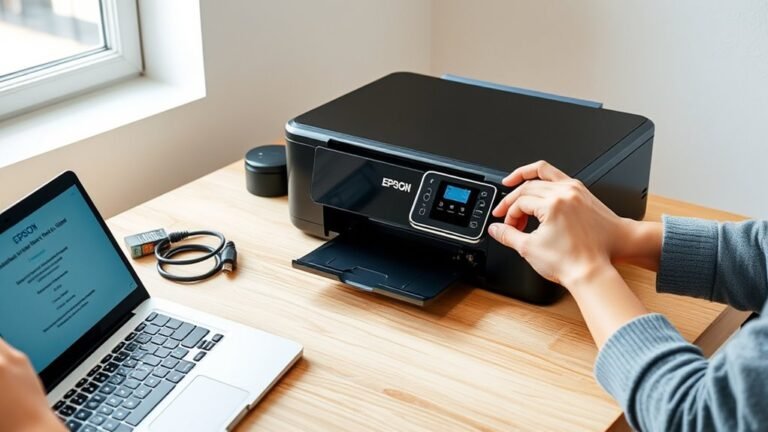
A laser printer works by using a laser to create an electrostatic image on a photosensitive drum. This image attracts toner particles that stick to the charged areas. The toner then transfers to the paper, and a heated fuser melts it into the fibers. This process produces sharp, smudge-resistant prints quickly.
You’ll find this method especially efficient for high-volume printing with precise text and vibrant colours. It’s no wonder laser printers are popular in offices and busy environments. Keep exploring to understand the parts involved and how colour printing and connectivity options come into play.
Key Takeaways
- A laser printer uses a laser beam to create an electrostatic image on a photosensitive drum. Toner particles, which are fine plastic powder, stick to the electrically charged areas on the drum.
- Then, the toner image transfers from the drum to paper via a transfer roller with an opposite charge. Heated rollers in the fuser unit melt and bond toner particles permanently onto the paper.
- This whole process produces sharp, smudge-resistant prints really quickly. That’s why laser printers are perfect for high-volume document printing.
What Is a Laser Printer? Advantages of Toner Over Ink
A laser printer uses toner—a fine plastic and pigment powder—that electrostatically adheres to a photosensitive drum before heat and pressure permanently bond it to the paper. You’ll find that the fuser unit melts toner particles at a controlled temperature, ensuring prints are dry and smudge-resistant right away.
Thanks to the electrostatic charge, toner sticks precisely to the drum, delivering sharp print quality with crisp text and graphics. Toner cartridges typically last for thousands of pages, making your cost per page much lower compared to ink cartridges.
Colour laser printers layer cyan, magenta, yellow, and black toners accurately to create vibrant images, though they tend to be pricier. Laser printers excel in speed, handling high pages per minute, which makes them perfect for heavy document use.
How a Laser Printer Creates an Electrostatic Image
Watch as the laser printer crafts an electrostatic image starting with the photosensitive drum, which receives a uniform electric charge to create a consistent high-voltage surface. The OPC drum is charged evenly by a primary charge roller or corona wire, preparing it for precise image creation.
Next, a laser beam selectively discharges specific areas on the photoreceptor drum, forming an invisible latent electrostatic image. This charge pattern attracts toner particles, which stick only to the exposed sections, turning the latent image into a visible toner pattern.
When the toner image is complete, the transfer roller applies an opposite charge to the paper, pulling toner from the drum onto the page. Finally, the fuser melts the toner into the paper fibers, solidifying your printed image with sharp detail.
The 7 Key Steps in Laser Printer Operation
Now that you understand how a laser printer creates an electrostatic image, let’s walk through the seven key steps it takes to produce a printed page.
You’ll see how the printer processes your document, charges the drum, and finally transfers and fuses the toner onto paper.
These stages work together seamlessly to bring your digital file to life.
Document Processing Stage
Understanding how a laser printer processes your document reveals the precision behind each printed page. The printer’s processor takes your digital file and quickly converts it into a print-ready bitmap, representing the exact page layout.
This bitmap is stored briefly in memory while the printer prepares the raster data necessary for imaging.
Here’s what happens during the document processing stage:
- The printer’s processor receives your print job and translates the digital file into a bitmap.
- It organizes the page layout, guaranteeing every element is positioned correctly.
- The raster data is scheduled and stored in memory, ready for the imaging system to create the printed page.
This careful processing guarantees your document prints accurately and efficiently every time.
Electrostatic Drum Charging
Once your document is processed into a precise bitmap, the printer shifts its focus to preparing the photoreceptor drum for imaging. The photoreceptor drum is first cleaned, then a primary charge roller or corona wire applies a uniform electrostatic charge across its surface.
Next, a focused laser beam scans the drum, selectively discharging areas to create a latent image that matches your document’s content. This electrostatic pattern attracts negatively charged toner particles to the discharged areas, forming a visible image on the drum.
Meanwhile, the paper receives an opposite charge from the transfer roller, setting the stage for toner transfer. At this point, the fuser unit remains inactive, waiting for the toner transfer to complete before permanently bonding the image to the paper.
Toner Transfer And Fusing
As the laser finishes creating the latent image on the drum, negatively charged toner particles rush to cling to the discharged areas, forming a visible pattern. This electrostatic image on the OPC drum is then ready for transfer.
You’ll notice the transfer roller or transfer belt gives the paper an opposite charge, pulling the toner from the drum onto the paper precisely. Next comes the fusing step, where heat and pressure from heated rollers melt the toner’s plastic resin, bonding it firmly into the paper fibers.
Here’s how it works:
- Toner adheres to the electrostatic image on the OPC drum.
- Transfer roller or belt moves toner from drum to paper.
- Fuser melts toner with heat and pressure, ensuring durability.
This process guarantees sharp, smudge-resistant prints every time.
Key Parts Inside a Laser Printer and What They Do
Although laser printers may seem complex, their core components work together in a straightforward way to produce sharp, professional-quality prints. The photoreceptor drum, a light-sensitive cylinder, holds a static charge that the laser unit selectively discharges to form the image.
The toner cartridge supplies pigmented plastic toner particles, which stick to the discharged areas of the drum. Next, the transfer roller pulls the toner from the drum unit onto the paper using an opposite electrical charge.
Finally, the fuser unit uses heated and pressure rollers to melt and bond the toner permanently to the paper fibers. The paper feed system moves the sheets through these stages smoothly, ensuring your prints come out crisp and precise every time.
How Colour Laser Printers Layer CMYK Toner for Prints
You’ll find that colour laser printers use four toner cartridges—cyan, magenta, yellow, and black—to create full-colour images by layering each tone precisely.
The printer builds these layers one by one, either with multiple passes or by gathering them on a transfer belt before printing. Getting the alignment just right is key to making the colours blend smoothly without any blurring or gaps.
CMYK Toner Basics
Colour laser printers create vibrant images by layering four separate toners—cyan, magenta, yellow, and black (CMYK). They do this either in successive passes or by building all four on a transfer belt before applying them to paper.
You’ll find each toner cartridge contains fine pigment and plastic resin that melts at the fuser’s temperature. This melts and bonds the layers so your print resists smudging.
Precise registration guarantees the microscopic toner particles align perfectly for accurate colours. Here’s what happens:
- The photoreceptor drum is exposed for each CMYK colour in exact registration.
- Toner particles from cyan, magenta, yellow, and black cartridges are applied either one pass at a time or onto a transfer belt.
- The fused image bonds permanently on paper after passing through the fuser.
This process guarantees your prints look sharp and vibrant every time. Easy, right?
Layering Process Explained
Now that you know how CMYK toner cartridges work individually, let’s look at how printers layer these colours to create full-colour images. Colour laser printers apply cyan, magenta, yellow, and black toner in precise amounts and positions using the drum.
Many printers make multiple passes, charging and exposing the drum for each colour. Meanwhile, higher-end models use a transfer belt to register and transfer all four layers simultaneously.
Accurate registration, controlled by servo-driven paper feeding or the transfer belt’s fixed geometry, guarantees sharp images without colour fringes. The RIP and halftoning processes convert images into microscopic toner dots at high resolution.
Finally, the fuser melts each toner’s resin to bond layers permanently without smudging. This produces durable, vivid prints you can rely on.
Differences Between Wireless and USB Laser Printers
Although both wireless and USB laser printers perform the same internal printing process, they differ markedly in how they connect and communicate with your devices.
USB laser printers link directly to one computer via a USB cable, offering simple, reliable connections without any network setup. Wireless printers, on the other hand, handle print jobs over Wi‑Fi or Ethernet. This lets multiple devices share the printer easily through a network.
Wireless printers support mobile and remote printing through apps like AirPrint. USB models usually serve just a single PC unless you share the printer through the host computer.
Wireless printers require security measures like WPA2 or WPA3 to keep your data safe. USB connections are more isolated but still need some local security awareness.
Laser vs Inkjet Printers: Which Is Better?
When you need to decide between laser and inkjet printers, understanding their core differences can help you pick the best fit. Laser printers use toner powder fused by fuser heat, delivering crisp text and high‑volume printing with lower cost per page and higher page yields.
Inkjet printers spray liquid ink, offering superior photo quality but higher running costs and risk of drying cartridges. So, it really depends on what you need most.
| Feature | Laser Printers | Inkjet Printers |
|---|---|---|
| Print Quality | Crisp text, sharp black | Rich color, photo-quality |
| Cost per Page | Lower due to toner page yields | Higher, ink dries out |
| Best Use | High‑volume documents | Photos, specialty media |
Choose laser for speed and economy; inkjet for versatility and photo needs. It’s all about what fits your printing habits best!
Paper Selection and Maintenance Tips for Laser Printers
Since laser printers use heat to fuse toner to paper, choosing the right type of paper is essential for peak print quality and avoiding damage. Laser printers work best with paper rated 75–90 g/m² for everyday use. This weight withstands the fuser’s heat to bond the toner permanently without curling or smearing.
Selecting 75–90 g/m² paper ensures optimal toner bonding and prevents curling or smearing in laser printing.
To keep your printer running smoothly, follow these tips:
- Store paper flat in a cool, dry place to prevent cockling and toner clumping.
- Fan sheets before loading and avoid overfilling the tray to reduce jams.
- Regularly clean the paper path and feed rollers to guarantee smooth feeding during the laser printing process.
Using proper paper and maintenance prolongs your laser printer’s life. Plus, it helps maintain crisp, sharp prints every time.
Frequently Asked Questions
Do I Need a Laser Printer?
You need a laser printer if you print lots of black-and-white documents quickly and want crisp, smudge-resistant text.
It’s cost-effective for high-volume printing but less ideal for photos or glossy media, so choose accordingly.
How Does a Printer Work Step by Step?
Imagine your printer as a painter: you send a digital file, it charges the drum, paints with toner using a laser.
Then, it transfers the image onto paper, and fuses it with heat.
Before you know it, your masterpiece is ready in just minutes.
What Are the Two Types of Laser Printers?
You’ll find two main types of laser printers: monochrome, which prints only black and white, and color, which uses four toner cartridges to produce full-color documents.
Each suits different printing needs perfectly. So, whether you need simple text prints or vibrant images, there’s a laser printer for that!
What Are the Disadvantages of Laser Printers?
You’ll face higher upfront costs, expensive toner and parts, and longer warm-up times with laser printers.
They’re less ideal for photo printing and sensitive to humidity, which can cause toner clumping or print defects over time.
Conclusion
So, now that you’re practically a laser printer whisperer, you can impress friends by casually explaining how tiny static charges make your documents appear—because who doesn’t love a little electrifying magic?
Whether you’re team toner or just here for the sleek tech, remember: your printer isn’t just spitting out paper. It’s performing a high-tech dance of lasers, rollers, and powdered ink.
Laser printers combine precise laser beams with static electricity to transfer toner onto paper with incredible accuracy. This blend of technology ensures sharp text and vibrant images every time you print.
So next time you hit “print,” know you’re triggering a carefully orchestrated process involving laser printing, toner adhesion, and electrostatic charges. It’s more than just paper output—it’s a smart, efficient, and fascinating piece of tech working behind the scenes. Just don’t blame me when you start expecting the same precision from your coffee machine!