6 Best Brother AIO Printers for 2027
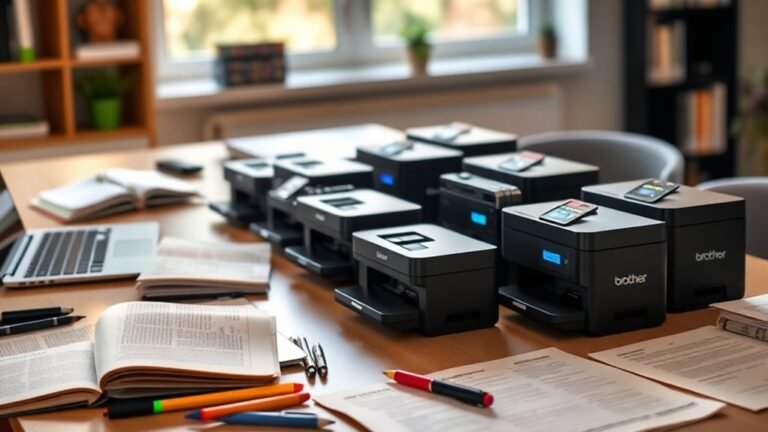
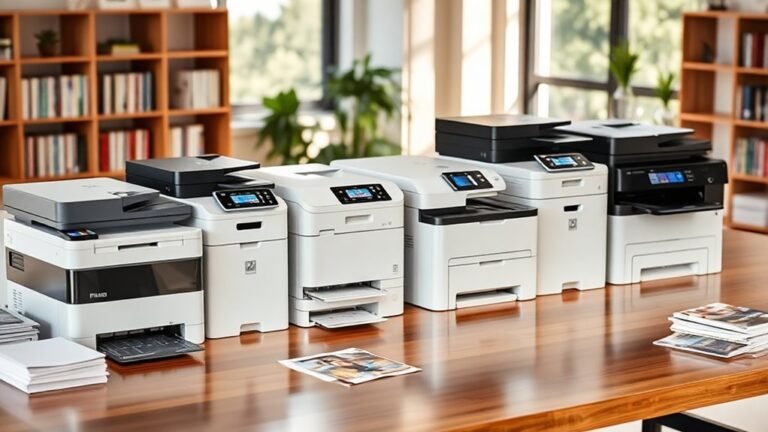
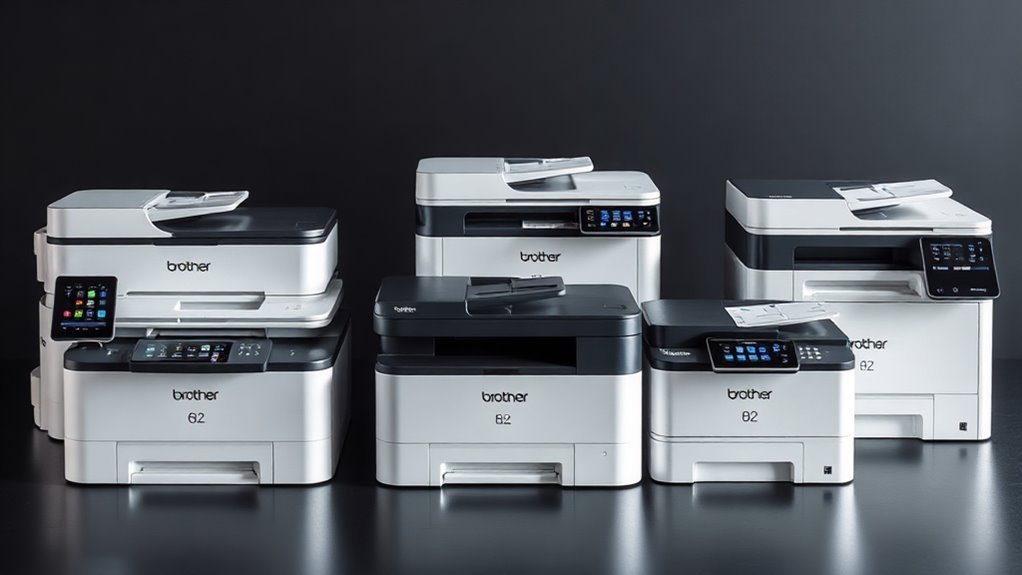
If you need a reliable Brother AIO printer in 2027, there are plenty of great options to consider. Whether you’re looking for something compact for home use or a powerhouse for your small business, Brother has got you covered.
Models like the Work Smart 1360 fit perfectly in tight spaces without sacrificing quality.
For those who need speed, the DCP-L2640DW delivers fast monochrome printing, which is perfect for heavy text documents. On the other hand, the INKvestment 5010 boosts small business productivity with efficient ink usage and solid performance.
If you’re tackling large-format color projects, the INKvestment MFC-J6960DW is a great choice.
Plus, the INKvestment 4555 and 6560 offer versatile wireless options that keep you connected without the hassle of cables. Each of these printers balances speed, connectivity, and cost efficiency.
Keep exploring these Brother AIO printers to find the perfect fit for your unique workflow and printing needs!
| Image | Name | Editor's Rating | Price |
|---|---|---|---|

|
|
||

|
|
||

|
|
||

|
|
||
|
|
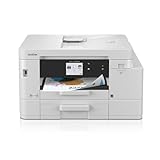
Brother Work Smart 1360 Wireless Color Inkjet All-in-One Print, Scan, Copy
- AFFORDABLE ALL-IN-ONE FOR HOME AND HOME OFFICE: Print, copy, and scan on one compact wireless printer designed for everyday home office printing, schoolwork, documents...
- EASY TO USE WITH CLOUD APP CONNECTIONS: Print from and scan to popular Cloud apps(2), including Google Drive, Dropbox, Box, OneDrive, and more from the simple-to-use...
- FULL-SIZE FEATURES IN A COMPACT DESIGN: This printer includes automatic duplex (2-sided) printing, a 20-sheet single-sided Automatic Document Feeder (ADF)(3), and a...
- MULTIPLE CONNECTION OPTIONS: Connect your way. Interface with your printer on your wireless network or via USB.
- MOBILE PRINTING MADE EASY: Go mobile with the Brother Mobile Connect app(5) that delivers easy onscreen menu navigation for printing, copying, scanning, and device...

The Brother Work Smart 1360 Wireless Color Inkjet All-in-One is designed to simplify your home or small office tasks. Its compact size fits easily on any desk, saving space without sacrificing functionality. This all-in-one printer handles printing, scanning, and copying, making daily document management effortless.
With fast print speeds of up to 16 ppm in black and 9 ppm in color, you can complete jobs quickly. Automatic duplex printing helps reduce paper use and saves time on double-sided documents. Wireless connectivity options like Wi-Fi Direct and AirPrint allow seamless printing from smartphones and tablets.
Maintenance is straightforward with a 150-sheet paper tray and a 20-sheet automatic document feeder (ADF), which manage multiple pages efficiently. However, frequent refills may be needed for high-volume printing. The printer uses Brother Genuine LC501 ink cartridges, which ensure quality output but might cost more than some third-party alternatives.
This model is ideal for users who want a versatile and reliable all-in-one printer that fits in tight spaces and supports everyday tasks with wireless convenience.
Best for: individuals or small home office users needing a compact, wireless all-in-one printer for regular printing, scanning, and copying.
What We Like:
- Fast print speeds with automatic duplex printing
- Multiple wireless connectivity options including Wi-Fi Direct and AirPrint
- Easy document handling with a 20-sheet ADF and 150-sheet tray
- Clear 1.8” color display for user-friendly operation
Specification:
| Feature | Details |
|---|---|
| Manufacturer | Brother |
| Dimensions (W x D x H) | 15.4” x 13.5” x 7.2” |
| Weight | 16.8 lbs (7.62 kg) |
| Ink Type | Brother Genuine LC501 cartridges |
| Connectivity | Wi-Fi Direct, AirPrint, Mopria, Mobile App |
Brother INKvestment 5010 Wireless All-in-One Printer
- BEST FOR SMALL BUSINESS: Print, copy, scan, and fax with one powerful device, with advanced security features for business. Includes one 1,800-page yield black ink...
- PRODUCTIVITY-FOCUSED FEATURES: A 250-sheet paper tray, 50-page single-pass duplex (2-sided) automatic document feeder (ADF), and automatic duplex printing on paper up to...
- SUPERIOR PRINTING: Engineered with the Brother PerfectPrint Auto Detection System, which helps ensure reliable, consistent print quality and performance you can depend on...
- SEAMLESS CONNECTIONS: Simplify your workflow with Wi-Fi Direct and multiple connection options, including wireless network interfacing, Ethernet, and USB. Plus, print...
- THE BROTHER MOBILE CONNECT APP: Put the power of printing at your fingertips. Go mobile with the simple-to-use Brother Mobile Connect app, which delivers easy on-screen...
The Brother INKvestment 5010 is designed to boost productivity for small businesses facing diverse printing needs. It handles print, copy, scan, and fax tasks with ease, helping you manage daily workflows efficiently. Its automatic duplex printing and 50-page duplex ADF reduce manual effort and speed up handling of double-sided documents.
This all-in-one printer delivers sharp prints at speeds up to 28 ppm black and 26 ppm color, ensuring quick turnaround for busy offices. The large 250-sheet main tray and 100-sheet multipurpose tray allow for extended printing sessions without frequent paper refills. Wireless, Ethernet, and USB connectivity keep you connected in various work environments.
Maintenance is straightforward with long-lasting ink cartridges and Brother’s smart ink delivery system. This minimizes interruptions and helps keep projects on track. Although the printer is somewhat heavy at 30.9 pounds, its robust build supports high-volume printing demands reliably.
Best for: Small businesses seeking a fast, multifunctional printer with flexible connectivity and efficient handling of high-volume print jobs.
What We Like:
- Fast print speeds with high resolution for professional-quality output
- Automatic duplex printing and 50-page duplex ADF streamline document management
- Multiple connectivity options including Wi-Fi Direct, Ethernet, and mobile app support
- Large paper capacity to reduce frequent refills during busy periods
- Smart ink delivery system ensures consistent ink supply and less downtime
Specification:
| Feature | Description |
|---|---|
| Manufacturer | Brother |
| Dimensions (W×D×H) | Not specified |
| Weight | 30.9 lb (14 kg) |
| Print Speed | Up to 28 ppm black, 26 ppm color |
| Print Resolution | 4800 x 1200 dpi |
| Paper Capacity | 250-sheet main tray, 100-sheet multipurpose tray |
| Duplex Printing | Automatic |
| Duplex ADF Capacity | 50 pages |
| Connectivity | Wi-Fi Direct, Ethernet, USB, Mobile app, Cloud printing |
Brother DCP-L2640DW Wireless Monochrome Printer
- BEST FOR SMALL BUSINESSES – Engineered for extraordinary productivity, the Brother DCP-L2640DW Monochrome (Black & White) 3-in-1 combines laser printer, scanner, copier...
- FAST PRINTER WITH EFFICIENT SCANNING – Produces documents quickly with print speeds up to 36 ppm(2) and scan speeds up to 23.6/7.9 ipm(3) (black/color). A 50-page auto...
- FLEXIBLE CONNECTION OPTIONS – Easily navigate the changing demands of your business with secure multi-device connectivity via built-in dual-band wireless (2.4GHz...
- BROTHER MOBILE CONNECT APP – Print, scan, and manage your wireless printer anytime, from almost anywhere from your mobile device. Order Brother Genuine Supplies, track...
- CHOOSE BROTHER GENUINE TONER – When it’s time to replace your toner, be sure to choose Brother Genuine TN830 or TN830XL replacement toner. And with Refresh EZ Print...
Experience efficient monochrome printing with the Brother DCP-L2640DW, designed to streamline your workflow. This wireless laser printer tackles high-volume tasks swiftly, producing up to 36 pages per minute. Its automatic duplex feature helps cut paper use, making it practical and eco-conscious.
The compact design fits well in busy workspaces, while the 50-page automatic document feeder and 250-sheet tray reduce interruptions during large print jobs. Connectivity options like dual-band Wi-Fi, Ethernet, and USB allow flexible setup to suit your office network.
Maintenance is straightforward with toner save mode that extends cartridge life and lowers running costs. The printer’s ENERGY STAR® compliance reflects its energy efficiency, supporting your efforts to reduce environmental impact.
Advanced security protocols safeguard documents, ensuring sensitive information stays protected during wireless transmission. This model is ideal for those needing dependable, high-speed black-and-white printing without extra color features.
Best for: Small offices or individuals requiring fast, reliable monochrome printing with versatile wireless connectivity and efficient paper handling.
What We Like:
- Fast print speed with automatic duplexing for time and paper efficiency
- Multiple connectivity options including dual-band Wi-Fi and Ethernet
- Easy maintenance with toner save mode for longer cartridge life
- ENERGY STAR® certified for energy-efficient operation
- Advanced security features to protect sensitive documents
Specification:
| Feature | Details |
|---|---|
| Manufacturer | Brother |
| Dimensions | Compact, suitable for desks (exact size not provided) |
| Weight | 25 lb (11.3 kg) |
| Printing Speed | Up to 36 pages per minute |
| Connectivity | Dual-band Wi-Fi, Ethernet, USB |
| Paper Handling | 50-page automatic document feeder, 250-sheet tray |
| Color Output | Monochrome only |
Brother INKvestment MFC-J6960DW Wireless Color Printer
- BEST FOR SMALL BUSINESS: This multifunction printer makes it easy to print, copy, scan, and fax on up to 11”x17” paper. Includes one 1,800-page yield black ink...
- PRODUCTIVITY-FOCUSED FEATURES: 500-sheet capacity with two trays(3), 100-sheet multipurpose tray(3), up to 50-page single-pass duplex copy & scan via ADF(3), and...
- SPEED & QUALITY: Engineered with MAXIDRIVE Technology with print speeds of up to 31 pages per minute (ppm) in black and up to 30 ppm in color(5). The PerfectPrint Auto...
- INNOVATIVE TECHNOLOGY: With Wi-Fi Direct, print wirelessly without an external network connection. Print from and scan to Cloud apps(6), including Google Drive, Dropbox...
- THE BROTHER MOBILE CONNECT APP: The power of printing at your fingertips. Go mobile with the simple-to-use Brother Mobile Connect app(7) that delivers onscreen menu...
The Brother INKvestment MFC-J6960DW Wireless Color Printer is designed to elevate your printing experience. It handles large-format media up to 11”x17” with ease, delivering sharp, vibrant prints that meet the demands of busy work environments. Fast print speeds help you meet deadlines without sacrificing quality.
This printer simplifies complex tasks with automatic duplex printing and a 50-page single-pass duplex scanner, saving you time and effort. Its large 500-sheet capacity reduces interruptions, making it ideal for high-volume projects. Connectivity is seamless through dual-band Wi-Fi, Wi-Fi Direct, and the Brother Mobile Connect app, keeping you productive whether in the office or on the move.
Maintenance is straightforward with long-lasting ink cartridges that minimize frequent replacements. A free ink subscription trial helps manage costs, supporting continuous workflow without unexpected expenses. The intuitive 3.5” touchscreen provides easy access to cloud printing and scanning, streamlining your document management.
While the printer’s size and weight require a dedicated space, its features justify the footprint for those needing reliable, professional-grade output. Initial ink yields may be limited, so it suits users who can plan for future cartridge replacements.
Best for: Small businesses and creative professionals needing fast, high-quality printing on large-format media with versatile wireless connectivity and productivity features.
What We Like:
- Fast printing speeds with automatic duplexing for efficiency
- Large paper capacity and single-pass duplex scanning enhance productivity
- Multiple wireless options including dual-band Wi-Fi and mobile app support
- Long-lasting ink cartridges with a free subscription trial reduce maintenance hassles
Specification:
| Feature | Details |
|---|---|
| Manufacturer | Brother |
| Dimensions (W×D×H) | 22.7 × 19.3 × 7.9 inches |
| Weight | Over 50 pounds |
| Color Options | Standard office white |
| Connectivity | Dual-band Wi-Fi, Wi-Fi Direct, Brother Mobile Connect app |
Brother INKvestment 4555 Wireless Color Inkjet Printer
- BEST FOR SMALL OFFICE AND SMALL BUSINESS: This multifunction printer makes it easy to print, copy, scan, and fax —all in one compact printer. Includes one 1,800-page...
- INNOVATIVE CONNECTIVITY TECHNOLOGY: Connect your way via ethernet, wireless network, or USB connection. Wi-Fi Direct enables convenient wireless printing, even without an...
- CLOUD APP CONNECTIONS: Print from and scan to popular Cloud apps(4), including Google Drive, Dropbox, Box, OneDrive, and more with an impressive 2.7” color touchscreen...
- PRODUCTIVITY-FOCUSED FEATURES: Automatic duplex (2-sided) printing, 400-sheet paper capacity between 2 trays, 20-page single-sided auto document feeder (ADF), 1-sheet...
- THE BROTHER MOBILE CONNECT APP: Put the power of printing at your fingertips. Go mobile with the Brother Mobile Connect app(7) that delivers easy onscreen menu navigation...
The Brother INKvestment 4555 Wireless Color Inkjet Printer offers a seamless printing experience designed to keep your workspace efficient. It tackles everyday printing challenges with fast output speeds of up to 20 ppm in black and 19 ppm in color, helping you complete tasks quickly without sacrificing quality.
Its automatic duplex printing and dual 400-sheet trays reduce manual handling, making multi-page jobs smoother. Connectivity options are versatile, supporting Ethernet, wireless, USB, and Wi-Fi Direct to fit various setups. Managing print, scan, and fax functions is simple through the 2.7” color touchscreen and the Brother Mobile Connect app, which also enables remote control.
Maintenance is straightforward thanks to high-yield ink cartridges that lower replacement frequency. The printer includes a two-month ink subscription trial, helping you monitor ink use and costs more efficiently. While the Auto Document Feeder handles single-sided scanning only, this device remains practical for most office and home tasks.
Best for: small to medium-sized offices or home users who need fast, versatile wireless printing with comprehensive all-in-one functionality.
What We Like:
- Fast print speeds with automatic duplex printing
- Multiple connectivity options including Wi-Fi Direct
- User-friendly 2.7” color touchscreen and remote app control
- Cost-effective ink management with high-yield cartridges and trial subscription
Specification:
| Feature | Details |
|---|---|
| Manufacturer | Brother |
| Dimensions (W x D x H) | 16.1 x 16.6 x 7.6 inches |
| Weight | 22.9 lbs (10.4 kg) |
| Connectivity | Ethernet, Wireless, USB, Wi-Fi Direct |
| Touchscreen | 2.7-inch color touchscreen |
Brother INKvestment 6560 Wireless Color Inkjet Printer
- BEST FOR SMALL BUSINESS: This multifunction printer makes it easy to print, copy, scan, and fax, and includes one 1,800-page yield black ink cartridge and one 750-page...
- PRODUCTIVITY-FOCUSED FEATURES: A 250-sheet paper tray(3), 50-page single-sided ADF(3), and automatic duplex (2-sided) printing for media-handling capabilities on paper up...
- SPEED & QUALITY: Engineered with MAXIDRIVE Technology with print speeds of up to 31 pages per minute (ppm) in black and up to 30 ppm in color(5). The Brother PerfectPrint...
- INNOVATIVE TECHNOLOGY: With Wi-Fi Direct, print wirelessly without an external network connection. Print from and scan to Cloud apps(6), including Google Drive, Dropbox...
- THE BROTHER MOBILE CONNECT APP: The power of printing at your fingertips. Go mobile with the simple-to-use Brother Mobile Connect app(7) that delivers onscreen menu...
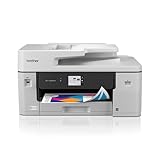
The Brother INKvestment 6560 Wireless Color Inkjet Printer delivers speedy, high-quality color printing designed to keep up with busy professionals. It handles a variety of media sizes up to 11”x17”, making it ideal for detailed presentations and large-format documents. The 2.7” color touchscreen simplifies navigation, helping you manage print, copy, scan, and fax tasks with ease.
This printer’s MAXIDRIVE Technology ensures consistent output speeds of up to 31 pages per minute in black and 30 in color. Its multiple connectivity options, including dual-band Wi-Fi Direct, Ethernet, USB, and cloud printing, offer flexibility for various work environments. You can print directly from mobile devices or cloud services without hassle.
Maintenance is streamlined with large ink cartridges that reduce frequent replacements. A complimentary two-month ink subscription trial helps maintain smooth operation and lowers downtime. Although the printer has a relatively sizable footprint, its robust design supports reliable, high-volume use.
Best for: Professionals and small office users who require fast, versatile color printing with dependable wireless connectivity.
What We Like:
- Fast print speeds with MAXIDRIVE Technology
- Supports media sizes up to 11”x17” with automatic duplexing
- Multiple connectivity options including Wi-Fi Direct and cloud printing
- Large ink cartridges with an ink subscription trial for easy maintenance
Specification:
| Feature | Details |
|---|---|
| Manufacturer | Brother |
| Dimensions | Approx. 16.7” x 17.6” x 14.1” |
| Weight | Approx. 29.3 lbs (13.3 kg) |
| Media Size Support | Up to 11” x 17” |
| Display | 2.7” Color Touchscreen |
| Connectivity | Dual-band Wi-Fi Direct, Ethernet, USB, Cloud Printing |
Factors to Consider When Choosing a Brother Aio Printer
When choosing a Brother AIO printer, you’ll want to compare print speeds to match your workflow. It’s important to pick one that keeps up with how fast you work.
Also, consider the types of ink cartridges available and how they fit your budget. Ink costs can add up, so finding the right balance is key.
Don’t forget to check connectivity options, paper handling features, and the device’s size and weight. You want to make sure it suits your space and connects easily to your devices.
Print Speed Comparison
Choosing the right Brother AIO printer means understanding how print speed matches your needs. If you handle high-volume black-and-white printing, models like the DCP-L2640DW deliver up to 36 pages per minute, making them a strong choice.
For balanced color and black print jobs, the INKvestment 5010 prints at 28 ppm in black and 26 ppm in color. It offers efficiency without sacrificing quality.
If your printing is moderate, the Work Smart 1360’s 16 ppm black and 9 ppm color speeds suit a home office well.
For larger jobs and bigger paper sizes, consider the INKvestment MFC-J6960DW with speeds up to 31 ppm black and 30 ppm color.
Most Brother AIO printers also include automatic duplex printing, letting you save time with double-sided prints. It’s a handy feature that really comes in useful.
Ink Cartridge Options
Understanding ink cartridge options plays an essential role in selecting the right Brother AIO printer for your needs. Brother printers typically offer standard yield cartridges for lower page counts and high yield cartridges if you want fewer replacements.
Some models support multipack cartridges, letting you buy several colors together to save money. If you want to avoid surprises, look for the Page Gauge feature, which tracks ink levels clearly.
Brother’s INKvestment series even includes smart delivery systems that send new cartridges before you run out, so you won’t face interruptions. Always choose genuine Brother cartridges to guarantee the best print quality and avoid voiding your warranty.
Connectivity Capabilities
Since connectivity options greatly influence how and where you can use your Brother AIO printer, it’s important to evaluate the range of wireless and wired features available. Many Brother models offer wireless connectivity like Wi-Fi Direct and Ethernet, letting you print without cables.
You’ll also find dual-band wireless support (2.4GHz and 5GHz) on some printers, which helps maintain a stable connection even in busy network environments. Mobile printing is easy with Brother Mobile Connect, allowing you to print, scan, or copy directly from your smartphone or tablet.
Cloud connectivity lets you access services like Google Drive, Dropbox, and OneDrive for seamless document handling. Plus, USB ports provide a reliable wired option when you need direct connections to your devices.
Paper Handling Features
When evaluating Brother AIO printers, you’ll want to focus on key paper handling features that impact your workflow. Look for models with an automatic document feeder (ADF) that handles 20 to 50 sheets. This makes multi-page scanning and copying effortless.
Consider the main tray’s paper capacity—ranging from 150 to 500 sheets. A larger capacity means fewer refills during heavy printing tasks, which is always a plus.
Duplex printing is a must-have for automatic double-sided printing. It helps cut down paper use and costs, so keep an eye out for that feature.
Also, check if the printer supports various media sizes, from standard letter and legal to larger formats like 11”x17”. Being able to print on different paper sizes can be really handy.
Finally, evaluate the number of input trays. Separate trays for different paper types help you manage diverse printing jobs more efficiently.
Device Dimensions And Weight
Choosing the right Brother AIO printer means paying close attention to its dimensions and weight to confirm it fits your workspace and meets your mobility needs. Compact models work great in small offices or homes, fitting neatly into tight spaces.
You’ll want to measure the height carefully to verify the printer fits on your desk or shelf, with easy access to paper trays and controls. Consider the depth and width too, since these affect how much room you have left for other tasks or equipment.
Weight also matters—lighter printers make it simple to move or reposition them, especially in dynamic work environments. While larger printers might offer more features, they demand more floor space and can be harder to install.
Print Quality And Resolution
After considering the size and weight of your Brother AIO printer, the next step is to evaluate its print quality and resolution. Print resolution, measured in dots per inch (dpi), directly affects the sharpness and detail of your documents and images.
You’ll find resolutions ranging from 600 x 600 dpi up to a crisp 4,800 x 1,200 dpi, perfect for detailed photos and graphics. If you often print color images, inkjet models generally deliver richer color depth and vibrancy compared to laser printers.
Also, check for features like duplex printing, which maintains quality while saving paper, and advanced tech such as PerfectPrint Auto Detection that adjusts settings based on media type. Balancing resolution with print speed guarantees you get sharp prints without sacrificing productivity.
Warranty And Support
Although Brother AIO printers often come with a limited warranty of one to two years, understanding the coverage details can save you hassle down the road. These warranties typically cover manufacturing defects and malfunctions but require you to use genuine ink and toner to keep your coverage intact.
Brother also offers extended warranty programs on some models, giving you extra peace of mind beyond the standard period. When issues arise, you can rely on free online resources, FAQs, and live chat support to troubleshoot quickly.
If you prefer direct assistance, their call centers are ready to help. Checking warranty terms and available support options before buying guarantees you get reliable service and avoid unexpected costs during your printer’s lifespan.
Frequently Asked Questions
How Do Brother AIO Printers Compare to Other Brands in Durability?
Brother AIO printers generally last longer than many competitors because they use sturdy components. You’ll find they handle frequent use well, so you won’t worry about breakdowns or repairs as often compared to other brands.
Honestly, that means less hassle for you. It’s nice knowing your printer can keep up without constant issues.
Are Brother AIO Printers Compatible With macOS and Linux Systems?
You’d think Brother AIO printers only love Windows, right? Actually, they’re compatible with macOS and have decent Linux support too.
What Is the Typical Warranty Period for Brother AIO Printers?
You’ll typically get a one-year warranty on Brother AIO printers, covering defects and hardware issues.
Some models might offer extended warranty options or promotions, so it’s worth checking specific product details when you buy.
It never hurts to double-check, just to be sure you’re getting the best coverage possible.
Can Brother AIO Printers Handle Heavy-Duty Printing Tasks?
Yes, Brother AIO printers can handle heavy-duty printing tasks, especially their higher-end models. They’re built with durability in mind and designed to manage high volumes without breaking a sweat.
You’ll find they’re reliable for frequent, intense printing needs in both home and office settings. So, if you’re looking for a printer that can keep up with a busy workload, Brother’s got you covered.
Do Brother AIO Printers Support Mobile Printing Apps?
You’ll be thrilled to know Brother AIO printers do support mobile printing apps.
With just a few taps, you can print, scan, or copy directly from your smartphone or tablet, making your workflow seamless and efficient.
It’s super convenient and saves you a lot of time. Just imagine handling all your tasks without needing a computer nearby!
Conclusion
Choosing the right Brother AIO printer might feel overwhelming, but you don’t have to settle for less. Whether you need high-quality color prints or efficient monochrome output, there’s a model tailored for you.
These printers combine reliability, wireless convenience, and smart features, making your tasks easier. Don’t worry about complexity—Brother’s user-friendly designs guarantee smooth setup and operation.
So, whether you’re printing documents, photos, or scanning important files, Brother AIO printers offer the perfect balance of performance and ease of use. With various options available, finding the best Brother AIO printer for your needs in 2027 is easier than ever. You can enjoy hassle-free printing that keeps up with your busy lifestyle. Choosing Brother means choosing quality, convenience, and smart technology all in one.