5 Best Brother A3 Printers for 2027
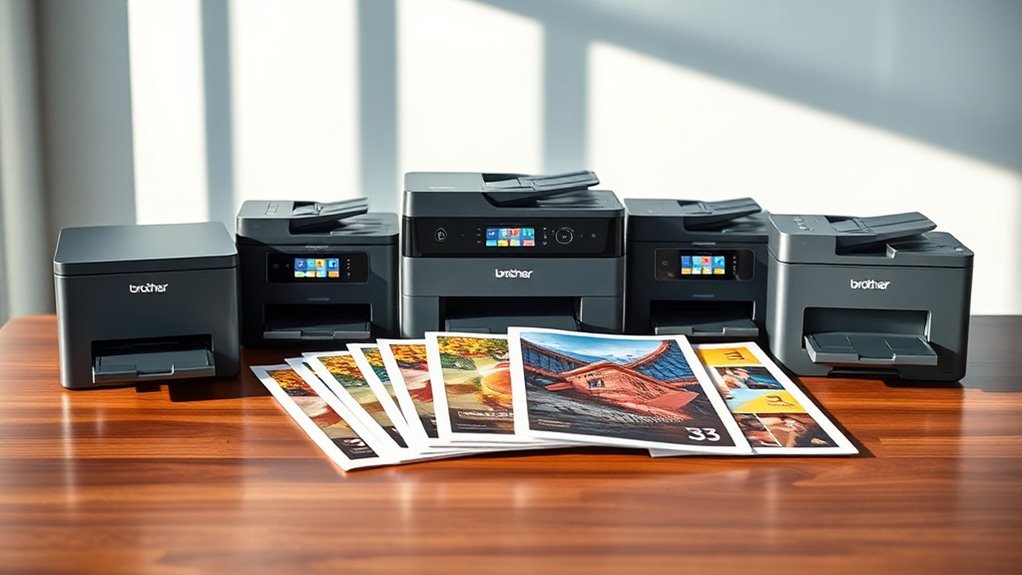
If you’re on the hunt for a reliable Brother A3 printer in 2027, you’ve got some great options to consider.
Whether you need fast, high-quality prints or versatile all-in-one features, Brother has you covered. Models like the INKvestment 6960 and the MFC-J6930DW are perfect for delivering professional-grade results quickly.
The INKvestment 4355 and Work Smart 1360 stand out for their wireless convenience and efficient ink usage.
Plus, if you’re looking to save on ink costs, the INKvestment Tank 980 comes with refillable tanks that make a big difference.
These printers combine smart connectivity, energy efficiency, and excellent print quality.
Keep exploring these options to find the perfect Brother A3 printer that fits your specific needs and workspace.
It’s all about matching the right features to how you work!
| Image | Name | Editor's Rating | Price |
|---|---|---|---|

|
|
||
|
|
||

|
|
||

|
|
||

|
|
Brother INKvestment 6960 Wireless Color Inkjet Printer
- BEST FOR SMALL BUSINESS: This multifunction printer makes it easy to print, copy, scan, and fax on up to 11”x17” paper. Includes one 1,800-page yield black ink...
- PRODUCTIVITY-FOCUSED FEATURES: 500-sheet capacity with two trays(3), 100-sheet multipurpose tray(3), up to 50-page single-pass duplex copy & scan via ADF(3), and...
- SPEED & QUALITY: Engineered with MAXIDRIVE Technology with print speeds of up to 31 pages per minute (ppm) in black and up to 30 ppm in color(5). The PerfectPrint Auto...
- INNOVATIVE TECHNOLOGY: With Wi-Fi Direct, print wirelessly without an external network connection. Print from and scan to Cloud apps(6), including Google Drive, Dropbox...
- THE BROTHER MOBILE CONNECT APP: The power of printing at your fingertips. Go mobile with the simple-to-use Brother Mobile Connect app(7) that delivers onscreen menu...

The Brother INKvestment 6960 Wireless Color Inkjet Printer is designed to handle demanding office tasks with ease. It supports large-format printing up to 11”x17”, making it ideal for businesses that need versatile document handling. The high paper capacity reduces frequent reloads, allowing you to focus on your work without interruption.
This all-in-one printer combines printing, copying, scanning, and faxing in one device. Its fast speeds—31 ppm in black and 30 ppm in color—help you stay productive throughout the day. The 50-page single-pass duplex scanner saves time by scanning both sides of documents in one go.
Connectivity is straightforward thanks to wireless options like Wi-Fi Direct and cloud printing, accessible through a user-friendly 3.5” touchscreen. Maintenance is manageable, although initial ink cartridges have lower yields compared to XL replacements, so consider this for ongoing costs.
The printer’s robust design suits professionals and small businesses that require reliable, high-quality output and advanced connectivity features. Its size and weight may require a dedicated space for installation.
Best for: professionals and small businesses needing a high-capacity, fast, and versatile A3 all-in-one printer with advanced connectivity and high-quality output.
What We Like:
- Large paper capacity with dual 250-sheet trays plus a 100-sheet multipurpose tray
- Fast print speeds enhanced by MAXIDRIVE technology
- 50-page duplex scanner for efficient document handling
- Multiple wireless connectivity options including Wi-Fi Direct
- Intuitive 3.5” touchscreen for easy operation
Specification:
| Feature | Details |
|---|---|
| Manufacturer | Brother |
| Dimensions (W×D×H) | Not specified |
| Weight | 51.4 lb (23.3 kg) |
| Paper Capacity | 2×250-sheet trays + 100-sheet multipurpose tray |
| Max Paper Size | 11” × 17” (A3) |
| Scan Type | 50-page single-pass duplex scanner |
| Connectivity | Wireless, Wi-Fi Direct, cloud printing |
| Display | 3.5” touchscreen |
Brother MFC-J6930DW Multifunction Color Printer
- Print function
- Scan function
- Single colour cartridges
- Colour printer
The Brother MFC-J6930DW is designed for professionals who demand reliable, fast, and vibrant A3 color printing. It streamlines office tasks by combining printing, scanning, copying, and faxing into a single device. This multifunction printer produces sharp images with a high resolution of 4800 x 1200 dpi, ensuring clear and vivid results every time.
With print speeds up to 22 pages per minute in black and white, it handles busy workloads efficiently. Connectivity is flexible, offering USB, Ethernet, and Wi-Fi options for seamless integration with laptops, desktops, or tablets. Duplex automatic printing helps save paper and time, enhancing productivity.
Maintenance is straightforward thanks to its efficient ink cartridges and compact design. Although it has only one paper tray, the device fits well in space-conscious offices. Weighing 23.6 kg, it remains stable on your desk but is less portable than smaller models.
Power consumption is relatively high at 3600 kWh, which may affect energy costs over time. However, its multifunction capabilities and print quality make it a dependable choice for small offices and professionals.
Best for: small offices and professionals needing fast, high-quality A3 color printing combined with versatile multifunction features.
What We Like:
- High-resolution print quality for sharp, vibrant colors.
- Multiple connectivity options including Wi-Fi and Ethernet.
- Duplex automatic printing saves time and paper.
- Multifunction design supports print, scan, copy, and fax.
- Efficient ink use for easier maintenance.
Specification:
| Feature | Details |
|---|---|
| Manufacturer | Brother |
| Dimensions | Not specified |
| Weight | 23.6 kg (52 lbs) |
| Print Resolution | Up to 4800 x 1200 dpi |
| Print Speed | Up to 22 ppm (B&W) |
| Connectivity | USB, Ethernet, Wi-Fi |
| Paper Tray | Single tray |
| Power Consumption | 3600 kWh |
Brother INKvestment 4355 Wireless Color Inkjet Printer
- UP TO 1-YEAR OF INK IN-BOX¹ – Enjoy exceptional convenience and savings with enough ink for up to 1 year of printing right out of the box¹.
- REVOLUTIONARY INKVESTMENT TANK TECHNOLOGY – Internal ink tank system works with front-loading cartridges for hassle-free, uninterrupted printing with no manual refills.
- COMPACT ALL-IN-ONE FUNCTIONALITY – Print, copy, scan, and fax with fast speeds, duplex printing, and a 20-page automatic document feeder
- WIRELESS AND CLOUD READY – Print-from and scan-to popular cloud services and mobile devices via the Brother Mobile Connect App³.
- VERSATILE PAPER HANDLING – Features a 150-sheet adjustable paper tray, bypass tray, and automatic duplex printing for letter and legal-size paper.
The Brother INKvestment 4355 Wireless Color Inkjet Printer offers a smart solution for those who want quality color printing without frequent ink replacements. Its INKvestment Tank Technology lets you print for up to a year using front-loading cartridges, reducing maintenance hassles.
This all-in-one device handles printing, copying, scanning, and faxing with ease. Print speeds of 19 ppm in color and 20 ppm in black, combined with automatic duplexing, help save both time and paper. You can manage various tasks quickly, making it ideal for busy environments.
Designed for convenience, the printer supports wireless connectivity, including Wi-Fi Direct and Brother Mobile Connect. The 1.8” color display provides straightforward navigation, while the 150-sheet tray and 20-sheet automatic document feeder keep your workflow smooth.
Although its paper capacity is moderate and the display size is small, this printer balances functionality with ease of maintenance. Weighing nearly 20 pounds, it’s best suited for a stationary setup rather than frequent relocation.
Best for: small offices or individuals looking for an affordable all-in-one color printer with low ink costs and versatile wireless features.
What We Like:
- Up to one year of ink with INKvestment Tank Technology
- Fast print speeds with automatic duplex printing
- Wireless connectivity including Wi-Fi Direct and mobile app support
- Supports multiple media sizes up to legal with a 150-sheet tray
- Compact design with easy-to-use 1.8” color display
Specification:
| Feature | Details |
|---|---|
| Manufacturer | Brother |
| Dimensions (HxWxD) | Approx. 7.5 x 16.1 x 14.2 in |
| Weight | Nearly 20 lb (approx. 9 kg) |
| Printing Technology | Wireless Color Inkjet |
| Connectivity | Wi-Fi, Wi-Fi Direct, Mobile |
| Paper Capacity | 150-sheet tray, 20-sheet ADF |
| Display | 1.8” Color LCD |
Brother Work Smart 1360 Wireless Color Inkjet All-in-One Print, Scan, Copy
- AFFORDABLE ALL-IN-ONE FOR HOME AND HOME OFFICE: Print, copy, and scan on one compact wireless printer designed for everyday home office printing, schoolwork, documents...
- EASY TO USE WITH CLOUD APP CONNECTIONS: Print from and scan to popular Cloud apps(2), including Google Drive, Dropbox, Box, OneDrive, and more from the simple-to-use...
- FULL-SIZE FEATURES IN A COMPACT DESIGN: This printer includes automatic duplex (2-sided) printing, a 20-sheet single-sided Automatic Document Feeder (ADF)(3), and a...
- MULTIPLE CONNECTION OPTIONS: Connect your way. Interface with your printer on your wireless network or via USB.
- MOBILE PRINTING MADE EASY: Go mobile with the Brother Mobile Connect app(5) that delivers easy onscreen menu navigation for printing, copying, scanning, and device...
The Brother Work Smart 1360 Wireless Color Inkjet All-in-One is designed to meet the needs of home offices and small workspaces. It delivers sharp, high-quality prints at speeds up to 16 ppm in black and 9 ppm in color, helping you complete tasks quickly without sacrificing detail. The 1,200 x 6,000 dpi resolution ensures your documents and photos look professional every time.
This compact printer supports automatic duplex printing, reducing paper waste and saving time on double-sided documents. It also handles various media types like envelopes and glossy photo paper, making it versatile for different printing needs. Wireless connectivity options such as Wi-Fi Direct, AirPrint, and Mopria simplify printing from smartphones and tablets through the Brother Mobile Connect app.
Maintenance is straightforward with a 150-sheet tray, though heavy users might need to refill it more often. The 20-sheet automatic document feeder (ADF) streamlines scanning and copying, while cloud compatibility adds convenience for digital workflows. Energy Star certification highlights its energy-efficient performance, helping to reduce operating costs.
Best for: users in home offices or small spaces who need a compact, versatile all-in-one printer with fast color printing and wireless connectivity.
What We Like:
- Fast print speeds with high-resolution output
- Convenient wireless and mobile printing options
- Automatic duplex printing and 20-sheet ADF for efficiency
Specification:
| Feature | Details |
|---|---|
| Manufacturer | Brother |
| Dimensions (W×D×H) | Compact size (specific size not provided) |
| Weight | Not specified |
| Printing Technology | Wireless Color Inkjet |
| Print Speed | Up to 16 ppm (black), 9 ppm (color) |
| Resolution | 1,200 x 6,000 dpi |
| Paper Capacity | 150-sheet tray |
| Connectivity | Wi-Fi Direct, AirPrint, Mopria, Brother Mobile Connect app |
| Additional Features | Automatic duplex printing, 20-sheet ADF, Cloud compatibility |
| Energy Efficiency | Energy Star certified |
Brother INKvestment Tank 980 Wireless Color Printer (MFC-T980DW)
- INNOVATIVE REFILLABLE INK TANK TECHNOLOGY: Brother Genuine no-spill bottles quickly refill the tank in 30 seconds for color, 65 seconds for black. The design prevents...
- BEST FOR SMALL OFFICE AND SMALL BUSINESS: This multifunction printer does it all, enabling you to print, copy, scan, and fax on one convenient, compact printer. Brother...
- CLOUD APP CONNECTIONS: Print from and scan to popular Cloud apps(3), including Google Drive, Dropbox, Box, OneDrive, and more on the printer's convenient 1.8” color...
- PRODUCTIVITY-FOCUSED FEATURES: Automatic duplex (2-sided) printing, 150-sheet paper tray, 80-sheet multi-purpose tray, 20-page single-sided automatic document feeder...
- WIRELESS, WIRED NETWORK, AND USB CONNECTIONS: Connect your way. Interface with your printer on your wireless network, ethernet, or via USB connection. A front USB Port...
The Brother INKvestment Tank 980 Wireless Color Printer is designed to meet the demands of high-volume color printing with ease. Its all-in-one functionality covers printing, copying, scanning, and faxing, making it a practical choice for busy workspaces. The wireless and Ethernet connectivity options enable flexible placement without sacrificing network access.
Maintenance is straightforward thanks to the refillable ink tanks with no-spill bottles, providing ink for up to three years. This system reduces interruptions and waste, helping lower operating costs. The printer supports automatic duplex printing, saving paper and time on two-sided documents.
This model handles up to 150 sheets, supporting larger print jobs without frequent refills. Its compact design and a clear 1.8” color display keep operation simple and efficient. Mobile and cloud printing capabilities allow users to print directly from smartphones or tablets, enhancing convenience.
While its automatic document feeder is limited to single-sided scanning of 20 pages, the printer offers consistent quality with vibrant color output. It requires Brother Genuine BTD180 ink bottles to maintain optimal performance, which restricts third-party ink use but ensures reliability.
Best for: small to medium-sized offices or home users needing a versatile, high-volume color all-in-one printer with efficient ink management and multiple connectivity options.
What We Like:
- Refillable no-spill ink tanks reduce waste and extend ink supply up to three years
- Automatic duplex printing saves paper and time
- Multiple connectivity options including wireless, Ethernet, and mobile/cloud printing
- Compact design with user-friendly 1.8” color display
- Reliable color output suitable for professional documents
Specification:
| Feature | Details |
|---|---|
| Manufacturer | Brother |
| Model | INKvestment Tank 980 (MFC-T980DW) |
| Dimensions (W x D x H) | 16.7 x 17.7 x 7.7 inches (42.4 x 45 x 19.5 cm) |
| Weight | Approximately 15.4 lbs (7 kg) |
| Color Options | Black |
Factors to Consider When Choosing Brother a3 Printer
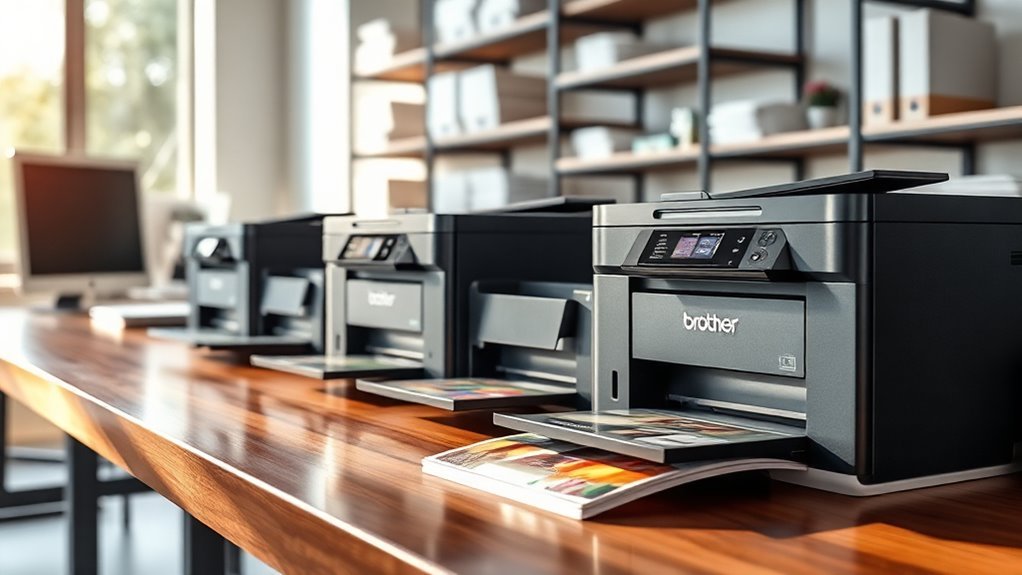
When choosing a Brother A3 printer, you’ll want to focus on print quality and resolution to guarantee sharp results. Consider how the printer connects to your devices and if it fits your workflow smoothly.
Don’t forget to check ink efficiency, paper handling, and speed to match your productivity needs. These factors can really make a difference in your day-to-day printing experience.
Print Quality and Resolution
Print quality plays an essential role in choosing the best Brother A3 printer for your needs. You’ll want to focus on print resolution, measured in dots per inch (dpi). Higher resolutions, such as 1,200 x 4,800 dpi, deliver sharper, more vibrant images.
Color depth also matters—it can reach up to 24 bits per pixel, allowing your prints to showcase a wider color range and better fidelity. Brother printers use technologies like MAXIDRIVE and PerfectPrint Auto Detection to optimize ink application, ensuring consistent, reliable results.
Automatic duplex printing maintains high print quality on both sides of the page, saving you time and paper. Plus, features like Page Gauge help monitor ink levels, so you won’t experience interruptions that compromise your print outcomes.
Connectivity and Compatibility
Although choosing a Brother A3 printer with excellent print quality is essential, you’ll also want to take into account connectivity and compatibility to guarantee seamless integration with your devices. Look for printers offering USB, Ethernet, and Wi-Fi connections, so you can easily connect across different network setups.
Wireless options like Wi-Fi Direct let you print without a traditional network, giving you more flexibility in where you place your printer. Mobile printing apps enhance convenience by allowing direct print jobs from smartphones and tablets.
Make certain your printer supports cloud services like Google Drive and Dropbox for easy document access and sharing. Finally, confirm compatibility with various operating systems and devices to assure smooth use across all your tech platforms.
Ink Efficiency and Cost
Ink efficiency plays a crucial role in keeping your overall printing costs manageable. Choosing a Brother A3 printer with INKvestment Tank Technology can provide enough ink for up to three years based on average use, drastically cutting costs.
You’ll also want to take into account models with high-yield cartridges—offering 1,800 pages for black and 750 for color—to reduce how often you replace ink. Using features like the Page Gauge helps you monitor ink levels closely, so you avoid running out unexpectedly.
Plus, subscribing to automatic ink delivery services guarantees timely refills, saving you from emergency purchases. Opting for printers with refillable ink tanks further lowers your cost per page by using affordable ink bottles instead of pricey cartridges.
Paper Handling Capacity
When selecting a Brother A3 printer, paying close attention to paper handling capacity can save you time and hassle, especially during large print jobs. You’ll want a model with multiple trays so you can load different paper sizes and types without constant reloading.
Look for printers with a 500-sheet capacity to minimize interruptions during high-volume tasks. A multipurpose tray adds versatility, letting you handle specialty media easily.
If you often scan or copy multi-page documents, an Automatic Document Feeder (ADF) supporting up to 50 pages per pass is a big plus. Finally, check the maximum supported media size—Brother A3 printers capable of handling up to 11”x17” paper guarantee you can print larger documents when needed without trouble.
Speed and Productivity
Choosing a Brother A3 printer with fast print speeds can greatly boost your productivity, especially if you handle large volumes regularly. Some models deliver up to 31 pages per minute in black and 30 ppm in color, speeding up your tasks considerably.
Look for automatic duplex printing to print double-sided without manual effort. This effectively doubles your output and saves you time.
A 500-sheet dual tray setup reduces paper refills, keeping your workflow smooth. Plus, an Automatic Document Feeder (ADF) that handles up to 50 pages helps you scan or copy multi-page documents quickly.
Advanced printing technology means you don’t have to sacrifice quality for speed. You’ll get crisp results while working efficiently.
Prioritizing these features will help you choose a Brother A3 printer that matches your productivity needs perfectly. It’s all about working smarter, not harder!
Frequently Asked Questions
Are Brother A3 Printers Compatible With Mac and Windows Operating Systems?
Yes, Brother A3 printers work with both Mac and Windows operating systems. You’ll find drivers and software that easily install, letting you print smoothly from either system without hassle.
Whether it’s for work or home use, these printers have got you covered. It’s pretty straightforward to get everything set up and running in no time.
What Is the Average Lifespan of a Brother A3 Printer?
You can expect a Brother A3 printer to last around 5 to 7 years with regular use. That’s about 20,000 to 30,000 pages before needing major maintenance or replacement.
Just make sure to keep it clean and updated! Taking care of it really helps it run smoothly for longer.
Can Brother A3 Printers Handle Third-Party Ink Cartridges?
Yes, Brother A3 printers can handle third-party ink cartridges, but you might face compatibility issues or reduced print quality.
You’ll want to check your specific model’s warranty and recommendations before using non-Brother ink to avoid problems.
It’s a good idea to weigh the cost savings against any potential risks before making a decision.
Do Brother A3 Printers Support Direct Mobile Printing Apps?
Think of your Brother A3 printer as a bridge connecting your ideas to reality. Yes, you can print directly from mobile apps like Brother iPrint&Scan, making your creativity flow effortlessly.
Wherever you are, you can print without wires or waiting. It’s all about convenience and getting your work done smoothly.
What Warranty Options Are Available for Brother A3 Printers?
You’ll find Brother A3 printers typically come with a one-year limited warranty.
If you want extra peace of mind, you can also purchase extended warranties or service plans. These options help keep your printer protected beyond the standard period.
It’s a great way to make sure your investment stays safe for longer!
Conclusion
So, you want the best Brother A3 printer for 2027? Easy—just pick the one that prints your masterpiece without turning your office into a paper jungle or your wallet into a black hole.
Because who doesn’t love a printer that’s as reliable as a cat on a keyboard and as fast as a snail on vacation? Choose wisely, or prepare for endless “why won’t you print?” moments.
Happy printing—you’ll need it! Finding the best Brother A3 printer for 2027 means balancing speed, reliability, and cost. Whether you need it for home, office, or creative projects, the right Brother A3 printer will keep your workflow smooth and your prints sharp. So, take your time, compare features, and pick the one that fits your needs perfectly. Trust me, your future self will thank you!