5 Best 3D Printer Kits for 2027
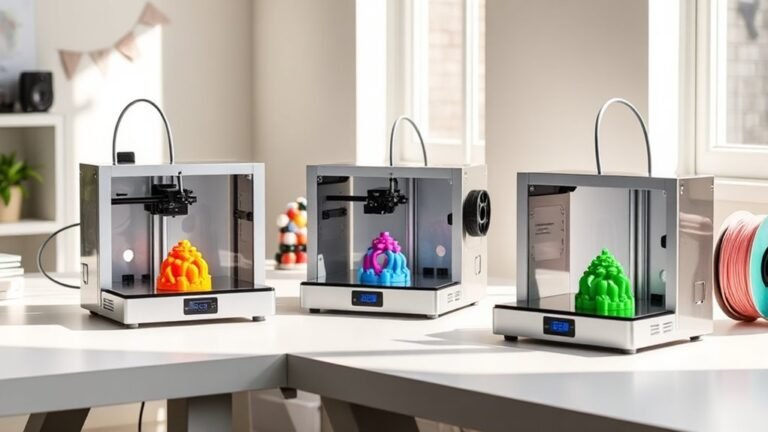
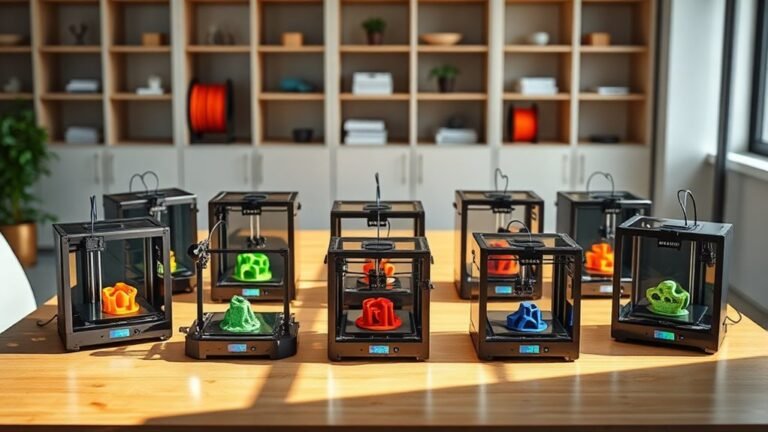
If you’re on the hunt for the best 3D printer kits for 2027, you’ve come to the right place. Whether you’re a hobbyist or a professional, having a reliable 3D printer kit can make all the difference. Options like the Creality K2 Combo offer quick setup and multi-color printing, perfect for those who want to dive right in without a hitch.
Then there’s the FLASHFORGE AD5X, known for its stable high-speed multi-material projects. It’s a great pick if you want precision and speed together.
And don’t forget the Bambu Lab P2S Combo, which delivers ultra-fast, precise prints with smart failure detection to keep your projects on track.
Pair these printers with versatile toolkits, like the 34-accessory or 184-piece kits. These toolkits help improve maintenance and print quality, making your 3D printing experience smoother.
Keep exploring to find which features and kits best match your 3D printing goals.
| Image | Name | Editor's Rating | Price |
|---|---|---|---|

|
|
||

|
|
||

|
|
||

|
|
||

|
|
3D Printer Tools Kit with 34 Accessories
- 【3D Printer Tools Expedite Your Workflow, 1-Year Warranty】Designed and Selected by a 15-Year 3D print enthusiasts team, this kit includes all essential tools. We have...
- 【Nozzle Cleaning & Replacing One-Station Solution】To avoid filament inconsistent extrusion caused by a clogged nozzle, we prepare 5 different types of cleaning...
- 【2 Types of Removal Scrapers for Flawless Prints】To remove different-sized prints without damaging the print bed, the kit includes 2 types of removal scrapers. One...
- 【5 Shapes of Metal Files Catered to A Wide Range of Tasks】They are flat steel file, flat warding steel file, square steel file, triangular steel file, round steel...
- 【3D Printer Accessories Gift Must-Have】Black canvas storage bag with tool holder for easy finding, organizing, storing and transporting. The storage box provides...
The 3D Printer Tools Kit with 34 Accessories is designed to tackle common challenges in 3D printing maintenance and finishing. It provides precision tools that make nozzle cleaning and filament extrusion smoother, reducing print errors and downtime. This kit helps you maintain your printer’s performance with ease.
Its variety of scrapers and blades are crafted for both heavy-duty print removal and delicate model work. This versatility ensures you can handle different print types without damaging your project. The ergonomic files refine print edges, giving your models a polished, professional look.
Organized in a durable black canvas storage bag, the tools stay protected and easy to access. This thoughtful design keeps your workspace tidy, so you spend less time searching for the right accessory. The kit’s components are built to last, supporting long-term use and consistent print quality.
While comprehensive, this kit may be more suited to experienced users who need a wide range of tools. Beginners might find the number of accessories overwhelming. The soft storage bag offers protection but lacks hard-case durability for rough transport.
Best for: Enthusiasts and professionals seeking a complete, high-quality tool kit for 3D printer upkeep and print finishing.
What We Like:
- Wide selection of precision tools for cleaning and finishing
- Extra MK8 brass nozzles and cleaning needles for smooth extrusion
- Ergonomic files for professional print refinement
- Durable canvas bag for organized storage
- Versatile scrapers for both large and delicate prints
Specification:
| Feature | Details |
|---|---|
| Manufacturer | Not specified |
| Number of Tools | 34 accessories |
| Key Components | MK8 brass nozzles, cleaning needles, scrapers, files |
| Storage Bag | Black canvas |
| Weight | Not specified |
Creality K2 Combo 3D Printer with Auto Leveling
- Multicolor 3D Printing: 4 × CFS for up to 16 colors. By hooking up as many as four CFS units together, you are able to print in the splendor of 16 colors. Saves the need...
- Ultra Quiet Printing: Silent Mode for a quieter printing experience. Annoyed by the buzzing noise? Not K2. By adopting step-servo motors and dynamically balanced fans. It...
- Out-of-the-Box Experience: Pre-assembled for plug and play. You can use K2 right after unpacking and screen installation. Unlocks a wider selection of materials...
- Smart Auto Leveling & AI Camera: Faster leveling of only the target print area. The leveling sensor only probes and levels the bed area relevant to the desired print...
- Superior Print Quality: Sturdy frame and precise step-servo motor system. K2 uses 3 step-servo motors, both in the extruder and on the X/Y axis. They can adjust torque...

Experience the convenience of fast, multicolor 3D printing with the Creality K2 Combo. Designed to reduce setup time, it arrives 95% pre-assembled, allowing you to begin your projects almost immediately. Its large build volume lets you create detailed prints without frequent interruptions.
The K2 Combo’s innovative 4 CFS units support up to 16 colors, removing the need for post-print painting. This feature enhances creativity while saving valuable time. Its smart auto-leveling system focuses only on critical areas, improving print accuracy and cutting down calibration time.
Maintenance is straightforward thanks to the printer’s thoughtful design and reliable components. The built-in AI camera continuously monitors prints, providing real-time feedback to prevent errors and wasted materials. Meanwhile, the ultra-quiet operation ensures a calm workspace, even during long print sessions.
This printer suits users who want efficient, precise multicolor prints with minimal hassle. Its size and weight require adequate space but offer stability and durability for consistent performance.
Best for: Creators seeking a fast, multicolor 3D printer with advanced features for precise and quiet operation.
What We Like:
- Supports up to 16 colors with 4 CFS units, eliminating post-print painting
- Smart auto-leveling targets key areas for faster, more accurate calibration
- AI camera enables real-time print monitoring and failure detection
- Ultra-quiet operation with dynamic torque adjustment for smooth printing
Specification:
| Feature | Details |
|---|---|
| Manufacturer | Creality |
| Build Volume | 260 x 260 x 260 mm |
| Weight | 28.05 kg (61.9 lb) |
| Color Capability | Up to 16 colors (4 CFS) |
| Special Features | Auto-leveling, AI camera |
FLASHFORGE AD5X Multi-Material 3D Printer
- Build for Speed and Full-Color Printing: Bring your creative vision to life with vibrant and multicolored 3D prints in 4-colors. With speed of up to 600mm/s and...
- Seamless Printing, Precise Control: Full auto leveling sensor measures multiple points on the print bed to ensure consistent distance between nozzle and bed. As well as...
- Multi-Material and Multi-Color Capability: Intelligent Filament System (IFS) allows you to print in multiple colors and materials simultaneously. Among the wide selection...
- CoreXY Structure, Vibration Compensation: With its all-metal motion CoreXY structure offers highly rigid, reducing the risk of errors caused by vibration or mechanical...
- Compact Design, Space Saving: With its lightweight, modular design and intelligent filament system (IFS), Four spools of filament arranged side by side, AD5X offers...
The FLASHFORGE AD5X is designed to simplify complex 3D printing tasks by allowing creators to print with multiple materials and colors in a single run. This capability eliminates the need to switch machines or pause projects, making workflows smoother and more efficient.
Its advanced CoreXY all-metal structure ensures precise, stable printing even at speeds up to 600mm/s. Auto-leveling and vibration compensation maintain consistent layer alignment, reducing print errors and improving overall quality with minimal user intervention.
Maintenance is straightforward thanks to the intelligent filament system and full auto calibration. These features reduce downtime and make the printer easy to manage, even for users with limited technical experience. The modular, space-saving design fits comfortably on any desk without sacrificing functionality.
The printer supports versatile filament types like PLA, TPU, and PETG, catering to a wide range of creative and professional needs. However, it is limited to specific filaments and weighs 22 pounds, which may affect portability and the variety of specialty materials.
Best for: Professionals and creators who need fast, accurate multi-material and multi-color 3D printing in a compact, modular machine.
What We Like:
- Intelligent filament system for smooth multi-material printing
- High-speed printing up to 600mm/s with stable CoreXY metal frame
- Auto-leveling and vibration compensation for reliable layer accuracy
- Modular design that fits well on small workspaces
Specification:
| Feature | Details |
|---|---|
| Manufacturer | FLASHFORGE |
| Dimensions | Compact modular design |
| Weight | 22 lb (10 kg) |
| Material Support | PLA, TPU, PETG |
| Printing Speed | Up to 600 mm/s |
184Pcs 3D Printer Tool Kit with Organizer
- 🧰【184-PIECE PRO CREATION WORKSTATION & 1-YEAR WARRANTY】End the chaos of cluttered drawers and scattered accessories. Designed by 3D printing veterans, this master...
- ⚡ 【3D Printer Toolkit, PRO POWER TOOLS: WHY SAND BY HAND?】 Stop manual sanding and turn raw prints into high-margin masterpieces! Our 16,000 RPM cordless 3-in...
- 🚀 【ZERO-WARP PRINTING & DEFORMATION-FREE REMOVAL】 Protect your profit margins from failed first layers and damaged build plates. Secure a flawless, warp-free...
- 🛡️ 【HOTEND DEFENSE & ZERO-DOWNTIME RESCUE】 Don't let a clogged nozzle ruin a 40-hour masterpiece. Stop failures at the source: monitor real-time data with the...
- 💎【TOLERANCE HELL TERMINATOR & SNAP-FIT MODULARITY】Don't let a slipped knife ruin a 40-hour masterpiece! Demolish dense tree supports with needle-nose pliers and...
Get the most out of your 3D printing projects with the 184-piece 3D printer tool kit designed to keep your workspace tidy and your printer performing at its best. This comprehensive set addresses common printing challenges by providing the right tools to maintain and optimize your equipment. The included 5-layer hanging organizer ensures every tool is stored neatly and easy to find.
This kit features versatile tools like a cordless rotary tool, mini heat gun, and digital soldering iron, enabling you to handle a variety of tasks from detailed repairs to precise modifications. Print quality is improved with accessories such as a zero-warp glue stick and precision scrapers, helping you achieve cleaner, more accurate prints.
Maintenance is simplified with practical items like a thermo-hygrometer to monitor conditions, PTFE nozzle coating for smoother extrusion, and clog-clearing needles to prevent downtime. A self-healing mat and modular tools add protection and customization options to suit your workflow.
Best for: 3D printing enthusiasts and hobbyists who require a well-organized, all-in-one toolkit compatible with popular printers like Bambu Lab and Ender 3.
What We Like:
- Wide range of specialized tools for versatile 3D printing tasks
- Premium 5-layer hanging organizer for efficient storage
- Maintenance aids that improve print quality and extend printer life
- Self-healing mat protects work surfaces during repairs
- Modular components allow customization of the toolkit
Specification:
| Feature | Details |
|---|---|
| Manufacturer | Not specified |
| Dimensions | Organizer: 5 layers (size not specified) |
| Weight | Not specified |
| Material | Mixed materials (tools and organizer) |
| Color Options | Not specified |
Bambu Lab P2S Combo, P2S 3D Printer & AMS 2 Pro, Multi-Color 3D Printing
- High-Speed Precision: The Bambu Lab P2S 3D printer prints up to 600 mm/s while maintaining exceptional accuracy. With the PMSM Servo Extruder and Active Flowrate...
- Ready to Print in 15 Minutes: Set up your P2S FDM 3D printer and start printing in just 15 minutes. With AI failure detection, quick-swap nozzles, and automatic...
- Effortless Multi-Color Printing: The AMS 2 Pro enables seamless multi-color/multi-material 3D printing. It features built-in filament drying at up to 65 °C, keeping...
- Smart Airflow for Any Filament: The Adaptive Airflow System automatically balances cooling and heat retention—keeping overhangs crisp with cool air, or maintaining a...
- Limitless Creativity, Seamless Workflow: Explore over one million 3D models on MakerWorld and bring them to life with a smooth, unified workflow using Bambu Studio, Bambu...
Experience fast and precise multi-color 3D printing with the Bambu Lab P2S Combo, designed to simplify complex projects. This kit combines the P2S 3D printer with the AMS 2 Pro accessory, enabling smooth multi-material and multi-color printing without hassle.
The system’s high-speed printing capability reaches up to 600 mm/s, delivering sharp, clean layers. Its advanced PMSM Servo Extruder and Active Flowrate Compensation ensure consistent quality throughout every print. Setup is quick and straightforward, taking just 15 minutes with AI-powered failure detection and automatic calibration.
Maintenance is streamlined thanks to the AMS 2 Pro’s built-in filament dryer and adaptive airflow system. These features prevent filament issues and keep prints reliable. While the combo offers exceptional functionality, it requires extra space and is only available starting July 30, 2026.
Best for: Professionals and beginners seeking efficient, precise multi-color 3D printing with easy setup and dependable maintenance.
What We Like:
- Seamless multi-color and multi-material printing with AMS 2 Pro
- Fast printing speeds up to 600 mm/s with sharp details
- Easy setup with AI failure detection and automatic calibration
- Built-in filament dryer and adaptive airflow for consistent results
Specification:
| Feature | Details |
|---|---|
| Manufacturer | Bambu Lab |
| Dimensions (Printer + AMS 2 Pro) | Varies; requires moderate workspace |
| Weight | Moderate (printer + accessory) |
| Material | Advanced polymer and metal components |
| Color Options | Standard industrial finish |
Factors to Consider When Choosing a 3d Printer Kit

When choosing a 3D printer kit, you’ll want to focus on tool variety and how well it’s compatible with your printer model. It’s super important to make sure everything works smoothly together.
Also, think about how easy it is to clean and maintain. Nobody wants to spend hours fixing or tidying up their printer kit!
Look out for features that boost print quality too. Better prints mean more satisfaction with your projects.
And hey, don’t forget to check if the kit includes storage options. Keeping everything organized can save you a lot of hassle later on.
Tool Variety Importance
A well-rounded 3D printer kit with 34 or more tools can transform your printing experience by equipping you for maintenance, cleaning, and finishing tasks. Having a variety of tools means you’re ready for anything—from nozzle cleaning with different needle sizes to prevent extrusion issues, to using specialized scrapers for safely removing prints, whether large or delicate.
Multiple metal files help you refine prints for a polished look. This variety not only improves print reliability and quality but also saves you time and money by eliminating trips to buy extra tools.
Whether you’re a beginner or experienced user, a thorough tool kit keeps your workflow smooth and efficient, letting you focus on creating rather than troubleshooting.
Compatibility With Printers
Having the right variety of tools sets the foundation, but guaranteeing those tools work seamlessly with your 3D printer makes all the difference. You want a kit that’s compatible with popular models like Bambu Lab, Ender 3, and Anycubic to get the most out of your investment.
Make certain the kit includes components designed for common filaments such as PLA, ABS, and PETG, so maintenance and repairs go smoothly. Verify that nozzles and cleaning tools match your printer’s extruder specifications for peak performance.
Also, check the size and dimensions of the tools to confirm they fit your printer’s build volume and workspace. Look for adjustable or modular tools that adapt to different setups, giving you flexibility as your printing needs evolve.
Cleaning And Maintenance
Since regular cleaning keeps your 3D printer running smoothly, choosing a kit with specialized maintenance tools is essential. You’ll want tools like nozzle cleaning needles to clear filament residue and prevent clogs, ensuring steady extrusion during prints.
Scrapers, whether heavy-duty stainless steel or precision blades, help you safely remove prints from the build plate without damage. Metal files with ergonomic handles are also valuable for refining your prints’ finishing touches.
Additionally, look for kits that include proper storage solutions, such as tool organizers, to keep your maintenance tools protected from dust and moisture. This not only prolongs their lifespan but also keeps your workspace tidy.
And honestly, a tidy workspace makes routine cleaning quicker and more efficient. Prioritizing these features simplifies upkeep and keeps your printer performing at its best.
Print Quality Enhancements
Maintaining your 3D printer with the right tools sets the stage for producing high-quality prints. You should prioritize printers with precise stepper motors and extruder systems designed for consistent performance and minimal errors.
Look for advanced features like auto leveling to keep the nozzle at the right distance across the entire print bed, ensuring uniform layers. A rigid frame reduces vibrations, sharpening detail and improving layer alignment.
High-quality nozzles and regular cleaning tools prevent clogs, allowing smooth filament flow and better finish. Additionally, choosing filament materials like PLA or PETG can enhance layer adhesion and durability based on your project’s needs.
Focusing on these factors will greatly boost your print quality and the reliability of your 3D printer kit. It’s all about making those small improvements that add up to amazing results.
Storage And Organization
When you organize your 3D printing tools with a well-designed storage solution, you’ll keep your workspace efficient and clutter-free. Consider using a hanging organizer or a tool kit with compartments to keep your tools neatly arranged and easy to find.
A dedicated tool bag protects your equipment from dust, debris, and moisture, which helps maintain their performance and extend their lifespan. If you work in multiple locations, a portable storage option lets you carry your tools conveniently.
Adding a protective mat inside your storage setup can prevent damage to both your tools and work surfaces during maintenance or modifications. Prioritizing smart storage and organization will save you time and protect your investment in your 3D printing kit.
Multi-Material Support
Keeping your 3D printing tools organized sets a solid foundation for tackling more advanced features like multi-material support. This capability lets you print with different filaments such as PLA, PETG, and TPU simultaneously, giving you versatility for complex designs and color variations.
With multi-material printers, you can achieve specific project goals like flexibility or durability without extra steps like painting or assembling parts. Many models use Intelligent Filament Systems or multi-color extrusion setups to boost efficiency and reduce post-processing time.
To get the best results, you’ll need precise calibration and reliable extrusion mechanisms. This helps prevent issues like clogging or uneven layers. Choosing a kit with strong multi-material support really streamlines your workflow and expands your creative possibilities.
Speed And Precision
Although many factors influence your 3D printing experience, speed and precision stand out as critical when choosing a printer kit. Printing speed affects productivity—advanced models reach up to 600 mm/s, making large projects more efficient.
However, precision is just as important for high-quality results. Look for features like active flowrate compensation, advanced motor systems, and auto leveling technology, which guarantees consistent nozzle distance across the bed.
Keep in mind, the materials you use impact both speed and precision; delicate materials may require slower printing to avoid defects like warping.
Finally, a sturdy frame and quality motion systems reduce vibrations, boosting print quality and minimizing errors. Prioritizing these factors guarantees your 3D printer kit delivers sharp, smooth, and reliable prints every time.
Frequently Asked Questions
How Long Does Assembly Typically Take for These 3D Printer Kits?
Assembly typically takes you anywhere from 4 to 12 hours, depending on your experience and the kit’s complexity.
You’ll want to set aside focused time, follow instructions carefully, and stay patient throughout the build process.
It can feel a bit challenging at times, but just take it step by step.
Before you know it, you’ll have your printer ready to go!
Are Replacement Parts Readily Available for These Printer Kits?
Yes, you’ll find replacement parts easily for most 3D printer kits. Popular models have strong community support and suppliers, so you won’t struggle to get components when needed.
This means you can keep your printer running smoothly without much hassle. It’s pretty convenient, especially if you rely on your printer a lot.
What Is the Warranty Period for Each 3D Printer Kit?
You’ll get warranties ranging from an epic one year to a legendary two years, ensuring your 3D printer kit stays covered like a fortress.
Don’t worry—they’ve got your back if anything goes wrong!
Can These Kits Be Upgraded With Additional Features Later?
Yes, you can upgrade most kits with additional features like improved extruders, auto bed leveling, and better firmware. These upgrades help you customize and enhance your 3D printer’s performance as your skills grow.
It’s pretty straightforward to add these improvements later on. So, as you get more comfortable with your printer, you can keep making it better!
Do These Printers Support Third-Party Filament Brands?
Yes, you’ll find most 3D printer kits support third-party filament brands, giving you flexibility and cost savings.
Just make sure the filament matches the printer’s specs for best results. This helps you avoid compatibility issues during printing.
Conclusion
Choosing the right 3D printer kit can transform your creative journey from a spark to a blazing masterpiece. With options like the Creality K2 and Bambu Lab P2S, you’re not just buying a tool—you’re revealing endless possibilities.
Don’t let hesitation hold you back; your imagination deserves the best companion. So, immerse yourself, explore, and watch your ideas come to life in vivid, three-dimensional reality.
The future is yours to print! Whether you’re a beginner or a seasoned maker, the best 3D printer kits for 2027 offer intuitive assembly, reliable performance, and impressive print quality. These kits empower you to create everything from prototypes to personalized art, opening doors to innovation like never before. Embrace the creative freedom that comes with owning a top-tier 3D printer kit and turn your concepts into tangible masterpieces. Now’s the perfect time to dive in and start printing your future!