11 Best Brother Printers for Students in 2027 (Top Picks)
If you’re a student looking for a reliable and cost-effective printer, Brother’s lineup has you covered. Their printers are perfect for handling everything from notes to assignments without breaking the bank.
The Work Smart 1360 shines when it comes to everyday color printing, delivering sharp and vibrant results. Meanwhile, the INKvestment 4355 and 1365 help reduce ink costs with their smart tank systems, saving you money over time.
For those heavy text-based assignments, the DCP-L2640DW is a champ with speedy monochrome prints. Plus, models like the MFC-J1170DW come with voice control features, making printing even easier.
Check out these Brother printers to find the perfect fit for your study needs and budget. They’re designed to make student life smoother and more efficient.
| Image | Name | Editor's Rating | Price |
|---|---|---|---|

|
|
||

|
|
||

|
|
||

|
|
||

|
|
Brother Work Smart 1360 Wireless Color Inkjet All-in-One Print, Scan, Copy
- AFFORDABLE ALL-IN-ONE FOR HOME AND HOME OFFICE: Print, copy, and scan on one compact wireless printer designed for everyday home office printing, schoolwork, documents...
- EASY TO USE WITH CLOUD APP CONNECTIONS: Print from and scan to popular Cloud apps(2), including Google Drive, Dropbox, Box, OneDrive, and more from the simple-to-use...
- FULL-SIZE FEATURES IN A COMPACT DESIGN: This printer includes automatic duplex (2-sided) printing, a 20-sheet single-sided Automatic Document Feeder (ADF)(3), and a...
- MULTIPLE CONNECTION OPTIONS: Connect your way. Interface with your printer on your wireless network or via USB.
- MOBILE PRINTING MADE EASY: Go mobile with the Brother Mobile Connect app(5) that delivers easy onscreen menu navigation for printing, copying, scanning, and device...

The Brother Work Smart 1360 Wireless Color Inkjet All-in-One is designed to simplify your daily printing tasks. Whether you’re printing assignments, scanning notes, or copying documents, this printer handles it all with ease. Its wireless connectivity lets you print directly from your phone or laptop, making it convenient for busy students or home office users.
This model tackles multi-page jobs efficiently thanks to its 20-sheet Automatic Document Feeder and automatic duplex printing. These features save you time and effort, especially when managing bulky school projects or work documents. The compact design fits neatly in any study or workspace without taking up much room.
Maintenance is straightforward, with included starter ink cartridges to keep you up and running from the start. While print speeds are moderate, the printer delivers sharp color and black-and-white output suitable for everyday use. The paper tray holds up to 150 sheets, which is adequate for light to moderate printing needs but may require refills for heavier workloads.
Best for: Students and home office users who need a reliable, versatile all-in-one printer with wireless capabilities and duplex printing for managing schoolwork and daily documents.
What We Like:
- Automatic duplex printing and a 20-sheet Automatic Document Feeder for efficient multi-page handling
- Wireless printing via Wi-Fi, Wi-Fi Direct, and mobile app support
- Compact design that fits easily in small spaces
- Starter ink cartridges included for immediate use
Specification:
| Feature | Details |
|---|---|
| Manufacturer | Brother |
| Dimensions | Compact size (exact size not provided) |
| Weight | Not specified |
| Connectivity | Wi-Fi, Wi-Fi Direct, Mobile app support |
| Paper Tray Capacity | 150 sheets |
| Automatic Duplex | Yes |
| Automatic Document Feeder | 20 sheets |
| Print Speeds | Up to 16 ppm (black), 9 ppm (color) |
Brother DCP-L2640DW Wireless Monochrome Printer
- BEST FOR SMALL BUSINESSES – Engineered for extraordinary productivity, the Brother DCP-L2640DW Monochrome (Black & White) 3-in-1 combines laser printer, scanner, copier...
- FAST PRINTER WITH EFFICIENT SCANNING – Produces documents quickly with print speeds up to 36 ppm(2) and scan speeds up to 23.6/7.9 ipm(3) (black/color). A 50-page auto...
- FLEXIBLE CONNECTION OPTIONS – Easily navigate the changing demands of your business with secure multi-device connectivity via built-in dual-band wireless (2.4GHz...
- BROTHER MOBILE CONNECT APP – Print, scan, and manage your wireless printer anytime, from almost anywhere from your mobile device. Order Brother Genuine Supplies, track...
- CHOOSE BROTHER GENUINE TONER – When it’s time to replace your toner, be sure to choose Brother Genuine TN830 or TN830XL replacement toner. And with Refresh EZ Print...
Experience efficient printing designed to keep up with your busy schedule. The Brother DCP-L2640DW wireless monochrome printer offers a compact all-in-one solution that handles printing, scanning, and copying with ease. Its fast output of up to 36 pages per minute helps you breeze through large documents quickly.
This printer’s automatic duplexing saves paper while the 250-sheet tray and 50-page auto document feeder reduce interruptions during tasks. Wireless connectivity through dual-band Wi-Fi and the Brother Mobile Connect app allows seamless printing from your smartphone or tablet, making it convenient for both home and office use.
Maintenance is straightforward with easy cartridge replacement and a durable design that supports high-volume workloads. Although it only prints in black and white, this focused functionality benefits users needing clear, crisp text without extra color features.
The Brother DCP-L2640DW is ENERGY STAR® certified to help manage power consumption responsibly. Its compact footprint fits well in tight spaces, making it ideal for students and small businesses seeking reliable, space-saving printing.
Best for: students and small businesses requiring a dependable monochrome all-in-one printer for high-volume printing, scanning, and copying.
What We Like:
- Fast print speed up to 36 pages per minute with automatic duplex printing
- Wireless and mobile printing supported via dual-band Wi-Fi and Brother Mobile Connect app
- Large input capacity with 250-sheet tray and 50-page auto document feeder
- ENERGY STAR® certified for energy efficiency
Specification:
| Feature | Details |
|---|---|
| Manufacturer | Brother |
| Dimensions (W×D×H) | 16.1 × 15.7 × 12.1 inches (41 × 40 × 31 cm) |
| Weight | 15.4 lbs (7 kg) |
| Printing Technology | Monochrome Laser |
| Connectivity | Wireless (dual-band Wi-Fi), USB |
| Paper Capacity | 250-sheet tray, 50-page ADF |
Brother Work Smart 1410 Wireless Color Inkjet Printer
- BEST FOR HOME OFFICE AND SMALL OFFICE: Get your work done with a multifunction printer. Print, copy, and scan on one convenient, compact printer, with quick and easy...
- EASY-TO-USE TOUCHSCREEN WITH CLOUD APP CONNECTIONS: Seamless integration with the Cloud(2). Print from and scan to popular Cloud apps(2), including Google Drive, Dropbox...
- PRODUCTIVITY-FOCUSED FEATURES: Automatic duplex (2-sided) printing, 20-sheet single-sided Automatic Document Feeder (ADF)(3), 150-sheet paper tray(3). Print at fast...
- MULTIPLE CONNECTION OPTIONS: Connect your way. Interface with your printer on your wireless network or via USB.
- THE BROTHER MOBILE CONNECT APP: Go mobile with the Brother Mobile Connect app(5) for easy onscreen menu navigation for printing, copying, scanning, and device management...
The Brother Work Smart 1410 Wireless Color Inkjet Printer is designed to simplify printing tasks for students and small offices. Its wireless connectivity and mobile app allow you to print, scan, and copy without hassle. This means less time managing cables and more time focusing on your work or studies.
Navigating the printer is straightforward thanks to the 2.7” touchscreen, which makes accessing functions quick and intuitive. The printer also supports cloud integration with services like Google Drive and Dropbox, helping you handle documents directly from the cloud. This feature streamlines your workflow and reduces the need for physical storage.
For efficiency, the automatic duplex printing and a 20-sheet automatic document feeder (ADF) help you tackle multi-page jobs faster. The 150-sheet paper tray supports moderate print volumes, although it may require refilling in busier settings. Maintenance involves using Brother Genuine LC501 ink cartridges, which ensure quality but may cost more than generic options.
Print speeds reach up to 16 pages per minute in black and 9 in color, suitable for typical study sessions and small office tasks. The Brother Mobile Connect app provides convenient remote management, allowing you to monitor ink levels and manage print jobs from your phone.
Best for: Students and small office users who need a versatile, wireless all-in-one printer with easy mobile and cloud connectivity.
What We Like:
- Automatic duplex printing and 20-sheet ADF improve productivity.
- Clear 2.7” touchscreen and user-friendly mobile app for easy control.
- Direct cloud printing and scanning from Google Drive, Dropbox, and more.
Specification:
| Feature | Details |
|---|---|
| Manufacturer | Brother |
| Dimensions | Not specified |
| Weight | Not specified |
| Color Options | Not specified |
| Ink Cartridge Type | Brother Genuine LC501 |
| Paper Tray Capacity | 150 sheets |
| Automatic Document Feeder | 20 sheets |
| Print Speed (Black) | Up to 16 ppm |
| Print Speed (Color) | Up to 9 ppm |
| Touchscreen Size | 2.7 inches |
| Connectivity | Wireless, Mobile App |
Brother INKvestment 4355 Wireless Color Inkjet Printer
- UP TO 1-YEAR OF INK IN-BOX¹ – Enjoy exceptional convenience and savings with enough ink for up to 1 year of printing right out of the box¹.
- REVOLUTIONARY INKVESTMENT TANK TECHNOLOGY – Internal ink tank system works with front-loading cartridges for hassle-free, uninterrupted printing with no manual refills.
- COMPACT ALL-IN-ONE FUNCTIONALITY – Print, copy, scan, and fax with fast speeds, duplex printing, and a 20-page automatic document feeder
- WIRELESS AND CLOUD READY – Print-from and scan-to popular cloud services and mobile devices via the Brother Mobile Connect App³.
- VERSATILE PAPER HANDLING – Features a 150-sheet adjustable paper tray, bypass tray, and automatic duplex printing for letter and legal-size paper.
The Brother INKvestment 4355 Wireless Color Inkjet Printer offers a practical solution for those seeking an efficient all-in-one device. It helps control ink expenses by including up to a year’s worth of ink and features smart reorder alerts to prevent downtime. The innovative INKvestment Tank system combines an internal tank with front-loading cartridges, eliminating the need for manual ink refills and simplifying maintenance.
This printer supports multiple functions—print, copy, scan, and fax—at speeds reaching 20 pages per minute. Its high resolution of 1,200 x 4,800 dpi ensures sharp, clear documents. Wireless connectivity and Alexa-enabled reordering add convenience, allowing you to manage printing tasks easily from various devices.
Designed with a 150-sheet paper tray and a 20-sheet automatic document feeder, it handles everyday document tasks but may require frequent refilling for high-volume use. Its compact footprint and energy efficiency make it suitable for home or student environments, though it only prints up to legal size, which may limit professional applications.
Overall, the Brother INKvestment 4355 balances cost-saving features with versatile functionality, making it a sensible choice for users who value convenience and manageable ink costs.
Best for: Students or home users needing a cost-effective, wireless all-in-one printer with smart ink management.
What We Like:
- Includes up to one year of ink with smart reorder alerts to reduce running costs.
- Fast print speeds with high-quality 1,200 x 4,800 dpi output.
- Multiple connectivity options: Wi-Fi, Ethernet, USB, and cloud services.
- Easy maintenance with INKvestment Tank technology that avoids manual refills.
Specification:
| Feature | Details |
|---|---|
| Manufacturer | Brother |
| Printer Type | Wireless Color Inkjet |
| Functions | Print, Copy, Scan, Fax |
| Print Speed | Up to 20 ppm |
| Print Resolution | 1,200 x 4,800 dpi |
| Paper Tray Capacity | 150 sheets |
| Automatic Document Feeder | 20 sheets (single-sided) |
| Max Print Size | Legal (8.5 x 14 inches) |
| Connectivity | Wi-Fi, Ethernet, USB, Cloud |
| Dimensions (WxDxH) | Compact design (exact size not specified) |
| Ink System | INKvestment Tank with front-loading cartridges |
Brother INKvestment 1365 Wireless Color Inkjet Printer
- BEST FOR HOME AND HOME OFFICE: This multifunction printer makes it easy to print, copy, and scan—all in one compact printer. Includes one 1,200-page yield black...
- WIRELESS, MOBILE, AND USB CONNECTIVITY: Connect your way. Interface with your printer on your wireless network or via USB. Enhance your workflow with Wi-Fi Direct, which...
- CLOUD APP CONNECTIONS: Print from and scan to popular Cloud apps(3), including Google Drive, Dropbox, Box, OneDrive, and more, from an impressive 1.8” color display...
- PRODUCTIVITY-FOCUSED FEATURES: A 150-sheet paper tray(4), 20-page single-sided automatic document feeder (ADF)(4), and automatic duplex (2-sided) printing. Prints at fast...
- THE BROTHER MOBILE CONNECT APP: Put the power of printing at your fingertips. Go mobile with the Brother Mobile Connect app(6) that delivers easy onscreen menu navigation...
The Brother INKvestment 1365 Wireless Color Inkjet Printer is designed to simplify printing tasks for students and home users. It combines wireless convenience with efficient ink usage, making it easy to manage everyday printing, scanning, and copying needs without hassle. Its compact design fits well in small workspaces, keeping your area organized.
This all-in-one printer features a 150-sheet paper tray and a 20-page automatic document feeder, helping you handle multiple pages with less effort. Automatic duplex printing saves paper and time, ideal for assignments and documents that require double-sided printing. Wireless connectivity through Wi-Fi and Wi-Fi Direct lets you print directly from your laptop or smartphone without cables.
Maintenance is straightforward thanks to high-yield ink cartridges and the optional Refresh subscription, which helps reduce ink replacement costs. The print quality is sharp, with resolutions up to 1,200 x 6,000 dpi, ensuring clear text and vibrant colors for presentations and reports. However, color cartridges have a lower yield than black, and print speeds are moderate, which suits typical home or student workloads but not heavy office use.
Best for: Students and home users seeking a compact, all-in-one wireless printer with affordable ink and versatile functions.
What We Like:
- High-yield cartridges and optional Refresh subscription lower ink expenses
- Automatic duplex printing saves paper and boosts efficiency
- Wireless setup with mobile app control for easy printing from multiple devices
- Compact design fits neatly in small spaces
- Sharp print quality suitable for text and color documents
Specification:
| Feature | Details |
|---|---|
| Manufacturer | Brother |
| Dimensions (W x D x H) | Approx. 16.1 x 14.7 x 7.2 in (40.9 x 37.3 x 18.3 cm) |
| Weight | Approx. 14.8 lb (6.7 kg) |
| Color Options | White |
| Paper Tray Capacity | 150 sheets |
| Automatic Document Feeder | 20 pages |
| Print Resolution | Up to 1,200 x 6,000 dpi |
| Connectivity | Wi-Fi, Wi-Fi Direct |
Brother INKvestment 5010 Wireless Color Inkjet Printer

- BEST FOR SMALL BUSINESS: Print, copy, scan, and fax with one powerful device, with advanced security features for business. Includes one 1,800-page yield black ink...
- PRODUCTIVITY-FOCUSED FEATURES: A 250-sheet paper tray, 50-page single-pass duplex (2-sided) automatic document feeder (ADF), and automatic duplex printing on paper up to...
- SUPERIOR PRINTING: Engineered with the Brother PerfectPrint Auto Detection System, which helps ensure reliable, consistent print quality and performance you can depend on...
- SEAMLESS CONNECTIONS: Simplify your workflow with Wi-Fi Direct and multiple connection options, including wireless network interfacing, Ethernet, and USB. Plus, print...
- THE BROTHER MOBILE CONNECT APP: Put the power of printing at your fingertips. Go mobile with the simple-to-use Brother Mobile Connect app, which delivers easy on-screen...
Experience vibrant, high-quality color printing with the Brother INKvestment 5010 Wireless Color Inkjet Printer. Designed to handle your study and office needs, this all-in-one printer simplifies tasks like printing, scanning, copying, and faxing with sharp 4800 × 1200 dpi resolution. Its fast printing speed of up to 28 pages per minute keeps your workflow efficient and on schedule.
Maintenance is straightforward thanks to the INKvestment system, which extends ink yields and reduces frequent cartridge changes. The large 250-sheet paper tray and 50-page duplex automatic document feeder help manage large jobs without constant refilling, saving time and effort.
Connectivity options are versatile, including dual-band Wi-Fi, Ethernet, USB, and mobile printing through Brother Mobile Connect. This flexibility allows you to print directly from cloud services or your smartphone, making it easier to stay productive from anywhere.
While the printer’s weight and size may affect portability and desk space, it offers reliable performance for users needing a robust, versatile device. The 2.7-inch touchscreen provides easy navigation, though it is smaller than some competitors.
Best for: Students and small business users needing a reliable, efficient all-in-one printer with high-quality color output and cost-effective ink management.
What We Like:
- Sharp 4800 × 1200 dpi resolution with fast printing speeds up to 28 ppm
- Large 250-sheet tray and 50-page duplex ADF for uninterrupted workflow
- Multiple connectivity options including dual-band Wi-Fi, Ethernet, USB, and mobile/cloud printing
- INKvestment system extends ink cartridge life, lowering running costs
Specification:
| Feature | Details |
|---|---|
| Manufacturer | Brother |
| Dimensions (W×D×H) | Approx. 16.1 × 16.7 × 7.9 in |
| Weight | 30.9 lb (14.0 kg) |
| Print Resolution | Up to 4800 × 1200 dpi |
| Print Speed | Up to 28 pages per minute |
| Paper Tray Capacity | 250 sheets |
| Automatic Document Feeder | 50 pages, duplex |
| Connectivity | Dual-band Wi-Fi, Ethernet, USB, Mobile Connect |
Brother Work Smart 1410 Wireless Color Inkjet Printer

- BEST FOR HOME OFFICE AND SMALL OFFICE: Get your work done with a multifunction printer. Print, copy, and scan on one convenient, compact printer, with quick and easy...
- EASY-TO-USE TOUCHSCREEN WITH CLOUD APP CONNECTIONS: Seamless integration with the Cloud(2). Print from and scan to popular Cloud apps(2), including Google Drive, Dropbox...
- PRODUCTIVITY-FOCUSED FEATURES: Automatic duplex (2-sided) printing, 20-sheet single-sided Automatic Document Feeder (ADF)(3), 150-sheet paper tray(3). Print at fast...
- MULTIPLE CONNECTION OPTIONS: Connect your way. Interface with your printer on your wireless network or via USB.
- THE BROTHER MOBILE CONNECT APP: Go mobile with the Brother Mobile Connect app(5) for easy onscreen menu navigation for printing, copying, scanning, and device management...
The Brother Work Smart 1410 Wireless Color Inkjet Printer is designed to simplify your printing tasks at home or in small offices. It handles daily document needs with ease, offering fast print speeds and seamless wireless connectivity. This printer helps reduce your workload by enabling quick duplex printing, cutting the time spent on manual page flipping.
Its compact design includes a 150-sheet input tray and a 20-sheet single-sided automatic document feeder (ADF), making multi-page scanning and copying straightforward. The 2.7″ color touchscreen simplifies navigation, allowing you to manage print jobs and settings effortlessly. You can also print and scan directly to cloud services with Brother Mobile Connect, enhancing your workflow flexibility.
Maintenance is hassle-free with this model, thanks to its reliable ink system and easy access for refills. While the ADF supports only single-sided scanning, it still offers convenience for most everyday tasks. The printer produces sharp color prints at high resolution, suitable for students and professionals who value quality and dependability.
Best for: Students, home users, and small office workers who need a reliable, versatile all-in-one printer with wireless capabilities and quality color output.
What We Like:
- Fast print speeds with automatic duplex capability
- Easy wireless management via touchscreen and mobile app
- Convenient single-sided ADF and ample paper capacity for everyday tasks
- High-resolution color printing suitable for detailed documents
- Simple maintenance with accessible ink refills
Specification:
| Feature | Details |
|---|---|
| Manufacturer | Brother |
| Dimensions (W×D×H) | 16.1 × 14.4 × 7.8 inches |
| Weight | 14.3 lbs (6.5 kg) |
| Color Options | White |
| Connectivity | Wireless (Wi-Fi) |
| Input Tray Capacity | 150 sheets |
| Automatic Document Feeder | 20 sheets, single-sided |
| Touchscreen | 2.7″ Color LCD |
| Print Resolution | Up to 1,200 x 6,000 dpi (Windows), 1,200 x 3,600 dpi (Mac) |
Brother MFC-J1360DW Wireless Color Inkjet Printer Bundle

- Brother USA AUTHORIZED - Brother Full USA Warranty | All-in-One Productivity: Versatile 3-in-1 functionality that allows you to print, copy, and scan from a single...
- Wireless & Mobile Printing: Easily print from smartphones and tablets using Wi-Fi connectivity and the Brother Mobile Connect app for convenient remote printing and...
- Efficient Paper Handling: Features a 150-sheet adjustable paper tray and 20-sheet automatic document feeder (ADF) for smooth multi-page scanning and copying.
- High-Quality & Efficient Printing: Delivers fast speeds up to 16 ppm (black) and 9 ppm (color) with automatic two-sided printing and sharp resolution up to...
- INCLUDED IN THE BOX: Brother MFC-J1360DW All-in-One Printer | Set of Starter Ink Cartridges (BK/C/M/Y) | Telephone Line Cord | Power Cord | Quick Setup Guide | Product...
Discover a versatile solution for your home or small office printing needs with the Brother MFC-J1360DW Wireless Color Inkjet Printer Bundle. This all-in-one device simplifies your daily tasks by combining printing, copying, and scanning into one compact unit. It helps reduce paper waste with automatic duplex printing, letting you print on both sides effortlessly.
The printer’s 150-sheet tray and 20-sheet automatic document feeder enable smooth handling of multi-page documents. Wireless connectivity and the Brother Mobile Connect app allow you to print directly from smartphones or tablets, streamlining your workflow. This bundle includes starter ink cartridges and essential cables, so you can get started right away without hassle.
Maintenance is straightforward, with easy ink replacement options and a user-friendly design that fits comfortably on your desk. While its color print speed is moderate, it balances quality and performance for everyday use. The device is best suited for standard letter and legal sizes, making it a practical choice for routine printing tasks.
Best for: Students and home office users who need an efficient, versatile all-in-one wireless printer for everyday printing, scanning, and copying tasks.
What We Like:
- Automatic duplex printing and 20-sheet ADF boost productivity and save paper.
- Wireless connectivity with mobile app compatibility for convenient device printing.
- Compact design with a 150-sheet input tray and included starter ink cartridges.
- Straightforward maintenance and quick setup with essential cables included.
Specification:
| Feature | Details |
|---|---|
| Manufacturer | Brother |
| Dimensions (W x D x H) | Approx. 16.1 x 15.3 x 7.5 in (41 x 39 x 19 cm) |
| Weight | Approx. 14.3 lbs (6.5 kg) |
| Connectivity | Wireless, USB 2.0 |
| Paper Capacity | 150-sheet tray, 20-sheet ADF |
| Print Speed | Up to 16 ppm (black), 9 ppm (color) |
Brother Work Smart 1360 Wireless Color Inkjet Printer Bundle

- All-in-One Productivity: Versatile 3-in-1 functionality that allows you to print, copy, and scan from a single compact device—ideal for home offices and small...
- Wireless & Mobile Printing: Easily print from smartphones and tablets using Wi-Fi connectivity and the Brother Mobile Connect app for convenient remote printing and...
- Efficient Paper Handling: Features a 150-sheet adjustable paper tray and 20-sheet automatic document feeder (ADF) for smooth multi-page scanning and copying.
- High-Quality & Efficient Printing: Delivers fast speeds up to 16 ppm (black) and 9 ppm (color) with automatic two-sided printing and sharp resolution up to...
- INCLUDED IN THE BOX: Brother MFC-J1360DW All-in-One Printer | Set of Starter Ink Cartridges (BK/C/M/Y) | Telephone Line Cord | Power Cord | Quick Setup Guide | Product...
The Brother Work Smart 1360 Wireless Color Inkjet Printer Bundle is designed to streamline your printing, copying, and scanning tasks. It offers reliable performance with print speeds of up to 16 ppm for black and 9 ppm for color, making it suitable for everyday office or home use. The sharp resolution up to 1200 x 6000 dpi ensures clear and vibrant prints.
This all-in-one device features a 150-sheet adjustable tray and a 20-sheet automatic document feeder, helping you manage multiple documents efficiently. Wireless connectivity allows seamless printing from your mobile devices through the Brother Mobile Connect app, adding flexibility to your workflow.
Maintenance is straightforward with included starter ink cartridges and essential cables, ensuring you’re ready to use right out of the box. The 26-month extended service plan offers peace of mind for ongoing support. While the maximum paper size is limited to 8.5 x 14 inches and output capacity is 50 sheets, it fits well in environments with moderate print volumes.
Best for: small offices and individuals seeking an all-in-one wireless color inkjet printer with versatile document handling and consistent print quality.
What We Like:
- Fast black and color print speeds with high resolution
- 150-sheet adjustable tray and 20-sheet automatic document feeder
- Wireless printing via Brother Mobile Connect app
- Comprehensive bundle with starter ink and extended service plan
Specification:
| Feature | Details |
|---|---|
| Manufacturer | Brother |
| Dimensions | Not specified |
| Weight | Not specified |
| Color Options | Not specified |
| Max Print Resolution | 1200 x 6000 dpi |
| Max Print Speed | 16 ppm black, 9 ppm color |
| Paper Tray Capacity | 150 sheets adjustable |
| Automatic Document Feeder | 20 sheets |
| Max Paper Size | 8.5 x 14 inches |
Brother MFC-J1170DW Wireless Color Inkjet Printer

- DELIVERING FULL FUNCTIONALITY. There’s no sacrificing features with this compact addition to any home, home office or small office space. This inkjet all-in-one...
- PUT THE POWER OF PRINTING AT YOUR FINGERTIPS: The simple to use Brother Mobile Connect(1) App delivers easy onscreen menu navigation for printing, copying, scanning and...
- GENEROUS 2.7 INCH COLOR TOUCHSCREEN. Easy-to-read, color touchscreen display enables simple, intuitive navigation to powerful features plus print-from and scan-to popular...
- WORRY-FREE PRINTING USING PAGE GAUGE(2).Eliminate the guesswork of ink replacement when you use the Brother Mobile Connect(1) App to access Page Gauge, so you know the...
- USE ONLY BROTHER GENUINE INK: A full range of Brother Genuine ink cartridges deliver high quality prints and reliable page yields. Choose from Standard (LC401 Series) or...
The Brother MFC-J1170DW Wireless Color Inkjet Printer is designed to simplify busy lives. It combines printing, copying, and scanning in one compact device, making it ideal for students and home offices. This all-in-one printer helps reduce clutter and saves space without sacrificing performance.
With sharp print quality at up to 17 ppm black and 16.5 ppm color, your projects come out clear and professional. The high resolution of 6000 x 1200 dpi ensures detailed images and crisp text. Automatic duplex printing and a 150-sheet paper capacity make handling larger tasks easier and more efficient.
Connectivity is versatile with Wi-Fi, Ethernet, USB, NFC, and voice control through Alexa integration. Managing ink is straightforward thanks to built-in monitoring, helping you avoid unexpected supply shortages. However, it requires genuine Brother ink cartridges, which can add to ongoing costs.
The scanner is sheetfed only, which may limit the ability to scan thick or delicate originals. While generally reliable, some users report occasional performance issues. Overall, this printer balances functionality and convenience for those with varied printing needs.
Best for: Students and home office users needing a versatile, wireless all-in-one printer with high-quality color output and easy connectivity.
What We Like:
- Fast print speeds with high-resolution output
- Automatic duplexing and sizable paper capacity
- Multiple connection options including NFC and voice control
- Ink level monitoring simplifies maintenance
Specification:
| Feature | Details |
|---|---|
| Manufacturer | Brother |
| Dimensions | Compact design (exact size not specified) |
| Weight | Not specified |
| Color Options | Standard printer finish |
| Connectivity | Wi-Fi, Ethernet, USB, NFC, Alexa voice control |
Brother HL-L2460DW Wireless Monochrome Laser Printer

- BEST FOR HOME OFFICES & SMALL TEAMS – Engineered for consistent, premium print quality, the Brother HL-L2460DW Monochrome (Black & White) Laser Printer produces...
- COMPACT, CONNECTED, EXCEPTIONALLY EFFICIENT– Connect with built-in dual-band wireless (2.4GHz/5GHz), Ethernet, or to a single computer via USB interface. Prints at...
- BROTHER MOBILE CONNECT APP – Manage your wireless printer remotely and print from your mobile device anytime, from almost anywhere. Order Brother Genuine Supplies...
- VERSATILE PAPER HANDLING – Tackle high-volume black & white printing with the 250-sheet capacity paper tray.(4) The manual feed slot enables printing on envelopes and...
- BROTHER IS AT YOUR SIDE – Backed by Brother with a 1-year limited warranty and free online, call, or live chat support for the life of your printer
Experience efficient and reliable black-and-white printing with the Brother HL-L2460DW Wireless Monochrome Laser Printer. Designed for fast output, it prints up to 36 pages per minute, helping you meet tight deadlines with ease and reducing wait times for important documents.
Its compact design makes it a great fit for small spaces like dorm rooms or home offices. Automatic duplex printing cuts paper use in half, saving you money and supporting eco-friendly practices. The Toner Save Mode extends cartridge life, reducing maintenance frequency.
Connecting is simple with dual-band Wi-Fi, Ethernet, and USB options, plus remote printing via the Brother Mobile Connect app. The 250-sheet capacity minimizes interruptions, while sharp 1200 dpi resolution ensures crisp text for professional-looking results.
Maintenance is straightforward, with easy toner replacement and built-in features to manage ink usage. Although it handles only monochrome prints and has a single paper tray, it offers solid performance for everyday tasks without bulk or complexity.
Best for: students, home office users, and small teams needing fast, dependable black-and-white printing in a compact design.
What We Like:
- Fast print speed of up to 36 pages per minute with automatic duplexing
- Multiple connectivity options including dual-band Wi-Fi and mobile app support
- Compact footprint with a 250-sheet tray for efficient daily use
- High-resolution output (1200 x 1200 dpi) for clear, professional documents
- Toner Save Mode extends cartridge life and reduces costs
Specification:
| Feature | Details |
|---|---|
| Manufacturer | Brother |
| Dimensions (W×D×H) | 16.1 × 15.7 × 7.2 inches |
| Weight | 16.5 lb (7.5 kg) |
| Printing Technology | Monochrome Laser |
| Connectivity | Dual-band Wi-Fi, Ethernet, USB |
| Paper Capacity | 250 sheets |
| Print Resolution | Up to 1200 x 1200 dpi |
Factors to Consider When Choosing a Brother Printer for Students
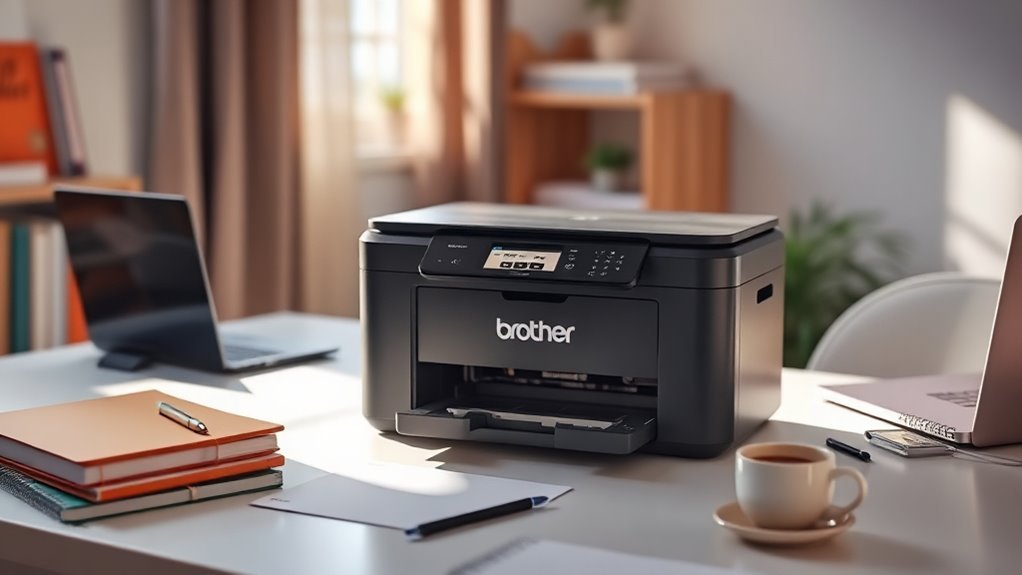
When choosing a Brother printer for your studies, you’ll want to take into account print speed to keep up with deadlines and connectivity options that fit your devices.
Don’t forget to factor in ink or toner costs, as well as whether you need multifunction features like scanning and copying.
Also, think about the paper handling capacity to avoid constant refills during busy study sessions. It makes a big difference when you’re juggling assignments!
Print Speed Importance
Although print speed isn’t the only factor to keep in mind, it plays a pivotal role in how efficiently you can handle assignments and group handouts. Printers exceeding 20 ppm help you breeze through multi-page jobs, cutting wait times considerably.
For quick, single-page prints, focus on first-page-out time—shorter initial delays mean less waiting. If you often print lengthy reports, a duplex printer with decent speed saves paper without slowing you down.
When scanning or copying multiple pages, a faster automatic document feeder speeds up your workflow. Remember, print speed isn’t just about ppm; network responsiveness affects how fast your job starts.
Connectivity Options Available
Picking a Brother printer that hooks up easily to your devices can make a big difference in your daily workflow. You’ll want one that supports both Wi-Fi and Wi-Fi Direct, so you can print wirelessly from your home network or directly from your phone or tablet without connecting to Wi-Fi.
Look for compatibility with AirPrint and Mopria to print seamlessly from iPhones, iPads, Android devices, and laptops without installing drivers. If your campus or home uses wired networks, Ethernet offers a faster, more stable connection for shared use.
USB ports are handy for direct connections when wireless isn’t available or allowed. Also, consider models with cloud-printing and mobile app integration, so you can print and scan remotely, perfect for group projects or printing off-campus.
Ink and Toner Cost
Understanding ink and toner costs can save you a significant amount of money over the course of your studies. Start by comparing the cost per page (CPP) between standard and high-yield cartridges or bottles. High-yield options usually lower your CPP and work best if you print frequently.
Don’t let starter cartridges fool you—they often have lower page yields than replacements, which impacts long-term costs. If you consider subscription or auto-reorder programs, focus on the total monthly cost, including any fees, not just discounts.
For laser printers, remember to factor in indirect costs like drum units and maintenance kits, plus how often you’ll need replacements. Estimate your monthly print volume and multiply by CPP for a realistic budget that accounts for color versus black-only printing.
Multifunction Features Needed
When choosing a Brother printer for your studies, you’ll want one that combines printing, scanning, copying, and possibly faxing into a single device. Look for models with a flatbed scanner for delicate originals and an automatic document feeder (ADF) that handles 20–50 sheets. This makes batch scanning or copying multi-page documents easy.
Automatic duplex printing is a must—it saves paper and keeps your handouts and essays manageable. Mobile and cloud features let you print from your phone or upload scanned notes directly to Google Drive or Dropbox. This simplifies submissions and backups.
If your coursework involves posters or visual projects, color printing is valuable. Otherwise, a monochrome multifunction printer can be more cost-effective for text-heavy assignments. Choose features that fit your academic needs without overpaying.
Paper Handling Capacity
Beyond multifunction features, you should consider how much paper a Brother printer can handle to keep up with your study demands. Aim for a paper tray that holds at least 150 sheets to avoid constant refills during heavy printing sessions.
If you often scan or copy multi-page assignments, an automatic document feeder (ADF) with a 20–50 sheet capacity will save you time. Make sure the printer supports automatic duplex printing to cut paper use and keep your handouts slim.
A separate multipurpose tray is handy for printing on envelopes or specialty papers without interrupting regular jobs. Finally, check the maximum media size and output capacity to guarantee the printer can handle your project requirements, including larger formats and batch prints.
Frequently Asked Questions
How Do Brother Printers Compare to Other Brands for Student Use?
You’ll find Brother printers reliable and affordable, perfect for student budgets. They offer easy setup, good print quality, and efficient ink usage.
Often, they outperform other brands in cost-effectiveness and durability for daily academic needs. So, if you’re looking for a printer that won’t break the bank but still gets the job done, Brother is a solid choice.
Are Brother Printers Compatible With Chromebook Devices?
Yes, Brother printers are compatible with Chromebook devices. Over 70% of Brother’s models support Google Cloud Print or native Chromebook drivers, so you can easily print assignments directly from your laptop without hassle or extra setup.
Pretty convenient, right? It means you don’t have to deal with complicated installations or additional software. Just connect and print!
What Is the Average Lifespan of a Brother Student Printer?
You can expect a Brother student printer to last about 3 to 5 years with regular use. Proper maintenance and timely cartridge replacements will help you get the most out of your printer’s lifespan.
Keeping up with simple care routines makes a big difference. Just a little attention here and there can keep your printer running smoothly for years.
Can Brother Printers Print Double-Sided Automatically?
Yes, many Brother printers can print double-sided automatically. You’ll save time and paper by using their duplex printing feature.
It’s especially handy for students managing lots of assignments and projects efficiently.
Do Brother Printers Support Mobile and Cloud Printing Apps?
You might think Brother printers only work with computers, but they actually support mobile and cloud printing apps.
You can easily print from your phone or tablet using Brother’s iPrint&Scan or popular cloud services, hassle-free.
It’s super convenient for printing on the go! Just connect and print without any fuss.
Conclusion
Choosing the right Brother printer is like picking the perfect study buddy: reliable, quick, and ready to help you ace every assignment. Whether you need crisp black-and-white pages or vibrant color for your projects, these printers have your back.
Just like a trusty friend, they make your workload lighter and your creativity brighter. So, gear up with one that fits your pace, and let your ideas flow smoothly onto every page.
When it comes to finding the best Brother printer for students, think about what matters most: speed, quality, and ease of use. These top picks are designed to keep up with your busy schedule and bring your work to life. With the right Brother printer, your study sessions become more productive, and your presentations look professional every time.