7 Best Brother All-in-One Ink Tank Printers for 2027
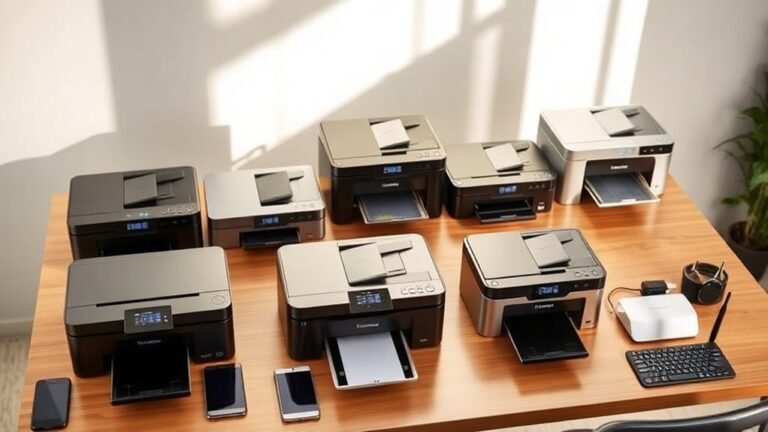
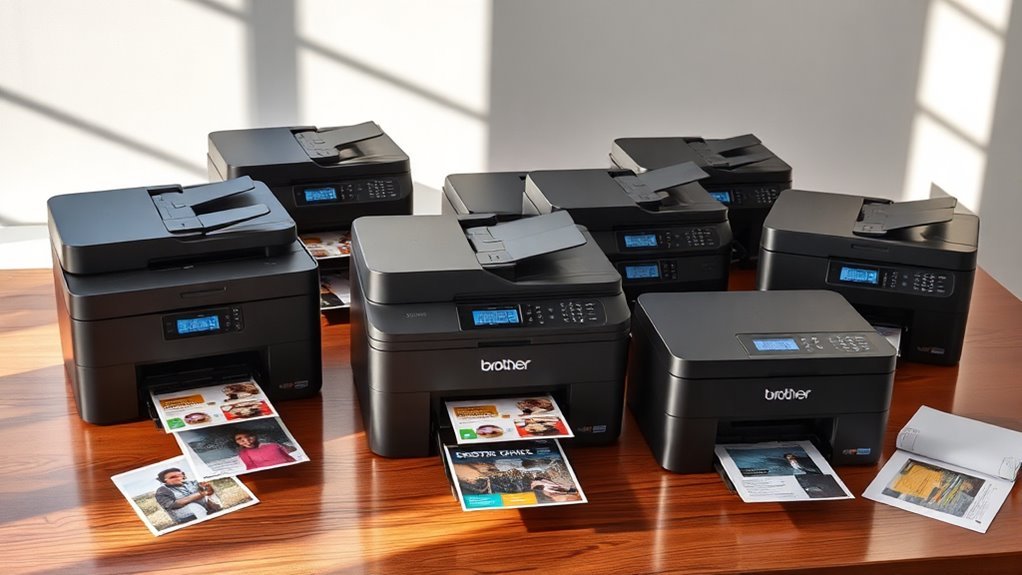
You’ll find top Brother all-in-one ink tank printers offer fast, sharp color prints with long-lasting ink and smart features. These printers are perfect for anyone looking for reliable performance and great value.
Models like the INKvestment Tank 580 and 5010 boast high speeds and efficient ink use, making them ideal for busy households or small offices.
If space is tight, compact options like the MFC-J4335DW fit easily into smaller areas without sacrificing quality. Plus, with handy wireless connectivity and touchscreen controls, printing is a breeze.
The eco-friendly refillable tanks also help save money and reduce waste. Explore these choices to find the perfect fit that balances performance and convenience for your printing needs.
| Image | Name | Editor's Rating | Price |
|---|---|---|---|

|
|
||

|
|
||

|
|
||

|
|
||

|
|
Brother INKvestment Tank 580 Wireless All-in-One Printer
- INNOVATIVE REFILLABLE INK TANK TECHNOLOGY: Brother Genuine no-spill bottles quickly refill the tank in 30 seconds for color, 65 seconds for black. The design prevents...
- BEST FOR HOME AND HOME OFFICE: Get all your work done with a durable all-in-one multifunction printer. Print, copy, and scan on one convenient, compact printer. Brother...
- RELIABLE AND EASY TO USE: A 1-line LCD on your printer provides uncomplicated, to-the-point messaging and operation. Includes a 3-year limited warranty(2) and Brother...
- WIRELESS AND USB CONNECTIONS: Connect your way. Interface with your printer on your wireless network or via USB.
- THE BROTHER MOBILE CONNECT APP: Put the power of printing at your fingertips. Go mobile with the Brother Mobile Connect app(3) that delivers easy onscreen menu navigation...

The Brother INKvestment Tank 580 Wireless All-in-One Printer is designed to streamline your daily printing tasks while reducing waste. Its wireless color inkjet technology offers reliable print, scan, and copy functions, making it easy to manage documents both at home and in small office settings. The printer’s fast speeds of 16 ppm for black and 9 ppm for color help you complete jobs efficiently.
Maintenance is simplified with no-spill ink refill bottles, which reduce mess and errors when replenishing ink. This system lowers cartridge waste and cuts running costs by providing up to three years’ worth of ink. Automatic duplex printing further saves paper, supporting eco-friendly use without extra effort.
The 150-sheet paper tray suits moderate printing volumes, while wireless and USB connectivity options allow flexible placement and easy integration with multiple devices. The Brother Mobile Connect app enhances usability by enabling remote task management, which is ideal for busy users who need convenience on the go.
Though the printer offers basic controls with a simple 1-line LCD and slightly slower print speeds compared to some laser models, it remains a practical choice for those valuing eco-efficiency and cost savings.
Best for: individuals or small offices needing a versatile, eco-conscious wireless all-in-one printer with long-lasting ink supply.
What We Like:
- Up to 3 years of ink included, reducing frequent refills and lowering costs
- No-spill refill bottles for clean, easy ink replenishment
- Automatic duplex printing conserves paper
- Wireless and USB connectivity with mobile app support
Specification:
| Feature | Details |
|---|---|
| Manufacturer | Brother |
| Dimensions | Not specified |
| Weight | Not specified |
| Printing Technology | Wireless color inkjet |
| Print Speed | 16 ppm black, 9 ppm color |
| Paper Capacity | 150 sheets |
| Display | 1-line LCD |
Brother INKvestment 4355 Wireless Color Inkjet Printer
- UP TO 1-YEAR OF INK IN-BOX¹ – Enjoy exceptional convenience and savings with enough ink for up to 1 year of printing right out of the box¹.
- REVOLUTIONARY INKVESTMENT TANK TECHNOLOGY – Internal ink tank system works with front-loading cartridges for hassle-free, uninterrupted printing with no manual refills.
- COMPACT ALL-IN-ONE FUNCTIONALITY – Print, copy, scan, and fax with fast speeds, duplex printing, and a 20-page automatic document feeder
- WIRELESS AND CLOUD READY – Print-from and scan-to popular cloud services and mobile devices via the Brother Mobile Connect App³.
- VERSATILE PAPER HANDLING – Features a 150-sheet adjustable paper tray, bypass tray, and automatic duplex printing for letter and legal-size paper.
Experience seamless all-in-one printing with the Brother INKvestment 4355 Wireless Color Inkjet Printer. Designed to meet the needs of busy individuals and small offices, this printer delivers sharp color prints at a steady pace of 19 pages per minute. Its automatic duplexing feature helps you save paper, making it ideal for double-sided documents without extra effort.
Maintenance is simple thanks to the INKvestment Tank Technology, which provides up to a year of ink, reducing the hassle of frequent replacements. The 150-sheet paper tray and 20-sheet automatic document feeder (ADF) handle everyday printing and scanning tasks smoothly, minimizing interruptions and boosting productivity.
Connectivity options are versatile, including Wi-Fi Direct, USB, and Ethernet. You can print directly from your smartphone or laptop, ensuring convenience whether you’re at your desk or on the go. Alexa integration adds a smart touch, enabling easy reordering of ink through voice commands.
While the compact design fits well in smaller workspaces, the 1.8-inch display may limit advanced navigation. Also, the print speed may be slower compared to some laser printers, and the paper tray capacity might require more frequent refills during heavy use.
Best for: individuals or small offices needing a versatile, all-in-one wireless printer with long-lasting ink and efficient document handling.
What We Like:
- Long-lasting ink supply with INKvestment Tank Technology
- Automatic duplex printing and 20-sheet ADF for enhanced workflow
- Multiple connectivity options including Wi-Fi Direct and Alexa-enabled ink reordering
Specification:
| Feature | Details |
|---|---|
| Manufacturer | Brother |
| Dimensions (W×D×H) | 16.1 × 15.7 × 7.5 inches (41 × 40 × 19 cm) |
| Weight | Approximately 17.2 lbs (7.8 kg) |
| Color Options | Black |
Brother INKvestment 5010 Wireless Color Inkjet Printer
- BEST FOR SMALL BUSINESS: Print, copy, scan, and fax with one powerful device, with advanced security features for business. Includes one 1,800-page yield black ink...
- PRODUCTIVITY-FOCUSED FEATURES: A 250-sheet paper tray, 50-page single-pass duplex (2-sided) automatic document feeder (ADF), and automatic duplex printing on paper up to...
- SUPERIOR PRINTING: Engineered with the Brother PerfectPrint Auto Detection System, which helps ensure reliable, consistent print quality and performance you can depend on...
- SEAMLESS CONNECTIONS: Simplify your workflow with Wi-Fi Direct and multiple connection options, including wireless network interfacing, Ethernet, and USB. Plus, print...
- THE BROTHER MOBILE CONNECT APP: Put the power of printing at your fingertips. Go mobile with the simple-to-use Brother Mobile Connect app, which delivers easy on-screen...
The Brother INKvestment 5010 Wireless Color Inkjet Printer tackles the challenges of small business printing with ease. It delivers fast output, printing up to 28 ppm in black and 26 ppm in color, ensuring you meet tight deadlines without sacrificing quality. The sharp 4800 x 1200 dpi resolution produces clear, professional documents every time.
Designed to boost efficiency, this printer includes automatic duplex printing and a 50-page duplex automatic document feeder. These features reduce manual handling, allowing you to focus on other tasks while it handles multi-page jobs. Connectivity is flexible, supporting Wi-Fi Direct, Ethernet, USB, and mobile printing through the Brother Mobile Connect app.
Maintenance is straightforward with high-yield ink cartridges that minimize interruptions. The smart delivery system helps prevent running out of ink mid-project, making it a reliable partner during busy workdays. Despite weighing 30.9 pounds, its compact design fits comfortably in most office spaces.
Best for: Small businesses needing a fast, versatile wireless color inkjet all-in-one printer for printing, copying, scanning, and faxing.
What We Like:
- Fast print speeds up to 28 ppm (black) and 26 ppm (color) with high-quality resolution
- Automatic duplex printing and 50-page duplex ADF improve workflow efficiency
- Multiple connectivity options, including mobile and cloud printing via Brother Mobile Connect
- High-yield ink cartridges paired with smart delivery reduce downtime
Specification:
| Feature | Details |
|---|---|
| Manufacturer | Brother |
| Dimensions (W x D x H) | 16.1 x 15.7 x 13.4 inches |
| Weight | 30.9 pounds (14 kg) |
| Color Options | White |
| Connectivity | Wi-Fi Direct, Ethernet, USB |
Brother INKvestment 1365 Wireless Color Printer (MFC-J1365DW)
- BEST FOR HOME AND HOME OFFICE: This multifunction printer makes it easy to print, copy, and scan—all in one compact printer. Includes one 1,200-page yield black...
- WIRELESS, MOBILE, AND USB CONNECTIVITY: Connect your way. Interface with your printer on your wireless network or via USB. Enhance your workflow with Wi-Fi Direct, which...
- CLOUD APP CONNECTIONS: Print from and scan to popular Cloud apps(3), including Google Drive, Dropbox, Box, OneDrive, and more, from an impressive 1.8” color display...
- PRODUCTIVITY-FOCUSED FEATURES: A 150-sheet paper tray(4), 20-page single-sided automatic document feeder (ADF)(4), and automatic duplex (2-sided) printing. Prints at fast...
- THE BROTHER MOBILE CONNECT APP: Put the power of printing at your fingertips. Go mobile with the Brother Mobile Connect app(6) that delivers easy onscreen menu navigation...
Experience seamless printing with the Brother INKvestment 1365 Wireless Color Printer. This reliable all-in-one device is designed to keep up with busy households and small offices. Its fast print speeds and wireless connectivity reduce downtime and simplify your workflow.
The printer handles everyday tasks smoothly with automatic duplex printing and a 150-sheet tray. The 20-page automatic document feeder (ADF) helps with quick scanning and copying, although it may be limited for heavy use. Navigation is straightforward thanks to the 1.8” color display, keeping operation simple.
Maintenance is hassle-free with high-yield cartridges included and a 2-month free ink subscription, minimizing unexpected interruptions. Weighing just 16.8 pounds, its compact design fits comfortably in various spaces while delivering sharp prints at 1200 x 6000 dpi resolution.
Wireless options like Wi-Fi Direct and cloud connectivity make it easy to print from multiple devices. This printer improves efficiency by adapting to your needs without complicated setup or frequent ink changes.
Best for: busy households and small offices needing a reliable, wireless all-in-one printer with fast speeds and convenient paper handling.
What We Like:
- Fast printing with up to 16 ppm black and 9 ppm color speeds
- Automatic duplex printing for efficient double-sided output
- High-yield cartridges plus a 2-month free ink subscription
- Flexible wireless connectivity including Wi-Fi Direct and cloud services
- Compact and lightweight design for easy placement
Specification:
| Feature | Details |
|---|---|
| Manufacturer | Brother |
| Dimensions (W x D x H) | 16.1 x 14.7 x 7.9 inches |
| Weight | 16.8 lbs (7.6 kg) |
| Display | 1.8” color LCD |
| Paper Tray Capacity | 150 sheets |
| ADF Capacity | 20 pages |
| Print Resolution | 1200 x 6000 dpi |
| Connectivity | Wi-Fi Direct, USB, Cloud |
Brother INKvestment 6960 Wireless Color Inkjet Printer
- BEST FOR SMALL BUSINESS: This multifunction printer makes it easy to print, copy, scan, and fax on up to 11”x17” paper. Includes one 1,800-page yield black ink...
- PRODUCTIVITY-FOCUSED FEATURES: 500-sheet capacity with two trays(3), 100-sheet multipurpose tray(3), up to 50-page single-pass duplex copy & scan via ADF(3), and...
- SPEED & QUALITY: Engineered with MAXIDRIVE Technology with print speeds of up to 31 pages per minute (ppm) in black and up to 30 ppm in color(5). The PerfectPrint Auto...
- INNOVATIVE TECHNOLOGY: With Wi-Fi Direct, print wirelessly without an external network connection. Print from and scan to Cloud apps(6), including Google Drive, Dropbox...
- THE BROTHER MOBILE CONNECT APP: The power of printing at your fingertips. Go mobile with the simple-to-use Brother Mobile Connect app(7) that delivers onscreen menu...
Experience efficient and versatile printing with the Brother INKvestment 6960 Wireless Color Inkjet Printer. Designed to handle large paper sizes up to 11”x17”, it offers automatic duplex printing to save time and paper. Its dual trays provide a generous 500-sheet capacity, reducing the need for frequent refills and keeping your workflow uninterrupted.
This printer delivers sharp, high-quality prints at speeds of up to 31 ppm for black and 30 ppm for color. Thanks to MAXIDRIVE Technology and PerfectPrint Auto Detection, your documents and images come out crisp and vibrant every time. The 3.5” touchscreen simplifies access to cloud and mobile printing, while Wi-Fi Direct allows easy connectivity without relying on a network.
Maintenance is straightforward with high-yield cartridges that extend print runs and reduce replacement frequency. A two-month free ink subscription trial further helps control costs and ensures you won’t run out of ink at critical moments. However, its larger size and weight require ample desk space, making it better suited for dedicated work areas.
Best for: users needing fast, versatile, and high-quality printing on large paper sizes with reliable wireless and cloud connectivity for home or office use.
What We Like:
- Supports large paper sizes up to 11”x17” with automatic duplex printing
- Fast print speeds with advanced MAXIDRIVE Technology
- Easy wireless and mobile printing via 3.5” touchscreen and Wi-Fi Direct
- High-yield cartridges and ink subscription trial reduce maintenance interruptions
Specification:
| Feature | Details |
|---|---|
| Manufacturer | Brother |
| Dimensions | Not specified |
| Weight | Not specified |
| Paper Capacity | 500 sheets (two trays) |
| Maximum Paper Size | 11” x 17” |
| Print Speed | Up to 31 ppm black, 30 ppm color |
| Connectivity | Wi-Fi Direct, mobile, cloud |
| Display | 3.5” touchscreen |
Brother MFC-J4335DW Wireless All-in-One Inkjet Printer

- UP TO 1-YEAR OF INK IN-BOX¹ – Enjoy exceptional convenience and savings with enough ink for up to 1 year of printing right out of the box¹.
- REVOLUTIONARY INKVESTMENT TANK TECHNOLOGY – Internal ink tank system works with front-loading cartridges for hassle-free, uninterrupted printing with no manual refills.
- COMPACT ALL-IN-ONE FUNCTIONALITY – Print, copy, scan, and fax with fast speeds, duplex printing, and a 20-page automatic document feeder.
- WIRELESS AND CLOUD READY – Print-from and scan-to popular cloud services and mobile devices via the Brother Mobile Connect App³.
- VERSATILE PAPER HANDLING – Features a 150-sheet adjustable paper tray, bypass tray, and automatic duplex printing for letter and legal-size paper.
The Brother MFC-J4335DW is designed to simplify your daily printing tasks. Its INKvestment Tank system delivers up to a year of ink, so you can print more without worrying about frequent cartridge changes. This feature helps reduce maintenance and keeps your workflow smooth.
This compact wireless all-in-one printer handles printing, copying, scanning, and faxing efficiently. With a print speed of up to 20 pages per minute in black and white and 16 in color, it meets the needs of home offices and small businesses. The sharp 600 dpi resolution ensures clear text and graphics for everyday documents.
Efficiency is boosted by a 150-sheet paper tray, automatic duplex printing, and a 20-page automatic document feeder. These features help you manage multiple tasks without constant supervision. Wireless connectivity through the Brother Mobile Connect App and Alexa enables convenient remote printing and device control.
While the print resolution suits standard office work, it may not meet high-end photo printing needs. The moderate speed and paper capacity are ideal for small to medium print volumes but could require more frequent refills for larger jobs.
Best for: Small businesses and home offices needing a compact, wireless all-in-one printer with long-lasting ink and versatile functionality.
What We Like:
- INKvestment Tank provides up to one year of ink, reducing cartridge changes
- Automatic duplexing and 20-page feeder improve productivity
- Wireless printing via mobile app and Alexa for easy remote access
Specification:
| Feature | Details |
|---|---|
| Manufacturer | Brother |
| Dimensions | 16.1 x 16.5 x 7.2 inches |
| Weight | 14.3 lbs (6.5 kg) |
| Color Options | White |
| Print Resolution | Up to 600 dpi |
| Print Speed | 20 ppm (B&W), 16 ppm (Color) |
| Paper Tray Capacity | 150 sheets |
| Connectivity | Wireless, Mobile App, Alexa |
Brother INKvestment 4555 Wireless Color Inkjet Printer
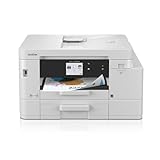
- BEST FOR SMALL OFFICE AND SMALL BUSINESS: This multifunction printer makes it easy to print, copy, scan, and fax —all in one compact printer. Includes one 1,800-page...
- INNOVATIVE CONNECTIVITY TECHNOLOGY: Connect your way via ethernet, wireless network, or USB connection. Wi-Fi Direct enables convenient wireless printing, even without an...
- CLOUD APP CONNECTIONS: Print from and scan to popular Cloud apps(4), including Google Drive, Dropbox, Box, OneDrive, and more with an impressive 2.7” color touchscreen...
- PRODUCTIVITY-FOCUSED FEATURES: Automatic duplex (2-sided) printing, 400-sheet paper capacity between 2 trays, 20-page single-sided auto document feeder (ADF), 1-sheet...
- THE BROTHER MOBILE CONNECT APP: Put the power of printing at your fingertips. Go mobile with the Brother Mobile Connect app(7) that delivers easy onscreen menu navigation...
The Brother INKvestment 4555 Wireless Color Inkjet Printer is designed to keep small offices productive and efficient. It delivers fast, reliable printing with versatile wireless options, reducing the hassle of tangled cables and limited connectivity. The smart ink system helps you stay on top of maintenance by tracking ink levels and offering long-lasting cartridges.
This all-in-one device handles printing, copying, scanning, and faxing through a user-friendly 2.7” color touchscreen. It supports multiple connection types, including wireless, Ethernet, USB, and Wi-Fi Direct, ensuring seamless integration with various devices. Mobile printing is simple and convenient, making it easier to work from anywhere in the office.
With print speeds up to 20 pages per minute for black and 19 for color, and automatic duplex printing, the printer manages daily workloads efficiently. Its 400-sheet input capacity minimizes frequent refills, while Brother’s Genuine LC506 ink cartridges provide consistent quality and include a 2-month ink subscription trial for added convenience.
Though the single-sided 20-page automatic document feeder may slow down large scanning tasks, and its larger footprint requires ample desk space, this model balances power and practicality for busy workspaces needing dependable, high-quality output.
Best for: Small offices and busy workspaces seeking fast, versatile wireless printing with smart ink management and all-in-one functionality.
What We Like:
- Fast print speeds with automatic duplex capability.
- Multiple connectivity options including Wi-Fi Direct and Ethernet.
- Long-lasting genuine ink cartridges with a free 2-month ink subscription trial.
- Easy-to-use 2.7” color touchscreen for streamlined operation.
Specification:
| Feature | Details |
|---|---|
| Manufacturer | Brother |
| Dimensions (WxDxH) | 17.1 x 14 x 9.8 inches |
| Weight | Not specified |
| Connectivity | Wireless, Ethernet, USB, Wi-Fi Direct |
| Ink Cartridge | Brother Genuine LC506 |
| Display | 2.7” color touchscreen |
Factors to Consider When Choosing Brother All in One Ink Tank Printer
When choosing a Brother all-in-one ink tank printer, you’ll want to compare print speeds to match your workflow. Consider the ink tank technology and connectivity options to guarantee smooth operation.
Don’t forget to check paper handling capacity and mobile printing features for added convenience. These factors can really make a difference in how well the printer fits your needs.
Print Speed Comparison
Although print speed varies widely among Brother all-in-one ink tank printers, understanding these differences can help you choose a model that matches your needs. Black print speeds range from 16 to 31 pages per minute (ppm), while color speeds vary between 9 and 30 ppm.
High-performance models can reach up to 28 ppm in black and 26 ppm in color, ideal if you print large volumes. Keep in mind that automatic duplex printing, common in several models, may slow down your double-sided prints.
Despite speed variations, print resolution remains sharp at up to 1,200 x 4,800 dpi, delivering high-quality results. If productivity matters to you, especially in busy home or office settings, selecting a faster printer will save time and boost efficiency.
Ink Tank Technology
Since you want to minimize both costs and environmental impact, Brother’s ink tank technology offers an excellent solution by replacing traditional cartridges with refillable tanks that last much longer and reduce waste.
These high-capacity tanks can provide ink for up to a year, markedly lowering your cost per page. The refill process is designed to be spill-free and straightforward, making it easy for you to maintain your printer without hassle.
Plus, Brother includes a Page Gauge or similar system that lets you monitor ink levels precisely, so you know exactly when to refill. This approach not only saves money but also helps reduce plastic waste in landfills, making it a smart and sustainable choice for your printing needs.
Connectivity Options Available
Several connectivity options make Brother all-in-one ink tank printers incredibly versatile for any setup. You can connect via wireless, USB, or Ethernet, adapting easily to your workspace.
Wi-Fi Direct lets you print straight from your device without an external network, saving time and hassle. It’s super handy when you’re in a rush or don’t want to deal with complicated connections.
If you prefer mobile printing, most models support dedicated apps. This means you can print, scan, or copy directly from your smartphone or tablet without any fuss.
Many printers also feature front USB ports for quick plug-and-print access. Perfect when you need fast, straightforward use without diving into settings.
Plus, compatibility with popular cloud services like Google Drive and Dropbox means you can print from or scan to the cloud seamlessly. It keeps your workflow smooth and efficient wherever you are.
Paper Handling Capacity
When choosing a Brother all-in-one ink tank printer, you’ll want to evaluate how much paper it can handle to keep your workflow efficient. Models vary, with paper trays holding anywhere from 150 to 500 sheets, sometimes across multiple trays.
If you regularly scan or copy multi-page documents, look for a printer with an automatic document feeder (ADF) supporting 20 to 50 pages. Also, consider manual feed slots if you plan to print on specialty media like envelopes or glossy photo paper.
Duplex printing is a valuable feature, letting you print automatically on both sides to save paper. Finally, check the maximum media size supported—some printers can handle larger formats like 11”x17”, accommodating diverse printing needs without hassle.
Mobile Printing Features
If you want to print directly from your smartphone or tablet, Brother all-in-one ink tank printers offer robust mobile printing features that make the process quick and easy. Many models support Brother Mobile Connect, letting you print and scan effortlessly through dedicated apps.
With Wi-Fi Direct, you can print wirelessly without relying on an external network, perfect for on-the-go use. These printers also work with popular cloud services like Google Drive, Dropbox, and OneDrive, giving you flexible access to documents.
Some models even integrate with Alexa, allowing you to manage supplies with simple voice commands. Plus, a 1.8” or larger touchscreen simplifies setup and navigation, streamlining your mobile printing experience.
These features guarantee convenience and efficiency wherever you are. It’s all designed to make printing from your mobile devices as smooth as possible.
Warranty and Support
A solid warranty and reliable customer support can make all the difference in your experience with a Brother all-in-one ink tank printer. Most models come with a limited warranty lasting 2 to 3 years, covering defects in materials and workmanship. This coverage gives you peace of mind, protecting your investment from unexpected issues.
You’ll also find various customer support options like phone, email, and online resources ready to help with troubleshooting and maintenance. Some printers even offer subscription services that handle automatic ink delivery and assist with ink management.
Before you decide, review the warranty details and support options carefully since they can vary between models. Knowing what’s included guarantees you pick a printer that fits your needs for long-term reliability and ease of use.
Environmental Impact Benefits
Because Brother ink tank printers use refillable tanks and larger reservoirs, you’ll cut down on plastic waste and reduce how often you need to replace ink. Their refillable tanks generate far less plastic waste than traditional cartridges, which take centuries to break down.
Plus, Brother’s no-spill refill design helps you avoid ink waste, so you use every drop efficiently. Larger reservoirs mean fewer replacements, which reduces packaging and manufacturing waste.
Brother Genuine Ink supports high-quality prints while aligning with your sustainability goals. Many models include a long-lasting ink supply in the box, so you won’t need to buy refills right away, cutting down on packaging waste.
Choosing a Brother ink tank printer is a smart step toward lowering your environmental footprint. It’s an easy way to be more eco-friendly without sacrificing print quality.
Frequently Asked Questions
How Do Brother Ink Tank Printers Compare to Competitors in Energy Efficiency?
Brother ink tank printers generally use less energy than many competitors, helping you save on power bills. They incorporate efficient printing modes and automatic sleep features, so you won’t waste energy when the printer’s idle or not in use.
This means you can leave your printer on without worrying about a big energy drain. It’s a smart way to keep costs down and be a bit kinder to the environment too.
What Warranty Options Are Available for Brother Ink Tank Printers?
You’ll find Brother ink tank printers come with a standard one-year limited warranty, and you can often extend coverage with BrotherCare plans. These options protect you against defects and offer peace of mind during your printer’s lifespan.
It’s nice to know that if anything goes wrong, you’re covered. Plus, those extended plans can give you extra reassurance beyond the basic warranty.
Can Brother Ink Tank Printers Be Used With Third-Party Ink Bottles?
You can use third-party ink bottles with Brother ink tank printers, but it’s risky. They might void your warranty or cause print quality issues.
Sticking to official ink guarantees peak performance and support from Brother. It’s usually the safer bet if you want everything to run smoothly.
How Often Do Brother Ink Tank Printers Require Maintenance or Cleaning?
You should clean your Brother ink tank printer every few months or after heavy use to prevent clogs. Regular maintenance, like nozzle checks and wiping print heads, keeps it running smoothly and extends its lifespan.
It’s pretty simple to keep up with. Just a little care here and there goes a long way in avoiding bigger problems down the line. Plus, your prints will always look sharp and clear!
Are Brother Ink Tank Printers Compatible With macOS and Linux Systems?
Yes, Brother ink tank printers work well with macOS, and you’ll find official drivers for smooth setup.
Linux compatibility varies, but many models support it through open-source drivers or third-party solutions you can install.
Conclusion
Choosing the right Brother all-in-one ink tank printer might feel like finding a needle in a haystack, but it doesn’t have to be. With options like the INKvestment series offering wireless convenience and vibrant color, you’re sure to find a perfect match for your needs.
So, why settle for less when you can print smarter, faster, and brighter? Your ideal printer is just a click away—ready to make every page count!
When looking for the best Brother all-in-one ink tank printers for 2027, consider features like print speed, connectivity options, and ink efficiency. These printers deliver high-quality prints whether for home or office use.
With Brother’s innovative technology, you get reliable performance and cost-effective printing. So, explore the top models and upgrade your printing experience today!