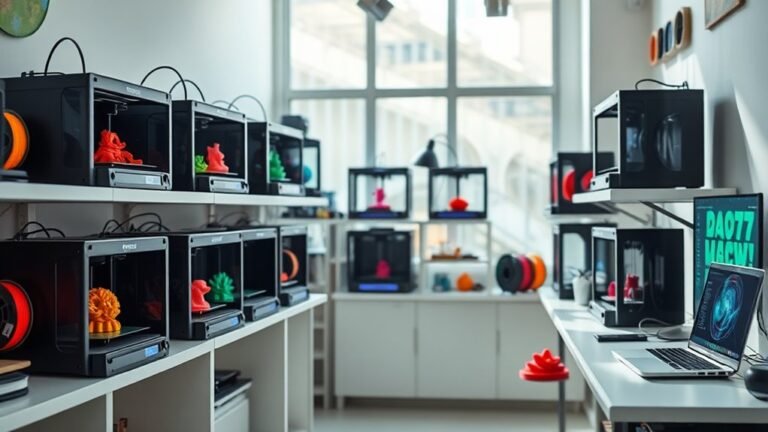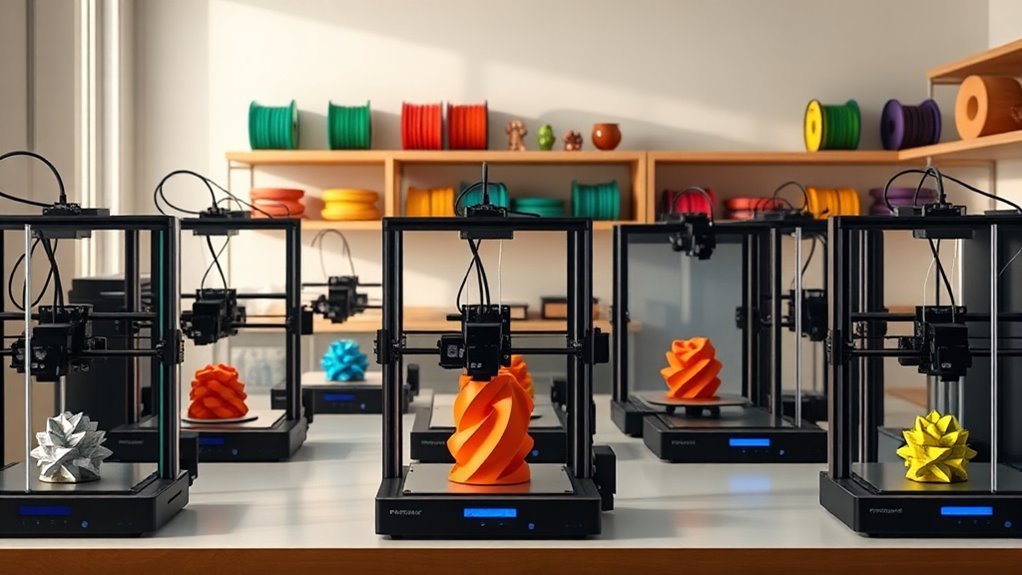
11 Best Consumer 3D Printers for 2027
For 2027, you’ll want fast, versatile 3D printers that can handle a variety of projects with ease.
The Bambu Lab P2S Combo is a great pick, offering seamless multi-color printing and AI failure detection to keep your prints on track.
FlashForge’s Adventurer 5M and Creator 5 Pro bring high-speed CoreXY motion along with multi-toolheads, ensuring stable and precise prints every time.
If you’re just starting out, Bambu Lab’s A1 mini and Entina Tina2 Plus are perfect with their easy setups and app control, making 3D printing approachable and fun.
The Creality Ender 3 V3 SE also stands out for its upgrade potential and reliable performance.
Keep exploring to find detailed specs and choose the perfect model for your projects!
| Image | Name | Editor's Rating | Price |
|---|---|---|---|

|
|
||

|
|
||

|
|
||

|
|
||

|
|
Bambu Lab P2S Combo, P2S 3D Printer & AMS 2 Pro, Multi-Color 3D Printing
- High-Speed Precision: The Bambu Lab P2S 3D printer prints up to 600 mm/s while maintaining exceptional accuracy. With the PMSM Servo Extruder and Active Flowrate...
- Ready to Print in 15 Minutes: Set up your P2S FDM 3D printer and start printing in just 15 minutes. With AI failure detection, quick-swap nozzles, and automatic...
- Effortless Multi-Color Printing: The AMS 2 Pro enables seamless multi-color/multi-material 3D printing. It features built-in filament drying at up to 65 °C, keeping...
- Smart Airflow for Any Filament: The Adaptive Airflow System automatically balances cooling and heat retention—keeping overhangs crisp with cool air, or maintaining a...
- Limitless Creativity, Seamless Workflow: Explore over one million 3D models on MakerWorld and bring them to life with a smooth, unified workflow using Bambu Studio, Bambu...
If you need a 3D printer that delivers speed, precision, and vibrant multi-color prints, the Bambu Lab P2S Combo with AMS 2 Pro is engineered to elevate your workflow. It tackles slow print times with speeds reaching up to 600 mm/s, ensuring you get detailed models faster without sacrificing quality.
This printer’s design includes a PMSM servo extruder and active flowrate compensation, which work together to create sharp, smooth layers consistently. The AMS 2 Pro system expands your creative possibilities by enabling seamless multi-color and multi-material printing, while also maintaining filament quality through built-in drying.
Maintenance is straightforward with automatic calibration and quick-swap nozzles, reducing downtime and simplifying routine tasks. The Combo’s advanced AI failure detection helps avoid print errors, making it reliable for complex, professional-grade projects.
Keep in mind, multi-color printing is exclusive to the Combo version. Although it’s a bit larger and heavier, this setup is ideal for users who prioritize precision and versatility over portability.
Best for: professionals and enthusiasts requiring a fast, precise 3D printer with integrated multi-color and multi-material capabilities for detailed, complex projects.
What We Like:
- Fast printing up to 600 mm/s with high accuracy
- Multi-color and multi-material printing with filament drying
- Automatic calibration and easy nozzle changes
- AI-powered failure detection for reliability
Specification:
| Feature | Details |
|---|---|
| Manufacturer | Bambu Lab |
| Dimensions | Not specified |
| Weight | Relatively heavy |
| Material | FDM Printer with advanced extruder technology |
| Color Options | Multi-color printing with AMS 2 Pro |
FLASHFORGE Adventurer 5M 3D Printer, All-Metal CoreXY, 600mm/s Max Travel
- One-Click Automatic Printing: Experience hassle-free 3D printing with the Adventurer 5M Series. Enjoy automatic bed leveling for flawless first layers, ensuring...
- 12X Ultra Fast Printing: Featuring a CoreXY structure with 600mm/s travel speed and 20000mm/s² acceleration, the AD5M maximizes efficiency, reduces production cycles...
- Smart and Efficient Design: Quick 3-second nozzle changes, a high-flow 32mm³/s nozzle, and fast 35-second warm-up to 200°C deliver stable high-speed printing. Its...
- Superior Print Quality & Adaptability: Combines a 280°C direct drive extruder with dual-fan cooling and vibration compensation. Includes a standard 0.4mm nozzle and...
- Real-Time App Monitoring: Monitor print progress, adjust settings, and receive instant status alerts remotely with the Flash Studio. Smart mobile control ensures a...
Experience the power of rapid and precise 3D printing with the FLASHFORGE Adventurer 5M. Its intuitive one-click automatic start and bed leveling eliminate tedious manual setup, letting you focus on creating. This printer’s all-metal CoreXY design achieves speeds up to 600mm/s, making it ideal for fast prototyping and efficient production runs.
The Adventurer 5M’s high-performance extruder reaches 200°C in just 35 seconds, with nozzle swaps completed in 3 seconds. This ensures minimal downtime and smooth operation. Dual-fan cooling and vibration compensation work together to maintain consistent print quality on its dual-sided PEI platform, which supports reliable adhesion and easy part removal.
Maintenance is straightforward but requires occasional attention to the PEI platform to keep adhesion optimal. The printer supports nozzle sizes from 0.25mm to 0.8mm, balancing versatility with precision. Remote print monitoring and control through the Flash Studio app enhance workflow convenience.
Best for: Professionals and businesses needing fast, precise, and low-maintenance 3D printing for rapid prototyping and small-scale mass production.
What We Like:
- One-click automatic start and bed leveling simplify setup
- High-speed CoreXY design with 600mm/s max travel for efficient printing
- Quick 3-second nozzle swaps minimize downtime
- Remote print monitoring via Flash Studio app
- Stable, dual-sided PEI platform for consistent print quality
Specification:
| Feature | Details |
|---|---|
| Manufacturer | FLASHFORGE |
| Dimensions | Not specified |
| Weight | Not specified |
| Material | All-metal CoreXY frame |
| Max Travel Speed | 600 mm/s |
| Acceleration | 20,000 mm/s² |
| Nozzle Sizes | 0.25 mm – 0.8 mm |
| Extruder Temp | Up to 200°C |
| Cooling | Dual-fan cooling |
| Bed Platform | Dual-sided PEI |
Bambu Lab A1 mini 3D Printer + LED Lamp Kit, Ready-to-Use for Beginners
- A1 mini + LED Lamp Kit for Creative Light Projects: Bring your ideas to life with the included LED Lamp Kit. Simply print compatible lamp models and turn your 3D...
- The Perfect 3D Printer for Beginners: A1 mini 3D Printer is designed to make 3D printing easy from day one with automatic calibration, simple setup, and a smooth printing...
- Experience the Bambu Lab Ecosystem: Access MakerWorld’s huge library of ready-to-print models, manage prints through the Bambu Handy app, and enjoy a connected...
- Fast, Quiet, and Reliable Printing: Compact and beginner-friendly, A1 mini delivers high-speed, high-quality printing with quiet operation that fits naturally into your...
- Made for Everyday Creativity: From toys and home décor to functional tools and personalized gifts, A1 mini makes it easy to turn ideas into real-life creations with a...
The Bambu Lab A1 mini 3D Printer + LED Lamp Kit transforms creative ideas into tangible projects with ease. Designed for beginners, this compact printer offers a ready-to-use setup that eliminates the frustration of calibration and troubleshooting. Its smooth printing process keeps your focus on making, not fixing.
The included LED Lamp Kit adds a unique dimension, allowing you to turn your 3D prints into functional decorative lights. This feature is ideal for creating personalized gifts or stylish room décor that stands out. The printer’s quiet operation and compact design ensure it fits comfortably in any home or workspace.
Maintaining the printer is straightforward thanks to its full-auto calibration system, reducing downtime and keeping your workflow efficient. Access to the Bambu Lab Ecosystem and MakerWorld library provides a wide range of models, though optimal use depends on these curated resources.
While its 12.1-pound weight may limit portability, the A1 mini balances performance and convenience. Note that availability begins February 28, 2026, which may affect immediate use.
Best for: Beginners and hobbyists seeking an easy-to-use 3D printer with integrated lighting options for DIY projects and personalized décor.
What We Like:
- Automatic full calibration reduces setup hassles
- Integrated LED Lamp Kit expands creative possibilities
- Quiet operation (≤48 dB) fits home environments
- Compact design saves space without sacrificing speed
- Access to MakerWorld library for diverse printable models
Specification:
| Feature | Details |
|---|---|
| Manufacturer | Bambu Lab |
| Dimensions | Compact (specific size not provided) |
| Weight | 12.1 lb (5.49 kg) |
| Material | Not specified |
| Color Options | Not specified |
Bambu Lab A1 3D Printer, Ready-to-Use FDM 3D Printer for Beginners and Kids
- High-Speed Precision: Experience unparalleled speed and precision with the Bambu Lab A1 3D Printer. With an impressive acceleration of 10,000 mm/s², the A1 delivers...
- Multi-Color Printing with AMS lite: Unlock your creativity with vibrant and multi-colored 3D prints. The Bambu Lab A1 3D printers make multi-color printing accessible and...
- Full-Auto Calibration: Say goodbye to manual calibration hassles. The A1 3D printer takes care of all the calibration processes automatically, ensuring optimal...
- Active Flow Rate Compensation: Achieve consistently smooth prints with active flow rate compensation. The algorithm actively compensates the flow rate according to the...
- Easy and Quiet 3D Printing: Experience effortless printing with the Bambu Lab A1 FDM 3D printer. Its user-friendly interface and simplified touchscreen make it easy to...
Discover the Bambu Lab A1, a 3D printer designed to make high-speed, precise printing accessible for beginners and kids. It solves the common challenge of slow, complicated setups by offering full-auto calibration, which takes care of bed leveling and Z-offset adjustments automatically. This means more time printing and less time adjusting.
The A1’s ability to accelerate up to 10,000 mm/s² ensures fast prints without losing detail. Its Active Flow Rate Compensation provides smooth and consistent extrusion, reducing print errors and improving overall quality. This printer’s quiet operation and intuitive touchscreen make it easy to operate, even for those new to 3D printing.
Maintenance is simple thanks to the quick-swap nozzle, allowing users to replace parts swiftly without hassle. The option for multi-color printing is available through the AMS lite system, which can be purchased separately or as part of the A1 Combo, expanding creative possibilities.
While limited to FDM technology and fewer advanced customization options, the Bambu Lab A1 remains an excellent choice for those seeking an effortless, reliable introduction to 3D printing.
Best for: Beginners and kids looking for an easy-to-use, fast 3D printer with straightforward maintenance and optional multi-color capabilities.
What We Like:
- Fast printing with high precision and smooth extrusion
- Automatic bed leveling and Z-offset calibration
- Quiet operation with a user-friendly touchscreen
- Quick-swap nozzle for easy maintenance
Specification:
| Feature | Details |
|---|---|
| Manufacturer | Bambu Lab |
| Dimensions | Not specified |
| Weight | Not specified |
| Printing Technology | FDM |
| Color Options | Multi-color with AMS lite |
Entina Tina2 Plus 3D Printer with WiFi & App Control
- 【Start Printing in Minutes – Beginner Friendly】No setup required. Tina2 Plus 3d printer comes fully assembled and ready to use out of the box. With included TF card...
- 【Fast 250mm/s Printing Performance】This Tina2 Plus high speed 3D printer print speeds up to 250 mm/s help reduce waiting time and support fast project turnaround...
- 【WiFi App Control & STEM Model Library】Powered by the Poloprint Cloud app, this WiFi-enabled 3D printer gives access to 3,500+ printable models and 25+ creative DIY...
- 【40-Second Fast Heat Ceramic Hotend】High-efficiency ceramic hotend heats up in just 40 seconds for faster start-up and less downtime. The quick-swap nozzle design...
- 【Compact 3D Printer for Home & Classroom】Designed with a space-saving footprint while maintaining practical print capacity, this compact 3D printer fits easily on...
Entina Tina2 Plus offers a seamless entry into 3D printing with its fully assembled design and smart app control. This printer is perfect for users who want to start creating quickly without the hassle of complicated setups. You can print directly using the included TF card or connect via WiFi through the Poloprint Cloud app, making the process intuitive and accessible.
Its fast print speeds of up to 250 mm/s and efficient cooling system reduce wait times, helping you complete projects faster. The ceramic hotend heats up in just 40 seconds, so you spend less time preparing and more time printing. Maintenance is straightforward thanks to a quick-swap nozzle and automatic bed leveling, which minimizes downtime and ensures consistent results.
The compact, partially enclosed frame prioritizes safety, making it suitable for kids and beginners. Compatibility with Windows, macOS, Linux, and Chromebook adds versatility, allowing it to fit seamlessly into home, school, or educational settings. While the frame limits print size and advanced features might not satisfy professionals, it excels in ease and reliability.
Best for: beginners, kids, and educators looking for an easy, fast, and safe 3D printer with app-based control for home or classroom use.
What We Like:
- Fully assembled and easy to start with preloaded models and app control
- Fast printing speeds and quick hotend heat-up for efficient workflow
- Safe design with auto leveling and quick nozzle changes
- Broad OS compatibility for versatile use
Specification:
| Feature | Details |
|---|---|
| Manufacturer | Entina |
| Dimensions | Compact (exact size not provided) |
| Weight | Not specified |
| Material | Not specified |
| Connectivity | WiFi, TF card |
| OS Compatibility | Windows, macOS, Linux, Chromebook |
FLASHFORGE AD5X Multi-Material 4-Color 3D Printer

- Build for Speed and Full-Color Printing: Bring your creative vision to life with vibrant and multicolored 3D prints in 4-colors. With speed of up to 600mm/s and...
- Seamless Printing, Precise Control: Full auto leveling sensor measures multiple points on the print bed to ensure consistent distance between nozzle and bed. As well as...
- Multi-Material and Multi-Color Capability: Intelligent Filament System (IFS) allows you to print in multiple colors and materials simultaneously. Among the wide selection...
- CoreXY Structure, Vibration Compensation: With its all-metal motion CoreXY structure offers highly rigid, reducing the risk of errors caused by vibration or mechanical...
- Compact Design, Space Saving: With its lightweight, modular design and intelligent filament system (IFS), Four spools of filament arranged side by side, AD5X offers...
Experience the next level of 3D printing with the FLASHFORGE AD5X, designed for creators who demand speed and precision. This multi-material printer solves the challenge of producing vibrant, complex models by allowing you to print with up to four colors or materials at once. Its advanced CoreXY all-metal frame and vibration suppression keep every detail sharp, even at speeds reaching 600mm/s.
Maintenance is straightforward thanks to the full auto-leveling sensor, which ensures perfect first layers and reduces print failures. The compact, 22-pound design fits easily into any workspace without sacrificing performance. With the Intelligent Filament System, switching between PLA, TPU, and carbon fiber blends is seamless, expanding your creative possibilities.
The AD5X’s one-click print feature simplifies operation, making it accessible for both professionals and serious hobbyists. While its price reflects its advanced capabilities, the printer’s reliable automation and precision justify the investment. This machine is built to enhance productivity and bring intricate, multicolor projects to life efficiently.
Best for: professionals and creators who need fast, precise, and versatile multicolor and multi-material 3D printing with easy setup and reliable results.
What We Like:
- Four-color/multi-material simultaneous printing with Intelligent Filament System
- High-speed printing up to 600mm/s with CoreXY and vibration control
- Full auto-leveling sensor for consistent, flawless first layers
- Compact and lightweight design fits small workspaces easily
Specification:
| Feature | Details |
|---|---|
| Manufacturer | FlashForge |
| Dimensions | Compact size (exact size not specified) |
| Weight | 22 pounds (approx. 10 kg) |
| Motion System | CoreXY all-metal |
| Supported Materials | PLA, TPU, Carbon Fiber blends |
| Color Options | Four-color simultaneous printing |
Entina Tina2C Mini 3D Printer for Beginners

- 【Easy to Use 3D Printer – Ready in 5 Minutes】 Meet the Entina Tina2C, a plug-and-play mini 3D printer designed for first-time users. Fully assembled with factory...
- 【3500+ 3D Models & Easy One-Tap Printing】 Explore 3500+ ready-to-print 3D models and 25+ DIY projects in the Poloprint Cloud app, with new designs added daily...
- 【Smart WiFi 3D Printer & AI-Powered App】 Connect via 2.4GHz WiFi and enjoy convenient 3D printer app control through Poloprint Cloud. Explore models, manage prints...
- 【Auto Leveling 3D Printer & Power-Loss Recovery】 Automatic bed leveling helps improve first-layer adhesion and reduces manual adjustments for a smoother 3D printing...
- 【Flexible Magnetic Print Bed & Quick-Swap Nozzle】 The flexible magnetic build plate makes finished 3D prints easier to remove with a gentle bend. A removable...
The Entina Tina2C Mini 3D Printer is designed to make your entry into 3D printing straightforward and stress-free. Its plug-and-play setup allows you to start printing quickly, eliminating common startup frustrations. The guided Poloprint app helps you navigate each step, so you can create your first model in just minutes.
This compact printer fits neatly on any desk and operates quietly, making it ideal for home or office use. You can print wirelessly over WiFi or offline using a TF card, offering flexibility to suit your workflow. With access to over 3,500 ready-to-print models and AI tools, it supports creativity and learning for beginners.
Maintenance is simple thanks to the flexible magnetic bed and a quick-swap nozzle, which reduce downtime and make the printer easy to clean. While the build volume is small (3.9 x 3.9 x 3.9 inches), this model is perfect for smaller projects and learning the basics. Note that it connects only via 2.4GHz WiFi, which might limit connectivity in crowded networks.
Best for: Beginners and hobbyists seeking a user-friendly, compact 3D printer with guided setup and creative AI features for easy learning and small-scale projects.
What We Like:
- Plug-and-play with guided app and automatic bed leveling
- Wireless and offline printing options with extensive model library
- Easy maintenance with flexible magnetic bed and quick nozzle swap
Specification:
| Feature | Details |
|---|---|
| Manufacturer | Entina |
| Build Volume | 3.9 x 3.9 x 3.9 inches |
| Connectivity | 2.4GHz WiFi, TF card |
| Design | Compact, quiet operation |
| Maintenance | Magnetic bed, quick-swap nozzle |
Anycubic Kobra X Multicolor 3D Printer, Easy One-Click Printing

- 【Vivid 19-Color and Versatile Materials】Unleash creativity beyond limits. The Kobra X supports 4-color standard and expands up to 19 colors with 4 ACE 2 Pro for...
- 【600mm/s High Speed Performance】Don't let slow speeds limit your creativity. This high-speed FDM 3D printer reaches up to 600mm/s, completing tasks significantly...
- 【True Plug & Play Experience】Start your first project in as little as 15 minutes. The Kobra X arrives with a user-friendly setup and LeviQ 3.0 automatic bed leveling...
- 【LeviQ 3.0 Perfect First Layer】Forget the frustration of manual bed leveling that plagues beginner machines. The LeviQ 3.0 system utilizes 49-point full-auto leveling...
- 【Quiet & Reliable for Home】The ultra-quiet ≤48 dB operation ensures the living or learning space remains peaceful. Combined with power loss recovery and filament...
The Anycubic Kobra X Multicolor transforms your 3D printing experience by simplifying multi-material and multi-color projects. Its ability to handle up to 19 colors lets you create vibrant, detailed models without the hassle of manual filament changes. This printer’s adaptive extrusion force compensation ensures smooth transitions, reducing print errors and saving time.
Maintenance is straightforward with LeviQ 3.0 automatic bed leveling, which keeps the print surface perfectly calibrated. The AI-powered monitoring system constantly checks for issues, alerting you to errors immediately. Features like power loss recovery and filament run-out sensors protect your prints and minimize waste, offering peace of mind during long jobs.
Designed for fast and quiet operation, the Kobra X Multicolor prints at speeds up to 600 mm/s while maintaining noise levels below 48 dB. Its 260 mm build volume accommodates most hobby and small business projects, though very large prints may require alternative solutions. The maximum nozzle temperature of 300°C supports a range of common filaments but limits some high-temperature materials.
Best for: hobbyists and small business owners who need a versatile, easy-to-use 3D printer capable of vibrant multi-color and multi-material printing with reliable performance.
What We Like:
- Supports up to 19 colors with smooth filament transitions
- Fast printing speed up to 600 mm/s with quiet operation
- Automatic bed leveling for consistent print quality
- AI-powered real-time error detection and print protection
- Power loss recovery and filament run-out sensors reduce print failures
Specification:
| Feature | Details |
|---|---|
| Manufacturer | Anycubic |
| Build Volume | 260 × 260 × 260 mm |
| Max Nozzle Temperature | 300°C |
| Print Speed | Up to 600 mm/s |
| Noise Level | ≤48 dB |
| Weight | 20.9 lb (9.5 kg) |
FLASHFORGE Creator 5 Pro 3D Printer, 4-Toolhead Multi-Color, Enclosed

- More Savings: Featuring 4 independent toolheads and a 7-second FlashSwap changer, the Creator 5 Pro switches nozzles without flushing filament. This completely eliminates...
- More Possibilities: Designed for industrial engineering, the fully enclosed frame features an active heated chamber up to 65°C to prevent warping in advanced filaments...
- More Stability: Built on a ultra-rigid integrated architecture combining a CoreXY motion structure, precision linear rails, and 1.5GT high-torque timing belts. Delivers...
- More Safety: Prioritizing workspace safety, the dual HEPA 13 and activated carbon system effectively traps ultrafine particles and fumes from filaments. Paired with a...
- More Control: Get a flawless first layer with automated toolhead offset calibration, vibration compensation, and dynamic flow calibration. Monitor real-time progress via...
The FLASHFORGE Creator 5 Pro transforms multi-color 3D printing with its four independent toolheads, allowing you to produce complex, vibrant models faster and with less waste. Its 7-second FlashSwap nozzle changer minimizes purge material, making multi-color projects more efficient and cost-effective.
Designed for precision, the fully enclosed chamber heats up to 65°C to reduce warping on advanced materials like ABS and PC. This stable environment supports consistent prints with challenging engineering filaments. The robust CoreXY motion system, paired with precision linear rails, delivers smooth, high-speed printing up to 600mm/s without vibrations or ghosting.
Maintenance is simplified with remote control, automatic calibration, and HD monitoring, helping you keep the printer running optimally. Dual HEPA 13 filters ensure a safe, odor-free workspace, essential for industrial or professional settings.
The printer’s size and advanced features may require some adjustment time, but its capabilities are designed to meet the demands of complex, high-precision projects.
Best for: Industrial engineers and advanced users needing fast, multi-color 3D printing with strong material support in a safe, enclosed environment.
What We Like:
- Four independent toolheads with quick FlashSwap nozzle changer reduce waste and speed up multi-color prints
- Heated enclosed chamber prevents warping when printing engineering-grade materials
- CoreXY motion system with precision rails enables fast, vibration-free printing
- Remote control and HD monitoring simplify maintenance and operation
- Dual HEPA 13 filtration creates a safe, odorless workspace
Specification:
| Feature | Details |
|---|---|
| Manufacturer | FLASHFORGE |
| Dimensions | 16 x 14 x 18 inches |
| Weight | 39 lbs |
| Chamber Temperature | Up to 65°C |
| Printing Speed | Up to 600 mm/s |
| Filtration | Dual HEPA 13 |
Creality Ender 3 V3 SE 3D Printer Upgrade

- 【250mm/s High-speed Printing】Creality Ender 3 V3 SE 3d printer supports a maximum printing speed of 250mm/s, 2500mm/s² acceleration.The speed has been greatly...
- 【Powerful ""Sprite"" Direct Extruder】Ender 3 V3 SE is the upgrade of ender 3, ender 3 v2, ender 3 pro, ender 3 neo, ender 3 v2 neo, ender 3 s1, ender 3 s1 pro etc 3d...
- 【Worry-free CR Touch Auto Leveling & Strain Sensor】Creality Ender 3 upgraded 3d printer features a CR Touch sensor for auto leveling and a strain sensor for auto...
- 【Stable Dual Z-axis & Y-axis Linear Shafts】High-precision dual Z-axis lead screws reduce Z wobbling effectively, avoid printing deviation in single-axis printing...
- 【Quick Assembly & Easy to Use】Preassembly has solved those hassles and worries of parts assembly, It only takes 3 steps to complete the assemble the ender-3 v3 se 3d...

Experience the power of efficiency with the Creality Ender 3 V3 SE 3D printer. Designed to speed up your projects, it prints at up to 250mm/s and accelerates at 2500mm/s², reducing print times by nearly three-quarters. This means more creativity in less time.
The upgraded Sprite full metal dual-geared extruder ensures smooth and reliable filament feeding, compatible with PLA, TPU, and PETG. Auto loading and unloading simplify filament changes, minimizing interruptions and maintenance efforts.
Precision is a priority with the CR Touch auto leveling system and strain sensor for Z-offset support. Dual Z-axis lead screws and reinforced Y-axis shafts provide enhanced stability for consistent, high-quality prints. Assembly is straightforward, taking about 20 minutes.
While the print volume is limited to 250 x 250 x 250 mm, the printer’s design balances size and performance well. Some setup knowledge is helpful, and support is responsive within 24 hours via Amazon.
Best for: hobbyists and makers who want a fast, precise, and user-friendly 3D printer that reduces manual adjustments and print time.
What We Like:
- Fast print speeds and high acceleration save significant time
- Reliable full metal dual-geared extruder handles multiple filaments smoothly
- Auto leveling and dual Z-axis screws improve print accuracy
- Easy filament loading/unloading reduces maintenance hassle
- Stable frame design ensures consistent results
Specification:
| Feature | Details |
|---|---|
| Manufacturer | Creality |
| Print Speed | Up to 250 mm/s |
| Acceleration | 2500 mm/s² |
| Build Volume | 250 x 250 x 250 mm |
| Extruder | Sprite full metal dual-geared |
| Auto Leveling | CR Touch with strain sensor |
| Assembly Time | Approx. 20 minutes |
| Frame Stability | Dual Z-axis lead screws, sturdy Y-axis shafts |
FLASHFORGE Creator 5 3D Printer, 4-Toolhead Multi-Color and Multi-Material

- 4 Independent Toolheads for True Multi-Color: Unlike traditional single-nozzle multi-color printers, the Creator 5 utilizes 4 independent toolheads to prevent color...
- 7-Second Swaps with Intelligent Preheating: Standard single-nozzle setups demand constant filament loading, unloading, and purging for every color change. The Creator...
- Up to 80% Less Filament Waste: Single-nozzle multi-color printing generates massive amounts of wasted "poop." The Creator 5's independent architecture completely bypasses...
- True Multi-Material & Clean Support Removal: Print PLA, PETG, TPU, PETG-CF and support materials in a single job. By allocating one toolhead exclusively to specialized...
- 600mm/s CoreXY Speed & Auto Calibration: Built upon a rigid CoreXY motion system with fully automatic calibration, the Creator 5 delivers stable high-speed printing up to...
Experience precise multi-color and multi-material 3D printing like never before with the FLASHFORGE Creator 5. Its four independent toolheads eliminate color mixing and clogging, delivering clean, vibrant prints every time. This solves common issues faced by multi-material projects, enhancing your creative potential.
The innovative FlashSwap technology enables toolhead changes in just about 7 seconds. This quick switch reduces filament waste by up to 80%, making your workflow more efficient and cost-effective. Maintaining the printer is simplified thanks to its reliable design and automatic calibration.
Built with a CoreXY motion system, the Creator 5 offers fast, stable printing at speeds up to 600mm/s. This ensures detailed and flawless results, whether you’re printing PLA, PETG, TPU, carbon-fiber blends, or specialized supports. Its compact size fits well in professional studios or home workshops, though large projects may require consideration of its build volume.
While weighing 30.8 pounds, the printer balances portability with robust construction. The advanced features and multi-toolhead setup provide professional-grade versatility but may come at a higher price than simpler models.
Best for: Professionals and advanced hobbyists needing reliable, true multi-color and multi-material 3D printing with efficient tool changes and reduced filament waste.
What We Like:
- Four independent toolheads prevent color mixing and clogging
- FlashSwap technology cuts tool change time to about 7 seconds
- CoreXY system ensures stable, high-speed printing up to 600mm/s
- Supports a wide range of filaments including specialized materials
- Automatic calibration simplifies maintenance and improves print quality
Specification:
| Feature | Details |
|---|---|
| Manufacturer | FLASHFORGE |
| Dimensions | Compact design (exact size not specified) |
| Weight | 30.8 pounds (14 kg) |
| Toolheads | 4 independent toolheads |
| Supported Materials | PLA, PETG, TPU, carbon-fiber blends, support materials |
| Motion System | CoreXY |
Factors to Consider When Choosing a Consumer 3D Printer
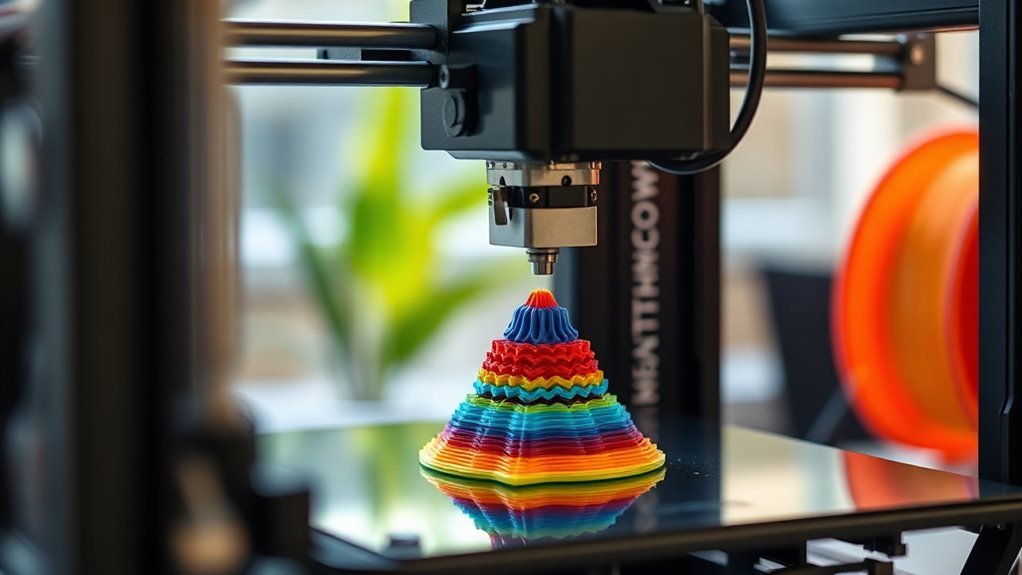
When choosing a consumer 3D printer, you’ll want to focus on print speed and accuracy to get the best results quickly. It really makes a difference in the quality of your projects.
Also, think about whether multi-color printing matters to you. And don’t forget to consider how easy the setup process is—it can save you a lot of time and frustration.
Make sure to check material compatibility too. Plus, pay attention to how much noise the printer makes during operation. It’s something that can easily be overlooked but affects your overall experience.
Print Speed And Accuracy
Evaluate both maximum print speed and motion performance when choosing a consumer 3D printer. Models rated up to 600 mm/s with acceleration around 20,000 mm/s² can be fast, but they may sacrifice accuracy if they don’t sustain that speed consistently during real prints.
You should look for features like vibration compensation and flow-rate compensation to keep layer alignment and extrusion steady. Active calibration, including automatic bed leveling, ensures first-layer precision, which affects the whole print’s accuracy.
Pay attention to nozzle and extruder control—stable extrusion at high speeds reduces defects. Also, confirm the printer handles sharp details and overhangs well at high speed. This shows it can preserve fine features without blurring or distortion.
Balancing speed with dependable precision is key for quality results. It’s all about finding that sweet spot between being fast and staying accurate.
Multi-Color Printing Options
Choosing a consumer 3D printer with robust multi-color printing options means looking beyond just the number of extruders. You want true multi-color hardware, like multiple toolheads or a dedicated multi-material system, rather than relying on single-extrusion printers with add-ons.
Check if the printer minimizes filament purge waste during color changes. Independent toolhead switching with near-zero purge saves material compared to single-nozzle flushes.
Make sure the system offers compatible workflows and automation, such as full-auto calibration and flowrate compensation. These features help ensure sharp color separation and reduce defects.
Also, confirm the multi-color capability matches your needs. This includes things like multi-material mixing and whether it supports simultaneous or sequential printing.
Finally, pick a printer with reliability features like filament run-out detection and power-loss recovery. These can save you from costly failures during complex multi-color prints.
Ease Of Setup
Getting your 3D printer up and running quickly can make all the difference in your printing experience. Look for models that promise “ready-to-print” setups, allowing your first print in about 15 minutes with automatic calibration and bed leveling.
One-click automatic bed leveling, especially multi-point systems like 49-point leveling, saves you from manually adjusting the nozzle-to-bed distance. It’s a real time-saver and makes the whole process less intimidating.
Prioritize printers with full-auto calibration features, including Z-offset adjustments, so the machine handles alignment before you start. If you want minimal hassle, choose models offering guided workflows and app-assisted, plug-and-play setups that get you printing fast.
For ongoing ease, check for quick-swap nozzles and automatic monitoring or alerts. These features reduce maintenance and keep your printer running smoothly without constant intervention.
Material Compatibility
Once your printer is set up and calibrated, the next step is confirming it can manage the materials you want to work with. Check that the supported filament list matches your target materials—PLA, PETG, TPU, PVA, ASA, or engineering blends like PLA-CF and PETG-CF.
For flexible filaments like TPU, confirm your printer supports adaptive extrusion or force compensation and the recommended hardness, often around 68D. Verify the hotend’s temperature range; some printers reach 280–300°C, while others offer enclosed chambers maintaining ~65°C for advanced filaments.
If you plan to use soluble supports like PVA, make sure the printer’s workflow supports them. Finally, if you want multi-material or multi-color prints, choose a model designed for concurrent use of different materials to avoid clogs and mixing issues.
Noise And Operation
Although many 3D printers perform well technically, noise levels can make a big difference in your overall experience—especially if you plan to use the machine at home or in shared spaces. Look for printers rated at or below 48 dB, which are much quieter and more suitable for such environments.
Choose models with motion-control features like vibration compensation and ghosting suppression algorithms to reduce both noise and surface imperfections. These features really help make the printing process smoother and less noisy.
Noise-canceling or motor noise reduction technologies target high-frequency sounds during fast movements, making operation more pleasant. Plus, enclosed or partially enclosed frames help dampen noise and maintain airflow for comfort.
Also, consider printers with auto-calibration and failure detection to minimize the time you spend monitoring noisy or failed prints. This can really enhance your overall printing experience by cutting down on hassle.
Connectivity And Control
When choosing a consumer 3D printer, you’ll want one that offers dependable connectivity and intuitive control options to keep your projects running smoothly. Look for models with WiFi or Bluetooth and companion apps that let you monitor progress in real time, modify settings remotely, and receive instant notifications if something goes wrong.
Real-time camera monitoring with error alerts helps you catch failures early without staying by the machine. Also, ensure the printer supports offline methods like TF-card printing as a backup if connectivity drops.
Check compatibility with your desktop or mobile workflow for seamless slicer integration and one-click starts to minimize errors. Don’t forget to verify connectivity specs like 2.4GHz WiFi support and USB interfaces for easy file transfers and control.
Frequently Asked Questions
What Materials Are Safest for Beginners to Use in 3D Printing?
You’ll find PLA the safest material to start with because it’s non-toxic, easy to print, and biodegradable.
Avoid ABS initially since it emits fumes. Stick to PLA to keep your 3D printing experience simple and safe.
How Do I Maintain and Clean a 3D Printer Regularly?
You’ll spot dust and filament scraps like tiny obstacles on a race track—wipe the bed, clean the nozzle, and lubricate moving parts regularly.
Don’t forget to tighten screws and update firmware to keep printing smooth and precise. It really helps your printer run better and last longer.
Are There Any Health Risks Associated With 3D Printing at Home?
Yes, 3D printing at home can release fumes and tiny particles that might irritate your lungs or skin. You should ventilate well, use masks if needed, and avoid prolonged exposure to keep yourself safe during printing.
It’s a good idea to set up your printer in a well-ventilated space. Also, wearing a mask can help if you’re sensitive to the fumes or particles.
Just try not to spend too much time right next to the printer while it’s running. Taking these simple steps can make a big difference in staying safe.
What Software Is Best for Designing 3D Printable Models?
You’ll find Tinkercad great—it’s used by over 20 million beginners worldwide for 3D design.
If you want more power, try Fusion 360 or Blender; both offer advanced tools that make your models pop and print perfectly.
Can I Use a 3D Printer to Create Functional Mechanical Parts?
Yes, you can use a 3D printer to create functional mechanical parts. Just choose durable materials like nylon or PETG.
Make sure your design accounts for strength and precision to make parts that actually work in real applications. It’s all about picking the right materials and getting your design just right.
Conclusion
Choosing the right 3D printer can transform your creative projects, whether you’re a beginner or a pro. Did you know that 70% of consumer 3D printer users report increased productivity within months of use? That’s a game-changer!
With options like multi-color printing and app control, you’ve got powerful tools at your fingertips. So, pick a printer that fits your needs and watch your ideas come to life faster and easier than ever before.
When selecting from the best consumer 3D printers for 2027, consider features that match your creativity and workflow. Whether it’s speed, precision, or ease of use, the right 3D printer can elevate your printing experience. Embrace the future of 3D printing and make your projects stand out with innovation and efficiency.