15 Best Brother Network Printers for 2027 That Boost Productivity
You need a Brother network printer that matches your workload, whether it’s fast monochrome lasers like the HL-L2460DW or HL-L6210DW for high-volume office use, or versatile all-in-ones like the DCP-L2640DW and MFC-L5915DW with big ADFs and touchscreen controls.
If color’s a must, consider INKvestment inkjets for smart reordering and great output. From wireless to wired, duplex to high capacity, these models boost your productivity.
Discover which Brother printer fits your exact needs. Whether you want speed, versatility, or color quality, there’s a Brother network printer designed just for you. Let’s find the perfect match to keep your office running smoothly!
| Image | Name | Editor's Rating | Price |
|---|---|---|---|

|
|
||

|
|
||

|
|
||

|
|
||

|
|
Brother HL-L2460DW Wireless Monochrome Laser Printer
- BEST FOR HOME OFFICES & SMALL TEAMS – Engineered for consistent, premium print quality, the Brother HL-L2460DW Monochrome (Black & White) Laser Printer produces...
- COMPACT, CONNECTED, EXCEPTIONALLY EFFICIENT– Connect with built-in dual-band wireless (2.4GHz/5GHz), Ethernet, or to a single computer via USB interface. Prints at...
- BROTHER MOBILE CONNECT APP – Manage your wireless printer remotely and print from your mobile device anytime, from almost anywhere. Order Brother Genuine Supplies...
- VERSATILE PAPER HANDLING – Tackle high-volume black & white printing with the 250-sheet capacity paper tray.(4) The manual feed slot enables printing on envelopes and...
- BROTHER IS AT YOUR SIDE – Backed by Brother with a 1-year limited warranty and free online, call, or live chat support for the life of your printer

Experience fast and dependable monochrome printing tailored for your home office or small team with the Brother HL-L2460DW. This compact laser printer streamlines your workflow by delivering sharp black-and-white documents quickly, printing up to 36 pages per minute. Its rapid first-page output, just 8.5 seconds, ensures minimal wait times on important print jobs.
Designed for efficiency, the HL-L2460DW features automatic duplex printing, helping you save paper effortlessly during everyday use. The Toner Save Mode extends cartridge life, reducing the need for frequent replacements and lowering operating costs. These maintenance-friendly features make it an economical choice for busy environments.
Connectivity is straightforward with built-in dual-band wireless, Ethernet, and USB options, allowing seamless integration into various workspaces. The 250-sheet paper tray and envelope handling capabilities add versatility, accommodating different printing needs without constant refilling.
While it only supports monochrome printing and includes a basic LCD display, the HL-L2460DW focuses on essential functions that keep your tasks moving smoothly. Its ENERGY STAR compliance reflects a commitment to energy efficiency, adding value to your office setup.
Best for: Home offices and small teams needing a fast, reliable monochrome laser printer with wireless connectivity and automatic duplex printing.
What We Like:
- High-speed printing up to 36 pages per minute with quick first-page output.
- Automatic duplex feature reduces paper usage and improves efficiency.
- Multiple connectivity options including dual-band Wi-Fi, Ethernet, and USB.
- Toner Save Mode extends cartridge life and reduces costs.
- Compact design fits well in limited office spaces.
Specification:
| Feature | Details |
|---|---|
| Manufacturer | Brother |
| Dimensions (W×D×H) | 16.1 × 15.7 × 7.2 inches |
| Weight | 15.9 lbs (7.2 kg) |
| Printing Technology | Monochrome Laser |
| Print Speed | Up to 36 pages per minute |
| Connectivity | Dual-band Wireless, Ethernet, USB |
| Paper Tray Capacity | 250 sheets |
| Duplex Printing | Automatic |
| Display | Basic LCD |
| Energy Efficiency | ENERGY STAR Compliant |
Brother DCP-L2640DW Wireless Compact Monochrome Printer
- BEST FOR SMALL BUSINESSES – Engineered for extraordinary productivity, the Brother DCP-L2640DW Monochrome (Black & White) 3-in-1 combines laser printer, scanner, copier...
- FAST PRINTER WITH EFFICIENT SCANNING – Produces documents quickly with print speeds up to 36 ppm(2) and scan speeds up to 23.6/7.9 ipm(3) (black/color). A 50-page auto...
- FLEXIBLE CONNECTION OPTIONS – Easily navigate the changing demands of your business with secure multi-device connectivity via built-in dual-band wireless (2.4GHz...
- BROTHER MOBILE CONNECT APP – Print, scan, and manage your wireless printer anytime, from almost anywhere from your mobile device. Order Brother Genuine Supplies, track...
- CHOOSE BROTHER GENUINE TONER – When it’s time to replace your toner, be sure to choose Brother Genuine TN830 or TN830XL replacement toner. And with Refresh EZ Print...
Experience seamless productivity with the Brother DCP-L2640DW Wireless Compact Monochrome Printer. Designed to address the challenges of high-volume printing, scanning, and copying, this all-in-one device simplifies your workflow. Its compact design fits neatly into small office spaces, reducing clutter without sacrificing performance.
The printer delivers fast print and copy speeds up to 36 pages per minute, minimizing wait times during busy workdays. Wireless dual-band and Ethernet connectivity allow you to print effortlessly from laptops, smartphones, or tablets, making it easier to manage tasks from multiple devices.
Maintenance is straightforward with Brother’s toner subscription service, which ensures you never run out of toner and reduces downtime. Automatic duplex printing saves paper, supporting both eco-friendly practices and cost efficiency.
While it only supports monochrome printing and has a moderate paper tray capacity, its efficient scanner and copier functions meet everyday office needs effectively. This model is ideal for users who prioritize reliable, high-speed black-and-white output in a compact form.
Best for: Small businesses and home offices requiring efficient monochrome printing, scanning, and copying with wireless convenience.
What We Like:
- Fast print and copy speeds up to 36 ppm with a 50-sheet auto document feeder
- Dual-band wireless and Ethernet connectivity for versatile device support
- ENERGY STAR compliant with automatic duplex printing and toner subscription savings
Specification:
| Feature | Details |
|---|---|
| Manufacturer | Brother |
| Dimensions | 14 x 14.2 x 7.2 inches (WxDxH) |
| Weight | 15.9 lbs (7.2 kg) |
| Color Options | White |
| Connectivity | Wireless dual-band, Ethernet |
| Print Speed | Up to 36 ppm |
| Paper Tray Capacity | 250 sheets |
| Auto Document Feeder | 50 pages |
Brother HL-L2405W Wireless Monochrome Laser Printer
- BEST FOR HOMES & HOME OFFICES – Engineered for consistent, premium print quality, the Brother HL-L2405W Monochrome (Black & White) Laser Printer delivers sharp, crisp...
- COMPACT, CONNECTED PRINTER – Flexible connection options make this an ideal printer for home use and at-home offices. Securely connect to multiple devices with built-in...
- BROTHER MOBILE CONNECT APP – Manage your printer remotely and print from your mobile device anytime, from almost anywhere. Order Brother Genuine Supplies, track toner...
- VERSATILE PAPER HANDLING – Enjoy seamless, reliable everyday printing with the 250-sheet paper tray(4) and a manual feed slot that enables printing on envelopes and...
- BROTHER IS AT YOUR SIDE – Backed by Brother with a 1-year limited warranty and free online, call, or live chat support for the life of your printer
The Brother HL-L2405W Wireless Monochrome Laser Printer is designed to meet the demands of small workspaces and home offices. Its compact size fits neatly in tight areas, making it ideal for users with limited space. This printer delivers sharp, clear black-and-white prints at a speed of up to 30 pages per minute, helping you complete tasks efficiently.
With a high resolution of 1200 x 1200 dpi, your documents will look professional and easy to read. The printer includes a 250-sheet paper tray and a manual feed slot, allowing you to print envelopes or labels without hassle. Connectivity is simple and flexible through dual-band Wi-Fi or USB, enabling smooth integration into your workflow.
Maintenance is straightforward, with easy access to replace toner cartridges and manage paper jams. Although it only supports monochrome printing and manual duplexing, its reliability and performance make it a practical choice for everyday printing needs. The printer’s security features ensure your data remains protected during wireless printing.
Best for: Small business owners or home office users who need a compact, dependable monochrome laser printer for fast, high-quality document printing.
What We Like:
- Fast printing speed up to 30 ppm with sharp 1200 x 1200 dpi output
- Dual-band Wi-Fi and USB connectivity for versatile setup
- Large 250-sheet paper tray plus manual feed for specialty media
- Compact design fits well in limited spaces
- Advanced security features protect your print jobs
Specification:
| Feature | Details |
|---|---|
| Manufacturer | Brother |
| Dimensions (W×D×H) | Approx. 14.2 × 14.0 × 7.2 in |
| Weight | Approx. 15.3 lbs (6.9 kg) |
| Print Technology | Monochrome Laser |
| Print Speed | Up to 30 pages per minute |
| Resolution | 1200 x 1200 dpi |
| Connectivity | Dual-band Wi-Fi, USB 2.0 |
| Paper Capacity | 250-sheet tray + manual feed |
Brother Laser Printer, Monochrome Duplex Wireless Printer, HL-6210DW
- Professional Performance: Dominate your office printing tasks with this Brother Genuine laser office printer delivering an impressive 50 ppm output speed, ensuring your...
- Superior Capacity: Print business documents with this monochrome laser printer's robust 520-sheet main tray and 100-sheet multipurpose tray, expandable up to 1,660 sheets...
- Advanced Connectivity: Experience seamless integration with this Brother wireless printer's built-in Gigabit Ethernet and dual band wireless networking capabilities...
- Cost-efficient Printing: Maximize your printing budget with Brother Genuine ultra high-yield replacement toner cartridges for Brother printers delivering up to...
- Security Excellence: Safeguard your Brother Genuine business printer for daily office use with advanced Triple Layer Security features, ensuring comprehensive protection...
The Brother HL-L6210DW is designed to keep busy offices running smoothly with fast, reliable monochrome printing. It tackles high-volume jobs with ease, printing up to 50 pages per minute. This printer’s automatic duplexing saves time and paper, making double-sided printing effortless.
Its large paper capacity means fewer interruptions. The standard 520-sheet tray can expand to 1,660 sheets, reducing the need for constant refills. Connecting to your network is simple, with both Gigabit Ethernet and dual-band wireless options available. Print directly from laptops, smartphones, or tablets without hassle.
Maintenance is straightforward thanks to the ultra-high-yield toner, which lowers running costs. Though it only prints in black and white, this model focuses on sharp, clear text and graphics at 1200 x 1200 dpi resolution. The absence of a touchscreen is balanced by easy-to-use LCD controls and strong security features that keep your data safe.
Best for: Office environments that require fast, efficient monochrome printing with flexible connectivity and low maintenance.
What We Like:
- High-speed printing up to 50 pages per minute for quick turnaround.
- Large, expandable paper capacity reduces downtime.
- Dual connectivity options for versatile network integration.
- Ultra-high-yield toner helps control operating costs.
- Strong security measures protect sensitive information.
Specification:
| Feature | Specification |
|---|---|
| Manufacturer | Brother |
| Dimensions (W x D x H) | 16.1 x 15.7 x 8.7 inches (41 x 40 x 22 cm) |
| Weight | 20.2 lbs (9.2 kg) |
| Color | Monochrome (Black & White) |
| Connectivity | Gigabit Ethernet, Dual-band Wireless |
| Print Speed | Up to 50 pages per minute |
| Resolution | 1200 x 1200 dpi |
| Paper Capacity | 520 sheets standard, expandable to 1,660 sheets |
Brother INKvestment 4355 Wireless Color Inkjet Printer
- UP TO 1-YEAR OF INK IN-BOX¹ – Enjoy exceptional convenience and savings with enough ink for up to 1 year of printing right out of the box¹.
- REVOLUTIONARY INKVESTMENT TANK TECHNOLOGY – Internal ink tank system works with front-loading cartridges for hassle-free, uninterrupted printing with no manual refills.
- COMPACT ALL-IN-ONE FUNCTIONALITY – Print, copy, scan, and fax with fast speeds, duplex printing, and a 20-page automatic document feeder
- WIRELESS AND CLOUD READY – Print-from and scan-to popular cloud services and mobile devices via the Brother Mobile Connect App³.
- VERSATILE PAPER HANDLING – Features a 150-sheet adjustable paper tray, bypass tray, and automatic duplex printing for letter and legal-size paper.
Experience hassle-free printing with the Brother INKvestment 4355 Wireless Color Inkjet Printer. Designed to keep your ink costs low, it uses INKVESTMENT TANK TECHNOLOGY, which combines an internal ink tank with front-loading cartridges to provide up to a year’s worth of ink right out of the box. This means fewer cartridge replacements and less downtime.
This all-in-one printer delivers fast printing speeds of nearly 20 pages per minute in both color and black-and-white. Duplex automatic printing and a 150-sheet paper tray help streamline your workflow, making it easier to handle everyday tasks quickly and efficiently.
Maintenance is simple with Alexa-enabled smart ink reordering, so you won’t run out of ink unexpectedly. Wireless, Ethernet, and USB connectivity options offer versatile ways to connect, while a user-friendly touchscreen simplifies navigation.
The Brother INKvestment 4355 also supports scanning, copying, faxing, and integrates seamlessly with cloud services. However, the 20-sheet automatic document feeder may feel limiting for heavy scanning needs, and the initial cartridges are starter size, so you might need to purchase replacements sooner than expected.
Best for: Small offices or individuals who want an affordable, low-maintenance all-in-one wireless printer with smart features.
What We Like:
- Includes up to 1 year of ink with INKVESTMENT TANK TECHNOLOGY
- Fast duplex printing at nearly 20 ppm with a 150-sheet tray
- Alexa-enabled smart ink reordering for convenient maintenance
- Multiple connectivity options: Wi-Fi, Ethernet, USB
- Easy-to-use touchscreen interface
Specification:
| Feature | Details |
|---|---|
| Manufacturer | Brother |
| Dimensions (W×D×H) | Approx. 16.1 × 15.7 × 7.9 in |
| Weight | Approx. 15.7 lb |
| Ink Technology | INKVESTMENT TANK TECHNOLOGY |
| Connectivity | Wireless, Ethernet, USB |
| Paper Capacity | 150-sheet tray |
| Automatic Document Feeder | 20 sheets (single-sided) |
Brother MFC-L5915DW Professional Wireless Laser Printer All-in-One

- FAST BUSINESS PRINTING AND COPYING: The Brother MFC-L5915DW business monochrome laser all-in-one printer delivers high-quality output and print and copy speeds of up to...
- LOW-COST OUTPUT: Help reduce operating costs by using the Brother Genuine TN920UXXL ultra high-yield 18,000-page replacement toner cartridge. Includes a Brother Genuine...
- FAST, HIGH-VOLUME SCANNING: The 70-page capacity(3) auto document feeder offers single-pass, two-sided scanning up to 56ipm(4). Features a large document glass for up to...
- FLEXIBLE CONNECTIVITY OPTIONS: Features built‐in Gigabit Ethernet and dual band wireless networking to seamlessly set up and share on your wired.
Experience reliable, high-speed printing that keeps your office productive with the Brother MFC-L5915DW Professional Wireless Laser Printer All-in-One. Designed to handle demanding workloads, it delivers up to 50 pages per minute, ensuring quick turnaround for busy environments. The 5″ color touchscreen simplifies navigation, so you can manage tasks with ease.
This monochrome laser printer offers versatile connectivity options, including wireless, Ethernet, and mobile printing. Automatic duplexing and a 70-page automatic document feeder streamline two-sided scanning and copying, saving time and paper. Its robust 250-sheet paper tray supports extended print runs without constant refilling.
Maintenance is straightforward with optional high-yield toner cartridges that minimize interruptions. Triple Layer Security protects sensitive documents and your network, providing peace of mind in shared workspaces. While it’s limited to black-and-white printing and consumes up to 680 W, its performance and security features make it a solid choice for professional settings.
Best for: offices and small businesses needing fast, secure monochrome printing with multifunction capabilities.
What We Like:
- Fast printing and copying speeds up to 50 ppm
- Efficient two-sided scanning with 70-page ADF
- Multiple connectivity options including dual-band Wi-Fi and Gigabit Ethernet
- Easy-to-use 5″ color touchscreen interface
- Enhanced security with Triple Layer Security protection
Specification:
| Feature | Details |
|---|---|
| Manufacturer | Brother |
| Dimensions (W×D×H) | 16.1 × 15.7 × 12.5 inches |
| Weight | 24.5 lbs (11.1 kg) |
| Color | Black |
| Printing Technology | Monochrome Laser |
| Print Speed | Up to 50 pages per minute |
| Connectivity | Wireless, Ethernet, Mobile |
| Paper Capacity | 250-sheet main tray |
| Automatic Document Feeder | 70 pages |
| Touchscreen | 5″ Color LCD |
Brother INKvestment 1365 Wireless Color Inkjet Printer

- BEST FOR HOME AND HOME OFFICE: This multifunction printer makes it easy to print, copy, and scan—all in one compact printer. Includes one 1,200-page yield black...
- WIRELESS, MOBILE, AND USB CONNECTIVITY: Connect your way. Interface with your printer on your wireless network or via USB. Enhance your workflow with Wi-Fi Direct, which...
- CLOUD APP CONNECTIONS: Print from and scan to popular Cloud apps(3), including Google Drive, Dropbox, Box, OneDrive, and more, from an impressive 1.8” color display...
- PRODUCTIVITY-FOCUSED FEATURES: A 150-sheet paper tray(4), 20-page single-sided automatic document feeder (ADF)(4), and automatic duplex (2-sided) printing. Prints at fast...
- THE BROTHER MOBILE CONNECT APP: Put the power of printing at your fingertips. Go mobile with the Brother Mobile Connect app(6) that delivers easy onscreen menu navigation...
Experience seamless productivity with the Brother INKvestment 1365 Wireless Color Inkjet Printer. Designed to meet the demands of home offices and individuals, it produces sharp, vibrant prints with a resolution up to 1,200 x 6,000 dpi, ensuring every document looks professional. Its fast black-and-white printing speed of 16 pages per minute keeps your tasks moving efficiently.
This all-in-one device simplifies your workflow by combining printing, copying, and scanning functions. The automatic two-sided printing and 150-sheet paper tray reduce paper waste and frequent refills. With a 20-page automatic document feeder, it handles multi-page scanning jobs with ease.
Connectivity is effortless through Wi-Fi, USB, or mobile app, allowing you to print directly from cloud services and smartphones. The included high-yield cartridges and support for an ink subscription service help lower running costs and minimize maintenance interruptions.
Its compact design fits comfortably in small workspaces, making it a practical choice without compromising functionality. While the color print speed is modest and the document feeder capacity limited, it excels in balancing performance with convenience.
Best for: individuals and small home offices needing a versatile, wireless all-in-one printer with cost-effective ink solutions.
What We Like:
- Sharp, high-resolution color and black-and-white prints.
- High-yield ink cartridges with subscription service support.
- Multiple connectivity options including Wi-Fi and mobile printing.
- Automatic two-sided printing saves paper and time.
- Compact design fits well in limited spaces.
Specification:
| Feature | Details |
|---|---|
| Manufacturer | Brother |
| Dimensions | Compact size (specific size not provided) |
| Weight | Not specified |
| Print Resolution | Up to 1,200 x 6,000 dpi |
| Print Speed | 16 ppm (black), 9 ppm (color) |
| Paper Tray Capacity | 150 sheets |
| Automatic Document Feeder | 20 pages |
| Connectivity | Wi-Fi, USB, Mobile App, Cloud |
Brother Work Smart 1410 Wireless Color Inkjet Printer

- BEST FOR HOME OFFICE AND SMALL OFFICE: Get your work done with a multifunction printer. Print, copy, and scan on one convenient, compact printer, with quick and easy...
- EASY-TO-USE TOUCHSCREEN WITH CLOUD APP CONNECTIONS: Seamless integration with the Cloud(2). Print from and scan to popular Cloud apps(2), including Google Drive, Dropbox...
- PRODUCTIVITY-FOCUSED FEATURES: Automatic duplex (2-sided) printing, 20-sheet single-sided Automatic Document Feeder (ADF)(3), 150-sheet paper tray(3). Print at fast...
- MULTIPLE CONNECTION OPTIONS: Connect your way. Interface with your printer on your wireless network or via USB.
- THE BROTHER MOBILE CONNECT APP: Go mobile with the Brother Mobile Connect app(5) for easy onscreen menu navigation for printing, copying, scanning, and device management...
The Brother Work Smart 1410 Wireless Color Inkjet Printer is designed to make printing easier and more efficient for home offices and small businesses. It handles everyday tasks smoothly, reducing time spent on manual work. The automatic duplex printing and 20-sheet automatic document feeder help you manage multi-page documents without hassle.
This printer connects wirelessly, allowing you to print from your phone or tablet using the Brother Mobile Connect app. The 2.7” color touchscreen provides simple access to cloud services like Google Drive and Dropbox, letting you print documents directly without a computer. These features help keep your workspace clutter-free and organized.
Maintenance is straightforward with easy monitoring of ink levels through the app. The 150-sheet paper tray supports continuous printing but may need refilling for larger jobs. While print speeds are moderate (16 ppm black, 9 ppm color), the printer balances quality and convenience for typical office needs.
Best for: Small offices and home users who want a versatile, wireless color inkjet printer with duplex printing and mobile connectivity.
What We Like:
- Automatic duplex printing and 20-sheet ADF simplify handling of multi-page documents.
- Wireless setup with Brother Mobile Connect app enables remote print management.
- Easy cloud integration via a user-friendly 2.7” color touchscreen.
- Compact design fits well in small workspaces.
Specification:
| Feature | Details |
|---|---|
| Manufacturer | Brother |
| Dimensions (W x D x H) | Approx. 16.3 x 14.4 x 7.1 in |
| Weight | Approx. 13.2 lb (6 kg) |
| Connectivity | Wireless, USB |
| Paper Tray Capacity | 150 sheets |
| Automatic Document Feeder | 20 sheets |
| Print Speed | Up to 16 ppm black, 9 ppm color |
Brother HL-L2480DW Wireless Monochrome Laser Printer

- BEST FOR SMALL OFFICES & WORK FROM HOME – Engineered for efficiency, the Brother HL-L2480DW Monochrome (Black & White) 3-in-1 Laser Printer is equipped with a...
- COMPACT, CONNECTED, DYNAMIC – Connect with built-in dual-band wireless (2.4GHz/5GHz), Ethernet, or to a single computer via USB interface. Produces B/W prints at speeds...
- 2.7" TOUCHSCREEN – The intuitive 2.7” touchscreen enables effortless navigation with the added ability to print-from and scan-to popular Cloud-based apps such as...
- BROTHER MOBILE CONNECT APP – Print, scan, and manage your wireless printer anytime, from almost anywhere from your mobile device. Order Brother Genuine Supplies, track...
- VERSATILE PAPER HANDLING – Tackle high-volume black & white printing with the 250-sheet capacity paper tray.(5) The manual feed slot enables printing on envelopes and...
Experience efficient black-and-white printing with the Brother HL-L2480DW Wireless Monochrome Laser Printer. Designed to meet the demands of small offices and home workspaces, it delivers sharp prints at up to 36 pages per minute, helping you complete tasks quickly and maintain productivity.
This printer simplifies your workflow by combining printing, scanning, and copying functions in one compact design. The 2.7″ touchscreen and mobile app support make operation straightforward, while cloud connectivity options like Google Drive and Dropbox keep your documents accessible and organized.
Maintenance is hassle-free with a 250-sheet paper capacity and automatic duplex printing, reducing paper waste and frequent refills. Its multiple connectivity options, including dual-band Wi-Fi, Ethernet, and USB, ensure seamless integration into your existing setup.
While it only supports monochrome printing and offers a single paper tray, the HL-L2480DW excels in delivering reliable, high-quality prints with versatile features tailored for busy environments.
Best for: Small offices and home workspaces seeking a compact, fast, and multifunctional monochrome laser printer with wireless and cloud capabilities.
What We Like:
- Fast printing speed of up to 36 pages per minute with clear 1200 x 1200 dpi resolution
- Multifunction design with scanning, copying, and cloud integration
- Flexible connectivity including dual-band Wi-Fi, Ethernet, USB, and mobile app support
Specification:
| Feature | Details |
|---|---|
| Manufacturer | Brother |
| Dimensions (W×D×H) | 16.1 × 15.7 × 11.7 inches |
| Weight | 19.4 lbs (8.8 kg) |
| Color | White |
| Print Technology | Monochrome Laser |
| Paper Capacity | 250 sheets |
| Connectivity | Dual-band Wi-Fi, Ethernet, USB |
Brother HL-L5210DW Wireless Monochrome Laser Printer

- FAST PRINTING FOR INCREASED EFFICIENCY: The Brother HL-L5210DW business monochrome laser printer delivers high-quality output and a print speed of up to 48ppm(1) to help...
- COST-EFFICIENT OUTPUT: Help reduce operating costs by using the Brother Genuine TN920XXL super high-yield 11,000-page replacement toner cartridge. Includes a Brother...
- EXPANDABLE PAPER CAPACITY: 250-sheet capacity paper tray is adjustable for letter or legal-sized paper and 100-sheet capacity multipurpose tray is ideal for printing on...
- FLEXIBLE CONNECTIVITY:Features built-in Gigabit Ethernet and dual band wirelessnetworking to seamlessly set up and share on your wired or wireless network. Easily print...
- ADVANCED SECURITY FEATURES: Equipped with Triple Layer Security features to help safeguard your network, keep your devices secure, and protect documents in transit to and...
Experience fast, reliable black-and-white printing with the Brother HL-L5210DW Wireless Monochrome Laser Printer. Designed to keep up with busy offices, it delivers sharp prints at a high resolution of 1200 x 1200 dpi. This printer speeds through large tasks, producing up to 48 pages per minute without sacrificing quality.
With its 250-sheet adjustable paper tray plus a 100-sheet multipurpose tray, it manages big jobs efficiently. The auto-duplex feature helps reduce paper use and cut costs by printing on both sides automatically. Connectivity is flexible, offering Gigabit Ethernet, dual-band Wi-Fi, USB, and mobile printing options for easy access from multiple devices.
Maintenance is straightforward, but note the starter toner cartridge yields about 3,000 pages, so keep replacements handy for heavy use. Its compact, lightweight design fits neatly into small workgroups or office spaces. Security is enhanced by triple-layer protection, safeguarding sensitive documents during printing.
Best for: Small workgroups and offices needing fast, high-quality monochrome printing with versatile connectivity.
What We Like:
- Fast printing speed of up to 48 pages per minute with crisp 1200 dpi resolution
- Auto-duplex printing saves paper and reduces operating costs
- Multiple connectivity options including wireless and Ethernet for convenience
- Compact design fits well in limited office spaces
- Triple-layer security protects sensitive documents
Specification:
| Feature | Details |
|---|---|
| Manufacturer | Brother |
| Dimensions (W x D x H) | 16.1 x 15.7 x 8.7 inches |
| Weight | Approx. 19.2 lbs (8.7 kg) |
| Printing Technology | Monochrome Laser |
| Print Resolution | Up to 1200 x 1200 dpi |
| Paper Capacity | 250-sheet adjustable tray + 100-sheet multipurpose tray |
| Connectivity | Gigabit Ethernet, Dual-band Wi-Fi, USB, Mobile Printing |
Brother MFC-L5710DW Wireless Monochrome Laser Printer

- FAST BUSINESS PRINTING AND COPYING: The Brother MFC-L5710DW business monochrome laser all-in-one printer delivers high-quality output and print and copy speeds up to...
- COST-EFFICIENT OUTPUT: Help reduce operating costs by using the Brother Genuine TN920XXL super high-yield 11,000-page replacement toner cartridge. Includes a Brother...
- FAST, DUPLEX SCANNING: The 50-page capacity(3) auto document feeder offers single-pass, two-sided scanning up to 60ipm(4).
- ADVANCED SCANNING CAPABILITIES: Scan to popular destinations directly from the touchscreen display including cloud services(5), email, SharePoint, SSH Server (SFTP), and...
- FLEXIBLE CONNECTIVITY OPTIONS: Features built-in Gigabit Ethernet and dual band wireless networking to seamlessly set up and share on your wired or wireless network...
The Brother MFC-L5710DW Wireless Monochrome Laser Printer is designed to keep busy offices running smoothly. It delivers fast print speeds up to 48 pages per minute, reducing wait times and boosting productivity. With its all-in-one capabilities, it handles printing, copying, scanning, and faxing, streamlining multiple tasks in one device.
Its 50-page automatic document feeder and duplex scanning simplify managing large documents, while the 250-sheet main tray, expandable up to 1,390 sheets, minimizes the need for frequent paper refills. This makes it ideal for busy workgroups that require efficient document handling.
Connectivity is flexible with Gigabit Ethernet, dual-band Wi-Fi, and mobile device support, allowing seamless access from various devices. The 3.5” touchscreen offers intuitive control, and triple-layer security helps protect sensitive information.
Maintenance is straightforward but note that the initial toner cartridge prints up to 3,000 pages, which may require replenishing in very high-volume settings. The printer’s sturdy design weighs 36 pounds, so it’s best suited for dedicated office space.
Best for: Busy offices and small workgroups needing a fast, reliable, versatile all-in-one monochrome laser printer with robust security and connectivity options.
What We Like:
- High-speed printing and copying at 48 ppm with quick first-page output
- Versatile all-in-one functions including duplex scanning and faxing
- Large, expandable paper capacity for less frequent refills
- Flexible connectivity options and easy-to-use touchscreen
- Strong security features suitable for sensitive office environments
Specification:
| Feature | Details |
|---|---|
| Manufacturer | Brother |
| Dimensions | Not specified |
| Weight | 36 lb (16.3 kg) |
| Color | Monochrome (Black and White) |
| Connectivity | Gigabit Ethernet, Dual-band Wi-Fi, Mobile Device Support |
| Paper Capacity | 250 sheets (expandable to 1,390) |
| Automatic Document Feeder | 50 pages |
| Touchscreen Display | 3.5 inches |
Brother QL-820NWB Professional Monochrome Label Printer
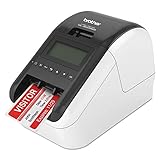
- Flexible connectivity the QL 820NWB network label printer features Bluetooth wireless technology, Ethernet and Wireless (802.11B/g/N) interfaces
- Also offers a USB host interface for use with a peripheral such as a Scanner
- Ultra fast, up to 110 standard address labels per minute with black text at 300dpi
- Easy to read monochrome LCD screen allows for standalone use
- Print amazing black/red labels using DK 2251; Maximum Label Length: 3 feet
The Brother QL-820NWB Professional Monochrome Label Printer is designed to meet the demands of busy workplaces. It speeds up label production, printing up to 110 labels per minute, so you can keep up with high-volume tasks without delay. This printer helps eliminate waiting times and streamlines your labeling process.
Connectivity options are broad and flexible. You can easily connect via Bluetooth, Ethernet, wireless 802.11b/g/n, or USB host, allowing smooth integration with various devices including scanners. This versatility ensures the printer fits seamlessly into your existing setup.
Operating the QL-820NWB is straightforward thanks to its clear monochrome LCD screen. You can use it independently without a computer, which is practical for on-the-spot label creation. The printer supports labels up to 3 feet long, giving you more flexibility for different labeling needs.
Maintenance is simple with DK-2251 consumables that support both standard black and special black/red labels. The sharp 300 dpi print resolution ensures crisp text, enhancing readability and professionalism in your labels. While it prints primarily in monochrome, the option for red labels adds useful variety.
Best for: Businesses and professionals needing fast, reliable monochrome label printing with flexible connectivity.
What We Like:
- Rapid printing speed up to 110 labels per minute
- Multiple connectivity options including Bluetooth and Ethernet
- Supports long label lengths up to 3 feet
- Easy standalone operation via monochrome LCD display
- High print resolution for clear, professional labels
Specification:
| Feature | Details |
|---|---|
| Manufacturer | Brother |
| Dimensions (W x D x H) | Not specified |
| Weight | Not specified |
| Print Resolution | 300 dpi |
| Connectivity | Bluetooth, Ethernet, Wireless 802.11b/g/n, USB host |
| Label Length | Up to 3 feet (approx. 91 cm) |
| Label Color | Monochrome (black), black/red with DK-2251 consumables |
| Display | Monochrome LCD screen |
Brother QL-810Wc Professional USB WiFi Label Printer
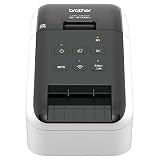
- Easy connectivity: Print from virtually anywhere or share on a network. *Supports 2.4 GHz Wifi connection only. To avoid connectivity disruptions, please name your...
- Print amazing Black/Red labels using DK-2251
- Create cost-effective paper labels for packages, envelopes, file folders, name badges, postage and more
- Ultra-fast, up to 110 standard address labels per minute with black text at 300 dpi
- Create and print labels from your mobile device when connected to a wireless network
The Brother QL-810Wc Professional USB WiFi Label Printer is designed to streamline your labeling tasks with speed and precision. It prints up to 110 crisp labels per minute at 300 dpi, helping you stay efficient in busy environments. Whether you need monochrome or black/red labels, this direct thermal printer handles both with ease.
Connectivity is simple, thanks to built-in USB and Wi-Fi options. It works seamlessly with Android, iOS, and PC devices, allowing you to control printing directly from your smartphone or computer. This flexibility eliminates common connectivity frustrations and fits smoothly into your existing workflow.
Maintenance is straightforward, as the printer supports DK Series labels with easy roll replacements. Its compact design and light weight make it easy to move or store when not in use. While it doesn’t offer duplex printing, it excels in producing reliable, high-quality labels quickly.
The Brother QL-810Wc is ideal for professionals and small businesses needing fast, versatile label printing that integrates well with multiple devices and network setups.
Best for: Small businesses and professionals requiring efficient, high-quality label printing with USB and Wi-Fi connectivity.
What We Like:
- Fast printing speed of up to 110 labels per minute at 300 dpi
- Supports both monochrome and black/red direct thermal labels
- Compatible with Android, iOS, and PC for flexible app-based control
- Compact and lightweight for easy placement and portability
Specification:
| Specification | Details |
|---|---|
| Manufacturer | Brother |
| Dimensions | Approx. 5.8 x 7.1 x 6.5 inches |
| Weight | 2.4 lbs (1.09 kg) |
| Connectivity | USB, Wi-Fi (2.4 GHz only) |
| Label Types | DK Series (Monochrome & Black/Red) |
Brother HL-L6310DW Wireless Monochrome Laser Printer

- FAST PRINTING FOR INCREASED EFFICIENCY: The Brother HL-L6310DW enterprise monochrome laser printer delivers high-quality output and a print speed of up to 52ppm(1) to...
- LIFETIME VALUE: Offers built-in value with an included Brother Genuine 6,000-page toner cartridge. For even lower cost printing, use the Brother Genuine TN920UXXL ultra...
- ENTERPRISE LEVEL SECURITY FEATURES: Equipped with Triple Layer Security features to help safeguard your network, keep your devices secure, and protect documents in...
- LARGE, EXPANDABLE PAPER CAPACITY: Spend less time refilling paper trays with the 520-sheet capacity paper tray, 100-sheet capacity multipurpose tray for printing on...
- EASY TO USE, DEPLOY, AND MANAGE: Equipped with device management solutions to enable mass distribution of device configurations, security settings, firmware updates, and...
The Brother HL-L6310DW Wireless Monochrome Laser Printer delivers fast, efficient printing designed to meet the demands of busy workspaces. With speeds up to 52 pages per minute and automatic duplex printing, it helps reduce wait times and cuts paper use, enhancing productivity and sustainability. This printer manages large print jobs with ease thanks to a standard 620-sheet capacity, expandable up to 1,660 sheets.
Its versatile connectivity options include Gigabit Ethernet, dual-band Wi-Fi, USB, and mobile/cloud printing, providing seamless integration into various office environments. The intuitive color touchscreen and NFC card reader simplify operation and security, putting control at your fingertips. Built-in Triple Layer Security safeguards your sensitive data, while energy-saving modes help lower operational costs.
Maintenance is straightforward with toner cartridges delivering up to 6,000 pages, though very high-volume users may prefer optional ultra high-yield cartridges to reduce replacements. As a single-function printer, it focuses solely on monochrome printing without scanning or copying, making it ideal for environments prioritizing fast, high-volume black-and-white output.
Best for: offices and businesses requiring reliable, high-speed monochrome printing with strong security and flexible connectivity.
What We Like:
- Rapid print speeds with automatic duplexing to optimize workflow and reduce paper use
- Large, expandable paper capacity minimizes interruptions during busy periods
- Multiple connectivity options including wireless, Ethernet, and NFC enhance convenience and security
- Energy-efficient design lowers operating costs without compromising performance
- Simple user interface via color touchscreen for easy setup and management
Specification:
| Feature | Details |
|---|---|
| Manufacturer | Brother |
| Dimensions (W×D×H) | 16.1 × 15.7 × 11.7 inches |
| Weight | 28.7 lb (13.0 kg) |
| Printing Technology | Monochrome Laser |
| Print Speed | Up to 52 ppm |
| Paper Capacity | 620 sheets standard, expandable to 1,660 sheets |
| Connectivity | Gigabit Ethernet, Dual-band Wi-Fi, USB, Mobile/Cloud, NFC Card Reader |
| Security Features | Triple Layer Security |
Brother DCP-L5510DN Monochrome Laser All-in-One Printer

- FAST BUSINESS PRINTING AND COPYING: The Brother DCP-L5510DN business monochrome laser all-in-one printer delivers high-quality output and print and copy speeds up to...
- COST-EFFICIENT OUTPUT: Help reduce operating costs by using the Brother Genuine TN920XXL super high-yield 11,000-page replacement toner cartridge. Includes a Brother...
- ADVANCED SCANNING CAPABILITIES: Scan to popular destinations directly from the touchscreen display including cloud services(3), email, SharePoint, SSH Server (SFTP), and...
- EXPANDABLE PAPER CAPACITY: 250-sheet capacity paper tray is adjustable for letter or legal-sized paper and 100-sheet capacity multipurpose tray is ideal for printing on...
- BUILT-IN NETWORKING: Features a Gigabit Ethernet interface to seamlessly set up and share with multiple users on your wired network. Easily print from a wide variety of...
The Brother DCP-L5510DN is built to streamline demanding office tasks with speed and efficiency. It handles printing, copying, and scanning in sharp monochrome, making it ideal for busy environments where clarity and reliability matter most. With fast output speeds, it helps reduce waiting times and keeps workflows smooth.
This all-in-one printer features automatic duplex printing, cutting paper use in half and lowering operational costs. The 50-sheet auto document feeder simplifies multi-page jobs, saving time and effort. Its compact design fits neatly into workspaces without sacrificing functionality.
Maintenance is straightforward, with easy access to consumables and a robust build that minimizes downtime. Connectivity options like Gigabit Ethernet and USB ensure seamless integration into existing networks. Mobile printing and Alexa voice control add convenience for today’s flexible workstyles.
Energy-efficient and secure, the Brother DCP-L5510DN protects sensitive documents with Triple Layer Security while meeting ENERGY STAR standards. It suits small workgroups needing reliable monochrome printing with smart features to boost productivity.
Best for: Small offices and workgroups requiring fast, dependable monochrome printing, copying, and scanning with enhanced connectivity and security.
What We Like:
- Rapid print and copy speeds up to 48 ppm
- Automatic duplex printing reduces paper use
- 50-sheet auto document feeder improves efficiency
- Multiple connectivity options including mobile and voice control
- ENERGY STAR certified and secured with Triple Layer Security
Specification:
| Feature | Details |
|---|---|
| Manufacturer | Brother |
| Dimensions (W×D×H) | Approx. 16.1 × 15.7 × 12.5 in (41 × 40 × 32 cm) |
| Weight | Approx. 20.5 lb (9.3 kg) |
| Printing Technology | Monochrome Laser |
| Connectivity | Gigabit Ethernet, USB, Mobile, Alexa Voice Control |
| Duplex Printing | Automatic |
Factors to Consider When Choosing a Brother Network Printer
When choosing a Brother network printer, you’ll want to check its connectivity options to guarantee it fits your setup. Consider print speed and quality alongside device compatibility for smooth operation.
Don’t forget to evaluate paper handling capacity and security features to match your needs. It’s all about finding the right balance for your specific situation.
Connectivity Options
In selecting a Brother network printer, prioritizing connectivity options guarantees smooth and efficient operation. You’ll want a model that supports dual-band Wi-Fi, handling both 2.4 GHz and 5 GHz frequencies to reduce interference and boost network performance.
For wired connections, built-in Gigabit Ethernet ensures faster, more stable links—ideal for busy offices. Don’t overlook USB 2.0 or higher ports for direct PC connections or USB-host printing from flash drives.
If you often print from mobile devices, check for Bluetooth or Wi-Fi Direct support. This allows quick peer-to-peer printing without joining a network.
Finally, confirm compatibility with mobile printing protocols like AirPrint, Mopria, or Brother’s apps to print seamlessly from smartphones and tablets. This makes your workflow more flexible and efficient.
Print Speed & Quality
Because print speed and quality directly impact your productivity, you should prioritize these factors when choosing a Brother network printer. Start by checking the pages-per-minute (ppm) rating—a higher ppm, like 30–50, means faster one-sided printing and better handling of large jobs.
Don’t overlook first-page-out time; shorter times reduce delays for quick prints. For sharp text and detailed graphics, look for resolutions between 600 and 1200 x 1200 dpi.
If two-sided printing is essential, confirm the printer supports automatic duplexing and consider its duplex print speed, since it can affect overall efficiency. In multifunction models, also evaluate copy and scan speeds along with the automatic document feeder (ADF) capabilities.
Make sure they meet your workflow demands and keep your tasks moving smoothly.
Device Compatibility
Although Brother network printers offer a range of advanced features, guaranteeing device compatibility with your existing systems is essential for smooth operation. First, confirm the printer supports all operating systems on your network—Windows, macOS, Linux, iOS, and Android. Also, check for available drivers or native AirPrint and IPP support.
Next, verify compatibility with your network protocols and interfaces like dual-band Wi-Fi, Ethernet, and USB. This way, you can connect desktops, laptops, and mobile devices effortlessly.
Make sure mobile and cloud printing options are supported so smartphones and tablets can print directly. If your organization uses centralized identity management, guarantee the printer supports enterprise authentication and directory services such as Active Directory or LDAP.
Finally, confirm the device integrates with your IT management tools for streamlined monitoring, driver deployment, and firmware updates. This will help keep everything running smoothly without a hitch.
Paper Handling Capacity
Choosing a Brother network printer means paying close attention to its paper handling capacity to match your printing demands. Start by checking the standard paper tray capacity—usually between 150 and 250 sheets—to confirm it suits your daily print volume and minimizes refills.
Don’t overlook the multipurpose or manual feed slot, which is ideal for envelopes, labels, and specialty media. This way, you won’t disrupt your main tray.
Automatic duplexing is a must if you want efficient two-sided printing that saves paper without manual effort. Also, consider expandable tray options if you handle high-volume jobs, as some models support over a thousand sheets.
Finally, verify the output tray and automatic document feeder capacities to prevent jams and handle multi-page scanning smoothly. It’s all about keeping your workflow smooth and hassle-free.
Security Features
After ensuring your Brother network printer can handle your paper needs smoothly, you should turn your attention to its security features to protect sensitive information. Make sure the printer supports encrypted protocols like TLS/SSL, IPPS/HTTPS, and SNMPv3 to secure data in transit.
Look for user authentication options such as PIN release, LDAP or Active Directory integration, and role-based permissions to control access. These features help keep your documents and data safe from unauthorized users.
Verify device hardening with firmware signing, secure boot, and automatic update checks to prevent unauthorized code execution. It’s important your printer has these protections in place to avoid security breaches.
Confirm data-at-rest protections like hard-drive encryption or secure temporary storage wiping. You want to be sure that stored data remains confidential even if the device is compromised.
Also, check network security features, including firewall support, disabling unused services, IPv6 compatibility, and logging with secure syslog export for auditing. Prioritizing these safeguards helps you maintain a secure network environment.
Cost Efficiency
When you evaluate Brother network printers, understanding cost efficiency is essential to managing your budget effectively. Start by comparing the cost per page—divide the toner or ink cartridge price by its page yield to estimate ongoing expenses.
Consider standard, high-yield, and ultra-high-yield cartridges. Higher yields usually lower your cost per page, so it’s worth checking out all options.
Don’t forget to factor in subscription refill plans or automatic reorders, including any monthly fees or overage charges. These can add up if you’re not careful.
Also, remember to account for energy consumption and features like duplex printing and toner-save modes. They help cut down on paper and ink use, saving you money over time.
Finally, include maintenance costs such as drum units, fusers, and warranty coverage. By weighing these factors, you’ll choose a Brother printer that balances purchase price with affordable, long-term operation.
Frequently Asked Questions
How Do I Set up Secure Printing on Brother Network Printers?
You set up secure printing on Brother network printers by enabling PIN or password protection in the printer’s settings. This makes sure only authorized users can access the print jobs.
Next, configure user authentication to add an extra layer of security. Also, use encrypted connections like SSL/TLS to keep your print jobs private and secure while they’re being sent.
What Is the Average Lifespan of Brother Network Printers?
You can expect Brother network printers to last around 3 to 5 years with regular use.
Proper maintenance and timely part replacements help you extend their lifespan and keep your printing reliable over time.
Taking care of your printer really makes a difference! It’s worth checking the parts every now and then to avoid any unexpected issues.
Are Brother Network Printers Compatible With Mac and Linux Systems?
Yes, Brother network printers are compatible with both Mac and Linux systems. You’ll find drivers and support readily available, so you can easily connect and print without hassle, no matter which operating system you use.
It’s pretty straightforward to get set up. Just download the right drivers from Brother’s website, and you’re good to go. This way, you won’t have to worry about compatibility issues or complicated setups.
Can I Integrate Brother Printers With Cloud-Based Print Services?
Just like the mythical Hermes delivering messages swiftly, you can integrate Brother printers with cloud-based print services easily. They support platforms like Google Cloud Print and Brother Cloud Apps, letting you print anywhere, anytime without hassle.
It’s pretty convenient, right? You don’t have to worry about being tied down to one device or location. Just connect, and you’re good to go!
What Warranty and Support Options Are Available for Brother Network Printers?
You’ll get a one-year limited warranty with Brother network printers, plus options to extend it.
Brother offers phone, chat, and online support to help you quickly resolve any issues and keep your printer running smoothly.
Conclusion
Choosing the perfect Brother network printer might seem simple, yet the variety can overwhelm you. On one hand, you want speed and efficiency; on the other, you crave versatility and quality.
Whether you prioritize wireless convenience or robust all-in-one functions, Brother offers it all. Don’t get stuck deciding—embrace the balance between performance and features.
Your ideal printer is waiting to boost your productivity, making every print job feel effortless and rewarding. With Brother network printers, you get reliable performance that fits your office needs, whether it’s fast printing, sharp quality, or seamless connectivity.
So, when searching for the best Brother network printer for 2027, remember to consider what matters most—speed, quality, or multifunctional features. The right choice will elevate your workflow and help you stay ahead in productivity.