14 Best All-in-One Printers for Small Business Success in 2027
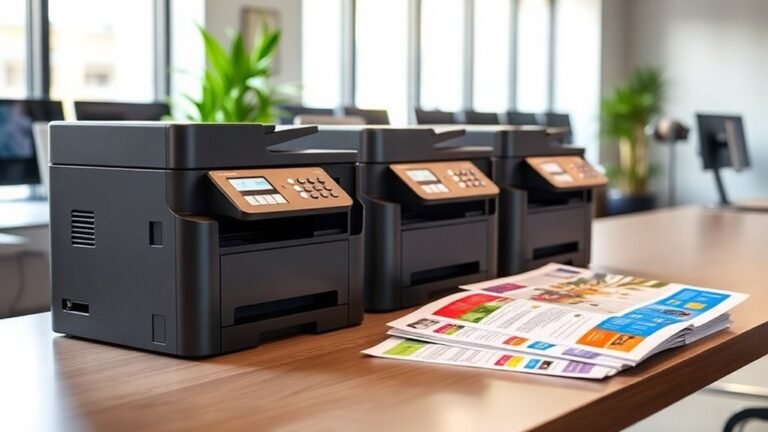
You need all-in-one printers that combine speed, reliability, and cost-efficiency to boost your small business in 2027. Finding the right printer can make a huge difference in your daily operations, helping you stay productive without breaking the bank.
Consider the Brother MFC-L8930CDW for secure, fast color printing, or the Canon MAXIFY GX2020 for high-volume, low-ink costs with refillable tanks. Both options are designed to keep up with busy workloads and minimize interruptions.
HP’s OfficeJet Pro series offers wireless convenience and smart app controls. These features make printing from multiple devices a breeze and help you manage tasks on the go.
These all-in-one printers handle multi-page jobs with duplex scanning and offer robust connectivity to keep your workflow smooth. Keep exploring to find the perfect fit for your business needs.
| Image | Name | Editor's Rating | Price |
|---|---|---|---|

|
|
||

|
|
||

|
|
||

|
|
||

|
|
Brother DCP-L2640DW Wireless Monochrome Multi-Function Printer
- BEST FOR SMALL BUSINESSES – Engineered for extraordinary productivity, the Brother DCP-L2640DW Monochrome (Black & White) 3-in-1 combines laser printer, scanner, copier...
- FAST PRINTER WITH EFFICIENT SCANNING – Produces documents quickly with print speeds up to 36 ppm(2) and scan speeds up to 23.6/7.9 ipm(3) (black/color). A 50-page auto...
- FLEXIBLE CONNECTION OPTIONS – Easily navigate the changing demands of your business with secure multi-device connectivity via built-in dual-band wireless (2.4GHz...
- BROTHER MOBILE CONNECT APP – Print, scan, and manage your wireless printer anytime, from almost anywhere from your mobile device. Order Brother Genuine Supplies, track...
- CHOOSE BROTHER GENUINE TONER – When it’s time to replace your toner, be sure to choose Brother Genuine TN830 or TN830XL replacement toner. And with Refresh EZ Print...

The Brother DCP-L2640DW Wireless Monochrome Multi-Function Printer delivers a powerful solution for small businesses that need fast, reliable printing, copying, and scanning. Its compact design combines three essential functions in one device, saving valuable office space. You can print crisp black-and-white documents at speeds up to 36 pages per minute, making large print jobs efficient and less time-consuming.
Designed for ease of use, this printer offers dual-band wireless, Ethernet, and USB connectivity, allowing seamless integration into various office setups. The 50-page auto document feeder simplifies multi-page scanning and copying tasks, reducing manual effort. Maintenance is straightforward thanks to a 250-sheet tray that minimizes paper refills during busy periods.
While this model only supports monochrome printing and lacks a touchscreen interface, its ENERGY STAR® certification and EPEAT® Silver rating ensure eco-friendly and cost-effective operation. The 8.5-second first page out time is suitable for steady workflows, even if not the fastest for single-page prints.
Best for: Small businesses seeking a compact, versatile monochrome printer that supports high-volume tasks and flexible connectivity.
What We Like:
- Fast print and copy speeds up to 36 ppm for efficient output
- Multiple connectivity options including dual-band wireless and Ethernet
- ENERGY STAR® certified and EPEAT® Silver rated for environmentally conscious use
Specification:
| Feature | Details |
|---|---|
| Manufacturer | Brother |
| Dimensions (W x D x H) | 16.1 x 13.7 x 7.2 inches |
| Weight | 15.4 lbs (7 kg) |
| Color Options | Monochrome (Black and White) |
Brother MFC-L8930CDW Color Laser All-in-One Printer
- Updated design, professional results. High-quality output with sharp color and black printing. Fast print and copy speeds up to 33ppm(1) help boost productivity. Reliable...
- Maximize printing budgets. Offers built-in value with included Brother Genuine 3,000-page black and 1,800-page color standard yield toner cartridges. Help lower printing...
- Advanced scanning. High-speed, two-sided scanning up to 104ipm(3) with 80-page auto document feeder(4) and legal-size glass. Scan to cloud, email, SharePoint, and more...
- Productivity-enhancing features. Flexible connectivity, including built-in dual-band (2.4GHz / 5GHz) wireless networking and Gigabit Ethernet networking. 7” color...
- Triple Layer Security. Advanced security features to help keep devices secure, protect documents in transit to and from print devices, and safeguard networks. Includes an...
The Brother MFC-L8930CDW is designed to streamline your office workflow with reliable all-in-one functionality. It handles printing, scanning, copying, and faxing efficiently, helping busy teams stay productive. Its compact design takes up less space without sacrificing performance, making it ideal for small to medium-sized offices.
This color laser printer delivers sharp prints at speeds up to 33 pages per minute. The 80-page automatic document feeder and fast duplex scanning reduce manual handling and save valuable time. Connectivity options like dual-band Wi-Fi, Ethernet, and NFC badge authentication ensure secure and flexible network access.
Maintenance is straightforward, but keep in mind the printer’s weight of over 70 pounds limits portability. Toner replacement, especially for high-yield cartridges, can be an ongoing cost to consider. The energy-efficient build with ENERGY STAR and EPEAT Gold certification supports sustainable office practices.
The intuitive 7-inch touchscreen simplifies navigation of print, scan, and fax tasks. This model balances high performance, security, and environmental responsibility to support demanding business environments.
Best for: Busy business teams and small to medium offices needing a compact, efficient all-in-one color laser printer with secure connectivity.
What We Like:
- Fast print and copy speeds with automatic duplex and high-speed two-sided scanning
- Versatile connectivity including dual-band Wi-Fi, Ethernet, and NFC badge authentication
- Energy-efficient design with EPEAT Gold and ENERGY STAR certification
- Easy-to-use 7-inch touchscreen interface
Specification:
| Feature | Details |
|---|---|
| Manufacturer | Brother |
| Dimensions (W×D×H) | Compact design (exact size not provided) |
| Weight | 71.2 lb (32.3 kg) |
| Connectivity | Dual-band Wi-Fi, Ethernet, NFC |
| Display | 7-inch touchscreen |
| Functions | Print, scan, copy, fax |
HP OfficeJet Pro 9135 Wireless All-in-One Printer
- FROM AMERICA'S MOST TRUSTED PRINTER BRAND – The OfficeJet Pro 9135 is perfect for offices printing professional-quality color documents like presentations, brochures...
- 3 MONTH TRAIL OF INSTANT INK INCLUDED – Subscribe to the Instant Ink delivery service to get ink delivered directly to your office door before you run out, and you save...
- KEY FEATURES – Fast color printing, copy, fax, auto 2-sided printing, auto document feeder with single-pass 2-sided scanning, and two 250-sheet input trays
- 4.3-INCH TOUCHSCREEN – Quickly navigate your printer with a large color touchscreen and a phone-like user interface
- WIRELESS PRINTING – Stay connected with our most reliable dual-band Wi-Fi, which automatically detects and resolves connection issues
Experience efficient and versatile printing with the HP OfficeJet Pro 9135 Wireless All-in-One Printer, designed to meet the demands of busy small businesses. This printer streamlines your workflow by delivering fast print speeds and reliable wireless connections, helping you save time and reduce hassle.
Its intuitive 4.3-inch touchscreen makes navigation simple, while the dual input trays hold up to 500 sheets, minimizing interruptions. You can print, scan, copy, and fax all from one device, reducing the need for multiple machines and saving office space.
Thanks to dual-band Wi-Fi, Ethernet, and USB ports, connecting multiple devices is straightforward, enhancing team collaboration. HP’s AI technology optimizes print jobs to cut down on waste, making this model both efficient and eco-conscious.
Maintenance is easy but requires genuine HP cartridges with proprietary chips, which supports quality output but limits third-party options. The printer’s size and moderate customer satisfaction reflect its balance between robust functionality and typical workspace demands.
Best for: Small to medium business teams seeking a fast, all-in-one wireless printer that combines productivity with smart connectivity.
What We Like:
- Fast printing with duplex capability improves workflow speed.
- Multiple connectivity options support diverse office setups.
- HP AI reduces waste by optimizing print jobs.
- Large input capacity minimizes paper refills.
- Strong security features protect sensitive data.
Specification:
| Feature | Details |
|---|---|
| Manufacturer | HP |
| Dimensions | Not specified |
| Weight | Not specified |
| Connectivity | Dual-band Wi-Fi, Ethernet, USB |
| Display | 4.3-inch touchscreen |
| Paper Capacity | Up to 500 sheets (two trays) |
| Print Speed | Up to 25 ppm (black), 20 ppm (color) |
HP OfficeJet Pro 8125 Wireless All-in-One Printer
- FROM AMERICA'S MOST TRUSTED PRINTER BRAND – The OfficeJet Pro 8125 is perfect for home offices printing professional-quality color documents like business documents...
- 3 MONTH TRIAL OF INSTANT INK INCLUDED – Subscribe to the Instant Ink delivery service to get ink delivered directly to your door before you run out, and you save up to...
- KEY FEATURES – Fast color printing, scan, copy, auto 2-sided printing, auto document feeder, and a 225-sheet input tray
- 2.7-INCH TOUCHSCREEN – Quickly navigate your printer with a large color touchscreen and a phone-like user interface
- WIRELESS PRINTING – Stay connected with our most reliable dual-band Wi-Fi, which automatically detects and resolves connection issues
Experience efficient and flexible printing with the HP OfficeJet Pro 8125 Wireless All-in-One Printer. This device is crafted to handle the busy workflows of home offices and small businesses, offering fast print speeds of up to 20 ppm for black and 10 ppm for color. You get sharp, professional-quality prints with a resolution up to 4800 x 1200 optimized dpi.
The printer supports multiple functions including print, scan, copy, and fax through a user-friendly app. Duplex automatic 2-sided printing saves paper and streamlines your tasks. Its 2.7-inch touchscreen makes navigation simple, while wireless connectivity keeps your workspace clutter-free.
Maintenance is straightforward but note that the printer requires original HP cartridges with chips, as non-HP cartridges are blocked and firmware updates may enforce this. The one-sided only auto document feeder limits duplex scanning, which is worth considering for heavy scanning needs.
Sustainability is built into the design with over 45% recycled plastic content. Combined with HP’s Instant Ink subscription, this printer helps reduce ink costs and environmental impact, making it a practical and eco-conscious choice.
Best for: Home offices and small businesses needing a versatile all-in-one printer with wireless convenience and cost-effective ink management.
What We Like:
- Fast printing with high-quality output up to 4800 x 1200 dpi
- Intuitive 2.7-inch touchscreen and wireless features for easy operation
- Eco-friendly design with recycled materials and Instant Ink savings
- Multifunction capabilities including app-based faxing
- Compact size fits well in limited office spaces
Specification:
| Feature | Details |
|---|---|
| Manufacturer | HP |
| Dimensions | 17.3 x 14.5 x 8.5 inches |
| Weight | Approximately 18.1 lb (8.2 kg) |
| Color Options | White and Gray |
| Connectivity | Dual-band Wi-Fi, USB |
| Display | 2.7-inch color touchscreen |
Canon MAXIFY GX2020 Wireless All-in-One Printer
- Wireless Print/Copy/Scan/Fax (2)
- Print up to 3,000 black & white / 3,000 color pages using a single set of inks! (1)
- 2.7” LCD Color Touchscreen
- Auto 2-sided printing
- ADF – 35 sheet Auto Document Feeder
The Canon MAXIFY GX2020 Wireless All-in-One Printer is designed to meet the demands of small businesses and busy hybrid workspaces. It tackles the common problem of frequent ink replacements by using a refillable MegaTank system that prints up to 3,000 black and 3,000 color pages per set. This reduces downtime and lowers running costs.
Its sharp text quality comes from pigment-based black ink, while vibrant dye-based colors enhance presentations and documents. The printer supports fast, efficient workflows with print speeds up to 15 ppm for black and white and includes automatic duplex printing to save paper.
Compact yet versatile, the MAXIFY GX2020 features dual paper trays and a 35-sheet automatic document feeder (ADF), making it easy to handle multi-page tasks. Wireless, USB, and wired LAN connectivity options provide seamless integration with various devices, including Chromebooks.
Maintenance is straightforward thanks to the MegaTank ink refills, which minimize messy cartridge changes. However, the maximum media size is limited to 8 x 10 inches, which may not suit larger print jobs. Color printing is a bit slower at 10 ppm, which could affect tight deadlines.
Best for: Small business owners and hybrid workers who need cost-effective, high-volume printing with sharp text and vivid colors in a compact, all-in-one printer.
What We Like:
- High ink yield with refillable MegaTank system for fewer replacements.
- Fast black and white printing with automatic duplex to boost efficiency.
- Multiple connectivity options including dual-band Wi-Fi and wired LAN.
- Compact design with dual trays and 35-sheet ADF for versatile use.
Specification:
| Feature | Details |
|---|---|
| Manufacturer | Canon |
| Dimensions (W x D x H) | Approximately 17.7 x 13.7 x 8.1 inches |
| Weight | Not specified |
| Color Options | Black |
| Connectivity | Dual-band Wi-Fi, USB, wired LAN, Chromebook compatible |
| Maximum Media Size | 8 x 10 inches |
Canon Color imageCLASS MF753Cdw II – All-in-One Color Duplex Laser Printer

- Color, Wireless, Duplex 4-in-1: Print, scan, copy, fax.
The Canon Color imageCLASS MF753Cdw II is built to handle the demands of busy small and home offices. It delivers fast, reliable printing at 35 pages per minute with sharp 1200 x 1200 dpi resolution in both color and black-and-white. Its duplex printing and 50-sheet automatic document feeder help you save time and reduce paper waste.
This all-in-one printer supports up to 850 sheets with flexible paper handling, so you can manage large tasks without constant refills. Connectivity options like wireless, Ethernet, and USB make it easy to integrate into any workspace. You can also control tasks conveniently via a customizable 5-inch color touchscreen or through a mobile app.
Maintenance is straightforward but keep in mind the starter toner cartridges yield fewer pages, which might require earlier replacements. Weighing 50 pounds, it’s designed to stay put in your office rather than for frequent moves. Its robust build balances performance with space-saving design.
With features aimed at simplifying complex workflows, the MF753Cdw II is ideal for hybrid work environments that require high-quality, multifunction printing to keep productivity flowing smoothly.
Best for: Small and home offices or hybrid work environments needing fast, versatile, and professional-quality color and black-and-white printing with multifunction features.
What We Like:
- Sharp, consistent print quality at 35 ppm with duplex capability
- Large paper capacity expandable to 850 sheets for less downtime
- Multiple connectivity options including wireless and Ethernet
- User-friendly 5-inch color touchscreen for easy operation
- Mobile app support for convenient remote printing
Specification:
| Feature | Details |
|---|---|
| Manufacturer | Canon |
| Dimensions (WxDxH) | Approx. 16.1 x 18.5 x 18.3 in (41 x 47 x 46.5 cm) |
| Weight | 50 lb (22.7 kg) |
| Print Speed | Up to 35 ppm (color & B&W) |
| Resolution | 1200 x 1200 dpi |
| Paper Capacity | 250 sheets standard, expandable to 850 sheets |
| Connectivity | Wireless, Ethernet, USB |
| Display | 5-inch color touchscreen |
HP OfficeJet Pro 8135 Wireless All-in-One Printer

- FROM AMERICA'S MOST TRUSTED PRINTER BRAND – The OfficeJet Pro 8135 is perfect for home offices printing professional-quality color documents like business documents...
- 3 MONTH TRIAL OF INSTANT INK INCLUDED – Subscribe to the Instant Ink delivery service to get ink delivered directly to your door before you run out, and you save up to...
- KEY FEATURES – Fast color printing, scan, copy, fax, auto 2-sided printing, auto document feeder, and a 225-sheet input tray
- 2.7-INCH TOUCHSCREEN – Quickly navigate your printer with a large color touchscreen and a phone-like user interface
- WIRELESS PRINTING – Stay connected with our most reliable dual-band Wi-Fi, which automatically detects and resolves connection issues
The HP OfficeJet Pro 8135 Wireless All-in-One Printer is designed to simplify daily office tasks. It handles printing, scanning, copying, and faxing with ease, helping you stay productive. This printer speeds up your work with print rates of up to 20 ppm for black and 10 ppm for color.
Its automatic duplex printing reduces paper use, saving costs and supporting sustainability. Wireless connectivity through dual-band Wi-Fi and the HP Smart app lets you print effortlessly from your devices. The printer’s smart features, including HP AI, refine documents by removing unwanted elements, enhancing output quality.
Maintenance is straightforward with a large 225-sheet input tray, reducing the need for frequent refills. The durable, water-resistant prints ensure your documents last longer. However, the one-sided automatic document feeder may limit handling double-sided originals.
Best for: Small office and home office users who need a versatile, efficient, and eco-friendly all-in-one printer with wireless capabilities and smart AI features.
What We Like:
- Fast black and color print speeds with duplex printing
- Easy wireless printing via dual-band Wi-Fi and HP Smart app
- Eco-friendly design using over 45% recycled plastic
- Durable, water-resistant prints for longer-lasting documents
Specification:
| Feature | Details |
|---|---|
| Manufacturer | HP |
| Dimensions (W×D×H) | Approx. 17.3 × 14.7 × 9.5 inches |
| Weight | Approx. 16.7 lb (7.6 kg) |
| Material | Plastic (over 45% recycled) |
| Connectivity | Dual-band Wi-Fi, USB, Ethernet |
Brother INKvestment Wireless Color Inkjet Printer (MCF-J5010DW)

- BEST FOR SMALL BUSINESS: Print, copy, scan, and fax with one powerful device, with advanced security features for business. Includes one 1,800-page yield black ink...
- PRODUCTIVITY-FOCUSED FEATURES: A 250-sheet paper tray, 50-page single-pass duplex (2-sided) automatic document feeder (ADF), and automatic duplex printing on paper up to...
- SUPERIOR PRINTING: Engineered with the Brother PerfectPrint Auto Detection System, which helps ensure reliable, consistent print quality and performance you can depend on...
- SEAMLESS CONNECTIONS: Simplify your workflow with Wi-Fi Direct and multiple connection options, including wireless network interfacing, Ethernet, and USB. Plus, print...
- THE BROTHER MOBILE CONNECT APP: Put the power of printing at your fingertips. Go mobile with the simple-to-use Brother Mobile Connect app, which delivers easy on-screen...
Experience seamless productivity with the Brother INKvestment Wireless Color Inkjet Printer (MFC-J5010DW). Designed to meet the demands of small businesses and home offices, it delivers fast, vibrant color prints while handling a variety of tasks. Its reliable performance helps you complete jobs quickly without sacrificing quality.
This all-in-one printer simplifies workflows by combining printing, copying, scanning, and faxing in one device. The automatic duplex printing and a 50-page duplex automatic document feeder (ADF) reduce manual effort, saving time on multi-page documents. The 2.7″ touchscreen and Brother Mobile Connect app make operation intuitive and accessible from mobile devices.
Maintenance is straightforward with the INKvestment ink system, which extends cartridge life and lowers running costs. Although the touchscreen is compact and the initial color cartridges have lower yields, the printer’s efficiency and versatility make it a practical choice. Its support for cloud printing and multiple connectivity options keeps your office connected and productive.
Best for: small businesses and home offices seeking an efficient, versatile color inkjet printer with cost-effective ink management and multi-function capabilities.
What We Like:
- Fast print speeds up to 28 ppm black and 26 ppm color with automatic duplexing
- 50-page duplex ADF streamlines scanning and copying multi-page documents
- INKvestment system reduces ink replacements and lowers overall costs
- Wireless and cloud printing support enhances connectivity options
Specification:
| Feature | Details |
|---|---|
| Manufacturer | Brother |
| Dimensions (W x D x H) | 16.1 x 18.5 x 11.7 inches |
| Weight | 17.3 lb (7.85 kg) |
| Print Speed | Up to 28 ppm (black), 26 ppm (color) |
| Display | 2.7-inch color touchscreen |
| Connectivity | Wireless, USB 2.0, Cloud printing |
| Paper Handling | Legal-size media, 50-page duplex ADF |
Brother MFC-L5915DW Professional Laser Printer All-in-One

- FAST BUSINESS PRINTING AND COPYING: The Brother MFC-L5915DW business monochrome laser all-in-one printer delivers high-quality output and print and copy speeds of up to...
- LOW-COST OUTPUT: Help reduce operating costs by using the Brother Genuine TN920UXXL ultra high-yield 18,000-page replacement toner cartridge. Includes a Brother Genuine...
- FAST, HIGH-VOLUME SCANNING: The 70-page capacity(3) auto document feeder offers single-pass, two-sided scanning up to 56ipm(4). Features a large document glass for up to...
- FLEXIBLE CONNECTIVITY OPTIONS: Features built‐in Gigabit Ethernet and dual band wireless networking to seamlessly set up and share on your wired.
The Brother MFC-L5915DW Professional Laser Printer All-in-One helps small businesses and workgroups print quickly without sacrificing quality. It delivers sharp monochrome prints at 1200 x 1200 dpi and prints the first page in just 6.7 seconds, reducing wait times for important documents.
Designed to boost productivity, this printer features automatic duplexing and a 70-page automatic document feeder. The 250-sheet tray means fewer interruptions for paper refills, allowing you to focus on your work. Its large footprint requires some office space but supports heavy daily use.
Connectivity is streamlined with wireless, Ethernet, and mobile printing options. The 5-inch touchscreen offers customizable shortcuts, simplifying complex tasks and improving workflow. Regular maintenance is manageable, though toner replacement might be needed more often in high-volume settings.
With built-in security features, the MFC-L5915DW safeguards sensitive data, making it a practical choice for businesses that handle confidential information. Its monochrome output suits environments where color printing is unnecessary.
Best for: Small businesses and workgroups needing a fast, reliable monochrome laser all-in-one printer with efficient multitasking and strong security.
What We Like:
- Fast printing speed up to 50 ppm with a quick 6.7-second first-page-out time
- Efficient multitasking with automatic duplexing, 70-page ADF, and 250-sheet tray
- Versatile connectivity including dual-band Wi-Fi, Ethernet, and mobile printing
- Customizable 5″ touchscreen enhances ease of use and workflow
- Robust security features protect sensitive business data
Specification:
| Feature | Details |
|---|---|
| Manufacturer | Brother |
| Dimensions (W x D x H) | 16.1 x 15.7 x 12.5 inches |
| Weight | 22.6 lb (10.25 kg) |
| Print Technology | Monochrome Laser |
| Print Resolution | 1200 x 1200 dpi |
| Print Speed | Up to 50 pages per minute |
| Paper Capacity | 250-sheet tray + 70-page ADF |
| Touchscreen Size | 5 inches |
| Connectivity | Wireless (Dual-band Wi-Fi), Ethernet, Mobile Printing |
HP Color LaserJet Pro MFP 3301sdw Printer

- FROM AMERICA'S MOST TRUSTED PRINTER BRAND – Perfect for small teams printing, scanning and copying professional-quality color documents and reports. Print speeds up to...
- PROFESSIONAL PRODUCTIVITY – Proficiency with every print—next-generation TerraJet toner brings your business to life with more vivid colors.
- ORIGINAL HP TONER CARTRIDGES – This HP printer uses Original HP 218A standard and 218X high yield LaserJet toner cartridges.
- UPGRADED FEATURES – Fast color printing, scan, copy, auto 2-sided printing, auto document feeder, and a 250-sheet input tray.
- AWARD-WINNING RELIABILITY – Performance you can count on page after page, and always ready for the high demands of business.
Experience smooth, high-quality color printing designed to keep your small team efficient and productive. The HP Color LaserJet Pro MFP 3301sdw offers fast print speeds and sharp resolution, reducing wait times and ensuring crisp, professional documents every time.
Its automatic duplex printing and scanning help save paper and streamline workflow. The 250-sheet input tray supports various paper sizes, making it easy to handle everyday office tasks without frequent refills.
Connectivity is simple and versatile with Wi-Fi, Ethernet, and USB options. Print effortlessly from smartphones or PCs, fitting seamlessly into your office environment. The built-in HP Wolf Pro security protects your sensitive data, giving peace of mind.
Maintenance is straightforward but note that this model requires Original HP toner cartridges with proprietary chips, which may limit third-party options. Despite this, the reliable performance and vibrant output make it a solid choice for busy offices.
Best for: Small offices and teams needing a dependable, fast color laser all-in-one printer with versatile connectivity and built-in security.
What We Like:
- Fast print speeds with sharp 1200 x 1200 dpi resolution
- Automatic duplex printing and scanning for efficient workflow
- Supports standard and legal paper sizes with a 250-sheet input tray
- Multiple connectivity options including Wi-Fi, Ethernet, and USB
- Built-in HP Wolf Pro security safeguards sensitive information
Specification:
| Feature | Details |
|---|---|
| Manufacturer | HP |
| Dimensions | Approx. 16.4 x 15.6 x 13.0 inches |
| Weight | Around 38 lb (17.2 kg) |
| Print Resolution | Up to 1200 x 1200 dpi |
| Print Speed | Up to 26 pages per minute |
| Paper Capacity | 250-sheet input tray |
| Connectivity | Wi-Fi, Ethernet, USB |
Epson WorkForce Pro WF-7840 Wireless All-in-One Wide-Format Inkjet Printer

- ALL-IN-ONE FUNCTIONALITY — The Epson WorkForce Pro WF-7840 wireless all-in-one printer handles print, copy, scan, and fax tasks from a single machine, streamlining your...
- WIDE-FORMAT PRINTING — Capable of producing color prints up to 13x19, this wide format printer 13x19 is well-suited for presentations, marketing materials, and detailed...
- WIRELESS CONNECTIVITY — Built-in 802.11a/b/g/n/ac Wi-Fi enables seamless wireless printing from computers, smartphones, and tablets, eliminating cables and supporting...
- MOBILE PRINTING SUPPORT— This airprint printer is compatible with Apple AirPrint, Android printing, and Mopria Print Service, letting you print directly from your phone...
- HIGH-CAPACITY PAPER TRAY— A 500-sheet main paper capacity combined with a 50-sheet rear tray gives this office printer the volume needed to handle demanding print jobs...
The Epson WorkForce Pro WF-7840 is designed to tackle high-volume printing challenges effortlessly. It handles wide-format media up to 13 x 19 inches, making it ideal for businesses that need detailed, large prints without compromising speed. Its fast duplex printing reduces wait times, boosting productivity.
Maintenance is straightforward with a 500-sheet main tray and a 50-sheet rear tray, minimizing frequent paper refills. The 50-page automatic document feeder streamlines scanning and copying tasks, saving time on multi-page documents. Wireless connectivity and a 4.3-inch color touchscreen provide simple, flexible device control from various locations.
This all-in-one printer uses DURABrite Ultra ink combined with PrecisionCore technology, ensuring sharp, vibrant prints with consistent quality. Black and white prints reach speeds up to 25 ppm, supporting quick turnaround for everyday office needs. Although larger in footprint, it balances functionality with versatility for professional environments.
Best for: Small businesses and professionals who require high-volume, wide-format printing combined with scanning, copying, and faxing capabilities.
What We Like:
- Supports wide-format printing up to 13 x 19 inches with large paper capacity
- Fast duplex printing and 50-page automatic document feeder enhance workflow
- Wireless connectivity and a 4.3-inch touchscreen enable easy remote operation
Specification:
| Feature | Details |
|---|---|
| Manufacturer | Epson |
| Dimensions (W x D x H) | 24.4 x 19.7 x 12.8 in |
| Weight | 29.1 lb |
| Media Size Supported | Up to 13 x 19 inches |
| Connectivity | Wireless, USB |
| Display | 4.3-inch color touchscreen |
HP OfficeJet Pro 9125 Wireless All-in-One Printer
No products found.
The HP OfficeJet Pro 9125 Wireless All-in-One Printer is designed to simplify your daily business tasks. Its fast print speeds help you produce documents quickly, while the versatile functions allow you to scan, copy, fax, and print double-sided pages with ease. This printer keeps your workflow smooth and efficient.
Maintenance is straightforward thanks to the automatic document feeder, which handles two-sided scanning and copying without extra effort. You can connect it via dual-band Wi-Fi, Ethernet, or USB, offering flexible options to fit your workspace. Managing print jobs is easy with the 2.7-inch touchscreen or the HP Smart app.
This all-in-one printer is ideal for small businesses and home offices that need reliable wireless connectivity and duplex printing. Its design emphasizes both performance and sustainability, incorporating HP Wolf Pro Security to protect your data. However, keep in mind it requires original HP cartridges with chips, which may limit ink choices.
The paper tray holds up to 250 sheets, enough for moderate print volumes but possibly requiring refills in busy environments. Overall, it balances functionality, convenience, and security in a compact package.
Best for: Small businesses and home offices needing a fast, versatile all-in-one printer with reliable wireless connectivity and efficient duplex scanning.
What We Like:
- Fast print speeds with a quick first page out time
- Efficient duplex scanning and printing with dual-pass automatic document feeder
- Multiple connectivity options including dual-band Wi-Fi, Ethernet, and USB
- Easy control through touchscreen and HP Smart app
- Built-in security features with HP Wolf Pro Security
Specification:
| Feature | Details |
|---|---|
| Manufacturer | HP |
| Dimensions (W×D×H) | 18.5 × 15.7 × 11.2 inches |
| Weight | 18.9 lbs (8.58 kg) |
| Connectivity | Dual-band Wi-Fi, Ethernet, USB |
| Display | 2.7-inch color touchscreen |
| Paper Tray Capacity | 250 sheets |
HP LaserJet Pro 3105sdw Monochrome Laser Printer | All-in-One
No products found.
The HP LaserJet Pro 3105sdw is designed to meet the needs of small teams requiring fast and dependable black-and-white printing. It delivers sharp, professional-quality prints at speeds up to 33 pages per minute, helping you keep up with busy workflows. The automatic two-sided printing feature saves paper and reduces manual effort.
This all-in-one printer also includes a document feeder for quick, one-sided scanning and copying. HP’s AI technology enhances scanned documents by smartly formatting them and cleaning up web content before printing. These features simplify handling digital documents and improve output clarity.
Connectivity is seamless with Wi-Fi and intelligent network selection, while setup is straightforward through the HP app. Security is a priority, with HP Wolf Pro Security protecting your data and firmware updates ensuring cartridge integrity. However, the printer supports only monochrome printing and requires original HP cartridges, which may limit third-party options.
Maintenance is straightforward but be aware that firmware updates can block non-HP cartridges, potentially increasing operating costs. Overall, this printer streamlines office tasks with reliable performance and smart functionality.
Best for: Small teams of up to seven users needing efficient black-and-white printing, scanning, and copying with secure connectivity.
What We Like:
- Fast print speed of up to 33 ppm for efficient output
- AI-driven document formatting and content cleanup
- Secure wireless connection with HP Wolf Pro Security
- Easy setup via the HP app for quick deployment
Specification:
| Feature | Details |
|---|---|
| Manufacturer | HP |
| Dimensions | Not specified |
| Weight | Not specified |
| Color | Monochrome (Black and White) |
| Connectivity | Wi-Fi with intelligent selection |
Brother MFC-L3720CDW Wireless Color Laser Printer

- Professional Performance: Dominate your business printing with this Brother Genuine color laser printer delivering exceptional print speeds up to 19 ppm and stunning...
- Advanced Connectivity: Take command of your workflow with dual-band wireless networking (2.4GHz/5GHz), Wi-Fi Direct, and USB 2.0 interface, enabling multiple users to...
- Productivity Powerhouse: Maximize efficiency with the 50-sheet auto document feeder, 250-sheet adjustable paper tray, and automatic duplex printing, ensuring...
- Smart Integration: Transform your workflow with the intuitive 3.5" color touchscreen featuring 48 customizable shortcuts and direct access to popular cloud services...
- Mobile Command Center: Leverage the power of mobile printing with remote access capabilities, toner level monitoring, and complete printer management directly from your...
Experience efficient multitasking with the Brother MFC-L3720CDW wireless color laser printer. This all-in-one device is designed to streamline your workflow, combining printing, scanning, copying, and faxing in one compact unit. Its reliable performance helps small businesses and home offices handle daily tasks with ease.
Enjoy sharp, professional-quality documents thanks to the printer’s crisp 2400 x 600 dpi resolution. With print speeds of up to 19 pages per minute, it keeps up with your pace without sacrificing quality. The 50-sheet auto document feeder and a 250-sheet adjustable tray reduce interruptions, allowing longer print runs.
The dual-band Wi-Fi and 3.5-inch touchscreen provide convenient control and easy remote management. Cloud connectivity further enhances flexibility by enabling you to send jobs from virtually anywhere. Designed for busy environments, it balances productivity with eco-friendly features to minimize environmental impact.
Maintenance is straightforward with accessible paper trays and a manageable size, though its 44-pound weight means it’s better suited for a fixed spot rather than frequent moves. While it handles standard paper sizes well, it does not support printing beyond 8.5 x 14 inches.
Best for: Small businesses and home offices that need a versatile, fast, and high-quality all-in-one wireless color laser printer.
What We Like:
- Sharp 2400 x 600 dpi resolution for professional documents
- Efficient 50-sheet auto document feeder and 250-sheet adjustable tray
- Dual-band Wi-Fi and 3.5″ touchscreen for easy job management
- Cloud connectivity for flexible remote printing
Specification:
| Feature | Details |
|---|---|
| Manufacturer | Brother |
| Dimensions (W×D×H) | Approx. 16.1 × 18.0 × 15.7 inches |
| Weight | 44 lbs (approx. 20 kg) |
| Print Technology | Wireless color laser |
| Max Media Size | 8.5 × 14 inches |
| Connectivity | Dual-band Wi-Fi, USB |
| Display | 3.5-inch touchscreen |
Factors to Consider When Choosing an All in One Printer for Small Business
When choosing an all-in-one printer for your small business, you need to focus on print speed, connectivity options, and paper handling capacity to keep things running smoothly.
Make sure the print quality meets your standards while also considering the cost of the printer and its consumables.
Balancing these factors will help you find the best fit for your daily needs.
Print Speed Importance
Boost your small business productivity by choosing an all-in-one printer with the right print speed. Look for printers with higher pages per minute (ppm), ideally between 30 and 50 ppm. This helps reduce wait times during large print jobs and keeps your team efficient.
Remember, color printing usually runs slower than black-and-white. So, check both speeds separately if you print in mixed media.
First-page-out time matters too—faster responses improve single-page and mobile printing tasks.
If you scan frequently, consider the scanner’s speed (images per minute) to avoid bottlenecks.
Finally, balance print speed with your monthly volume and duty cycle. A very fast printer is wasted if you print little, while a slow one can create delays during busy periods.
Choose wisely to keep your workflow smooth.
Connectivity Options Variety
Although print speed is essential, you can’t overlook connectivity options when choosing an all-in-one printer for your small business. Make sure it supports dual-band Wi-Fi (2.4 GHz and 5 GHz) and Ethernet. This way, you can pick faster wireless bands or a reliable wired connection for shared use.
Look for mobile printing compatibility like AirPrint and Mopria, plus vendor apps for easy printing and scanning from smartphones or tablets without installing full drivers. USB ports and network-accessible FTP or SMB options let you print directly from flash drives or network folders when PCs aren’t handy.
Features like NFC, Bluetooth, and VPN support enable quick, secure printing, including remote access. Finally, cloud and scan-to-email capabilities, plus API or MFP server support, help automate workflows and integrate with your document systems seamlessly.
Paper Handling Capacity
Don’t overlook paper handling capacity when picking an all-in-one printer for your small business, as it directly impacts efficiency. Check the input tray capacity—usually 100 to 500 sheets—to match your typical print volume and reduce refills.
Also, consider the number and size of trays; multiple trays let you load different media types simultaneously, like letter-sized paper in one and envelopes in another. This can save you time and hassle.
Make sure the output tray can hold 100 to 250 sheets to avoid overflow during big jobs. It’s a small detail but makes a big difference.
Verify supported media sizes and whether automatic duplexing works across them for two-sided printing. This feature helps you save paper and looks professional.
If you scan or copy multi-page documents often, prioritize a large automatic document feeder (ADF) with duplex capability. It speeds up two-sided scanning and copying without any manual intervention.
Print Quality Standards
When choosing an all-in-one printer for your small business, you’ll want to prioritize print quality standards that match your specific needs. Look for minimum print resolutions of 600 x 600 dpi for sharp black-and-white text, and at least 1200 x 1200 dpi for crisp color graphics or photos.
Don’t confuse print speed with quality—faster pages per minute often mean lower resolution. Also, check scanner and copier resolutions; 600–1200 dpi is ideal for documents, and higher resolutions work better for photos. If you need editable files, look for OCR-ready scans.
Another thing to consider is the toner or ink type. Pigment laser printers offer durable, smudge-resistant text, while dye inkjet printers deliver vibrant colors. And finally, make sure your printer maintains quality across the types of media you use, whether that’s plain paper, glossy sheets, or label stock.
Cost and Consumables
Since printing costs can quickly add up, you should calculate the total cost of ownership by combining the printer’s upfront price with expected monthly expenses for consumables like toner, ink, drums, and maintenance kits based on your estimated page volume.
Compare consumable yields and cost per page using standardized ISO/IEC counts to figure out the real value—divide cartridge price by page yield. Watch out for devices that require proprietary chips or authentication, as these can force you to buy costly manufacturer cartridges and limit third-party options.
Don’t forget additional consumables like fusers and waste containers that can raise operating costs over time. Finally, consider subscription or smart-supply plans, weighing monthly fees, included pages, rollover rules, and overage charges to match your printing habits and potentially save money.
Frequently Asked Questions
How Do All-In-One Printers Handle Security for Sensitive Business Documents?
All-in-one printers protect sensitive documents by offering features like encrypted printing and user authentication. These tools help ensure that only authorized people can access your prints.
They also include secure cloud integration and data wiping options. This way, you can control access and keep your business info safe from unauthorized users effectively. It’s all about making sure your information stays private and secure.
What Are the Typical Maintenance Costs for All-In-One Printers?
Worried about hidden expenses? You’ll typically spend on ink or toner replacements, occasional part repairs, and regular cleaning supplies.
Maintenance costs vary, but budgeting for these helps you avoid surprises and keep your printer running smoothly. It’s all about staying prepared!
Can These Printers Integrate With Popular Accounting Software?
Yes, these printers can integrate with popular accounting software, letting you scan and send documents directly to apps like QuickBooks or Xero. This streamlines your workflow and saves you time on manual data entry.
It’s pretty handy, especially if you’re managing a lot of invoices or receipts. You just set it up once, and it runs smoothly from there.
What Is the Average Lifespan of an All-In-One Printer in a Small Business?
You’ll be thrilled to hear all-in-one printers last about 3 to 5 years in small businesses—just long enough to frustrate you with occasional jams.
Then, before you know it, you’re shopping for a new one again. It’s kind of a love-hate relationship, isn’t it?
Do All-In-One Printers Support Mobile and Cloud Printing Options?
Yes, most all-in-one printers support mobile and cloud printing options now. You can easily print directly from your smartphone, tablet, or cloud services.
This makes your workflow more flexible and convenient wherever you are. It’s pretty handy when you’re on the go or working remotely!
Conclusion
Picture your small business humming smoothly, with every document printed, scanned, or copied effortlessly right at your fingertips.
Choosing the right all-in-one printer isn’t just about technology—it’s about empowering your daily success and freeing your time for what truly matters. Whether you need crisp color or speedy monochrome, one of these top picks will fit perfectly on your desk and in your workflow.
Invest wisely, and watch your business thrive with ease. With the best all-in-one printers for small businesses, you get efficiency, reliability, and quality all rolled into one device. These printers help streamline your tasks, boost productivity, and keep your operations running without a hitch. So, find your perfect match and take your small business success to the next level in 2027.