8 Best Compact Laser Printers for Mac in 2027
You’ll find top compact laser printers for Mac like the Brother HL-L2405W and HP LaserJet M234sdw offer fast printing, sharp quality, and seamless AirPrint support.
These models are perfect if you need reliable, high-quality prints without taking up too much desk space. Plus, they’re designed with Mac users in mind, making setup and everyday use super easy.
Models like the Canon imageCLASS LBP122dw excel in duplex printing, saving you paper and time.
Meanwhile, the Brother HL-L3280CDW adds vibrant color output, perfect for those who want more than just black-and-white prints.
These printers prioritize space-saving designs and versatile connectivity, including dual-band Wi-Fi and USB.
If you want to learn about features, speeds, and security tailored for Mac users, there’s plenty more to explore.
| Image | Name | Editor's Rating | Price |
|---|---|---|---|

|
|
||

|
|
||

|
|
||

|
|
||

|
|
Brother HL-L2405W Wireless Monochrome Laser Printer
- BEST FOR HOMES & HOME OFFICES – Engineered for consistent, premium print quality, the Brother HL-L2405W Monochrome (Black & White) Laser Printer delivers sharp, crisp...
- COMPACT, CONNECTED PRINTER – Flexible connection options make this an ideal printer for home use and at-home offices. Securely connect to multiple devices with built-in...
- BROTHER MOBILE CONNECT APP – Manage your printer remotely and print from your mobile device anytime, from almost anywhere. Order Brother Genuine Supplies, track toner...
- VERSATILE PAPER HANDLING – Enjoy seamless, reliable everyday printing with the 250-sheet paper tray(4) and a manual feed slot that enables printing on envelopes and...
- BROTHER IS AT YOUR SIDE – Backed by Brother with a 1-year limited warranty and free online, call, or live chat support for the life of your printer

The Brother HL-L2405W Wireless Monochrome Laser Printer offers a practical solution for fast, high-quality black-and-white printing. Its sharp 1200 x 1200 dpi resolution ensures clear text and crisp images, helping you produce professional documents quickly. With a print speed of up to 30 pages per minute, it keeps up with busy workflows without delays.
This compact printer fits easily on any desk, measuring just 14.2 x 14 x 7.2 inches. Its lightweight design makes it simple to move if needed. Wireless connectivity via dual-band Wi-Fi allows flexible placement and hassle-free setup. You can also connect directly using USB for local printing.
Maintenance is straightforward thanks to the large 250-sheet paper tray, which reduces the frequency of paper refills. The printer supports mobile printing through Brother’s app, allowing seamless printing from your Mac or smartphone. However, it only prints in monochrome and lacks automatic duplex printing.
Best for: individuals or small offices needing fast, reliable black-and-white printing with compact design and versatile connectivity.
What We Like:
- High print speed up to 30 ppm with sharp resolution
- Dual-band Wi-Fi and USB connectivity options
- Large 250-sheet paper tray for less frequent refills
- Mobile printing support via Brother’s app
Specification:
| Feature | Details |
|---|---|
| Manufacturer | Brother |
| Dimensions | 14.2 x 14 x 7.2 inches |
| Weight | Lightweight (exact weight not provided) |
| Print Resolution | Up to 1200 x 1200 dpi |
| Connectivity | Dual-band Wi-Fi, USB |
| Paper Capacity | 250 sheets |
| Printing Type | Monochrome laser |
HP LaserJet M234sdw Monochrome Laser Printer | All-in-One
No products found.
The HP LaserJet M234sdw is a compact all-in-one printer designed to simplify office tasks for small teams. It handles printing, scanning, and copying with ease, delivering up to 30 pages per minute. This speed helps reduce wait times and keeps your workflow moving smoothly.
Its wireless and mobile printing features let you print directly from smartphones or laptops without hassle. Dual-band Wi-Fi and the HP Smart App support seamless cloud access, making remote printing straightforward. The printer’s compact design fits well on desks, saving space while maintaining a 150-sheet tray capacity.
Maintenance is straightforward with an included toner cartridge, ensuring you can start printing right away. The energy-efficient model also supports Alexa, adding voice control convenience. While the print resolution is capped at 600 x 600 dpi, it suits typical office documents and monochrome needs effectively.
Best for: Small teams of 1-5 people needing a reliable, compact all-in-one monochrome printer with wireless and mobile printing capabilities.
What We Like:
- Fast printing and copying up to 30 ppm with duplex support
- Flexible connectivity via dual-band Wi-Fi, Ethernet, and USB
- Easy setup with included toner cartridge and cloud app integration
- Compact size that fits well in limited spaces
- Energy-efficient operation with Alexa compatibility
Specification:
| Feature | Details |
|---|---|
| Manufacturer | HP |
| Dimensions (W×D×H) | Compact size (exact not provided) |
| Weight | Lightweight (exact not provided) |
| Paper Tray Capacity | 150 sheets |
| Print Speed | Up to 30 pages per minute |
| Print Resolution | 600 x 600 dpi |
| Connectivity | Dual-band Wi-Fi, Ethernet, USB |
| Supported Devices | Mac and others |
Brother DCP-L2640DW Wireless Monochrome Printer
- BEST FOR SMALL BUSINESSES – Engineered for extraordinary productivity, the Brother DCP-L2640DW Monochrome (Black & White) 3-in-1 combines laser printer, scanner, copier...
- FAST PRINTER WITH EFFICIENT SCANNING – Produces documents quickly with print speeds up to 36 ppm(2) and scan speeds up to 23.6/7.9 ipm(3) (black/color). A 50-page auto...
- FLEXIBLE CONNECTION OPTIONS – Easily navigate the changing demands of your business with secure multi-device connectivity via built-in dual-band wireless (2.4GHz...
- BROTHER MOBILE CONNECT APP – Print, scan, and manage your wireless printer anytime, from almost anywhere from your mobile device. Order Brother Genuine Supplies, track...
- CHOOSE BROTHER GENUINE TONER – When it’s time to replace your toner, be sure to choose Brother Genuine TN830 or TN830XL replacement toner. And with Refresh EZ Print...
Experience efficient and straightforward printing with the Brother DCP-L2640DW, designed to enhance your Mac workspace. This monochrome laser printer tackles high-volume tasks quickly, delivering up to 36 pages per minute. It helps reduce paper waste through automatic duplex printing, making it practical for daily office use.
The compact design fits easily on your desk without sacrificing capacity. Its 50-page auto document feeder and 250-sheet tray streamline multi-page jobs, cutting down manual handling. Connectivity options are flexible, including dual-band Wi-Fi, Ethernet, and USB, allowing seamless integration with various devices.
Maintenance is hassle-free thanks to efficient toner usage and an eco-friendly toner save mode. The printer’s simple setup and remote management via the Brother Mobile Connect app keep your workflow smooth. While it only prints in monochrome, this focus ensures crisp, clear text for professional documents.
Best for: Small offices or home users needing a fast, reliable monochrome laser printer with wireless convenience and multi-function capabilities.
What We Like:
- Fast print speed up to 36 ppm with duplex printing
- Multiple connectivity options including dual-band Wi-Fi and Ethernet
- Large input capacity with auto document feeder and 250-sheet tray
- Eco-friendly features like toner save mode and ENERGY STAR® certification
Specification:
| Feature | Details |
|---|---|
| Manufacturer | Brother |
| Dimensions (W x D x H) | 16.1 x 15.7 x 12.3 in |
| Weight | 17.4 lb (7.9 kg) |
| Color | White |
| Connectivity | Dual-band Wi-Fi, Ethernet, USB |
HP LaserJet M110w | Monochrome | Laser Printer
- FROM AMERICA'S MOST TRUSTED PRINTER BRAND – Perfect for small teams printing professional-quality black & white documents and reports. Perfect for 1-3 people
- WORLD'S SMALLEST LASER IN ITS CLASS – Precision laser printing that fits anywhere
- FAST PRINT SPEEDS – Up to 21 black-and-white pages per minute single-sided
- WIRELESS WITH SELF-RESET – Helps you stay connected
- PRINT FROM ANY DEVICE – Wireless printing from any mobile device, PC or tablet. Works with Microsoft, Mac, AirPrint, Android, Chromebook and more
Experience efficient printing without sacrificing space with the HP LaserJet M110w. This compact monochrome laser printer fits easily into small work areas, helping teams stay productive without clutter. Its small footprint solves the problem of limited desk space while delivering consistent, quality prints.
Designed for easy maintenance, the M110w works with original HP cartridges, ensuring reliable performance and avoiding print issues. Wireless and USB connections support smooth printing from various devices, including Macs, PCs, and smartphones. The HP Smart App further simplifies managing print and scan jobs.
Print speeds reach up to 21 pages per minute at 600 x 600 dpi resolution, allowing small teams to handle daily tasks quickly. While the printer supports automatic duplex printing, its paper capacity is limited to 150 sheets, which fits moderate workloads. The compact design and straightforward setup make it ideal for teams focused on efficiency.
Best for: Small teams of 1-3 people needing a reliable, space-saving monochrome laser printer for fast, high-quality output.
What We Like:
- Compact size ideal for tight workspaces
- Fast printing at 21 ppm with clear 600 x 600 dpi resolution
- Wireless and USB connectivity with HP Smart App integration
- Supports automatic duplex printing for convenience
Specification:
| Feature | Details |
|---|---|
| Manufacturer | HP |
| Dimensions (W×D×H) | 14.8 × 10.1 × 7.3 inches |
| Weight | 13.5 lbs (6.1 kg) |
| Color | White |
| Connectivity | Wireless, USB |
Canon imageCLASS LBP122dw – Wireless Monochrome Duplex Laser Printer
- Wireless, duplex printer (print-only)
- Fast print speeds up to 30 pages per minute (black and white)
- Print on-the-go with Canon PRINT app and more.
- Uses Canon GENUINE Toner 071 / 071 high-capacity
- Compact design fits almost anywhere in your home, great for home use and personal printing
The Canon imageCLASS LBP122dw delivers efficient wireless printing tailored for small home offices and remote work environments. Its fast print speed of up to 30 pages per minute helps you complete tasks quickly, reducing downtime. With automatic duplex printing, it saves paper and streamlines your workflow.
Designed to fit comfortably on a desk, its compact size does not compromise its 150-sheet capacity. This ensures you won’t need to reload paper frequently, keeping your work uninterrupted. The printer connects seamlessly through Wi-Fi, USB, or Ethernet, offering versatile options to match your setup.
Maintenance is straightforward with a 700-page starter cartridge that minimizes early replacements. The monochrome laser technology provides crisp text quality at 2400 x 600 dpi, ideal for professional documents. While it focuses solely on printing, this specialization simplifies use and upkeep.
This printer supports mobile printing through the Canon PRINT Business app and integrates with Alexa for voice commands, enhancing convenience for busy users. Overall, it balances performance and ease of use to meet everyday printing needs efficiently.
Best for: Small home offices and remote workers needing a compact, reliable wireless monochrome laser printer with automatic duplex capability.
What We Like:
- Fast print speed of up to 30 pages per minute with sharp monochrome output
- Multiple connectivity options: Wi-Fi, USB, Ethernet, plus mobile app support
- Automatic duplex printing helps reduce paper usage and saves time
- Compact design fits easily on desks without sacrificing paper capacity
Specification:
| Feature | Details |
|---|---|
| Manufacturer | Canon |
| Dimensions | Compact (exact dimensions not provided) |
| Weight | Not specified |
| Printing Technology | Monochrome Laser |
| Print Speed | Up to 30 pages per minute |
| Print Resolution | 2400 x 600 dpi |
| Paper Capacity | 150 sheets |
| Connectivity | Wi-Fi, USB, Ethernet |
Canon imageCLASS LBP646Cdw Wireless Laser Printer
- Single-Function, Color, Wireless, Duplex Printer: Print only. — No Scanning, Copying, or Faxing
- Fast Print Speeds: Print up to 26 ppm in both color and monochrome and spend less time waiting with a quick first print time of approximately 10.3 seconds.
- Easy Wireless Setup: Setup your wireless connection and get up and running in just a few steps.
- 5-inch LCD Screen: Navigate through all the features using the 5-line LCD screen.
- Mobile Device Printing: Print from your compatible mobile devices using the free Canon PRINT app, Apple AirPrint and Mopria Print Service.
The Canon imageCLASS LBP646Cdw is designed to boost productivity with fast, high-quality color printing. It delivers sharp prints at 1200 x 1200 dpi resolution, producing up to 26 pages per minute. This printer gets your first page ready in just over 10 seconds, helping to reduce wait times for important documents.
Wireless printing setup is straightforward, supporting Apple AirPrint and the Canon PRINT app for smooth mobile connectivity. This makes it easy to print directly from your Mac or smartphone without hassle. Its automatic duplex feature saves paper by printing on both sides, promoting eco-friendly use.
With a 250-sheet paper capacity, it handles moderate printing volumes efficiently. Maintenance is simple, but keep in mind the starter toner yields are low, so replacements may be needed sooner. The printer is ENERGY STAR certified, ensuring energy-efficient operation without compromising performance.
Overall, the Canon imageCLASS LBP646Cdw combines ease of use, reliable wireless functionality, and vibrant color output, making it a solid choice for home offices or small businesses needing dependable color laser printing.
Best for: users seeking a quick, high-quality color laser printer with easy wireless and mobile printing for home or small office environments.
What We Like:
- Sharp, vibrant prints at 26 ppm with 1200 x 1200 dpi resolution
- Simple wireless setup with Apple AirPrint and Canon PRINT app support
- Automatic duplex printing for efficient, eco-friendly operation
- ENERGY STAR certification for lower power consumption
Specification:
| Feature | Specification |
|---|---|
| Manufacturer | Canon |
| Dimensions | 16.5 x 16.5 x 15.7 inches |
| Weight | 38.6 lbs (17.5 kg) |
| Printing Technology | Laser |
| Color Support | Color |
| Wireless | Yes |
Brother HL-L3280CDW Wireless Color Laser Printer
No products found.
The Brother HL-L3280CDW makes color printing fast and efficient for small offices or home use. It handles busy workloads with speeds up to 27 pages per minute, producing sharp, clear prints at 2400 x 600 dpi resolution. This printer’s automatic duplexing helps cut paper use without extra effort, supporting more sustainable printing habits.
Designed with ease of use in mind, the HL-L3280CDW features a 2.7-inch touchscreen that simplifies operation. Its dual-band Wi-Fi and Ethernet connectivity options ensure stable connections, whether you prefer wireless or wired setups. You can also print directly from cloud services like Google Drive and Dropbox, streamlining your workflow.
Maintenance is straightforward with this printer. Its eco-friendly modes help reduce toner consumption and waste. While it focuses solely on printing, its reliable performance and eco-conscious features make it a practical choice for everyday color printing needs. Note that it is not designed for scanning or copying, and color accuracy may not satisfy professional photo demands.
Best for: Small offices and home users seeking fast, high-quality wireless color printing with convenient cloud access and eco-friendly options.
What We Like:
- Fast printing at up to 27 ppm with sharp laser-quality output
- Automatic duplexing reduces paper usage effortlessly
- Multiple connectivity options including dual-band Wi-Fi and Ethernet
- Easy-to-use 2.7-inch touchscreen interface
- Supports direct cloud printing from services like Google Drive and Dropbox
Specification:
| Feature | Detail |
|---|---|
| Manufacturer | Brother |
| Dimensions | 16.1 x 18.7 x 15.7 inches |
| Weight | 34.2 lbs |
| Print Resolution | 2400 x 600 dpi |
| Connectivity | Dual-band Wi-Fi, Ethernet |
| Display | 2.7-inch touchscreen |
HP Laserjet MFP M140w Wireless Printer

- FROM AMERICA'S MOST TRUSTED PRINTER BRAND – Perfect for small teams printing, scanning and copying professional-quality black & white documents and reports. Perfect for...
- WORLD'S SMALLEST LASER IN ITS CLASS – Precision laser printing, scanning, and copying that fits anywhere
- FAST PRINT SPEEDS – Up to 21 black-and-white pages per minute single-sided
- WIRELESS WITH SELF-RESET – Helps you stay connected
- EASILY COPY ID CARDS AND MORE – Copy both sides of ID cards or other small-size documents onto the same side of one sheet of paper
The HP LaserJet MFP M140w offers a compact and efficient solution for small teams and individual users who need reliable printing, scanning, and copying. Its versatile functions help streamline daily tasks without taking up much space. With a printing speed of up to 21 pages per minute, it keeps your workflow moving smoothly.
This multifunction printer supports wireless printing from Macs, PCs, smartphones, and tablets via AirPrint and the HP Smart App. The design is lightweight and portable, weighing under 12 pounds, making it easy to move or place in tight workspaces. Its Energy Star certification ensures energy-efficient operation.
Maintenance is straightforward, with a paper tray capacity of 99 sheets that suits light to moderate workloads. While the 600 x 600 dpi print resolution may not satisfy users needing high-detail prints, it delivers clear and sharp documents for everyday use. The auto document feeder adds convenience for multi-page scanning or copying tasks.
Best for: Small teams or individual users who need a compact, multifunction laser printer with wireless capabilities for efficient printing, scanning, and copying.
What We Like:
- Fast print speed at 21 pages per minute
- Wireless connectivity with AirPrint and HP Smart App
- Compact, lightweight design with Energy Star certification
- Auto document feeder for easy multi-page scanning and copying
Specification:
| Feature | Details |
|---|---|
| Manufacturer | HP |
| Dimensions (W×D×H) | Approximately 15.9 × 14.3 × 9.3 in (40.4 × 36.3 × 23.6 cm) |
| Weight | Under 12 lb (5.4 kg) |
| Print Resolution | 600 x 600 dpi |
| Paper Capacity | 99 sheets |
| Connectivity | Wireless (AirPrint, HP Smart App) |
Factors to Consider When Choosing a Compact Laser Printer for Mac
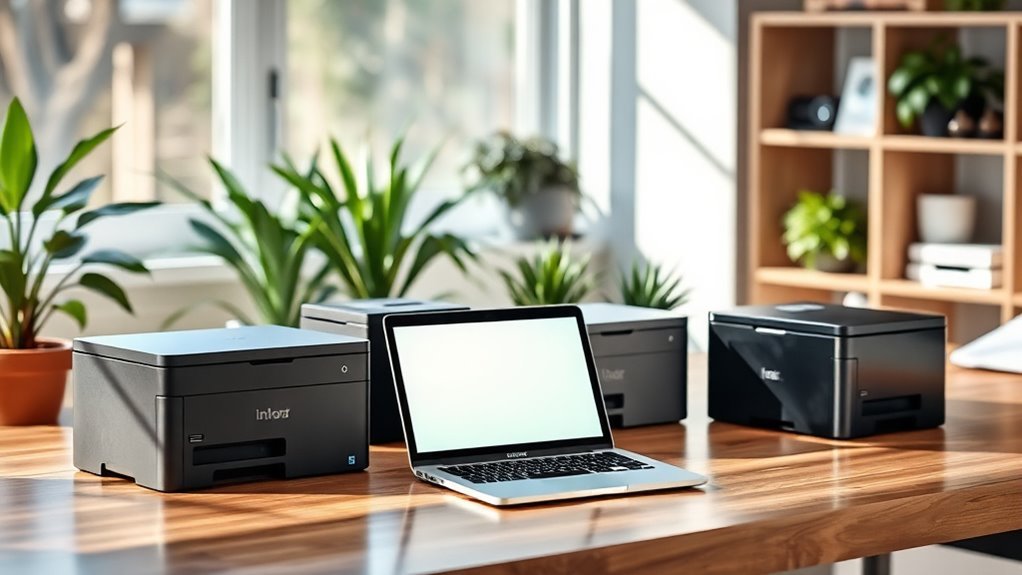
When choosing a compact laser printer for your Mac, you’ll want to check macOS compatibility to guarantee smooth operation. It’s super important to make sure it works seamlessly with your system.
Consider wireless connectivity options and mobile printing support for convenience on the go. These features can really make a difference if you need to print from your phone or tablet.
Don’t forget to evaluate print speed and the printer’s size to match your workspace and efficiency needs. After all, you want something that fits well and keeps up with your pace.
macOS Compatibility
Although many printers claim to support Mac, ensuring true macOS compatibility requires checking for native drivers and seamless integration with your system. You want a printer that offers native macOS drivers for easy installation and smooth operation.
Make sure it supports AirPrint to print directly from your Mac or iOS device without extra software. Regular firmware updates from the manufacturer are essential to keep your printer compatible with the latest macOS versions and features.
Also, verify that the printer handles common file formats like PDF and JPG effortlessly to avoid printing issues. While wireless connectivity enhances convenience, focus here on compatibility—ensuring your compact laser printer works flawlessly with your Mac before considering connectivity options.
Wireless Connectivity Options
Since seamless printing relies heavily on connectivity, choosing a compact laser printer with versatile wireless options is essential for Mac users. Look for printers offering dual-band Wi-Fi (2.4GHz and 5GHz) to minimize interference and boost network flexibility.
Support for AirPrint lets you print directly from your Mac or iOS devices without extra setup. If your wireless signal is spotty, consider models with Ethernet ports for a reliable wired connection.
Also, many printers now connect to cloud services, so you can print documents stored online anytime. Advanced mobile printing apps allow you to manage and print remotely from your Mac or smartphone, making your workflow smoother.
Prioritizing these wireless features guarantees your compact laser printer fits perfectly into your Mac ecosystem. It just makes everything easier and more efficient for you.
Print Speed Efficiency
A fast print speed can make a huge difference in your daily workflow, especially if you often handle multiple documents. Many compact laser printers offer speeds between 21 and 36 pages per minute, cutting down your wait time considerably.
Look for models with automatic duplex printing, so you can print double-sided without extra effort. This saves time and paper, which is always a win.
The initial page print time matters too—some printers deliver the first page in as little as 5.3 seconds, boosting overall efficiency. Don’t overlook print resolution; a sharp 1200 x 1200 dpi guarantees your documents look professional without sacrificing speed.
If you handle multi-page jobs, an auto document feeder can streamline scanning and copying. It helps you complete larger tasks faster and with less hassle.
Compact Design Features
When choosing a compact laser printer for your Mac, you’ll want to take into account its size and weight to guarantee it fits comfortably on your desk without cluttering your workspace. Compact laser printers usually range from 7 to 16 inches in both depth and width, with lighter models weighing between 9 and 19 pounds.
This makes them easy to move if needed. Many offer single-function options like print-only or multifunction models that include scanning and copying, so you can select what fits your needs best.
Keep in mind that smaller printers tend to have simpler paper handling, typically holding 150 to 250 sheets. Plus, many compact designs come with wireless connectivity, letting you print seamlessly from your Mac or other devices without extra cables.
Mobile Printing Support
Although compact laser printers excel in saving space, you’ll want to make sure they support mobile printing protocols compatible with your Mac, like AirPrint. This way, you can print effortlessly from your iPhone, iPad, or Mac without needing extra drivers.
Look for printers offering dedicated mobile apps that let you manage printing tasks remotely. It’s a handy feature that gives you more control on the go.
Dual-band Wi-Fi support (2.4GHz/5GHz) is another key feature. It enhances connectivity and ensures smooth mobile printing without interruptions.
Cloud printing compatibility also adds convenience. You can print documents stored on services like iCloud or Google Drive directly from your mobile device—super easy!
Finally, prioritize printers with an intuitive setup and user interface for mobile printing functions. This makes connecting and managing print jobs straightforward, saving you time and frustration in your daily workflow.
Security and Privacy
Since your compact laser printer handles sensitive documents, you’ll want one that offers robust security and privacy features. Look for models with secure print, requiring user authentication before releasing jobs, which keeps your documents safe.
Prioritize printers that support encrypted wireless connections to prevent data interception during transmission. Regular firmware updates are essential—they patch vulnerabilities and improve security over time.
Check if the printer includes user access controls to restrict who can print, scan, or copy, adding an extra layer of privacy. Finally, consider devices certified by reputable organizations like IEEE or NIST, ensuring they meet industry security standards.
Frequently Asked Questions
How Do Compact Laser Printers Compare to Inkjet Printers for Photo Printing?
You’ll find compact laser printers produce sharper text but less vibrant photos than inkjets. They’re faster and cost-effective for documents.
But if you want rich, detailed photo prints, inkjets still outperform lasers. So, for photos, inkjets are usually the better pick.
Can Compact Laser Printers Handle Heavy-Duty Printing Volumes?
Think of a compact laser printer as a marathon runner—they can handle heavy-duty printing volumes without breaking a sweat.
You’ll get fast, consistent output, making them perfect when you need large batches printed efficiently and reliably.
Are There Any Eco-Friendly Compact Laser Printers Available in 2027?
Yes, you’ll find eco-friendly compact laser printers in 2027 that use recycled materials, energy-saving modes, and toner cartridges designed for recycling. They help reduce waste while delivering high-quality prints without compromising performance or speed.
It’s great because you don’t have to choose between being green and getting the job done right. These printers make it easy to stay eco-conscious without any hassle.
What Are Common Troubleshooting Steps for Mac Connectivity Issues?
You should restart both your Mac and printer, and check your Wi-Fi or cable connections. Sometimes, a quick reboot can fix a lot of issues.
Also, make sure to update your drivers and reset the printer’s system settings if needed. These steps often help clear up any glitches.
Don’t forget to use your Mac’s Printer & Scanner preferences to troubleshoot. And hey, always check for software updates—they can be a game changer!
Do Compact Laser Printers Support Mobile Printing Apps on Mac?
Yes, compact laser printers often support mobile printing apps on Mac. You’ll find apps like AirPrint or manufacturer-specific ones that let you print wirelessly and conveniently from your Mac or iPhone without hassle.
It’s pretty straightforward to set up, too. Just connect your printer to the same Wi-Fi network as your Mac, and you’re good to go. Mobile printing has definitely made life easier!
Conclusion
Choosing a compact laser printer for your Mac can be a seamless and smart selection when you spot the specs that suit your space and style. Whether you want wireless wonders, monochrome magic, or color clarity, these carefully curated contenders cater to your creative and corporate cravings.
Don’t delay—dive into dependable devices designed to deliver dazzling documents and dependable durability. These printers make your printing process perfectly productive and pleasantly portable.
With the right compact laser printer, you get a blend of efficiency, quality, and convenience that complements your Mac setup. So, whether it’s for home use or office hustle, these printers offer reliable performance without taking up much space. Explore the best compact laser printers for Mac and enjoy crisp, clear prints anytime, anywhere.