3 Best Budget Printers for 2027 That Save You Money
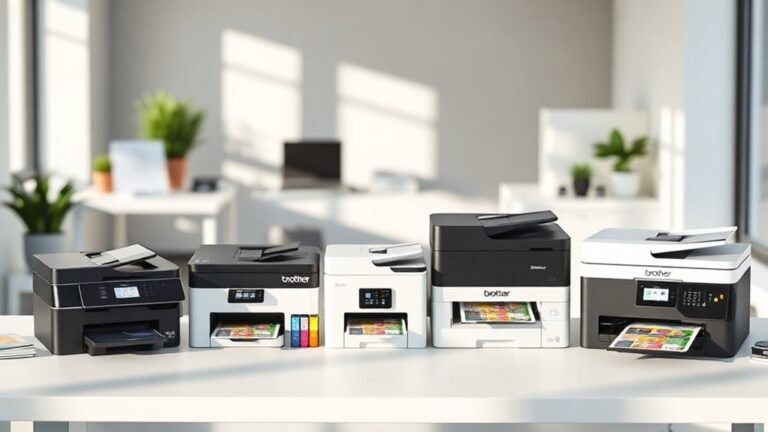
You’ll save money with the HP DeskJet 2923, Canon PIXMA TS4320, and Canon PIXMA TS3720—top budget printers for 2027. These affordable printers are perfect if you want to keep costs low without sacrificing quality. They offer wireless all-in-one functions like printing, scanning, and copying, which makes them super convenient for home use.
The HP model even includes a 6-month ink subscription trial, so you can get started without worrying about extra expenses right away. Meanwhile, Canon’s options support duplex printing and borderless photos, adding more versatility to your printing needs.
Compact and easy to set up, these printers fit home needs without overspending. So, whether you’re working from home or just need a reliable printer for everyday tasks, these budget-friendly models have got you covered. Explore their features and decide which suits your space and budget best.
| Image | Name | Editor's Rating | Price |
|---|---|---|---|

|
|
||

|
|
HP DeskJet 2923 Color Inkjet Printer | Wireless | All-in-One
- Perfect for basic printing needs – Print everyday color documents like to-do lists, letters, financial documents and recipes
- KEY FEATURES – Color print, copy, scan, and a 60-sheet input tray, plus mobile and wireless printing
- OPTIMIZE PRINT FORMATTING WITH HP AI – Print web pages and emails with precision—no wasted pages or awkward layouts; HP AI easily removes unwanted content, so your...
- ICON LCD – Print your basic documents with ease from the intuitive control panel
- PRINT SPEED – Up to 7.5 ppm black, 5.5 ppm color

The HP DeskJet 2923 Color Inkjet Printer is designed to simplify everyday printing tasks at home. It handles printing, scanning, and copying with ease, making it a practical tool for daily document needs. Wireless connectivity, including dual-band Wi-Fi and Apple AirPrint, allows you to print directly from your mobile devices without hassle.
This all-in-one printer features a compact design, perfect for small spaces. Its 60-sheet input tray supports moderate printing volume, while manual duplexing lets you print on both sides when needed, helping to save paper. The intuitive icon LCD control panel makes navigation straightforward, reducing the time spent on setup and maintenance.
Print speeds are suitable for typical home use, delivering up to 7.5 pages per minute in black and 5.5 pages per minute in color. The printer also comes with a 6-month Instant Ink trial, which helps lower ink expenses by automatically managing ink supply based on your usage.
Maintenance is easy with the eco-friendly design that incorporates recycled plastics. This model balances functionality and convenience for users who want simple, reliable printing without the complexity of larger office machines.
Best for: Individuals or families needing an affordable, compact all-in-one printer for basic home printing, scanning, and copying with seamless wireless and mobile connectivity.
What We Like:
- Dual-band Wi-Fi and Apple AirPrint enable easy wireless printing.
- 6-month Instant Ink trial helps reduce ink costs effectively.
- Compact design with an easy-to-use icon LCD control panel.
- Eco-friendly construction using recycled plastics.
Specification:
| Specification | Details |
|---|---|
| Manufacturer | HP |
| Dimensions | Approx. 16.5 x 12 x 6 inches (42 x 30.5 x 15 cm) |
| Weight | Approx. 5.6 lb (2.54 kg) |
| Material | Recycled plastics |
| Color Options | White with black accents |
Canon PIXMA TS4320 – Wireless Color Inkjet Printer with Print, Copy, Scan
- Affordable Versatility - A budget-friendly all-in-one printer perfect for both home users and hybrid workers, offering exceptional value
- Crisp, Vibrant Prints - Experience impressive print quality for both documents and photos, thanks to its 2-cartridge hybrid ink system that delivers sharp text and vivid...
- Effortless Setup & Use - Get started quickly with easy setup for your smartphone or computer, so you can print, scan, and copy without delay
- Reliable Wireless Connectivity - Enjoy stable and consistent connections with dual-band Wi-Fi (2.4GHz or 5GHz), ensuring smooth printing from anywhere in your home or...
- Scan & Copy Handling - Utilize the device’s integrated scanner for efficient scanning and copying operations
The Canon PIXMA TS4320 offers a compact and efficient solution for home users who need dependable color printing, scanning, and copying. Its small footprint fits neatly on any desk or countertop, making it ideal for limited spaces. With wireless connectivity, it frees you from cables and lets you print directly from smartphones and tablets using the Canon PRINT app or Apple AirPrint.
This printer produces sharp photos and documents at resolutions up to 1200 dpi. Automatic duplex printing helps save paper by printing on both sides without manual intervention. The 100-sheet paper tray and support for various media types, including borderless photos, make it versatile for everyday tasks.
Maintenance is straightforward, though the 2-cartridge hybrid ink system means you may need to replace cartridges more often than with individual color tanks. The absence of an automatic document feeder limits efficiency when handling multi-page scanning or copying, but its simplicity suits most home users’ needs.
Overall, the PIXMA TS4320 balances reliable performance with ease of use. It’s designed to deliver quality prints while keeping setup and maintenance hassle-free.
Best for: Home users who want a compact, wireless color printer for everyday photo and document tasks without complex features.
What We Like:
- Compact design fits well in small spaces
- Wireless printing with Canon PRINT app and Apple AirPrint support
- Automatic duplex printing saves paper and time
- Versatile media handling including borderless photo printing
Specification:
| Feature | Details |
|---|---|
| Manufacturer | Canon |
| Dimensions (W×D×H) | Approximately 14.5×12×5.7 inches (36.8×30.4×14.5 cm) |
| Weight | Around 8.8 lbs (4 kg) |
| Ink System | 2-cartridge hybrid ink |
| Paper Capacity | 100 sheets |
| Connectivity | Dual-band Wi-Fi, USB |
| Color Options | White, Black |
Canon PIXMA TS3720 Wireless All-in-One Printer White
No products found.
Discover hassle-free home printing with the Canon PIXMA TS3720 Wireless All-in-One Printer. This compact device simplifies everyday tasks like printing, scanning, and copying, making it a practical choice for busy households. Its small footprint fits easily in tight spaces without sacrificing functionality.
The printer offers wireless dual-band Wi-Fi, allowing seamless connection to your devices. Setup is quick, and mobile printing through the Canon PRINT app keeps you productive on the go. It supports multiple paper sizes, including borderless photos up to 5″ x 7″, perfect for personal projects.
Maintenance is straightforward with the two-cartridge FINE Hybrid ink system, delivering sharp black text and vibrant color prints. Plus, Canon’s Print Plan subscription helps reduce ink costs, making it budget-friendly over time. The 60-sheet paper tray is suitable for light daily use but may need frequent refills.
Although print speeds are modest at 7.7 ppm for black and 4 ppm for color, this printer meets basic home needs efficiently. Note that it only supports single-sided printing.
Best for: individuals and families seeking an affordable, compact all-in-one printer for simple home printing, scanning, and copying tasks.
What We Like:
- Easy wireless setup with dual-band Wi-Fi and mobile app printing
- Handles various media sizes including borderless 5″ x 7″ photos
- Cost-saving ink with Canon’s Print Plan subscription
Specification:
| Feature | Details |
|---|---|
| Manufacturer | Canon |
| Dimensions | Compact size (exact size not specified) |
| Weight | Not specified |
| Color Options | White |
| Ink System | Two-cartridge FINE Hybrid |
| Paper Tray Capacity | 60 sheets |
Factors to Consider When Choosing a Budget Printer
When picking a budget printer, you’ll want to contemplate how fast it prints and whether it offers wireless connectivity for easy access. Think about the cost of ink and if the print quality meets your needs, especially for photos or documents.
Also, check if it includes multifunction features like scanning or copying to get the most value. These extras can really come in handy and save you some money down the line.
Print Speed Importance
Frequently, print speed plays a pivotal role in how efficiently you complete your printing tasks, especially if you handle multiple pages or batches. Budget inkjets typically print between 5 to 14 pages per minute (ppm), so picking a model with higher ppm makes sense if you print often or in volume.
Remember, print speeds vary for black and color pages and depend on document type, so check both black and color ppm along with manufacturer test conditions. Also, don’t overlook first-page-out time—faster start times (around 9–20 seconds) save you waiting on quick prints.
Duplexing and warm-up times influence overall throughput, so a slower printer with automatic duplex might outperform a faster simplex-only one. Finally, real-world speed depends on processor, memory, and software handling, so consider effective ppm under your typical use.
Wireless Connectivity Options
Print speed can make a big difference, but how you connect your printer to devices also impacts your overall experience. Look for dual-band Wi-Fi support (2.4 GHz and 5 GHz) to get reliable connections in crowded networks and faster transfers when 5 GHz is available.
Wi-Fi Direct lets you print from phones and tablets without joining the local network, adding convenience. Make sure your printer supports mobile printing standards like AirPrint and Mopria so you don’t need extra drivers.
Check if it offers automatic reconnection and built-in troubleshooting to keep connections stable with less hassle. Also, consider wired options like USB or Ethernet for initial setup or when Wi-Fi is spotty, ensuring you always have a backup connection method.
Ink Cost Efficiency
You’ll often find that ink costs make a bigger impact on your budget than the printer’s initial price. To manage this, calculate the cost per page by dividing the cartridge price by its page yield—for example, a $15 cartridge printing 300 pages costs about 5 cents per page.
Choose printers with separate color cartridges or pigment black plus dye color systems. That way, you replace only the depleted color, saving money long-term compared to multi-color cartridges.
Consider high-yield (XL) cartridges; though pricier upfront, they cut your cost per page by 20–50%. Subscription plans with auto-shipped cartridges might lower per-cartridge cost but add monthly fees, so estimate your monthly print volume before enrolling.
Finally, use draft mode, grayscale printing, and plain paper to reduce ink consumption markedly. These simple tweaks can really stretch your ink budget!
Print Quality Needs
How sharp and vivid do you need your documents to be? If you mainly print text, focus on black DPI between 600 and 1200 for clear legibility.
For photos or graphics, opt for higher color resolution—between 1200 and 4800 optimized dpi—and more color inks to capture detail. Consider whether you need pigment ink for crisp, long-lasting text or dye ink for richer photos.
Also, check print speeds; slower budget printers (4–9 ppm color, 7–14 ppm B/W) might slow you down if you print often. Don’t forget duplexing capabilities and scanner resolution (300–600 dpi) if you handle two-sided documents or copies.
Finally, make sure the printer supports your desired media types and sizes, like borderless photos or card stock, without sacrificing quality.
Multifunction Features Availability
When shopping for a budget printer, figure out which functions you’ll actually use—whether you need just printing or also scanning and copying. Multifunction printers (MFPs) add hardware complexity, raising upfront costs and repair risks, so only pick one if you truly need those extras.
Check the scanner type—flatbed or automatic document feeder (ADF)—and scan resolution to verify it fits your photo or document needs. If you handle multi-page jobs often, confirm duplex copying/scanning and maximum speed.
Features like fax, color copying, and max copies per job boost functionality but can hike price and maintenance. Also, consider user-friendly controls—a color display or smartphone app support can make scanning and copying much easier and more efficient in daily use.
Paper Handling Capacity
Don’t overlook paper handling capacity when choosing a budget printer—it directly impacts how smoothly your printing tasks run.
Start by checking the input tray capacity; most budget models hold 60 to 100 sheets. Match this to your typical print volume to avoid constant refilling.
Also, consider the output tray size and monthly duty cycle to guarantee the printer can handle bigger jobs without jams or wear.
Verify supported paper sizes and types like Letter, Legal, envelopes, or cardstock, so it fits your needs.
If saving paper matters, look for duplex printing—automatic or manual.
Finally, see if the printer offers multiple trays or priority feed options; these make switching between paper types quicker and hassle-free, boosting your overall efficiency.
Device Compatibility Range
Although budget printers often focus on basic features, you’ll want to guarantee they can connect seamlessly with your devices. Check for supported connections like Wi-Fi dual-band (2.4 GHz and 5 GHz), USB, and mobile print protocols such as AirPrint or Mopria to make certain compatibility with your phones, tablets, laptops, or Chromebooks.
Verify operating system support—Windows, macOS, iOS, Android, and Chrome OS—and confirm driver availability to avoid functionality issues. If you print from smartphones or cloud storage, look for app or cloud printing support.
Also, make sure the printer handles multiple devices simultaneously and offers features like wireless direct or guest printing. In conclusion, consider your network’s security standards (WPA2/WPA3) and router compatibility to keep your device ecosystem safe and efficient.
Frequently Asked Questions
How Do Ink Subscription Services Work for Budget Printers?
Ink subscription services send you replacement cartridges automatically before you run out. You pay a monthly fee, which often saves money, and don’t have to worry about buying ink separately or running out unexpectedly.
It’s pretty convenient, especially if you print a lot. No more last-minute trips to the store or panic when your printer suddenly stops working. Plus, since it’s a subscription, you usually get a better deal than buying cartridges one by one.
Can Budget Printers Handle High-Volume Printing Efficiently?
Think budget printers can’t handle high-volume printing efficiently? They actually can, but you’ll want to pick models designed for larger workloads.
Otherwise, frequent ink changes and slower speeds might slow you down. Choose wisely!
What Are Common Troubleshooting Tips for Budget Printer Jams?
You’ll want to gently remove jammed paper and check for torn scraps inside. Cleaning the rollers can help a lot, too.
Make sure your paper is properly aligned before printing. Also, avoid overloading the trays—this is a common cause of jams.
Using the recommended paper types is key. It helps prevent future jams and keeps your printer happy!
Are Refurbished Printers a Good Budget Alternative?
Yes, refurbished printers can be a great budget alternative. You’ll save money while getting reliable performance.
Just make sure to buy from reputable sellers offering warranties. This helps avoid potential issues and guarantees your printer works smoothly.
How Do Printer Operating Costs Compare Across Different Brands?
You’ll find operating costs vary widely; some brands charge more for ink while others offer affordable refills or subscription plans.
Research cartridge prices and page yields to pick a printer that keeps your expenses low over time.
It’s a good idea to compare these factors before deciding. That way, you avoid surprises when your ink runs out!
Conclusion
Choosing the right budget printer doesn’t have to feel like traversing a maze. Whether you pick the HP DeskJet 2923, Canon PIXMA TS4320, or TS3720, you’re set to save money without sacrificing quality.
Just like finding a hidden gem in a crowded marketplace, these printers offer reliable performance and wireless convenience that fit your needs perfectly.
So, go ahead—make your pick and watch your printing woes disappear like magic. With these budget-friendly printers, you get the best value for your money. They’re designed to deliver crisp prints without draining your wallet.
Investing in one of these affordable options means you won’t have to compromise on quality or speed. Enjoy hassle-free printing that saves you both time and cash in 2027.