9 Best Compact Colour Printers for 2027
You’ll find top compact color printers like the HP DeskJet 2923 and Envy 6155 offer wireless all-in-one convenience with eco-friendly designs. These models are perfect for small spaces and busy homes looking for reliable, easy printing solutions.
Canon’s PIXMA TS4320 and TS6520 deliver sharp, versatile home printing, whether you’re working on documents or photos. Plus, the MegaTank G3270 cuts ink costs with its refillable tanks, making it budget-friendly for frequent use.
For portable photo printing, check out the Canon Selphy or KODAK Step. They’re great for on-the-go snapshots and quick prints. Need speed and volume? The imageCLASS LBP646Cdw laser excels in those areas.
Explore these options to find the perfect fit for your workspace. Whether it’s for home or office, there’s a compact color printer that matches your needs.
| Image | Name | Editor's Rating | Price |
|---|---|---|---|

|
|
||

|
|
||

|
|
||

|
|
||

|
|
HP DeskJet 2923 Color Inkjet Printer | Wireless | All-in-One
- Perfect for basic printing needs – Print everyday color documents like to-do lists, letters, financial documents and recipes
- KEY FEATURES – Color print, copy, scan, and a 60-sheet input tray, plus mobile and wireless printing
- OPTIMIZE PRINT FORMATTING WITH HP AI – Print web pages and emails with precision—no wasted pages or awkward layouts; HP AI easily removes unwanted content, so your...
- ICON LCD – Print your basic documents with ease from the intuitive control panel
- PRINT SPEED – Up to 7.5 ppm black, 5.5 ppm color

If you need a compact all-in-one printer that fits seamlessly in your home, the HP DeskJet 2923 is an excellent choice. It handles color printing, copying, and scanning with ease, making everyday tasks simple and efficient. Its small footprint keeps your workspace organized without sacrificing functionality.
This printer connects effortlessly through dual-band Wi-Fi and the HP App, allowing you to print and scan directly from your smartphone. This wireless convenience removes the hassle of cables and helps you stay productive wherever you are in your home.
Maintenance is straightforward with a 60-sheet input tray designed for light to moderate print jobs. The printer also supports automatic ink delivery via the Instant Ink subscription after a six-month trial, ensuring you never run out of ink unexpectedly.
Made with 70% recycled plastics and ENERGY STAR certified, the DeskJet 2923 supports your commitment to sustainability. Its print speeds are moderate, making it ideal for personal use rather than high-volume tasks.
Best for: individuals and home office users seeking a compact, eco-friendly all-in-one printer with wireless mobile connectivity and essential color printing, copying, and scanning features.
What We Like:
- Compact design fits easily in small spaces
- Wireless dual-band Wi-Fi and HP App for easy mobile printing
- Made from 70% recycled plastics, ENERGY STAR certified
- Automatic ink delivery with Instant Ink subscription
- Simple maintenance with a 60-sheet input tray
Specification:
| Feature | Details |
|---|---|
| Manufacturer | HP |
| Dimensions | Compact size (exact dimensions not provided) |
| Weight | Not specified |
| Material | 70% recycled plastics |
| Color Options | Not specified |
HP Envy 6155 Wireless All-in-One Inkjet Printer
- FROM AMERICA'S MOST TRUSTED PRINTER BRAND – The Envy 6155 is perfect for homes printing everyday high-quality color documents like homework and borderless photos. Print...
- 3 MONTH TRIAL OF INSTANT INK – Subscribe to the Instant Ink delivery service to get ink delivered directly to your door before you run out, and you save up to 50% on...
- KEY FEATURES – Color print, copy and scan, plus auto 2-sided printing and a 100-sheet input tray
- HP'S MOST INTUITIVE COLOR TOUCHSCREEN – Smoothly navigate your printer with the easy-to-use 2.4" touchscreen
- WIRELESS PRINTING – Stay connected with our most reliable dual-band Wi-Fi, which automatically detects and resolves connection issues
The HP Envy 6155 Wireless All-in-One Inkjet Printer is designed to simplify your home printing needs. It delivers vibrant documents and photos with ease, making everyday tasks like homework and photo printing more enjoyable. The printer’s automatic duplex feature cuts paper use in half, helping you save resources and time.
This all-in-one device handles printing, scanning, and copying efficiently. Wireless dual-band Wi-Fi and the HP App let you manage your print jobs right from your smartphone. The 2.4-inch touchscreen offers straightforward navigation for quick setup and control.
Maintenance is hassle-free with HP’s AI-driven print optimization, which reduces wasted pages. The printer is eco-conscious, made from 60% recycled plastic and supports Instant Ink delivery, ensuring you never run out of ink. However, it only accepts original HP cartridges, which may require firmware updates and limit third-party options.
Print speeds reach up to 10 ppm for black and 7 ppm for color, suitable for moderate home use. While the small touchscreen might feel limited for frequent adjustments, the overall functionality fits well in a busy household.
Best for: individuals and families needing a versatile, eco-friendly all-in-one printer for vibrant home documents and photos with easy wireless and mobile access.
What We Like:
- Automatic duplex printing reduces paper waste and boosts efficiency
- Wireless dual-band Wi-Fi and HP App enable convenient smartphone printing
- Made with 60% recycled plastic for a more sustainable design
- Instant Ink trial provides reliable, hassle-free ink delivery
Specification:
| Feature | Details |
|---|---|
| Manufacturer | HP |
| Dimensions | Not specified |
| Weight | Not specified |
| Material | 60% recycled plastic |
| Color Options | Not specified |
Canon PIXMA TS4320 – Wireless Color Inkjet Printer with Print, Copy, Scan
- Affordable Versatility - A budget-friendly all-in-one printer perfect for both home users and hybrid workers, offering exceptional value
- Crisp, Vibrant Prints - Experience impressive print quality for both documents and photos, thanks to its 2-cartridge hybrid ink system that delivers sharp text and vivid...
- Effortless Setup & Use - Get started quickly with easy setup for your smartphone or computer, so you can print, scan, and copy without delay
- Reliable Wireless Connectivity - Enjoy stable and consistent connections with dual-band Wi-Fi (2.4GHz or 5GHz), ensuring smooth printing from anywhere in your home or...
- Scan & Copy Handling - Utilize the device’s integrated scanner for efficient scanning and copying operations
Experience seamless printing, copying, and scanning with the Canon PIXMA TS4320, designed to simplify your home or hybrid workspace. Its compact and stylish design fits neatly on any desk, saving valuable space without sacrificing functionality.
This wireless color inkjet printer connects effortlessly via dual-band Wi-Fi, allowing you to print directly from smartphones, tablets, or laptops. It tackles everyday printing needs with decent speeds of up to 9 ppm in color and 14 ppm in black and white, helping you stay productive with minimal hassle.
Maintenance is straightforward thanks to its 100-sheet paper capacity and support for various media types. The auto duplex feature lets you print on both sides, reducing paper waste and saving you time. The integrated flatbed scanner and copy functions handle routine tasks smoothly, making it a versatile tool for light, occasional use.
While the single paper tray means you may need to refill often during heavier tasks, the included starter ink tanks help you get started right away. Using the Canon PRINT app and Alexa compatibility enhances convenience, letting you manage printing tasks with ease.
Best for: Home users and hybrid workers needing a compact, reliable printer for light to moderate printing, copying, and scanning.
What We Like:
- Compact design that fits well in small spaces
- Dual-band Wi-Fi enabling easy wireless printing from multiple devices
- Auto duplex printing to save paper and time
- Integrated flatbed scanner and copier for versatile use
- Canon PRINT app and Alexa support for added convenience
Specification:
| Feature | Details |
|---|---|
| Manufacturer | Canon |
| Dimensions | Compact footprint (exact size not specified) |
| Weight | Not specified |
| Color Options | Not specified |
| Paper Capacity | 100 sheets |
| Connectivity | Dual-band Wi-Fi |
Canon PIXMA TS6520 Wireless Color Inkjet Printer, 1.42″ OLED Display, White
- Affordable Versatility - A budget-friendly all-in-one printer perfect for both home users and hybrid workers, offering exceptional value
- Crisp, Vibrant Prints - Experience impressive print quality for both documents and photos, thanks to its 2-cartridge hybrid ink system that delivers sharp text and vivid...
- Effortless Setup & Use - Get started quickly with easy setup for your smartphone or computer, so you can print, scan, and copy without delay
- Reliable Wireless Connectivity - Enjoy stable and consistent connections with dual-band Wi-Fi (2.4GHz or 5GHz), ensuring smooth printing from anywhere in your home or...
- Scan & Copy Handling - Utilize the device’s integrated scanner for efficient scanning and copying operations
The Canon PIXMA TS6520 offers a compact and efficient solution for your home printing needs. Its versatile design helps you handle printing, scanning, and copying tasks with ease. This means less hassle and more productivity whether you’re working, studying, or managing household documents.
The sharp 1.42″ OLED display simplifies navigation, making it easy to select functions quickly. With a high print resolution of up to 1200 x 1200 dpi, your documents come out vibrant and clear. Automatic duplexing and borderless printing add convenience and professional quality to your prints.
Wireless connectivity through dual-band Wi-Fi ensures smooth integration with your devices. You can also print using voice commands via Alexa or connect through USB. Maintenance is straightforward, but the ink system uses only two cartridges, which may need frequent replacement during heavy color printing.
While it has a single paper tray and lacks an automatic document feeder, its compact size fits well in small spaces. This printer is ideal for home users who value versatility and ease of use without complex setups.
Best for: families, students, and home or hybrid workers needing a compact all-in-one printer for everyday color and black-and-white printing, scanning, and copying.
What We Like:
- Compact design with intuitive 1.42″ OLED display
- Automatic duplex and borderless printing
- Dual-band Wi-Fi and Alexa voice control
- Mobile printing compatibility
Specification:
| Feature | Details |
|---|---|
| Manufacturer | Canon |
| Dimensions | Not specified |
| Weight | Not specified |
| Color Options | White |
| Display | 1.42″ OLED |
| Print Resolution | Up to 1200 x 1200 dpi |
| Connectivity | Dual-band Wi-Fi, USB |
Canon MegaTank G3270 All-in-One Wireless Color Printer
- Wireless Print/Copy/Scan
- Up to 2 years of ink included (2)
- Print up to 6,000 black & white / 7,700 color pages using a single set of inks! (1)
- Save up to $1,000 on ink (1)
- 1.35” Square LCD display
The Canon MegaTank G3270 All-in-One Wireless Color Printer offers a practical solution for home and small office printing needs. Its refillable MegaTank ink system significantly reduces the hassle of frequent cartridge replacements, providing up to two years of ink. This helps keep printing costs low and maintenance simple.
This printer delivers sharp, high-quality color prints at 4800 × 1200 dpi and fast black-and-white output at 11 pages per minute. It supports wireless and USB connectivity, allowing easy printing from smartphones and other devices. Borderless photo printing up to 8.5″ × 14″ adds versatility for creative projects.
Designed with efficiency in mind, the compact unit features a 1.35″ LCD screen and a 100-sheet paper tray. Its Energy Star rating ensures energy savings without sacrificing performance. However, it only supports single-sided printing, which may slow down tasks requiring duplex output.
Best for: Home users and small offices seeking a cost-effective, reliable all-in-one printer with long-lasting ink and wireless convenience.
What We Like:
- Long-lasting MegaTank ink system reduces refills and costs
- High-resolution color and fast black-and-white printing
- Wireless and USB connectivity with smartphone control
- Compact design with Energy Star efficiency
Specification:
| Feature | Details |
|---|---|
| Manufacturer | Canon |
| Dimensions (W×D×H) | 14.8 × 12.8 × 5.9 inches |
| Weight | 7.6 lbs (3.45 kg) |
| Color Options | Black |
| Print Resolution | Up to 4800 × 1200 dpi |
| Print Speed (B&W) | 11 pages per minute |
| Paper Tray Capacity | 100 sheets |
| Display | 1.35″ LCD |
| Connectivity | Wi-Fi, USB |
Canon Selphy CP1500 Wireless Photo Printer Bundle

- The sleek and modern design of the SELPHY CP1500 is reflected in how easy it is to use even with powerful features such as Wi-Fi (1) and smartphone connectivity. (2)
- Thanks to a small footprint, the SELPHY CP1500 is incredibly portable, and with the optional battery pack, you can print and share your memories from just about anyplace...
- Not only will your photos look great, they will also be instantly dry and water resistant, and continue to look great for up to 100 years. (3)
- Enjoy the flexibility of Wi-Fi, USB, and memory card (4) connections for your SELPHY CP1500 to connect to just about anything and print from devices like your smartphone...
- A large built-in 3.5” display allows you to view, edit, and add filter effects like sepia, or B/W to the images you want to print.
The Canon Selphy CP1500 Wireless Photo Printer Bundle is designed for anyone who wants to print vibrant 4×6 photos quickly and easily. Its wireless capability eliminates the hassle of cables, allowing you to print directly from your smartphone or memory card. This makes it ideal for capturing and sharing memories on the go.
Its compact design and optional battery pack add true portability, so you can use it anywhere without needing a power outlet. The built-in 3.5-inch screen helps you preview and edit photos with filters before printing, giving you control over your images without extra devices.
Maintenance is simple with included 108 sheets of photo paper and color thermal printing technology that produces water-resistant prints. These photos dry instantly and can last up to 100 years, making it a reliable choice for preserving your pictures.
While the print resolution maxes out at 300 x 300 dpi and the speed is about one page per minute, the Selphy CP1500 focuses on convenience and portability rather than high-volume or ultra-high-resolution printing. It’s a print-only device, so scanning and copying are not supported.
Best for: Users who want an easy-to-use, portable wireless photo printer for quick, high-quality 4×6 prints from smartphones or memory cards.
What We Like:
- Wireless printing via Wi-Fi, smartphone, USB, and memory card
- Compact, lightweight design with optional battery for portability
- Durable, water-resistant prints that dry instantly
- Built-in 3.5-inch display for photo preview and editing
- SELPHY app supports Siri Shortcuts and QR code printing
Specification:
| Feature | Details |
|---|---|
| Manufacturer | Canon |
| Dimensions | Compact size (exact size not specified) |
| Weight | Just over 5 lbs (approx. 2.3 kg) |
| Printing Technology | Color thermal printing |
| Print Size | 4×6 inches |
| Connectivity | Wi-Fi, USB, memory card |
| Display | 3.5-inch built-in screen |
| Included Paper | 108 sheets photo paper |
Canon PIXMA TR160 Color Wireless Portable Printer

- LIGHTWEIGHT AND PORTABLE - Connect and print on the go with the PIXMA TR160. This lightweight portable printer can fit into a bag or backpack with room to spare.
- HIGH-QUALITY PRINTING ON THE GO - Print documents and photos up to 8.5” x 11” that showcase sharp black text and vibrant details with rich color thanks to a 5-Color...
- SIMPLE & EASY CONNECTIVITY - Printing is only an app away when using the Canon PRINT app, Apple AirPrint4, or Mopria Print Service5 with your compatible device(s) or the...
- WIRELESS DIRECT MODE - Connect your compatible device to the printer even without a wireless router.
- 1.44” OLED DISPLAY - Easily check ink levels, printer status, and other settings with the 1.44” Monochrome OLED.
Experience the freedom of printing anywhere with the Canon PIXMA TR160 Wireless Portable Printer. Its compact design and lightweight body make it easy to carry, perfect for people who need printing on the go. Whether at a café, office, or traveling, this printer fits neatly into your bag without adding bulk.
The printer uses a 5-Color Hybrid Ink System to produce sharp black text and vibrant color photos, supporting media sizes up to 8.5″ x 11″. Wireless connectivity options like the Canon PRINT app, AirPrint, Mopria, and Wireless Direct allow hassle-free printing without a router. This flexibility means you can print from smartphones, tablets, or laptops seamlessly.
Maintenance is straightforward with the 1.44″ OLED display, which helps you monitor ink levels and save frequently used templates. The 50-sheet paper tray handles various media types, reducing the need for constant refills but printing speed is modest, especially for color pages.
While it lacks duplex printing and multifunction features like scanning or copying, the PIXMA TR160 focuses on portability and print quality, making it a reliable companion for mobile document and photo printing needs.
Best for: Professionals and travelers needing a lightweight, portable printer for sharp text and vibrant color prints on the go.
What We Like:
- Lightweight and compact for easy transport
- Multiple wireless printing options without needing a router
- High-quality prints with a 5-Color Hybrid Ink System
- Simple maintenance with an OLED display for ink monitoring
- Supports printing on various media sizes up to 8.5″ x 11″
Specification:
| Feature | Details |
|---|---|
| Manufacturer | Canon |
| Dimensions | Compact, fits in a bag |
| Weight | 4.5 lb (approx. 2.04 kg) |
| Ink System | 5-Color Hybrid Ink System |
| Media Size | Up to 8.5″ x 11″ |
| Display | 1.44″ OLED |
| Connectivity | Canon PRINT, AirPrint, Mopria, Wireless Direct |
Canon imageCLASS LBP646Cdw Wireless Laser Printer

- Single-Function, Color, Wireless, Duplex Printer: Print only. — No Scanning, Copying, or Faxing
- Fast Print Speeds: Print up to 26 ppm in both color and monochrome and spend less time waiting with a quick first print time of approximately 10.3 seconds.
- Easy Wireless Setup: Setup your wireless connection and get up and running in just a few steps.
- 5-inch LCD Screen: Navigate through all the features using the 5-line LCD screen.
- Mobile Device Printing: Print from your compatible mobile devices using the free Canon PRINT app, Apple AirPrint and Mopria Print Service.
The Canon imageCLASS LBP646Cdw is designed to meet the demands of small offices and home workspaces that require efficient, high-quality color printing. Its sharp 1200 x 1200 dpi resolution ensures every document is clear and vibrant, helping you present professional materials with ease. Fast print speeds up to 26 pages per minute keep your tasks moving without long waits.
This printer simplifies your workflow with automatic duplex printing and a 251-sheet paper capacity, reducing frequent reloads. Wireless connectivity options, including the Canon PRINT app, AirPrint, and Mopria Print Service, allow seamless printing from laptops, smartphones, or Chromebooks. Setting up the Wi-Fi connection is straightforward, minimizing downtime.
Maintenance is manageable with reliable toner yields, though heavy users may find the starter toner requires replacement sooner. While it consumes up to 1080 watts, which is higher than some alternatives, the printer’s compact design and ENERGY STAR certification make it suitable for hybrid or home office environments. Its focus on convenience and performance helps streamline everyday printing needs.
Best for: Small and home office users needing fast, high-quality color printing with wireless and mobile printing capabilities.
What We Like:
- Sharp 1200 x 1200 dpi resolution for vibrant color output
- Automatic duplex printing and large paper capacity for efficient use
- Easy wireless setup and broad mobile printing support
- Compact size with ENERGY STAR certification for space-conscious offices
Specification:
| Feature | Details |
|---|---|
| Manufacturer | Canon |
| Dimensions (W×D×H) | 16.5 × 18.3 × 14.5 inches (41.9 × 46.5 × 36.8 cm) |
| Weight | Approx. 38.6 lbs (17.5 kg) |
| Print Technology | Color Laser |
| Print Resolution | 1200 x 1200 dpi |
| Print Speed | Up to 26 ppm |
| Paper Capacity | 251 sheets |
| Connectivity | Wireless (Wi-Fi), USB |
| Duplex Printing | Automatic |
| Power Consumption | Up to 1080 watts |
| Energy Certification | ENERGY STAR certified |
KODAK Step Portable Instant Smartphone Photo Printer

- STEP UP YOUR PRINTING GAME. KODAK Step Printer Connects to Any iOS or Android Device [Via Bluetooth or NFC] Turn Your Selfies, Portraits, Social Media Posts Into Physical...
- AMAZING ZERO-INK TECHNOLOGY. ZINK 2” x 3” Sticky-Back Paper with Embedded Dye Crystals Delivers High-Quality, Durable, Affordable, Beautifully Detailed Prints That...
- FULL EDITING SUITE VIA APP. Download the KODAK App to Create Collages & Customize Your Snaps with Stunning Filters, Interesting Borders, Cool Stickers, Funny Text & Other...
- TAKE YOUR PROJECTS TO GO. Our Palm-Sized Printer Weighs Less Than a Pound, Sets Up Fast & Delivers Gorgeous Prints You Can Peel & Stick Everywhere.
- CUTE, COMPACT & COLORFUL. Step Printer is Designed for Photo-Loving Influencers & Crafters of All Ages & Skill Levels! Portable, Lightweight Device Features Built-In...
Capture and print your favorite moments instantly with the KODAK Step Portable Instant Smartphone Photo Printer. This compact device solves the hassle of waiting for photos by delivering quick, peel-and-stick prints right from your smartphone. Its small size and lightweight design make it perfect for printing on the go, whether you’re traveling, scrapbooking, or sharing memories with friends.
The printer connects easily via Bluetooth or NFC using the KODAK app. It uses ZINK thermal technology to produce vibrant, smudge- and water-resistant 2×3” photos without ink cartridges. You can personalize your images with filters, stickers, and text before printing, turning your digital memories into tangible keepsakes.
Maintenance is straightforward with a rechargeable battery that supports about 25 prints per charge. While the print speed is around one minute per photo and the paper tray holds up to 10 sheets, this printer balances portability and convenience for casual use.
Best for: Travelers, scrapbookers, and social influencers who want fast, portable, and customizable instant photo prints directly from their smartphones.
What We Like:
- Compact, lightweight design for easy portability
- Smudge- and water-resistant peel-and-stick photos with no ink needed
- Wireless connectivity via Bluetooth and NFC with a user-friendly app
- Rechargeable battery offering around 25 prints per charge
Specification:
| Feature | Details |
|---|---|
| Manufacturer | KODAK |
| Dimensions | Palm-sized (approx. 5 x 3 x 1.5 in) |
| Weight | Lightweight (approx. 0.5 lb) |
| Print Size | 2 x 3 inches |
| Connectivity | Bluetooth, NFC |
| Battery Capacity | Supports ~25 prints/charge |
| Paper Capacity | Up to 10 sheets |
Factors to Consider When Choosing a Compact Colour Printer
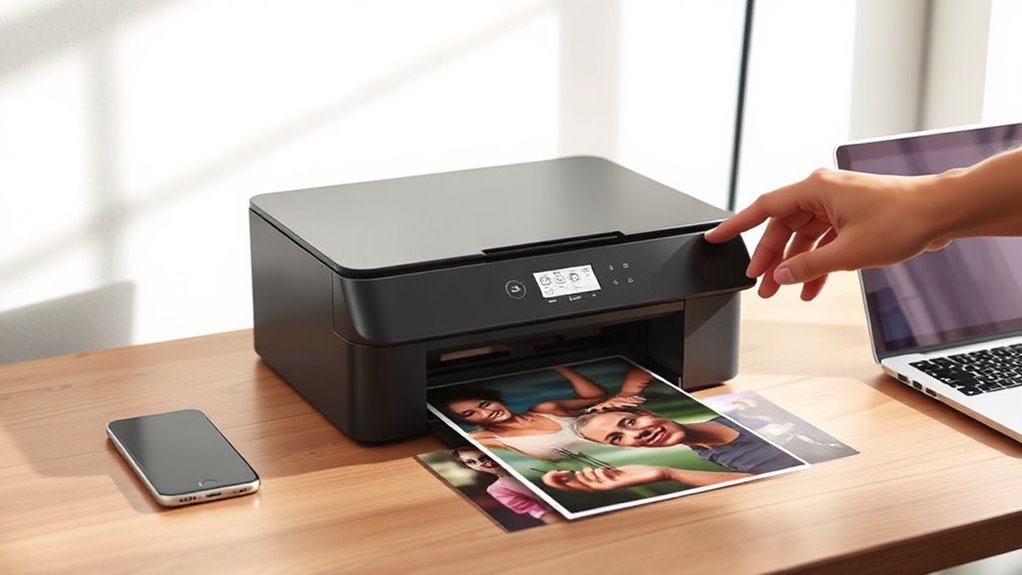
When choosing a compact colour printer, you’ll want to focus on print quality and resolution to assure sharp images. It’s really important to get crisp and clear prints.
Also, think about printing speed and connectivity options. These can make your printing experience much smoother and more convenient.
Don’t forget to consider the ink system’s cost. Matching that with your needs and budget can save you a lot in the long run.
And if you plan to move the printer around frequently, check the device size and portability. A lightweight and compact design can make a big difference.
Print Quality And Resolution
Consider how much detail and color accuracy you need before choosing a compact colour printer. Start by checking the maximum print resolution, measured in dpi—1200 x 1200 dpi or higher delivers finer detail and smoother color gradients, ideal for photos and graphics.
Don’t overlook color depth and output bit depth; more bits per channel mean more accurate, subtle shifts, which is essential for design work. Also, evaluate the printer’s ink technology and minimum droplet size. Smaller droplets and pigment inks improve sharpness, edge definition, and color permanence.
If you require precise reproductions, look for support for borderless printing and high-resolution media. And if scanning or copying matters to you, consider the optical resolution of those features to guarantee high-quality results.
Printing Speed And Efficiency
Choosing a compact colour printer means paying close attention to printing speed and efficiency to fit your workflow. You’ll want to check pages-per-minute (ppm) ratings for both black and colour prints—typical speeds range from 5–14 ppm for colour and 7–14 ppm for black.
Faster ppm saves time on multi-page jobs. Also, consider the first-page-out time for quick, single-page tasks. Automatic duplexing is a must if you print double-sided documents regularly since it halves paper handling time.
Don’t overlook input tray capacity; larger trays (60–100 sheets) reduce frequent reloads during batch printing. Finally, while wireless stability matters for mobile printing, focus here on how the printer’s speed and handling features boost your overall efficiency without interruptions.
Connectivity Options Available
Although printing speed and efficiency are essential, connectivity options play an equally important role in how seamlessly your compact colour printer integrates with your devices.
Dual-band Wi-Fi (2.4 GHz and 5 GHz) guarantees faster, less congested wireless printing and broad router compatibility. Bluetooth and NFC make mobile printing easy with quick tap-to-connect features, no Wi-Fi needed.
USB Type-A or Type-C connections offer the most reliable, high-speed link for direct printing or setup. If you work in a multi-user office, Ethernet ports provide stable, secure shared-network printing.
Plus, cloud and app-based printing lets you print and scan remotely from smartphones, tablets, or web services without installing drivers. Choosing the right connectivity options guarantees smooth, flexible printing tailored to your environment and devices.
Ink System And Cost
When you evaluate compact colour printers, the ink system and its cost can markedly impact your overall expenses. Compare upfront cartridge or bottle prices alongside their page yield to calculate cost-per-page accurately.
Refillable tank systems often offer thousands of pages per refill, substantially lowering costs compared to standard cartridges. Check if the printer supports high-yield or XL cartridges, but watch for proprietary chips that might lock you in.
Consider subscription ink delivery programs versus buying supplies as needed to find the most affordable option. Also, ink formulation matters: pigment black ink generally lasts longer, reducing reprints, while dye colors may be cheaper but wear faster with photo-heavy use.
Don’t forget hidden consumables like print heads or waste ink pads, as their replacement costs can add up over the printer’s lifetime. It’s easy to overlook these but they definitely affect your total cost in the long run.
Device Size And Portability
Since space and ease of transport matter most with compact colour printers, you’ll want to check the device’s footprint and weight carefully. Look for models under about 13″ × 8″ × 3″ and weighing less than 6 lb to guarantee they fit bags, small desks, or shelves.
Also, consider if the printer supports battery power or optional packs for true mobility—most print 20–50 photos per charge. That way, you can print on the go without hunting for a power outlet.
Pay attention to design features like folding parts or low-profile paper trays. These often mean smaller input capacities (10–60 sheets), but they keep the printer slim and easy to carry.
Connectivity options like Wi‑Fi Direct, Bluetooth, or USB‑C help you print without bulky cables or fixed networks. It’s super handy when you want a quick print from your phone or laptop.
If you plan frequent transport, a carry handle, protective cover, or rugged casing adds convenience and reduces damage risk. These little extras can make a big difference when you’re on the move.
User Interface And Controls
How do you want to interact with your compact colour printer? Consider the control type first—physical buttons, monochrome or colour touchscreens (1.4–3″), or simple icon LCDs. Larger colour touchscreens make navigation and on-device editing easier.
Check if the printer supports mobile app integration so you can print, scan, copy, or fax directly from your smartphone. This lets you handle advanced tasks and troubleshooting without using the onboard panel.
Look for connectivity indicators and diagnostic tools that automatically detect and fix Wi-Fi issues. It really simplifies setup and gets you printing faster.
Also, assess on-device features like preview, template saving, voice control compatibility, or QR-code printing. These can speed up repeat jobs and save you time.
Finally, make sure consumable status and subscription info, like ink levels and refill notifications, are clearly shown. That way, you avoid unexpected interruptions when printing.
Paper Handling Capabilities
Beyond the controls and connectivity, paper handling plays a big role in your printing experience. First, check the input tray capacity—compact printers typically hold 50 to 100 sheets. This way, you’re not refilling constantly during big jobs.
Automatic duplex printing is a must if you want to save paper and reduce bulk. But keep in mind, not all models have this feature.
Also, confirm the supported media types and sizes, like envelopes, glossy photo paper, or card stock. This ensures your printer can handle various projects without a hitch.
Pay attention to output capacity and paper feed design. Limited output space might cause jams or frequent clearing, which can be a hassle.
Finally, if you switch between media often, look for multiple trays or custom paper-width settings. This helps you avoid constant manual reloads and keeps things running smoothly.
Environmental And Energy Certifications
While choosing a compact colour printer, you’ll want to prioritize models with strong environmental and energy certifications to minimize your ecological footprint. Look for ENERGY STAR certification, which guarantees the printer uses energy efficiently during both active and low-power modes.
Check for EPEAT registration—Bronze, Silver, or Gold—to evaluate overall environmental performance, including materials and end-of-life management. Prefer printers made with high recycled plastic content to reduce manufacturing carbon.
Confirm the manufacturer offers toner or ink recycling programs to cut landfill waste and support circular use. Finally, assess estimated power consumption and ink or toner yield tied to the printer’s duty cycle.
This helps you understand real-world energy use and material impact over the device’s lifetime, making your choice greener and more sustainable.
Frequently Asked Questions
How Long Do Compact Color Printer Ink Cartridges Typically Last?
Ink cartridges in compact color printers usually last about 200 to 400 pages, but it depends on your usage.
If you print frequently or use high-quality settings, you’ll replace them more often. Keep an eye on ink levels!
Are Compact Color Printers Compatible With Mac and Windows?
You’ll find compact color printers usually compatible with both Mac and Windows, just like a trusty typewriter that works anywhere.
They connect easily via USB or Wi-Fi, so you won’t have trouble printing from either system. Pretty convenient, right?
Can Compact Color Printers Print on Specialty Paper Types?
Yes, you can print on specialty paper with compact color printers, but you’ll want to check your printer’s specifications first.
Many support various types like photo paper, labels, and cardstock, ensuring vibrant, high-quality results.
Just make sure your printer is compatible with the paper type you want to use, and you should be all set!
What Is the Average Print Speed for Compact Color Printers?
You can expect compact color printers to print at around 10 to 20 pages per minute, depending on the model and quality settings. They’re designed to balance speed with vibrant, detailed output for your needs.
It really comes down to what you need most—speed or quality. If you want quick prints, some models lean toward the faster side, but if you prefer sharp colors and fine details, it might take a bit longer.
Do Compact Color Printers Support Mobile Printing Apps?
Like a bridge connecting two islands, compact color printers do support mobile printing apps. You’ll find them compatible with AirPrint, Google Cloud Print, and proprietary apps, making printing from your phone or tablet quick and easy.
It’s pretty convenient, right? Just a few taps on your device, and your documents or photos are ready to go. These printers really help keep things simple and efficient.
Conclusion
Choosing the right compact color printer means weighing your needs carefully—whether it’s wireless convenience, all-in-one features, or portability. Don’t put all your eggs in one basket; consider factors like print quality, speed, and budget before making your pick.
With options from HP, Canon, and Kodak, you’re sure to find a printer that fits your lifestyle perfectly. So, take the plunge and make your printing experience hassle-free and vibrant!
When selecting a compact colour printer, think about what matters most to you. Is it sharp image quality, quick printing speeds, or easy connectivity? Balancing these factors will help you find a model that suits your daily needs without breaking the bank.
Ultimately, the best compact colour printer for 2027 is one that blends performance with convenience. Whether you’re printing documents, photos, or creative projects, choosing the right printer ensures bright, crisp results every time. So go ahead—explore the latest models and enjoy hassle-free, vibrant printing tailored just for you!