11 Best Before Printers for 2027 (Top Picks Reviewed)
If you want reliable printing on the go, the 11 best before printers for 2027 combine portability, wireless convenience, and quality output.
These printers are perfect for anyone who needs to print quickly and efficiently without being tied down to a bulky device. You’ll find models like the HP DeskJet 2923, which is great for home use with vibrant colors and fast speeds.
There are also compact thermal printers like the N80 and A8 that offer Bluetooth connectivity and lasting battery life.
Whether you prioritize sharp photo prints or maintenance-free thermal technology, these options have you covered.
Keep exploring to find the ideal fit for your lifestyle and needs. It’s all about finding a printer that matches how you live and work!
| Image | Name | Editor's Rating | Price |
|---|---|---|---|

|
|
||

|
|
||

|
|
||

|
|
||

|
|
HP DeskJet 2923 Color Inkjet Printer | Wireless | All-in-One
- Perfect for basic printing needs – Print everyday color documents like to-do lists, letters, financial documents and recipes
- KEY FEATURES – Color print, copy, scan, and a 60-sheet input tray, plus mobile and wireless printing
- OPTIMIZE PRINT FORMATTING WITH HP AI – Print web pages and emails with precision—no wasted pages or awkward layouts; HP AI easily removes unwanted content, so your...
- ICON LCD – Print your basic documents with ease from the intuitive control panel
- PRINT SPEED – Up to 7.5 ppm black, 5.5 ppm color

The HP DeskJet 2923 Color Inkjet Printer brings convenience and efficiency to your home office. Its compact design fits easily on any desk or shelf, saving space without sacrificing functionality. You can print, copy, and scan documents or photos with clear, vibrant color output that meets everyday needs.
Maintenance is simple with this all-in-one device. The printer supports wireless connectivity, so you can send jobs from your phone or laptop without cables. Its 60-sheet input tray handles various paper sizes, reducing the hassle of frequent refills during routine printing tasks.
Designed for light to moderate use, this printer offers up to 7.5 pages per minute in black and 5.5 ppm in color. While the copy function is limited to 9 pages per run, it is ideal for home users who require versatility over high volume. Its energy-efficient build also makes it an environmentally conscious choice.
Best for: Home users seeking an affordable, space-saving all-in-one printer with wireless and mobile printing features.
What We Like:
- Supports wireless printing, scanning, and copying with vibrant color output
- Compact and lightweight, perfect for limited spaces
- Easy mobile printing via Apple AirPrint and dedicated apps
- ENERGY STAR certified with recycled plastic components
Specification:
| Feature | Details |
|---|---|
| Manufacturer | HP |
| Dimensions (in) | 16.73 x 11.97 x 6.06 |
| Weight (lb) | 7.6 |
| Printer Type | Color Inkjet, All-in-One |
| Connectivity | Wireless (dual-band Wi-Fi) |
| Input Tray Capacity | 60 sheets |
Portable Printers Wireless for Travel, N80 Bluetooth Thermal Printer
No products found.
Experience hassle-free printing with the N80 Bluetooth Thermal Printer, designed for those who need quick, wireless printing anywhere. Its compact and lightweight design makes it perfect for travel or remote work, fitting easily into your bag without weighing you down.
This printer connects seamlessly via Bluetooth or USB-C to your iPhone, Android, iPad, or laptop. It uses direct thermal printing, so there’s no need for ink or toner, reducing maintenance and mess. The 203 DPI resolution ensures your documents and images come out clear and professional.
Powered by a built-in 1500mAh battery, the N80 can print up to 160 sheets on a single charge, supporting your productivity on the go. It handles standard US Letter and A4 thermal paper sizes, making it suitable for most business documents.
Keep in mind, you’ll need to use special thermal paper, which isn’t always available everywhere. Also, the charging adapter is sold separately, so plan to bring your own for uninterrupted use.
Best for: business travelers, remote workers, and anyone needing reliable, wireless, inkless printing on the move.
What We Like:
- Lightweight 1.5-pound design for easy portability
- Wireless Bluetooth connectivity compatible with multiple devices
- Inkless thermal printing with clear 203 DPI output
- Long battery life prints up to 160 sheets per charge
Specification:
| Feature | Details |
|---|---|
| Manufacturer | N80 |
| Dimensions | Compact (exact size not specified) |
| Weight | 1.5 lb (0.68 kg) |
| Connectivity | Bluetooth, USB-C |
| Printing Method | Direct thermal |
| Resolution | 203 DPI |
| Paper Size | US Letter, A4 thermal paper |
| Battery Capacity | 1500mAh |
A8 Portable Wireless Bluetooth Thermal Printer (Black)
- [ Portable Printer for Travel & Mobile Office ] - Weighing only 1.37 lb and measuring 11.36" x 2.54" x 2.01", the Arrvel A8 portable thermal printer fits easily into...
- [ Wireless Bluetooth & USB Printing ] - Print from mobile devices or computers with flexible connection options. Use Bluetooth through the Flashtoy app with iPhone, iPad...
- [ Built-In Paper Compartment & Inkless Printing ] - Keep your workspace clean with the A8 portable printer’s built-in paper compartment—no external paper holders...
- [ Clear Printing for Business Documents ] - With 203 DPI resolution and an effective print width of up to 216 mm, the A8 document printer produces readable text, tables...
- [ What You Get ] - Ready to print out of the box. Package includes: 1x Arrvel A8 Thermal Printer, 1x Thermal Paper Roll (installed inside the printer), 1x USB-C Adapter...
The A8 Portable Wireless Bluetooth Thermal Printer offers an efficient solution for printing documents quickly and without ink. Its compact size and lightweight design make it easy to carry, fitting comfortably in bags for travel or daily use. This printer is ideal for those who need reliable printing on the go without the hassle of ink cartridges.
With simple Bluetooth and USB connectivity, it works smoothly across iPhone, Android, Windows, and Mac devices. The printer uses thermal paper, eliminating the need for ink and reducing maintenance efforts. Its built-in paper compartment keeps your supplies secure and ready for immediate use.
Powered by a 3000mAh battery, the A8 can print up to 200 sheets per charge, ensuring you stay productive throughout your day. While it prints at a modest speed of 4 pages per minute and a resolution of 203 DPI, it is well-suited for text and standard document printing rather than detailed images.
This printer is best for users who prioritize portability and convenience, especially business travelers, remote workers, and students needing quick, on-the-go printing.
Best for: Professionals and students requiring a compact, wireless thermal printer for efficient mobile printing.
What We Like:
- Compact and lightweight design with integrated paper storage
- Versatile Bluetooth and USB connectivity across multiple devices
- Long-lasting battery supports extended printing sessions
- Inkless thermal printing reduces maintenance needs
Specification:
| Feature | Details |
|---|---|
| Manufacturer | Not specified |
| Dimensions | 11.36 x 2.54 x 2.01 inches |
| Weight | 1.37 lbs (0.62 kg) |
| Color Options | Black |
| Battery Capacity | 3000mAh |
| Print Speed | Up to 4 pages per minute |
| Print Resolution | 203 DPI |
| Paper Size Support | Up to 8.5 x 11 inches |
Inkless Portable Thermal Printer, Small Wireless & 21 Pcs Paper (1 Roll)
- Portable Printers Wireless for Travel [Compact & Space-saving]: The portable printer weighs only 1.5lb and is small in size. This inkless portable printer fits easily...
- Wireless Bluetooth Printer [High Compatibility]: The portable thermal printer compatible with iPhone, Android Phone, iPad, Tablet via Bluetooth. Print documents...
- Thermal Printer [Multi-Size Printing]: The wireless portable printer with built-in paper bin, support thermal roll paper, continuous and single sheet thermal paper. A285M...
- Inkless Printer [Cost-Effective & Inkless Printing]: The Bluetooth mobile printer adopts advanced thermal technology, no ink, toner, or ribbon required during printing...
- Mobile Printer [High Quality Printing]: The compact printer is designed for people who work outside. A wireless inkless portable printer is good for mobile notaries...
Experience hassle-free printing with the Inkless Portable Thermal Printer, designed to deliver quick, reliable results without the mess of ink. Its compact, lightweight design makes it easy to carry in a backpack or briefcase, perfect for busy professionals on the move.
This printer uses advanced inkless thermal technology, eliminating the need for ink, toner, or ribbons. Maintenance is simple—just load the thermal paper and you’re ready to print. It produces sharp monochrome prints at 300 dpi, ideal for clear documents and receipts.
Wireless Bluetooth connectivity allows seamless printing from mobile devices, while USB support provides a wired option for laptops. The printer supports multiple paper sizes, including US Letter and A4, adding flexibility for different tasks.
While the print speed is moderate at 7 pages per minute, it suits users with light to medium printing needs. Keep in mind it requires a specific 5V 2A charger and driver installation for USB connections, which may need some setup.
Best for: Professionals and mobile users like mobile notaries and business travelers needing fast, clean, and ink-free prints on the go.
What We Like:
- Lightweight, compact design ideal for travel
- Inkless thermal printing reduces maintenance
- Supports multiple paper sizes and wireless printing
- Clear 300 dpi resolution for sharp documents
- Simple setup with Bluetooth and USB options
Specification:
| Feature | Details |
|---|---|
| Manufacturer | Not specified |
| Dimensions | Compact size (not specified) |
| Weight | 1.5 lbs (0.68 kg) |
| Printing Technology | Inkless thermal |
| Print Speed | 7 pages per minute |
| Resolution | 300 dpi |
| Connectivity | Bluetooth, USB |
| Supported Paper | US Letter, A4 |
| Power Requirement | 5V 2A charger |
Liene M100 Portable 4×6″ Photo Printer Kit
- User-Friendly Portable Photo Printer for iPhone, Android & PC - Get beautiful and colourful memories with Liene 4x6 photo printer! After opening the entire package, you...
- Superior Quality 4x6 Photo Printer - Print photos like no other thanks to the thermal-dye sublimation tech adopted by the picture printer for iphone. The dyes deeply...
- Wi-Fi Photo Printer for Smartphone - The built-in hotspot of the photo printer makes it easy to print pictures from your phone, avoiding outside interference with a fast...
- Multiple Device Compatibility - Liene phone printer provides instant photo printing for up to 5 simultaneous connections. Share with family and friends or print from your...
- Customize your Printing with the Liene App - Customize your photos with our specialized App! You can add a Square border, insert filters, enhance the contrast and...
The Liene M100 Portable 4×6″ Photo Printer offers a convenient solution for vibrant, on-the-go photo printing. It addresses the need for durable prints that withstand everyday wear, using thermal dye sublimation technology to create bright images with a laminated finish. This finish protects photos from water, scratches, fingerprints, and fading, ensuring lasting quality.
Designed for mobility, the compact and lightweight printer weighs just 200 grams, making it easy to carry wherever you go. It includes 100 photo sheets and three color cartridges, so you can start printing immediately without frequent replacements. The built-in Wi-Fi hotspot allows connection of up to five devices simultaneously, eliminating the need for external networks.
Printing is controlled via the Liene App, which offers straightforward customization options. While the print resolution is 300 x 300 dpi and the first print takes 59 seconds, this balance suits casual users looking for reliable photo output rather than professional-grade detail.
Maintenance is simplified by the included cartridges and photo sheets, making the M100 a practical choice for those who want hassle-free, portable photo printing.
Best for: Users seeking a compact, easy-to-use photo printer for durable and vibrant 4×6 prints while traveling or on the move.
What We Like:
- Produces bright, water- and scratch-resistant photos with thermal dye sublimation
- Built-in Wi-Fi hotspot connects up to five devices without external networks
- Compact, lightweight design with included photo sheets and color cartridges
Specification:
| Feature | Details |
|---|---|
| Manufacturer | Liene |
| Print Size | 4 x 6 inches |
| Print Resolution | 300 x 300 dpi |
| Weight | 200 grams (0.44 lbs) |
| Connectivity | Built-in Wi-Fi hotspot |
| Included Supplies | 100 photo sheets, 3 color cartridges |
Canon PIXMA TS6520 Wireless Color Inkjet Printer, 1.42″ OLED Display, White
- Affordable Versatility - A budget-friendly all-in-one printer perfect for both home users and hybrid workers, offering exceptional value
- Crisp, Vibrant Prints - Experience impressive print quality for both documents and photos, thanks to its 2-cartridge hybrid ink system that delivers sharp text and vivid...
- Effortless Setup & Use - Get started quickly with easy setup for your smartphone or computer, so you can print, scan, and copy without delay
- Reliable Wireless Connectivity - Enjoy stable and consistent connections with dual-band Wi-Fi (2.4GHz or 5GHz), ensuring smooth printing from anywhere in your home or...
- Scan & Copy Handling - Utilize the device’s integrated scanner for efficient scanning and copying operations
Experience seamless wireless printing with the Canon PIXMA TS6520, designed to simplify your everyday tasks. This stylish all-in-one printer combines printing, scanning, and copying in a compact form. It produces sharp, vibrant color prints up to 8.5” x 11” with borderless options, making photo and document printing effortless.
Maintenance is straightforward thanks to its 2-cartridge hybrid ink system, which balances crisp text and vivid images. The 1.42” OLED display helps you monitor ink levels easily, reducing downtime. Auto-duplex printing saves paper by enabling double-sided prints without manual intervention.
The dual-band Wi-Fi ensures stable connections, while voice compatibility adds hands-free convenience. Its user-friendly setup makes it ideal for users who want reliable performance without complex features. While print speeds are moderate, this printer excels in home or small office environments.
Best for: Families and students seeking a dependable wireless all-in-one printer that delivers vibrant color prints with easy maintenance and versatile connectivity.
What We Like:
- Compact, stylish design fits well in home or workspace settings
- Dual-band Wi-Fi and voice control for convenient connectivity
- Auto-duplex printing saves paper effortlessly
- Hybrid ink system balances quality and efficiency
Specification:
| Feature | Details |
|---|---|
| Manufacturer | Canon |
| Dimensions | Compact (exact size not specified) |
| Weight | Not specified |
| Ink System | 2-cartridge hybrid ink |
| Display | 1.42” OLED |
| Connectivity | Dual-band Wi-Fi, voice compatible |
| Color Options | White |
Canon PIXMA TR4720 Wireless All-in-One Printer

- Wireless 4-in-1 (print | copy | scan | fax)..Power Consumption: 7W (0.8W Standby / 0.3W Off)
- Print speed up to: 4" x 6" Borderless Photo (PP-201): Approx. 65.0 Seconds / Black Document (Letter/Simplex): Approx. 8.8 ipm / Color Document (Letter/Simplex): Approx...
- Designed for easy ink cartridge installation and replacement.
- Auto 2-sided printing and auto document feeder.
- Produce quality documents, photos and boarderless prints up to 8.5" x 11".
The Canon PIXMA TR4720 offers a compact solution for home and small office printing needs. It delivers sharp, detailed prints at 4800 x 1200 dpi, helping you produce professional-quality documents and images with minimal effort. The all-in-one design combines printing, copying, scanning, and faxing in a single device, streamlining your workflow.
Its wireless connectivity and mobile app support allow you to print directly from your smartphone or tablet, saving time and simplifying tasks. The printer also features automatic two-sided printing, reducing paper use and making it easier to manage double-sided documents. Alexa integration provides convenient voice updates on ink levels, preventing unexpected interruptions.
Maintenance is straightforward thanks to easy cartridge replacement and a hybrid ink system that balances quality and efficiency. Although the 100-sheet paper tray is modest in capacity and print speeds for color and photo documents are slower, the PIXMA TR4720 remains efficient for everyday tasks. Its ENERGY STAR certification ensures low power consumption, aligning with eco-friendly use.
Best for: Home users and small office environments needing a versatile, easy-to-maintain all-in-one printer with wireless and duplex printing capabilities.
What We Like:
- High-quality printing with 4800 x 1200 dpi resolution.
- Wireless and mobile app connectivity for flexible use.
- Automatic duplex printing saves paper and time.
- Easy ink cartridge replacement with hybrid ink system.
- ENERGY STAR certified for energy-efficient operation.
Specification:
| Feature | Details |
|---|---|
| Manufacturer | Canon |
| Dimensions (W×D×H) | Approx. 17.7 × 12.1 × 7.5 in (45 × 30.7 × 19 cm) |
| Weight | Approx. 12.9 lb (5.85 kg) |
| Color Options | Black |
| Maximum Resolution | 4800 x 1200 dpi |
| Paper Capacity | 100 sheets |
| Connectivity | Wireless, USB |
Canon PIXMA TS4320 – Wireless Color Inkjet Printer with Print, Copy, Scan

- Affordable Versatility - A budget-friendly all-in-one printer perfect for both home users and hybrid workers, offering exceptional value
- Crisp, Vibrant Prints - Experience impressive print quality for both documents and photos, thanks to its 2-cartridge hybrid ink system that delivers sharp text and vivid...
- Effortless Setup & Use - Get started quickly with easy setup for your smartphone or computer, so you can print, scan, and copy without delay
- Reliable Wireless Connectivity - Enjoy stable and consistent connections with dual-band Wi-Fi (2.4GHz or 5GHz), ensuring smooth printing from anywhere in your home or...
- Scan & Copy Handling - Utilize the device’s integrated scanner for efficient scanning and copying operations
The Canon PIXMA TS4320 is designed to simplify your printing tasks with its compact and stylish design. This wireless color inkjet printer combines printing, copying, and scanning in one space-saving device. It delivers sharp images at a resolution of 1200 x 1200 dpi, ensuring your documents and photos look clear and professional.
Setting up the printer is straightforward, allowing you to start printing quickly. Its dual-band Wi-Fi supports seamless mobile printing through the Canon PRINT app, AirPrint, or Mopria, making it easy to print from smartphones and tablets. Auto-duplex printing helps reduce paper use, supporting more efficient and environmentally friendly workflows.
Maintenance is hassle-free thanks to its 100-sheet paper capacity, which handles various media types without frequent reloads. However, the printer uses specific cartridges (PG-295/CL-286), which may limit ink options. Print speeds are adequate but might be slower compared to other models, and the absence of an advanced display can restrict ease of use for complex tasks.
Best for: Creative professionals and home users needing a compact, versatile wireless printer for everyday printing, copying, and scanning.
What We Like:
- Sharp print quality with 1200 x 1200 dpi resolution
- Dual-band Wi-Fi enables smooth mobile printing
- Auto-duplex printing reduces paper waste
- Compact design fits well in small spaces
- Easy setup for quick start
Specification:
| Feature | Details |
|---|---|
| Manufacturer | Canon |
| Dimensions | Approx. 12.0 x 14.3 x 5.6 in |
| Weight | Approx. 11.0 lb (5.0 kg) |
| Print Resolution | Up to 1200 x 1200 dpi |
| Connectivity | Dual-band Wi-Fi, USB |
| Paper Capacity | 100 sheets |
| Ink Cartridge | PG-295/CL-286 |
Phomemo M832D Touchscreen Portable Inkless Printer & 23 Pcs (1 Roll) Paper
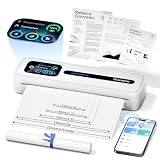
- User-Friendly Touchscreen Smart Printer: The M832D mobile printer features an upgraded smart digital display that offers easy access to battery and connection status, and...
- Portable & Lightweight Design: Phomemo M832D bluetooth printer weighs just 1.5lb, with a compact size that fits easily into your backpack, briefcase, or car. Optimized...
- Wide Compatibility & Connectivity 50% Faster: Wireless travel printer compatible with iPhone, Android Phone, and iPad via Bluetooth - Optimized Bluetooth boosts...
- Multi-Size & Multi-Type Paper Support: Supports 8.5" x 11" US Letter, A4, 2.08''(53mm), 3.15''(80mm), and 4.33''(110mm) thermal paper. Compatible with thermal roll paper...
- more efficiently and economically while being ink-free to reduce waste. The M832D small printer delivers high-quality prints with a resolution of 300 DPI, ensuring your...
Experience hassle-free printing wherever you go with the Phomemo M832D Touchscreen Portable Inkless Printer. This compact device solves the common problem of bulky, ink-dependent printers by using thermal printing technology, eliminating the need for ink cartridges. Its lightweight design makes it perfect for carrying in a bag or backpack.
Setting up and adjusting print jobs is straightforward thanks to the responsive touchscreen display. The printer connects effortlessly via Bluetooth or USB-C, ensuring compatibility with smartphones, tablets, and laptops across different platforms. This versatility helps you stay productive on the move.
Maintenance is simple since the printer uses thermal paper, which reduces mess and waste. While the built-in battery supports up to 200 pages per charge, you’ll want to keep a charger handy for extended use. The included single roll of paper might require replenishment depending on your printing frequency.
Phomemo M832D supports various paper sizes, making it suitable for printing documents, photos, and notes. Its quiet operation and 300 DPI resolution deliver clear prints without disturbing your environment.
Best for: professionals and students needing a portable, easy-to-use inkless printer for quick, on-the-go printing from multiple devices.
What We Like:
- Lightweight and compact for easy portability
- Intuitive touchscreen for quick setup and control
- Bluetooth and USB-C connectivity for versatile device compatibility
- Inkless thermal printing reduces maintenance and mess
- Supports multiple paper sizes for diverse printing needs
Specification:
| Feature | Details |
|---|---|
| Manufacturer | Phomemo |
| Dimensions | Compact (exact size not specified) |
| Weight | 1.5 lb (0.68 kg) |
| Printing Technology | Thermal (inkless) |
| Resolution | 300 DPI |
| Connectivity | Bluetooth, USB-C |
| Battery Life | Up to 200 pages per charge |
| Included Paper | 1 roll |
Phomemo Portable Thermal Printer, Portable Printer Wireless for Travel

- Phomemo Portable Printer - 2025 Upgrade M836 Thermal printers can support multiple thermal paper sizes - US Letter (8.5" x 11") & A4 (8.27" x 11.69") thermal paper...
- Inkless Printing - Phomemo M836 wireless portable printer uses advanced thermal printing technology, Don't require ink, toner, no ink-related blockages, and cleaning...
- 300dpi Excellent Printing Quality - The Bluetooth printer for iphone utilizes inkless technology to produce clear and 300dpi high-quality prints, Which make every text...
- Portable and Compact Printer - Phomemo Portable printer for phone Weighing only 750g, which can be easily put into your bag to help you work anywhere. Additionally, the...
- High Compatibility - M836 inkless portable printer for latop is compatible with Phone, iPad and PC. The Small printer supporting iPhone, Android Phone, iPad by Bluetooth...
Experience hassle-free printing wherever you go with the Phomemo Portable Thermal Printer. Its lightweight design and wireless connectivity eliminate the need for bulky equipment and messy ink cartridges. This printer makes on-the-go printing simple and efficient.
Weighing just 750g, it easily fits into your bag, perfect for travel or mobile work. Connect instantly via Bluetooth or USB to your smartphone, tablet, or laptop. The inkless thermal printing technology produces clear, sharp images at 300dpi, reducing maintenance and supply costs.
With a built-in 2600mAh battery, the printer supports long hours of use without frequent recharging. It handles various thermal paper sizes, including US Letter and A4 sheets or rolls, making it versatile for printing documents, receipts, or notes quickly at up to 10 pages per minute.
While it prints only in monochrome and requires driver installation for USB use, the Phomemo printer’s efficient design and portability make it a practical tool for busy professionals on the move. Its compact size and wireless features significantly enhance productivity and convenience.
Best for: Business travelers, students, and mobile professionals needing a compact, wireless printer for quick, versatile printing tasks.
What We Like:
- Lightweight and travel-friendly design
- Wireless Bluetooth connection for easy device pairing
- Inkless thermal printing with sharp 300dpi output
- Long-lasting battery supports all-day printing
- Compatible with multiple paper sizes and types
Specification:
| Feature | Details |
|---|---|
| Manufacturer | Phomemo |
| Dimensions | Not specified |
| Weight | 750g (1.65 lbs) |
| Material | Not specified |
| Color Options | Not specified |
| Connectivity | Bluetooth, USB |
| Print Resolution | 300dpi |
| Battery Capacity | 2600mAh |
Phomemo M832 Portable Thermal Printer with 8 Colors Marker Pens

- Easy to Use - The "Phomemo" App does not require registration and offers free templates, no ink or toner needed, printing documents, reports, letters, assignments and...
- Multi Purpose - Prints 8.5'' x 11'' US Letter, A4, 4.33'', 3.14 and 2.08'' wide thermal paper, ideal for business professionals, traveling entrepreneurs, offices...
- Wireless Portable Printer - The Bluetooth wireless Phomemo thermal printer offers convenient and fast printing from your Phone or tablet. It built-in 2600 mAh...
- Phone and Tablet Start Print - Step 1: Download the App 'Phomemo'. Step 2: Turn on the M832 printer and your phone's or tablet's Bluetooth. Step 3: Click the 'Printer...
- Laptop/PC Starts Printing - Step 1: Please check your laptop/PC's operating system (OS) and download and install the correct M832 driver from the Phomemo website. Step...
The Phomemo M832 Portable Thermal Printer offers a smart solution for quick, inkless printing wherever you go. Its compact size and lightweight design make it easy to carry for travelers and busy professionals. You can print high-quality pages at 300 dpi without worrying about ink cartridges, thanks to its thermal printing technology.
Maintaining the printer is simple, as it only requires thermal paper, which is easy to load and replace. The device connects seamlessly via Bluetooth or USB, ensuring compatibility with various gadgets and operating systems. This flexibility helps streamline your workflow whether you’re in the office, at home, or on the move.
Included with the printer are 8 vibrant marker pens and a user-friendly app filled with free templates. These extras enhance your creative projects and document customization, making it practical for students and professionals alike. The monochrome print limits color use, but the markers bring a splash of color to your work.
Best for: Travelers, business professionals, and students who need a compact, inkless printer with creative features for on-the-go use.
What We Like:
- Compact and lightweight for easy portability
- Inkless thermal printing reduces maintenance needs
- Bluetooth and USB connectivity for versatile device support
- Includes colorful marker pens and a free template app
Specification:
| Feature | Details |
|---|---|
| Manufacturer | Phomemo |
| Dimensions | 10.31 x 2.44 inches |
| Weight | 700 grams (approx. 1.54 lbs) |
| Printing Technology | Thermal (Inkless) |
| Resolution | 300 dpi |
| Color Options | Monochrome printing + 8 marker pens |
Factors to Consider When Choosing Before Printer
When choosing a before printer, you’ll want to evaluate the printing technology and how portable the device is. Pay attention to print quality, resolution, and the connectivity options it offers.
Also, don’t forget to check battery life and power sources to match your needs. It’s all about finding what fits best with how and where you plan to use it.
Printing Technology Types
Since printing needs vary widely, choosing the right printing technology plays an essential role in getting the best results. If you want vibrant photos or versatile document printing, inkjet printers spray liquid ink through tiny nozzles, delivering excellent color quality on various papers.
For sharp text and high-volume jobs, laser printers use a laser beam to fuse toner powder quickly and efficiently. Thermal printers, which use heat on special paper, are perfect if you print receipts or labels without needing ink or toner.
Dye sublimation offers high-quality, water-resistant photo prints by transferring dye onto materials. Meanwhile, dot matrix printers, though older and lower in quality, remain useful for multi-part forms thanks to their impact printing method.
Choose based on your specific printing tasks and quality needs. It really depends on what you’re printing and how often you need to do it.
Portability And Size
Choosing a portable printer means paying close attention to its weight and size, as these factors directly impact how easily you can carry and store it. Portable models typically weigh between 1.5 to 7.6 pounds, making them ideal for travel or remote work.
You’ll want to check the dimensions too, since compact printers range from 1.57 inches deep to 16.73 inches wide, fitting comfortably in tight spaces. Battery life is another key consideration—some printers can handle up to 200 sheets on a single charge, which keeps you productive without constant recharging.
Also, look for built-in paper compartments to avoid carrying extra holders. Finally, verify the printer supports standard media sizes like US Letter and A4 for versatile printing wherever you go.
Print Quality And Resolution
One of the most important factors to evaluate before buying printers is print quality, which is usually measured in dots per inch (DPI). Higher DPI means sharper, more detailed images. For example, 1200 x 1200 DPI is pretty standard for quality black and color prints.
You’ll find inkjet printers offering superior color resolution, sometimes up to 4800 x 1200 optimized DPI. On the other hand, thermal printers usually max out around 300 DPI. Keep in mind, the paper you use can affect vibrancy and sharpness, especially with inkjets.
Also, high-quality prints often take longer to produce. So, if speed matters to you, try to balance quality with efficiency. For professional photo or graphic work, it’s best to prioritize printers that support excellent resolution and rich color depth. That way, your output matches your expectations perfectly.
Connectivity Options Available
You’ll want to focus on connectivity options when picking a printer, as they determine how easily you can link devices and print your documents. Look for dual-band Wi-Fi to guarantee stable connections across multiple devices and networks.
Mobile printing is a must-have—make certain the printer supports Apple AirPrint or Google Cloud Print, so you can print directly from your smartphone or tablet. Versatility matters, too; printers with both Bluetooth and USB connections let you connect various devices without hassle.
Also, check if the printer offers a user-friendly app for easy wireless setup, avoiding complicated configurations. Finally, consider the range of supported media types and sizes, as some printers allow printing on different materials, enhancing your printing options beyond standard paper.
Battery Life And Power
While exploring printer options, pay close attention to battery life and power features, especially if you need portability. Some portable printers can print up to 200 sheets on a single charge, but others fall short.
Aim for models with built-in rechargeable batteries between 1500mAh and 3000mAh to guarantee longer use without frequent recharging. Check print speed and capacity per charge; a printer handling around 160 sheets per full battery works well for on-the-go needs.
Also, consider power consumption—some printers use as little as 2.55 watts, extending battery life. Finally, opt for printers with efficient charging options like USB-C, which allow quick and convenient recharging during travel, keeping you productive wherever you go.
Media And Paper Support
Media and paper support determine what types and sizes of paper your printer can handle, directly affecting its versatility. Most printers easily handle standard sizes like 8.5 x 11 inches (US Letter) and A4, but if you need larger formats, look for specialized models.
Consider the media types your printer supports—photo paper, envelopes, or specialty papers open up more creative options. Also, check the input tray capacity; a larger tray (60 to 100 sheets) means fewer refills and smoother large print jobs.
Keep in mind some printers use inkless technology requiring specific thermal paper, limiting your choices and potentially increasing costs. Choosing a printer with the right media and paper support guarantees it fits your printing needs without frequent interruptions.
Durability And Build Material
Although printers come in various designs, their durability largely depends on the materials used in construction. You’ll find that models made from high-quality plastics or metal generally last longer and resist wear better.
If sustainability matters to you, consider printers made with at least 70% recycled plastics—they offer robustness without compromising eco-friendliness. A compact design boosts portability, making it easier to carry your printer without risking damage.
Keep an eye on weight, too; heavier printers often use sturdier materials, while lighter ones might prioritize convenience over toughness. Additionally, printers with energy certifications like ENERGY STAR tend to reflect higher build quality and durability, ensuring you invest in a reliable device that performs well over time.
Additional Features And Extras
Beyond durability and build quality, you’ll want to focus on the additional features that make a before printer truly convenient and efficient. Look for wireless connectivity like Bluetooth and Wi-Fi to print directly from multiple devices without messy cords.
Mobile app compatibility is a must, letting you print, scan, and copy straight from your smartphone or tablet. Eco-friendly features, such as energy-efficient designs and recycled materials, also matter if you want to reduce your environmental impact.
Automatic duplex printing saves paper by printing on both sides, cutting waste and costs. Finally, consider multifunction models that include scanning, copying, and faxing, adding versatility for both home and office use.
These extras can greatly enhance your printing experience and value.
Frequently Asked Questions
How Do Environmental Factors Affect the Shelf Life of Printed Materials?
You’ll find that heat, humidity, and sunlight speed up fading and paper deterioration.
Keeping printed materials cool, dry, and away from direct light helps preserve colors and paper quality, extending their shelf life considerably. It really makes a big difference!
What Types of Ink Are Best for Archival Printing?
You’ll want pigment-based inks for archival printing because they resist fading and water damage better than dye-based inks. They last longer, keeping your prints vibrant and sharp over decades without significant deterioration.
Basically, pigment inks are your best bet if you want your prints to stand the test of time. They’re just more durable and reliable in the long run.
Can “Best Before” Dates Be Printed on Fabric or Non-Paper Materials?
Before smartphones, you’d wonder if “best before” dates could be printed on fabric or non-paper materials. You absolutely can—special inks and printers handle textiles, plastics, and more.
They ensure clear, durable markings beyond just paper surfaces. So, no worries if paper isn’t your thing!
How Does Humidity Impact Printer Performance and Print Quality?
Humidity affects your printer by causing ink to dry slower and paper to warp or jam. It can lead to smudged prints and inconsistent quality.
Are There Printers Specifically Designed for Printing Expiration Dates?
Think of printers as artists—yes, some are specifically designed for printing expiration dates. You’ll find thermal inkjet and laser coders tailored to handle date coding quickly, ensuring clarity and durability on various packaging materials.
These printers are built to work fast and keep the print clear, even on tricky surfaces. So, if you need expiration dates that stand out and last, these specialized printers have got you covered.
Conclusion
When choosing a before printer, remember that 65% of users prioritize wireless convenience, making portability a top factor. You’ll want a model that fits your lifestyle—whether it’s the all-in-one HP DeskJet or a compact thermal printer like the Phomemo M832D.
With so many options, focus on ease of use, print quality, and battery life. That way, you’ll get a reliable printer that keeps up with your needs, wherever you go.
In the end, picking the best before printer comes down to what suits you best. Look for wireless features and good battery life if you’re always on the move. Also, consider print quality and how easy the printer is to use. Whether you want a versatile all-in-one or a small, portable option, the right before printer will make your printing experience smooth and hassle-free in 2027.