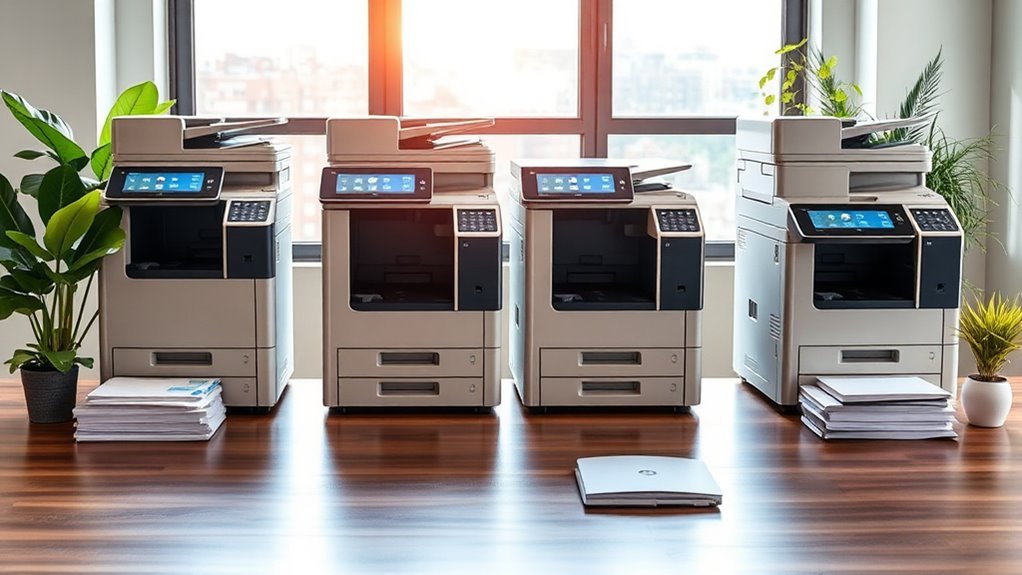
4 Best Commercial Copier Scanner Printers for 2027
For 2027, you want commercial copier scanner printers that combine speed, reliability, and efficiency to keep your office running smoothly. Finding the right device means looking at print speed, scanning capabilities, and how well it fits into your workflow. Whether you need vibrant color output or fast monochrome printing, the options available now can handle busy work environments with ease.
The Brother MFC-L5915DW excels with up to 50 ppm printing and fast duplex scanning. It’s perfect if you need quick turnaround on large print jobs without sacrificing quality.
The Canon MF753Cdw II offers vibrant color and duplex functions ideal for small offices. It’s a great choice when you want sharp images and reliable performance.
Brother’s MFC-L8930CDW balances performance and security for busy teams, while Canon’s MF465dw II provides wireless convenience with solid monochrome speed. Keep going to see which fits your specific workflow needs best.
| Image | Name | Editor's Rating | Price |
|---|---|---|---|

|
|
||

|
|
||

|
|
||

|
|
Brother MFC-L5915DW Professional Laser Printer All-in-One
- FAST BUSINESS PRINTING AND COPYING: The Brother MFC-L5915DW business monochrome laser all-in-one printer delivers high-quality output and print and copy speeds of up to...
- LOW-COST OUTPUT: Help reduce operating costs by using the Brother Genuine TN920UXXL ultra high-yield 18,000-page replacement toner cartridge. Includes a Brother Genuine...
- FAST, HIGH-VOLUME SCANNING: The 70-page capacity(3) auto document feeder offers single-pass, two-sided scanning up to 56ipm(4). Features a large document glass for up to...
- FLEXIBLE CONNECTIVITY OPTIONS: Features built‐in Gigabit Ethernet and dual band wireless networking to seamlessly set up and share on your wired.

The Brother MFC-L5915DW Professional Laser Printer delivers dependable performance for busy work environments. It handles high-volume printing, copying, and scanning quickly, reducing wait times and improving office productivity. With printing speeds up to 50 pages per minute, it keeps workflow moving smoothly.
Its 70-page single-pass, two-sided auto document feeder scans documents at 56 images per minute. This feature streamlines multi-page tasks, saving time on routine jobs. Connectivity options like built-in Gigabit Ethernet and dual-band Wi-Fi ensure easy sharing across your network.
Maintenance is straightforward with a toner cartridge that yields 3,000 pages, plus an optional ultra high-yield cartridge offering up to 18,000 pages. This helps control operating costs while supporting heavy use. The monochrome design suits offices focused on black-and-white document needs.
The printer’s footprint requires ample desk space but offers reliable functionality for professional settings. It is designed for users who prioritize speed, volume, and ease of use without color printing.
Best for: busy offices and professionals needing a fast, reliable monochrome all-in-one printer for high-volume tasks.
What We Like:
- Fast printing and copying at 50 ppm for efficient office work
- 70-page two-sided auto document feeder with quick scanning at 56 ipm
- Flexible network options including Gigabit Ethernet and dual-band Wi-Fi
- High-yield toner options reduce maintenance frequency
- Reliable monochrome output suited for professional documents
Specification:
| Feature | Details |
|---|---|
| Manufacturer | Brother |
| Dimensions (W x D x H) | Approx. 16.1 x 15.7 x 12.5 in (40.9 x 39.9 x 31.8 cm) |
| Weight | Approx. 27.3 lb (12.4 kg) |
| Printing Technology | Monochrome Laser |
| Connectivity | Gigabit Ethernet, Dual-band Wi-Fi |
| Auto Document Feeder | 70 pages, two-sided |
| Toner Cartridge Yield | 3,000 pages (standard), 18,000 pages (ultra high-yield) |
Canon Color imageCLASS MF753Cdw II – All-in-One Color Duplex Laser Printer
- Color, Wireless, Duplex 4-in-1: Print, scan, copy, fax.
The Canon Color imageCLASS MF753Cdw II is designed to streamline busy office workflows with reliable, high-quality color printing. Its fast 35 ppm speed and sharp 1200 x 1200 dpi resolution ensure crisp documents without long waits. This reduces downtime and helps maintain productivity in small and hybrid workspaces.
Handling multiple tasks is easy with this all-in-one printer. It prints, scans, copies, and faxes efficiently. The 50-sheet duplex automatic document feeder and one-pass duplex laser printing simplify two-sided document handling, saving time and paper.
Connectivity options include Ethernet, USB, and Wi-Fi, allowing flexible placement and mobile printing. The intuitive 5-inch touchscreen makes controlling functions straightforward. With a 250-sheet paper capacity and optional expansion, it adapts to growing print demands.
Maintenance is manageable, though the printer is relatively heavy at 50 pounds, limiting portability. Starter toner yields are moderate, so frequent replacements may be necessary in high-volume settings. Overall, this model balances performance and convenience for daily office needs.
Best for: Small offices, home offices, and hybrid work environments requiring a fast, versatile all-in-one color laser printer with duplex functionality.
What We Like:
- Fast print speed with sharp color output
- Efficient duplex printing and scanning
- Versatile connectivity including Wi-Fi and mobile support
- User-friendly 5-inch touchscreen interface
- Expandable paper capacity to meet growing needs
Specification:
| Feature | Details |
|---|---|
| Manufacturer | Canon |
| Dimensions (W x D x H) | 16.5 x 18.1 x 15.0 inches |
| Weight | 50 lb (22.7 kg) |
| Printing Technology | Color Duplex Laser |
| Connectivity | Ethernet, USB, Wi-Fi |
| Paper Capacity | 250 sheets (expandable) |
| Touchscreen Size | 5 inches |
Brother MFC-L8930CDW Color Laser All-in-One Printer
- Updated design, professional results. High-quality output with sharp color and black printing. Fast print and copy speeds up to 33ppm(1) help boost productivity. Reliable...
- Maximize printing budgets. Offers built-in value with included Brother Genuine 3,000-page black and 1,800-page color standard yield toner cartridges. Help lower printing...
- Advanced scanning. High-speed, two-sided scanning up to 104ipm(3) with 80-page auto document feeder(4) and legal-size glass. Scan to cloud, email, SharePoint, and more...
- Productivity-enhancing features. Flexible connectivity, including built-in dual-band (2.4GHz / 5GHz) wireless networking and Gigabit Ethernet networking. 7” color...
- Triple Layer Security. Advanced security features to help keep devices secure, protect documents in transit to and from print devices, and safeguard networks. Includes an...
The Brother MFC-L8930CDW is designed to streamline your busy office tasks with fast, reliable color printing and scanning. It handles up to 33 pages per minute, helping reduce wait times for large print jobs. Duplex printing and a multipurpose tray add flexibility for various media types, making it easy to customize your output.
Its compact design fits efficiently into office spaces without compromising durability. Maintenance is straightforward, supported by standard and super high-yield toner options that keep printing costs manageable and minimize interruptions. This helps you maintain productivity without frequent toner changes.
Scanning is equally efficient, with a two-sided speed of up to 104 images per minute and an 80-page automatic document feeder. Connectivity options such as dual-band Wi-Fi, Gigabit Ethernet, and NFC allow seamless integration with different networks and devices, enhancing workflow flexibility.
Security features protect sensitive data, while sustainable design elements contribute to lowering environmental impact. The touchscreen interface supports customizable workflows, though it may require some adjustment for new users.
Best for: Professionals and small to medium-sized offices needing efficient, high-quality color printing and scanning with cost-effective toner options and robust security.
What We Like:
- Fast, duplex print and scan speeds with a large automatic document feeder
- Cost-effective printing with standard and super high-yield toner choices
- Multiple connectivity options including dual-band Wi-Fi, Ethernet, and NFC
- Durable yet compact design suitable for office environments
- Advanced security features to protect sensitive information
Specification:
| Feature | Details |
|---|---|
| Manufacturer | Brother |
| Dimensions (W×D×H) | Approx. 16.1 × 18.0 × 15.7 in (41 × 45.7 × 39.9 cm) |
| Weight | Approx. 38.6 lb (17.5 kg) |
| Color Options | White with black accents |
Canon imageCLASS MF465dw II Wireless Laser Printer
- Monochrome Wireless, Duplex 4-in-1: Print, Scan, Copy, Fax
- Print up to 42 ppm
- Easy Wireless Setup
- 5-inch Touchscreen
- Mobile Device Printing
The Canon imageCLASS MF465dw II transforms how small and hybrid offices handle daily printing tasks. Its fast monochrome laser printing delivers up to 42 pages per minute, helping teams stay productive without delays. The sharp 1200 x 1200 dpi resolution ensures clear, professional documents every time.
This 4-in-1 device combines printing, copying, scanning, and faxing in a compact design that fits busy workspaces. The 5-inch touchscreen makes operation simple, while wireless connectivity and the Canon PRINT app allow seamless mobile printing. Automatic duplexing and a 50-sheet duplex ADF streamline multi-page jobs efficiently.
Maintenance is straightforward with high-yield toner cartridges that reduce downtime and keep supplies lasting longer. The paper capacity starts at 250 sheets and expands up to 900, accommodating growing workloads without frequent refills.
While it only prints in monochrome and consumes up to 1250 W of power, its reliability and versatile features make it a solid choice for demanding office environments. Toner and parts support for 3 years ensures manageable upkeep.
Best for: Small and hybrid offices needing fast, reliable monochrome printing with versatile 4-in-1 functionality and wireless convenience.
What We Like:
- Fast print speeds up to 42 ppm with crisp 1200 x 1200 dpi output
- Easy navigation via a customizable 5-inch touchscreen
- Wireless and mobile printing support through Canon PRINT app
- Automatic duplexing and 50-sheet duplex ADF improve efficiency
- Expandable paper capacity up to 900 sheets for growing needs
Specification:
| Feature | Details |
|---|---|
| Manufacturer | Canon |
| Dimensions (W×D×H) | Approx. 16.1 × 19.2 × 16.1 in (41 × 48.7 × 41 cm) |
| Weight | Approx. 38.6 lb (17.5 kg) |
| Printing Technology | Monochrome Laser Printer |
| Functions | Print, Copy, Scan, Fax |
| Print Speed | Up to 42 ppm |
| Print Resolution | 1200 x 1200 dpi |
| Touchscreen | 5-inch Color Touchscreen |
| Paper Capacity | 250 sheets (expandable to 900) |
| Duplexing | Automatic Duplex Printing |
| ADF Capacity | 50 sheets (duplex) |
Factors to Consider When Choosing a Commercial Copier Scanner Printer

When choosing a commercial copier scanner printer, you’ll want to focus on print speed efficiency and scanning capabilities to keep your workflow smooth. Don’t forget to check connectivity options and consumable yield for long-term convenience.
Plus, strong device security features are essential to protect your sensitive information. It’s all about finding the right balance to meet your business needs without any hiccups.
Print Speed Efficiency
Although print speed isn’t the only factor to take into account, it plays a crucial role in maintaining workflow efficiency. You should evaluate pages-per-minute (ppm) ratings for both color and black-and-white printing and make certain the device’s rated speed matches your peak hourly or daily volume to prevent bottlenecks.
Don’t overlook first-page-out and warm-up times, as faster startup reduces delays for intermittent jobs. Consider duplex and automatic document feeder (ADF) speeds since single-pass duplex ADFs can nearly double throughput on multi-page tasks.
Also, account for real-world slowdowns from complex jobs by choosing a printer rated above your average workload. This way, you’ll keep prints flowing smoothly without sacrificing quality or speed during busy periods.
Scanning Capabilities
Since scanning plays a vital role in digitizing and managing documents, you should carefully assess a copier’s scanning capabilities before making a purchase. Focus on ADF capacity and speed—choose models with multi-page feeders handling 50–80 pages and high duplex scanning speeds (ipm) to boost batch job efficiency.
Also, check for duplex single-pass scanning. This lets you capture two-sided documents quickly without the hassle of manually flipping pages.
Make sure to verify scan resolution and color depth. Resolutions up to 1200 dpi with 24-bit or higher color depth guarantee sharp, OCR-friendly scans and accurate color reproduction.
Don’t forget to confirm support for output formats like searchable PDFs, TIFF, and JPEG. Plus, look for built-in OCR or export options to searchable/editable Word and PDF files.
These features really streamline your workflow and improve document management. It’s all about making things easier and faster for you!
Connectivity Options
To get the most out of your commercial copier scanner printer, you’ll want to nail down its connectivity options. Make sure it supports both wired Gigabit Ethernet and dual-band 2.4/5 GHz Wi-Fi for secure office networks and flexible remote access.
You’ll also want to look for mobile and cloud printing protocols like AirPrint, Mopria, and Wi-Fi Direct. These let you print or scan directly from smartphones and cloud storage, which is super convenient.
Don’t forget to check for USB host ports and multipurpose trays for local use without relying on a network. It’s always good to have options when you need them.
Advanced authentication methods like LDAP, PIN codes, or NFC card readers are important too. They help control access and keep track of usage.
Finally, make sure the device is compatible with network services like SNMP, IPP, SMB, and FTP. This will help it integrate smoothly into your IT infrastructure and automate workflows without any headaches.
Consumable Yield
Understanding consumable yield plays a pivotal role in managing the ongoing costs of your commercial copier scanner printer. You should check toner and drum yields, noting pages per cartridge, and compare standard versus high or ultra-high yield options to reduce replacement frequency and cost per page.
Remember to evaluate black and color consumables separately, as color cartridges often have much lower yields. Confirm that yields are based on ISO/IEC standards, like 5% coverage, to make accurate comparisons.
Also, consider the availability and price of high-yield or economy cartridges and whether the device supports user-replaceable parts with separate lifespans. Don’t forget to calculate the total cost per page by dividing cartridge price by yield, while factoring in two-sided printing and toner saver modes to optimize consumable expenses.
Device Security Features
When you choose a commercial copier scanner printer, prioritizing device security features helps protect your sensitive data and network from unauthorized access and cyber threats. Make sure the device supports secure boot and firmware integrity checks to block malicious modifications.
Look for built-in network protections like TLS/SSL, IPsec, and firewall capabilities to secure data in transit. Also, verify user authentication options such as LDAP/AD integration, PINs, and card or NFC badge support to control access.
Don’t forget to confirm data-at-rest protections, including hard drive encryption and secure erase functions for temporary files and audit logs. Finally, check for audit logging, role-based administration, and the ability to disable unused services like FTP or SMBv1.
These features collectively reduce vulnerabilities and keep your operations safe. Taking these steps really makes a difference in maintaining your device’s security.
Frequently Asked Questions
How Do Commercial Copier Printers Impact Office Energy Consumption?
You’ll see commercial copier printers impact office energy by consuming significant power during heavy use. But many models now feature energy-saving modes and efficient components.
These features help you reduce overall electricity costs while maintaining productivity. It’s a win-win for your office and the environment!
Can These Printers Integrate With Mobile Payment Systems?
You might be surprised, but yes, many commercial printers now integrate seamlessly with mobile payment systems. This lets you print and pay on the go, boosting convenience and efficiency without any extra hassle or delay.
It’s pretty cool how technology is making things easier for everyone. No more fumbling with separate devices or waiting around—just quick, smooth transactions wherever you are.
What Are the Common Security Features Included in Commercial Printers?
You’ll find features like user authentication, data encryption, and secure print release common in commercial printers. These help protect sensitive info and keep things under control.
Plus, firmware integrity checks make sure your printer’s software hasn’t been tampered with. Together, these features prevent unauthorized access and keep your documents and network secure.
How Often Do Commercial Printer Parts Typically Need Replacement?
You typically need to replace commercial printer parts like toner cartridges every few thousand pages. Drums and rollers, on the other hand, last longer—often 50,000+ pages.
How often you need maintenance really depends on how much you use the printer. So, keep an eye on print quality and any alerts that pop up. That way, you’ll know when it’s time to swap parts out.
Are There Eco-Friendly Toner Options Available for These Printers?
Yes, you’ll find eco-friendly toner options that reduce environmental impact. They use less harmful chemicals and support recycling programs.
This helps you print responsibly while maintaining quality and efficiency in your commercial printing tasks. It’s a smart choice for anyone looking to be more environmentally conscious.
Conclusion
Choosing the right commercial copier scanner printer is like picking the perfect tool in a bustling workshop—it shapes your efficiency and sharpens your workflow. Whether you’re leaning toward Brother’s reliable powerhouses or Canon’s vibrant precision, these machines are your trusty workhorses, ready to tackle any task.
Keep your priorities clear, and you’ll find a device that not only meets but fuels your business’s growth. The right commercial copier scanner printer turns everyday printing into a seamless dance of productivity.
In 2027, investing in the best commercial copier scanner printer means more than just handling documents—it’s about enhancing workflow, saving time, and boosting overall efficiency. With so many options available, focusing on features like speed, quality, and durability will guide you to the perfect choice that supports your business needs now and in the future.