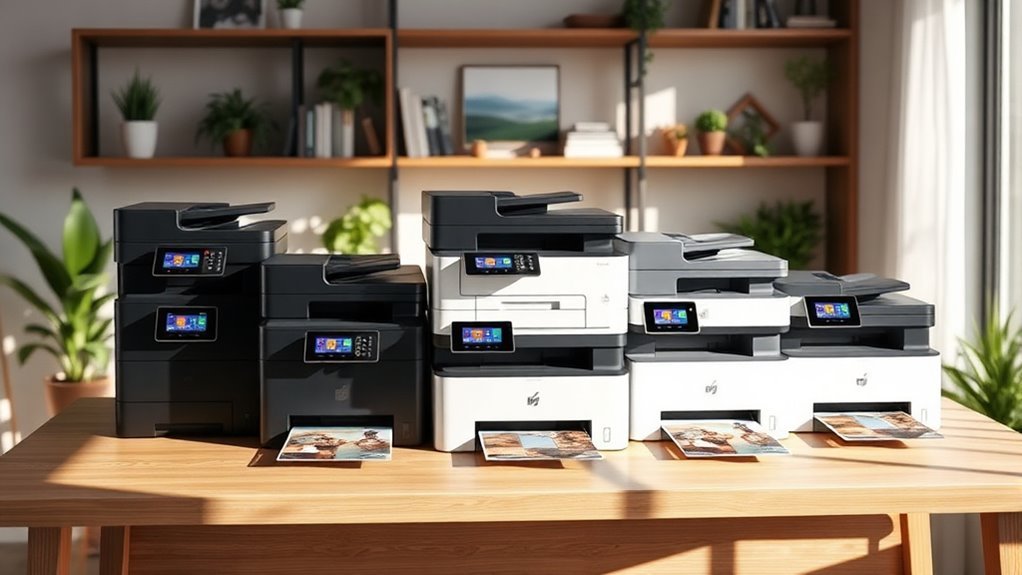
6 Best Colour Laser Multifunction Printers for Home in 2027
If you’re on the hunt for a reliable color laser multifunction printer for home use in 2027, you’ve got some great options to consider. These printers combine speed, quality, and convenience, making them perfect for everyday tasks. Whether you need sharp prints, scanning, or wireless connectivity, there’s something for everyone.
Take the Canon MF753Cdw II, for example—it features one-pass duplex scanning that saves you time. Or the wireless Canon MF662Cdw, which offers easy setup and flexibility. The Xerox C245 is a solid choice if you want 3-in-1 versatility, while the HP 3304fdw brings secure all-in-one features to the table.
Brother’s MFC-L3780CDW stands out with Alexa voice control, making printing hands-free and simple. And if smudge-free prints are your priority, the HL-L3300CDW won’t disappoint. These picks balance everything you need, and you’ll find detailed insights on their features and performance to help you choose the perfect fit.
| Image | Name | Editor's Rating | Price |
|---|---|---|---|

|
|
||

|
|
||

|
|
||

|
|
||

|
|
Canon Color imageCLASS MF753Cdw II – All-in-One Color Duplex Laser Printer
- Color, Wireless, Duplex 4-in-1: Print, scan, copy, fax.

The Canon Color imageCLASS MF753Cdw II is designed to streamline your office tasks with reliable all-in-one functionality. It handles printing, scanning, copying, and faxing efficiently, making daily workflows smoother and less time-consuming. Its sharp color and black-and-white prints ensure professional-quality results every time.
This model offers one-pass duplex printing and scanning, which reduces the time spent managing double-sided documents. The 50-sheet duplex automatic document feeder supports multitasking, helping you process multiple pages quickly. Connectivity options like Wi-Fi, Ethernet, and USB add flexibility, allowing you to connect in ways that fit your workspace.
Maintenance is straightforward, and the device’s energy-efficient design supports sustainable office practices. Although it weighs around 50 pounds and is somewhat bulky, its robust build suits stationary use in home or small offices. The 300-sheet paper capacity is sufficient for moderate use but may require refilling during busy periods.
Best for: Small and home offices or hybrid work environments needing a fast, reliable, and versatile color laser printer with duplex capabilities.
What We Like:
- Fast print speeds up to 35 ppm with sharp 1200 x 1200 dpi output
- Efficient one-pass duplex printing and scanning with a 50-sheet duplex ADF
- Flexible connectivity via Wi-Fi, Ethernet, USB, and mobile printing support
Specification:
| Feature | Details |
|---|---|
| Manufacturer | Canon |
| Dimensions (W×D×H) | 17.1 × 18.1 × 16.2 inches |
| Weight | 50 lb (22.7 kg) |
| Technology | Color Laser |
| Print Speed | Up to 35 pages per minute |
| Resolution | 1200 x 1200 dpi |
| Duplex Printing | One-pass duplex |
| ADF Capacity | 50 sheets duplex |
| Connectivity | Wi-Fi, Ethernet, USB |
Canon imageCLASS MF662Cdw Wireless Duplex Laser Printer
- Color, Wireless, Duplex 3-in-1: Print, scan, copy.
- Fast Print Speeds: Print up to 26 ppm in both color and monochrome and spend less time waiting with a quick first print time of approximately 10.3 seconds.
- Easy Wireless Setup: Setup your wireless connection and get up and running in just a few steps.
- 5-inch Color Touchscreen: Get the job done quickly with Application Library - an intuitive and easy to use customizable access to the features you use most.
- Mobile Device Printing: Print from your compatible mobile devices using the free Canon PRINT app, Apple AirPrint and Mopria Print Service.
The Canon imageCLASS MF662Cdw is designed to enhance productivity in small or home office settings. It delivers vibrant color prints quickly, helping users complete tasks efficiently without sacrificing quality. Its compact design fits well in limited spaces, making it a practical choice for busy work environments.
This printer simplifies wireless printing, allowing seamless connections through Wi-Fi or Ethernet. You can print directly from smartphones or laptops using the Canon PRINT app, AirPrint, or Mopria, reducing the need for cables and extra setup. The 5-inch touchscreen offers intuitive control for easier operation.
Maintenance is straightforward with the automatic duplex function, which cuts paper use by printing on both sides. The 250-sheet paper cassette accommodates larger jobs, minimizing refills. However, the starter toner cartridges have lower yields, which may require earlier replacements during heavy printing periods.
While the print resolution of 600 x 600 dpi meets everyday needs, it might not satisfy users requiring professional photo quality. Also, the single USB port limits wired connection options, focusing more on wireless convenience.
Best for: Small or home offices and hybrid workspaces needing fast, reliable color printing with versatile wireless options.
What We Like:
- Quick print speeds up to 26 ppm with consistent color quality.
- Multiple wireless connectivity options for easy mobile printing.
- Automatic duplex printing reduces paper waste.
- Large paper capacity supports extended print runs.
Specification:
| Feature | Details |
|---|---|
| Manufacturer | Canon |
| Dimensions | Approx. 16.5 x 18.5 x 15 in (42 x 47 x 38 cm) |
| Weight | Approx. 41.2 lb (18.7 kg) |
| Print Resolution | 600 x 600 dpi |
| Connectivity | Wi-Fi, Ethernet, USB |
| Display | 5-inch touchscreen |
| Paper Capacity | 250-sheet cassette |
Xerox C245 Wireless Color All-in-One Printer – Amazon Exclusive – 3 in 1
- AMAZON EXCLUSIVE & COMPACT MULTIFUNCTION DESIGN: This full-featured Xerox color MFP fits neatly on small desks, packing Print, Scan, and Copy functionality into a compact...
- VIBRANT PRINT QUALITY: Produce sharp text and brilliant color graphics. Ensure your business documents, presentations, and reports look professional and impressive every...
- WIRELESS & MOBILE PRINTING: Stay connected with dual-band Wi-Fi, Apple AirPrint, and Mopria. Effortlessly print and scan from your laptop, smartphone, or tablet from...
- EASY SMARTPHONE SETUP: Get printing in minutes. Use the Xerox Easy Assist App for a simplified, guided installation that eliminates complex manuals and traditional driver...
- 3-IN-1 VERSATILITY: Maximize productivity with 26ppm printing, scanning, and copying. The 50-sheet document feeder ensures efficient document handling for real estate...
Experience seamless productivity with the Xerox C245 Wireless Color All-in-One Printer, designed to meet the needs of home professionals and remote teams. This compact printer combines printing, scanning, and copying capabilities to streamline your workflow effortlessly. Its sharp 2400 x 600 dpi resolution ensures crisp, vibrant outputs, while a fast printing speed of 26 pages per minute keeps up with your busy schedule.
The C245’s intuitive touchscreen and wireless dual-band Wi-Fi, including Apple AirPrint, simplify setup and mobile printing. Its small footprint fits neatly on limited desk space, replacing the older C235 model without compromise. You can print on various media types, such as envelopes and glossy photo paper, adding versatility to your projects.
Maintenance is straightforward thanks to its 50-sheet feeder and automatic duplex printing, which cuts paper use and saves time. However, the feeder capacity may require frequent refills during high-volume tasks. At 42.8 pounds, the printer offers stability but may be less portable for some users.
With energy-saving modes, this all-in-one balances performance with efficiency, making it ideal for hybrid work environments where space and reliability matter.
Best for: Home professionals, remote teams, and hybrid office users needing a reliable, wireless all-in-one printer with versatile media support.
What We Like:
- Fast 26 ppm color printing with sharp 2400 x 600 dpi resolution
- Wireless dual-band Wi-Fi and Apple AirPrint for easy mobile connectivity
- Automatic duplex printing reduces paper waste and saves time
- Compact design fits small workspaces without sacrificing functionality
- Supports diverse media including envelopes and glossy photo paper
Specification:
| Feature | Details |
|---|---|
| Manufacturer | Xerox |
| Dimensions (W×D×H) | Compact size (exact size not provided) |
| Weight | 42.8 lb (19.4 kg) |
| Connectivity | Wireless dual-band Wi-Fi, Apple AirPrint |
| Print Speed | 26 pages per minute |
| Print Resolution | 2400 x 600 dpi |
| Paper Feeder Capacity | 50 sheets |
HP Color LaserJet Pro 3304fdw | Color Laser Printer | Wireless | All-in-One
- FROM AMERICA'S MOST TRUSTED PRINTER BRAND – Perfect for office teams creating professional-quality color documents and reports. Auto 2-sided printing/scanning, auto...
- SIMPLIFY SCAN TO EMAIL – Save time when scanning documents to email. HP AI automatically generates smart subject lines, file names, and actionable summaries to...
- BLAZING FAST COLOR – Up to 26 color pages per minute, with sharp details and incredible color
- STAYS CONNECTED – Reliable Wi-Fi automatically reconnects to stay online and ready to print
- PROTECTS YOUR DATA – Includes HP Wolf Pro Security with customizable settings so your printer and information are always secure
Experience crisp, professional-quality color printing designed to meet the needs of home offices and small teams. The HP Color LaserJet Pro 3304fdw delivers fast prints at 26 pages per minute, helping you stay productive without long waits. Its automatic two-sided printing reduces paper waste, making your workflow more efficient and eco-friendly.
This all-in-one printer simplifies everyday tasks by combining printing, scanning, copying, and faxing into one device. The auto document feeder speeds up multi-page scanning and copying jobs, saving you valuable time. Wireless connectivity and the HP app let you print and scan directly from your smartphone, adding convenience to your busy schedule.
Maintenance is straightforward but requires original HP cartridges, as the printer blocks non-HP chips to ensure print quality and device security. Regular firmware updates enhance protection with HP Wolf Pro Security, although they may limit cartridge compatibility. This balance supports reliable performance while safeguarding your data.
The compact design fits well in small office spaces, serving teams of up to seven people. It’s ideal for those who need versatile, secure, and efficient color printing without the complexity of larger commercial models.
Best for: Small office teams or home offices requiring reliable, fast color printing with versatile all-in-one functions.
What We Like:
- Rapid color printing at 26 ppm with two-sided printing
- Wireless print, scan, copy, and fax via HP app
- Auto document feeder for efficient multi-page handling
- Strong security with HP Wolf Pro Security and firmware updates
Specification:
| Feature | Details |
|---|---|
| Manufacturer | HP |
| Dimensions (W×D×H) | Approx. 16.5 × 15.4 × 10.2 in (42 × 39 × 26 cm) |
| Weight | Approx. 23.2 lb (10.5 kg) |
| Color Options | White with black accents |
| Connectivity | Wireless, USB |
Brother MFC-L3780CDW Wireless Digital Color All-in-One Printer
- Best for Small Businesses: The Brother MFC L3780CDW small business printer is a wireless multi-function digital color printer with copy, scan, and fax functionalities...
- AMPLIFY YOUR PROFESSIONAL DOCUMENTS. This Brother laser printer provides the consistent performance of laser-quality digital color printing
- MAXIMIZE EFFICIENCY WITH ALL-IN-ONE FUNCTIONALITY. This Brother all in one printer has print speeds up to 31 ppm(1) and scan speeds up to 29/22 ipm(2) (black/color) with...
- RELIABLE RESULTS WITH BROTHER GENUINE TONER. Choose Brother Genuine TN229 Standard Yield, TN229XL High Yield, or TN229XXL Super High Yield for your Brother printer...
- Flexible Connection Options: Brother laser color printer has built-in dual band wireless (2.4GHz / 5GHz)(5), Gigabit Ethernet, and Wi-Fi Direct connections, plus a USB...
The Brother MFC-L3780CDW transforms your home or small office printing experience by delivering fast, smudge-free color prints. It tackles common delays with speeds up to 31 pages per minute, ensuring you spend less time waiting and more time on your work.
Beyond printing, this all-in-one device simplifies daily tasks by combining scanning, copying, and faxing in one compact unit. The easy-to-use 3.5″ touchscreen and Alexa voice commands make operation intuitive, while dual-band wireless and multiple connectivity options ensure smooth integration with your devices.
Maintenance is straightforward with dual 250-sheet trays that handle various media types, reducing paper reloads. Eco-friendly settings like Toner Save Mode and automatic duplex printing help lower waste and energy use, keeping your operation efficient and cost-effective.
Its design supports professional-quality output without complicated setups, though initial network configuration requires compatible devices. While relatively heavy, the printer’s robust build supports reliable performance for busy work environments.
Best for: small business owners and home office users who need a fast, versatile, and secure all-in-one color laser printer with professional-quality output.
What We Like:
- Fast printing speed up to 31 ppm with high-resolution output
- Multiple connectivity options including wireless, Ethernet, and NFC
- User-friendly touchscreen and voice control via Alexa
- Eco-friendly modes reduce toner use and energy consumption
- Large paper capacity with dual 250-sheet trays
Specification:
| Feature | Details |
|---|---|
| Manufacturer | Brother |
| Dimensions | Not specified |
| Weight | Nearly 48 lb (approx. 21.8 kg) |
| Connectivity | Dual-band wireless, Ethernet, Wi-Fi Direct, NFC |
| Control Interface | 3.5″ Touchscreen, Alexa voice commands |
Brother HL-L3300CDW Wireless Color Laser Printer

- Best for Small Offices and Work from Home, the Brother HL-L3300CDW wireless compact 3-in-1 digital color printer with copy & scan functionalities consistently produces...
- UPGRADE YOUR PROFESSIONAL DOCUMENTS. With the consistent dependability of laser-quality digital color printing.
- EFFECTIVE PRODUCTIVITY WITH THREE-IN-ONE FUNCTIONALITY. Featuring a flatbed scan glass for convenient copying and scanning capabilities from a single, compact machine...
- FLEXIBLE CONNECTION OPTIONS. Count on steady connections at the office or on the go. Built-in dual band wireless (2.4GHz / 5GHz)(4), and Wi-Fi Direct, or USB interface...
The Brother HL-L3300CDW Wireless Color Laser Printer delivers crisp, vibrant color prints that meet the demands of busy small offices and home workspaces. Its laser technology ensures smudge-free pages, producing up to 19 pages per minute to keep your workflow smooth and efficient.
This printer simplifies multitasking with built-in copying and scanning functions. The flatbed scanner captures detailed images, while automatic duplex printing helps reduce paper use. These features save time and resources, making daily tasks easier.
Designed for convenience, it offers wireless dual-band Wi-Fi, Wi-Fi Direct, and USB connectivity. You can print directly from smartphones, tablets, or even use Alexa voice commands. Setting up the wireless connection may require downloading an app and network configuration, which some users might find a bit complex.
Maintenance is straightforward, but note the 250-sheet paper tray might need frequent refills during heavy use. At 40.8 pounds, its size is suitable for a dedicated workspace rather than portability. Overall, it balances reliable performance with professional-quality output in a compact design.
Best for: Small offices, freelancers, and home workers needing a dependable wireless color laser printer with multifunction capabilities.
What We Like:
- Fast, smudge-free laser-quality color printing at up to 19 ppm
- Automatic duplex printing and flatbed scanner enhance productivity
- Multiple connectivity options including dual-band Wi-Fi and Alexa voice control
- Compact design ideal for limited office space
Specification:
| Feature | Details |
|---|---|
| Manufacturer | Brother |
| Dimensions | Not specified |
| Weight | 40.8 lb (18.5 kg) |
| Color Options | Standard color model |
| Connectivity | Wireless dual-band Wi-Fi, Wi-Fi Direct, USB |
Factors to Consider When Choosing a Colour Laser Multifunction Printer for Home
When choosing a colour laser multifunction printer for home, you’ll want to focus on key factors like print speed and connectivity options. These can make a big difference in your day-to-day use.
Don’t forget to check the print quality resolution and paper handling capacity to match your needs. It’s all about making sure the printer fits your typical workload.
Also, consider the scanner and copier features to get the most out of your device. Having versatile functions can really come in handy around the house.
Print Speed Importance
How quickly your colour laser multifunction printer delivers pages can make a big difference in your daily workflow. If you print often or handle multi-page jobs, aim for speeds between 25 and 35 pages per minute to reduce wait times and boost productivity.
For occasional personal use, speeds under 20 ppm may suffice. Don’t overlook first-page-out time—getting that initial page in under 10 seconds keeps short jobs and scan-to-print tasks responsive.
Duplex printing is another time-saver, especially if the printer supports automatic two-sided printing and scanning, cutting your work in half. Remember, advertised speeds usually reflect ideal monochrome conditions; real-world color or duplex prints are slower.
Also, consider the duty cycle and paper capacity if you print in bursts to avoid jams and overheating. It’s all about matching the printer to how you work!
Connectivity Options Available
Although print speed matters, connectivity options play an equally vital role in choosing a colour laser multifunction printer for your home. You’ll want a model that supports both 2.4 GHz and 5 GHz Wi-Fi bands to guarantee reliable wireless performance and less interference.
If multiple users share the printer or you handle large files, look for Ethernet (Gigabit LAN) connectivity for a stable, fast wired connection. USB host or USB-B ports allow direct cable printing from your PC, while a USB-A port can connect external storage or mobile devices.
Don’t forget to check if the printer supports mobile printing standards like AirPrint and Mopria. This way, you can print from smartphones and tablets without extra drivers. Features like Wi-Fi Direct, NFC, or Bluetooth offer quick peer-to-peer printing without joining your network.
Print Quality Resolution
Connectivity options help you get your documents to print smoothly, but the quality of those prints depends heavily on resolution and color accuracy. When choosing a colour laser multifunction printer for home, look for a resolution of at least 600–1200 dpi to guarantee clear text and decent photo reproduction.
Higher DPI values, like 1200 x 1200 dpi or above, deliver finer details and smoother gradients. This is especially useful if you print graphics or photos often. Also, check for wide color gamut support and 24-bit or higher color processing to get vivid, accurate hues.
Sharpness relies on high native resolution combined with effective halftoning, which produces crisp fonts and precise business graphics. Consistent toner fusion and exact color alignment prevent banding and misregistration. This way, you get professional-looking, edge-to-edge prints every time.
Paper Handling Capacity
When selecting a colour laser multifunction printer for your home, you’ll want to pay close attention to its paper handling capacity since it directly affects how often you’ll need to reload paper and manage print jobs. Look for a standard paper tray that holds between 50 to 250 sheets, depending on your typical workload.
Also, check if the printer includes a multipurpose or manual feed tray. This lets you print envelopes, labels, or specialty media without interrupting the main tray.
If you expect growing print volume, consider models with expandable trays or additional cassettes. Don’t forget to verify the output tray capacity to prevent overflow during large jobs.
Finally, confirm supported paper sizes and weights to make certain compatibility with all the documents you’ll print at home. It’s worth making sure your printer can handle everything you need without hassle.
Scanner And Copier Features
Beyond paper handling, the scanner and copier features play a big role in how versatile your colour laser multifunction printer will be for home use. Look for a flatbed scanner paired with a duplex automatic document feeder (ADF) that holds around 50 pages, so you can scan books and double-sided documents efficiently.
Duplex scanning and copying save time by handling both sides in one pass, while one-pass duplex ADFs reduce misfeeds. Check the optical scan resolution—600 to 1,200 dpi guarantees clear text and accurate colors for photos.
Fast scan and copy speeds that match your print speed prevent workflow delays. Also, make certain the copier offers useful options like variable magnification, multiple-page collation, ID copy, and scan-to-email or USB for smooth document management.
Energy Efficiency Considerations
Although selecting a colour laser multifunction printer involves many factors, energy efficiency should be high on your list to keep operating costs and environmental impact low. Look for ENERGY STAR or EPEAT certification to guarantee the printer meets strict energy standards. These certifications usually mean the printer uses less power in standby and printing modes.
Compare power consumption figures like sleep mode and active printing watts, since models vary widely. Also, pay attention to warm-up and first-page-out times. Faster startups mean less energy spent in high-power states.
Features like automatic duplexing and eco-print modes help reduce paper and toner use, which lowers your overall energy per job. Finally, make sure to match the printer’s duty cycle to your monthly printing volume. This helps avoid wasted energy from over- or underused machines.
Frequently Asked Questions
How Energy-Efficient Are Colour Laser Multifunction Printers?
Colour laser multifunction printers vary in energy efficiency, but many newer models use power-saving modes and ENERGY STAR certification.
You’ll find some that minimize energy use during standby and printing, helping reduce your electricity bills effectively. It’s pretty cool how technology is making these machines smarter about saving energy.
What Is the Average Lifespan of These Printers at Home?
You can expect your colour laser multifunction printer to last around 5 to 7 years with regular home use. Proper maintenance and quality toner help extend its lifespan, keeping it running smoothly and efficiently.
Taking care of it doesn’t have to be complicated. Just a little attention goes a long way in making sure your printer stays reliable for years.
Are There Any Eco-Friendly Toner Disposal Options?
You might think eco-friendly toner disposal is complicated, but you can easily recycle cartridges through manufacturer programs or local drop-offs.
Many brands offer mail-back options, so you don’t have to worry about harming the environment.
It’s pretty simple once you know where to look! Just send your used cartridges back or drop them off nearby, and you’re doing your part.
Can These Printers Handle Photo Paper Printing Well?
Yes, these printers can handle photo paper printing well, but you’ll want to use high-quality, laser-compatible photo paper for the best results.
Don’t expect inkjet-level photo quality, but they produce sharp, vibrant images on suitable paper. It’s a solid choice if you need good photos without the extra cost or hassle.
Do Colour Laser Printers Require Special Maintenance Tools?
Colour laser printers don’t demand intimidating devices; you’ll mainly need toner, cleaning kits, and occasionally replacement drums.
Keep components clean and cartridges charged to guarantee smooth, sharp prints without stressing over special, sophisticated maintenance tools.
It’s pretty straightforward, really. Just a bit of regular upkeep, and you’re good to go!
Conclusion
Choosing the perfect colour laser multifunction printer for your home means balancing brilliant build, budget, and basic benefits. Whether you want wireless wonders, speedy scans, or sharp, smudge-free prints, these six stellar selections stand strong.
Don’t delay—dive deep into details, demand dependable devices, and discover your dream digital companion. With careful consideration, you’ll capture crisp colours and create countless cherished copies effortlessly.
Your printing perfection awaits! Finding the right colour laser multifunction printer ensures vibrant prints, fast performance, and reliable connectivity. So, take your time, compare features, and choose a printer that fits your home needs perfectly. This way, you’ll enjoy hassle-free printing and excellent results every time.