3 Best Budget UV Printers for 2027 That Deliver Quality Results
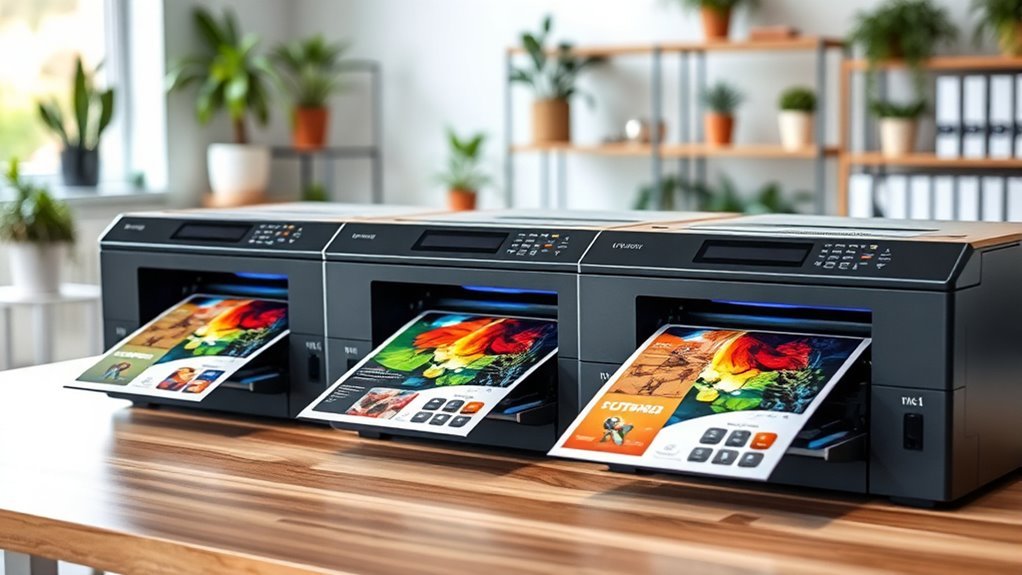
If you’re searching for budget-friendly UV printers that don’t compromise on quality, you’re in the right place. These affordable UV printers deliver sharp, vibrant prints without breaking the bank.
Whether you’re printing detailed labels, small flat surfaces, or versatile materials, there’s a model that fits your needs perfectly.
Consider the A3+ DX7 UV DTF Sticker Printer if you need detailed, high-quality labels. For compact flat surfaces, the DXZ A4 UV Flatbed Printer is ideal. And if versatility and speed are your priorities, the OMTech Spectra Pro A3+ UV Printer with fast dual printheads has got you covered.
Each printer comes with user-friendly software and easy maintenance features to keep your workflow smooth and efficient.
Keep reading to see how these budget UV printers can fit different workspaces and printing requirements seamlessly.
| Image | Name | Editor's Rating | Price |
|---|---|---|---|

|
|
||

|
|
||

|
|
A3+ DX7 UV DTF Sticker Printer Come with Software A/B Film and Inks
- Overall structure: This is a desktop UV DTF crystal marking printer. The printer measures 90*65*53 cmin size print the max width is 33cm (13inch)and weighs 38 kg. It is...
- North American Power Compatibility: Uses 110v power supply, compatible for direct use in USA, Mexico, and Canada without additional converters.
- System device: printer installed One DX7 printhead , 8 colors,( KCMY WW VV ) .each hour can print 1.5 to 2Square meters, the print accuracy upto 1440dpi, very colorful...
- Application:It is used to produce crystal label transfer stickers that can be adhered to surfaces of materials such as metal, glass, plastic, ceramic, Customized...
- Printer is easy to maintenance , the machine can do cleaning automatic by software, and do cleaning automatic ,so, you no need to clean the hand by hand. We offer one...
The A3+ DX7 UV DTF Sticker Printer is designed to simplify your sticker printing needs while delivering sharp, vibrant results. It tackles the challenge of producing detailed crystal label transfers across materials such as metal, glass, and leather with precision and ease. This printer combines high resolution with efficient operation, making complex prints more accessible.
Equipped with a DX7 printhead, it produces clear images at 1440 × 1440 dpi. The included A and B film rolls and six 500 ml UV DTF inks ensure you have everything needed for immediate printing. The RIIN software supports smooth workflow, while automatic cleaning and laminating functions reduce maintenance demands.
This compact desktop printer is ideal for users who require high-quality prints without the bulk or complexity of larger machines. Its 13-inch print width fits most small to medium projects but may be limiting for larger formats. The connectivity options focus on USB with Windows compatibility, suitable for straightforward setups.
Best for: Small businesses and hobbyists needing a reliable, budget-friendly UV DTF printer for detailed crystal label transfers on diverse surfaces.
What We Like:
- Complete starter kit with films, inks, and software included
- High print resolution ensures sharp, vibrant transfers
- Automatic cleaning and laminating simplify upkeep
- Compact design fits desktop workspaces comfortably
Specification:
| Specification | Details |
|---|---|
| Manufacturer | Not specified |
| Printhead | DX7 |
| Max Print Resolution | 1440 × 1440 dpi |
| Print Width | 13 inches (33 cm) |
| Ink Volume | Six 500 ml UV DTF inks |
| Included Media | A and B film rolls |
| Software | RIIN (Windows only) |
| Connectivity | USB |
DXZ A4 UV Flatbed Printer with Laptop & Ink
- 2026 Upgraded UV Printer - The upgraded version of DXZ UV Printer features a white ink blending system, automatic cleaning function to prevent clogging and protect the...
- L805 6-color printhead - Using the L805 6-color printhead can achieve faster and more consistent printing results. Experience stunning 2880 x 1400 dpi CMYK+WW 6-color...
- 【Pre-Configured Laptop】Experience the ultimate convenience with our plug-and-play laptop, designed exclusively for UV printing. Pre-loaded with all necessary software...
- Vacuum platform - The DXZ A4 UV Printer is equipped with a built-in vacuum platform, ensuring that the printing material stays in place throughout the printing process...
- Unlock The Latest Software Upgrade: Experience the seamless convenience of our complimentary updates. Say goodbye to virus concerns during installation – our system...
The DXZ A4 UV Flatbed Printer with Laptop & Ink is designed to simplify high-quality printing on small, flat surfaces. It delivers sharp, vibrant images that resist water, UV light, and scratches, making your prints durable and professional. This printer helps small businesses and creatives achieve consistent results without complex setups.
Its plug-and-play design includes a laptop preloaded with UV printing software, streamlining the printing process. Just connect the device, power it on, and start printing. The vacuum platform ensures materials stay perfectly aligned, reducing errors and wasted media.
Maintenance is straightforward thanks to the automatic cleaning system, which helps keep the printhead in optimal condition. While the printer is limited to A4-sized prints and USB connectivity, it excels in producing crisp, reliable outputs for compact projects.
This reliable printer balances ease of use and quality, providing a solid solution for detailed UV printing needs in small-scale environments.
Best for: Small businesses, creatives, and hobbyists needing durable, high-quality UV prints on compact flat surfaces with minimal setup.
What We Like:
- Produces vibrant, waterproof, and scratch-resistant prints up to A4 size
- Plug-and-play system with pre-configured laptop for quick operation
- Vacuum platform ensures precise material alignment
- Automatic cleaning reduces maintenance efforts
Specification:
| Feature | Detail |
|---|---|
| Manufacturer | DXZ |
| Maximum Print Size | A4 (8.3 x 11.7 inches) |
| Printhead | 6-color L805 |
| Connectivity | USB |
| Included Equipment | Laptop with UV software, ink supply |
| Cleaning System | Automatic |
OMTech Spectra Pro A3+ UV Printer with Dual F1080 Printheads
- Increase Printing Efficiency: Our OMTech UV printer provides 2.4 m/hour commercial printing speed, with 400 mm/s printhead speed and 1770 mm/s acceleration, helping you...
- Professional Print Quality & Ink Technology: Supports CMYK + White + Gloss/Varnish printing, combined with our open ink platform and professional UV inks, delivering...
- Large Format Desktop Printing: Supports 13.8 × 17.7 inch printing area and 5.5 inch print height, allowing direct printing on wood, acrylic, metal, glass, and leather to...
- Smart & Easy Printing: Includes AI HD image optimization, automatic background removal, and one-click white ink and gloss printing, helping reduce manual adjustments and...
- Stable Commercial Production & Safety: Designed for stable commercial operation with automatic printhead cleaning and protective white ink circulation system that helps...
Discover the potential of the OMTech Spectra Pro A3+ UV Printer, designed to elevate small business production and creative projects. Its compact footprint fits comfortably in tight workspaces while delivering precise flatbed printing on varied surfaces.
This printer tackles the challenge of multi-material printing by supporting wood, acrylic, metal, and glass with sharp 720 × 1440 dpi resolution. Dual F1080 printheads boost output speed to 2.4 m² per hour, helping you meet tight deadlines without sacrificing quality.
Maintenance is simplified with an automatic cleaning system and white ink circulation, minimizing downtime and keeping prints consistent. The open ink platform and bulk ink system reduce operational costs, making it easier to manage supplies.
Equipped with AI-driven software, it ensures optimized images for professional results. While its print area is limited to 13.8 × 17.7 inches, this model is ideal for detailed work rather than large-format jobs. Note that its weight over 200 pounds affects portability.
Best for: Small businesses and hobbyists needing a versatile UV flatbed printer for high-quality prints on diverse materials.
What We Like:
- Dual F1080 printheads for faster production speeds.
- Automatic cleaning and white ink circulation reduce maintenance.
- Bulk ink system lowers ink costs and downtime.
- AI-driven software enhances image quality.
- Supports multiple materials with high resolution.
Specification:
| Feature | Details |
|---|---|
| Manufacturer | OMTech |
| Print Area | 13.8 × 17.7 inches |
| Resolution | 720 × 1440 dpi |
| Printheads | Dual F1080 |
| Ink Colors | CMYK + White + Gloss |
| Print Speed | 2.4 m²/hour |
| Weight | Over 200 lbs (approx.) |
Factors to Consider When Choosing a Budget UV Printer
When choosing a budget UV printer, you’ll want to focus on print quality and resolution to guarantee sharp results. Consider ink compatibility, speed, and how easy the printer is to maintain for long-term use.
Don’t forget to check the software features and connectivity options to fit your workflow. These little details can make a big difference in your overall experience.
Print Quality Resolution
Choosing a budget UV printer means paying close attention to print quality resolution, as it directly impacts the sharpness and detail of your output. Look for higher DPI values—720 to 1440 dpi or more—to guarantee finer detail and smooth gradients. These are essential for photo-realistic prints and small text.
The printhead’s nozzle density and droplet size also play a key role. More nozzles and finer droplets deliver crisper edges and better halftone reproduction.
Color bit depth and profiling help maintain tonal gradation and color accuracy, preventing banding. Plus, good white ink handling with multiple passes enhances opacity and edge definition on colored or transparent materials.
Finally, mechanical precision like stable carriage motion and accurate media registration prevents blur and misalignment. This helps preserve the resolution of your detailed prints.
Ink Compatibility Options
Print quality depends not just on resolution but also on the inks your UV printer can handle. First, check if it uses an open or closed ink system—open systems let you use third-party inks for flexibility and cost savings, while closed ones restrict you to manufacturer cartridges and might void your warranty if refilled.
Make sure the ink chemistry matches the printer’s lamp type and printhead material to avoid curing problems or damage. If you need white or varnish channels for effects, confirm the printer supports them and has ink circulation to prevent clogging.
Finally, compare cured ink properties like adhesion, flexibility, and UV resistance to fit your substrate and usage. Also, consider ink supply format and cost for efficient refills without frequent cartridge changes.
Speed and Efficiency
Although budget UV printers may not match the speed of high-end commercial units, you should evaluate their throughput in square meters per hour or pages per minute to make certain they meet your daily production needs. Compare resolution and printhead speed—higher dpi (720–1440) at slower speeds lowers output versus lower dpi at faster speeds.
Check media handling and bed size to reduce frequent reloading or manual alignment, which slows you down. Features like automatic head cleaning, white-ink circulation, and auto-curing minimize downtime so you can keep printing.
Also, look for connectivity options like USB or Ethernet and workflow tools such as RIP software to speed up job queuing, nesting, and color management. These factors collectively boost your printer’s efficiency without breaking your budget.
Maintenance and Durability
You’ll want to pay close attention to maintenance and durability when picking a budget UV printer, as these factors directly affect your long-term costs and uptime. Check the printhead type and warranty—short warranties, like three months, can mean costly replacements.
Opt for printers with automatic cleaning and white-ink circulation to reduce clogging and manual maintenance. Review maintenance intervals and consumable lifetimes to estimate downtime and service frequency.
Also, consider power consumption and built-in preventive features such as vacuum or capping stations, which protect parts from dust and humidity. Finally, factor in the availability, cost, and lead time of spare parts like wipers and pumps to gauge real durability and how quickly you can get back to printing after repairs.
Software and Connectivity
When choosing a budget UV printer, making certain it offers the connectivity options you need—like USB for simple setups or Ethernet for faster, multi-user workflows—is essential. You should confirm it supports your preferred connection type, including Wi-Fi if mobility is important.
Next, check that the software is compatible with your operating system (Windows 7/10/11) and that drivers and RIP or print management software come included or are supported. It’s a good idea to verify the software supports key features like white-ink sequencing, varnish channels, ICC color profiling, and variable resolution up to 1440×1440 dpi.
Look for automated maintenance tools and job status reporting to minimize downtime. Finally, make certain bundled workflow tools like presets and image optimization are available, alongside software updates and remote support for long-term reliability.
Frequently Asked Questions
How Long Does the Warranty Typically Last on Budget UV Printers?
You’ll typically find warranties on budget UV printers lasting one to two years. Some manufacturers offer extended options, but standard coverage usually protects your printer against defects and malfunctions for about 12 to 24 months.
It’s pretty straightforward—most budget models come with this kind of warranty as a baseline. Of course, if you want extra peace of mind, you might consider those extended plans some brands provide.
Can Budget UV Printers Print on Curved Surfaces?
Yes, budget UV printers can print on curved surfaces. But you’ll need models with adjustable print heads or rotary attachments.
These features help maintain print quality and alignment on cylindrical or irregularly shaped objects. So, if you’re planning to print on curved items, look out for these options. They make a big difference!
What Maintenance Is Required for UV Printer Printheads?
Think of printheads as delicate artists; you’ll need to clean them regularly and check for clogs. Using the right cleaning solutions is super important, too.
Don’t forget to perform nozzle checks often. Also, avoid letting the ink dry on the printheads to keep your prints flawless and vibrant.
Are There Eco-Friendly Ink Options for UV Printers?
Yes, you can use eco-friendly UV inks that reduce harmful chemicals and emissions. You’ll find options with low VOCs and biodegradable components.
These choices help you minimize environmental impact without sacrificing print quality or durability in your projects. It’s a great way to stay green and still get top-notch results.
How Do UV Printers Compare in Speed Versus Traditional Printers?
UV printers typically print slower than traditional printers because of the curing time needed. But they do deliver higher quality and durability.
You’ll notice a trade-off between speed and precision. So, it’s best to choose based on your specific project needs and deadlines.
Conclusion
Choosing the right budget UV printer can feel like traversing the Renaissance without a compass, but with these top picks, you’re well-equipped to create stunning prints without breaking the bank. Whether you go for the A3+ DX7, the DXZ A4 Flatbed, or the OMTech Spectra Pro, each offers excellent value and quality.
Keep your needs and workspace in mind, and you’ll be confidently producing vibrant, professional results in no time. These budget UV printers combine affordability with impressive features, making them perfect for small businesses or hobbyists.
So, if you’re looking to invest in a UV printer that delivers quality results without a hefty price tag, these options are your best bet. With the right choice, you’ll enjoy crisp, colorful prints that stand out and last.