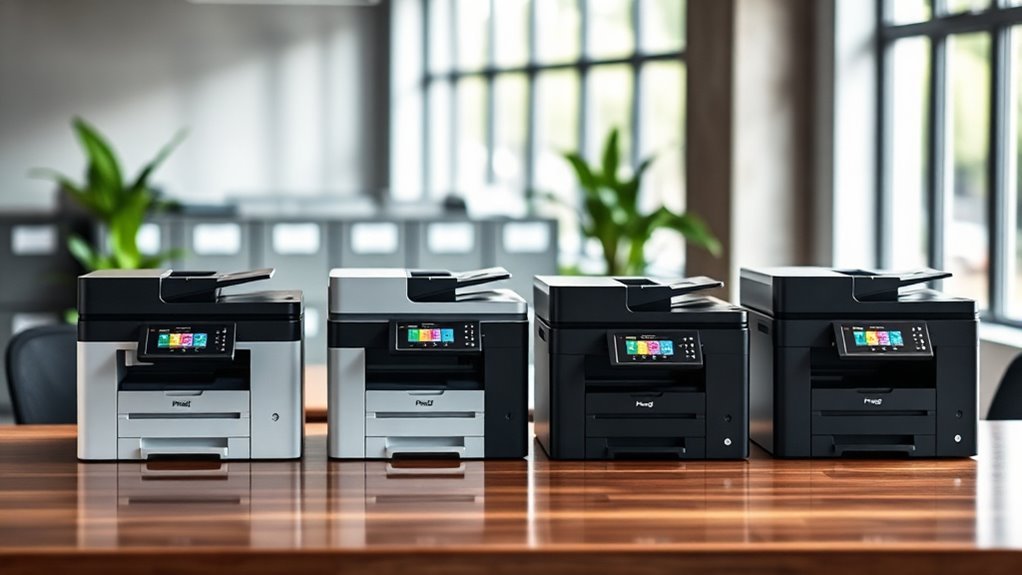
4 Best Commercial All-in-One Printers for 2027
For 2027, you’ll want commercial all-in-one printers that cut costs and boost efficiency while being kind to the environment. These printers should handle everything from printing and scanning to copying and faxing, making them perfect for busy offices. Choosing the right one means balancing speed, quality, security, and eco-friendly features.
The Canon MF753Cdw II offers vibrant color duplex laser printing perfect for small offices. Brother’s MFC-L8930CDW focuses on security and productivity, while the HP OfficeJet Pro 9125 shines with eco-friendly wireless features. For high-volume monochrome needs, the Brother MFC-L5915DW delivers speed and capacity. Keep going to discover which fits your budget and workspace best.
| Image | Name | Editor's Rating | Price |
|---|---|---|---|

|
|
||

|
|
||

|
|
Canon Color imageCLASS MF753Cdw II – All-in-One Color Duplex Laser Printer
- Color, Wireless, Duplex 4-in-1: Print, scan, copy, fax.

The Canon Color imageCLASS MF753Cdw II is designed to streamline your small or home office tasks with ease. It tackles color printing, scanning, copying, and faxing in one compact machine, helping you stay productive without juggling multiple devices.
This all-in-one printer is built for efficiency, delivering fast duplex printing at up to 35 ppm with sharp 1200 x 1200 dpi resolution. Its 50-sheet duplex automatic document feeder and 250-sheet paper capacity keep your projects flowing smoothly, reducing interruptions.
Maintenance is straightforward with easy-to-replace toner cartridges, though starter yields may require timely replacements in busy environments. The printer offers versatile connectivity options like Wi-Fi, Ethernet, and mobile printing, making it adaptable for hybrid work setups.
The intuitive 5-inch touchscreen simplifies navigation, while its energy-efficient design helps reduce power consumption. Although it weighs 50 lbs, which limits portability, the solid build supports reliable everyday use in a fixed workspace.
Best for: Small and home offices or hybrid work environments needing a fast, reliable all-in-one color laser printer with duplex printing and versatile connectivity.
What We Like:
- Fast duplex printing at up to 35 ppm with sharp 1200 x 1200 dpi resolution
- 50-sheet duplex automatic document feeder for efficient multitasking
- Multiple connectivity options including Wi-Fi, Ethernet, and mobile printing
- User-friendly 5-inch touchscreen for easy operation
- Energy-efficient design suitable for hybrid workspaces
Specification:
| Feature | Details |
|---|---|
| Manufacturer | Canon |
| Dimensions | 16.1 x 18.1 x 18.5 inches |
| Weight | 50 lbs (22.7 kg) |
| Printing Technology | Color Duplex Laser |
| Paper Capacity | 250 sheets (expandable to 850) |
| Display | 5-inch Color Touchscreen |
| Connectivity | Wi-Fi, Ethernet, USB, Mobile Printing |
Brother MFC-L8930CDW Color Laser All-in-One Printer
- Updated design, professional results. High-quality output with sharp color and black printing. Fast print and copy speeds up to 33ppm(1) help boost productivity. Reliable...
- Maximize printing budgets. Offers built-in value with included Brother Genuine 3,000-page black and 1,800-page color standard yield toner cartridges. Help lower printing...
- Advanced scanning. High-speed, two-sided scanning up to 104ipm(3) with 80-page auto document feeder(4) and legal-size glass. Scan to cloud, email, SharePoint, and more...
- Productivity-enhancing features. Flexible connectivity, including built-in dual-band (2.4GHz / 5GHz) wireless networking and Gigabit Ethernet networking. 7” color...
- Triple Layer Security. Advanced security features to help keep devices secure, protect documents in transit to and from print devices, and safeguard networks. Includes an...
The Brother MFC-L8930CDW is designed to keep your business productive with fast, high-quality color printing. It tackles common office challenges by delivering sharp prints and copies at speeds up to 33 pages per minute. Duplex printing and a multipurpose tray add flexibility, helping you handle various media types without hassle.
This all-in-one printer simplifies maintenance with Brother’s genuine toners, offering high-yield options that lower your cost per page and reduce the frequency of replacements. Its compact design helps save valuable office space without sacrificing essential functions.
Scanning tasks are made efficient thanks to an 80-page automatic document feeder and fast two-sided scanning at 104 images per minute. Connectivity options like dual-band Wi-Fi, Gigabit Ethernet, and NFC authentication keep your workflow smooth and secure.
Security is a priority with triple-layer protection to safeguard sensitive data. Plus, the printer’s eco-friendly design meets EPEAT Gold and ENERGY STAR standards, supporting sustainability goals in your workplace.
Best for: Offices needing a reliable color laser all-in-one printer that balances speed, cost-efficiency, and robust security.
What We Like:
- Fast duplex printing and copying up to 33 ppm with crisp output
- High-yield toner options reduce maintenance and cost per page
- Multiple connectivity choices including NFC and dual-band Wi-Fi
- Efficient scanning with large feeder and rapid two-sided scanning
- Compact footprint fits well in space-conscious office environments
Specification:
| Feature | Details |
|---|---|
| Manufacturer | Brother |
| Dimensions (W×D×H) | 16.1 × 18.5 × 15.7 inches |
| Weight | 42.5 lbs (19.3 kg) |
| Color Options | White with gray accents |
| Connectivity | Dual-band Wi-Fi, Gigabit Ethernet, NFC |
HP OfficeJet Pro 9125 Wireless All-in-One Printer
No products found.
Experience dependable, fast printing with the HP OfficeJet Pro 9125 Wireless All-in-One Printer, designed to streamline your office tasks. It delivers up to 22 ppm in black and 18 ppm in color, helping your business stay productive without delays. The automatic duplex printing and scanning reduce paper use and save time on double-sided documents.
This versatile machine combines printing, scanning, copying, and faxing, making it a complete solution for busy offices. The 2.7-inch color touchscreen simplifies navigation, while wireless, Ethernet, and USB connectivity provide flexible setup options. Maintenance is straightforward but requires original HP 936 series cartridges due to firmware-enforced compatibility.
Built with sustainability in mind, it contains over 40% recycled plastic and includes HP Wolf Pro Security for robust data protection. Its single input tray holds up to 250 sheets, which is ideal for moderate workloads but may need frequent refilling in larger offices.
Best for: small to medium businesses and office users seeking a versatile, efficient all-in-one printer with wireless and duplex printing capabilities.
What We Like:
- Fast print speeds with efficient duplex functionality
- Multifunctional device covering all essential office tasks
- Secure design with HP Wolf Pro Security and eco-friendly materials
- Flexible connectivity options including wireless and Ethernet
Specification:
| Feature | Details |
|---|---|
| Manufacturer | HP |
| Model | OfficeJet Pro 9125 |
| Print Speed (Black) | Up to 22 ppm |
| Print Speed (Color) | Up to 18 ppm |
| Touchscreen Size | 2.7 inches |
| Input Tray Capacity | 250 sheets |
| Connectivity | Wireless, Ethernet, USB |
| Material Content | Over 40% recycled plastic |
Brother MFC-L5915DW Professional All-in-One Laser Printer
- FAST BUSINESS PRINTING AND COPYING: The Brother MFC-L5915DW business monochrome laser all-in-one printer delivers high-quality output and print and copy speeds of up to...
- LOW-COST OUTPUT: Help reduce operating costs by using the Brother Genuine TN920UXXL ultra high-yield 18,000-page replacement toner cartridge. Includes a Brother Genuine...
- FAST, HIGH-VOLUME SCANNING: The 70-page capacity(3) auto document feeder offers single-pass, two-sided scanning up to 56ipm(4). Features a large document glass for up to...
- FLEXIBLE CONNECTIVITY OPTIONS: Features built‐in Gigabit Ethernet and dual band wireless networking to seamlessly set up and share on your wired.
Experience seamless office productivity with the Brother MFC-L5915DW, designed to handle demanding printing and scanning tasks efficiently. Its fast monochrome printing and copying speed of up to 50 pages per minute reduces wait times, helping you meet tight deadlines without hassle.
The 70-page auto document feeder scans both sides of documents in a single pass at 56 images per minute, streamlining workflows that involve large multi-page files. A large document glass accommodates legal-size originals, making it versatile for various document types.
Connectivity is simple and reliable with built-in Gigabit Ethernet and dual-band Wi-Fi, enabling easy sharing across your office network. Maintenance is straightforward with a 3,000-page toner included, while an optional ultra high-yield toner extends productivity by printing up to 18,000 pages before replacement.
This Brother all-in-one laser printer is ideal for busy, cost-conscious offices needing fast, high-volume monochrome printing, scanning, and copying with minimal downtime.
Best for: Small to medium-sized businesses requiring reliable and efficient monochrome printing and scanning solutions.
What We Like:
- Fast printing and copying up to 50 ppm for improved workflow
- Efficient two-sided scanning with a 70-page auto document feeder
- Flexible connectivity via Gigabit Ethernet and dual-band Wi-Fi
- Large document glass supports legal-size originals
- Long-lasting toner options reduce maintenance frequency
Specification:
| Feature | Details |
|---|---|
| Manufacturer | Brother |
| Dimensions (W×D×H) | 16.1 × 15.7 × 12.0 inches |
| Weight | 28.6 lb (13 kg) |
| Printing Technology | Monochrome Laser |
| Connectivity | Gigabit Ethernet, Wi-Fi (dual-band) |
| Auto Document Feeder | 70 pages |
Factors to Consider When Choosing a Commercial All in One Printer
When choosing a commercial all-in-one printer, you need to weigh print speed and quality to keep up with your workload. Check the connectivity options to guarantee seamless integration with your devices.
Also, factor in consumable costs to manage your budget. Don’t forget to prioritize security features to protect your sensitive information. It’s all about finding the right balance for your business needs.
Print Speed Importance
Although print speed might seem like a simple number, it plays a crucial role in keeping your office workflow smooth and efficient. You need to take into account pages per minute (ppm) for both color and black-and-white prints, as color jobs often take longer and can slow overall throughput.
Don’t overlook first-page-out time—lower seconds here mean less waiting on single or urgent prints. If your office prints double-sided often, check duplex speed and whether it’s single-pass or multi-pass, since that affects how quickly two-sided jobs finish.
Importantly, match the printer’s rated ppm to your typical daily volume and peak job sizes. Overrating speed wastes money, while underrating causes frustrating delays during busy times. Choosing the right print speed keeps productivity high without overspending.
Print Quality Standards
Because print quality directly impacts your brand’s professionalism and communication clarity, you need to prioritize resolution, color accuracy, and consistency when choosing a commercial all-in-one printer. Look for a maximum print resolution of at least 1200 x 1200 dpi for sharp text and graphics, or 4800 x 1200 optimized dpi if you require photo-quality color.
Evaluate color fidelity by checking wide CMYK gamut support and ICC color profiles to maintain accurate brand colors. Pay attention to toner or ink droplet technology and effective dpi with halftoning or micro-dot tech to guarantee smooth gradients and fine details.
Also, assess first-page-out time and engine consistency to avoid streaks or color shifts during long runs. Don’t forget scanner and copier optical resolution and bit depth for high-fidelity reproductions.
Connectivity Options Offered
Print quality sets the foundation for your business communications, but how you connect and interact with your all-in-one printer shapes daily workflow efficiency. You want a device that supports both wired connections like Gigabit Ethernet and USB, as well as wireless options such as dual-band Wi‑Fi (2.4/5 GHz) and Wi‑Fi Direct.
Make sure it offers mobile printing and cloud integration through AirPrint, Mopria, or native apps. This lets you print or scan directly from smartphones or cloud storage, which is super convenient.
Security matters too—look for advanced features like NFC card readers, LDAP/Active Directory integration, and encrypted protocols (TLS/IPsec) to protect your data. Also, verify multiple physical and virtual interfaces and remote management tools.
That way, you can easily configure, monitor, and update your printer within your network without any hassle.
Consumable Costs Consideration
When choosing a commercial all-in-one printer, you’ll want to carefully evaluate consumable costs. These directly affect your long-term expenses, so it’s important to pay attention.
Start by calculating the cost-per-page—divide the cartridge price by its rated page yield. This helps you compare true consumable costs across different models.
Don’t overlook high-yield options. They might be pricier upfront, but they often reduce your cost per page markedly.
Make sure to include waste and starter cartridges in your total cost estimates. Starter cartridges usually have lower yields, so factor that in.
Estimate your annual spend by multiplying your expected monthly page volume by the cost per page. Then add routine maintenance parts like drums and fusers to get a full picture.
Also, think about how your usage patterns—color versus monochrome, full-color coverage, and duplex printing—impact consumable consumption and overall costs. This approach guarantees you pick a printer that fits your budget long-term.
Device Security Features
Consumable costs may take up a large portion of your budget, but overlooking device security can expose your business to risks that cost much more. You should look for printers with multi-layer security, including firmware integrity checks, secure boot, and runtime protection to block unauthorized firmware changes.
Make certain the device supports encrypted communications like TLS/SSL and FTP/SMB over TLS to protect data in transit. Choose printers offering strong user authentication—LDAP/Active Directory, PIN, or NFC login—and role-based access controls to limit functions.
Secure print features such as PIN-release and hard-drive encryption help keep documents safe. Finally, confirm the printer has logging, audit trails, and secure remote management with multi-factor authentication, so you can monitor and respond to suspicious activity effectively.
Scanning And Copying Capabilities
Although scanning and copying might seem straightforward, choosing a commercial all-in-one printer with the right capabilities can guarantee you significant time and effort. Look for a high-capacity duplex automatic document feeder (ADF) with 50–80 sheets and single-pass two-sided scanning to speed batch jobs and reduce jams.
Compare scan speeds in images per minute (ipm); faster scanners reaching 50–100+ ipm for duplex work will cut your workflow time. Check maximum scan resolution and color depth—up to 1200 dpi and 24-bit color—for detailed images or precise OCR.
Built-in OCR and searchable PDF features simplify digitization and document retrieval. Finally, evaluate copy speed (ppm), resolution, and multi-page copying limits to guarantee your day-to-day reprographic tasks stay efficient and reliable.
Paper Handling Capacity
Consider the total paper handling capacity carefully to keep your commercial all-in-one printer running smoothly during high-volume tasks. Combine the main paper trays and multipurpose trays input capacity—standard models start at 250 sheets but can expand to 500–1,000+ with optional cassettes for busier environments.
Don’t overlook the output tray’s capacity, usually 100–250 sheets, to avoid constant clearing during large jobs. Check the automatic document feeder (ADF) size, typically 50–100 sheets, and if it supports one-pass duplex scanning to speed two-sided copying.
Make sure the printer handles the media sizes and weights you need, including envelopes, labels, legal or ledger, and heavier cardstock through the multipurpose tray. Finally, match the duty cycle and monthly volume to your expected workload to prevent wear and maintain reliability.
Energy Efficiency Ratings
When choosing a commercial all-in-one printer, you’ll want to prioritize energy efficiency ratings like ENERGY STAR certification and EPEAT scores. These show the device meets strict sustainability and power-saving standards.
It’s also a good idea to check the printer’s power consumption in active, idle, and sleep modes. This way, you get a clear picture of its real-world energy use.
Look for features like automatic duplexing and duplex ADF. They help cut paper waste and reduce processing energy, which is a win-win for saving resources.
Don’t forget toner or ink efficiency. Measuring yield per kWh or pages per watt-hour can give you insight into the long-term impact of the printer.
Also, review power management options such as scheduled sleep, auto-off timers, and network wake-on-LAN. These settings help minimize energy draw during downtime.
All these factors combined help you pick a printer that saves energy and lowers operating costs. It’s smart for your budget and great for the environment!
Frequently Asked Questions
How Do Commercial All-In-One Printers Handle Eco-Friendly Printing Options?
Commercial all-in-one printers let you enable duplex printing, use draft mode, and choose recyclable paper to reduce waste. They often support eco-friendly ink options and provide software to monitor and minimize your environmental impact efficiently.
It’s pretty handy because these features help you save resources without much hassle. Plus, the software tools make it easier to keep track of your usage and adjust settings for greener printing.
What Are the Average Maintenance Costs for These Commercial Printers?
You can expect average maintenance costs around $200 to $500 annually, depending on usage and model. Regular servicing, replacing parts, and ink or toner refills keep your printer running smoothly without unexpected expenses.
Keeping up with these tasks helps avoid sudden breakdowns. It’s all about staying proactive so your printer doesn’t catch you off guard.
Can These Printers Integrate With Cloud-Based Document Management Systems?
Yes, these printers can easily integrate with cloud-based document management systems. You’ll find built-in support for platforms like Google Drive, Dropbox, and OneDrive.
This means you can scan, store, and access documents directly from the cloud without any hassle. It’s all about making your workflow smoother and more efficient.
Do These Printers Support Mobile Printing Apps for Remote Access?
Yes, these printers support mobile printing apps, letting you print remotely from your smartphone or tablet.
You’ll find compatibility with popular apps, making it easy to manage documents on the go without needing a direct connection.
What Warranty and Customer Support Options Are Typically Available?
Think of warranties and support as your printer’s safety net—they typically include one to three years of coverage, plus phone, chat, and email help.
You’ll usually get quick fixes, parts replacement, and sometimes on-site service too. It’s like having someone ready to jump in when things go sideways.
Conclusion
Choosing the right commercial all-in-one printer means balancing speed, quality, and features that fit your business needs. Whether you need vibrant color prints or reliable duplex scanning, there’s a perfect model for you.
Don’t settle for less when your productivity depends on it. After all, why waste time and money on a printer that can’t keep up with your workflow?
Pick one that works as hard as you do. The best commercial all-in-one printers for 2027 combine efficiency, durability, and advanced features to boost your business operations. Investing in a high-quality all-in-one printer ensures smooth printing, scanning, and copying, making your daily tasks faster and more reliable. So, choose a commercial printer that matches your workflow demands and keeps your office running at peak performance.