3 Best All-in-One Inkjet Printers with Cheap Ink for 2027
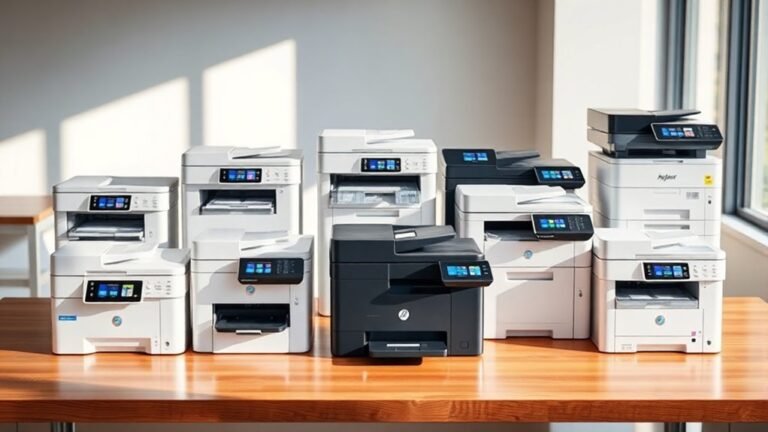
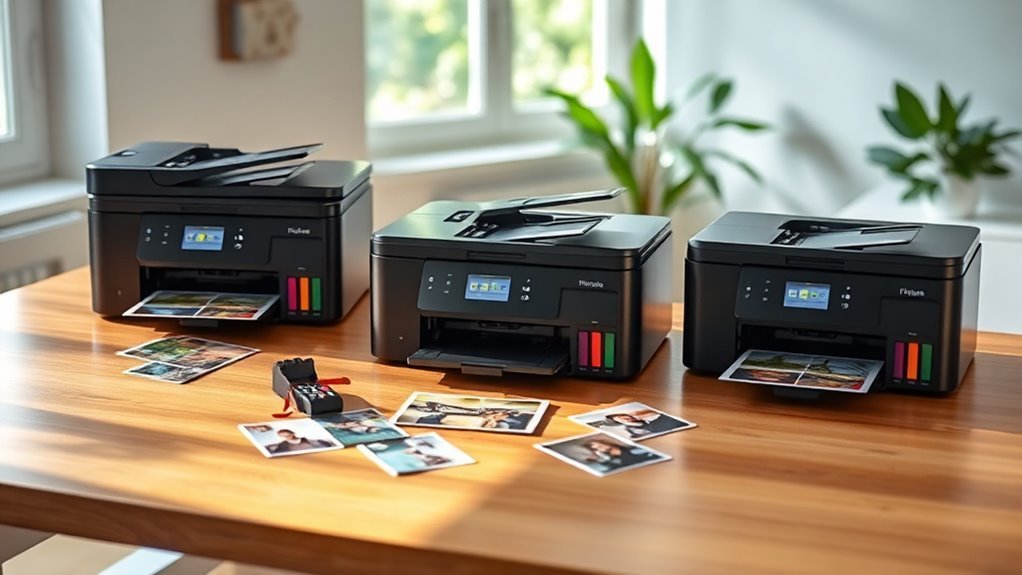
You’ll find the Canon MegaTank G3270, Epson EcoTank ET-4800, and HP Smart Tank 5003 are top choices for affordable all-in-one inkjet printers in 2027. These models stand out because they come with cartridge-free ink tanks, which really help cut down on costs and make refilling a breeze.
The Canon MegaTank G3270 is perfect for home offices, offering reliable performance without breaking the bank. If you need something that can handle high-volume printing, the Epson EcoTank ET-4800 is a solid pick. Plus, the HP Smart Tank 5003 includes up to three years of ink, which is a great bonus for long-term savings.
All three deliver sharp prints and come with wireless convenience, making them easy to use in any setting. If you want to dive deeper into what makes each one special and how they match your needs, keep reading for more details.
| Image | Name | Editor's Rating | Price |
|---|---|---|---|

|
|
||

|
|
||

|
|
Canon MegaTank G3270 All-in-One Wireless Color Printer
- Wireless Print/Copy/Scan
- Up to 2 years of ink included (2)
- Print up to 6,000 black & white / 7,700 color pages using a single set of inks! (1)
- Save up to $1,000 on ink (1)
- 1.35” Square LCD display

Experience hassle-free printing with the Canon MegaTank G3270, designed to simplify your daily tasks. This all-in-one wireless color printer handles printing, copying, and scanning with ease, making it ideal for home or small office use. Its wireless connectivity and intuitive app control let you manage your documents directly from a smartphone or tablet.
The printer’s refillable MegaTank ink system significantly cuts down on ink expenses. With enough ink to print thousands of pages, you can avoid the inconvenience of frequent replacements. This efficient design helps you save time and money, ensuring smooth operation over the long haul.
Enjoy sharp, vibrant prints thanks to the 4800 × 1200 dpi resolution and borderless printing feature. Whether producing professional documents or colorful photos, the results are consistently high-quality. The device also supports a variety of paper sizes and types, adapting easily to your diverse printing needs.
While it offers great functionality, note that the Canon MegaTank G3270 prints only on one side at a time and has a modest paper capacity of 100 sheets. Its color copy speed is moderate, which is suitable for typical home or small office workloads.
Best for: Individuals or small home offices needing an affordable, versatile all-in-one printer with low ink costs and wireless mobile convenience.
What We Like:
- Long-lasting refillable MegaTank ink system reduces running costs.
- Wireless and app-enabled control for flexible printing and scanning.
- High-resolution and borderless printing for professional-quality output.
- Supports multiple paper sizes and types for versatile use.
- Compact design fits well in home or office environments.
Specification:
| Feature | Details |
|---|---|
| Manufacturer | Canon |
| Dimensions | 17.7 × 13.1 × 7.5 inches |
| Weight | 7.6 lb (3.45 kg) |
| Color Options | Black |
| Connectivity | Wireless (Wi-Fi), USB |
| Print Resolution | Up to 4800 × 1200 dpi |
| Paper Capacity | 100 sheets input/output |
Epson EcoTank ET-4800 Wireless Color All-in-One Supertank Printer
- INNOVATIVE CARTRIDGE-FREE PRINTING — High-capacity ink tanks mean no more dealing with lots of tiny ink cartridges; Epson’s exclusive EcoFit ink bottles make filling...
- CLEAR AND VIBRANT PRINT QUALITY ― Create memorable prints and projects; Unique Micro Piezo Heat-Free Technology allows wireless color printer to produce sharp text and...
- ZERO CARTRIDGE WASTE — By using an Epson EcoTank printer you can help reduce the amount of cartridge waste ending up in landfills
- BUILT IN SCANNER AND COPIER ― All-In-One Epson EcoTank is more than a printer; High-resolution flatbed scanner and color display come together for easy document copying...
- LESS FREQUENT INK REPLACEMENT — Replacement ink bottles don't have to be changed nearly as often as ink cartridges¹; Printer, scanner and copier lets you print up to...
Experience hassle-free, high-volume printing with the Epson EcoTank ET-4800 Wireless Color All-in-One Supertank Printer. Its cartridge-free ink system eliminates the need for frequent cartridge replacements, saving you both time and money. The large ink tanks allow you to print thousands of pages before needing a refill, reducing interruptions.
Maintenance is simple with Epson EcoFit ink bottles, which make refilling quick and eco-friendly by cutting down on plastic waste. The printer uses Micro Piezo Heat-Free Technology, ensuring sharp, vibrant prints on a variety of paper types without heat damage.
Designed for busy home offices and small businesses, this all-in-one device combines printing, scanning, copying, and faxing in one compact unit. The intuitive color display enhances usability, helping you stay productive with minimal effort.
While the initial investment may be higher and genuine Epson ink is recommended for best results, the overall cost savings and reliable performance make it a smart choice for users with consistent printing needs.
Best for: Small business owners and home office users who require a cost-effective, high-volume all-in-one printer with minimal cartridge waste and dependable output quality.
What We Like:
- Cartridge-free ink tanks reduce replacement frequency and environmental waste
- Prints up to 4,500 black or 7,500 color pages before refilling
- Includes flatbed scanner, copier, fax, and easy-to-use color display
- Uses Micro Piezo Heat-Free Technology for sharp, vibrant prints
Specification:
| Feature | Details |
|---|---|
| Manufacturer | Epson |
| Dimensions (W×D×H) | Not specified |
| Weight | Not specified |
| Color Options | Not specified |
| Ink System | Cartridge-free EcoTank |
| Print Volume | Up to 4,500 black / 7,500 color pages |
HP Smart Tank 5003 Ink Tank Printer | 3 Years of Ink Included | All-in-One
- THE LAST PRINTER YOU'LL EVER NEED – Set it up once and print with confidence; no complicated maintenance, just easy, reliable printing you can count on
- FULLY LOADED WITH SAVINGS – Best for low-cost, high-volume printing—up to 3 years of HP Ink included; get up to 6,000 color or black pages right out of the box
- KEY FEATURES – Print, copy and scan, plus borderless prints, mobile and wireless printing
- MESS-FREE REFILL – Replenish ink with HP's easy-access, mess-free refill system; simply plug the ink bottles into this cartridge-free ink tank and let them drain—no...
- BEST PRINT QUALITY, PERIOD – Sharper text, richer colors, only with HP Smart Tank
Experience hassle-free, high-volume printing at home with the HP Smart Tank 5003 Ink Tank Printer. Designed to meet the needs of busy households, it comes with up to three years of ink included, so you can print thousands of pages without worrying about frequent refills. This all-in-one device combines printing, scanning, and copying, simplifying your daily tasks.
The printer’s cartridge-free ink tank system makes maintenance easy and mess-free. Simply refill using HP ink bottles to keep printing costs low and avoid the inconvenience of replacing cartridges. Its sharp output delivers vibrant color prints with resolutions up to 4800 x 1200 dpi, ensuring your documents and photos look professional.
Connectivity is seamless with wireless options like Wi-Fi, Apple AirPrint, and HP ePrint. You can print directly from your smartphone or tablet, adding flexibility to your workflow. Although duplex printing is manual, it helps save paper when needed, while the 100-sheet capacity suits moderate daily use.
Best for: Home users who need an affordable, versatile all-in-one printer with a long-lasting ink supply and wireless capabilities.
What We Like:
- Up to 3 years of ink included for extended printing without interruptions
- Cartridge-free ink tank system for easy, cost-effective refills
- Wireless printing options including Wi-Fi and Apple AirPrint
- High print resolution for sharp, vibrant documents and photos
Specification:
| Feature | Details |
|---|---|
| Manufacturer | HP |
| Dimensions (W x D x H) | 15.4 x 13.6 x 7.5 inches |
| Weight | 10.3 lbs (4.7 kg) |
| Color Options | White/Black |
| Print Resolution | Up to 4800 x 1200 dpi |
| Paper Capacity | 100 sheets |
Factors to Consider When Choosing an All in One Inkjet Printer With Cheap Ink
When choosing an all-in-one inkjet printer with cheap ink, you’ll want to focus on ink cost efficiency and print quality standards. Don’t forget to check the ink tank capacity and connectivity options to fit your needs.
Also, consider the print speed to keep your workflow smooth and efficient. It makes a big difference when you’re juggling multiple tasks. Taking these factors into account will help you find the best printer for your setup.
Ink Cost Efficiency
Often, you’ll want to calculate the cost per page by dividing the price of refill ink by its rated yield to understand ink cost efficiency accurately. For example, a 500-ml bottle yielding 5,000 pages means you divide the bottle price by 5,000 to get the cost per page.
Remember to compare black and color ink yields separately, since color inks sometimes last longer. This affects your overall printing costs based on your typical print mix.
Also, factor in the ink included with the printer, often marketed as “up to X years” of usage, to gauge your initial cost per page realistically. Don’t forget maintenance costs like printhead cleaning, which can increase ink use.
And it’s always a good idea to test with your usual documents rather than relying solely on manufacturer yields. That way, you get a more accurate picture of what your printing will actually cost.
Print Quality Standards
Although cheap ink can save you money, you shouldn’t compromise on print quality when choosing an all-in-one inkjet printer. Look for at least 1200 × 1200 dpi (or 4800 × 1200 optimized for color) to guarantee crisp text and detailed photos.
Check color depth and wide color gamut support—higher bit depth and broader gamut give you smoother tones and accurate colors. Also, consider print technology and nozzle resolution; finer droplets and precise placement reduce banding and sharpen images.
Make sure to review manufacturer or independent tests for color accuracy and fine-line detail. Finally, ensure the printer supports the paper types and max resolutions you plan to use.
It should also offer color management with ICC profile support for consistent, repeatable results. This way, your prints look professional every time.
Ink Tank Capacity
Print quality matters, but managing your ink supply can have an even bigger impact on your overall printing experience and costs. When choosing an all-in-one inkjet printer, check the total ink tank capacity across all colors and black.
Larger combined capacity means fewer refills and lower cost per page. Compare the manufacturer’s page yield estimates with the tank volumes to gauge real-world refill intervals and expenses.
Opt for models with separate tanks for each color and black so you only replace what’s empty, extending usage time. Look for transparent tanks and clear refill windows to easily monitor ink levels and avoid sudden interruptions.
Also, consider how simple and mess-free the refilling process is—high-capacity tanks only save you money if refills are convenient and low-maintenance.
Connectivity Options Available
When choosing an all-in-one inkjet printer with cheap ink, you’ll want to weigh the connectivity options that fit your workflow. Wi-Fi lets you print and scan wirelessly from smartphones, tablets, and laptops, supporting reliable standards like 802.11n.
USB 2.0 or later offers a direct connection, perfect when network access is unavailable or during initial setup. Mobile printing protocols such as AirPrint and Mopria simplify printing from iOS and Android devices without extra drivers.
If you need stable multi-user access, Ethernet ports provide faster, consistent transfer rates, ideal for busy offices. Cloud and app-based features enable remote printing and scanning but require internet access and account setup.
Choosing the right connectivity guarantees smooth, flexible operation tailored to your needs. It really makes a difference in how easily you can get your tasks done.
Print Speed Performance
Consider how quickly your all-in-one inkjet printer handles tasks before making a purchase, especially if ink costs matter to you. Print speed, measured in pages per minute (ppm), varies for black and color pages—compare these values to match your daily needs.
Don’t overlook the first page out time (FPOT), which shows how fast the printer starts printing. This is vital for occasional use.
Remember, copy and scan speeds differ, so check those if you copy or scan often. Ink-efficient models may slow down print speed but save money per page, so weigh ppm against cost-per-page carefully.
For heavy use, faster duplexing and larger input/output trays boost productivity by reducing interruptions. Balancing speed and ink efficiency guarantees you get the best performance without overspending.
Media Handling Flexibility
Although ink cost remains a key factor, you’ll want a printer that handles a variety of media types and sizes without hassle. Check the maximum supported paper sizes, like Letter, A4, or Legal (up to 8.5″×14″), to make certain it matches your needs.
Consider the input and output tray capacities—typically 50 to 100 sheets—to minimize frequent refills during heavy printing. Make sure the printer supports the media types you use, such as plain paper, glossy photo paper, envelopes, cardstock, and labels, without causing jams or quality issues.
Also, verify if it accepts custom media dimensions and weights, especially if you work with heavy cardstock or longer prints. This flexibility guarantees smooth operation across diverse projects, saving you time and frustration.
Duplex Printing Capability
Handling various media types efficiently sets the stage for managing your printing costs more effectively. Duplex printing, which automatically prints on both sides, can slash your paper use and cost per page by up to 50% compared to manual single-sided printing.
However, automatic duplexing often slows print speed, so check the manufacturer’s duplex throughput if you print large volumes. Keep in mind, duplex capability may increase your printer’s initial cost and complexity, so weigh those factors against ongoing savings.
Also, verify the supported paper weights and sizes for duplex printing to make certain it fits your typical jobs. Finally, if cheap ink is your goal, confirm that double-sided printing won’t increase color coverage per page excessively, as that can offset your ink savings despite reduced paper use.
Warranty and Support
When you’re choosing an all-in-one inkjet printer with cheap ink, warranty and support play a crucial role in protecting your investment. Start by checking the length and scope of the hardware warranty—know exactly how long defects and repairs are covered.
Be sure to confirm if using non-manufacturer inks or third-party consumables voids the warranty. This can lead to denied repairs, so it’s important to be clear on the terms.
Also, verify the availability of spare parts and service support duration. This will help guarantee your printer remains maintainable over time.
Look for clear terms regarding labor, shipping, and out-of-warranty repair costs. That way, you can plan for any potential expenses that might come up.
Finally, evaluate the manufacturer’s customer support channels and response times. You want quick, effective help whenever you need it.
Frequently Asked Questions
How Long Does It Take to Set up These Printers Initially?
It usually takes you about 15 to 30 minutes to set up these printers initially. You’ll unbox, install ink cartridges, connect to Wi-Fi, and install software.
This way, you make sure everything’s ready for smooth printing right away. Setting it up is pretty straightforward, so you’ll be up and running in no time!
Are These Printers Compatible With Mac and Windows Operating Systems?
Yes, these printers work smoothly with both Mac and Windows operating systems. You’ll find easy-to-install drivers and software that let you print, scan, and copy without hassle.
No matter which system you’re using, it’s all pretty straightforward. So, whether you’re on a Mac or a PC, you’re covered!
Can These Printers Handle Borderless Photo Printing?
Yes, these printers can handle borderless photo printing, letting you produce vibrant, edge-to-edge photos without white margins.
You’ll enjoy high-quality prints perfect for your photos, invitations, or creative projects right at home.
What Is the Typical Lifespan of the Ink Bottles?
Wondering how long your ink bottles will last? Typically, they last for about 6 to 12 months depending on your usage.
If you print frequently, you’ll replace them sooner. But light users can stretch that lifespan easily.
Do These Printers Support Mobile Printing Apps?
Yes, these printers support mobile printing apps, letting you print directly from your smartphone or tablet. You’ll find compatibility with popular apps like Apple AirPrint, Google Cloud Print, and their own brand-specific apps.
This makes wireless printing super easy and convenient. So, whether you’re at home or on the go, you can get your documents or photos printed without any hassle.
Conclusion
Choosing the right all-in-one inkjet printer with cheap ink doesn’t have to feel like searching for a needle in a haystack. Whether you go with the Canon MegaTank G3270, Epson EcoTank ET-4800, or HP Smart Tank 5003, you’re getting incredible value without breaking the bank.
With these options, you’ll save enough on ink to fill a swimming pool—well, almost! So, pick the one that fits your needs and start printing smarter today.
When looking for the best all-in-one inkjet printer with cheap ink in 2027, these models stand out for their efficiency and affordability. They combine quality printing with low-cost ink refills, making them perfect for home or office use.
Investing in any of these printers means you can enjoy hassle-free printing without worrying about expensive ink cartridges. So, if you want reliable performance and cheap ink supply, the Canon MegaTank G3270, Epson EcoTank ET-4800, and HP Smart Tank 5003 are your top choices. Start saving on ink while getting all-in-one functionality that meets your printing needs effortlessly.