6 Best Colour Printers for Photographs in 2027
You’ll want vibrant, reliable color printers like the KODAK Dock Plus for sharp 4×6 prints with smartphone docking, or the portable KODAK Step for fun, peel-and-stick 2×3 photos on the go. These printers make photo printing super easy and enjoyable, whether you’re at home or out and about.
The Canon Selphy CP1500 offers wireless convenience and long-lasting 4×6 prints, perfect for those who want hassle-free printing. Meanwhile, the Liene Pearl K100 shines with sticker-backed images and portability, giving you creative freedom wherever you are.
For home versatility, Epson XP-7100 and Canon PIXMA TS6520 deliver high-quality, borderless photos that look professional every time. Get ready to explore how each matches your photo printing needs best and find the perfect printer to bring your memories to life.
| Image | Name | Editor's Rating | Price |
|---|---|---|---|

|
|
||

|
|
||

|
|
||

|
|
||
|
|
KODAK Dock Plus 4×6 Photo Printer, Smartphone Docking, 4PASS, 50 Sheets
- Dock Photo Printer: The KODAK Dock Plus is a home photo printer that produces high-quality 4x6” prints directly from compatible smartphones. Featuring an integrated...
- Genuine 4PASS dye sublimation printing: Each photo is produced in three color layers and finished with a clear protective lamination layer. In approximately 55 seconds...
- Easy to Use: Print photos quickly without complicated setup or technical steps. Simply power on, connect wireless bluetooth, and start printing within seconds. The Dock...
- Home Printing Station: Designed for stable desktop use, this dock photo printer connects to a power outlet for consistent performance and larger 4x6” prints. Ideal for...
- KODAK Photo Printer APP: Featuring integrated Bluetooth connectivity, this portable printer connects to compatible iOS and Android devices through the KODAK Photo Printer...
Experience effortless photo printing with the KODAK Dock Plus 4×6 Photo Printer, designed to bring your smartphone memories to life. This compact printer solves the hassle of transferring images to a computer by allowing direct printing from your phone. It also keeps your workspace neat with a built-in docking station that charges your device while printing.
The printer uses genuine 4PASS dye sublimation technology, producing sharp and vibrant 4×6″ photos that resist fingerprints, water, and fading. Each print takes about 55 seconds, making it suitable for casual use and preserving your favorite moments with durable quality. Connecting is simple via Bluetooth, and the intuitive KODAK Photo Printer app lets you edit and customize images before printing.
Maintenance is straightforward; the printer comes with 50 sheets included, making it easy to start printing immediately. Its reliance on a power outlet means it’s best used in a stationary setting rather than on the go. While limited to 4×6″ prints, this size is perfect for photo albums, scrapbooks, and gifts.
Best for: Individuals seeking an easy-to-use home photo printer that produces high-quality, durable 4×6″ prints directly from their smartphone with convenient phone charging.
What We Like:
- Vibrant, long-lasting prints using genuine 4PASS dye sublimation technology
- Integrated docking station charges your smartphone during printing
- Easy Bluetooth setup with a user-friendly editing app
- Compact design keeps your workspace organized
Specification:
| Feature | Details |
|---|---|
| Manufacturer | KODAK |
| Print Size | 4×6 inches (10×15 cm) |
| Technology | 4PASS dye sublimation |
| Connectivity | Bluetooth |
| Included Paper | 50 sheets |
| Power Source | Requires power outlet |
| Weight | Not specified |
| Color Options | Not specified |
KODAK Step Portable Wireless Smartphone Photo Printer
- STEP UP YOUR PRINTING GAME. KODAK Step Printer Connects to Any iOS or Android Device [Via Bluetooth or NFC] Turn Your Selfies, Portraits, Social Media Posts Into Physical...
- AMAZING ZERO-INK TECHNOLOGY. ZINK 2” x 3” Sticky-Back Paper with Embedded Dye Crystals Delivers High-Quality, Durable, Affordable, Beautifully Detailed Prints That...
- FULL EDITING SUITE VIA APP. Download the KODAK App to Create Collages & Customize Your Snaps with Stunning Filters, Interesting Borders, Cool Stickers, Funny Text & Other...
- TAKE YOUR PROJECTS TO GO. Our Palm-Sized Printer Weighs Less Than a Pound, Sets Up Fast & Delivers Gorgeous Prints You Can Peel & Stick Everywhere.
- CUTE, COMPACT & COLORFUL. Step Printer is Designed for Photo-Loving Influencers & Crafters of All Ages & Skill Levels! Portable, Lightweight Device Features Built-In...

The KODAK Step Portable Wireless Smartphone Photo Printer offers a simple way to capture and share memories instantly. Its compact size and lightweight design make it perfect for travelers and social media enthusiasts who want to print vibrant, peel-and-stick photos on the go.
This printer connects easily to iOS or Android smartphones via Bluetooth or NFC. Using ZINK thermal technology, it prints without the need for ink cartridges, reducing maintenance and hassle. The built-in rechargeable battery supports printing about 25 photos per charge, balancing convenience with portability.
With the KODAK app, users can customize prints by adding filters, borders, and text, enhancing creativity before printing. The 2×3-inch sticky-back photos are ideal for scrapbooking and crafts, making it a practical tool for personalizing keepsakes.
While the print size is small and print speed is around one minute per photo, the device excels at delivering quick, colorful prints wherever you are. It’s an easy-to-use solution for preserving moments without bulky equipment.
Best for: Travelers, social media fans, and crafters seeking portable, instant photo prints directly from their smartphones.
What We Like:
- Compact, lightweight design for easy portability
- ZINK thermal printing eliminates ink cartridge needs
- KODAK app offers versatile editing features
- Peel-and-stick prints simplify scrapbooking and crafts
Specification:
| Feature | Details |
|---|---|
| Manufacturer | KODAK |
| Dimensions | Palm-sized (approximate) |
| Weight | Lightweight |
| Printing Technology | ZINK thermal |
| Print Size | 2 x 3 inches |
| Connectivity | Bluetooth, NFC |
| Battery | Built-in rechargeable |
Canon Selphy CP1500 Wireless Compact Photo Printer Set
- The sleek and modern design of the SELPHY CP1500 is reflected in how easy it is to use even with powerful features such as Wi-Fi (1) and smartphone connectivity. (2)
- Thanks to a small footprint, the SELPHY CP1500 is incredibly portable, and with the optional battery pack, you can print and share your memories from just about anyplace...
- Not only will your photos look great, they will also be instantly dry and water resistant, and continue to look great for up to 100 years. (3)
- Enjoy the flexibility of Wi-Fi, USB, and memory card (4) connections for your SELPHY CP1500 to connect to just about anything and print from devices like your smartphone...
- A large built-in 3.5” display allows you to view, edit, and add filter effects like sepia, or B/W to the images you want to print.
Experience the convenience of quick, wireless photo printing with the Canon Selphy CP1500. This compact printer solves the hassle of bulky photo labs by letting you print vibrant 4×6 photos anywhere. Its wireless connection via Wi-Fi or USB means you can easily print directly from your smartphone, memory card, or flash drive.
The built-in 3.5-inch display lets you preview, edit, and apply filters to your photos before printing. This feature helps you get exactly the look you want without needing extra devices or software. The thermal printing technology produces water-resistant, instantly dry photos that can last up to 100 years, ensuring your memories stay vivid over time.
Designed with portability in mind, the Selphy CP1500 weighs just 5.6 pounds and supports an optional battery pack, making it ideal for travel or casual use. Maintenance is straightforward since it uses the included RP-108 photo paper and ink set, reducing the need for frequent refills. However, the print resolution is 300 x 300 dpi, and print speed is about one page per minute, which may not meet professional demands.
Best for: Users seeking a compact, portable photo printer for quick, wireless 4×6 prints directly from mobile devices or memory cards with durable photo quality.
What We Like:
- Wireless printing with Wi-Fi and USB connectivity for easy mobile use
- 3.5″ display allows on-the-spot previewing and editing
- Produces water-resistant, instantly dry photos with long-lasting quality
- Lightweight and portable design with optional battery support
Specification:
| Feature | Details |
|---|---|
| Manufacturer | Canon |
| Dimensions | Compact (exact size not specified) |
| Weight | 5.6 lbs (2.54 kg) |
| Print Size | 4 x 6 inches |
| Print Resolution | 300 x 300 dpi |
| Display | 3.5 inches |
| Connectivity | Wi-Fi, USB |
| Included Supplies | RP-108 photo paper set (108 sheets) |
Liene Pearl K100 Mini Portable Photo Printer Bundle
- [Easy Printing via Bluetooth 5.2] The Liene photo printer does not need a Wi-Fi connection, just connect it via Bluetooth 5.2, and you can enjoy a smooth and fast...
- [Print Mono Photo Paper Function & Wireless Printing] Liene designed the portable photo printer to allow you to print color and mono photos(you could buy extra mono...
- [Zink Inkless Printing] Liene photo printer uses advanced inkless printing technology, which will significantly reduce damage to print head parts & extend the life of the...
- [2x3 Sticky-Backed Paper] The iphone picture printer comes with an extra 50 sheets of Zink photo paper 2x3. An economical 2x3 photo printer is the first choice for photo...
- [New App function - Clean print head] Don't know what to do when there are white spots, white lines or other dirt on the photo when printing? The Liene phone printer has...
Capture your favorite moments instantly with the Liene Pearl K100 Mini Portable Photo Printer Bundle. This compact printer makes it easy to print vibrant photos on the go. Its lightweight design slides effortlessly into your bag, perfect for travel or events.
The printer connects via Bluetooth 5.2 with quick one-click pairing from your iOS or Android device, requiring no Wi‑Fi. It uses inkless ZINK thermal technology to print sharp 2 x 3-inch photos that resist water and dust. These images can last up to 10 years, helping preserve memories without hassle.
Included are 50 sticky-backed sheets, letting you turn prints into fun, durable stickers. The dedicated Liene app simplifies printing and maintenance. It features a new clean print head function that keeps your photos sharp and flawless over time.
While printing is limited to the Liene app and monochrome prints need separate paper, the printer’s portability and ease of use make it a handy companion for casual photo sharing. Battery life supports about 30 prints per charge, suitable for light to moderate use.
Best for: Anyone seeking a small, user-friendly portable photo printer that creates long-lasting, sticker-backed prints for travel and everyday moments.
What We Like:
- Bluetooth 5.2 enables seamless wireless printing without Wi-Fi
- Inkless ZINK prints produce durable, water and dust-resistant photos
- Includes 50 sticky-backed sheets for sticker creation
- Simple maintenance with clean print head function in the Liene app
Specification:
| Feature | Details |
|---|---|
| Manufacturer | Liene Pearl |
| Dimensions | Compact (fits in a bag) |
| Weight | Lightweight |
| Print Size | 2 x 3 inches |
| Connectivity | Bluetooth 5.2 |
| Printing Tech | Inkless ZINK thermal |
| Included Supplies | 50 sticky-backed sheets |
Epson Expression Premium XP-7100 Wireless Color All-in-One Inkjet Printer
- CLEAR AND VIBRANT PRINT QUALITY ― All-in-one inkjet color printer produces sharp text for eye-catching documents and impressive color photos and graphics; Your next...
- PRINTER FOR HOME USE ― Designed to increase your productivity at home, this wireless color printer features a 30 page auto document feeder (ADF), auto 2-sided print...
- CREATIVITY MADE EASY ― Epson color printer provides creative versatility, allowing you to print photos and documents on specialty paper¹ and DVDs; You can even print...
- SIMPLE FUNCTIONALITY ― Convenient features make printing, scanning, and copying a snap; Use the large, intuitive 4.3 in touchscreen to view, edit and print photos...
- CONVENIENT WIRELESS PRINTER ― Ultimate wireless plus ethernet; Easily print photos and documents directly from your tablet or smartphone³; Includes Wi-Fi direct for...
Experience vivid photo printing and versatile document handling with the Epson Expression Premium XP-7100. Designed for home creatives and small office users, this all-in-one inkjet printer simplifies your printing, scanning, and copying tasks. Its reliable 5-color Claria Premium ink system produces sharp, borderless photos up to 8 x 10 inches, making your memories come to life with rich colors.
The XP-7100 offers convenient wireless, Ethernet, and USB connections, allowing you to print directly from your devices or memory cards without hassle. A bright 4.3-inch touchscreen makes navigating options and printing straightforward. Duplex printing and a 30-sheet automatic document feeder help streamline multi-page tasks, saving you time and effort.
Maintenance is straightforward with easy ink cartridge replacement and a compact design to fit any workspace. While the maximum media size is limited to standard letter size, it meets everyday photo and document needs efficiently. Some advanced features may require an internet connection, so plan accordingly depending on your setup.
This printer is ideal for users who want vibrant photo output combined with flexible, all-in-one functionality. Its user-friendly design and reliable performance support both creative projects and routine office tasks with ease.
Best for: Home users and photo enthusiasts seeking vibrant prints and versatile all-in-one functionality with wireless convenience.
What We Like:
- Sharp borderless photos up to 8 x 10 inches using 5-color Claria Premium ink
- Easy-to-use 4.3-inch touchscreen for direct printing from USB or SD cards
- Multiple connectivity options including Wi-Fi, Ethernet, and USB
- Duplex printing and 30-sheet automatic document feeder for improved productivity
Specification:
| Feature | Details |
|---|---|
| Manufacturer | Epson |
| Dimensions | 15.7 x 13.2 x 7.5 inches |
| Weight | 13.9 lb (6.3 kg) |
| Ink System | 5-color Claria Premium ink |
| Connectivity | Wireless, Ethernet, USB |
| Maximum Media Size | 8.5 x 11 inches |
| Display | 4.3-inch color touchscreen |
| ADF Capacity | 30 sheets |
Canon PIXMA TS6520 Wireless Color Inkjet Printer, 1.42″ OLED Display, White

- Affordable Versatility - A budget-friendly all-in-one printer perfect for both home users and hybrid workers, offering exceptional value
- Crisp, Vibrant Prints - Experience impressive print quality for both documents and photos, thanks to its 2-cartridge hybrid ink system that delivers sharp text and vivid...
- Effortless Setup & Use - Get started quickly with easy setup for your smartphone or computer, so you can print, scan, and copy without delay
- Reliable Wireless Connectivity - Enjoy stable and consistent connections with dual-band Wi-Fi (2.4GHz or 5GHz), ensuring smooth printing from anywhere in your home or...
- Scan & Copy Handling - Utilize the device’s integrated scanner for efficient scanning and copying operations
The Canon PIXMA TS6520 Wireless Color Inkjet Printer brings vibrant photo printing and everyday document tasks into one compact device. Its sleek white design fits seamlessly into tight home offices or study spaces. The clear 1.42″ OLED display makes navigation simple and fast, reducing setup time and frustration.
This printer’s dual-cartridge hybrid ink system produces sharp, colorful images with up to 1200 dpi resolution. Borderless and duplex printing help you create professional-quality photos and save paper. Wireless dual-band Wi-Fi allows effortless printing from smartphones, laptops, and tablets. Voice command support through Alexa adds hands-free convenience.
Maintenance is straightforward, though the single paper tray holds a limited number of sheets, so frequent refills may be necessary in heavy-use scenarios. The starter ink tanks are included but might need replacement sooner depending on your printing volume. Note that the lack of an automatic document feeder means scanning or copying multi-page documents requires manual handling.
The PIXMA TS6520 is ideal for families, students, and home or hybrid workers who need a reliable, versatile all-in-one printer for vibrant photo prints and daily document management.
Best for: families, students, and home or hybrid workers seeking a compact, versatile all-in-one printer for vibrant photo printing and everyday document tasks.
What We Like:
- Compact design with easy-to-read 1.42″ OLED display
- Dual-cartridge hybrid ink system delivers sharp, colorful prints up to 1200 x 1200 dpi
- Wireless dual-band Wi-Fi and Alexa voice control for flexible printing options
- Borderless and duplex printing for professional-quality photos and paper savings
Specification:
| Feature | Details |
|---|---|
| Manufacturer | Canon |
| Dimensions (W×D×H) | Compact size (exact not specified) |
| Weight | Not specified |
| Ink System | Dual-cartridge hybrid ink |
| Display | 1.42″ OLED |
| Color Options | White |
| Connectivity | Dual-band Wi-Fi, voice control (Alexa) |
Factors to Consider When Choosing a Colour Printer for Photographs
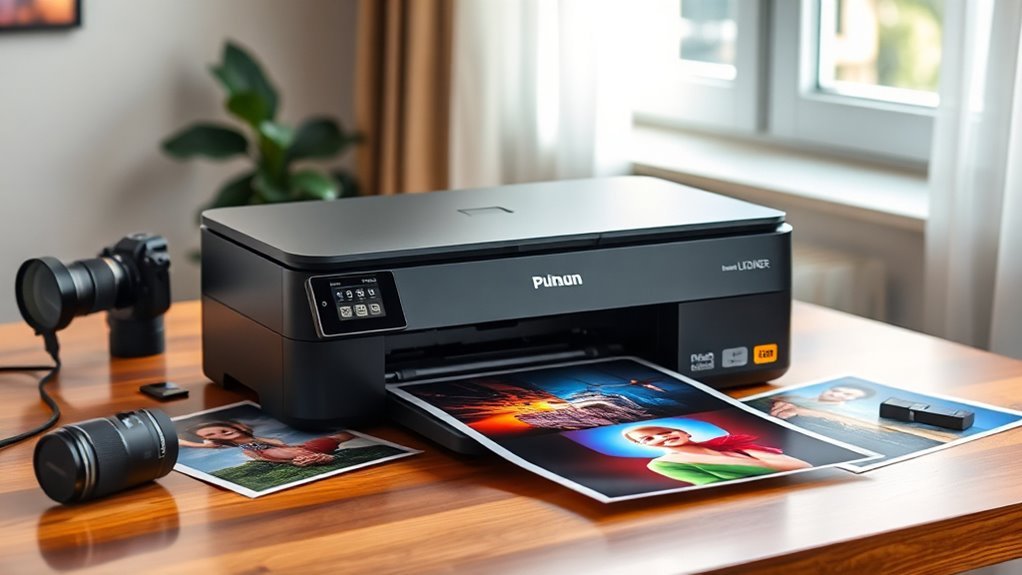
When choosing a colour printer for your photographs, you’ll want to focus on print quality and resolution to get sharp, vibrant images. Consider the ink type and printing technology, as well as the media sizes the printer supports.
Don’t forget to check connectivity options. Also, think about portability if you need to move your printer around. It’s all about finding what fits your needs best!
Print Quality And Resolution
Achieving stunning photo prints starts with understanding print quality and resolution. You want a printer offering at least 300 dpi for sharp 4×6 prints, and 1200–4800 dpi or equivalent multi-pass color rendering for larger, gallery-quality images.
But dpi isn’t everything—printing technology influences sharpness and color gradation, so consider how dot size and layering affect your photos. Also, higher color bit depth and additional color channels help produce smooth tonal shifts, especially in skin tones and skies.
Make sure your source image has enough pixels (around 1200 × 1800 for 4×6) to match the printer’s capabilities. Finally, using correct printer drivers, ICC profiles, and high-quality photo paper guarantees you get the sharpness and detail your printer can deliver.
Ink And Printing Technology
Understanding print quality and resolution sets the stage, but choosing the right ink and printing technology truly shapes your photo prints’ look and durability.
Dye-sublimation printers deliver smooth gradients and vibrant colors by layering dyes and adding a protective laminate. This makes prints resistant to fingerprints and fading.
Inkjet printers use liquid pigment or dye inks in separate cartridges, achieving sharp detail and rich color depth with resolutions up to several thousand dpi. Pigment inks offer better longevity and water resistance, while dye inks provide more vivid colors and smoother tonal shifts.
ZINK technology requires no cartridges but limits paper choice and color stability. Also, weigh consumable costs and yields—photo black inks boost quality but raise replacement expenses.
Your choice balances vibrancy, durability, and ongoing costs. It’s all about finding what works best for your needs.
Media Size And Compatibility
Picking the right media size and assuring compatibility with your printer can make or break our photo printing experience. First, identify the maximum print size you need—common options like 4×6″ or 8×10″. Then, check that your printer supports borderless printing for those dimensions.
Also, take a look at the paper feed system, especially if you use specialty media such as cardstock or thicker photo paper. You want to make sure it handles your preferred stock smoothly.
Be sure your printer accepts your chosen media type, whether dye-sublimation, thermal/ZINK, or inkjet. Keep in mind if it requires proprietary cartridges or special paper packs.
Don’t forget to verify the print resolution matches your target sizes to preserve detail and color fidelity. Finally, consider consumable costs and sheet pack sizes to estimate ongoing expenses and convenience.
Connectivity Options Available
When selecting a colour printer for photographs, you’ll want to take into account the connectivity options it offers, as they directly affect how easily you can send your images to print. Wi-Fi and Wi-Fi Direct let you print wirelessly from multiple devices, perfect for family use or remote printing.
Bluetooth and NFC provide quick, close-range pairing, ideal for casual photo sharing from smartphones. For stable, faster transfers—especially with large jobs—USB and Ethernet ports are your best bet in home offices or studios.
If you prefer printing directly from memory cards or USB drives, choose a printer with those slots to streamline your workflow. Finally, cloud printing and app integration enable printing from online albums. Just remember, they need internet access and app compatibility with your device.
Portability And Form Factor
Although colour printers for photographs come in various shapes and sizes, choosing one that fits your portability needs is essential. Consider the printer’s weight and dimensions—portable models range from pocket-sized devices weighing just ounces to larger desktop docks weighing several pounds.
Think about how often you’ll carry it. Battery life also matters: aim for 20–30 prints per charge for casual use, or 50+ if you print frequently on the go.
Media size and sheet capacity impact portability too; smaller printers handle 2×3″ or 3×4″ sheets with limited capacity, while bigger ones accept 4×6″ paper but are bulkier.
Look for wireless connections like Bluetooth or Wi-Fi Direct, plus app controls to skip cables. Finally, durability features like rubber edges or weather resistance make a difference if you’ll print outdoors or while traveling.
Speed And Efficiency
Since speed directly impacts your workflow, you’ll want a photo printer that delivers quick print times—ideally under a minute for a 4×6 print—to keep up with your demands.
Don’t just focus on pages-per-minute; consider warm-up and first-print-out times, as processes like color processing or dye-sublimation can add delays.
If you print large batches, check the duty cycle and sheet capacity to avoid frequent paper reloads or cooling waits.
For mobile use, battery life and prints per charge matter to maintain steady output away from power sources.
Also, look for wireless spooling or queue management features like Wi-Fi or Bluetooth app printing to prevent delays from slow file transfers or manual job handling.
These factors make certain your printer stays efficient and keeps pace with your photo projects.
Frequently Asked Questions
How Do I Recycle Printer Ink Cartridges Responsibly?
You can recycle printer ink cartridges responsibly by returning them to manufacturer programs, dropping them off at local recycling centers, or using mail-back services.
Don’t throw them in the trash; recycling helps reduce waste and pollution.
It’s pretty easy once you know where to take them, and it really makes a difference for the environment!
What Is the Average Lifespan of Photo Printer Print Heads?
The average lifespan of photo printer print heads is about 1 to 3 years, depending on usage and maintenance.
You’ll want to clean them regularly to avoid clogs and extend their life effectively.
Keeping up with simple care really makes a difference in how long they last. Just a little effort goes a long way!
Can These Printers Handle Borderless Photo Printing?
Yes, these printers can handle borderless photo printing with ease. You’ll get vibrant, edge-to-edge images without white margins.
This makes your photos look professional and polished every time you print. It’s super convenient and really elevates the quality of your prints.
Are There Specific Photo Paper Brands Recommended?
Wondering which photo paper brands work best? You’ll want to try brands like Epson Ultra Premium, Canon Pro Platinum, or Hahnemühle.
They’re designed to boost color vibrancy and durability, ensuring your prints look professional every time. Give them a shot and see the difference for yourself!
How Do I Calibrate Color Accuracy on These Printers?
You calibrate color accuracy by using a color calibration tool or software, following your printer’s instructions, printing test charts, and adjusting settings until colors match your screen.
Regular calibration keeps your prints consistent and vibrant. It might seem like a hassle at first, but it really makes a difference in the long run. Just take it step by step, and you’ll get there!
Conclusion
When choosing a colour printer for photographs, you’ll want to balance quality with convenience, portability with performance, and affordability with features. Whether you’re drawn to the KODAK Dock Plus for quick smartphone prints, the Canon Selphy for reliable wireless use, or the Epson Expression for all-in-one versatility, each option offers something unique.
Trust your needs, compare your options, and pick the printer that lets you create, share, and enjoy your memories effortlessly. Colour printers for photographs have come a long way, offering impressive print quality and features that suit different lifestyles. So, whether you want a compact model for on-the-go printing or a powerhouse that handles multiple tasks, there’s a perfect choice out there for you.
In the end, choosing the best colour printer for photographs means finding one that fits your style and budget without compromising on performance. Happy printing!