8 Best Beer Label Printers for 2027
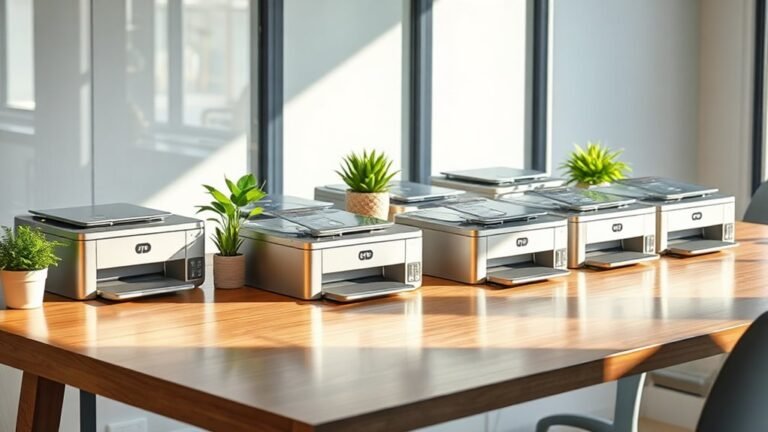
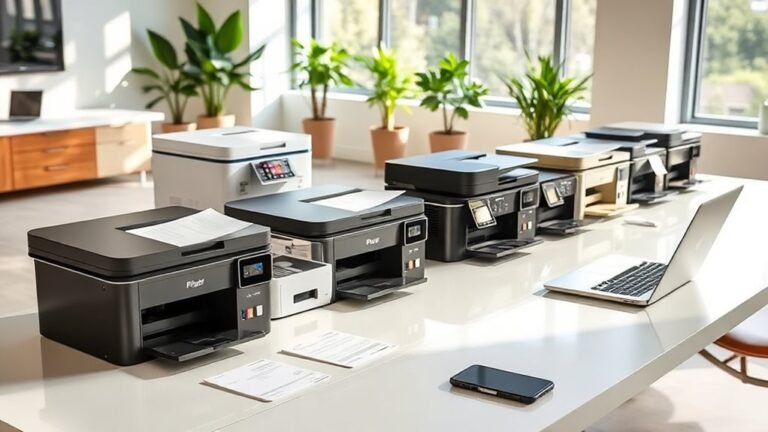
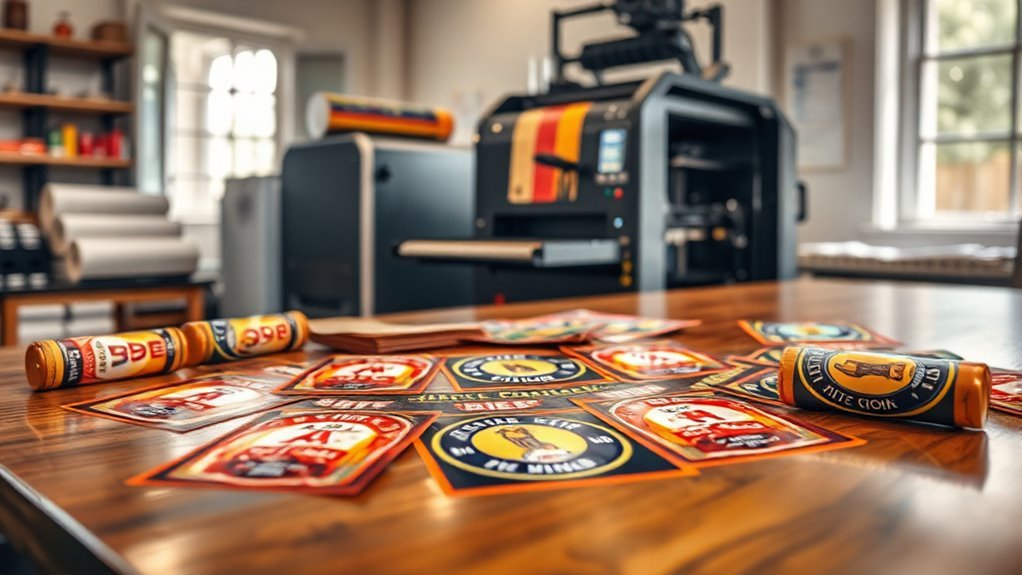
You need a label printer that’s fast, durable, and perfect for waterproof beer labels. Whether you’re brewing craft beers or making homebrew, having the right printer can make all the difference.
Avery Product Labels and Mr-Label offer quality, customizable sheets that are ideal for giving your bottles a professional look.
Thermal printers like Nelko, KNAON, Phomemo M110, Rongta, and the Brother QL-800 provide speedy, inkless printing with Bluetooth and USB connectivity. These printers are great if you want efficient and hassle-free labeling.
The Phomemo M128 stands out with high-speed output and versatile design options.
Choosing the right printer means matching speed, size, and durability to your specific beer labeling needs. Take a closer look at how each option fits your goals and makes your beer labels shine.
| Image | Name | Editor's Rating | Price |
|---|---|---|---|

|
|
||

|
|
||

|
|
||

|
|
||

|
|
Avery Product Labels, 3.5″ x 4.75″, White, 32 Labels
- Ensure your printable labels hold up to cold and damp conditions with water resistant, polyester material ideal for wine bottle labels, mason jars labels, craft beer...
- Design and print professional looking rectangle labels with our full bleed, print-to-the-edge feature that prints right to the edge of the label without a margin or...
- Get a more reliable feed through your printer with Avery rectangle labels featuring proprietary Sure Feed technology that prevents misalignments and jams
- Easily customize your printable blank labels with your own text and graphics or use the templates and designs on the Avery site
- Label decals stick firmly to most smooth surfaces, including paper, glass, metal and more, yet peel away cleanly and easily with removable adhesive that prevents lifting...

If you need labels that hold up in tough conditions, Avery Product Labels are a smart pick. Sized at 3.5″ x 4.75″, these white labels are made from water-resistant polyester. They stick firmly to glass, metal, and paper, making them ideal for craft beer bottles and similar containers.
The labels resist moisture and cold, so they won’t peel or curl in damp environments. This durability means your branding stays clear and professional, even when bottles are chilled or handled frequently. Avery’s Sure Feed technology ensures smooth printing without jams, helping you achieve sharp, full-bleed designs every time.
Maintenance is simple since the adhesive removes cleanly without leaving residue. You can easily customize your labels using Avery’s free online design tool, giving you control over your product’s look without extra hassle. These labels work best on smooth surfaces, ensuring a neat finish on your bottles or jars.
Best for: Craft brewers, small businesses, and DIY creators who need durable, customizable labels that withstand cold and moisture.
What We Like:
- Water-resistant polyester offers durability in wet, cold conditions
- Adhesive sticks securely without residue or curling
- Sure Feed technology supports precise, jam-free printing
- Easy customization with Avery’s online design tool
Specification:
| Feature | Details |
|---|---|
| Manufacturer | Avery |
| Dimensions | 3.5″ x 4.75″ |
| Quantity | 32 labels per pack |
| Material | Water-resistant polyester |
| Color | White |
Mr-Label 3.5″x3″ Waterproof Beer Bottle Labels
- MAKE YOUR BEER LOOK MORE PROFESSIONAL- The blank beer labels allow you to be whimsically creative. Makes your products stand out, but it doesn't cost you as much to order...
- COMPATIBLE WITH INKJET & LASER PRINTER-Mr-Label’s quality wine labels absorb the printing ink of inkjet printer well, and also hold up in high temperatures in laser...
- IT’S OK TO APPLY UNDER WET CONDITIONS – The labels are waterproof and tear-resistant. Waterproof materials not only reduce the risk of damage to labels from moisture...
- PERMANENT ADHESIVE – Designed for a one-time application, permanent labels use a strong adhesive that creates a strong, or permanent, bond between the label and the...
- PHYSICAL PARAMETERS –8 labels per sheet. Sheet size: US Letter Sheets – 8.5″x11″(215.9x279.4mm). Label size: Neck label: 3.483" x 1.444"(88.474mm x 36.69mm); Body...
Experience hassle-free labeling with the Mr-Label 3.5″x3″ Waterproof Beer Bottle Labels, designed to keep your bottles looking sharp in any condition. These labels tackle the common issue of smudging and tearing, offering a waterproof and tear-resistant solution that stands up to moisture and rough handling.
Their self-adhesive design ensures easy application with a strong, permanent bond that won’t peel off, even when exposed to wet environments. Perfectly sized at 3.5” x 3”, they fit standard beer bottles, making them an ideal choice for homebrewers and event planners seeking reliable, durable labels.
The matte white finish provides a clear, crisp surface for inkjet and laser printers, ensuring your custom designs print cleanly without smearing. While the labels are designed for one-time use, their strong adhesive guarantees they stay put once applied.
Maintenance is simple since these labels resist water and tearing, helping your bottles maintain a professional look throughout storage or events. Their straightforward design supports creativity within the constraints of a white matte background.
Best for: Homebrewers, craft beer enthusiasts, and event planners needing durable, waterproof beer bottle labels that print clearly and hold strong.
What We Like:
- Waterproof and tear-resistant for long-lasting durability
- Compatible with inkjet and laser printers for versatile printing
- Strong permanent adhesive ensures a secure, one-time application
- Perfect size for standard beer bottles
- Matte finish offers a clear, smudge-free printing surface
Specification:
| Feature | Details |
|---|---|
| Manufacturer | Mr-Label |
| Dimensions | 3.5″ x 3″ (8.9 cm x 7.6 cm) |
| Quantity | 80 labels (10 sheets) |
| Material | Waterproof, tear-resistant matte paper |
| Color | White |
Nelko Bluetooth Thermal Shipping Label Printer, 4×6 Thermal Label Printer
- Go Wireless by Bluetooth: Download the "NELKO"app to print via Bluetooth on your Nelko Bluetooth thermal label printer for iOS and Android. Printing shipping labels has...
- Print via USB: For Windows (7 and later), Mac OS,Chrome OS, you can connect the desktop label printer via USB cable. Note that Mac OS only works with USB connection, you...
- Good Helper for Cost Saving: Advanced thermal direct technology is adopted to achieve the printing speed of 150 mm/s, up to 72 sheets 4x6 labels/min. High speed brings...
- Strong Platform Compatibility: This bluetooth shipping label printer can work with virtually all platforms, including Amazon, Ebay, Shopify, USPS, UPS, Esty, PayPal...
- Suitable for Commercial and Home Use: Printer driver, instruction videos and problem shooting videos are provided in U-Disk for better setting. Nelko PL70E label printer...
The Nelko Bluetooth Thermal Shipping Label Printer delivers fast, wireless label printing designed to simplify your workflow. Its compact 4×6 size fits easily on any workspace, making it ideal for busy brewers and small businesses needing quick label production. The printer connects seamlessly via Bluetooth or USB, supporting multiple platforms like iOS, Android, Windows, and Mac.
This thermal printer produces sharp, clear labels at 203 DPI and prints at 150 mm/s, ensuring your shipping or product labels are professional and easy to read. It works without ink or toner, reducing maintenance and keeping operating costs low. The printer handles various label types, including fanfold and rolls, adapting to different packaging needs.
Maintenance is straightforward thanks to features like auto paper return and an intelligent self-test that helps you monitor performance and troubleshoot easily. Its lightweight 1.4 kg design adds to the convenience, allowing easy relocation or storage when not in use.
While it’s optimized for thermal labels up to 4×6 inches, users requiring larger or non-thermal printing options might find this model limiting. Still, its wireless connectivity and compact build make it a practical solution for efficient label printing.
Best for: Brewers and small business owners who need fast, clear, and wireless label printing with versatile connectivity and compact design.
What We Like:
- Fast printing speed of 150 mm/s with 203 DPI for crisp labels
- Wireless Bluetooth and USB connectivity across multiple platforms
- Compact and lightweight design with easy paper handling
- Supports various label types including fanfold and rolls
- Simple maintenance with auto paper return and self-test features
Specification:
| Feature | Details |
|---|---|
| Manufacturer | Nelko |
| Dimensions | 4 x 6 inches (label size) |
| Weight | 1.4 kg |
| Connectivity | Bluetooth, USB |
| Supported Systems | iOS, Android, Windows, Mac |
| Printing Speed | 150 mm/s |
| Resolution | 203 DPI |
KNAON Shipping Thermal Label Printer, 4×6 Portable Label Printer, White
- Bluetooth Wireless Connection: KNAON Bluetooth shipping label printer enables wireless printing. For Mobile users, download the 'FlashLabel Pro' app from APP Store or...
- USB Cable Connectivity: This printer ensures seamless USB connectivity with macOS, Windows (7 and above), ChromeOS, and Linux. KNAON printer features a built-in USB drive...
- Versatile DIY Labeling Options: KNAON Thermal Shipping Label Printer offers a vast selection of pre-designed templates, including 3,000+ templates, 5,000+ icons, and...
- Seamless Multi-Platform Compatibility: This Bluetooth shipping label printer works effortlessly with all major platforms, including Amazon, eBay, Shopify, USPS, UPS...
- Portable & Stylish Design: KNAON multi-function thermal label printer offers user-friendly operation in a compact design. Its perfect size (7.2 x 3.15 x 2.65 inches...
KNAON’s portable 4×6 thermal label printer offers a practical solution for those needing quick, reliable labeling on the move. Its compatibility with Bluetooth and USB ensures seamless connection to a wide range of devices, including iOS, Android, Windows, macOS, ChromeOS, and Linux. This versatility helps reduce downtime and simplifies workflow for busy professionals.
Designed for convenience, the printer works with the FlashLabel Pro app, which provides thousands of templates, icons, and fonts. This makes it easy to create customized shipping labels, barcodes, or price tags that meet specific business needs. Its compact and lightweight design allows easy storage and transport.
Maintenance is straightforward with thermal printing technology that requires no ink or toner. It prints at a speed of 180 mm/s with a resolution of 203 dpi, producing clear, legible labels up to 4.41 inches wide. However, users should note it only prints in black and white and holds up to 20 sheets, which may need frequent replenishing for heavy use.
Best for: Small business owners and mobile professionals needing a fast, versatile, and portable thermal label printer compatible with multiple devices and operating systems.
What We Like:
- Wide device compatibility via Bluetooth and USB
- Extensive customization with FlashLabel Pro app
- Compact and lightweight for easy mobility
- Fast print speed with clear 203 dpi resolution
Specification:
| Feature | Details |
|---|---|
| Manufacturer | KNAON |
| Dimensions | Not specified |
| Weight | Not specified |
| Color Options | White |
| Print Speed | 180 mm/s |
| Print Resolution | 203 dpi |
| Max Print Width | 4.41 inches |
Phomemo M110 Label Makers, Portable Bluetooth Thermal Printer with Display
- Easy Use Label Maker Printer- Mini Bluetooth wireless thermal portable label printer, connect your mobile phone easily. There are a lot of templates in APP, You can...
- Powerful APP- Print Master - M110 Bluetooth label maker machine with multiple label templates and can set up your own templates. You can edit and typeset labels...
- Stable Bluetooth Connection - One-click connection and printing. Bluetooth 4.0 with a range of up to 33 feet; it only takes 2 seconds to connect. Make your business run...
- Compatibility Note - The M110 label printer comes with one roll of test label paper; please fully charge the device before powering it on for testing, and feel free to...
- What’s included in the box: 1 × M110 2 Inch Label Printer,1 × Test Thermal Label Roll (Pre-installed inside the printer),1 × USB-C Data Cable,1 × User Manual
If you need a compact label printer that fits into your busy lifestyle, the Phomemo M110 is a smart choice. Its small size and lightweight design make it easy to carry, helping you print labels anywhere without hassle. This portable Bluetooth thermal printer connects seamlessly to your phone, simplifying on-the-go labeling.
The Phomemo M110 supports a variety of label widths from 20mm to 50mm, making it versatile for different tasks. Its user-friendly Print Master app allows you to customize templates and print batches from Excel files, saving you time. The built-in OCR feature converts images to text quickly, enhancing productivity.
Designed for convenience, the printer offers a sharp 203 dpi resolution for clear prints. Its 1500mAh battery provides decent usage time but may need recharging during extended sessions. The included USB-C cable makes charging straightforward and maintenance easy.
Best for: professionals and individuals who want a portable, easy-to-use label printer that improves efficiency with versatile printing options and reliable Bluetooth connectivity.
What We Like:
- Lightweight and truly portable for printing anywhere
- Wide label compatibility with customizable templates
- Quick Bluetooth connection with OCR for text conversion
- Sharp print quality at 203 dpi resolution
- USB-C charging for easy power management
Specification:
| Feature | Details |
|---|---|
| Manufacturer | Phomemo |
| Dimensions | 4.48 × 2.44 × 3.43 inches |
| Weight | 222.8 grams (0.49 lbs) |
| Label Width Range | 20mm to 50mm |
| Connectivity | Bluetooth 4.0 (up to 33 ft) |
| Resolution | 203 dpi |
| Battery Capacity | 1500mAh |
| Charging Cable | USB-C |
Rongta Bluetooth 4×6 Thermal Shipping Label Printer

- Label maker for Shipping labels & small business labels
- supports multiple-size wide wireless printing
- Download "RONGTA" app for phone to bluetooth print
- Download computer driver for PC/Laptop to USB print
- Inkless Thermal Printing for Sharp Clarity
Rongta’s Bluetooth 4×6 Thermal Label Printer offers a practical solution for creating sharp, inkless labels quickly. Its compact design fits easily on any workspace, making it ideal for producing clear, monochrome labels up to 4×6 inches. This printer helps streamline your labeling process, so you spend less time managing supplies and more time focusing on your business.
The printer connects effortlessly via Bluetooth or USB to Windows, macOS, Android, and iOS devices, supporting a variety of workflows. Using thermal paper means no ink cartridges or ribbons, which reduces maintenance and ongoing costs. This method also minimizes mess and downtime, allowing for uninterrupted printing.
Designed for fast output, it prints up to 15 pages per minute, helping you keep up with busy labeling tasks. The RONGTA app enhances usability by simplifying printing from mobile devices, making it convenient to manage labels from anywhere. However, it only prints in monochrome, which might limit design options. Thermal paper is necessary, which can be less common than traditional labels, and USB setup may require driver installation, adding a slight setup step.
Best for: Small business owners and home brewers needing efficient, inkless shipping or product labels compatible with multiple devices.
What We Like:
- Fast print speed of 15 pages per minute for productivity
- Bluetooth and USB connectivity for versatile device support
- Inkless thermal printing reduces maintenance and cost
- Compact design saves workspace space
- Mobile app simplifies printing from phones and tablets
Specification:
| Feature | Details |
|---|---|
| Manufacturer | Rongta |
| Print Size | Up to 4 x 6 inches |
| Print Speed | 15 pages per minute |
| Connectivity | Bluetooth, USB |
| Compatible OS | Windows, macOS, Android, iOS |
| Printing Type | Thermal (Monochrome) |
| Dimensions | Compact (exact dimensions not provided) |
Brother QL-800 High-Speed Label Printer with USB

- Lightning Speed: Transform your labeling efficiency with this professional thermal label printer, delivering an impressive 93 labels per minute at crystal-clear 300 dpi...
- Dual-Color Innovation: Elevate your labeling with Brother Genuine technology that enables both black and red printing capabilities, allowing you to create eye-catching...
- Versatile Applications: Dominate your organization needs with this powerful label maker machine, perfect for creating professional shipping labels, file folders, name...
- Advanced Integration: Experience seamless connectivity with Windows and Mac systems, featuring Brother Genuine Plug & Label technology that enables instant printing from...
- Professional Design: Maximize productivity with the built-in auto-cutter for precise label finishing, compatible with Brother Genuine DK pre-sized labels and...
The Brother QL-800 High-Speed Label Printer transforms label printing into a fast, efficient task. Its ability to produce up to 93 labels per minute with crisp 300 dpi resolution ensures your labeling is both professional and clear. This printer uses direct thermal printing, eliminating the need for ink or toner, which simplifies maintenance and reduces operational costs.
Designed for busy environments like breweries and offices, the QL-800 offers dual-color printing in black and red, allowing you to create distinctive, eye-catching labels. The built-in auto-cutter delivers clean, precise cuts every time, saving you from manual trimming and enhancing productivity.
Connecting easily via USB, this printer integrates smoothly with both Windows and Mac systems. Its Plug & Label feature lets you print directly from Microsoft Office applications, streamlining your workflow. Compact and Energy Star certified, it fits neatly into any workspace while promoting energy efficiency.
While limited to USB connectivity and direct thermal printing—which may cause label fading under heat or sunlight—the QL-800 remains a reliable choice for consistent, quality label production. Additional label rolls can be purchased for varied label sizes, enhancing its versatility.
Best for: Small to medium-sized businesses, especially breweries and offices, needing fast, professional-quality label printing with dual-color capabilities.
What We Like:
- Prints up to 93 labels per minute with sharp 300 dpi clarity
- Dual-color printing supports clear, professional label design
- Built-in auto-cutter ensures clean, precise label edges
- Plug & Label technology enables easy printing from Microsoft Office
- Energy Star certified for efficient power use
Specification:
| Feature | Details |
|---|---|
| Manufacturer | Brother |
| Dimensions | 6.3 x 7.8 x 5.8 inches |
| Weight | 2.0 lbs |
| Printing Method | Direct thermal |
| Resolution | 300 dpi |
| Connectivity | USB |
| Color Options | Black and red printing |
Phomemo M128 Label Maker 2 Inch High Speed Bluetooth Thermal Label Printer

- Upgraded High- Speed Printing- Phomemo label maker M128 features an upgraded printing speed of up to 70mm/s, delivering 100+ labels per minute. Designed specifically for...
- All-in-One Versatile Labeling- Serving as both an address and barcode label maker, thermal printer is Ideal for jar labels,name stickers, logos,barcodes, QR codes...
- Ultra-Light & Portable- Weighing just 0.6 lbs, this portable label printer fits easily in any bag for true on-the-go printing. Equipped with an NTC temperature sensor for...
- Bluetooth Connectivity- The bluetooth label maker connects wirelessly to Android & iOS smartphones and tablets for effortless mobile printing. Dedicated app "Print...
- Smart & Cost-Saving- Featuring 203 DPI direct thermal technology, sticker printer requires no ink or toner, cutting printing costs by up to 70%. Churning out up to...
The Phomemo M128 Label Maker offers a practical solution for fast, portable label printing. Its Bluetooth connectivity allows seamless wireless printing from Android or iOS devices. This eliminates the hassle of cables, making it easy to print labels wherever you need them.
Designed for efficiency, the M128 prints over 100 labels per minute at a sharp 203 DPI resolution. This ensures clear, professional-looking labels every time. It supports label widths up to 2 inches, ideal for small to medium-sized product labeling.
Maintenance is straightforward with direct thermal printing, which means no ink or toner is required. This reduces ongoing costs and simplifies upkeep, especially for users needing frequent label runs.
The built-in battery supports up to 4 hours of continuous use, perfect for on-the-go tasks. Access to thousands of icons and templates via the Print Master app allows customization tailored to specific branding needs.
Best for: Craft brewers and small business owners needing quick, portable, and customizable label printing.
What We Like:
- High-speed printing at 203 DPI for clear labels
- Wireless Bluetooth connection for easy device pairing
- Long battery life supports extended use
- Large library of icons and templates for design flexibility
Specification:
| Feature | Details |
|---|---|
| Manufacturer | Phomemo |
| Dimensions | Compact, lightweight design |
| Weight | Lightweight |
| Material | Durable plastic casing |
| Color Options | Not specified |
Factors to Consider When Choosing a Beer Label Printer

When choosing a beer label printer, you need to focus on print quality and make sure it handles the label sizes you require. It’s important to get a printer that matches your specific needs.
Also, consider how the printer connects to your devices. You’ll want to check whether the labels it produces can withstand your storage conditions.
And don’t forget to think about speed. How fast do you need the printer to keep up with your production? That can make a big difference in your workflow.
Print Quality Importance
Print quality plays a pivotal role in how your beer labels communicate your brand and attract customers. You want sharp, clear text and vibrant images, which high-resolution printers—at least 203 DPI—deliver. This clarity guarantees your labels look professional and stand out on crowded shelves.
Full bleed printing allows your designs to extend edge-to-edge, enhancing visual impact without awkward borders. Don’t overlook the label material: waterproof and tear-resistant options keep your print intact, even in wet or humid conditions.
Also, consistent ink absorption matters for both inkjet and laser printers to prevent smudging and maintain crispness. Prioritizing print quality guarantees your beer labels not only look great but withstand handling and storage, reinforcing your brand’s reliability.
Label Size Compatibility
Making sure your beer labels look sharp and professional also means choosing a printer that can handle the right label sizes for your bottles. You’ll want a printer that supports the specific dimensions you plan to use, like 3.5″ x 4.75″ or 3.5″ x 3″, to guarantee a perfect fit.
Look for adjustable settings to accommodate various label widths, typically between 3 and 4 inches. It’s important to verify the printer handles both sheet and roll labels, depending on your production needs.
Also, check the maximum media size compatibility if you want custom or larger labels. Finally, consider print resolution and speed, as higher quality and faster output will boost efficiency, especially when printing larger batches of labels.
Printer Connectivity Options
Since you’ll likely use multiple devices to design and manage your beer labels, choosing a printer with versatile connectivity options is key. Look for printers offering Bluetooth connectivity, allowing you to print wirelessly from your smartphone or tablet for added convenience.
USB connections are essential too, providing a reliable, direct link to your computer with simple setup and broad compatibility across Windows and macOS. Make sure the printer supports multiple platforms to fit your workflow seamlessly.
Additionally, printers that integrate with popular e-commerce and shipping platforms can streamline your labeling process by printing directly from these services. Finally, opting for a printer with a dedicated app can simplify design and printing tasks, giving you more control and efficiency when creating your beer labels.
Durability Of Labels
After considering how your printer connects to various devices and platforms, it’s just as important to focus on the durability of the labels themselves. You’ll want labels made from waterproof materials to keep their integrity in wet conditions and resist moisture damage.
Tear-resistant labels are a must to endure handling and transportation without falling apart. If you prefer flexibility, look for labels with removable adhesives—they make application and removal easy without leaving residue on your bottles.
Also, choose label materials that can withstand cold and damp environments, especially if your products are refrigerated or stored outdoors. Finally, pick printers that support full bleed printing, so your labels have sharp, margin-free text and images, boosting your beer’s visual appeal.
Printing Speed Requirements
When you’re managing high-volume label production, printing speed becomes a critical factor in choosing the right beer label printer. You’ll want a printer that can produce over 70 labels per minute to keep up with busy operations.
Speeds around 150 mm/s greatly boost workflow efficiency, especially during peak times. If your sessions demand printing dozens of labels quickly, a printer handling 72 sheets per minute meets high-volume needs effectively.
For professional environments where every second counts, a speed of about 93 labels per minute strikes a good balance between quality and pace. Consistent, high-speed output reduces waiting times, helping you deliver on schedule and keep your customers satisfied.
Software And Templates
How do you guarantee your beer labels stand out with professional design? Start by choosing a printer that offers free design software or templates, making label creation straightforward and polished.
Look for printers compatible with popular software platforms so you can easily import custom designs, giving you more creative control. Prioritize those with a broad selection of customizable beer-specific templates to speed up the process without sacrificing uniqueness.
Also, confirm the printer supports high-resolution printing for sharp text and vivid images—key for strong branding. Advanced features like OCR capabilities can simplify converting text from images, saving you time and effort.
Cost And Maintenance
Choosing the right software and templates sets the stage for great label designs, but managing costs and upkeep plays an equally important role in your printer choice. You need to weigh the initial cost of the printer against ongoing expenses like label materials and software fees.
Direct thermal printers cut down maintenance by eliminating ink or toner, saving you money over time. Consider label durability too; investing in higher-quality materials might cost more upfront but reduces costly reprints.
Check for printers with solid warranties and responsive customer support to avoid unexpected repair bills. Finally, think about your label volume—higher-speed printers may cost more initially but improve efficiency and lower operational costs.
That makes them a smart investment for growing production.
Frequently Asked Questions
Can These Printers Print on Curved Surfaces Like Beer Bottles?
Yes, you can print on curved beer bottles using specialized label printers designed for flexible materials.
Just make sure your printer supports adhesive or shrink-wrap labels that conform smoothly to the bottle’s shape for a professional look.
It’s all about having the right kind of labels and printer settings. That way, your design wraps perfectly without any bubbles or wrinkles.
Are the Labels Waterproof and Resistant to Condensation?
Yes, you’ll find that these labels are waterproof and resist condensation well. They use durable materials and protective coatings, ensuring your beer labels stay vibrant and intact.
Even in cold, wet environments like refrigerators or coolers, they hold up great. So, no worries about your labels peeling or fading!
What Is the Average Cost per Label for Each Printer?
You’ll typically pay between $0.05 and $0.15 per label, depending on the printer and materials.
Higher-end printers with waterproof labels cost more, but you’ll save over time with durability and print quality.
It’s a bit of an upfront investment, but worth it if you need long-lasting labels.
Do These Printers Support Custom Designs and Colors?
Yes, these printers support custom designs and colors, letting you create unique, vibrant labels. You’ll easily personalize your beer labels with high-quality printing.
This makes your brand stand out with eye-catching, professional visuals every time. It’s a great way to add that special touch to your products.
How Long Do the Printed Labels Typically Last Outdoors?
How long do you expect your labels to endure? Typically, printed labels last anywhere from six months to two years outdoors, depending on the printer’s ink quality and protective coatings.
You’ll want durable, weather-resistant materials to make sure they hold up. It really makes a difference when labels face sun, rain, and wind regularly.
Conclusion
When choosing a beer label printer, remember that over 60% of craft brewers say eye-catching labels directly boost sales. So, picking the right printer isn’t just about quality—it’s about standing out on the shelf.
Whether you want waterproof labels or high-speed printing, the options here will help you create labels that grab attention and grow your brand.
Invest in a reliable printer, and watch your beer’s appeal—and sales—rise. Finding the best beer label printer can make all the difference when it comes to producing vibrant, durable labels that resonate with your customers.
In 2027, focusing on printers that offer excellent print quality, speed, and versatility will ensure your beer labels not only look professional but also hold up under various conditions.
Choosing the right beer label printer means investing in your brand’s future—because great labels help your beer stand out, increase visibility, and ultimately boost sales.