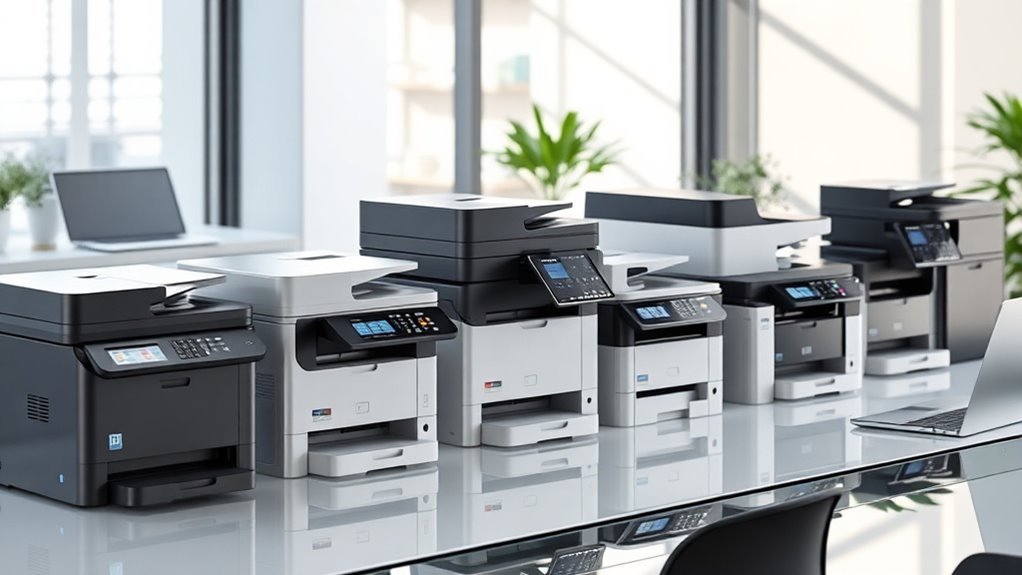
8 Best Business Printers for 2027 With Low Operating Costs
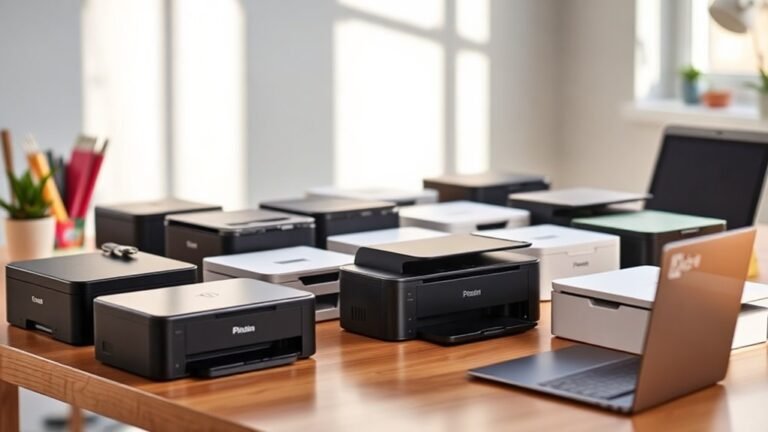
For affordable, high-quality business printing in 2027, consider ink-tank models like the Canon MegaTank G3270 or HP Smart Tank 6003. These printers offer low-cost, long-lasting ink refills, making them perfect for businesses looking to save on operating costs without sacrificing print quality.
If you need fast, professional color or monochrome output, Brother’s MFC-L8930CDW and HL-L8430CDW are solid choices. They provide reliable speed and advanced features that help keep your workflow smooth and efficient.
For heavy monochrome use, the Brother HL-L6310DW or Lexmark MS431dw deliver great efficiency and durability. Each model balances operating costs with performance, so you can find the best fit for your workload and budget. Explore these options to make smart printing decisions for your business.
| Image | Name | Editor's Rating | Price |
|---|---|---|---|

|
|
||

|
|
||

|
|
||

|
|
||

|
|
Canon MegaTank G3270 All-in-One Wireless Color Printer
- Wireless Print/Copy/Scan
- Up to 2 years of ink included (2)
- Print up to 6,000 black & white / 7,700 color pages using a single set of inks! (1)
- Save up to $1,000 on ink (1)
- 1.35” Square LCD display

Experience efficient, cost-effective printing with the Canon MegaTank G3270 All-in-One Wireless Color Printer. Designed to minimize interruptions, it keeps your home office running smoothly by reducing frequent ink replacements. This printer supports printing, copying, and scanning with vivid clarity thanks to its 4800 x 1200 dpi resolution.
The integrated refillable MegaTank system provides ink that can last up to two years, significantly cutting down on ongoing ink expenses. This feature helps prevent the hassle and cost of frequent cartridge changes, making maintenance straightforward and economical. The compact design fits easily into any workspace without consuming much room.
Wireless connectivity and smartphone app control offer flexibility and ease of use. You can print from various devices and manage tasks remotely, improving your workflow. While it handles single-sided printing only and holds up to 100 sheets, it suits users with moderate printing demands.
The small 1.35″ LCD screen offers basic navigation, though it may limit complex settings adjustments. Overall, the Canon MegaTank G3270 balances quality, convenience, and long-lasting ink supply for busy home office environments.
Best for: Home office users who want a reliable, affordable all-in-one printer with wireless functionality and extended ink capacity.
What We Like:
- High-resolution output for sharp, vibrant prints and copies
- Refillable MegaTank system reduces ink replacement frequency and cost
- Wireless and USB connectivity with easy smartphone app control
- Compact, energy-efficient design fits well in small workspaces
Specification:
| Feature | Details |
|---|---|
| Manufacturer | Canon |
| Dimensions | Approximately 17.7 x 13.7 x 7.5 inches (45 x 35 x 19 cm) |
| Weight | Around 7.9 lbs (3.6 kg) |
| Color Options | Black |
| Print Resolution | Up to 4800 x 1200 dpi |
| Paper Capacity | 100 sheets |
| Connectivity | Wireless, USB |
| Display | 1.35″ LCD screen |
Brother MFC-L8930CDW Color Laser All-in-One Printer
- Updated design, professional results. High-quality output with sharp color and black printing. Fast print and copy speeds up to 33ppm(1) help boost productivity. Reliable...
- Maximize printing budgets. Offers built-in value with included Brother Genuine 3,000-page black and 1,800-page color standard yield toner cartridges. Help lower printing...
- Advanced scanning. High-speed, two-sided scanning up to 104ipm(3) with 80-page auto document feeder(4) and legal-size glass. Scan to cloud, email, SharePoint, and more...
- Productivity-enhancing features. Flexible connectivity, including built-in dual-band (2.4GHz / 5GHz) wireless networking and Gigabit Ethernet networking. 7” color...
- Triple Layer Security. Advanced security features to help keep devices secure, protect documents in transit to and from print devices, and safeguard networks. Includes an...
The Brother MFC-L8930CDW Color Laser All-in-One Printer is designed to keep busy offices running smoothly. It tackles multiple tasks with ease, delivering fast, high-quality color prints, scans, copies, and faxes. Its compact size, 25% smaller than its predecessor, makes it ideal for spaces where efficiency matters.
This model improves workflow by offering a 33 ppm print speed and an 80-page auto document feeder that supports automatic duplexing. These features reduce wait times and manual work, helping teams stay productive throughout the day. The intuitive 7″ touchscreen lets users preview scans and create custom shortcuts, simplifying routine tasks.
Connectivity is seamless thanks to dual-band wireless and Gigabit Ethernet, ensuring reliable network access. Maintenance is straightforward with high-yield toner options that lower overall costs, though replacement cartridges can be pricey. The printer’s advanced security features protect sensitive information, making it a smart choice for enterprises.
While it weighs 71.2 pounds, limiting portability, its robust build suits a fixed office environment. Some advanced scanning and mobile functions require internet access, which may need additional setup.
Best for: Busy office teams, enterprises, and schools needing a fast, reliable, and compact all-in-one color laser printer with advanced security and seamless connectivity.
What We Like:
- Fast print and copy speeds with automatic duplexing and a large 80-page ADF
- User-friendly 7″ touchscreen with customizable shortcuts
- Strong connectivity options including dual-band Wi-Fi and Gigabit Ethernet
- High-yield toner lowers operating costs
- Advanced security features protect sensitive data
Specification:
| Feature | Details |
|---|---|
| Manufacturer | Brother |
| Dimensions (W x D x H) | Approx. 16.1 x 18.5 x 14.0 inches |
| Weight | 71.2 pounds (32.3 kg) |
| Printer Type | Color Laser All-in-One |
| Connectivity | Dual-band Wireless, Gigabit Ethernet, NFC |
| Display | 7-inch Touchscreen |
Brother HL-L8430CDW Wireless Color Laser Printer
- Optimize business productivity. Built for dependable performance and professional results with print speeds up to 33ppm(1), vibrant color, and sharp black output. Durable...
- Maximize printing budgets. Offers built-in value with included Brother Genuine 3,000-page black and 1,800-page color toner cartridges. Help lower printing costs by using...
- Expandable paper capacity. 250-sheet capacity paper tray and 50-sheet capacity multipurpose tray for printing on custom media and envelopes. Expandable up to 1,340 sheets...
- Productivity-enhancing features. Flexible connectivity and a 2.7” color touchscreen enables seamless menu navigation and direct printing from popular business cloud...
- Triple Layer Security. Advanced security features to help keep devices secure, protect documents in transit to and from print devices, and safeguard networks. Includes an...
The Brother HL-L8430CDW Wireless Color Laser Printer transforms busy office printing with vibrant colors and crisp black text at speeds up to 33 pages per minute. This printer helps teams meet tight deadlines by delivering professional-quality documents quickly and reliably. Its intuitive 2.7″ color touchscreen makes operation straightforward, reducing wait times and frustration.
Connectivity options are versatile, including dual-band wireless, Gigabit Ethernet, and mobile/cloud printing. This flexibility ensures seamless integration into various office environments and supports remote work needs. The printer’s auto-duplex feature helps reduce paper waste, supporting eco-friendly office practices.
Maintenance is simplified with standard 3,000-page black and 1,800-page color cartridges, plus optional high-yield versions that lower running costs. While it focuses solely on printing, this specialization allows for a robust build and consistent output. Triple-layer security safeguards sensitive documents and data during every print job.
Its expandable paper capacity accommodates different media types, making it adaptable for diverse printing tasks. The Brother HL-L8430CDW is a practical choice for offices that require fast, reliable color and black printing without extra functions.
Best for: busy office teams and business workgroups needing fast, professional-quality color and black printing with versatile connectivity and cost-efficient consumables.
What We Like:
- Fast printing speeds up to 33 ppm with sharp, vibrant output
- Multiple connectivity options including dual-band wireless and Gigabit Ethernet
- Cost-effective operation with high-yield toner cartridges and auto-duplex printing
- User-friendly 2.7″ color touchscreen for easy control
- Robust security features to protect sensitive data
Specification:
| Feature | Details |
|---|---|
| Manufacturer | Brother |
| Dimensions (W x D x H) | 16.1 x 18.1 x 15 inches |
| Weight | 39 lbs (17.7 kg) |
| Printer Type | Wireless Color Laser |
| Print Speed | Up to 33 pages per minute |
| Connectivity | Dual-band Wi-Fi, Ethernet, Mobile/Cloud printing |
| Display | 2.7″ Color Touchscreen |
HP Smart Tank 6003 Ink Tank Printer | 3 Years of Ink Included | All-in-One
- THE LAST PRINTER YOU'LL EVER NEED – Set it up once and print with confidence; no complicated maintenance, just easy, reliable printing you can count on
- FULLY LOADED WITH SAVINGS – Best for low-cost, high-volume printing—up to 3 years of HP Ink included; get up to 8,000 color or 6,000 black pages right out of the box
- KEY FEATURES – Print, copy and scan, plus borderless prints, mobile and wireless printing
- MESS-FREE REFILL – Replenish ink with HP's easy-access, mess-free refill system; simply plug the ink bottles into this cartridge-free ink tank and let them drain—no...
- BEST PRINT QUALITY, PERIOD – Sharper text, richer colors, only with HP Smart Tank
Experience hassle-free printing with the HP Smart Tank 6003 Ink Tank Printer, designed to keep your workflow smooth and uninterrupted. This all-in-one device combines printing, copying, and scanning in a compact setup that fits perfectly in home offices or small businesses. Its cartridge-free ink tanks eliminate frequent replacements, reducing maintenance time.
The printer comes with enough ink for up to three years, allowing you to print thousands of pages without worrying about refills. Its spill-resistant refill system makes topping up ink clean and simple, preventing messes that often disrupt productivity. Wireless and mobile printing options ensure you stay connected from virtually anywhere.
With fast print speeds of 12 ppm for black and 7 ppm for color, the HP Smart Tank 6003 delivers sharp text and vibrant images without sacrificing time. The 150-sheet input tray and automatic duplex printing support high-volume tasks efficiently, helping you save paper and stay organized.
Best for: Users looking for a reliable, low-maintenance all-in-one printer with long-lasting ink supply, ideal for cost-conscious home or small office environments.
What We Like:
- Up to 3 years of included ink supports high-volume printing.
- Cartridge-free tanks with spill-free refill bottles for easy maintenance.
- Wireless and mobile connectivity with automatic duplex printing.
- Compact design suitable for small spaces.
- Efficient paper handling with a 150-sheet tray.
Specification:
| Feature | Details |
|---|---|
| Manufacturer | HP |
| Model | Smart Tank 6003 |
| Dimensions (W×D×H) | Approx. 17.3 × 14.5 × 7.7 in (44 × 36.8 × 19.6 cm) |
| Weight | Approx. 9.1 lb (4.13 kg) |
| Color Options | White with black accents |
Brother HL-L6310DW Monochrome Laser Printer with Wireless
- FAST PRINTING FOR INCREASED EFFICIENCY: The Brother HL-L6310DW enterprise monochrome laser printer delivers high-quality output and a print speed of up to 52ppm(1) to...
- LIFETIME VALUE: Offers built-in value with an included Brother Genuine 6,000-page toner cartridge. For even lower cost printing, use the Brother Genuine TN920UXXL ultra...
- ENTERPRISE LEVEL SECURITY FEATURES: Equipped with Triple Layer Security features to help safeguard your network, keep your devices secure, and protect documents in...
- LARGE, EXPANDABLE PAPER CAPACITY: Spend less time refilling paper trays with the 520-sheet capacity paper tray, 100-sheet capacity multipurpose tray for printing on...
- EASY TO USE, DEPLOY, AND MANAGE: Equipped with device management solutions to enable mass distribution of device configurations, security settings, firmware updates, and...
Experience seamless monochrome printing with the Brother HL-L6310DW, designed to keep your office running efficiently. This printer tackles high-volume tasks with speeds up to 52 pages per minute, reducing wait times and boosting productivity. Its sharp 1200 x 1200 dpi resolution ensures clear, professional documents every time.
The HL-L6310DW simplifies your workflow with automatic duplex printing, cutting paper usage in half and lowering costs. Its large input capacity starts at 620 sheets and can expand to 1,660 sheets with optional trays, minimizing the need for frequent reloading during busy workdays.
Connectivity is straightforward with Gigabit Ethernet, dual-band Wi-Fi, and USB options, allowing easy printing from computers, mobile devices, or cloud services. Its compact design fits well in office environments where space and reliability matter.
Maintenance is hassle-free thanks to Brother’s efficient toner system and energy-saving features, helping reduce downtime and operational expenses. While it lacks color printing, its focus on fast, dependable black-and-white output makes it ideal for document-heavy offices.
Best for: Businesses and offices requiring fast, high-volume monochrome printing with flexible media handling and robust connectivity.
What We Like:
- Rapid printing speed up to 52 ppm with crisp 1200 x 1200 dpi output
- Automatic duplex printing reduces paper waste and saves time
- Large, expandable paper capacity accommodates heavy workloads
- Multiple connectivity options including wireless and Ethernet
- Energy-efficient design lowers operational costs
Specification:
| Feature | Details |
|---|---|
| Manufacturer | Brother |
| Dimensions (W×D×H) | Approx. 16.3 × 15 × 12.5 in |
| Weight | Approx. 27.1 lb (12.3 kg) |
| Printing Technology | Monochrome Laser |
| Print Speed | Up to 52 pages per minute |
| Resolution | 1200 x 1200 dpi |
| Connectivity | Gigabit Ethernet, Dual-band Wi-Fi, USB |
| Paper Capacity | 520-sheet tray + 100-sheet multipurpose tray; expandable to 1,660 sheets |
Brother HL-L5210DN Monochrome Laser Printer with Duplex

- FAST PRINTING FOR INCREASED EFFICIENCY: The Brother HL-L5210DN business monochrome laser printer delivers high-quality output and a print speed of up to 48ppm(1) to help...
- COST-EFFICIENT OUTPUT: Help reduce operating costs by using the Brother Genuine TN920XXL super high-yield 11,000-page replacement toner cartridge. Includes a Brother...
- EXPANDABLE PAPER CAPACITY: 250-sheet capacity paper tray is adjustable for letter or legal-sized paper and 100-sheet capacity multipurpose tray is ideal for printing on...
- BUILT-IN NETWORKING:Features a Gigabit Ethernet interface to seamlessly set up and share with multiple users on your wired network and print from a wide variety of mobile...
- ADVANCED SECURITY FEATURES: Equipped with Triple Layer Security features to help safeguard your network, keep your devices secure, and protect documents in transit to and...
The Brother HL-L5210DN is built for busy offices that require fast and dependable monochrome printing. It produces sharp text and images at a resolution of 1200 x 1200 dpi, ensuring every document looks professional. With speeds up to 48 pages per minute, it handles large print jobs quickly and efficiently.
This printer includes duplex printing, which automatically prints on both sides of the paper. This feature helps reduce paper use and lowers operating costs. The ENERGY STAR certification also contributes to energy savings, making it a practical choice for environmentally conscious businesses.
Designed with flexibility in mind, the HL-L5210DN features a 250-sheet adjustable paper tray and a 100-sheet multipurpose tray. You can expand capacity up to 1,390 sheets with optional trays, which means fewer interruptions during busy workdays. Connectivity options include Gigabit Ethernet and USB, along with mobile printing support for added convenience.
Maintenance is straightforward with a 3,000-page toner cartridge included, and an optional super high-yield cartridge is available to reduce the frequency of replacements. While this model focuses on monochrome printing and does not have built-in wireless, it offers robust security features to protect sensitive documents.
Best for: Offices and professionals needing fast, reliable black-and-white printing with efficient duplexing and strong security.
What We Like:
- Fast printing speeds up to 48 ppm with crisp 1200 x 1200 dpi output.
- Automatic duplex printing saves paper and reduces costs.
- Expandable paper capacity and versatile media handling.
- ENERGY STAR certified for energy efficiency.
- Supports mobile printing and wired network connectivity.
Specification:
| Feature | Details |
|---|---|
| Manufacturer | Brother |
| Dimensions | Approx. 14.6 x 14.2 x 14.2 in (37.1 x 36 x 36 cm) |
| Weight | Approx. 18.7 lb (8.5 kg) |
| Printing Technology | Monochrome Laser |
| Print Speed | Up to 48 pages per minute |
| Resolution | 1200 x 1200 dpi |
| Paper Capacity | 250-sheet adjustable tray + 100-sheet multipurpose tray (expandable) |
| Connectivity | Gigabit Ethernet, USB, Mobile Printing Support |
| Duplex Printing | Automatic |
Lexmark MS431dw Wireless Black & White Laser Printer

- SMALL: Compact laser printer fits almost anywhere (8. 7 x 14. 5 x 14. 3 inches / 222 x 368 x 363 millimeter). Recommended Monthly Page Volume-800 - 8000 pages
- EASY TO USE: Plug it in and go. Setup is fast and easy. Standard Wi-Fi makes it easy to print from mobile devices.
- DURABLE: Steel frame and long-life imaging components mean it’s built to last.
- SUSTAINABLE: Two-sided printing is standard, and built-in energy-saving modes help support ratings of Epeat Silver and Energy star certified
- INTERACTIVE: Two-line display lets you configure, interact with, and monitor vital system information.
Experience efficient black-and-white printing with the Lexmark MS431dw, designed to keep your office productive and organized. It prints up to 42 pages per minute, helping you meet tight deadlines without compromising quality. The automatic two-sided printing reduces paper use and cuts costs, making it practical for busy work environments.
This printer handles various media sizes from A6 to Legal, including envelopes, giving you flexibility for different printing tasks. Its sturdy steel frame ensures long-lasting durability, while built-in energy-saving modes lower operational expenses. Maintenance is straightforward, with easy access for toner replacement and simple controls via the two-line LCD.
Connectivity options include Wi-Fi, Ethernet, and USB, letting you print from multiple devices effortlessly. Mobile and cloud printing support add convenience, enabling seamless integration into your workflow. Lexmark’s robust security features protect sensitive data, giving you peace of mind in today’s digital workplace.
With a recommended monthly volume of up to 8,000 pages, the MS431dw fits perfectly in offices that need fast, reliable monochrome printing in a compact design. It’s a practical choice for those focused on efficiency and cost-effectiveness.
Best for: Offices and businesses requiring fast, reliable black-and-white printing with versatile media handling and secure, energy-efficient operation.
What We Like:
- Fast print speed of up to 42 ppm with automatic duplex printing.
- Durable steel frame and energy-saving features with EPEAT Silver and ENERGY STAR certifications.
- Multiple connectivity options including Wi-Fi, Ethernet, USB, plus mobile and cloud printing support.
Specification:
| Feature | Details |
|---|---|
| Manufacturer | Lexmark |
| Dimensions | Not specified |
| Weight | Not specified |
| Color Options | Black |
| Print Speed | Up to 42 pages per minute |
| Monthly Volume | Up to 8,000 pages |
| Connectivity | Wi-Fi, Ethernet, USB |
| Media Handling | A6 to Legal, envelopes |
| Duplex Printing | Automatic two-sided |
Epson EcoTank ET-M2170 Wireless Monochrome All-in-One Supertank Printer

- Sold as 1 Each.
- Uses T532 Ink cartridges.
- Cartridge-free printing up to 6,000 pages.
- Powered by PrecisionCore printing technology.
- Fast first page out for short print jobs.
The Epson EcoTank ET-M2170 transforms your printing routine by eliminating the constant need to buy cartridges. It’s designed for businesses and individuals who require frequent, high-volume monochrome printing without interruptions. This all-in-one supertank system delivers sharp text and images at 1200 × 2400 dpi, ensuring professional-quality output every time.
Maintenance is simple thanks to its large refillable ink tanks, which can print up to 6,000 pages per bottle. This reduces downtime and lowers your overall printing expenses. The printer also supports automatic duplex printing, saving paper and streamlining your workflow.
Connectivity options include wireless and Ethernet, allowing easy integration into busy offices. Voice control compatibility adds convenience by letting you operate the device hands-free. The ET-M2170 also scans and copies efficiently, making it a versatile solution for everyday document tasks.
Best for: businesses or individuals needing a cost-effective, reliable monochrome printer with scanning and copying functions.
What We Like:
- Cartridge-free refillable ink tanks for high page yield and cost savings
- Fast printing speed of up to 20 pages per minute with duplex capability
- Multiple connectivity options including wireless, Ethernet, and voice control
- Compact design with easy-to-use all-in-one functionality
Specification:
| Feature | Detail |
|---|---|
| Manufacturer | Epson |
| Dimensions (W×D×H) | 14.8 × 12.3 × 9.4 inches |
| Weight | 10.6 lbs (4.8 kg) |
| Print Resolution | Up to 1200 × 2400 dpi |
| Print Speed | Up to 20 pages per minute |
| Paper Capacity | 250 sheets |
| Connectivity | Wireless, Ethernet, Voice Control Compatible |
Factors to Consider When Choosing a Business Printer for Low Operating Costs
When choosing a business printer to keep operating costs low, you’ll want to weigh factors like ink versus toner and your typical print volume.
Don’t forget to factor in energy efficiency, since it can impact your bills over time.
Also, think about maintenance, durability, and how well the printer connects with your existing devices.
These things might seem small, but they can add up and make a big difference in the long run.
Ink vs. Toner
Choosing between ink and toner can make a big difference in your business printer’s operating costs. Toner cartridges typically offer much higher page yields—often thousands to tens of thousands. This cuts cost per page, especially for high-volume monochrome or mixed printing.
On the other hand, inkjet printers with refillable supertank systems provide several thousand pages per refill. This drastically lowers ink costs compared to standard cartridges.
When deciding, calculate cost per page using realistic yield numbers and current replacement prices. Toner suits long-run, text-heavy jobs with less smudging. Meanwhile, high-yield ink tanks can be more economical for occasional color or mixed media printing.
Always consider total lifecycle costs. A cheaper printer upfront may lead to higher ongoing expenses if consumables are costly or replaced frequently. So, it pays to think long-term before making a choice.
Print Volume Needs
Although print volume might seem like just a number, estimating your average monthly page count is essential to selecting a business printer that keeps operating costs low. You want a printer whose recommended duty cycle exceeds your typical volume to avoid wear and high per-page costs.
Match your volume to consumable yields—higher volumes call for high-yield cartridges or toner to reduce replacement frequency and costs. If you mostly print in black and white, choose a monochrome printer since it’s cheaper per page than color models.
Plan for growth and peak periods by opting for scalable paper capacity and duty cycles. Also, consider duplex and automatic document feeder features; efficient two-sided printing and batch scanning can markedly lower your overall operating costs in high-volume environments.
Energy Efficiency Impact
You should always prioritize energy efficiency to keep operating costs low when selecting a business printer. Look for models with ENERGY STAR or EPEAT certifications, as they use significantly less power in active and sleep modes, reducing electricity costs over time.
Pay attention to low active power consumption and especially low standby power, often under 1–2 watts, since printers spend much time idle. Automatic duplexing helps cut paper use, lowering both paper expenses and the energy footprint per page.
Consider print technology: laser printers draw more peak power during warm-up, while inkjets generally use less average energy. Finally, evaluate the printer’s duty cycle and monthly volume to guarantee efficient energy use per page matches your printing demands, focusing on real workload energy estimates rather than just peak power specs.
Maintenance and Durability
Energy efficiency helps keep your operating costs down, but maintenance and durability play an equally important role in long-term savings. Choose printers with high-yield toner or ink bottles and durable components like drums or printheads to reduce how often you replace parts and lower your cost per page.
It’s smart to opt for models with robust duty cycles and monthly page volumes that exceed your typical use. This way, you minimize wear, jams, and early failures.
Features like automatic duplexing, large paper trays, and an automatic document feeder really help ease mechanical strain. That means fewer service calls and less hassle for you.
Don’t forget to check the mean time between failures (MTBF) ratings and warranty options. These help you avoid unexpected repair expenses down the road.
Finally, prioritize printers with user-replaceable parts, accessible paper paths, and clear alerts. These features simplify maintenance and reduce downtime, making your life a lot easier.
Connectivity and Compatibility
How can your business printer stay connected without driving up costs? Start by choosing one that supports both wired (like Gigabit Ethernet, USB 2.0/3.0) and wireless connections (dual-band 2.4/5 GHz Wi-Fi, Wi-Fi Direct). This guarantees fast, reliable links for multiple users and high-volume workflows.
Make sure it’s compatible with mobile and cloud printing standards such as AirPrint, Mopria, and common cloud services to streamline remote printing and reduce desktop driver installs. Check for network authentication and directory integration (LDAP, Active Directory, 802.1x) to prevent misconfigured jobs that waste supplies.
Secure printing features like PIN release and NFC authentication help avoid accidental prints. Finally, broad OS support and centralized management tools reduce admin overhead and downtime, keeping operating costs low.
Frequently Asked Questions
How Do Printer Warranties Typically Differ Among Business Printer Brands?
Printer warranties usually differ in coverage length, included services, and response time.
You’ll find some brands offer extended warranties or on-site repairs, while others provide basic limited coverage. So, it’s smart to compare before buying.
What Are the Environmental Impacts of Business Printers With Low Operating Costs?
Like planting a tree for tomorrow, you’ll reduce waste and energy use with low-cost printers. They cut cartridge consumption and power needs, lowering your carbon footprint while saving money—
making your business eco-friendly and efficient.
Can These Printers Handle Printing on Specialty Media Like Labels or Cardstock?
Yes, many of these printers can handle specialty media like labels and cardstock. You’ll want to check the printer’s specifications to guarantee compatibility, but most business models offer adjustable trays and settings for various media types.
It’s pretty convenient since you won’t need a separate printer just for those special jobs. Just make sure to tweak the settings accordingly, and you should be good to go!
What Network Security Features Are Important for Business Printers?
Just like Fort Knox guards treasures, your printer needs robust network security—think encrypted connections, user authentication, firewall integration, and regular firmware updates.
These features protect your sensitive data and keep unauthorized users from accessing your documents.
It’s all about making sure your information stays safe and only the right people get to see it.
How Often Is Routine Maintenance Required for These Business Printers?
You should perform routine maintenance every 3 to 6 months, depending on usage. Regularly check ink or toner levels, clean print heads, and update firmware.
Doing these simple tasks helps keep your business printer running smoothly. Plus, it can save you from costly repairs down the road.
Conclusion
When choosing a business printer, you want to make sure it’s the whole package—reliable, affordable, and efficient. Don’t just focus on the sticker price; low operating costs save you money in the long run.
Whether you need color or monochrome, wireless or wired, one of these printers will fit your needs like a glove.
Remember, in business, cutting costs without cutting corners is the name of the game. Finding a printer with low operating costs is key to keeping your expenses down.
So, when considering the best business printers for 2027, look beyond initial prices and think about efficiency and reliability. That way, you get a printer that not only meets your needs but also helps your business thrive.