7 Best Color Laser Printers for Home Office in 2027
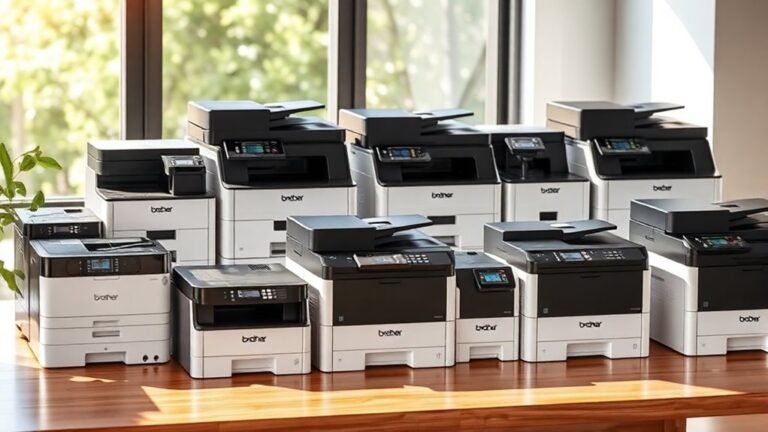
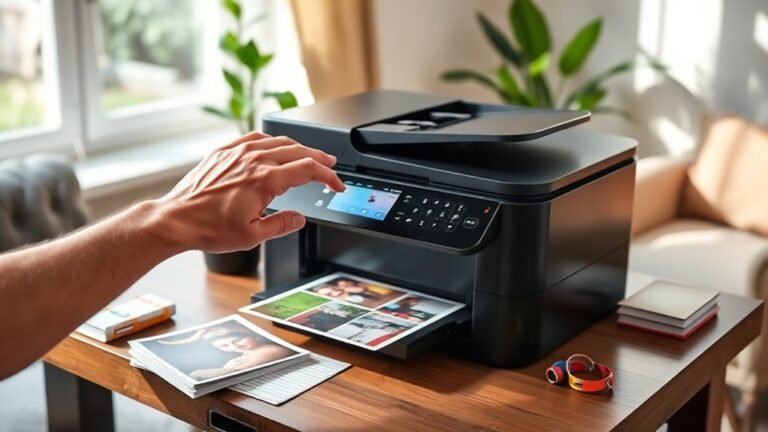
You need a color laser printer that’s fast, reliable, and fits your home office workflow. Whether you’re printing reports, presentations, or colorful graphics, having a printer that delivers sharp, professional-quality prints is essential. Plus, features like duplex printing and mobile connectivity can make a big difference in your day-to-day tasks.
The Canon LBP646Cdw offers compact legal-size duplex printing, perfect for saving space without compromising functionality. Meanwhile, the MF753Cdw II adds versatile all-in-one features and a sharp touchscreen, making scanning and copying a breeze.
HP’s 3204dw stands out with strong security and excellent media support, ideal for sensitive documents and varied print jobs. Xerox C245 and Brother models provide wireless convenience plus scanning flexibility, helping you stay productive no matter where you work from.
Each printer handles duplex printing and offers mobile connectivity to keep you efficient. Keep exploring to find the best fit for your needs.
| Image | Name | Editor's Rating | Price |
|---|---|---|---|

|
|
||

|
|
||

|
|
||

|
|
||

|
|
Canon Color imageCLASS LBP646Cdw Wireless Printer
- Single-Function, Color, Wireless, Duplex Printer: Print only. — No Scanning, Copying, or Faxing
- Fast Print Speeds: Print up to 26 ppm in both color and monochrome and spend less time waiting with a quick first print time of approximately 10.3 seconds.
- Easy Wireless Setup: Setup your wireless connection and get up and running in just a few steps.
- 5-inch LCD Screen: Navigate through all the features using the 5-line LCD screen.
- Mobile Device Printing: Print from your compatible mobile devices using the free Canon PRINT app, Apple AirPrint and Mopria Print Service.

Experience efficient, high-quality color printing with the Canon Color imageCLASS LBP646Cdw. This compact laser printer is designed to fit seamlessly into small or home offices, delivering sharp prints quickly and reliably. Its 26 ppm speed and 1200 x 1200 dpi resolution ensure clear, vibrant documents every time.
The printer’s automatic duplex feature helps reduce paper waste and saves time when printing double-sided documents. It accommodates up to legal-size paper, making it versatile for various office tasks. With a clean white design, it blends easily into any workspace without taking up much room.
Connectivity is straightforward and flexible. The Canon Color imageCLASS LBP646Cdw supports Wi-Fi, Ethernet, and USB connections, along with mobile printing through the Canon PRINT app and AirPrint. This ensures smooth integration with multiple devices for hybrid work environments.
Maintenance is simple but keep in mind the starter toner yields are modest, so frequent replacements may be needed under heavy use. Also, this model focuses solely on printing, lacking scanning or copying functions, which is important to consider depending on your needs.
Best for: Small or home office users and hybrid workers who need a reliable, fast, and high-quality color laser printer with versatile connectivity options.
What We Like:
- Fast print speed of up to 26 ppm with sharp 1200 x 1200 dpi resolution
- Automatic duplex printing supports legal-size paper
- Multiple connectivity options including Wi-Fi, Ethernet, USB, and mobile printing
- Compact, space-saving design suitable for tight office spaces
Specification:
| Feature | Details |
|---|---|
| Manufacturer | Canon |
| Dimensions (W×D×H) | 16.5 × 18.1 × 15.7 inches |
| Weight | 31.2 lbs (14.15 kg) |
| Color Options | White |
| Print Speed | Up to 26 pages per minute |
| Resolution | 1200 x 1200 dpi |
| Paper Size | Up to legal |
| Connectivity | Wi-Fi, Ethernet, USB, Mobile |
Canon Color imageCLASS MF753Cdw II – All-in-One Color Duplex Laser Printer
- Color, Wireless, Duplex 4-in-1: Print, scan, copy, fax.
The Canon Color imageCLASS MF753Cdw II is designed to keep your home or small office productive and efficient. It delivers fast, sharp color and black-and-white prints at up to 35 pages per minute. This printer helps you handle multiple tasks like printing, scanning, copying, and faxing with ease, reducing the need for extra devices.
Its duplex automatic document feeder and two-sided printing save both time and paper, making everyday workflows more sustainable. The printer’s 5-inch touchscreen offers intuitive controls, so managing print jobs and settings is straightforward. Connectivity options like Ethernet, USB, Wi-Fi, and mobile printing support keep you connected without hassle.
Maintenance is simplified with clear access to toner and paper trays, though the standard 300-sheet capacity might require regular refills during heavy use. The moderate starter toner yield means you may want to plan for replacement supplies if you have high-volume printing needs.
With its solid build and Energy Star certification, this all-in-one laser printer balances performance and efficiency in a compact design that suits busy environments.
Best for: Small and home offices or hybrid workspaces needing reliable, versatile color printing with scanning, copying, and faxing capabilities.
What We Like:
- Fast printing at 35 ppm with crisp 1200 x 1200 dpi resolution.
- Duplex automatic document feeder and two-sided printing save time and paper.
- Multiple connectivity options including Wi-Fi and mobile printing.
- User-friendly 5-inch touchscreen for easy operation.
- Energy-efficient design suitable for daily use.
Specification:
| Feature | Details |
|---|---|
| Manufacturer | Canon |
| Dimensions (W x D x H) | Approx. 16.5 x 18.5 x 17.7 in (41.9 x 47 x 45 cm) |
| Weight | 50 lb (22.7 kg) |
| Technology | Color Duplex Laser |
| Connectivity | Ethernet, USB, Wi-Fi, Mobile printing support |
| Touchscreen | 5-inch color touchscreen |
HP Color LaserJet Pro 3204dw | Color Laser Printer | Duplex
- FROM AMERICA'S MOST TRUSTED PRINTER BRAND – Perfect for office teams creating professional-quality color documents and reports; auto 2-sided printing; perfect for up to...
- OPTIMIZE PRINT FORMATTING WITH HP AI – Print web pages and emails with precision—no wasted pages or awkward layouts; HP AI easily removes unwanted content, so your...
- BLAZING FAST COLOR – Up to 26 color pages per minute, with sharp details and incredible color
- STAYS CONNECTED – Reliable Wi-Fi automatically reconnects to stay online and ready to print
- PROTECTS YOUR DATA – Includes HP Wolf Pro Security with customizable settings so your printer and information are always secure
Experience professional-quality color printing designed to enhance your home office workflow. The HP Color LaserJet Pro 3204dw delivers crisp prints with a sharp 600 x 600 dpi resolution, producing up to 26 pages per minute. Its automatic duplex feature saves time and paper by printing on both sides without manual intervention.
This printer supports a variety of media types and sizes, including cardstock and envelopes, making it versatile for small business needs. Connectivity is simple and flexible, with options like Wi-Fi, Ethernet, USB, Apple AirPrint, and Mopria, allowing you to print directly from smartphones or other devices.
Maintenance is straightforward, but keep in mind it requires original HP cartridges with proprietary chips, which limits cartridge options. With a moderate paper capacity of 250 sheets across two trays, you may need to refill more frequently during heavy use. Weighing 30.4 pounds, it is best suited for stationary use rather than frequent relocation.
Equipped with HP Wolf Pro Security and AI-driven print optimization, this printer offers a secure and efficient printing experience tailored to small teams.
Best for: Small work teams or home offices of up to seven people needing efficient, professional-quality color printing with secure and versatile connectivity.
What We Like:
- Fast color printing with automatic duplexing
- Supports multiple media types including envelopes and cardstock
- Flexible connectivity options including wireless and mobile printing
- Strong security features with HP Wolf Pro Security
- AI optimization for smooth, efficient print jobs
Specification:
| Feature | Description |
|---|---|
| Manufacturer | HP |
| Dimensions | Not specified |
| Weight | 30.4 lb (13.8 kg) |
| Print Speed | Up to 26 pages per minute |
| Print Resolution | 600 x 600 dpi |
| Paper Capacity | 250 sheets (2 trays) |
| Connectivity | Wi-Fi, Ethernet, USB, AirPrint, Mopria |
Xerox C245 Wireless Color All-in-One Printer – Amazon Exclusive – 3 in 1
- AMAZON EXCLUSIVE & COMPACT MULTIFUNCTION DESIGN: This full-featured Xerox color MFP fits neatly on small desks, packing Print, Scan, and Copy functionality into a compact...
- VIBRANT PRINT QUALITY: Produce sharp text and brilliant color graphics. Ensure your business documents, presentations, and reports look professional and impressive every...
- WIRELESS & MOBILE PRINTING: Stay connected with dual-band Wi-Fi, Apple AirPrint, and Mopria. Effortlessly print and scan from your laptop, smartphone, or tablet from...
- EASY SMARTPHONE SETUP: Get printing in minutes. Use the Xerox Easy Assist App for a simplified, guided installation that eliminates complex manuals and traditional driver...
- 3-IN-1 VERSATILITY: Maximize productivity with 26ppm printing, scanning, and copying. The 50-sheet document feeder ensures efficient document handling for real estate...
Experience efficient and vibrant color printing designed to meet the demands of home professionals and hybrid office environments. The Xerox C245 Wireless Color All-in-One Printer combines speed and quality, producing sharp prints at 26 pages per minute with a resolution of 2400 x 600 dpi. It streamlines common office tasks by handling printing, scanning, and copying, helping you stay productive without clutter.
Its compact design fits neatly on small desks, saving space without sacrificing functionality. The automatic duplex feature and 50-sheet feeder reduce manual effort, making multi-page document handling smoother and less time-consuming. This printer supports various media types, including envelopes and glossy paper, adding versatility to your projects.
Maintenance is straightforward, supported by the Xerox Easy Assist App that simplifies setup and troubleshooting. Connectivity options such as dual-band Wi-Fi, Ethernet, and USB ensure stable and flexible network access. While its monthly duty cycle is best suited for moderate print volumes, this unit balances performance with energy efficiency.
The Xerox C245 is a practical choice for remote teams and home offices seeking reliable all-in-one color printing with wireless convenience.
Best for: Home professionals, hybrid offices, and remote teams needing a compact, versatile all-in-one color printer with efficient wireless connectivity.
What We Like:
- Fast print speed with high-resolution output for clear, sharp documents.
- Automatic duplex printing and a 50-sheet feeder enhance workflow efficiency.
- Easy setup and management through the Xerox Easy Assist App.
- Multiple connectivity options including dual-band Wi-Fi, Ethernet, and USB.
- Compact design suitable for limited workspace environments.
Specification:
| Feature | Details |
|---|---|
| Manufacturer | Xerox |
| Dimensions | Compact size (exact dimensions not provided) |
| Weight | 42.8 lb (19.4 kg) |
| Color Options | Not specified |
| Connectivity | Dual-band Wi-Fi, Ethernet, USB |
Brother HL-L3220CDW Wireless Color Laser Printer
- Professional Quality: Brother Genuine color laser printer delivers stunning business documents with crisp text and vibrant graphics at impressive 19 PPM speed...
- Wireless Connectivity: Brother Genuine advanced wireless capabilities enable seamless printing from laptops, smartphones, and tablets, with built-in security protocols...
- High-Volume Capacity: Brother Genuine laser printer includes a generous 250-sheet paper tray minimizing refills, while the manual feed slot offers versatility for...
- Efficient Performance: Brother Genuine automatic duplex printing saves time and paper, while delivering professional-quality double-sided documents at speeds up to...
- Mobile Integration: Brother Genuine technology ensures seamless compatibility with major mobile printing platforms and cloud services, enabling effortless document...
Experience fast, professional-quality color printing right at your desk with the Brother HL-L3220CDW. Designed for busy home offices, this wireless color laser printer delivers sharp text and vibrant images at a steady 19 pages per minute. It handles everyday printing needs efficiently, helping you stay productive without delays.
The printer’s automatic duplex feature saves time and paper by printing on both sides effortlessly. Its 250-sheet paper tray combined with a manual feed slot offers flexibility for various media types, including envelopes and specialty sheets. Wireless connectivity ensures seamless printing from laptops, smartphones, and tablets, supporting major mobile platforms and cloud services.
Maintenance is straightforward with Brother Genuine components that promote reliable performance and minimize downtime. Built-in security features protect your sensitive documents, making it suitable for home offices with privacy concerns. While the manual feed slot requires some extra attention for specialty media, the overall design supports high-volume tasks smoothly.
This printer is ideal for home office users who need reliable, high-quality color laser printing with wireless convenience and duplex capabilities. It balances speed, functionality, and ease of use to enhance your daily workflow.
Best for: home office professionals seeking fast, reliable color laser printing with wireless and duplex features.
What We Like:
- Sharp text and vibrant color prints at 19 ppm
- Automatic double-sided printing reduces paper use
- Wireless printing from multiple devices and cloud platforms
- Large 250-sheet tray for high-volume tasks
- Built-in security protects sensitive documents
Specification:
| Feature | Details |
|---|---|
| Manufacturer | Brother |
| Dimensions (W x D x H) | 16.1 x 18.5 x 9.9 inches |
| Weight | 28.4 lbs (12.9 kg) |
| Printing Technology | Wireless Color Laser |
| Paper Capacity | 250-sheet tray + manual feed slot |
| Connectivity | Wireless, USB |
Brother MFC-L8930CDW Color Laser All-in-One Printer

- Updated design, professional results. High-quality output with sharp color and black printing. Fast print and copy speeds up to 33ppm(1) help boost productivity. Reliable...
- Maximize printing budgets. Offers built-in value with included Brother Genuine 3,000-page black and 1,800-page color standard yield toner cartridges. Help lower printing...
- Advanced scanning. High-speed, two-sided scanning up to 104ipm(3) with 80-page auto document feeder(4) and legal-size glass. Scan to cloud, email, SharePoint, and more...
- Productivity-enhancing features. Flexible connectivity, including built-in dual-band (2.4GHz / 5GHz) wireless networking and Gigabit Ethernet networking. 7” color...
- Triple Layer Security. Advanced security features to help keep devices secure, protect documents in transit to and from print devices, and safeguard networks. Includes an...
The Brother MFC-L8930CDW is designed to bring efficient, high-quality color printing and scanning into your workspace. It addresses common office challenges by delivering sharp prints and copies quickly, up to 33 ppm, helping you meet tight deadlines without sacrificing quality. Its compact design fits easily in small areas, making it ideal for home offices or small businesses.
Maintaining productivity is simpler with the two-sided scanner and an 80-page automatic document feeder, streamlining large scanning tasks. The 7″ touchscreen provides an intuitive interface for scanning directly to cloud services or email, reducing the time spent managing documents. Connectivity is secure and reliable thanks to NFC and dual-band Wi-Fi, ensuring smooth integration with your devices.
This all-in-one printer supports cost-effective printing through high-yield toner options, which lower your running costs over time. While the color toner requires more frequent replacement than black, the overall design focuses on balancing performance and economy. The scanner supports legal-size documents, which covers most standard office needs but may limit larger formats.
Best for: professionals and small business users who need fast, high-quality color printing and versatile scanning in a compact, cost-efficient, and eco-friendly all-in-one printer.
What We Like:
- Fast print and scan speeds with two-sided scanning for improved workflow efficiency
- High-yield toner options help reduce ongoing printing expenses
- Secure connection options including NFC and dual-band Wi-Fi
- Intuitive 7″ touchscreen simplifies scanning to cloud and email
- Compact design fits well in limited office space
Specification:
| Feature | Details |
|---|---|
| Manufacturer | Brother |
| Dimensions | Compact design (exact size not specified) |
| Weight | Not specified |
| Color Options | Standard color laser printer finish |
| Scan Size | Up to legal size glass |
| Print Speed | Up to 33 pages per minute |
Brother MFC-L3720CDW Wireless Color Laser Printer

- Professional Performance: Dominate your business printing with this Brother Genuine color laser printer delivering exceptional print speeds up to 19 ppm and stunning...
- Advanced Connectivity: Take command of your workflow with dual-band wireless networking (2.4GHz/5GHz), Wi-Fi Direct, and USB 2.0 interface, enabling multiple users to...
- Productivity Powerhouse: Maximize efficiency with the 50-sheet auto document feeder, 250-sheet adjustable paper tray, and automatic duplex printing, ensuring...
- Smart Integration: Transform your workflow with the intuitive 3.5" color touchscreen featuring 48 customizable shortcuts and direct access to popular cloud services...
- Mobile Command Center: Leverage the power of mobile printing with remote access capabilities, toner level monitoring, and complete printer management directly from your...
The Brother MFC-L3720CDW is designed to enhance productivity with reliable, fast color laser printing. It tackles everyday printing challenges by delivering crisp, professional-quality documents quickly—up to 19 pages per minute. This makes it ideal for busy home offices or small businesses needing efficient output without compromise.
Its multifunction design goes beyond printing. Scanning, copying, and faxing are simple and streamlined. The 50-sheet auto document feeder handles multi-page jobs automatically, while the 250-sheet adjustable tray reduces frequent paper refills. Automatic duplex printing saves paper and cuts costs without extra effort.
Wireless connectivity options include dual-band Wi-Fi, Wi-Fi Direct, and USB, allowing multiple users to connect with ease. The 3.5″ color touchscreen offers intuitive control, featuring 48 customizable shortcuts and direct access to cloud services. This smart interface helps you manage tasks faster and stay organized.
Maintenance is straightforward with remote mobile management and toner monitoring. These features reduce downtime by alerting you early to supply needs. While the auto document feeder suits moderate workloads, it may limit high-volume scanning. Also, the lack of an Ethernet port restricts wired network setups.
Best for: Small to medium-sized businesses and home offices needing a versatile, reliable wireless color laser printer with multifunction capabilities.
What We Like:
- Fast print speeds delivering laser-quality color output
- Flexible wireless connectivity with dual-band Wi-Fi and Wi-Fi Direct
- Easy-to-use 3.5″ touchscreen with customizable shortcuts and cloud integration
- Automatic duplex printing to reduce paper usage
- Remote management and toner monitoring for hassle-free maintenance
Specification:
| Feature | Details |
|---|---|
| Manufacturer | Brother |
| Dimensions (W×D×H) | 16.1 × 18.5 × 15.7 inches |
| Weight | 28.7 lbs (13 kg) |
| Connectivity | Dual-band Wi-Fi, Wi-Fi Direct, USB |
| Paper Capacity | 250-sheet adjustable tray, 50-sheet auto document feeder |
| Display | 3.5″ color touchscreen |
Factors to Consider When Choosing a Color Laser Printer for Home Office
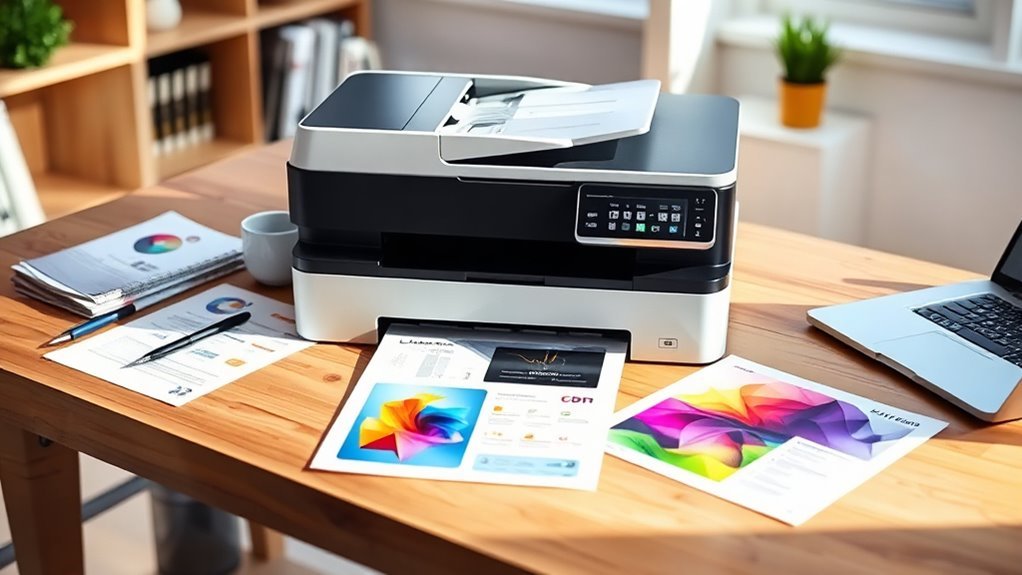
When choosing a color laser printer for your home office, you’ll want to focus on key features like print speed and connectivity options. Make sure it supports duplex printing and can handle various paper sizes to fit your needs.
Don’t forget to check the print quality resolution to guarantee your documents look sharp and professional. It’s all about finding a printer that matches what you actually need, without any extra hassle.
Print Speed Importance
Speed up your workflow by choosing a color laser printer that matches your print volume and job size. Look for printers with speeds around 25–35 pages per minute (ppm) if you often print large documents.
Don’t overlook first-page-out times—under 10 seconds keeps short jobs moving fast. If you print two-sided documents, automatic duplex printing can halve your handling time, effectively boosting productivity.
Remember to check the monthly duty cycle and daily volume to make certain the printer can handle your workload without premature wear. Also, consider the printer’s processor and memory, as complex color graphics or multiple users can slow down real-world speeds despite high ppm ratings.
Matching these factors makes certain your printer delivers consistent, efficient performance for your home office.
Connectivity Options Variety
In selecting a color laser printer for your home office, connectivity options play a crucial role in ensuring smooth and flexible printing experiences. You’ll want a printer supporting both 2.4 GHz and 5 GHz Wi‑Fi bands to minimize interference and boost reliability across multiple devices.
Besides wireless, having wired Ethernet and USB ports is a smart move, so you can connect directly when Wi-Fi falters. Make sure the printer works with mobile printing standards like AirPrint or Mopria, letting you print straight from smartphones and tablets without hassle.
Also, look for Wi‑Fi Direct or guest network features to let visitors print securely without exposing your main network. Finally, cloud and app integration can streamline remote and mobile workflows, especially if you need scanning-to-email or cloud support.
Duplex Printing Capability
Although duplex printing might seem like a minor feature, it can cut your paper use by up to half and markedly boost efficiency in your home office. You’ll want an automatic duplexer to handle two-sided printing hands-free, especially for batch jobs, keeping your workflow smooth.
Check that the duplex speed doesn’t slow down your print jobs too much—some printers halve throughput for double-sided printing, which can be frustrating. Also, ensure the duplexer supports the paper types and sizes you use, like envelopes or legal-sized sheets, since some only handle standard paper.
Finally, confirm the printer maintains precise alignment and color quality on both sides, which is pivotal if you print double-sided photos, brochures, or graphics. This way, you get cost savings without sacrificing quality or speed.
Paper Handling Flexibility
Alongside duplex printing, how your printer handles different types and volumes of paper plays a big role in keeping your home office running smoothly. You’ll want to check both the standard and multipurpose tray capacities to match your daily print volume without constant refills.
Look for adjustable trays that support various media sizes—from labels and envelopes to legal-sized paper—so you can switch tasks easily.
If you frequently scan or copy multi-page documents, an automatic document feeder (ADF) is essential for efficiency.
Don’t overlook the output bin’s capacity and job stacking capability, which prevent jams and keep your workflow uninterrupted during large print runs.
Choosing a printer with flexible paper handling means less hassle and more productivity every day. It really makes a difference in how smoothly things get done!
Print Quality Resolution
Print quality resolution plays a crucial role in how sharp and vibrant your documents and images will appear. Higher DPI values, like 1200 x 1200 dpi, deliver finer detail and smoother color gradients than 600 x 600 dpi. This enhances text clarity and photo-like prints.
Laser printers excel at rendering crisp text and vector graphics due to precise toner placement and halftoning algorithms. But resolution isn’t everything. Effective color management, halftone screening, and accurate color separations also impact print quality.
Keep in mind, the type and weight of paper you use affect how detailed and contrasted your prints look. Smoother, heavier papers preserve fine details better. For typical home office needs, a resolution between 600 and 1200 dpi usually suffices unless you need professional-grade photo or graphic reproduction.
Device Size And Weight
When choosing a color laser printer for your home office, you’ll want to carefully consider the device’s size and weight to make certain it fits comfortably in your workspace. Measure your available desk or shelf space first. Keep in mind that these printers typically range from 10 to 18 inches tall and 15 to 19 inches deep.
Remember to leave 3–6 extra inches above for easy access to paper trays and scanner lids. Also, factor in 2–4 inches around the sides and rear for ventilation and connectivity.
Weight matters too—many models weigh between 25 and 50 pounds. So, make sure your furniture can support it.
If you plan to move the printer often, opt for lighter, more compact units or those with built-in handles to avoid heavy lifting. It just makes life easier!
Energy Efficiency Standards
Although choosing a color laser printer might focus on features and output quality, energy efficiency plays a pivotal role in keeping your home office eco-friendly and cost-effective. You should look for printers with ENERGY STAR certification, ensuring they meet energy-saving standards like lower sleep and idle power consumption.
Checking EPEAT ratings (Bronze, Silver, or Gold) helps assess broader environmental impacts, including materials and recyclability. Compare the printer’s power draw during active printing versus idle or sleep modes, since lower wattage reduces electricity bills over time.
Also, consider automatic duplexing and high-yield toner options to cut paper use and energy per page. Finally, reviewing Typical Electricity Consumption (TEC) or annual energy use figures gives you a clear estimate of operating costs and environmental footprint.
Frequently Asked Questions
How Do Color Laser Printers Compare to Inkjet Printers in Print Quality?
Color laser printers deliver sharp text and vibrant graphics faster than inkjets, but inkjets usually provide better photo quality with smoother gradients.
You’ll choose based on whether speed or detailed color reproduction matters more to you. It really depends on what you need most from your printer.
What Is the Average Lifespan of a Home Office Color Laser Printer?
Your color laser printer can last about 3 to 5 years, like a reliable car cruising through daily commutes.
With proper care and moderate use, it’ll keep printing sharp, vibrant documents without many hiccups.
Just treat it well, and it’ll serve you smoothly for quite some time!
Are Color Laser Printers More Energy-Efficient Than Other Printer Types?
Yes, color laser printers are generally more energy-efficient than inkjet printers, especially during high-volume printing. You’ll save power because they use heat and lasers efficiently.
But keep in mind, standby energy use can vary by model, so it’s a good idea to check the specs carefully before you buy.
Can Color Laser Printers Handle Printing on Different Paper Types?
About 70% of color laser printers can handle various paper types like glossy, cardstock, and labels. You’ll find many models let you switch settings easily, ensuring vibrant, crisp prints no matter the paper you choose.
It’s pretty convenient, right? Just tweak the settings, and you’re good to go with different papers without any hassle.
What Are Common Troubleshooting Tips for Color Laser Printer Jams?
You should gently remove jammed paper and check for torn pieces inside. Cleaning the rollers regularly helps keep things running smoothly.
Also, try not to overload the paper tray. Make sure the paper type matches your printer’s specs to avoid issues.
Once you’ve cleared the jam, restart your printer. This helps reset it and get everything back on track.
Conclusion
Choosing the perfect color laser printer for your home office is like finding the right brush for your masterpiece. Whether you need speed, clarity, or versatility, these seven models paint a vivid picture of quality and convenience.
With wireless freedom and crisp color, your work will shine as bright as your ideas. So, take the leap and let your productivity bloom—because the right printer turns tasks into triumphs, effortlessly and beautifully.
When selecting the best color laser printer for home office use, consider what matters most—fast printing, sharp color accuracy, or seamless wireless connectivity. These printers combine all that and more, making your workflow smoother and your documents stand out. Investing in a reliable color laser printer not only boosts your efficiency but also adds a professional touch to every print job. So go ahead, pick one of these top seven models, and watch how the right printer can transform your home office experience with vibrant, high-quality prints every time.