9 Best Compact Budget Printers for 2027
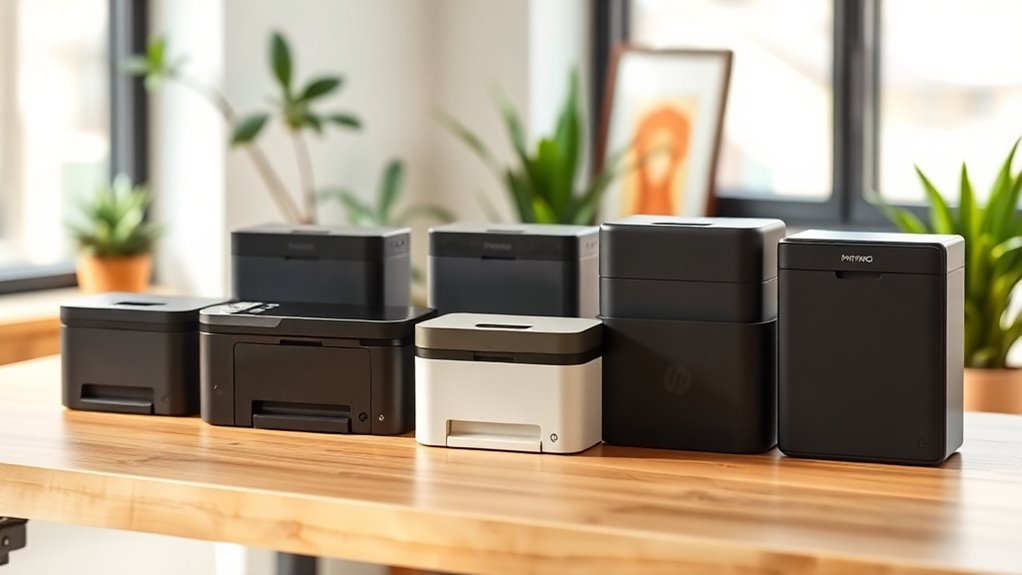
You’ll find top compact budget printers like the HP DeskJet 2923 and Canon PIXMA TS4320 that fit small spaces without sacrificing quality or wireless convenience. These models are perfect if you need something that won’t clutter your desk but still delivers sharp prints. Plus, many come with easy wireless setup, making printing from your phone or laptop a breeze.
Models such as the HP DeskJet 2955 and Canon PIXMA TR4720 offer all-in-one features with energy-saving modes and decent paper capacity. So, if you want a printer that can handle scanning and copying too, these are solid choices. They’re designed to save energy while keeping your productivity high.
For casual use, the Canon TS302 with Alexa and Canon Pixma MG2522 keep things simple and affordable. These printers are great if you just need quick, reliable printing without any complicated extras. Keep exploring to discover which printer perfectly matches your home or office needs.
| Image | Name | Editor's Rating | Price |
|---|---|---|---|

|
|
||

|
|
||

|
|
||

|
|
||

|
|
HP DeskJet 2923 Color Inkjet Printer | Wireless | All-in-One
- Perfect for basic printing needs – Print everyday color documents like to-do lists, letters, financial documents and recipes
- KEY FEATURES – Color print, copy, scan, and a 60-sheet input tray, plus mobile and wireless printing
- OPTIMIZE PRINT FORMATTING WITH HP AI – Print web pages and emails with precision—no wasted pages or awkward layouts; HP AI easily removes unwanted content, so your...
- ICON LCD – Print your basic documents with ease from the intuitive control panel
- PRINT SPEED – Up to 7.5 ppm black, 5.5 ppm color

Experience hassle-free printing at home with the HP DeskJet 2923 All-in-One Printer. Designed to simplify your daily tasks, it lets you print, copy, and scan in vibrant color with ease. The intuitive icon LCD control panel makes navigation straightforward, so you can manage jobs quickly without confusion.
Its compact design fits seamlessly into any home workspace, saving valuable desk space. With reliable dual-band Wi-Fi, you can print wirelessly from your smartphone or tablet using the HP App, making mobile printing smooth and convenient. This helps reduce clutter and cable mess, keeping your setup neat.
Maintenance is simple with the included six-month Instant Ink trial, which helps control ink costs and ensures you never run out unexpectedly. The printer delivers respectable print speeds of up to 7.5 ppm in black and 5.5 ppm in color, suitable for everyday documents and photos.
While the 60-sheet input tray means you’ll refill more often during large jobs, this printer is ideal for light to moderate use. The combination of AI print optimization and wireless functionality makes it a smart choice for home users.
Best for: Home users looking for an affordable, compact all-in-one color printer with easy wireless mobile printing and straightforward maintenance.
What We Like:
- User-friendly icon LCD for easy operation
- Wireless dual-band Wi-Fi and HP App support for mobile printing
- AI print optimization improves output quality
- Six-month Instant Ink trial lowers ongoing ink expenses
Specification:
| Feature | Details |
|---|---|
| Manufacturer | HP |
| Dimensions (W x D x H) | Compact design (exact not specified) |
| Weight | Not provided |
| Color Options | Not specified |
| Connectivity | Dual-band Wi-Fi |
Canon PIXMA TS4320 – Wireless Color Inkjet Printer with Print, Copy, Scan
- Affordable Versatility - A budget-friendly all-in-one printer perfect for both home users and hybrid workers, offering exceptional value
- Crisp, Vibrant Prints - Experience impressive print quality for both documents and photos, thanks to its 2-cartridge hybrid ink system that delivers sharp text and vivid...
- Effortless Setup & Use - Get started quickly with easy setup for your smartphone or computer, so you can print, scan, and copy without delay
- Reliable Wireless Connectivity - Enjoy stable and consistent connections with dual-band Wi-Fi (2.4GHz or 5GHz), ensuring smooth printing from anywhere in your home or...
- Scan & Copy Handling - Utilize the device’s integrated scanner for efficient scanning and copying operations
The Canon PIXMA TS4320 offers a seamless printing experience with wireless convenience and versatile functionality. Its compact, stylish design fits easily into any home or home office space, helping you stay organized without clutter. This printer handles sharp color and black-and-white documents efficiently, printing up to 14 pages per minute.
Maintenance is simple with the included starter ink tanks that make it ready to use right away. Auto duplex printing helps reduce paper waste, saving both resources and costs. The integrated flatbed scanner delivers clear scans at 600 dpi, making copying and digitizing documents straightforward.
Connectivity is flexible, allowing you to print via dual-band Wi-Fi, USB, or directly from your smartphone using Canon’s app or AirPrint. It supports various paper types but is limited to letter-size media, making it ideal for everyday tasks rather than large print jobs.
Best for: Home users and hybrid workers needing a compact, reliable all-in-one printer for light printing, copying, and scanning.
What We Like:
- Wireless dual-band Wi-Fi and mobile app enable easy printing from multiple devices
- Auto duplex printing conserves paper and maintains quality
- Compact design fits well in small spaces and handles varied media
- Clear 600 dpi flatbed scanner for accurate copies and scans
Specification:
| Feature | Details |
|---|---|
| Manufacturer | Canon |
| Dimensions (W×D×H) | 14.7 × 11.7 × 5.7 inches |
| Weight | Approx. 9.7 lbs (4.4 kg) |
| Printing Speed | Up to 14 ppm |
| Scan Resolution | 600 dpi |
| Connectivity | Dual-band Wi-Fi, USB |
| Media Size | Letter size only |
HP DeskJet 2827e Wireless All-in-One Printer
- The DeskJet 2827e is perfect for homes printing to-do lists, letters, financial documents and recipes. Print speeds up to 5.5 ppm color, 7.5 ppm black
- PERFECTLY FORMATTED PRINTS WITH HP AI – Print web pages and emails with precision—no wasted pages or awkward layouts; HP AI easily removes unwanted content, so your...
- KEY FEATURES – Color printing, copy, scan, and a 60-sheet input tray
- WIRELESS PRINTING – Stay connected with our most reliable Wi-Fi, which automatically detects and resolves connection issues
- HP APP – Print, scan, copy, or fax right from your smartphone, PC, or tablet with the easiest-to-use print app
Experience efficient home or office printing with the HP DeskJet 2827e Wireless All-in-One Printer. Its compact design fits neatly in tight spaces while delivering sharp prints, scans, and copies. The high resolution of up to 4800 x 1200 dpi in color ensures your documents look clear and professional every time.
This printer simplifies daily tasks with intuitive controls via an icon LCD and wireless connectivity. You can easily print from smartphones or laptops using Apple AirPrint and Google Cloud Print. Managing your print jobs is straightforward with the HP Smart app, helping you stay organized and productive.
Maintenance is hassle-free, but note that double-sided printing requires manual page flipping. The 60-sheet input tray suits light to moderate use, although frequent refilling may be necessary. Firmware updates restrict cartridge compatibility to HP originals, ensuring print quality but limiting third-party options.
Built with recycled plastics and Energy Star certified, this printer supports environmental responsibility without compromising performance. Its AI-driven printing removes unwanted content, improving document layout for clearer results.
Best for: users seeking a compact, eco-friendly all-in-one printer with wireless features for home or small office use.
What We Like:
- AI-enhanced printing improves document clarity by removing extra content
- Supports wireless printing with Apple AirPrint and Google Cloud Print
- Energy Star certified and constructed from recycled plastics
- Easy task management through the HP Smart app
Specification:
| Feature | Details |
|---|---|
| Manufacturer | HP |
| Dimensions | Compact design (exact size not specified) |
| Weight | Not specified |
| Material | Recycled plastics |
| Color Options | Not specified |
Canon PIXMA TR4720 Wireless All-in-One Printer White 5074C022AA Bundle
- PRINT, COPY, SCAN, FAX: The PIXMA TR4720 is a true 4-in-1 printer that is compact, versatile and easy-to-use
- EASY SETUP: Enjoy simple setup through the Canon PRINT Inkjet/SELPHY app[1].
- EASY TO INSTALL: Designed for easy ink cartridge installation and replacement.
- FRONT PAPER TRAY: A fast and easy to load front paper tray with 100 sheet plain paper capacity.
- QUALITY DOCUMENTS AND PHOTOS: Produce quality documents, photos and boarderless[11] prints up to 8.5" x 11"
Looking for a compact printer that handles multiple tasks without crowding your space? The Canon PIXMA TR4720 Wireless All-in-One Printer offers printing, scanning, copying, and faxing in one neat device. Its wireless connectivity lets you print and scan directly from your smartphone or tablet, simplifying your workflow.
Designed for small spaces, it features a front paper tray with a 100-sheet capacity and supports automatic duplex printing to save paper. The hybrid ink system produces sharp black text and vibrant colors, meeting everyday document and photo needs with ease.
Maintenance is straightforward with included starter cartridges and cables, so you can get started right away. The lightweight design makes it easy to move or reposition, perfect for home offices or tight workspaces.
While the print speed is modest and the paper capacity limited, its wireless convenience and multifunction features offer great value for light to moderate use.
Best for: users needing a reliable, space-saving all-in-one printer with wireless functionality for home or small office tasks.
What We Like:
- Easy wireless printing and scanning via mobile app
- Automatic two-sided printing reduces paper use
- Compact design fits well in small spaces
- Comes with starter ink and essential cables
Specification:
| Feature | Details |
|---|---|
| Manufacturer | Canon |
| Dimensions | Compact (exact size not provided) |
| Weight | Lightweight (exact weight not provided) |
| Color | White |
| Paper Capacity | 100 sheets |
| Connectivity | Wireless, USB (one port) |
HP DeskJet 2955 Color Inkjet Printer | Wireless | All-in-One
- PERFECT FOR BASIC PRINTING NEEDS – Print everyday color documents like to-do lists, letters, financial documents and recipes
- KEY FEATURES – Color print, copy, scan, and a 60-sheet input tray, plus mobile and wireless printing
- OPTIMIZE PRINT FORMATTING WITH HP AI – Print web pages and emails with precision—no wasted pages or awkward layouts; HP AI easily removes unwanted content, so your...
- ICON LCD – Print your basic documents with ease from the intuitive control panel
- PRINT SPEED – Up to 7.5 ppm black, 5.5 ppm color
The HP DeskJet 2955 Color Inkjet Printer offers a compact and practical solution for everyday printing needs. Its all-in-one functionality lets you easily print, scan, and copy vibrant color documents at home. This printer simplifies tasks like managing to-do lists or printing recipes, making daily document handling straightforward.
Maintenance is hassle-free with its 60-sheet input tray, which suits small print volumes and keeps paper refills minimal. The icon LCD control panel makes navigation intuitive, while dual-band Wi-Fi ensures stable wireless connections. You can print or scan directly from your phone using the HP App, enhancing convenience.
Designed with the environment in mind, the DeskJet 2955 uses 70% recycled plastics and holds ENERGY STAR certification. This eco-friendly build helps reduce your carbon footprint without compromising performance. The AI-driven page optimization also conserves ink and paper, lowering operating costs.
Its moderate print speed and limited input capacity mean it’s best suited for light to moderate use rather than heavy workloads. The printer includes a 3-month Instant Ink trial, after which a subscription fee applies, so consider your long-term printing needs.
Best for: Individuals seeking an affordable, compact, and eco-conscious all-in-one printer for everyday color document tasks at home.
What We Like:
- Compact design fits easily in small spaces
- Dual-band Wi-Fi and HP App enable seamless wireless printing
- Eco-friendly construction with 70% recycled plastics
- Simple icon LCD for easy operation
- AI formatting saves ink and paper
Specification:
| Feature | Details |
|---|---|
| Manufacturer | HP |
| Dimensions | Approx. 16.1 x 6.0 x 12.2 in (40.9 x 15.2 x 31.0 cm) |
| Weight | Approx. 5.3 lb (2.4 kg) |
| Material | Plastic (70% recycled content) |
| Color Options | White with black accents |
HP Laserjet MFP M140w Wireless All-in-One Printer
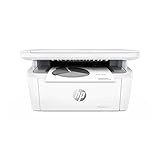
- All-in-One Functionality: The HP LaserJet MFP M140w offers the convenience of printing, copying, and scanning in a single, compact device, saving valuable space in your...
- Wireless Connectivity for Easy Printing: Enjoy the flexibility of wireless printing with seamless Wi-Fi connectivity. You can easily print documents from your phone...
- Fast, High-Quality Monochrome Printing: Achieve clear, sharp, black-and-white prints with fast print speeds, making this printer perfect for handling high-volume tasks...
- Effortless Setup and User-Friendly Operation: The HP LaserJet MFP M140w is designed for quick and simple setup. With a user-friendly interface, you'll be up and running...
- Energy-Efficient with Auto-On/Off Technology: Save on energy costs with HP’s Auto-On/Off technology, which automatically powers the printer on when you send a print job...
The HP LaserJet MFP M140w is designed to bring quick and reliable black-and-white printing to small offices or home workspaces. Its fast print speed of 21 pages per minute ensures your documents are ready without delay. The sharp 600 x 600 dpi resolution delivers clear text, helping you maintain professional-quality results every time.
This compact all-in-one device simplifies your workflow by combining printing, copying, and scanning in one machine. Its small footprint fits easily into tight spaces, making it ideal for environments with limited room. You can connect effortlessly through Wi-Fi or USB, enabling wireless convenience and mobile printing via the HP Smart app.
Maintenance is straightforward with the M140w. The single paper tray holds up to 150 sheets, which reduces frequent refills during busy periods. Energy-saving Auto-On/Auto-Off technology helps minimize power consumption, supporting an eco-friendly workspace.
While it only supports monochrome output, this lightweight printer offers essential features for reliable daily use. Its ease of setup and operation makes it well-suited for users who need efficient black-and-white printing without unnecessary complexity.
Best for: Small offices or home users requiring a fast, dependable, and space-saving monochrome all-in-one printer with wireless capabilities.
What We Like:
- Quick 21 ppm print speed with clear 600 x 600 dpi output
- Wireless and USB connectivity with mobile printing support
- Compact size with energy-efficient Auto-On/Auto-Off feature
Specification:
| Feature | Details |
|---|---|
| Manufacturer | HP |
| Dimensions | Compact (exact size not specified) |
| Weight | Lightweight (exact weight not specified) |
| Color Options | White |
| Paper Capacity | 150 sheets |
Canon TS302 Wireless Inkjet Printer with Alexa

- With AIRPRINT , its easy to print right from your iPhone, iPad and Mac
- With AUTO POWER ON/OFF your printer will turn on when you need it and off when you don't!
- FINE HYBRID INK SYSTEM for detailed documents and photos
- Quickly refill paper with the dedicated REAR PAPER TRAY
Experience hassle-free printing with the Canon TS302 Wireless Inkjet Printer, designed for those who need a compact and efficient solution. Its small footprint fits perfectly on any desk, making it ideal for home offices or small workspaces. With Wi-Fi connectivity and Alexa voice control, you can print effortlessly from your smartphone, tablet, or laptop.
This printer simplifies your workflow by supporting AirPrint for quick mobile printing. It delivers crisp black prints at up to 7 pages per minute and vibrant color prints at a detailed 4800 x 1200 dpi resolution. The rear tray holds 60 sheets, minimizing frequent reloads and keeping your tasks moving.
Maintenance is straightforward with compatibility for XL cartridges, reducing how often you need replacements. The auto power on/off feature helps conserve energy, ensuring the printer is ready when you are and eco-friendly when idle.
While it excels in print quality and convenience, the TS302 is limited to print-only functions and handles standard letter-sized paper, so it fits basic document needs without extras like scanning or copying.
Best for: users seeking an affordable, compact wireless printer with voice control and mobile printing capabilities for home or small office use.
What We Like:
- Easy wireless printing with Wi-Fi, AirPrint, and Alexa voice commands
- Compact design with a 60-sheet rear paper tray
- Compatible with XL cartridges to extend ink life and reduce costs
- Energy-saving auto power on/off feature
Specification:
| Feature | Details |
|---|---|
| Manufacturer | Canon |
| Dimensions | Compact size (exact size not specified) |
| Weight | Lightweight (exact weight not specified) |
| Color | Black |
| Print Speed | Up to 7 ppm (black) |
| Print Resolution | Up to 4800 x 1200 dpi |
| Paper Tray Capacity | 60 sheets (rear tray) |
| Connectivity | Wi-Fi, AirPrint, Alexa |
| Functions | Print only |
Canon Pixma MG2522 All-in-One Inkjet Printer, Scanner & Copier

- Meet the PIXMA MG2522, a simple printer for your home printing needs
- The PIXMA MG2522 makes it easy to print documents and it even supports optional XL ink cartridges so you replace them less often
- Welcome to affordable home printing.
The Canon Pixma MG2522 is a practical all-in-one inkjet printer designed to handle everyday home printing, scanning, and copying needs with ease. Its straightforward functionality helps users quickly manage basic document tasks without hassle.
This device features an integrated flatbed scanner and simple copying capabilities, eliminating the need for additional equipment. Setup and operation are fast and intuitive, making it a convenient choice for users who want to avoid complicated technology.
Maintenance is kept low with support for optional XL ink cartridges, allowing you to print more pages before needing replacements. This reduces interruptions and helps keep running costs manageable for occasional home use.
While it lacks advanced features and connectivity options found in higher-end models, the MG2522 focuses on reliable, cost-effective performance. Its compact and minimalist design fits neatly into most home environments, providing essential functions without unnecessary complexity.
Best for: Home users seeking a budget-friendly, easy-to-use all-in-one printer for occasional document printing, scanning, and copying.
What We Like:
- Easy setup and user-friendly operation
- Supports XL ink cartridges for longer print runs
- Integrated flatbed scanner and copier without extra devices
- Compact design suitable for small spaces
Specification:
| Feature | Details |
|---|---|
| Manufacturer | Canon |
| Dimensions | Approx. 17.7 x 12.0 x 7.5 in (45 x 30.5 x 19 cm) |
| Weight | Approx. 6.2 lb (2.8 kg) |
| Material | Plastic |
| Color Options | Black |
Epson XP-4100 Wireless Color Printer with Scanner
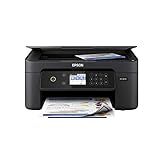
- This printer is designed for use with Epson cartridges only, not third party cartridges or ink; Cartridges described as Compatible, Re-manufactured, refilled or...
- Save time and paper auto 2 sided printing
- Simple setup and navigation high res 2. 4 inches Color LCD to easily print, copy and scan
- Complete wireless solution easily print from iPad, iPhone, Android tablets and smartphones (1); includes Wi Fi Direct (3)
- Affordable individual ink cartridges replace only the cartridge that runs out. Operating temperature - 10 to 35 degree Celsius
Experience seamless printing and scanning with the Epson XP-4100 Wireless Color Printer with Scanner, designed to fit comfortably in tight spaces. Its compact design makes it perfect for small home offices or workspaces where space is limited. This all-in-one printer helps you handle everyday tasks without hassle.
The printer’s wireless connectivity allows you to print directly from laptops, smartphones, and tablets using Wi-Fi or Wi-Fi Direct. This feature eliminates cable clutter and simplifies your workflow. Automatic two-sided printing saves paper and reduces your environmental footprint.
With a sharp resolution of 5760 x 1440 dpi and Claria inks, your documents and photos come out crisp and vibrant. The 2.4-inch color LCD makes navigation and settings adjustment straightforward. Its 100-sheet capacity minimizes frequent paper refills, boosting your productivity.
Maintaining the printer is straightforward thanks to Epson’s individual ink cartridges. This design helps lower running costs by replacing only the color that runs out. However, the printer supports paper sizes up to 8.5 x 11 inches and has moderate print speeds, which might be limiting for larger or high-volume jobs.
Best for: users who need a compact, affordable all-in-one printer for wireless printing, scanning, and copying in home or small office settings.
What We Like:
- Space-saving compact design ideal for small areas
- High-resolution prints with vibrant, instant-dry Claria inks
- Wireless printing via Wi-Fi and Wi-Fi Direct for multiple devices
- Easy maintenance with individual ink cartridges
- Automatic two-sided printing reduces paper use
Specification:
| Feature | Details |
|---|---|
| Manufacturer | Epson |
| Dimensions | Compact, fits tight spaces |
| Weight | Lightweight |
| Color Options | Standard color model |
| Maximum Paper Size | 8.5 x 11 inches |
| Connectivity | Wi-Fi, Wi-Fi Direct |
| Display | 2.4-inch color LCD |
Factors to Consider When Choosing a Compact Budget Printer

When choosing a compact budget printer, you’ll want to compare print quality and speed to match your needs. Don’t forget to check connectivity options and make sure the device works smoothly with your gadgets.
Also, consider ink costs and cartridge availability to keep your running expenses low. It’s all about finding a balance between performance and affordability.
Print Quality Comparison
Although budget printers often come with compromises, you can still find models that deliver impressive print quality by focusing on key factors. Look for printers with higher maximum print resolutions—above 2400 x 1200 dpi typically means sharper text and more detailed color prints.
Don’t confuse scanner resolution with print engine dpi; a high scanner dpi improves copy fidelity but doesn’t boost native print quality. Pay attention to color depth and ink configurations since more ink channels and higher bits per channel create smoother gradients and realistic colors.
Also, check the printer’s ink system: pigment inks and replaceable individual cartridges usually offer better color accuracy and longevity. These details guarantee you get the best possible output without overspending.
Speed and Efficiency
Since print speed and efficiency directly affect your workflow, you should prioritize models that match your typical printing volume and task type. For budget inkjets, aim for real-world speeds of 7–15 pages per minute (ppm), while monochrome laser printers often exceed 20 ppm, ensuring quicker task completion.
Pay attention to first-page-out times—compact devices usually take 9–19 seconds—because faster warm-up means less waiting for single-page jobs. Automatic duplex printing can save time and paper, so check whether it’s hardware-supported rather than manual.
Also, consider input and output tray capacities; larger trays (40–150 sheets) reduce how often you reload paper, keeping your workflow smooth. These factors together help you pick a compact printer that keeps pace with your daily demands.
Connectivity Options Available
Explore the connectivity options a compact budget printer offers to guarantee it fits your setup and workflow. Look for dual-band Wi-Fi support (2.4 GHz and 5 GHz) for more stable wireless connections and faster speeds, especially in busy home networks.
Wi-Fi Direct lets you print from smartphones or tablets without joining your local network. It’s perfect for guests or isolated devices.
Check if the printer supports mobile printing protocols like AirPrint or Mopria. These enable seamless printing from iOS and Android with added scan/send features.
For a reliable wired connection, USB Type-B or Type-C ports provide low-latency links. They’re ideal for single-computer setups.
If you need to support multiple users, Ethernet connectivity offers consistent performance. Plus, it makes network management easier in small home offices.
Ink and Cartridge Costs
When choosing a compact budget printer, you’ll want to closely examine ink and cartridge costs to avoid surprises down the line. Calculate the cost per page by dividing cartridge price by its estimated yield to see true expenses.
Opt for printers with individual color cartridges or refillable tanks so you only replace what’s empty, cutting ongoing costs. Check if high-yield (XL) cartridges are available; despite higher upfront prices, they often lower your cost per page.
Also, weigh subscription or ink-delivery plans against your monthly print volume to see if automatic refills save money or add expense. Finally, be cautious of printers that block third-party or refilled cartridges via chip or firmware restrictions, as that can lock you into pricier OEM ink.
Device Compatibility Features
Don’t overlook device compatibility features when picking a compact budget printer, as they directly impact how easily you can connect and use the device. Make certain your printer supports dual-band Wi‑Fi (2.4 GHz and 5 GHz) for stable connections with various routers and less interference in crowded networks.
Check if it’s compatible with mobile printing standards like AirPrint and Mopria or has its own app. This way, you can print and scan from smartphones or tablets without needing extra drivers.
Also, confirm the presence of wired interfaces such as USB Type‑B or Ethernet, plus wireless direct printing options for secure or limited network situations. Finally, make sure it supports your operating systems—Windows, macOS, Linux, Chromebook—and offers updatable firmware for future compatibility and security.
Paper Handling Capacity
Consider the paper handling capacity carefully, as it determines how smoothly your printing tasks will run without constant interruptions. Check the input tray capacity, which typically holds 60 to 100 sheets in compact budget printers.
This affects how often you’ll need to reload paper during daily use. Also, evaluate the output tray’s stacking space—usually 25 to 100 sheets—to prevent frequent clearing and paper jams on multi-page jobs.
Make sure the printer supports the paper sizes and media types you need, from standard letter to legal, including envelopes and glossy photo paper. Don’t forget to look for duplex printing; automatic two-sided printing saves time and paper.
Though many models require manual duplexing or lack it entirely, it’s worth considering if you print a lot. Finally, verify supported paper weights to avoid feed issues and maintain print quality.
Energy Efficiency Ratings
Although print quality and speed matter, energy efficiency plays a pivotal role in choosing a compact budget printer, especially if you want to cut electricity costs and reduce environmental impact. Look for ENERGY STAR certification, which guarantees the printer uses less power in active and standby modes.
Pay attention to Auto-On/Auto-Off or sleep mode features—models with aggressive sleep settings can slash idle energy use by up to 80%. Compare power consumption in printing, standby, and sleep states; lower wattage means savings over time.
Also, consider duplex printing capabilities and default settings to reduce paper use and energy per job. Finally, check annual energy consumption estimates (kWh/year) when available, as they offer a realistic view of the printer’s overall energy impact.
Durability and Build
When choosing a compact budget printer, you’ll want to check its durability and build to make certain it withstands your printing demands. Start by reviewing the rated monthly duty cycle and recommended print volume to make sure the printer can handle your workload without premature wear.
Check input and output tray capacities; larger trays reduce frequent refilling and stress on feed mechanisms. Also, look at cartridge page yields and replacement frequency, since constant cartridge changes can tax internal parts.
Consider print engine life or MTBF values, and whether critical wear parts like rollers or belts are user-replaceable to extend longevity. Finally, examine warranty length and coverage, plus the availability of affordable replacement parts.
A solid warranty and easy maintenance help minimize downtime and lower total ownership costs. It’s worth taking the time to get these details right upfront!
Frequently Asked Questions
How Long Do Ink Cartridges Typically Last in Compact Printers?
Ink cartridges in compact printers typically last between 100 to 300 pages, depending on usage and print quality. You’ll want to monitor ink levels regularly.
Heavy printing or photos can deplete cartridges faster than text documents. So, keep an eye on how much you’re printing to avoid running out unexpectedly.
Are Compact Budget Printers Compatible With Mobile Printing Apps?
Wondering if you can print from your phone? Most compact budget printers support mobile printing apps like AirPrint or Google Cloud Print.
What Is the Average Print Speed for These Budget Printers?
You’ll typically get print speeds around 5 to 12 pages per minute with budget compact printers. They’re designed for light use, so don’t expect high-speed performance.
But honestly, they’re efficient enough for everyday documents and casual printing. Perfect if you’re not printing in huge volumes or rushing against the clock.
Can These Printers Handle Photo Paper Quality Prints?
Yes, these printers can handle photo paper quality prints, but don’t expect professional-grade results. You’ll get decent color and detail for casual photos.
That said, slower print speeds and limited color accuracy might affect the outcome a bit. So, it’s great for everyday use but not for high-end photo projects.
What Warranty Options Are Available for Compact Budget Printers?
You’ll find most compact budget printers offer a one-year warranty, covering parts and labor. Some brands extend it to two years or include accidental damage protection.
That way, your investment stays safe longer than 365 days of regular use. It’s nice to have that extra peace of mind, right?
Conclusion
When choosing your compact budget printer, remember it’s not just about saving money—it’s about finding a reliable sidekick for your daily tasks. Whether you prioritize wireless convenience or all-in-one features, each option here offers something valuable.
Don’t let the small size fool you; these printers pack a punch, turning your printing needs into a breeze. So, pick the one that fits your style and watch your productivity soar like a paper plane on a windy day!
Finding the best compact budget printer in 2027 means balancing affordability with functionality. Whether you need fast wireless printing or versatile all-in-one capabilities, there’s a perfect match out there for you. These compact printers are designed to fit your space without sacrificing performance, making them ideal for home offices, students, or anyone on a budget. Choose wisely, and your compact budget printer will become an essential tool, helping you breeze through tasks with ease and efficiency.