11 Best Chromebook Laser Printers for 2027
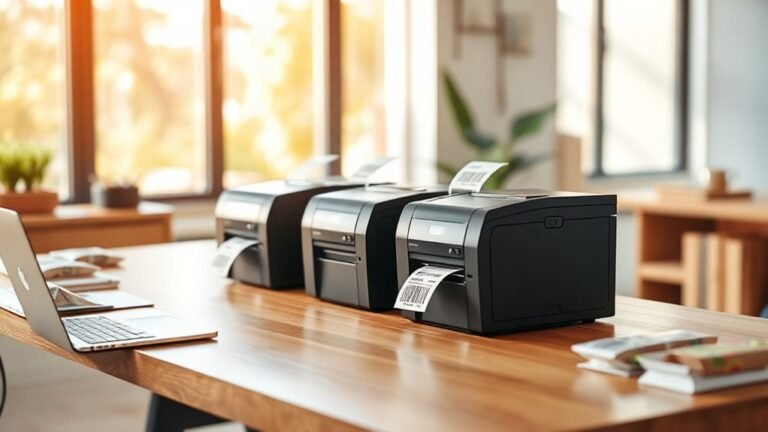
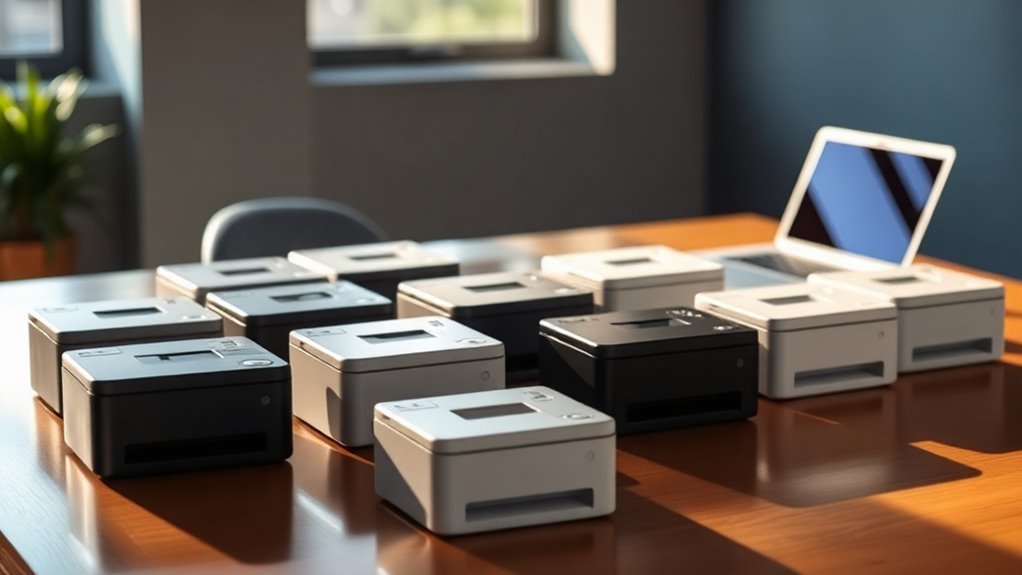
If you’re looking for a fast, reliable laser printer that pairs perfectly with your Chromebook, you’ve got some great options to consider.
Whether you need wireless monochrome printing, all-in-one functionality, or color capabilities, there’s a model out there for you. These Chromebook laser printers are designed to offer speed, easy connectivity, and hassle-free maintenance, making them ideal for both home and office use.
For wireless monochrome printing, check out the Brother HL-L2405W. It’s simple and efficient.
If you want an all-in-one option, the HP LaserJet M234sdw covers printing, scanning, and copying with ease. The Canon imageCLASS LBP122dw stands out with its duplex printing feature, saving you paper and time.
When it comes to color laser printing, the HP Color LaserJet Pro 3204dw is a solid pick. It offers duplex printing plus wireless convenience, so you can print from anywhere.
Keep exploring these options to find the perfect fit for your Chromebook setup!
| Image | Name | Editor's Rating | Price |
|---|---|---|---|

|
|
||

|
|
||

|
|
||

|
|
||

|
|
Brother HL-L2405W Wireless Monochrome Laser Printer
- BEST FOR HOMES & HOME OFFICES – Engineered for consistent, premium print quality, the Brother HL-L2405W Monochrome (Black & White) Laser Printer delivers sharp, crisp...
- COMPACT, CONNECTED PRINTER – Flexible connection options make this an ideal printer for home use and at-home offices. Securely connect to multiple devices with built-in...
- BROTHER MOBILE CONNECT APP – Manage your printer remotely and print from your mobile device anytime, from almost anywhere. Order Brother Genuine Supplies, track toner...
- VERSATILE PAPER HANDLING – Enjoy seamless, reliable everyday printing with the 250-sheet paper tray(4) and a manual feed slot that enables printing on envelopes and...
- BROTHER IS AT YOUR SIDE – Backed by Brother with a 1-year limited warranty and free online, call, or live chat support for the life of your printer

If you need a dependable laser printer that works seamlessly with your Chromebook or other devices, the Brother HL-L2405W is an excellent choice. It delivers sharp, clear black-and-white prints quickly, helping you stay productive without delays.
This printer’s dual-band wireless connectivity makes printing from laptops, smartphones, or tablets simple and convenient. Its compact design fits well in home offices or small workspaces, keeping your setup neat.
Maintaining the HL-L2405W is straightforward. The 250-sheet paper tray means fewer refills, and the manual feed slot handles specialty papers when needed. This reduces interruptions and keeps your printing tasks flowing smoothly.
While it focuses on monochrome printing and supports media up to 8.5 x 14 inches, its performance and connectivity features make it ideal for everyday document needs. It’s built for users who want efficiency and reliability without extra complexity.
Best for: individuals and small office users seeking a fast, reliable wireless monochrome laser printer with versatile device compatibility and efficient paper handling.
What We Like:
- Fast print speed up to 30 pages per minute for quick results
- Dual-band wireless supports multiple devices for easy connectivity
- Large 250-sheet tray reduces paper refills and supports specialty media
- Compact design ideal for limited office space
Specification:
| Feature | Details |
|---|---|
| Manufacturer | Brother |
| Dimensions (W×D×H) | 14 x 14.2 x 7.2 inches |
| Weight | 14.3 lbs (6.5 kg) |
| Color | White |
| Connectivity | Dual-band Wi-Fi |
| Print Speed | Up to 30 ppm |
HP LaserJet M234sdw Monochrome Laser Printer | All-in-One
No products found.
The HP LaserJet M234sdw delivers fast and dependable monochrome printing designed to boost productivity for small teams. It streamlines your workflow by combining printing, scanning, and copying in one compact device. With print speeds of up to 30 pages per minute, it handles daily office tasks efficiently.
Maintaining smooth operations is simple with its 40-page auto document feeder, which eases multitasking and saves time. The printer’s dual-band Wi-Fi and Ethernet connectivity ensure steady network access, while full Chromebook support and the HP Smart app enable seamless mobile printing. This versatility fits modern office environments that rely on varied devices.
Its secure design protects sensitive data, and Energy Star certification helps reduce power usage, making it an eco-conscious choice. The printer supports multiple media types and cloud printing options, enhancing flexibility for diverse document needs. Its compact size allows it to fit neatly into limited workspace areas without sacrificing functionality.
Best for: Small teams of 1-5 people needing fast, reliable monochrome printing with easy Chromebook and mobile device compatibility.
What We Like:
- Fast print speeds up to 30 ppm to keep workflows moving
- Multiple connectivity options including dual-band Wi-Fi and Ethernet
- Full Chromebook compatibility and mobile printing via HP Smart app
- Built-in security features safeguard data
- Energy Star certified for efficient power use
Specification:
| Feature | Details |
|---|---|
| Manufacturer | HP |
| Dimensions (W × D × H) | Compact design (exact size not specified) |
| Weight | Lightweight (exact weight not specified) |
| Color | Monochrome (black & white) |
| Connectivity | Dual-band Wi-Fi, Ethernet, Chromebook support |
| Auto Document Feeder | 40 pages |
| Print Speed | Up to 30 pages per minute |
Canon imageCLASS LBP122dw – Wireless Monochrome Duplex Laser Printer
- Wireless, duplex printer (print-only)
- Fast print speeds up to 30 pages per minute (black and white)
- Print on-the-go with Canon PRINT app and more.
- Uses Canon GENUINE Toner 071 / 071 high-capacity
- Compact design fits almost anywhere in your home, great for home use and personal printing
Experience efficient and sharp monochrome printing with the Canon imageCLASS LBP122dw. Designed for busy home offices, this printer delivers fast output without sacrificing quality. Its duplex printing feature helps save paper and time by automatically printing on both sides.
The compact design fits easily into tight spaces, making it ideal for small work areas. You can handle various media sizes up to 8.5 x 14 inches, supporting your diverse printing needs. Wireless connectivity options, including Wi-Fi and Ethernet, offer flexible placement without clutter.
Maintenance is straightforward thanks to a reliable build and user-friendly controls. The Canon PRINT app and Amazon Alexa compatibility simplify remote printing and device management. However, it only supports printing, so scanning and copying require additional devices.
This printer balances speed, convenience, and eco-friendly features, making it a practical choice for daily monochrome printing tasks. Its modest paper capacity means you might need to reload more often during heavy use.
Best for: users needing fast, reliable wireless monochrome printing with duplex capability in compact home or home office setups.
What We Like:
- Fast print speed of up to 30 pages per minute with clear 2400 x 600 dpi output
- Automatic duplex printing reduces paper waste and boosts efficiency
- Multiple connectivity options including Wi-Fi, Ethernet, and USB
- Compact footprint ideal for small office spaces
- Easy app and voice control via Canon PRINT and Amazon Alexa
Specification:
| Feature | Details |
|---|---|
| Manufacturer | Canon |
| Dimensions | Compact size (exact size not specified) |
| Weight | Not specified |
| Printing Speed | Up to 30 ppm |
| Resolution | 2400 x 600 dpi |
| Paper Capacity | 150 sheets |
| Media Size | Up to 8.5 x 14 inches |
| Connectivity | Wi-Fi, Ethernet, USB |
| Color | Monochrome (black and white) |
HP LaserJet M110w | Monochrome | Laser Printer
- FROM AMERICA'S MOST TRUSTED PRINTER BRAND – Perfect for small teams printing professional-quality black & white documents and reports. Perfect for 1-3 people
- WORLD'S SMALLEST LASER IN ITS CLASS – Precision laser printing that fits anywhere
- FAST PRINT SPEEDS – Up to 21 black-and-white pages per minute single-sided
- WIRELESS WITH SELF-RESET – Helps you stay connected
- PRINT FROM ANY DEVICE – Wireless printing from any mobile device, PC or tablet. Works with Microsoft, Mac, AirPrint, Android, Chromebook and more
The HP LaserJet M110w offers a compact printing solution designed to fit seamlessly into small workspaces. Its fast printing speed of up to 21 pages per minute helps reduce wait times, making it ideal for busy teams or home offices. The sharp 600 x 600 dpi resolution ensures clear, professional-looking documents every time.
This monochrome laser printer is built for ease of use and maintenance. Its small footprint and lightweight design allow for flexible placement on any desk. You’ll find it simple to handle various media types, including plain paper, envelopes, and labels, which adds versatility to your printing tasks.
Connectivity is straightforward with both wireless and USB options. You can print directly from Chromebooks, PCs, or mobile devices, streamlining your workflow. The HP Smart App further simplifies tasks like scanning to the cloud, enhancing overall efficiency.
While the printer supports essential functions well, its print resolution may not suit detailed graphics. Also, the 150-sheet output tray means you might need to refill more frequently. Firmware updates restrict toner cartridge use to original HP products, which could limit options for some users.
Best for: Small teams and home offices needing a compact, reliable monochrome laser printer with wireless connectivity.
What We Like:
- Prints up to 21 pages per minute with clear 600 x 600 dpi quality
- Supports multiple media types including envelopes and labels
- Easy wireless and USB connectivity for versatile device printing
- Compact, lightweight design fits small desk spaces
Specification:
| Feature | Details |
|---|---|
| Manufacturer | HP |
| Dimensions | Compact footprint |
| Weight | 9 lb (4.1 kg) |
| Color | Monochrome (Black) |
Brother DCP-L2640DW Wireless Monochrome Printer
- BEST FOR SMALL BUSINESSES – Engineered for extraordinary productivity, the Brother DCP-L2640DW Monochrome (Black & White) 3-in-1 combines laser printer, scanner, copier...
- FAST PRINTER WITH EFFICIENT SCANNING – Produces documents quickly with print speeds up to 36 ppm(2) and scan speeds up to 23.6/7.9 ipm(3) (black/color). A 50-page auto...
- FLEXIBLE CONNECTION OPTIONS – Easily navigate the changing demands of your business with secure multi-device connectivity via built-in dual-band wireless (2.4GHz...
- BROTHER MOBILE CONNECT APP – Print, scan, and manage your wireless printer anytime, from almost anywhere from your mobile device. Order Brother Genuine Supplies, track...
- CHOOSE BROTHER GENUINE TONER – When it’s time to replace your toner, be sure to choose Brother Genuine TN830 or TN830XL replacement toner. And with Refresh EZ Print...
The Brother DCP-L2640DW is designed to meet the demands of Chromebook users who need fast and dependable black-and-white printing. It handles printing, copying, and scanning tasks efficiently, helping you stay productive with speeds up to 36 pages per minute. The 50-page automatic document feeder and 250-sheet tray reduce interruptions, letting you focus on your work.
Setup is straightforward with dual-band wireless and Ethernet connectivity. Mobile printing is easy through the Brother Mobile Connect app, making it convenient to print from various devices. Its compact design fits well in small office spaces without taking up much room.
Maintenance is simple, supported by toner save mode and duplex printing that conserve resources and lower operating costs. This printer is ENERGY STAR® and EPEAT® Silver certified, reflecting its eco-friendly approach. Security features help protect your data, giving peace of mind in busy environments.
While it only prints in monochrome and lacks fax capability, its reliability and versatile connectivity make it a solid choice for users focused on black-and-white document management.
Best for: Chromebook users and small offices needing efficient black-and-white printing with flexible wireless options and eco-conscious features.
What We Like:
- Fast print and copy speed of up to 36 ppm with a 50-page automatic document feeder
- Dual-band wireless and Ethernet support for reliable connectivity
- ENERGY STAR® and EPEAT® Silver certified with duplex and toner save modes
- Compact design suitable for limited workspace
- Advanced security features to safeguard data
Specification:
| Feature | Details |
|---|---|
| Manufacturer | Brother |
| Dimensions | Not specified |
| Weight | 25 lb (11.3 kg) |
| Color | Monochrome (Black and White) |
| Connectivity | Dual-band wireless, Ethernet |
| Functions | Print, Copy, Scan |
Canon Color imageCLASS MF753Cdw II – All-in-One Color Duplex Laser Printer
- Color, Wireless, Duplex 4-in-1: Print, scan, copy, fax.
The Canon Color imageCLASS MF753Cdw II transforms the way small offices handle daily printing tasks. It delivers clear, vibrant color prints quickly, helping you meet tight deadlines without sacrificing quality. Its 35 ppm speed and sharp 1200 x 1200 dpi output ensure professional results every time.
Designed for multitasking, this all-in-one device covers printing, scanning, copying, and faxing with ease. Automatic duplex printing saves paper and time, while the 50-sheet feeder streamlines scanning and copying jobs. Wireless connectivity and a customizable 5-inch touchscreen simplify operation and reduce workflow interruptions.
Maintenance is straightforward, but note that the printer uses Canon Genuine Toner 069, which ensures quality but may have higher costs. The standard 250-sheet capacity can be expanded to 850 sheets with an optional cassette, although this adds to the footprint. This makes it ideal for small or hybrid offices that need a reliable, multifunctional printer without constant refills.
Best for: Small and home offices or hybrid work setups requiring efficient, high-quality color printing with versatile functionality.
What We Like:
- Fast print speed of up to 35 ppm with sharp 1200 x 1200 dpi resolution
- All-in-one functionality with automatic duplex printing
- Wireless connectivity and intuitive 5-inch touchscreen
- Expandable paper capacity for heavy workloads
- Reliable Canon Genuine Toner ensures consistent print quality
Specification:
| Feature | Details |
|---|---|
| Manufacturer | Canon |
| Dimensions (W x D x H) | 16.6 x 18.5 x 15.0 inches |
| Weight | 44.0 lbs |
| Color Options | White |
| Print Speed | Up to 35 ppm |
| Resolution | 1200 x 1200 dpi |
| Paper Capacity | 250 sheets (expandable to 850 sheets with optional cassette) |
Canon imageCLASS MF465dw II Wireless Laser Printer

- Monochrome Wireless, Duplex 4-in-1: Print, Scan, Copy, Fax
- Print up to 42 ppm
- Easy Wireless Setup
- 5-inch Touchscreen
- Mobile Device Printing
The Canon imageCLASS MF465dw II delivers fast, reliable monochrome printing designed to keep your workflow smooth. Its versatile 4-in-1 functionality combines printing, copying, scanning, and faxing, helping you manage multiple tasks from a single device. This makes it ideal for small or home offices where space and efficiency matter.
With a print speed of up to 42 pages per minute and sharp 1200 x 1200 dpi resolution, it handles high-volume jobs with clarity and speed. The customizable 5-inch touchscreen offers simple navigation, reducing downtime and making operation intuitive for all users.
Paper capacity starts at 250 sheets and can be expanded to 900 sheets with an optional cassette, allowing you to print longer without interruptions. Connectivity options include wireless, Ethernet, and USB, ensuring easy integration with various devices, including Chromebooks.
Maintenance is straightforward, with a long-lasting toner cartridge designed for high-volume printing. However, it only supports monochrome printing, which might not suit users needing color output. The initial page print time is 4.9 seconds, which could feel slow for quick single-page tasks.
Best for: Small or home office users needing efficient monochrome printing with multifunction features and flexible connectivity.
What We Like:
- Fast print speed of 42 ppm with high-resolution output
- All-in-one design with print, copy, scan, and fax functions
- User-friendly customizable 5-inch touchscreen
- Expandable paper capacity up to 900 sheets
- Multiple connectivity options including wireless and Ethernet
Specification:
| Specification | Details |
|---|---|
| Manufacturer | Canon |
| Dimensions (W×D×H) | 16.5 × 18.5 × 15.3 inches |
| Weight | 30.4 lbs (13.8 kg) |
| Printing Technology | Monochrome Laser |
| Print Speed | Up to 42 pages per minute |
| Print Resolution | 1200 x 1200 dpi |
| Connectivity | Wireless, Ethernet, USB |
| Touchscreen | 5-inch customizable color |
Xerox B230 Wireless Black and White Laser Printer – Print Only

- FAST BLACK & WHITE PRINTING: Deliver professional results with print speeds up to 36 ppm. Designed to keep small businesses and hybrid offices productive with fast...
- BUSINESS QUALITY: Produce sharp black text and clear graphics. Ensure business documents, reports and presentations look polished every time.
- WIRELESS & MOBILE PRINTING: Stay connected with Wi-Fi, Apple AirPrint, and Mopria. Effortlessly print from your laptop, smartphone, or tablet from anywhere in your...
- EASY SMARTPHONE SETUP: Get printing in minutes. Use the Xerox Easy Assist App for a simplified, guided installation that eliminates complex manuals and traditional driver...
- VALUE FOR YOUR BUSINESS: Built for small businesses that print up to 2,500 pages per month. High-yield toner options mean fewer interruptions and a lower total cost of...
Experience fast, reliable printing with the Xerox B230 Wireless Black and White Laser Printer. Designed to meet the needs of small businesses, it delivers sharp, professional-quality prints that help you maintain a polished image. The printer’s speed of up to 36 pages per minute keeps your workflow smooth and efficient.
This wireless monochrome printer connects easily through Wi-Fi, Apple AirPrint, or Mopria, allowing you to print from multiple devices without hassle. Its compact size fits comfortably on your desk, saving valuable office space while holding up to 250 sheets for extended use.
Maintenance is straightforward with the Xerox Easy Assist App, which simplifies setup and troubleshooting. The B230 supports double-sided printing to reduce paper use and costs, making it a practical choice for moderate monthly volumes of up to 2,500 pages.
While it focuses solely on printing, without scanning or copying features, it excels in producing crisp black-and-white documents quickly. Its design and functionality make it ideal for professionals who require dependable, wireless printing without unnecessary extras.
Best for: Small businesses and professionals needing a fast, wireless monochrome printer for high-quality text and graphics with moderate print demands.
What We Like:
- Fast print speed of up to 36 pages per minute
- Wireless connectivity via Wi-Fi, Apple AirPrint, and Mopria
- Compact design with 250-sheet paper capacity
- Supports double-sided printing to save paper
- Easy setup and maintenance through Xerox Easy Assist App
Specification:
| Feature | Details |
|---|---|
| Manufacturer | Xerox |
| Dimensions | Compact, fits on desktop |
| Weight | Lightweight |
| Color Options | Black and white printing only |
| Monthly Duty Cycle | Up to 2,500 pages |
HP Color LaserJet Pro 3204dw | Color Laser Printer | Duplex

- FROM AMERICA'S MOST TRUSTED PRINTER BRAND – Perfect for office teams creating professional-quality color documents and reports; auto 2-sided printing; perfect for up to...
- OPTIMIZE PRINT FORMATTING WITH HP AI – Print web pages and emails with precision—no wasted pages or awkward layouts; HP AI easily removes unwanted content, so your...
- BLAZING FAST COLOR – Up to 26 color pages per minute, with sharp details and incredible color
- STAYS CONNECTED – Reliable Wi-Fi automatically reconnects to stay online and ready to print
- PROTECTS YOUR DATA – Includes HP Wolf Pro Security with customizable settings so your printer and information are always secure
The HP Color LaserJet Pro 3204dw delivers fast, reliable color printing designed to keep small office teams productive. Its duplex printing feature saves time and paper by printing on both sides automatically, making it ideal for busy work environments. With sharp 600 x 600 dpi resolution, it produces crisp documents that meet everyday business needs efficiently.
Connecting the printer is simple and flexible with options like Wi-Fi, Ethernet, USB, and Apple AirPrint. Setup is quick through the HP app, allowing users to get started without hassle. The printer supports various media types, including envelopes and cardstock, accommodating diverse office tasks with ease.
Maintenance is straightforward but requires original HP cartridges to ensure consistent print quality and security. The HP Wolf Pro Security system protects sensitive data, giving peace of mind in handling confidential documents. However, the 250-sheet paper capacity might need frequent refills during heavy use.
Best for: Small office teams needing fast, secure, and versatile color printing with convenient duplex functionality.
What We Like:
- Fast duplex color printing at up to 26 pages per minute
- Multiple connectivity options including Wi-Fi and Apple AirPrint
- Easy setup and management via the HP app
- Robust security with HP Wolf Pro Security
- Supports various media types such as envelopes and cardstock
Specification:
| Feature | Details |
|---|---|
| Manufacturer | HP |
| Dimensions | Not specified |
| Weight | Not specified |
| Print Speed | Up to 26 color pages/min |
| Print Resolution | 600 x 600 dpi |
| Paper Capacity | Up to 250 sheets |
| Connectivity | Wi-Fi, Ethernet, USB, AirPrint |
| Security | HP Wolf Pro Security |
Canon imageCLASS MF662Cdw Wireless Duplex Laser Printer

- Color, Wireless, Duplex 3-in-1: Print, scan, copy.
- Fast Print Speeds: Print up to 26 ppm in both color and monochrome and spend less time waiting with a quick first print time of approximately 10.3 seconds.
- Easy Wireless Setup: Setup your wireless connection and get up and running in just a few steps.
- 5-inch Color Touchscreen: Get the job done quickly with Application Library - an intuitive and easy to use customizable access to the features you use most.
- Mobile Device Printing: Print from your compatible mobile devices using the free Canon PRINT app, Apple AirPrint and Mopria Print Service.
The Canon imageCLASS MF662Cdw is designed to streamline your printing tasks with wireless duplex printing that saves time and paper. It handles busy home or small office environments by delivering fast prints—up to 26 pages per minute in both color and black and white.
Setup is straightforward and user-friendly. You can print directly from mobile devices using the Canon PRINT app, Apple AirPrint, or Mopria, making on-the-go printing hassle-free. The clear 5-inch color touchscreen simplifies navigation and job management.
With a 250-sheet paper capacity and automatic two-sided printing, this printer reduces manual effort and boosts workflow efficiency. Its laser technology ensures consistent output, while the ENERGY STAR certification highlights its energy-efficient design.
Maintenance is simple, keeping downtime minimal. However, the 600 x 600 dpi resolution might not satisfy users needing ultra-high detail for color graphics. Also, the limited multipurpose tray and lack of fax functionality could restrict some office needs.
Best for: Small or home offices and hybrid workspaces seeking a reliable, fast wireless laser printer with duplex capability.
What We Like:
- Fast print and copy speeds up to 26 ppm in color and black & white
- Easy wireless setup with mobile printing support via multiple apps
- Energy-efficient design with automatic two-sided printing
- User-friendly 5-inch color touchscreen for simple operation
Specification:
| Feature | Description |
|---|---|
| Manufacturer | Canon |
| Dimensions (W x D x H) | 16.5 x 18.3 x 15.9 inches (41.9 x 46.5 x 40.4 cm) |
| Weight | 46.3 lb (21 kg) |
| Color Options | White with black accents |
| Print Technology | Wireless Duplex Laser |
HP LaserJet Pro 3101sdw | Monochrome | Laser Printer | All-in-One | Duplex

- FROM AMERICA'S MOST TRUSTED PRINTER BRAND – Perfect for small teams printing professional-quality black-and-white documents and reports. Print speeds up to 35 ppm...
- PROFESSIONAL PRODUCTIVITY – Proficiency with every print—bring your business to life with toner designed for sharp, professional-quality prints
- UPGRADED FEATURES – Fast printing, scanning and copying, auto 2-sided printing, a 250-sheet input tray and 50-sheet auto document feeder
- AWARD-WINNING RELIABILITY – Performance you can count on page after page, and always ready for the high demands of business
- WIRELESS PRINTING – Stay connected with our most dependable Wi-Fi, which looks for the best connection to stay online
Experience reliable, high-quality monochrome printing with the HP LaserJet Pro 3101sdw. This all-in-one laser printer is designed to streamline your workflow, delivering crisp documents quickly and efficiently. Its sharp 1200 x 1200 dpi resolution ensures professional results every time.
The automatic duplex printing feature cuts paper use and saves time by handling double-sided documents without manual intervention. With a 250-sheet input tray and a 50-sheet auto document feeder, this printer handles large tasks with ease, reducing the need for frequent refills.
Connectivity options include wireless, Ethernet, and USB, allowing seamless integration into various office setups. The compact design and lightweight build make it easy to fit into small workspaces without sacrificing performance.
Maintenance is straightforward, with reliable laser technology that minimizes downtime. This printer is ideal for those who need dependable black-and-white printing, scanning, and copying in busy home offices or small to medium-sized businesses.
Best for: Small to medium-sized businesses or home offices requiring efficient monochrome printing and multifunction capabilities.
What We Like:
- Fast print speeds up to 35 ppm with sharp text quality
- Automatic duplexing saves time and reduces paper waste
- Versatile connectivity options for flexible use
- Large input capacity supports busy printing environments
Specification:
| Feature | Details |
|---|---|
| Manufacturer | HP |
| Dimensions (W x D x H) | Not specified |
| Weight | 23.1 lb (10.48 kg) |
| Color | Monochrome (Black & White) |
| Printing Technology | Laser |
| Print Resolution | 1200 x 1200 dpi |
| Print Speed | Up to 35 pages per minute |
| Duplex Printing | Automatic |
| Input Capacity | 250-sheet tray, 50-sheet ADF |
Factors to Consider When Choosing a Chromebook Laser Printer

When choosing a Chromebook laser printer, you’ll want to check its wireless connectivity options and make sure it works smoothly with Chrome OS. Print speed and efficiency matter if you handle large jobs.
Also, paper capacity affects how often you need to reload. Don’t forget to take into account mobile printing support for added convenience on the go. It really makes a difference when you’re out and about.
Wireless Connectivity Options
Because reliable wireless connectivity is essential for seamless printing, you’ll want to choose a Chromebook laser printer that supports dual-band Wi-Fi, including both 2.4GHz and 5GHz frequencies. This guarantees stable connections across various devices, especially in environments with crowded wireless networks.
Look for printers that also support mobile printing solutions like Google Cloud Print or manufacturer-specific apps to simplify printing from your Chromebook. Don’t overlook Ethernet and USB connectivity options—they offer dependable alternatives when wireless isn’t ideal.
Automatic Wi-Fi setup features can save you time by streamlining the connection process. Plus, consider printers with wireless direct printing, so you can print straight from your Chromebook without needing a network. It’s perfect for printing on the go or in places without Wi-Fi.
Compatibility With Chrome OS
Selecting a laser printer that fully supports Chrome OS guarantees you won’t face frustrating compatibility issues when printing from your Chromebook. Make sure the printer explicitly lists Chrome OS support to ensure seamless functionality.
It’s a good idea to prioritize models with wireless printing capabilities since Chromebooks rely heavily on Wi-Fi for convenience. Also, look for printers compatible with Google Cloud Print, so you can print directly from cloud apps without any extra setup.
Check if the printer can be easily managed through the Chrome browser or a dedicated mobile app tailored for Chrome OS. Finally, pick a printer offering regular firmware updates to keep pace with Chrome OS’s latest features and security patches.
That way, your printer stays reliable and secure over time. This will give you a hassle-free, smooth printing experience.
Print Speed And Efficiency
Confirming your Chromebook laser printer supports Chrome OS is just one piece of the puzzle. Print speed plays a huge role in efficiency, especially if you handle high-volume printing.
Many models print up to 42 pages per minute, so you won’t be stuck waiting. Look for a fast initial page print time—some printers start at just 4.9 seconds—getting your first page quickly without delay.
Duplex printing is a must-have feature; it automatically prints double-sided, saving you time and reducing paper waste. While paper capacity is important, we’ll cover that next.
Also, consistent print quality at resolutions up to 1200 x 1200 dpi confirms your documents look sharp and professional, enhancing productivity every time you print.
Paper Handling Capacity
When you print frequently, paper handling capacity becomes a key factor in choosing a Chromebook laser printer. This capacity refers to how many sheets the printer’s trays can hold, affecting how often you’ll need to refill paper.
Most models offer standard trays holding between 150 and 250 sheets, which suits home and small office use well. If you scan or copy often, consider a printer with an automatic document feeder (ADF) that holds 40-50 sheets for efficient multitasking.
Also, check the maximum media size the printer supports—standard sizes like letter and legal are common. Opting for a printer with higher paper capacity can boost your productivity by reducing interruptions during large print jobs, making your workflow smoother and more efficient.
Mobile Printing Support
Mobile printing support lets you print directly from your smartphone, tablet, or Chromebook without needing a traditional computer connection.
When choosing a Chromebook laser printer, look for compatibility with popular mobile printing standards like Apple AirPrint, Google Cloud Print, or Mopria. These guarantee smooth integration across your devices.
You’ll want a printer with strong wireless capabilities, preferably dual-band Wi-Fi, to maintain reliable connections whether you’re at home or on the go. Many printers now offer dedicated mobile apps, making it easy to manage scanning, toner levels, and print settings right from your device.
This convenience saves you time and effort. Plus, it’s super handy when you’re in a rush or away from your desk.
Prioritize printers with encrypted connections and user authentication features to keep your printing secure. That way, your sensitive data stays protected during mobile printing.
Security And Privacy Features
Although Chromebook laser printers offer great convenience, you still need to keep your documents and data secure. Look for printers with built-in security features like encryption and secure print options to protect sensitive information during printing.
Make sure the model supports user authentication methods such as PIN or password entry. This helps restrict access and maintain confidentiality.
Also, check for compliance with security protocols like IPsec and SSL/TLS to safeguard data transmitted over networks. It’s a good idea to opt for printers that provide regular firmware updates to fix vulnerabilities and enhance security.
And don’t forget about advanced options like secure cloud printing. This feature protects your documents from interception during online transfers.
Prioritizing these security and privacy features will help you confidently manage your printing tasks without risking unauthorized access.
Frequently Asked Questions
Can These Printers Connect to Multiple Chromebooks Simultaneously?
Yes, these printers can connect to multiple Chromebooks simultaneously. You’ll just need to set them up on the same Wi-Fi network or use cloud printing services.
That way, everyone can print easily without any complicated switching or dealing with cables. It makes the whole process super convenient and hassle-free.
What Are the Energy Consumption Ratings of These Printers?
Oh, you’ll love how these printers sip power like a hummingbird on espresso—typically around 300 watts printing, 5 watts idle.
They’re energy-savvy, so you won’t need a power plant just to print your homework.
Are There Monthly Page Limits to Avoid Warranty Voiding?
Yes, you should check each printer’s monthly page limit to avoid voiding the warranty. Exceeding these limits often risks damage and voids coverage, so stick to the recommended volume to keep your warranty valid.
It’s really about keeping things smooth and hassle-free. If you stay within those limits, your printer will thank you—and so will the warranty!
Do These Printers Support Mobile Printing Apps on Chromebooks?
Right off the bat, you’ll find most printers support mobile printing apps on Chromebooks. They’re designed to work seamlessly, so you won’t have to jump through hoops to print directly from your device.
It’s pretty straightforward, actually. Just a few taps and you’re good to go!
How Easy Is It to Replace Toner Cartridges in These Models?
You’ll find replacing toner cartridges in these models pretty straightforward. They’re designed for easy access, letting you swap cartridges quickly without hassle.
Just open the printer, slide out the old toner, and pop in a new one. It’s really that simple!
Conclusion
When choosing the best Chromebook laser printer, you want reliability that lasts, speed that impresses, and connectivity that’s seamless. You want crisp prints every time, easy setup that saves you time, and features that fit your needs perfectly.
Whether you prioritize wireless convenience, duplex printing, or all-in-one functionality, you’ve got options that deliver quality, efficiency, and value.
Choose smart, print smart, and enjoy hassle-free printing with your Chromebook. Finding the right Chromebook laser printer means balancing performance and ease of use. With the right model, you get fast, clear printing along with features like wireless connectivity and duplex printing that make your life easier. So, whether you need a simple laser printer or an all-in-one device, there’s a perfect fit for you. Make your choice today and experience efficient, reliable printing designed specifically for Chromebook users.