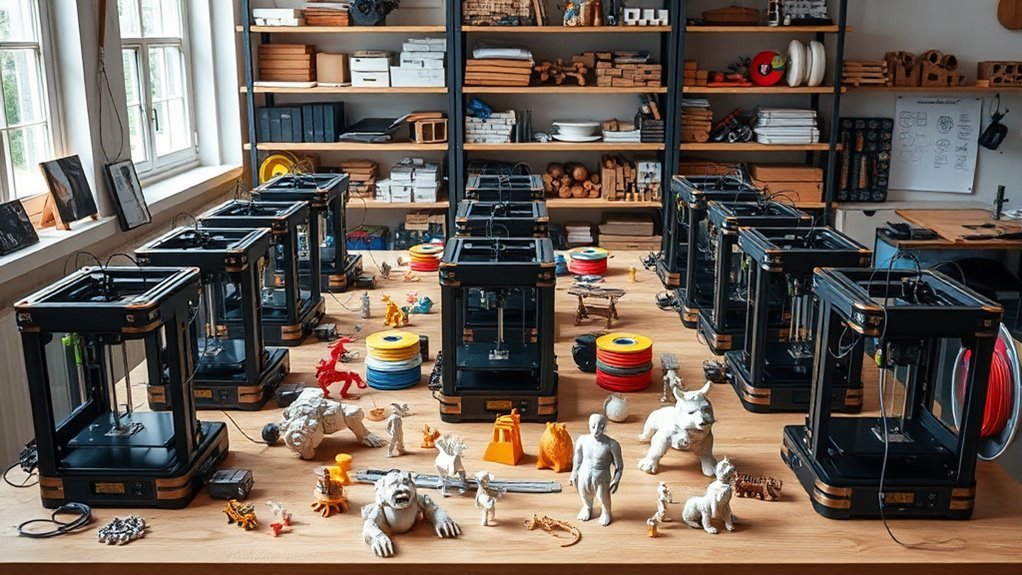
12 Best 3D DIY Printers for 2027 That Makers Swear By
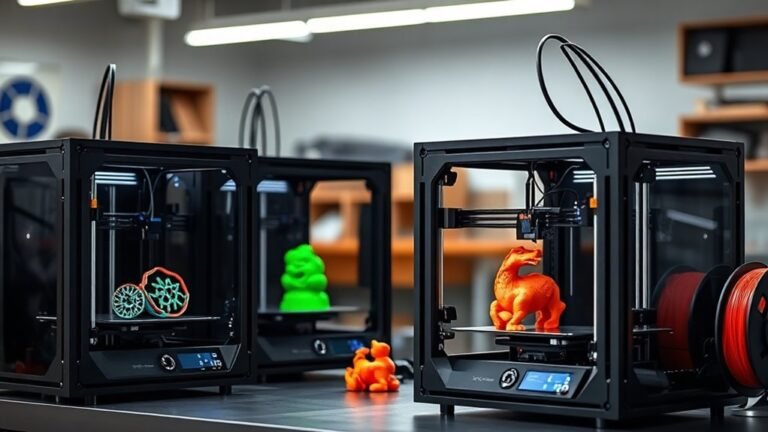
If you want a fast, reliable 3D DIY printer with multi-material support and precise performance, options like the Bambu Lab P1S Combo and Original Prusa MK4S kit offer some of the most advanced features out there. These printers are perfect for makers who need accuracy and speed without compromising quality.
Whether you’re tackling detailed prototypes or functional parts, these models deliver consistent results.
For beginners, the TINA2C is a great choice because it offers an easy setup and app control, making your first printing experience smooth and enjoyable. FLASHFORGE models stand out when it comes to speedy and multi-color printing, letting you bring creative, vibrant designs to life quickly.
If you’re into advanced materials, the Creality K1C supports carbon fiber filaments and comes with auto-leveling to make printing more hassle-free. Each printer suits different needs, so explore these top picks to find the perfect match for your projects and skill level.
Bambu Lab P1S Combo, P1S 3D Printer and AMS, Multi-Color 3D Printing
Experience the freedom of vibrant, multi-color 3D printing with the Bambu Lab P1S Combo. Designed to simplify complex projects, this system combines the P1S printer with the AMS accessory, enabling seamless printing of up to 16 colors. It tackles the challenge of multi-material printing by reducing setup time to just 15 minutes, helping you focus more on creating and less on preparation.
The P1S offers impressive speeds up to 500 mm/s and rapid acceleration of 20,000 mm/s², making production efficient without compromising quality. Its fully enclosed design protects prints and supports advanced filaments like PLA, PETG, and TPU, while automatic bed leveling ensures consistent results every time. Maintenance is straightforward, thanks to its design that facilitates easy calibration and filament changes.
This combo is ideal for creators who require reliable, high-quality multi-color prints with minimal hassle. However, it does not support carbon or glass fiber reinforced polymers, which may limit some specialty applications. Also, the multi-material feature depends on the AMS, which adds to the overall investment.
Best for: Creators and professionals seeking fast, reliable multi-color and multi-material 3D printing with minimal setup and high-quality results.
What We Like:
- Seamless multi-color printing with up to 16 colors using AMS
- High-speed printing with acceleration that boosts efficiency
- Fully enclosed design supports advanced filaments and consistent quality
- Quick 15-minute setup minimizes downtime
- Automatic bed leveling simplifies maintenance
Specification:
| Feature | Details |
|---|---|
| Manufacturer | Bambu Lab |
| Dimensions | Not specified |
| Weight | Not specified |
| Material Support | PLA, PETG, TPU |
| Color Options | Multi-color via AMS (up to 16) |
| Print Speed | Up to 500 mm/s |
| Acceleration | 20,000 mm/s² |
Original Prusa CORE One+ DIY Enclosed High-Speed CoreXY 3D Printer Kit
The Original Prusa CORE One+ DIY kit brings high-speed, professional 3D printing into a compact, enclosed design. Its CoreXY motion system boosts printing speed and precision while maintaining a 30% larger print volume compared to earlier models. This makes it ideal for projects requiring detailed and sizable prints without occupying excessive workspace.
Assembly is straightforward and solder-free, guided by clear, 1:1 scale templates that help you build the sturdy steel frame in about 15–20 hours. The enclosed frame not only protects prints but also maintains stable temperatures up to 55°C. This control, combined with an automatic top vent, enables reliable printing with advanced materials like Carbon Fiber and Nylon.
Maintenance is simplified by the printer’s robust build and intuitive software interface. The offline-capable Wi-Fi module and easy-flex filament loading system reduce interruptions and make printing smoother. Its compact footprint fits into tight spaces, making it suitable for various environments from hobbyist desks to professional workshops.
Best for: hobbyists, educators, and professionals seeking a compact, high-speed 3D printer with a large enclosed print volume and support for advanced materials.
What We Like:
- High-speed CoreXY system with 30% larger print area in a smaller footprint
- Steel frame ensures durable stability and precise printing
- Enclosed design with temperature control supports advanced filaments
- Solder-free assembly with clear, 1:1 templates simplifies building
- Offline Wi-Fi and easy-flex filament loading enhance usability
Specification:
| Feature | Details |
|---|---|
| Manufacturer | Original Prusa |
| Dimensions (WxDxH) | Approximately half the MK4S enclosure size |
| Build Volume | 30% larger than previous model |
| Frame Material | Steel |
| Maximum Bed Temp | Up to 55°C |
| Motion System | High-speed CoreXY |
| Connectivity | Offline-capable Wi-Fi module |
Original Prusa MK4S Kit High-Speed DIY Professional FDM 3D Printer
Experience precision and speed with the Original Prusa MK4S Kit, a professional-grade FDM 3D printer designed to elevate your prototyping and production work. Its advanced input shaping technology reduces ringing and vibration, ensuring your prints have sharp edges and excellent surface quality even at higher speeds.
This DIY kit encourages hands-on learning, guiding you through assembly while deepening your understanding of mechanics and electronics. The open-source, modular design allows easy hardware upgrades and continuous firmware support, extending the printer’s lifespan and adaptability.
With a build volume of 9.84 × 8.3 × 8.6 inches, it fits well for small to medium projects, making it ideal for precise, detailed creations. Maintenance is straightforward, supported by lifetime technical assistance and included Prusament PLA filament to keep you printing smoothly.
Best for: professionals and enthusiasts who want a fast, precise, and upgradeable FDM 3D printer for detailed prototyping and production.
What We Like:
- Advanced input shaping for crisp, consistent prints
- Modular and open-source for easy upgrades
- Step-by-step assembly with lifetime tech support
- Compact build volume suitable for detailed projects
Specification:
| Feature | Details |
|---|---|
| Manufacturer | Original Prusa |
| Build Volume | 9.84 × 8.3 × 8.6 inches |
| Technology | FDM (Fused Deposition Modeling) |
| Design | Modular, Open-source |
| Included Filament | Prusament PLA |
FLASHFORGE Adventurer 5M High-Speed 3D Printer
The FLASHFORGE Adventurer 5M High-Speed 3D Printer is built to accelerate your creative process. Its CoreXY all-metal design supports a blazing travel speed of up to 600 mm/s, cutting down print times significantly. This means you can move from concept to prototype faster, saving valuable time.
Maintenance is simple thanks to the detachable nozzle system that allows you to swap nozzles in just 3 seconds. This feature reduces downtime and keeps your workflow smooth. The printer’s one-click automatic bed leveling and dual-fan cooling help ensure each print is accurate and smooth without constant adjustments.
Designed for versatility, the printer handles a variety of materials with its direct-drive extruder reaching 280°C. The 220 x 220 x 220 mm build volume is ideal for rapid prototyping and small-batch production but may limit larger projects. Vibration compensation further enhances print quality by minimizing defects.
Remote control via the Flash Studio app gives you flexibility and convenience, allowing you to monitor and manage prints from anywhere. The unit weighs 22 pounds, making it stable but less portable than smaller desktop models.
Best for: Professionals and serious hobbyists needing a fast, reliable 3D printer for rapid prototyping and small-scale production.
What We Like:
- High-speed printing with a max travel speed of 600 mm/s
- Quick 3-second detachable nozzle swaps for minimal downtime
- One-click automatic bed leveling ensures hassle-free precision
- Dual-fan cooling and vibration compensation improve print quality
- Remote control via Flash Studio app for flexible operation
Specification:
| Feature | Details |
|---|---|
| Manufacturer | FLASHFORGE |
| Print Volume | 220 x 220 x 220 mm |
| Max Travel Speed | 600 mm/s |
| Extruder Temperature | Up to 280°C |
| Weight | 22 lb (10 kg) |
| Structure | CoreXY all-metal |
| Nozzle System | Detachable, 3-second swap |
TINA2C 3D Printer Beginner Friendly, Easy-Ready to Print in 5 Mins
Getting started with 3D printing is straightforward with the TINA2C 3D Printer, designed to remove common barriers for beginners. Its fully assembled and factory preset setup means you can start creating in just five minutes, without technical hassle.
This compact printer features auto-leveling to ensure smooth, precise prints every time. The included beginner starter kit and PLA filament enable users to explore 3D printing immediately. Its quiet operation and low maintenance make it ideal for home or classroom environments.
Control is simple with a dedicated app offering one-tap printing and Wi-Fi connectivity. Access to over 3,500 ready-to-print models encourages creativity and learning. The STEM modules and AI design tools provide educational value beyond basic printing.
While the compact size limits larger projects, and filament options are initially limited, the TINA2C remains a reliable and user-friendly choice for new users. Routine upkeep is minimal, helping maintain consistent print quality.
Best for: Beginners and hobbyists seeking an easy-to-use, ready-to-print 3D printer with educational and app-based features.
What We Like:
- Quick start with fully assembled, factory preset setup
- One-tap app control with Wi-Fi and extensive model library
- Educational STEM modules and AI-powered design tools
- Quiet operation suited for home or classroom use
- Low maintenance for hassle-free printing
Specification:
| Feature | Details |
|---|---|
| Manufacturer | TINA2C |
| Dimensions | Compact (exact size not specified) |
| Weight | Not specified |
| Material | PLA filament included |
| Color Options | Not specified |
Creality Ender 3 V3 SE 3D Printer Upgrade
Experience faster, more precise 3D printing with the Creality Ender 3 V3 SE Upgrade. This model addresses common issues like slow print times and inconsistent layer quality, making it easier to complete projects efficiently. Its design focuses on delivering smooth, reliable results with less hassle.
The printer’s full-metal dual-gear Sprite extruder ensures a steady filament feed, reducing clogs and improving print consistency. Dual Z-axis lead screws work together to minimize wobble, so your prints come out sharp and detailed every time. These features enhance both functionality and overall print quality.
Maintenance is straightforward with user-friendly functions like auto bed leveling and automatic filament loading. Assembly is quicker and more intuitive, allowing you to get started faster without complex setup steps. These conveniences help keep downtime to a minimum.
With a print volume of 8.66 x 8.66 x 9.84 inches, it fits well for small to medium projects, balancing workspace and portability. While the build size may limit very large prints, it suits hobbyists and makers who prioritize speed and quality in everyday use.
Best for: Makers and hobbyists looking for a fast, reliable 3D printer that combines quality output with easy operation and maintenance.
What We Like:
- Fast print speeds up to 250 mm/s reduce project time significantly
- Dual Z-axis lead screws improve print stability and layer precision
- Full-metal dual-gear extruder enhances filament feeding reliability
- Auto bed leveling and filament loading simplify setup and upkeep
Specification:
| Feature | Details |
|---|---|
| Manufacturer | Creality |
| Print Volume | 8.66 x 8.66 x 9.84 in |
| Max Print Speed | 250 mm/s |
| Extruder Type | Full-metal dual-gear |
| Axes Configuration | Dual Z-axis lead screws |
Snapmaker U1 3D Printer,4-Toolhead with 5s Toolchanger,Multi-Color Printing
Discover the power of efficient multi-color and multi-material 3D printing with the Snapmaker U1 3D Printer. Designed for makers and professionals, this innovative machine significantly reduces downtime with its 4 independent toolheads and the SnapSwap automatic tool changer, which switches tools in just 5 seconds. This allows you to focus on your creations without interruption.
Its advanced CoreXY motion system with carbon fiber rails enables printing speeds up to 500 mm/s. You’ll experience faster production and less filament waste, making complex projects more manageable and cost-effective. The printer’s smart calibration and AI-powered monitoring ensure precise results with minimal effort.
Maintenance is straightforward thanks to the user-friendly touchscreen interface. The U1 supports a wide range of materials, providing versatility for diverse applications. While its size requires a dedicated workspace, the high precision and efficiency justify the footprint.
Best for: Professionals and small businesses seeking fast, reliable multi-color and multi-material 3D printing with minimal downtime and high accuracy.
What We Like:
- Rapid 5-second tool changes with four independent toolheads
- High-speed printing up to 500 mm/s with CoreXY and carbon fiber rails
- Smart calibration and AI-driven print monitoring for consistent quality
- Supports diverse materials for versatile project needs
- User-friendly touchscreen simplifies operation and maintenance
Specification:
| Feature | Details |
|---|---|
| Manufacturer | Snapmaker |
| Dimensions | 22.6 × 13 × 14.2 inches |
| Weight | 57.9 pounds |
| Toolheads | 4 independent with SnapSwap |
| Printing Speed | Up to 500 mm/s |
| Build Volume | 270 × 270 × 270 mm |
Entina Tina2C Mini 3D Printer for Beginners
The Entina Tina2C Mini 3D Printer is designed to make 3D printing accessible to beginners without the stress of complex setup. It arrives fully assembled and can be ready to print in just five minutes using the easy-to-follow Poloprint app. This means users can start creating quickly, avoiding common frustrations with initial setup.
Its auto bed leveling and power-loss recovery features ensure reliable print quality and reduce failed prints, saving time and material. The flexible magnetic build plate simplifies removing finished prints, making maintenance quick and hassle-free.
With both 2.4 GHz WiFi and offline TF card printing, the printer offers flexibility in how you print. The Poloprint Cloud provides over 3,500 models and AI tools, including text-to-3D, allowing users to create without prior design skills. Its compact and quiet design fits neatly into any workspace.
One limitation is its small build volume of 3.9 × 3.9 × 3.9 inches, which restricts the size of printed objects. Also, the 2.4 GHz WiFi may not perform optimally on some networks. Despite this, it remains a solid choice for beginners.
Best for: Beginners and hobbyists seeking an easy-to-use, compact 3D printer with minimal setup and beginner-friendly features.
What We Like:
- Quick start with fully assembled design and guided setup
- Reliable prints thanks to auto bed leveling and power-loss recovery
- Easy print removal via flexible magnetic build plate
- Access to extensive cloud library and AI creation tools
- Compact, quiet design suitable for small spaces
Specification:
| Feature | Details |
|---|---|
| Manufacturer | Entina |
| Build Volume | 3.9 × 3.9 × 3.9 inches |
| Connectivity | 2.4 GHz WiFi, TF card |
| Setup | Fully assembled |
| Special Features | Auto bed leveling, power-loss recovery, magnetic build plate |
| Dimensions | Compact size (exact dimensions not specified) |
Entina Tina2C Mini 3D Printer for Beginners
Entina Tina2C Mini 3D Printer for Beginners is designed to make 3D printing accessible and straightforward. Its fully assembled design and intuitive setup through the Poloprint Cloud app eliminate the usual confusion for newcomers. This helps users start printing quickly without technical hurdles.
The printer’s intelligent auto-leveling and power-loss recovery features ensure smooth and reliable printing. The quick-swap printhead simplifies maintenance, reducing downtime and making it easy to keep the printer in optimal condition. Its compact and quiet design fits neatly in small spaces, ideal for homes and classrooms.
This mini 3D printer supports multiple operating systems and popular slicers like Cura, providing flexibility for different users. It offers both WiFi and offline printing, so users can choose their preferred method. The app’s AI-powered search and extensive model library promote creativity and learning.
While the print volume is limited to 3.9 × 3.9 × 3.9 inches, it suits beginners and educational purposes well. However, it may not meet the needs of advanced or professional users who require larger print sizes or more complex features.
Best for: Beginners, families, and STEM learners seeking an easy-to-use, compact 3D printer with guided setup and educational support.
What We Like:
- Fully assembled with guided setup via Poloprint Cloud app for quick first prints
- Smart features like auto-leveling and power-loss recovery improve print reliability
- Quick-swap printhead makes maintenance simple and fast
- Supports multiple OS and popular slicers with both WiFi and offline options
Specification:
| Feature | Details |
|---|---|
| Manufacturer | Entina |
| Dimensions | Compact (approx. 10 × 10 × 10 inches) |
| Weight | Lightweight |
| Material | Durable plastic and metal |
| Color Options | Standard color scheme |
FLASHFORGE AD5X Multi-Material 3D Printer
The FLASHFORGE AD5X revolutionizes multi-material 3D printing by combining speed and precision to enhance your creative workflow. It tackles the challenge of lengthy print times without compromising on detail, helping you complete complex projects faster.
This printer supports simultaneous printing of up to four colors or materials, thanks to its Intelligent Filament System and side-by-side spools. Its all-metal CoreXY frame, alongside vibration suppression, ensures your prints remain stable and accurate, reducing errors and material waste.
Maintenance is straightforward with the full-auto bed leveling and a filament backup system that minimizes interruptions. The modular, lightweight design makes setup and handling easier without sacrificing performance, offering a smooth and efficient printing experience.
Ideal for professionals and enthusiasts, the AD5X balances advanced functionality with compact design. While it may require some time to master, its features deliver reliable automation suited for diverse multi-material projects.
Best for: Professionals and hobbyists needing fast, precise multi-material 3D printing with dependable automation and compact form.
What We Like:
- Ultra-fast printing speeds up to 600 mm/s for increased efficiency
- Four-color/material simultaneous printing for versatile project options
- Stable, high-quality prints with all-metal CoreXY frame and vibration control
- Easy maintenance with automatic bed leveling and filament backup
- Compact, modular design simplifies handling and setup
Specification:
| Feature | Details |
|---|---|
| Manufacturer | FlashForge |
| Print Speed | Up to 600 mm/s |
| Acceleration | Up to 20,000 mm/s² |
| Filament Compatibility | Multi-material (4 colors) |
| Frame | All-metal CoreXY |
| Bed Leveling | Full-auto |
| Design | Modular, lightweight |
Creality K1C 3D Printer Support Carbon Fiber Filament Auto Leveling
Experience fast, precise 3D printing with the Creality K1C 3D printer. Designed to reduce setup time, its auto-leveling and pre-assembled frame let you start printing almost immediately. This saves you from tedious calibration and ensures consistent print quality from the first layer.
The K1C shines in handling advanced materials like carbon fiber filament. Its clog-free extruder and steel-tipped nozzle withstand temperatures up to 300°C, making it ideal for strong, durable parts. The multi-fan cooling system helps prevent warping, delivering smooth, reliable layers every time.
Maintenance is straightforward thanks to its robust design and temperature control features. The built-in AI camera monitors prints in real time, alerting you to potential issues early. This reduces failed prints and material waste, improving your productivity.
With a build volume of 8.66 × 8.66 × 9.84 inches, the K1C suits medium-sized projects. Its weight of 27.3 pounds offers stability but limits portability. Overall, this model balances speed, precision, and ease of use for demanding makers.
Best for: Makers and professionals seeking fast, high-quality 3D printing with advanced materials like carbon fiber and minimal setup time.
What We Like:
- High-speed printing up to 600 mm/s for efficient production
- Supports carbon fiber filament and high-temperature extrusion up to 300°C
- Auto-leveling and auto Z-offset simplify setup and improve print reliability
- AI camera monitoring reduces print failures by detecting issues early
Specification:
| Feature | Details |
|---|---|
| Manufacturer | Creality |
| Build Volume | 8.66 × 8.66 × 9.84 in |
| Max Print Speed | 600 mm/s |
| Max Nozzle Temp | 300°C |
| Weight | 27.3 lb |
| Supported Filaments | Carbon fiber, PLA, ABS |
SUNLU Nylon Filament 1.75mm, Nylon 6+66 PA Filament, 1KG, Black
SUNLU Nylon Filament 1.75mm is engineered for makers who need toughness and precision in their 3D prints. This advanced Nylon 6+66 filament handles stress and strain with ease. It excels in producing durable parts that resist impact and wear, making it ideal for demanding projects.
Its low shrinkage reduces warping, ensuring your prints maintain exact dimensions and smooth layers. This means less frustration and more reliability in functional parts like gears or robotic components. The filament runs best between 270–280°C, so using a compatible printer ensures optimal results.
Moisture can affect performance, so drying the filament before printing is essential. While it requires some prep, this step significantly improves print quality and strength. Post-print annealing can further enhance mechanical properties for long-lasting use.
SUNLU Nylon comes on a 1 kg spool sealed for moisture protection, available in solid black. It’s compatible with most FDM printers, offering a balance of strength, flexibility, and heat resistance up to 121°C, perfect for robust applications.
Best for: Engineers and makers needing a high-strength, impact-resistant filament for functional, precision 3D printed parts.
What We Like:
- Excellent tensile and bending strength for durable prints
- Low shrinkage minimizes warping and maintains accuracy
- Vacuum-sealed spool protects filament from moisture
- Compatible with most FDM printers supporting high nozzle temps
Specification:
| Feature | Details |
|---|---|
| Manufacturer | SUNLU |
| Diameter | 1.75 mm |
| Weight | 1 kg |
| Material | Nylon 6+66 (PA) |
| Color | Black |
| Printing Temp | 270–280 °C |
| Heat Resistance | Up to 121 °C |
Factors to Consider When Choosing a 3D DIY Printer
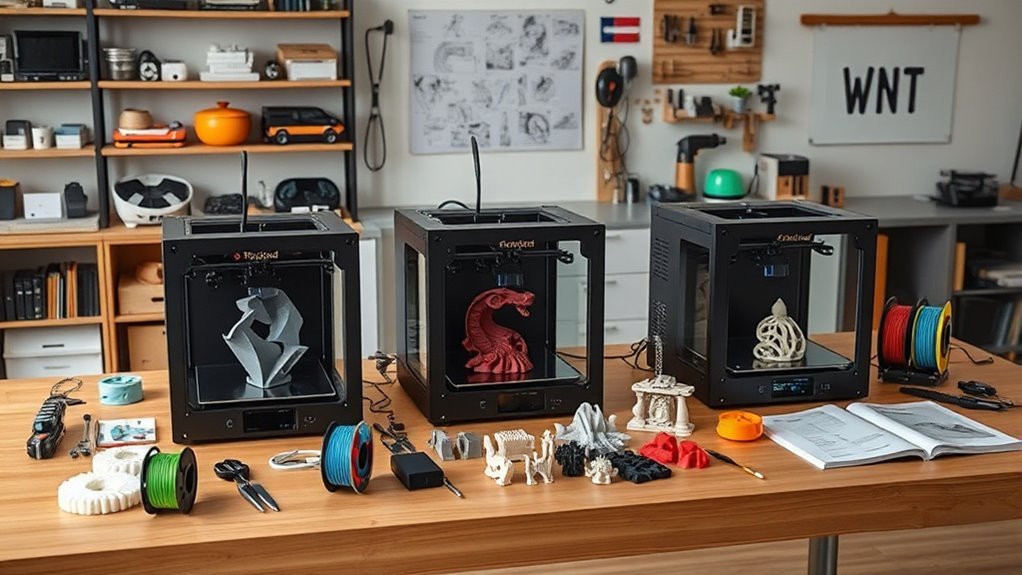
When choosing a 3D DIY printer, you’ll want to focus on printing speed and acceleration to save time without sacrificing quality.
Also, consider the print volume capacity and material compatibility to match your project needs. It’s all about finding the right fit for what you want to create.
Don’t forget to evaluate ease of assembly and software options for a smoother setup and seamless connectivity. These can make a big difference in your overall experience.
Printing Speed and Acceleration
Consider how printing speed and acceleration directly impact your 3D DIY printer’s performance and output quality. Maximum print speed, measured in mm/s, dictates how fast the nozzle moves. While higher speeds can cut print times, they risk surface imperfections if your printer’s motion control and extrusion settings aren’t up to par.
Acceleration controls how quickly your printer reaches these speeds. Higher acceleration shortens print time on short moves but can cause vibrations and ringing unless your frame and belts are solid.
Look for printers with coordinated speed, acceleration, and jerk limits, plus input-shaping features that reduce artifacts at high speeds. Keep in mind, faster speeds demand stronger extrusion and cooling systems.
Balance your need for speed with mechanical durability and maintenance to guarantee consistent, quality prints. It’s all about finding that sweet spot between speed and reliability.
Print Volume Capacity
Although print volume capacity might seem straightforward, it plays an essential role in determining what you can create with your 3D DIY printer. You should match the printer’s maximum build volume (X × Y × Z) to your largest single part, adding a safety margin to avoid splitting models.
Larger volumes let you batch print or build bigger prototypes, but they increase enclosure size, warm-up time, and risk warping from thermal gradients. Keep in mind that advertised volume may be reduced by toolhead clearance or bed mounts, so check the usable build space.
High-volume printers need stiffer frames and precise motion tuning to keep accuracy across the bed. If you print both large and small parts, aim for a mid-to-large volume with reliable bed leveling and even heating to minimize seams and alignment issues.
Material Compatibility Range
Since different projects demand various materials, you’ll want to make certain your 3D DIY printer handles the full range you plan to use. Check the maximum nozzle and hotend temperature—printers reaching ≥400°C let you print advanced materials like Nylon and high-temp engineering plastics, while ≤300°C suits PLA and PETG.
Confirm if the printer has a heated build chamber and bed (up to ~120°C and ~80°C respectively) to reduce warping with ABS or PA. Look for extruder types: direct-drive or geared direct works best for flexible filaments like TPU, while high-torque setups handle abrasive or stiff filaments reliably.
Also, make sure compatibility with multi-material workflows, soluble supports, and hardened steel nozzles to avoid wear from carbon or glass-filled filaments. It’s all about matching your printer’s features with the materials you want to use, so you get the best results without headaches.
Ease of Assembly
When choosing a 3D DIY printer, you’ll want to evaluate how much time and effort the assembly will take. Decide if you prefer a fully assembled, partially assembled, or full DIY kit—full kits typically require 15–20 hours, while partial or preassembled units can be ready in under an hour.
Look for clear, step-by-step guides with photos or videos, labeled parts, and 1:1 hardware templates to avoid mistakes. Kits with solder-free, prewired harnesses simplify wiring and reduce damage risks.
Check if components like linear rails or extruders come pre-calibrated and if automatic leveling is included to cut post-build tuning. Also, make sure spare parts are easy to find and that there’s strong community or manufacturer support to help you troubleshoot and get printing faster.
Software and Connectivity
After assembling your 3D DIY printer, you’ll want to make sure its software and connectivity features match your workflow and security needs. Check that the firmware supports popular slicers like Cura or PrusaSlicer, or at least exports standard G-code for flexibility.
If you value privacy or offline use, prioritize printers with local processing via USB, SD card, or local network, avoiding cloud dependencies. Reliable Wi-Fi (2.4/5 GHz), Ethernet, and USB-C connections are essential, along with stable reconnection and resume-after-disconnect functions to prevent failed prints.
Look for over-the-air firmware updates, clear changelogs, and active community or vendor support to keep your printer secure and functional. And finally, make certain remote monitoring and control options come with proper authentication and encryption to protect your network access.
Reliability and Maintenance
Although choosing a 3D DIY printer involves many factors, reliability and ease of maintenance should top your list. Check the mean time between failures (MTBF) or user-reported uptime—aim for machines that last thousands of hours before needing major service.
Choose printers with modular, easily replaceable parts like hotends, nozzles, belts, and bearings to cut downtime. Automatic calibration features such as auto bed leveling and auto Z-offset reduce manual adjustments and boost first-layer success.
Make certain consumables and spare parts are readily available, and documentation is clear with service guides and community support to speed repairs. Built-in diagnostics and remote monitoring tools help you catch errors early, avoiding print failures that waste time and filament.
Prioritizing these aspects guarantees smooth, hassle-free printing. It just makes the whole experience way more enjoyable and less frustrating.
Frequently Asked Questions
How Do I Maintain and Clean My 3D DIY Printer?
You should regularly clean the nozzle, bed, and extruder using isopropyl alcohol. It helps keep everything running smoothly and prevents clogs.
Don’t forget to lubricate moving parts and tighten any loose screws. This keeps your printer in top shape and avoids unexpected issues.
Also, make sure to update your firmware when new versions are available. It can improve performance and add new features.
Keep your printer dust-free by covering it or storing it properly. Running calibration tests regularly is a great way to guarantee consistent print quality.
What Safety Precautions Should I Take When Using a 3D Printer?
You’ll want to embrace careful vigilance by wearing gloves and goggles, ensuring proper ventilation, and keeping kids or pets at bay.
Don’t forget to unplug your printer when not in use to avoid any unexpected surprises. Safety first, right?
Can I Use Third-Party Filaments With These 3D Printers?
Yes, you can use third-party filaments with these printers, but make sure they’re compatible with your model. Always check temperature settings and material specifications to avoid jams or damage.
This way, you’ll ensure smooth printing and great results every time. It’s a simple step that really makes a difference!
How Do I Troubleshoot Common Printing Errors?
When your print warps, first check bed leveling and temperature settings. For example, Jamie adjusted her bed level and raised the nozzle temperature slightly, which fixed her peeling corners quickly.
Keep tweaking until your print sticks perfectly. It might take a few tries, but you’ll get there!
What Software Is Compatible With These 3D DIY Printers?
You can use popular slicing software like Cura, PrusaSlicer, and Simplify3D with these printers. They’re compatible, user-friendly, and offer customizable settings to optimize your prints.
You’ll also find OctoPrint useful for remote management. It makes controlling your printer from a distance super convenient. Give it a try!
Conclusion
Now that you’ve seen these top 3D DIY printers, the real question is—what will *you* create? Each printer here offers unique strengths, but the choice you make could unleash innovations you haven’t even imagined yet.
Don’t rush—dig deeper, weigh what matters most, and prepare for a journey where your ideas take shape layer by layer. Your perfect 3D printer is waiting; all that’s left is for you to bring it to life.
Choosing the right 3D DIY printer can transform your creative projects. Whether you’re into detailed prototypes, functional parts, or artistic models, the right printer helps bring your vision to reality. So take your time exploring features, ease of use, and materials compatibility. After all, the best 3D DIY printer isn’t just a tool—it’s your gateway to innovation and endless possibilities.