12 Best Chromebook Compatible Printers for 2027
For 2027, you’ll find top Chromebook-compatible printers like the HP DeskJet 2923 and Canon PIXMA TS3720 that offer reliable wireless all-in-one features with easy app connectivity.
These printers are designed to work seamlessly with your Chromebook, making printing hassle-free. Whether you need quick document prints or vibrant photos, these models have got you covered.
Options like the Canon TS5320 and MegaTank G3270 deliver vibrant prints and eco-friendly designs. They combine quality output with cost-effective ink solutions, so you don’t have to worry about frequent cartridge replacements.
Whether you want compact, stylish models or high-capacity ink tanks, these printers suit various needs.
If you want to explore more about features and performance that match your workflow, keep going to discover what fits best.
| Image | Name | Editor's Rating | Price |
|---|---|---|---|

|
|
||
|
|
||

|
|
||

|
|
||

|
|
HP DeskJet 2923 Color Inkjet Printer | Wireless | All-in-One
- Perfect for basic printing needs – Print everyday color documents like to-do lists, letters, financial documents and recipes
- KEY FEATURES – Color print, copy, scan, and a 60-sheet input tray, plus mobile and wireless printing
- OPTIMIZE PRINT FORMATTING WITH HP AI – Print web pages and emails with precision—no wasted pages or awkward layouts; HP AI easily removes unwanted content, so your...
- ICON LCD – Print your basic documents with ease from the intuitive control panel
- PRINT SPEED – Up to 7.5 ppm black, 5.5 ppm color

Discover the convenience of the HP DeskJet 2923 Color Inkjet Printer, designed to simplify your home printing needs. This compact all-in-one device prints, scans, and copies vibrant color documents without taking up much space. At just 7.6 pounds, it fits easily on your desk or shelf, making it ideal for small home offices.
Connecting to your Chromebook or mobile devices is straightforward with dual-band Wi-Fi and support for HP App, Apple AirPrint, and Mopria. This seamless wireless setup eliminates the hassle of cables and allows printing from anywhere within your home. It supports various media types, including envelopes, giving you versatile printing options.
Maintenance is simple with this eco-friendly printer, built with at least 70% recycled plastics and ENERGY STAR certification. Its moderate print speeds of up to 7.5 ppm in black suit everyday tasks, though larger print jobs may require patience due to the 60-sheet input tray and a maximum of nine copies per run.
Best for: Individuals seeking a compact, eco-friendly all-in-one printer with wireless connectivity ideal for home use and Chromebook compatibility.
What We Like:
- Lightweight, compact design fits small spaces easily
- Dual-band Wi-Fi and multiple mobile printing options
- Environmentally conscious build with recycled plastics
- Supports a variety of media including envelopes
Specification:
| Feature | Details |
|---|---|
| Manufacturer | HP |
| Dimensions | Compact size (exact not provided) |
| Weight | 7.6 lb (3.45 kg) |
| Connectivity | Dual-band Wi-Fi, HP App, Apple AirPrint, Mopria |
| Print Speed | Up to 7.5 ppm (black) |
Canon PIXMA TS3720 Wireless All-in-One Printer
No products found.
The Canon PIXMA TS3720 is designed to streamline your home printing tasks with wireless convenience. It connects effortlessly to Chromebooks and mobile devices, solving the hassle of tangled cables and limited connectivity. The all-in-one design lets you print, copy, and scan without switching devices, saving time and space.
Its dual-band Wi-Fi ensures a stable connection, so your documents and photos print reliably every time. The Canon PRINT app and AirPrint support make it easy to send jobs directly from your Chromebook or smartphone. Handling various media types, including borderless photos up to 5” x 7”, it meets diverse creative and everyday needs.
Maintenance is straightforward with just two ink cartridges, simplifying replacements and keeping costs manageable. The compact footprint fits neatly in any room, while the 1.5” LCD offers basic navigation to manage tasks quickly. Although it has a modest print speed and a smaller paper tray, it balances functionality with ease of use for typical home environments.
Best for: Home users needing a compact, user-friendly wireless all-in-one printer compatible with Chromebooks and mobile devices.
What We Like:
- Reliable dual-band Wi-Fi with Canon PRINT app and AirPrint support
- Versatile media handling including borderless photos
- Easy, cost-effective ink replacement with two cartridges
- Compact design ideal for limited spaces
Specification:
| Feature | Details |
|---|---|
| Manufacturer | Canon |
| Dimensions | 14.5 x 11.7 x 5.2 inches |
| Weight | 8.1 lbs (3.7 kg) |
| Color Options | Black |
| Ink System | Two-cartridge ink system |
Canon Pixma MG3620 Wireless All-in-One Printer
- Wireless 3-in-1 (print | copy | scan)
- Easily print and scan photos and documents directly from your mobile devices.
- 9.9 / 5.7 ipm print speed
- 100 sheet capacity
- Auto 2-sided printing
The Canon Pixma MG3620 delivers a compact and efficient printing solution for users who need wireless convenience without sacrificing quality. Its all-in-one design handles printing, copying, and scanning, simplifying everyday tasks in small home offices or personal spaces. With automatic duplex printing, it doubles productivity by printing on both sides of the paper, saving time and reducing waste.
Connecting to your devices is straightforward, thanks to support for AirPrint and Google Cloud Print. This makes it easy to print directly from smartphones, tablets, or Chromebooks without complicated setups. The printer’s sleek, space-saving design fits neatly on any desk, while its moderate 100-sheet paper capacity suits regular, light to moderate use.
Maintenance is hassle-free with this model. The inkjet technology provides sharp color prints at 4800 x 1200 dpi and crisp black-and-white prints at 600 x 600 dpi. Although the print speed is modest, it balances quality and efficiency for everyday documents and photos.
Best for: users seeking a compact, wireless all-in-one printer that offers easy mobile connectivity and automatic duplex printing for home or small office use.
What We Like:
- Automatic duplex printing saves paper and time
- Sharp color output with high print resolution
- Easy wireless printing via AirPrint and Google Cloud Print
- Compact design fits small spaces comfortably
Specification:
| Feature | Details |
|---|---|
| Manufacturer | Canon |
| Dimensions (W x D x H) | 17.7 x 12.7 x 5.9 inches |
| Weight | 8.6 lbs |
| Print Technology | Inkjet |
| Color Print Resolution | 4800 x 1200 dpi |
| Black Print Resolution | 600 x 600 dpi |
| Print Speed (Black & White) | Up to 9.9 ppm |
| Paper Capacity | 100 sheets |
| Wireless Connectivity | AirPrint, Google Cloud Print |
Canon PIXMA TS6520 Wireless Color Inkjet Printer, 1.42″ OLED Display, White
- Affordable Versatility - A budget-friendly all-in-one printer perfect for both home users and hybrid workers, offering exceptional value
- Crisp, Vibrant Prints - Experience impressive print quality for both documents and photos, thanks to its 2-cartridge hybrid ink system that delivers sharp text and vivid...
- Effortless Setup & Use - Get started quickly with easy setup for your smartphone or computer, so you can print, scan, and copy without delay
- Reliable Wireless Connectivity - Enjoy stable and consistent connections with dual-band Wi-Fi (2.4GHz or 5GHz), ensuring smooth printing from anywhere in your home or...
- Scan & Copy Handling - Utilize the device’s integrated scanner for efficient scanning and copying operations
Experience hassle-free printing with the Canon PIXMA TS6520, designed to simplify everyday tasks for families and students. Its compact, stylish design fits neatly into any space, while the vibrant color printing brings documents and photos to life. Managing your print jobs is easy with the clear 1.42” OLED display, which provides real-time updates on ink levels and printer status.
This versatile all-in-one printer handles printing, scanning, and copying, making it ideal for home or school use. The hybrid ink system ensures crisp text and vivid photo quality, reducing the need for frequent cartridge changes. Dual-band Wi-Fi allows seamless wireless connections from smartphones, tablets, and Chromebooks, so you can print from virtually anywhere.
Maintenance is straightforward, with the auto-duplex feature saving paper by printing on both sides automatically. While print speeds reach up to 14 pages per minute in black and white, this printer is best suited for moderate usage rather than high-volume tasks. It supports standard letter-size media but does not accommodate larger formats.
Overall, the Canon PIXMA TS6520 offers a balanced mix of functionality and convenience for daily printing needs, with easy setup and operation making it a reliable choice for users requiring quality prints without complex features.
Best for: Families and students seeking a compact, user-friendly all-in-one printer with wireless color printing capabilities.
What We Like:
- Compact design with an intuitive 1.42” OLED display for easy monitoring
- Dual-band Wi-Fi enables flexible wireless printing from multiple devices
- Hybrid ink system and auto-duplex printing enhance print quality and efficiency
- Handles printing, scanning, and copying in a single device
Specification:
| Feature | Details |
|---|---|
| Manufacturer | Canon |
| Dimensions (W×D×H) | Approx. 14.7 × 11.7 × 5.6 inches |
| Weight | Approx. 13.7 lbs (6.2 kg) |
| Color Options | White |
| Display | 1.42-inch OLED |
| Connectivity | Dual-band Wi-Fi, USB |
| Media Size | Up to 8.5” x 11” (letter size) |
Canon PIXMA TS4320 – Wireless Color Inkjet Printer with Print, Copy, Scan
- Affordable Versatility - A budget-friendly all-in-one printer perfect for both home users and hybrid workers, offering exceptional value
- Crisp, Vibrant Prints - Experience impressive print quality for both documents and photos, thanks to its 2-cartridge hybrid ink system that delivers sharp text and vivid...
- Effortless Setup & Use - Get started quickly with easy setup for your smartphone or computer, so you can print, scan, and copy without delay
- Reliable Wireless Connectivity - Enjoy stable and consistent connections with dual-band Wi-Fi (2.4GHz or 5GHz), ensuring smooth printing from anywhere in your home or...
- Scan & Copy Handling - Utilize the device’s integrated scanner for efficient scanning and copying operations
Discover a compact and stylish printing solution designed to fit effortlessly into your workspace. The Canon PIXMA TS4320 wireless printer combines printing, copying, and scanning in one device. It delivers sharp prints with a resolution of up to 1200 x 1200 dpi, ensuring your documents and photos look crisp and clear.
This printer simplifies your workflow with dual-band Wi-Fi, enabling smooth wireless setup through the Canon PRINT App, Apple AirPrint, or Mopria. Its auto-duplex printing feature helps reduce paper waste by printing on both sides automatically. Maintenance is straightforward thanks to its efficient 2-cartridge hybrid ink system, making ink replacement quick and hassle-free.
Built with a 100-sheet capacity, the PIXMA TS4320 supports various media types, accommodating everyday printing needs such as homework, recipes, and basic photo printing. The integrated flatbed scanner provides 600 dpi scans and copies, making it ideal for digitizing documents or copying important pages.
While the printer offers solid functionality, it has a modest print speed of 9 color pages per minute and lacks an advanced display screen. Its output tray capacity may require frequent refills during heavy use.
Best for: users seeking a compact, wireless color inkjet printer for everyday home and office tasks with simple maintenance.
What We Like:
- Sharp print quality up to 1200 x 1200 dpi with a hybrid 2-cartridge ink system
- Dual-band Wi-Fi and mobile printing options for easy wireless setup
- Auto-duplex printing to save paper and support for multiple media types
- Integrated flatbed scanner with 600 dpi resolution for versatile copying and scanning
Specification:
| Feature | Details |
|---|---|
| Manufacturer | Canon |
| Dimensions | 14.7 x 12.8 x 5.2 in (37.3 x 32.5 x 13.2 cm) |
| Weight | 11.6 lb (5.27 kg) |
| Ink System | 2-cartridge hybrid ink system |
| Print Resolution | Up to 1200 x 1200 dpi |
| Scan Resolution | Up to 600 dpi |
| Connectivity | Dual-band Wi-Fi, Canon PRINT App, Apple AirPrint, Mopria |
| Paper Capacity | 100 sheets |
Brother Work Smart 1360 Wireless Color Inkjet All-in-One Print, Scan, Copy
- AFFORDABLE ALL-IN-ONE FOR HOME AND HOME OFFICE: Print, copy, and scan on one compact wireless printer designed for everyday home office printing, schoolwork, documents...
- EASY TO USE WITH CLOUD APP CONNECTIONS: Print from and scan to popular Cloud apps(2), including Google Drive, Dropbox, Box, OneDrive, and more from the simple-to-use...
- FULL-SIZE FEATURES IN A COMPACT DESIGN: This printer includes automatic duplex (2-sided) printing, a 20-sheet single-sided Automatic Document Feeder (ADF)(3), and a...
- MULTIPLE CONNECTION OPTIONS: Connect your way. Interface with your printer on your wireless network or via USB.
- MOBILE PRINTING MADE EASY: Go mobile with the Brother Mobile Connect app(5) that delivers easy onscreen menu navigation for printing, copying, scanning, and device...
The Brother Work Smart 1360 is designed to simplify home and small office printing tasks. Its wireless color printing, scanning, and copying capabilities help you manage documents without the hassle of cables. The compact design fits easily into tight spaces, making it ideal for busy work areas.
This printer tackles everyday document needs efficiently with automatic duplex printing and a 20-sheet automatic document feeder. You can print up to 16 black or 9 color pages per minute, balancing speed and quality. The 150-sheet paper tray supports moderate print volumes, but frequent refills may be necessary for heavier use.
Maintenance is straightforward with genuine Brother LC501 ink cartridges that deliver sharp, vibrant prints while minimizing mess. Connectivity options like Wi-Fi Direct, AirPrint, Mopria, and the Brother Mobile Connect app ensure seamless integration with various devices, including Chromebooks.
A small 1.8-inch color display provides basic navigation and settings adjustments. Energy Star certification means this all-in-one printer runs efficiently, helping reduce environmental impact.
Best for: Home users and small home offices needing a reliable, compact wireless printer for color printing, scanning, and copying.
What We Like:
- Efficient document handling with automatic duplex and 20-sheet ADF
- Versatile wireless connectivity including Wi-Fi Direct and mobile app support
- Genuine Brother ink ensures quality and easy maintenance
- Compact design fits well in limited spaces
- Energy Star certified for eco-friendly operation
Specification:
| Feature | Details |
|---|---|
| Manufacturer | Brother |
| Dimensions | Compact size (exact size not specified) |
| Weight | Not specified |
| Paper Capacity | 150 sheets |
| Print Speed | 16 ppm black, 9 ppm color |
| Display | 1.8-inch color screen |
| Connectivity | Wi-Fi Direct, AirPrint, Mopria, Mobile app |
| Ink Cartridge | Genuine Brother LC501 |
| Energy Certification | Energy Star certified |
HP Envy 6155 Wireless All-in-One Printer (C2WR7A)

- FROM AMERICA'S MOST TRUSTED PRINTER BRAND – The Envy 6155 is perfect for homes printing everyday high-quality color documents like homework and borderless photos. Print...
- 3 MONTH TRIAL OF INSTANT INK – Subscribe to the Instant Ink delivery service to get ink delivered directly to your door before you run out, and you save up to 50% on...
- KEY FEATURES – Color print, copy and scan, plus auto 2-sided printing and a 100-sheet input tray
- HP'S MOST INTUITIVE COLOR TOUCHSCREEN – Smoothly navigate your printer with the easy-to-use 2.4" touchscreen
- WIRELESS PRINTING – Stay connected with our most reliable dual-band Wi-Fi, which automatically detects and resolves connection issues
Experience seamless wireless printing with the HP Envy 6155 Wireless All-in-One Printer, designed to make your home or small office tasks easier. This versatile inkjet printer combines printing, scanning, and copying, helping you handle everyday documents efficiently. Duplex printing lets you create double-sided pages, saving both time and paper.
The Envy 6155 offers clear, sharp prints with resolutions up to 4800 x 1200 dpi. Print speeds reach up to 10 ppm in black and 7 ppm in color, suitable for moderate workloads. Its reliable dual-band Wi-Fi ensures stable connections, while the 2.4-inch touchscreen makes navigation straightforward and intuitive.
Maintenance is simple with the use of original HP cartridges, ensuring consistent quality, though this might increase running costs. The printer supports various paper sizes and works smoothly with smartphones through the HP app, enhancing mobile printing convenience. Its eco-friendly design uses 60% recycled plastic, reflecting a commitment to sustainability.
Best for: individuals and small home offices needing a reliable, easy-to-use wireless all-in-one printer with mobile support and eco-conscious features.
What We Like:
- Duplex printing with high-resolution output
- Stable dual-band Wi-Fi and a user-friendly touchscreen
- Compatible with smartphone printing via the HP app
- Eco-friendly build with 60% recycled plastic
Specification:
| Feature | Details |
|---|---|
| Manufacturer | HP |
| Model | Envy 6155 (C2WR7A) |
| Dimensions (W×D×H) | 17.2 × 14.5 × 5.8 inches |
| Weight | Approx. 13.3 lbs (6.03 kg) |
| Connectivity | Dual-band Wi-Fi, USB |
| Display | 2.4-inch color touchscreen |
| Paper Input | 100 sheets |
| Printing Speed | Up to 10 ppm (black), 7 ppm (color) |
| Print Resolution | Up to 4800 x 1200 dpi |
| Material | 60% recycled plastic |
HP OfficeJet 200 Inkjet Mobile Printer | Wireless |Battery Included

- "BUSINESS PRINTING—VIRTUALLY ANYWHERE - Use your laptop, tablet, or smartphone to print on the go, without having to connect to a network"
- "EASY PORTABLE PRINTING WHEREVER YOU NEED IT - Print business documents anytime, anywhere, with a compact, portable printer that fits into your car, backpack, or...
- HP APP - Print and scan right from your smartphone with the easiest-to-use print app
- "EASY SETUP AND PRINTING FROM MOBILE DEVICES - HP Auto Wireless Connect allows for easy setup right out of the box so you can print from your laptop or mobile devices...
- "POWER UP, FAST - Charge within 90 minutes while the printer is turned off, with HP Fast Charge; simply plug in your AC power source at home, in the car, or in the...
Professionals who need reliable printing on the go will find the HP OfficeJet 200 Inkjet Mobile Printer an ideal companion. Its lightweight design, weighing just 4.9 pounds, makes it easy to carry in backpacks or briefcases. This printer helps you stay productive by delivering sharp color and black-and-white prints wherever you are.
The device supports wireless printing and works seamlessly with the HP Smart app, allowing you to print directly from smartphones, tablets, or Chromebooks. Its fast battery charging feature fully recharges the included battery in just 90 minutes using HP Fast Charge, minimizing downtime between tasks.
With print speeds of up to 7 pages per minute for color and 10 pages per minute for black-and-white, it balances portability with efficient performance. The printer’s maximum resolution of 600 x 600 dpi ensures clear document printing, though it may not satisfy high-detail photo needs.
Maintenance is straightforward thanks to its compact size and ENERGY STAR certification, which supports energy-efficient operation. Its small 2-inch control panel keeps the interface simple, though it may limit direct printer control options.
Best for: On-the-go professionals who need a lightweight, portable printer with quick battery recharge and wireless capabilities for clear color and monochrome documents.
What We Like:
- Lightweight and compact for easy portability
- Fast 90-minute battery recharge with HP Fast Charge
- Wireless printing via HP Smart app from multiple devices
- Energy-efficient with ENERGY STAR certification
Specification:
| Feature | Details |
|---|---|
| Manufacturer | HP |
| Weight | 4.9 lb (2.22 kg) |
| Dimensions | Not specified |
| Print Resolution | Up to 600 x 600 dpi |
| Print Speed | 7 ppm (color), 10 ppm (B&W) |
| Battery Charge Time | 90 minutes (Fast Charge) |
| Connectivity | Wireless, HP Smart app |
| Control Panel Size | 2-inch |
Canon PIXMA TR4520 Wireless All-in-One Printer

- With wireless connect and the Canon Print app, use your smartphone to quickly and easily set up your printer and print right from your smartphone or tablet
- With features like AirPrint, Mopria Print Service, auto power On/Off, a built in ADF, and Wi-Fi it's easy to see why Pixma printers are so simple to use
- Connectivity technology: USB. Printer technology: Inkjet. Mobile Operating Systems- iOS, Android, Windows 10 Mobile, and Fire OS (Amazon Fire) devices
- Save 10 percentage on all ink reorders with Dash Replenishment; Upon activation your printer measures ink levels and places smart reorders when you are running low; No...
- WORKS WITH ALEXA: Ask Alexa to print your shopping list, to-do list, crosswords, coloring pages, and more; To set up, say “Alexa, discover my printer;” Alexa can also...
The Canon PIXMA TR4520 is a compact, wireless all-in-one printer designed to simplify your home office tasks. It handles printing, scanning, and faxing with ease, making it a versatile tool for busy users. Its wireless connectivity through Wi-Fi and USB lets you work without hassle or clutter.
This printer supports mobile printing from iOS, Android, and Windows devices using the Canon Print app. Voice control via Amazon Alexa adds hands-free convenience, improving your workflow. The PIXMA TR4520 delivers sharp prints at a high resolution of 4800 x 1200 dpi, ensuring professional-quality documents and photos.
Maintenance is straightforward with features like auto duplex printing and a built-in document feeder that streamline multi-page jobs. Energy-saving functions keep running costs low, though the small output tray holds only 3 sheets, which may require frequent clearing. The maximum media size is 8.5 x 14 inches, suitable for typical office tasks but limiting larger print formats.
Best for: Home office users seeking a compact wireless all-in-one printer with reliable print, scan, and fax functions.
What We Like:
- Wireless and mobile printing via Canon Print app with Alexa voice control
- High-resolution prints at 4800 x 1200 dpi for sharp images and text
- Auto duplex printing and automatic document feeder for efficiency
Specification:
| Feature | Details |
|---|---|
| Manufacturer | Canon |
| Dimensions (in) | Compact design (exact size not provided) |
| Weight | Not specified |
| Color Options | Standard black and white |
| Max Print Resolution | 4800 x 1200 dpi |
| Print Speed | 4.4 ppm (color), 8.8 ppm (black & white) |
| Max Media Size | 8.5 x 14 inches |
Canon TS5320 Wireless All-in-One Printer Black
- With a 1.44 inch OLED display & LED status bar easily navigate and view your printer status; The OLED display displays deep, accurate color and the LED status bar...
- The Pixma TS5320 has a compact & stylish design that fits your space and personality; Not only is it small, but it comes in 4 distinct colors; Black, white, green, and...
- Designed for ease of use and simple replacement, the Pixma TS5320 only needs 2 fine cartridges for great print quality; Enjoy sharp text documents and great looking...
- With Air Print, easily print from your iPhone, iPad, and Mac without additional apps; (4) Air Print allows you to wirelessly print photos and documents without the need...
The Canon TS5320 Wireless All-in-One Printer brings vibrant, high-quality printing to your home or office with effortless wireless connectivity. Its compact and stylish design fits neatly into any workspace, while the intuitive 1.44-inch OLED display makes navigation straightforward. This printer delivers sharp prints at 4800 x 1200 dpi, ensuring your documents and photos look professional.
Designed for versatility, it supports various media sizes including square formats and envelopes, making it easy to handle diverse printing tasks. Connectivity options such as Wi-Fi, Bluetooth, USB, and Ethernet ensure smooth setup and reliable performance with Chromebook devices. The Canon Print app further simplifies the printing process, reducing setup time and hassle.
Maintenance is streamlined with a two-cartridge hybrid ink system, which balances color and black ink usage efficiently. Amazon Dash Replenishment integration allows automatic ink ordering, minimizing downtime and keeping your printer ready when you need it. While print speeds are moderate—up to 6.8 pages per minute for color—the overall functionality meets everyday home and small office needs.
Best for: Chromebook users and home office professionals seeking a compact, stylish all-in-one printer with versatile connectivity and quality printing.
What We Like:
- Sharp print quality at 4800 x 1200 dpi for vibrant color and clear text
- Wide connectivity options including Wi-Fi, Bluetooth, USB, and Ethernet
- Easy maintenance with two-cartridge ink system and automatic ink replenishment
- Compact design that fits well in limited spaces
- Supports printing on various media sizes, including envelopes and square formats
Specification:
| Feature | Details |
|---|---|
| Manufacturer | Canon |
| Dimensions | Compact (exact size not provided) |
| Weight | Not specified |
| Color Options | Black |
| Print Resolution | 4800 x 1200 dpi |
| Print Speed | Up to 6.8 ppm (color), 13 ppm (black) |
| Display | 1.44-inch OLED |
| Connectivity | Wi-Fi, Bluetooth, USB, Ethernet |
Canon TS302 Wireless Inkjet Printer with Alexa

- With AIRPRINT , its easy to print right from your iPhone, iPad and Mac
- With AUTO POWER ON/OFF your printer will turn on when you need it and off when you don't!
- FINE HYBRID INK SYSTEM for detailed documents and photos
- Quickly refill paper with the dedicated REAR PAPER TRAY
The Canon TS302 Wireless Inkjet Printer with Alexa brings simple, voice-activated printing to your home or small office. It helps you print both color and black-and-white documents quickly, making daily tasks smoother. With a print resolution of 4800 x 1200 dpi, your photos and documents come out sharp and detailed every time.
This printer’s design keeps maintenance easy. It uses the FINE Hybrid Ink System and supports XL cartridges, so you spend less time replacing ink. Connecting is straightforward through Wi-Fi or USB, letting you print directly from your iOS device or manage tasks by asking Alexa.
Its compact size and lightweight build fit nicely in small spaces. The rear paper tray holds 60 sheets, suitable for moderate use. While it doesn’t offer multifunction features like fax or duplex printing, it focuses on delivering quality prints with convenient voice control.
This model is ideal if you want a user-friendly wireless printer that balances functionality with simplicity, especially if you value smart home integration and easy upkeep.
Best for: Users seeking a compact, voice-controlled printer for everyday color and black-and-white printing in home or small office settings.
What We Like:
- Alexa compatibility for hands-free printing convenience
- High print resolution (4800 x 1200 dpi) for clear, detailed output
- Supports XL cartridges to reduce ink replacement frequency
- Simple wireless and USB connectivity options
Specification:
| Feature | Details |
|---|---|
| Manufacturer | Canon |
| Dimensions | Compact, lightweight design |
| Weight | Lightweight |
| Print Resolution | 4800 x 1200 dpi |
| Print Speed | 4 ppm color, 7 ppm monochrome |
| Connectivity | Wi-Fi, USB |
| Paper Tray Capacity | 60 sheets (rear tray) |
Canon MegaTank G3270 All-in-One Wireless Color Printer

- Wireless Print/Copy/Scan
- Up to 2 years of ink included (2)
- Print up to 6,000 black & white / 7,700 color pages using a single set of inks! (1)
- Save up to $1,000 on ink (1)
- 1.35” Square LCD display
Experience hassle-free printing with the Canon MegaTank G3270, designed to meet your everyday needs with affordable ink refills and wireless convenience. This compact all-in-one printer easily handles printing, copying, and scanning tasks, making it a perfect fit for your home or small office workspace.
Its wireless and USB connectivity lets you print directly from smartphones, tablets, or Chromebooks. The printer delivers sharp, vibrant prints at a speed of up to 11 pages per minute in black and white, and 6 pages per minute in color, balancing quality with efficiency.
Maintenance is simple thanks to its high-capacity ink tanks that yield up to 6,000 black-and-white and 7,700 color pages. This reduces the hassle and cost of frequent ink replacements. The 100-sheet paper tray supports a variety of media, while the energy-efficient design helps keep power consumption low.
Though the print speed is moderate and the single paper tray may require refilling in busy environments, the Canon MegaTank G3270 offers reliable performance in a compact package.
Best for: users who need an affordable, high-capacity all-in-one printer with wireless features for home or small office use.
What We Like:
- High ink yield reduces refill frequency.
- Wireless and USB connectivity for versatile device support.
- Compact design saves space and conserves energy.
- Easy maintenance with refillable ink tanks.
Specification:
| Feature | Details |
|---|---|
| Manufacturer | Canon |
| Dimensions | Compact size (exact dimensions not provided) |
| Weight | Not specified |
| Color Options | Not specified |
| Connectivity | Wi-Fi, USB |
| Print Speed | Up to 11 ppm (B&W), 6 ppm (Color) |
| Ink Yield | 6,000 pages (B&W), 7,700 pages (Color) |
| Paper Tray | 100 sheets |
Factors to Consider When Choosing a Chromebook Compatible Printer
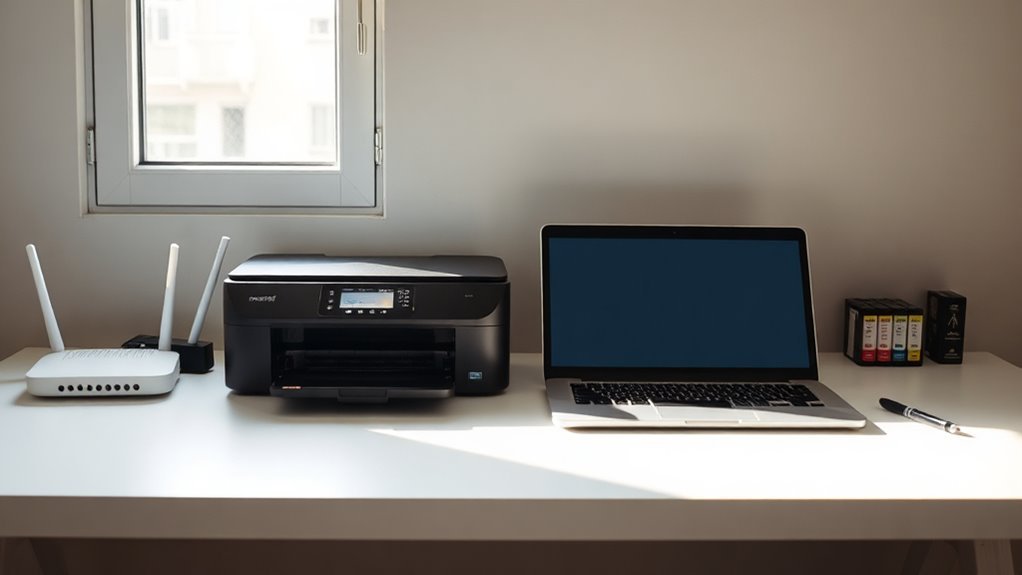
When choosing a Chromebook compatible printer, you’ll want to focus on wireless connectivity and mobile printing options for seamless use. These features make printing from your device much easier and hassle-free.
Consider print speed, quality, and how cost-effective the ink is. After all, you don’t want to spend a fortune on cartridges or wait ages for your documents.
Also, think about the printer’s size and portability to fit your space and needs. It’s all about finding the right balance between convenience and functionality.
Wireless Connectivity Options
Although many printers boast wireless capabilities, not all offer the connectivity options that work seamlessly with your Chromebook. To guarantee smooth performance, look for printers with dual-band Wi-Fi support, covering both 2.4GHz and 5GHz frequencies. This helps maintain a stable connection and faster data transfer.
Also, verify the printer’s compatibility with Chrome OS, as some models require specific drivers or settings optimized for Chromebooks. While wireless is convenient, having USB connectivity is a plus, since most Chromebooks have USB ports for reliable wired printing.
Additionally, printers with voice control features can enhance your experience by enabling hands-free commands. Prioritizing these wireless connectivity options will make your Chromebook printing hassle-free and efficient.
Mobile Printing Compatibility
Since mobile printing is a key feature for Chromebook users, choosing a printer that supports protocols like Google Cloud Print is essential. You’ll want a printer that works seamlessly with your Chromebook, so check for compatibility with popular mobile printing apps, including manufacturer-specific ones.
Wi-Fi Direct is another important feature, allowing you to connect directly to the printer without a router. This makes printing on the go easier and more convenient.
Also, look for support of AirPrint or Mopria Print Service, as these enable straightforward printing from various mobile devices, including Chromebooks.
Finally, review the printer’s user manual or specs to confirm Chromebook compatibility. This way, you won’t face complex setups or need extra software.
Prioritizing these features guarantees smooth mobile printing every time.
Print Speed and Quality
Choosing a printer with the right balance of speed and quality can make a big difference in your Chromebook printing experience. Look for models that offer fast print speeds—up to 16 pages per minute for black and white and around 9 for color—so you’re not waiting long for your documents.
The time it takes to print the first page matters too; some printers can start in as little as 6.8 seconds. For crisp text and vibrant photos, check the print resolution, aiming for higher dpi like 4800 x 1200.
Many printers also feature automatic duplex printing, saving paper while maintaining efficiency. To keep colors accurate and consistent over time, a hybrid ink system combining dye and pigment inks is a smart choice.
Ink Efficiency and Cost
One of the smartest ways to keep printing costs down on your Chromebook is to pick a printer with high-yield ink cartridges or a continuous ink supply system like MegaTank. These options let you print thousands of pages before needing a refill, cutting your cost per page considerably.
You should also consider printers that offer subscription services like Instant Ink. This service automatically sends ink when you’re running low, helping you save money and avoid interruptions.
Don’t overlook features like duplex printing, which reduces ink and paper use by printing on both sides of the page. Keep in mind that print speed and quality affect how much ink your printer uses, so find a balance that fits your needs without wasting resources.
Size and Portability
Beyond ink efficiency and cost, the size and portability of your printer can greatly impact your overall experience, especially if you have limited space or need to move it frequently.
Choose a compact printer, typically 6 to 8 inches tall and 12 to 18 inches wide, to fit neatly on desks or shelves without crowding your workspace. Lightweight models, weighing between 4 to 9 pounds, make it easier to transport your printer when needed.
Look for slim-profile designs that slip easily into bags or small spots. If you’re often on the go, consider portable printers with battery options, so you’re not tied to an outlet.
A smaller footprint maximizes your home office or shared space, letting you print comfortably wherever you work.
Warranty and Support
Consider the warranty and support offered when picking a Chromebook compatible printer, as these factors can save you time and money if issues arise.
Start by checking the warranty period—most printers offer a one-year limited warranty covering parts and labor, giving you peace of mind against defects. Next, evaluate the customer support options available during this period; responsive service through online chat, phone, or email can make troubleshooting much easier.
Don’t overlook manufacturers that provide extended warranty plans for extra protection beyond the standard coverage. Finally, research user reviews to see how effectively the brand handles warranty claims and support requests.
Frequently Asked Questions
Can I Print Directly From My Chromebook Without Internet?
Yes, you can print directly from your Chromebook without internet by connecting to a printer via USB or using Wi-Fi Direct.
Just make sure your printer supports these options, and you’ll print easily without needing an online connection.
It’s pretty straightforward once you have the right setup!
Are There Any Chromebook-Compatible Printers With Voice Assistant Integration?
You’ve got it! Some Chromebook-compatible printers now work with voice assistants like Google Assistant.
Just say “Hey Google, print my document,” and your printer will spring to life faster than a telegram in the digital age.
How Do I Troubleshoot Printer Connectivity Issues on a Chromebook?
You’ll want to restart both your Chromebook and printer, then check your Wi-Fi connection. Make sure the printer is added in your Chromebook settings.
Also, update your Chromebook’s OS to the latest version. After that, try using Google Cloud Print or the native printing options to fix any connectivity issues.
Do Chromebook Printers Support Duplex (Double-Sided) Printing?
Yes, many Chromebook-compatible printers support duplex printing. You’ll need to check your printer’s settings or app to enable double-sided printing. Also, make sure the printer has duplex hardware for automatic double-sided output.
If your printer doesn’t have that hardware, you might still be able to print double-sided manually. It just means you’ll flip the pages yourself. So, it’s worth checking what options your specific printer offers!
Can I Use Third-Party Ink Cartridges With Chromebook-Compatible Printers?
Oh sure, because who doesn’t want their printer to throw a tantrum? You can use third-party ink cartridges, but be ready for possible warnings, voided warranties, or quirky print quality.
Choose wisely, or pay the price!
Conclusion
Picture yourself effortlessly printing vibrant photos or crisp documents right from your Chromebook, no cords or hassle in sight. Choosing the right printer from this list means seamless wireless connection, sharp quality, and easy setup—all designed to keep your workflow smooth and stress-free.
Whether you’re crafting presentations or printing memories, these printers are ready to bring your ideas to life with just a click. Your perfect Chromebook printing partner awaits!
Finding the best Chromebook compatible printer doesn’t have to be complicated. With options that prioritize wireless functionality, ease of use, and outstanding print quality, you can focus on what matters most—your work and creativity. So go ahead, pick a printer that fits your needs and enjoy seamless printing from your Chromebook every time.