7 Best Cheapest Printers for Home Use in 2027
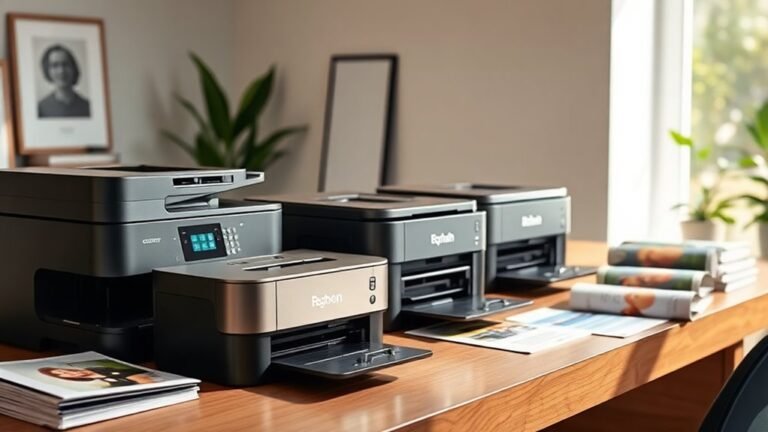
If you’re after the 7 best cheapest printers for home use in 2027, you’ll want to focus on compact, wireless options that fit seamlessly into your space.
Models like the HP DeskJet 2923 or Canon PIXMA TS3720 are great picks—they offer essential printing features without breaking the bank. These printers are perfect if you need something simple, reliable, and budget-friendly.
Looking for higher quality and extra features? Consider the HP Envy 6155 or Epson XP-4205. They deliver sharp prints and come with eco-friendly designs that save you money in the long run.
Balancing speed, connectivity, and ink costs is key to finding the right fit.
Take some time to explore how each printer matches your specific needs and budget—you’ll be surprised how much you can get without spending a fortune!
| Image | Name | Editor's Rating | Price |
|---|---|---|---|

|
|
||

|
|
||

|
|
||

|
|
||

|
|
HP DeskJet 2923 Color Inkjet Printer | Wireless | All-in-One
- Perfect for basic printing needs – Print everyday color documents like to-do lists, letters, financial documents and recipes
- KEY FEATURES – Color print, copy, scan, and a 60-sheet input tray, plus mobile and wireless printing
- OPTIMIZE PRINT FORMATTING WITH HP AI – Print web pages and emails with precision—no wasted pages or awkward layouts; HP AI easily removes unwanted content, so your...
- ICON LCD – Print your basic documents with ease from the intuitive control panel
- PRINT SPEED – Up to 7.5 ppm black, 5.5 ppm color

If you need a compact printer that handles printing, scanning, and copying without taking up much space, the HP DeskJet 2923 is a practical choice. Its lightweight design fits easily into small home offices or workspaces, helping you stay organized. The printer delivers sharp black text and vibrant color prints, especially on HP photo paper, making everyday documents and photos look professional.
Wireless connectivity options such as dual-band Wi-Fi and Apple AirPrint let you print directly from your smartphone or tablet. This simplifies your workflow and reduces cable clutter. The printer’s maintenance is straightforward, but keep in mind the 60-sheet input tray may need frequent refills when handling larger print jobs.
Designed for everyday home use, the HP DeskJet 2923 supports eco-conscious users with its ENERGY STAR certification and use of 70% recycled plastics. While the print speed is moderate and copy capacity limited to 9 pages per run, it balances functionality and environmental care in a compact package.
Best for: Home users wanting a reliable, space-saving all-in-one printer with wireless and mobile printing features.
What We Like:
- Compact and lightweight for small spaces
- Sharp black and vibrant color print quality
- Multiple wireless and mobile connectivity options
- Eco-friendly design with recycled plastics and ENERGY STAR certification
Specification:
| Feature | Details |
|---|---|
| Manufacturer | HP |
| Dimensions | Compact size (exact not provided) |
| Weight | 7.6 lb (3.45 kg) |
| Technology | Color Inkjet |
| Connectivity | Dual-band Wi-Fi, Apple AirPrint, HP App |
| Eco Features | 70% recycled plastics, ENERGY STAR certified |
Canon PIXMA TS4320 – Wireless Color Inkjet Printer with Print, Copy, Scan
- Affordable Versatility - A budget-friendly all-in-one printer perfect for both home users and hybrid workers, offering exceptional value
- Crisp, Vibrant Prints - Experience impressive print quality for both documents and photos, thanks to its 2-cartridge hybrid ink system that delivers sharp text and vivid...
- Effortless Setup & Use - Get started quickly with easy setup for your smartphone or computer, so you can print, scan, and copy without delay
- Reliable Wireless Connectivity - Enjoy stable and consistent connections with dual-band Wi-Fi (2.4GHz or 5GHz), ensuring smooth printing from anywhere in your home or...
- Scan & Copy Handling - Utilize the device’s integrated scanner for efficient scanning and copying operations
The Canon PIXMA TS4320 redefines home printing by combining wireless ease with versatile functionality. It effortlessly handles print, copy, and scan tasks, fitting seamlessly into your workspace with its compact design. This printer ensures sharp color and black-and-white prints at up to 1200 dpi, making your documents and photos stand out.
With automatic two-sided printing, it helps you save both paper and time. Setting up is simple thanks to dual-band Wi-Fi and mobile printing options like Apple AirPrint. The integrated flatbed scanner and copier cover everyday needs with reliable performance.
Maintenance is straightforward, with easy access to ink cartridges and minimal upkeep. While print speeds are moderate, the PIXMA TS4320 suits typical home or small office volumes. It supports standard media sizes up to 8.5 x 11 inches, which is perfect for most users but limits larger format printing.
This printer’s blend of functionality, convenience, and space-saving design makes it a practical choice for users seeking dependable wireless printing and scanning.
Best for: Home users and small offices needing a compact, wireless printer for everyday print, copy, and scan tasks.
What We Like:
- Compact and stylish design fits easily in various workspaces
- Automatic two-sided printing saves paper and time
- Dual-band Wi-Fi with multiple mobile printing options
- Integrated flatbed scanner and copier for versatile use
Specification:
| Feature | Details |
|---|---|
| Manufacturer | Canon |
| Dimensions | Compact (exact size not provided) |
| Weight | Not specified |
| Color Options | Not specified |
| Maximum Print Resolution | Up to 1200 dpi |
| Maximum Media Size | 8.5 x 11 inches |
| Connectivity | Dual-band Wi-Fi, Apple AirPrint |
HP DeskJet 4327 Color Inkjet Printer | Wireless | All-in-One
No products found.
The HP DeskJet 4327 is designed to simplify everyday printing tasks with its all-in-one functionality. This compact device handles printing, copying, and scanning, making it ideal for home or small office use. Its wireless capabilities let you print easily from your smartphone or tablet, reducing clutter and enhancing convenience.
Maintaining this printer is straightforward thanks to its 60-sheet input tray and a 35-sheet auto document feeder, which help manage multiple pages efficiently. The built-in AI optimizes print quality and ink use, ensuring consistent results while extending cartridge life. A 6-month trial of Instant Ink also helps prevent running out of ink unexpectedly.
The printer supports dual-band Wi-Fi and Apple AirPrint, offering versatile wireless options. With print speeds of up to 8.5 ppm in black and 5.5 ppm in color, it balances efficiency with quality for everyday documents. Its eco-friendly design incorporates 70% recycled plastics, appealing to environmentally conscious users.
While it’s not suited for high-volume or professional photo printing, this model excels as a reliable, easy-to-use all-in-one device. Its compact size and smart features make it a practical choice for those needing an efficient and responsible printing solution.
Best for: users seeking a compact, eco-friendly all-in-one printer with wireless connectivity and smart printing features for home or small office environments.
What We Like:
- Uses 70% recycled plastics with ENERGY STAR and EPEAT certification
- Combines print, copy, and scan with wireless mobile printing via HP app
- Efficient paper handling with input tray and auto document feeder
- Dual-band Wi-Fi and Apple AirPrint support for flexible connectivity
- AI-enhanced printing optimizes ink use and print quality
Specification:
| Feature | Details |
|---|---|
| Manufacturer | HP |
| Dimensions (W × D × H) | Approx. 16.7 × 12.1 × 6.2 in |
| Weight | Approx. 11.5 lb (5.2 kg) |
| Material | Plastic with 70% recycled content |
| Color Options | White with black accents |
Canon PIXMA TR4720 Wireless All-in-One Printer
- Wireless 4-in-1 (print | copy | scan | fax)..Power Consumption: 7W (0.8W Standby / 0.3W Off)
- Print speed up to: 4" x 6" Borderless Photo (PP-201): Approx. 65.0 Seconds / Black Document (Letter/Simplex): Approx. 8.8 ipm / Color Document (Letter/Simplex): Approx...
- Designed for easy ink cartridge installation and replacement.
- Auto 2-sided printing and auto document feeder.
- Produce quality documents, photos and boarderless prints up to 8.5" x 11".
The Canon PIXMA TR4720 is designed to simplify your home or small office printing needs with versatile all-in-one functionality. This compact device handles printing, scanning, copying, and faxing, helping you save space without sacrificing capability. Its wireless connectivity ensures you can print easily from your computer or mobile device, making everyday tasks more efficient.
With a sharp print resolution of up to 4800 x 1200 dpi, this printer delivers clear, detailed documents. Automatic duplex printing reduces paper waste and streamlines double-sided printing jobs. The 100-sheet paper tray cuts down on frequent refills, allowing you to focus on your work.
Maintenance is straightforward, especially with Alexa integration, which provides updates on ink levels and helps reorder supplies when needed. While color printing and photo output are slower, this model is well-suited for standard document tasks. Its maximum media size is limited to letter dimensions, so it’s ideal for typical office or home use rather than large-format printing.
Best for: Home users and small office environments needing an all-in-one wireless printer with versatile functions including printing, copying, scanning, and faxing.
What We Like:
- Compact design with automatic duplex printing and a 100-sheet paper tray
- High maximum print resolution (4800 x 1200 dpi) for sharp documents
- Wireless connectivity with mobile app support and Alexa integration
- Easy maintenance through smart ink monitoring and supply reordering
Specification:
| Feature | Details |
|---|---|
| Manufacturer | Canon |
| Dimensions | Compact (exact size not specified) |
| Weight | Not specified |
| Connectivity | Wi-Fi, USB |
| Print Resolution | Up to 4800 x 1200 dpi |
| Paper Tray Capacity | 100 sheets |
| Media Size | Up to 8.5 x 11 inches |
HP Envy 6155 Wireless All-in-One Inkjet Printer
- FROM AMERICA'S MOST TRUSTED PRINTER BRAND – The Envy 6155 is perfect for homes printing everyday high-quality color documents like homework and borderless photos. Print...
- 3 MONTH TRIAL OF INSTANT INK – Subscribe to the Instant Ink delivery service to get ink delivered directly to your door before you run out, and you save up to 50% on...
- KEY FEATURES – Color print, copy and scan, plus auto 2-sided printing and a 100-sheet input tray
- HP'S MOST INTUITIVE COLOR TOUCHSCREEN – Smoothly navigate your printer with the easy-to-use 2.4" touchscreen
- WIRELESS PRINTING – Stay connected with our most reliable dual-band Wi-Fi, which automatically detects and resolves connection issues
Experience hassle-free printing with the HP Envy 6155 Wireless All-in-One Inkjet Printer, designed to fit seamlessly into your home or small office. This versatile device combines printing, scanning, copying, and duplex printing to help you manage daily tasks efficiently. Its compact design saves space without sacrificing functionality.
Maintaining smooth operation is simple thanks to its dual-band Wi-Fi and mobile printing options via the HP app. The 2.4-inch color touchscreen offers intuitive controls, making navigation quick and straightforward. Using original HP cartridges ensures consistent quality but requires exclusive use of genuine supplies.
Ideal for moderate print volumes, the printer delivers reasonable speeds of up to 10 ppm for black and 7 ppm for color. Its eco-friendly construction features 60% recycled plastic, aligning with sustainable practices while offering reliable performance. The 100-sheet input tray suits typical home or office use but may need refilling during heavy tasks.
Best for: individuals or home office users seeking a compact, eco-conscious all-in-one printer with reliable wireless connectivity and easy touchscreen control.
What We Like:
- Supports printing, scanning, copying, and duplex printing
- Dual-band Wi-Fi and mobile printing via HP app
- Constructed with 60% recycled plastic for sustainability
Specification:
| Feature | Details |
|---|---|
| Manufacturer | HP |
| Dimensions | Approx. 17.2 x 14.3 x 5.9 in |
| Weight | Approx. 12.5 lb |
| Material | 60% recycled plastic |
| Color Options | White with black accents |
Canon PIXMA TS3720 Wireless All-in-One Printer
No products found.
The Canon PIXMA TS3720 offers a practical solution for those needing a compact, wireless printer that handles everyday tasks efficiently. It combines printing, copying, and scanning into one device, making it ideal for home use or small spaces. Its dual-band Wi-Fi provides stable connections, reducing frustration from network disruptions.
This all-in-one printer supports mobile printing through Canon PRINT, Apple AirPrint, and Mopria, allowing you to print directly from your smartphone or tablet. It manages various media types, including borderless photos up to 5″ x 7″, which adds versatility for creative projects and photo printing.
Maintenance is straightforward thanks to its two-cartridge ink system, designed to keep running costs manageable. The 60-sheet rear tray accommodates your paper needs but requires regular refilling for larger jobs. While the print speed is modest—7.7 ppm in black and 4 ppm in color—the device suits basic printing demands well.
The lightweight and compact design ensures it fits neatly into any home office or living space without taking up much room. A small 1.5” LCD screen provides basic navigation but may be less convenient for complex settings.
Best for: individuals looking for an affordable, wireless all-in-one printer that covers essential home printing, copying, and scanning needs.
What We Like:
- Stable dual-band Wi-Fi connectivity with mobile printing support
- Compact and lightweight for small spaces
- Cost-effective two-cartridge ink system
- Supports borderless photo printing up to 5” x 7”
Specification:
| Feature | Details |
|---|---|
| Manufacturer | Canon |
| Dimensions (W×D×H) | 14.5 × 11.7 × 5.1 inches |
| Weight | 7.5 lbs |
| Ink System | Two-cartridge ink system |
| Connectivity | Dual-band Wi-Fi |
| Media Sizes | Up to 5″ x 7″ borderless |
Epson Expression Home XP-4205 Wireless Color All-in-One Inkjet Printer
- Remarkable Print Quality for Home and Photo Printing — Epson’s leading-edge imaging technology produces crisp documents, vibrant borderless photos with rich colors...
- Stress-Free Setup and Operation — Large 2.4" color display for effortless navigation, plus easy installation and operation through your smartphone or tablet using the...
- Convenient Connectivity — Supports easy wireless connections and printing from Android or iOS devices (2)
- Engineered for Reliability — Consistently delivers high-quality prints with heat-free technology and a permanent printhead designed to last the life of the printer
- Easy, Affordable Printing — Individual ink cartridges make it easy to only replace the ink you need
Experience reliable wireless printing with the Epson Expression Home XP-4205, designed to bring vibrant color output into your home or small office. This all-in-one inkjet printer simplifies your daily tasks by handling printing, scanning, and copying smoothly. Its high print resolution ensures sharp, detailed images and documents every time.
The XP-4205 supports versatile wireless connectivity, allowing you to print directly from Android, iOS devices, or USB. Voice commands via Alexa and Siri add convenience, letting you control printing hands-free. Automatic duplex printing helps reduce paper waste, making it an eco-friendlier choice.
Maintenance is straightforward with individual ink cartridges, so you replace only the color that runs out. Its compact, lightweight design fits easily into tight spaces without clutter. While its print speed is modest and paper capacity limited, it remains a practical solution for those prioritizing quality over volume.
Best for: users needing an affordable, compact all-in-one printer with wireless functionality and high-quality color printing for home or small office use.
What We Like:
- Sharp, vibrant prints with up to 5760 x 1440 dpi resolution
- Wireless printing from multiple devices plus voice-activated commands
- Automatic duplex printing to save paper
- Individual ink cartridges reduce waste and cost
- Compact design fits small spaces with ease
Specification:
| Feature | Details |
|---|---|
| Manufacturer | Epson |
| Dimensions (W×D×H) | 13.2 × 9.6 × 5.7 inches |
| Weight | 8.1 lbs (3.7 kg) |
| Printer Type | Wireless Color All-in-One Inkjet |
| Maximum Resolution | 5760 x 1440 dpi |
| Paper Capacity | 100 sheets |
Factors to Consider When Choosing the Cheapest Printer for Home
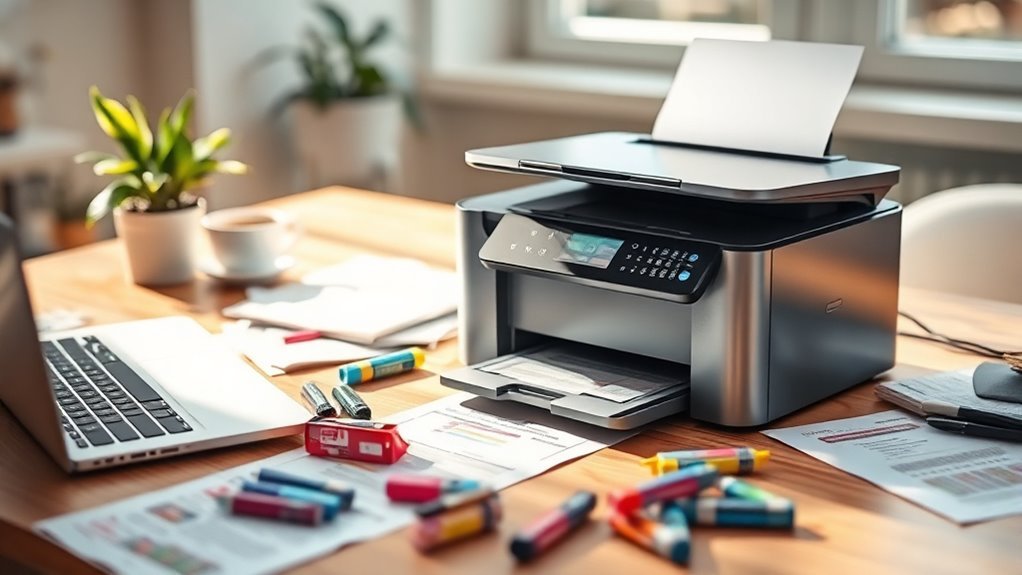
When picking the cheapest printer for your home, you’ll want to contemplate how fast it prints and what connectivity options it offers. Don’t forget to check the ink costs and whether the print quality meets your needs.
Also, think about the printer’s size to make sure it fits your space comfortably. It’s always better to measure your spot beforehand so you’re not surprised later.
Print Speed Importance
Although print speed might not be your top priority, it plays an essential role when choosing the cheapest printer for home use. Print speed, measured in pages per minute (ppm), directly affects how long you wait for your documents.
For home use, a black and white speed of 8-14 ppm is efficient, while color speeds usually range from 4-9 ppm. For instance, a 10 ppm printer can finish a 100-page document in just 10 minutes, saving you valuable time.
Keep in mind, print speed varies with document complexity—simple text prints faster than color images or graphics. If your household or home office involves multiple users, opting for a faster printer can keep everyone productive without frustrating delays.
Connectivity Options Availability
Print speed matters, but without reliable connectivity, even the fastest printer can slow you down. When choosing a cheap home printer, look for dual-band Wi-Fi support (2.4GHz and 5GHz) to keep your connection stable and fast, especially with multiple devices.
Make certain it supports mobile printing options like Apple AirPrint, Google Cloud Print, or the manufacturer’s app. That way, you can print directly from your smartphone or tablet without any hassle.
Don’t overlook USB connectivity—it’s a fail-safe for direct computer connections when wireless falters. Also, verify the printer’s compatibility with both Android and iOS devices to avoid headaches.
Finally, automatic wireless setup features simplify installation, letting you get started quickly without technical hassles. Prioritizing these connectivity options guarantees smooth, versatile printing at home.
Ink Cost Efficiency
Understanding ink cost efficiency is key to choosing the cheapest printer for home use, as ink expenses often surpass the initial price of the device.
You should look for printers with individual ink cartridges instead of tri-color ones, so you only replace the color that runs out. Pay attention to print yield—the number of pages each cartridge can produce—as higher yield cartridges save money by reducing replacements.
Some printers offer subscription services that automatically deliver ink, helping you avoid unexpected costs and outages. You can also extend cartridge life by printing in draft mode or using cost-effective settings.
Print Quality Standards
When choosing the cheapest printer for home use, you’ll want to evaluate how sharp and vibrant your documents and images will look. Print quality hinges on resolution, measured in dots per inch (dpi).
Higher dpi, like 4800 x 1200 for color, delivers finer detail, while black-and-white text usually prints well between 600 x 600 and 1200 x 1200 dpi. Consider the ink system, too: dye-based inks offer brighter colors, but pigment-based inks last longer.
Print speed, often around 10 ppm for black and 5 ppm for color, affects efficiency without sacrificing quality. Don’t overlook automatic duplex printing—it not only saves paper but guarantees consistent ink application on both sides.
That helps reduce smudges and enhances the overall appearance. Prioritize these factors to get the best print quality on a budget.
Device Size Considerations
Choosing the right printer size can make a big difference in your home workspace. Compact printers, typically 11 to 17 inches wide and 6 to 10 inches tall, fit easily on desks or shelves without crowding your area.
You’ll want something lightweight—around 7 to 15 pounds—so you can move it if needed, especially in shared or multi-use spaces. Think about where you’ll place the printer in relation to power outlets and cables; larger models might demand more room for cable management.
Also, consider opting for a model that combines a scanner and copier in one unit to save space and reduce clutter. By focusing on these size factors, you’ll keep your home office organized and functional without sacrificing convenience.
Frequently Asked Questions
How Do I Recycle Used Printer Cartridges Responsibly?
You can recycle used printer cartridges responsibly by returning them to manufacturer take-back programs, dropping them off at local recycling centers, or using mail-in recycling services.
Don’t toss them in the trash; it harms the environment. It’s pretty easy to do once you know where to take them.
Many manufacturers even offer incentives for recycling, so it’s worth checking their websites. Just a little effort can make a big difference!
Are Cheap Printers Compatible With Third-Party Ink Cartridges?
Yes, many cheap printers work with third-party ink cartridges, but you should check compatibility carefully.
Some brands may void warranties or produce lower quality prints when using non-original cartridges, so it’s a bit of a trade-off. Just something to keep in mind before you buy.
What Is the Average Lifespan of a Budget Home Printer?
You might be surprised, but budget home printers usually last around 3 to 5 years with regular use.
If you handle them carefully and maintain them well, they’ll keep printing without many issues longer than you expect.
Can These Printers Connect to Multiple Devices Simultaneously?
Yes, many budget printers let you connect multiple devices simultaneously via Wi-Fi or Bluetooth.
You’ll enjoy seamless printing from your phone, laptop, or tablet without constantly switching connections or cables.
It’s pretty handy, right? No need to fuss with reconnecting every time you want to print something new.
Do Budget Printers Support Mobile Printing Apps?
Yes, many budget printers support mobile printing apps, letting you print directly from your smartphone or tablet.
You’ll find popular apps like Apple AirPrint and Google Cloud Print compatible with most affordable models today.
It’s pretty convenient, right? Just a few taps, and your document is ready to go!
Conclusion
When choosing the cheapest printer for home use, remember that “you get what you pay for.” But that doesn’t mean you can’t find great value!
Look for wireless all-in-one models like the HP DeskJet or Canon PIXMA series for convenience and quality. Consider what features matter most—whether it’s scanning, copying, or photo printing—and pick a printer that fits your budget and needs.
With the right choice, you’ll enjoy hassle-free printing without breaking the bank. Finding the best cheapest printer for home use in 2027 means balancing price with features that suit your daily tasks. So take your time, compare options, and get a reliable printer that makes home printing easy and affordable.