4 Best Cheap Resin Printers for 2027
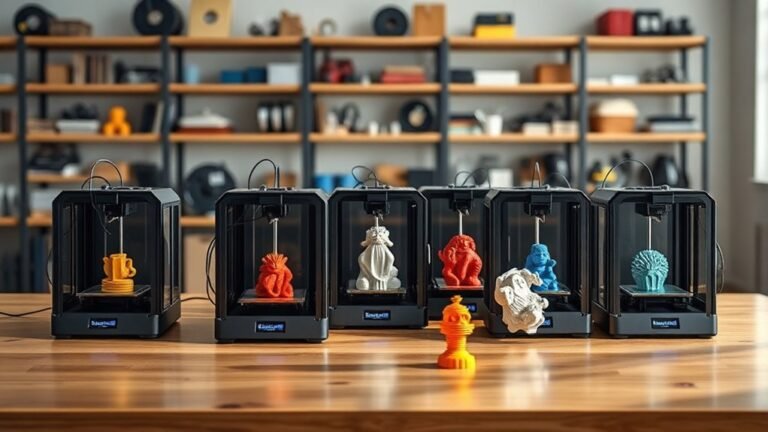
If you’re looking for the best cheap resin printers in 2027, you want something that delivers ultra-high resolution without breaking the bank. These printers excel in detail, speed, and ease of use, making them perfect for both beginners and pros. Whether it’s crisp, precise models or hassle-free setup, there’s a great option waiting for you.
If you want ultra-high resolution and minimal setup hassle, the ANYCUBIC Photon Mono 4 is a top pick. For reliable safety features and easy automatic leveling, try the ELEGOO Mars 5.
Need fast, precise, and automated printing? The Reflex RS Turbo’s industrial-grade Z-axis delivers that. The Creality HALOT-X1 Neo offers 9K clarity plus WiFi and cloud support for seamless workflow. Each excels in detail and speed—explore their full features to find your perfect fit.
| Image | Name | Editor's Rating | Price |
|---|---|---|---|

|
|
||
|
|
||

|
|
||

|
|
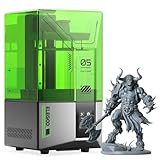
ANYCUBIC Photon Mono 4, Resin 3D Printer with 7” 10K Mono LCD Screen
- 【7'' 10K High Resolution】Photon Mono 4 boasts an impressive 105% increase in print precision compared to Mono 2. With a resolution of 9024x5120, each pixel measures a...
- 【Powerful Light Source】The time-tested Anycubic LighTurbo matrix light source technology delivers stable, balanced, and uniform lighting to reduce layer lines and...
- 【Sufficient Print Size】With a generous maximum build volume of 6.04'' x 3.42'' x 6.49''/153.4mm x 87mm x 165mm, you have ample print space to easily tackle your daily...
- 【Laser-engraved Print Platform 2.0】With a new design, the laser engraving platform of the photon mono 4 improves adhesion to mitigate lifting and warping of the model...
- 【User-friendly Function】The 4-point leveling method is ideal for beginners, after the first leveling and tightening the 4 screws, no need to repeat leveling. Photon...
The ANYCUBIC Photon Mono 4 resin printer offers a powerful solution for those needing high-resolution, detailed 3D prints without complexity. Its 7-inch 10K mono LCD screen delivers ultra-smooth surfaces, helping you achieve precision in every model. This printer reduces post-processing effort by producing finely detailed prints that stand out.
Maintenance is straightforward thanks to the 4-point leveling system, which you only need to set once. The laser-engraved platform enhances adhesion, minimizing warping and making print removal easier. This design saves time and frustration during repeated printing sessions.
With print speeds reaching up to 70 mm/h, the Photon Mono 4 boosts productivity while maintaining quality. It also features power recovery, allowing you to resume printing after interruptions, reducing wasted materials. Its compact size and manageable weight make it convenient for varied workspaces.
While it lacks remote control via an app and has a moderate build volume, the printer’s strengths lie in its precision and ease of use. It is ideal for users who prioritize consistent, detailed resin printing with minimal setup hassle.
Best for: hobbyists and professionals seeking a reliable resin printer delivering fine detail and fast speeds for small to medium projects.
What We Like:
- Ultra-high 10K resolution with LighTurbo matrix technology for detailed prints
- Easy 4-point leveling system for hassle-free maintenance
- Power recovery feature minimizes print failures after outages
- Laser-engraved platform improves adhesion and reduces warping
Specification:
| Feature | Details |
|---|---|
| Manufacturer | ANYCUBIC |
| Dimensions | Compact (exact size not specified) |
| Weight | 7.7 lb (3.5 kg) |
| Screen Size | 7 inches |
| Screen Resolution | 9024 x 5120 (10K Mono LCD) |
| Print Speed | Up to 70 mm/h |
ELEGOO Mars 5 Resin 3D Printer
- 【Effortless Magic with One-Click Automatic Leveling】Effortless precision is just a click away. ELEGOO Mars 5 resin 3D printer offers advanced automatic leveling...
- 【Print Smarter, Print Worry-Free】With a smart mechanical sensor, ELEGOO Mars 5 resin printer supports residue detection to prevent damage to the LCD screen. Plus...
- 【One-Click Self-Check, Ensuring Reliable Prints】Tired of setup hassles and unexpected errors ruining your printing projects? With just a simple click, ELEGOO Mars...
- 【4K Mono LCD for Stunning Details】Featuring a 4K mono LCD with advanced COB light source, ELEGOO Mars 5 impresora 3D de resina faithfully reproduces intricate details...
- 【Advanced Overheat Protection, Cool and Safe】No more overheating worries. The advanced overheat protection automatically halts printing and triggers an alarm if the...

Experience precise resin 3D printing with the ELEGOO Mars 5, designed to bring your intricate models to life. Its 4K mono LCD ensures sharp, detailed prints that capture fine features with ease. This printer addresses the common frustrations of resin printing by offering a streamlined setup and reliable performance.
The Mars 5 features one-click automatic leveling and a self-check system before each print, reducing errors and wasted materials. Its safety sensors monitor resin residue and shortages, while overheat protection pauses printing if necessary, providing peace of mind during long projects.
With a build volume of 5.65 × 3.53 × 5.91 inches, it balances size and precision, ideal for detailed miniatures and prototypes. The compact 14.5-pound design and efficient cooling system make maintenance straightforward and keep the printer running smoothly over time.
This resin 3D printer is built for users needing detailed, dependable results without complicated setup or frequent interruptions. Its safety and ease-of-use features make it suitable for both hobbyists and professionals.
Best for: hobbyists and professionals seeking high-detail, reliable resin 3D printing with easy setup and safety features.
What We Like:
- High-resolution 4K mono LCD for sharp, precise prints
- One-click automatic leveling and pre-print self-check to reduce errors
- Safety features including resin residue detection and overheat protection
- Compact, lightweight design with efficient cooling for durability
Specification:
| Manufacturer | ELEGOO |
|---|---|
| Dimensions | 8.5 × 6.2 × 13.5 inches |
| Weight | 14.5 lb (6.57 kg) |
| Print Volume | 5.65 × 3.53 × 5.91 in |
| Display | 4K Mono LCD |
| Color Options | Black |
Reflex RS Turbo Resin 3D Printer with High Contrast Amber Screen
- 𝐇𝐢𝐠𝐡-𝐬𝐩𝐞𝐞𝐝 𝐩𝐫𝐢𝐧𝐭𝐢𝐧𝐠 𝐚𝐧𝐝 𝐞𝐱𝐜𝐞𝐩𝐭𝐢𝐨𝐧𝐚𝐥 𝐃𝐞𝐭𝐚𝐢𝐥: Specifically...
- 𝐀𝐮𝐭𝐨𝐦𝐚𝐭𝐞𝐝 𝐏𝐫𝐞‑𝐏𝐫𝐨𝐜𝐞𝐬𝐬𝐢𝐧𝐠 & 𝐒𝐞𝐭𝐮𝐩 Get printing in one minute with true one‑click...
- 𝐈𝐧𝐭𝐞𝐥𝐥𝐢𝐠𝐞𝐧𝐭 𝐅𝐨𝐫𝐜𝐞‑𝐌𝐨𝐧𝐢𝐭𝐨𝐫𝐢𝐧𝐠 𝐒𝐲𝐬𝐭𝐞𝐦 Our proprietary system provides...
- 𝐏𝐫𝐞𝐜𝐢𝐬𝐢𝐨𝐧 𝐙‑𝐀𝐱𝐢𝐬 & 𝐂𝐎𝐁 𝐋𝐢𝐠𝐡𝐭𝐢𝐧𝐠 Industrial‑grade C5 ball‑screw Z‑axis ensures ≤2 μm...
- 𝐀𝐝𝐚𝐩𝐭𝐢𝐯𝐞 𝐏𝐫𝐨𝐜𝐞𝐬𝐬 & 𝐃𝐲𝐧𝐚𝐦𝐢𝐜 𝐌𝐨𝐭𝐢𝐨𝐧 𝐂𝐨𝐧𝐭𝐫𝐨𝐥 Unlock any resin’s...
Experience precision and speed like never before with the Reflex RS Turbo Resin 3D Printer. Its high-contrast amber screen enhances detail visibility and accelerates curing times, allowing you to produce sharp, consistent prints. This advanced optical system ensures every project meets tight tolerances, reducing errors and wasted materials.
Designed with professionals in mind, the Reflex RS Turbo features an industrial-grade C5 ball-screw Z-axis. This delivers repeat accuracy within 2 μm, making it ideal for complex, high-detail models. The printer’s Dynamic Motion Algorithm 3.0 boosts printing speed by 33% while maintaining quality, improving overall productivity without compromise.
Maintenance is straightforward with uniform LCD calibration and reliable force-monitoring technology. These features help detect issues early and reduce print failures, keeping your workflow efficient. One-click slicing and intelligent support generation simplify preparation, saving time on each print job.
The Reflex RS Turbo is perfect for those who need high-precision resin printing combined with automation and detailed quality control. Its robust design and smart features make it a dependable tool for demanding projects.
Best for: Professionals and advanced hobbyists requiring fast, precise resin 3D printing with reliable automation.
What We Like:
- High-contrast amber screen for clear detail and faster curing
- Industrial-grade C5 ball-screw Z-axis ensures exceptional accuracy
- Dynamic Motion Algorithm 3.0 increases print speed by 33%
- One-click slicing and intelligent support simplify setup
- Force-monitoring reduces print failures with real-time adjustments
Specification:
| Feature | Details |
|---|---|
| Manufacturer | Reflex |
| Dimensions | Not specified |
| Weight | Not specified |
| Material | Resin-compatible components |
| Color Options | Amber screen |
Creality HALOT-X1 Neo Resin 3D Printer 9K LCD
- 𝟗𝐊 𝐔𝐋𝐓𝐑𝐀-𝐇𝐈𝐆𝐇 𝐑𝐄𝐒𝐎𝐋𝐔𝐓𝐈𝐎𝐍: Bring fine details to life with a 6.8-inch 9K LCD, 8520 × 4320 resolution, and...
- 𝐏𝐋𝐔𝐆 & 𝐏𝐋𝐀𝐘 𝐅𝐎𝐑 𝐁𝐄𝐆𝐈𝐍𝐍𝐄𝐑𝐒: Start printing right out of the box with a factory pre-leveled build platform. Scan...
- 𝐀𝐈-𝐏𝐎𝐖𝐄𝐑𝐄𝐃 𝟐𝐃-𝐓𝐎-𝟑𝐃 𝐂𝐑𝐄𝐀𝐓𝐈𝐎𝐍: Powered by FanForge, AI model generation transforms 2D images into 3D...
- 𝐅𝐋𝐄𝐗𝐈𝐁𝐋𝐄 𝐂𝐎𝐍𝐍𝐄𝐂𝐓𝐈𝐕𝐈𝐓𝐘 & 𝐒𝐋𝐈𝐂𝐈𝐍𝐆: Transfer files via USB, 2.4GHz WiFi, or Creality Cloud...
- 𝐂𝐎𝐌𝐏𝐀𝐂𝐓 & 𝐇𝐈𝐆𝐇-𝐏𝐑𝐄𝐂𝐈𝐒𝐈𝐎𝐍 𝐏𝐑𝐈𝐍𝐓𝐈𝐍𝐆: With a 153.36 × 77.76 × 160 mm build volume and...
The Creality HALOT-X1 Neo redefines resin 3D printing with its ultra-high 9K resolution, delivering crisp details that bring miniature designs to life. Its 6.8-inch monochrome LCD screen with 8520 × 4320 pixels and 18 μm XY precision ensures every intricate feature is accurately captured. This precision is ideal for creators who demand fine detail in small-scale models.
Designed for convenience, the printer includes a factory pre-leveled build platform and QR code tutorials, making setup straightforward even for beginners. File transfers are flexible, supporting USB, WiFi, and Creality Cloud, which streamlines the printing workflow.
The build volume of 153 × 78 × 160 mm fits well on desktops and is perfect for tabletop gaming or detailed hobby projects. While resin printing requires careful post-processing and safety measures, the printer’s AI-assisted 2D-to-3D feature helps speed up model creation, reducing the time from concept to finished print.
Maintenance is manageable with clear guidance and easy access to components, making it suitable for both experienced users and those new to resin printing. The Creality HALOT-X1 Neo offers a balance of precision, ease, and innovation for detailed resin printing needs.
Best for: Miniature model makers, tabletop gamers, and DIY enthusiasts seeking high-resolution resin printing with user-friendly features.
What We Like:
- Exceptional 9K resolution with fine 18 μm XY precision
- Easy setup with pre-leveled platform and QR tutorials
- Multiple file transfer options including USB, WiFi, and cloud
- AI-assisted 2D-to-3D printing accelerates model creation
Specification:
| Feature | Specification |
|---|---|
| Manufacturer | Creality |
| LCD Screen Size | 6.8 inches (monochrome) |
| Resolution | 8520 × 4320 pixels (9K) |
| XY Precision | 18 μm |
| Build Volume | 153 × 78 × 160 mm |
| File Transfer | USB, WiFi, Creality Cloud |
Factors to Consider When Choosing a Cheap Resin Printer
When choosing a cheap resin printer, you’ll want to focus on print quality and precision to get detailed results. Consider the build volume to make certain it fits your project needs.
Also, check how easy it is to set up. You don’t want to spend hours just getting started.
Don’t forget to look at connectivity options and safety features to keep things convenient and secure. These little details can make a big difference in the long run.
Print Quality Precision
Although budget resin printers may seem similar at first glance, you’ll want to prioritize models with higher LCD resolutions to achieve finer details and smoother surfaces. Look for smaller XY pixel sizes—around 17 to 18 microns—to improve lateral detail and surface smoothness notably.
Also, check the Z-axis mechanics; ball-screw or high-precision lead screw designs with micron-level repeatability minimize layer stepping and boost dimensional accuracy. Don’t overlook the curing system’s light uniformity and contrast since even illumination reduces artifacts and makes certain consistent layer curing.
Stable auto-leveling and micro-adjustments keep layer thickness uniform, while smooth motion control with low vibration preserves fine edges and textures. Focusing on these factors guarantees better print quality precision, even on a budget resin printer.
Build Volume Capacity
Since build volume directly impacts what and how much you can print at once, you’ll want to choose a resin printer that matches your typical project size. If you mainly print small parts, prioritize a wider X–Y area to fit more models per layer, boosting throughput without increasing height.
Larger volumes, like 150 × 80 × 160 mm, let you print full miniatures or multiple items simultaneously but require more workspace. Keep in mind taller Z heights increase print times and can cause wobble or layer shifts, so balance height with expected print durations.
Also, larger build areas with the same LCD resolution might reduce XY detail due to bigger pixel pitch. Finally, make certain your workspace can comfortably fit the printer’s footprint plus room for post-processing and resin handling.
Ease Of Setup
Choosing a resin printer that’s easy to set up can save you a lot of frustration and time, especially if you’re new to 3D printing. Look for printers with one-click or automatic leveling features, or at least clear four-point leveling procedures. This will simplify the initial setup and reduce the need for frequent adjustments.
It helps if the printer comes with pre-leveled platforms and guided setup steps. That way, you can start printing quickly without manual calibration.
Also, check for simple power-recovery and resume-print capabilities. These features help you avoid losing progress after interruptions.
Clear instructions, on-screen diagnostics, and alerts for resin shortages or mechanical issues catch problems early. This saves you material and time.
All these features make sure your first prints go smoothly. They make the whole process less intimidating and way more enjoyable.
Connectivity Options
When it comes to connectivity options in cheap resin printers, you’ll want to focus on how easily you can transfer files and monitor your prints remotely. Check what transfer methods the printer supports—USB, Wi-Fi, SD card, or USB-stick.
USB and Wi-Fi let you send files and track progress without being near the machine, while SD or USB-sticks mean manual swapping. Confirm if the printer offers Wi-Fi features like remote job start/stop, print status updates, and firmware updates to streamline frequent printing.
Make certain it works with popular slicers and cloud platforms for smooth file handling. Also, look for resume-after-power-loss or network interruption protection so your prints won’t fail if connectivity drops.
Finally, consider whether a mobile app or web interface is available for easier remote control and monitoring. It just makes life simpler when you’re not right next to the printer.
Safety Features Included
Although cheap resin printers offer great value, you’ll want to guarantee safety features that protect both your prints and your equipment. Look for models with resin-level detection and auto-pause to prevent LCD damage and resin spills when the resin runs low or is uneven.
Overheat protection on the LED array, such as auto-halt and alarms above safe temperatures, reduces fire risk and extends component life. Mechanical or optical sensors that detect resin residue or obstructions help pause printing to avoid layer defects.
Reliable power-failure recovery is a must, so your print resumes after outages, minimizing wasted resin and curing cycles. Finally, good cooling systems and clear diagnostic alerts guarantee you catch overheating, sensor faults, or leveling issues early before they cause bigger problems.
Warranty And Support
Safety mechanisms protect your printer during operation, but having solid warranty and support can save you time and money if issues arise later. Check the warranty length—ideally 1–2 years—and make certain it covers critical parts like the LCD screen, Z-axis motor, and power supply.
Also, confirm what support channels are available: email, phone, live chat, or online ticketing, plus typical response times. It’s good to know if the warranty includes replacement parts or only repair instructions, and whether return shipping is covered.
Don’t forget to look for ongoing manufacturer support like firmware updates, troubleshooting guides, and diagnostic tools. And ask if the vendor offers community resources or paid priority plans with faster parts or tech help, especially in your region.
That way, you’re never left stranded when you need help the most.
Frequently Asked Questions
How Long Does the Resin Take to Cure After Printing?
Resin usually takes 5 to 30 minutes to cure after printing, depending on the UV light source and resin type. You’ll want to follow the manufacturer’s guidelines to guarantee a strong, fully cured print every time.
It might seem like a quick step, but curing properly is key to getting the best results. So, don’t rush it! Just give it the time it needs, and your print will thank you.
What Safety Precautions Are Needed When Handling Resin?
Handling resin is like walking through a minefield—you’ve got to wear gloves, goggles, and a mask to avoid skin contact and fumes.
Always work in a ventilated area and wash your hands thoroughly after printing. It’s super important to keep yourself safe while working with resin.
Can These Printers Be Used for Dental or Jewelry Applications?
Yes, you can use these printers for dental or jewelry applications if you choose the right resin and settings.
Just make sure you calibrate carefully and use biocompatible or castable resins designed for those purposes. It really makes a difference in the final quality.
How Do You Dispose of Used Resin and Cleaning Materials?
You should cure used resin fully under UV light, then dispose of it as solid waste.
For cleaning materials, let isopropyl alcohol evaporate completely before discarding the residue according to local hazardous waste guidelines.
It’s important to follow these steps to keep things safe and eco-friendly.
Are Replacement Parts Widely Available for These Resin Printers?
Replacement parts for resin printers are like puzzle pieces—they’re generally easy to find. You’ll often spot them online or through manufacturers, so don’t worry.
You’ll keep your printer humming smoothly without much hassle. It’s pretty straightforward to get what you need when something wears out or breaks.
Conclusion
Choosing the right cheap resin printer isn’t as simple as it seems—you might think one model fits all, but each has its own secret strengths. Whether you prioritize stunning detail, speed, or reliability, the perfect printer for you is just waiting to be discovered.
So, before you decide, ask yourself: which feature will make your projects truly shine? The answer might surprise you and change everything.
When picking from the best cheap resin printers for 2027, consider what matters most to your workflow. Are you after crisp, high-resolution prints? Or maybe you need a fast printer that won’t break the bank? Reliability could be your top priority if you want hassle-free printing every time.
No matter your choice, these affordable resin printers offer great value without compromising quality. Finding the right balance between cost and performance will help your creative projects come to life effortlessly. After all, the best cheap resin printer is the one that fits your unique needs and helps your ideas shine bright.