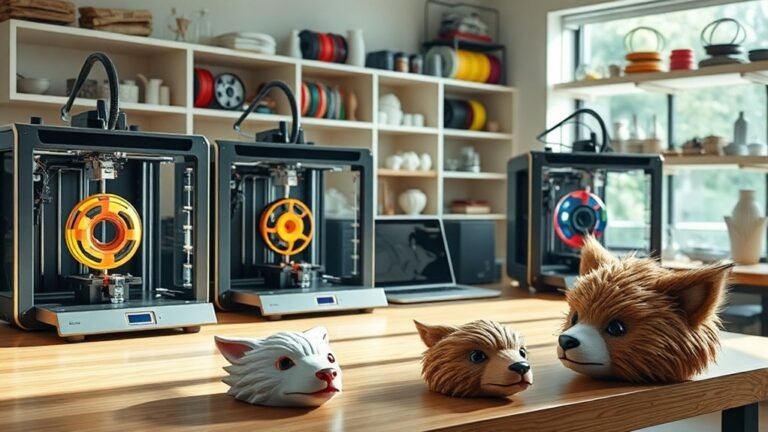
8 Best Auto Level 3D Printers for 2027
You’ll want an auto-level 3D printer like the Creality Ender 3 V3 SE with its reliable CR Touch sensor or the Bambu Lab P2S Combo offering rapid setup and multi-material precision. These models make leveling a breeze, so you can focus on creating without the hassle of manual adjustments.
The Anycubic Kobra X simplifies 4-color printing with its LeviQ 3.0 system, giving you vibrant, multi-color prints with ease. FLASHFORGE models step up the game with one-click leveling and vibration compensation, ensuring flawless layers every time.
ELEGOO and Bambu Lab P1S bring CoreXY speed to your projects, combined with hassle-free calibration for smooth operation. Dive into their features and find out which auto-level 3D printer fits your creative needs best next.
| Image | Name | Editor's Rating | Price |
|---|---|---|---|

|
|
||

|
|
||

|
|
||

|
|
||

|
|
Creality Ender 3 V3 SE 3D Printer Upgrade
- 【250mm/s High-speed Printing】Creality Ender 3 V3 SE 3d printer supports a maximum printing speed of 250mm/s, 2500mm/s² acceleration.The speed has been greatly...
- 【Powerful ""Sprite"" Direct Extruder】Ender 3 V3 SE is the upgrade of ender 3, ender 3 v2, ender 3 pro, ender 3 neo, ender 3 v2 neo, ender 3 s1, ender 3 s1 pro etc 3d...
- 【Worry-free CR Touch Auto Leveling & Strain Sensor】Creality Ender 3 upgraded 3d printer features a CR Touch sensor for auto leveling and a strain sensor for auto...
- 【Stable Dual Z-axis & Y-axis Linear Shafts】High-precision dual Z-axis lead screws reduce Z wobbling effectively, avoid printing deviation in single-axis printing...
- 【Quick Assembly & Easy to Use】Preassembly has solved those hassles and worries of parts assembly, It only takes 3 steps to complete the assemble the ender-3 v3 se 3d...

The Creality Ender 3 V3 SE upgrade transforms your 3D printing experience by significantly cutting print times without sacrificing quality. With a maximum speed of 250 mm/s and acceleration up to 2500 mm/s², it reduces printing time by up to 73%. This means you can complete projects faster and move on to the next tasks with less downtime.
Its Sprite full-metal dual-gear extruder delivers smooth and consistent filament feeding. This ensures reliable printing with common materials like PLA, TPU, and PETG. You’ll experience fewer clogs and better print accuracy, even with flexible or soft filaments.
The printer features CR Touch auto leveling combined with strain sensors for Z-offset adjustment. These technologies minimize wobble and maintain precise layer alignment, producing cleaner, more detailed prints. Setup is simple and quick, requiring only three steps to get started, so you can begin printing in about 20 minutes.
Maintenance is straightforward thanks to the robust design and quality components, reducing the need for frequent repairs. While the build volume suits most standard projects, it may be limited for larger prints. This upgrade is ideal for users who want faster, more precise printing with easy handling and setup.
Best for: Hobbyists and professionals seeking a fast, reliable 3D printer upgrade with enhanced precision and versatile filament compatibility.
What We Like:
- Significantly reduced print times with high speed and acceleration
- Durable Sprite full-metal dual-gear extruder for consistent filament feeding
- Advanced auto leveling and strain sensor system for precise prints
- Quick, easy assembly and setup process
Specification:
| Feature | Details |
|---|---|
| Manufacturer | Creality |
| Maximum Printing Speed | 250 mm/s |
| Acceleration | Up to 2500 mm/s² |
| Extruder Type | Sprite full-metal dual-gear |
| Compatible Filaments | PLA, TPU, PETG |
| Setup Time | Approximately 20 minutes |
Bambu Lab P2S Combo, P2S 3D Printer & AMS 2 Pro, Multi-Color 3D Printing
- High-Speed Precision: The Bambu Lab P2S 3D printer prints up to 600 mm/s while maintaining exceptional accuracy. With the PMSM Servo Extruder and Active Flowrate...
- Ready to Print in 15 Minutes: Set up your P2S FDM 3D printer and start printing in just 15 minutes. With AI failure detection, quick-swap nozzles, and automatic...
- Effortless Multi-Color Printing: The AMS 2 Pro enables seamless multi-color/multi-material 3D printing. It features built-in filament drying at up to 65 °C, keeping...
- Smart Airflow for Any Filament: The Adaptive Airflow System automatically balances cooling and heat retention—keeping overhangs crisp with cool air, or maintaining a...
- Limitless Creativity, Seamless Workflow: Explore over one million 3D models on MakerWorld and bring them to life with a smooth, unified workflow using Bambu Studio, Bambu...
Experience the future of multi-color 3D printing with the Bambu Lab P2S Combo, crafted for creators who need speed and precision in their work. This system combines the ultra-fast P2S 3D printer, capable of printing up to 600 mm/s thanks to its CoreXY motion design, with the AMS 2 Pro multi-material system for effortless color transitions.
The AMS 2 Pro enhances print quality by drying filaments and regulating temperature with its Adaptive Airflow System. This ensures your prints remain sharp and consistent, even with complex, multi-material projects. Maintenance is simplified through automatic calibration and quick-swap nozzles, reducing downtime and boosting productivity.
Designed for professional use, this combo supports advanced automation and AI error detection, minimizing print failures and improving workflow efficiency. Its integration with Bambu Studio and MakerWorld’s model library provides a seamless experience from design to finished product.
Though the system is compact for its capabilities, weighing 46.3 pounds and measuring 18 x 22 x 18 inches, it requires dedicated space. Additionally, the AMS 2 Pro unit is essential for multi-color printing, adding to the overall setup. The product is scheduled for release on July 30, 2026, so initial availability may be limited.
Best for: Professionals and creators seeking fast, precise multi-color 3D printing with smart automation and reliable multi-material handling.
What We Like:
- High-speed CoreXY motion delivers up to 600 mm/s printing without losing accuracy.
- AMS 2 Pro’s filament drying and adaptive airflow ensure consistent, quality prints.
- Automatic calibration and AI error detection reduce maintenance and error rates.
- Quick-swap nozzles simplify upkeep and keep production moving smoothly.
Specification:
| Feature | Details |
|---|---|
| Manufacturer | Bambu Lab |
| Dimensions (in) | 18 x 22 x 18 |
| Weight (lb) | 46.3 |
| Color Options | Multi-color printing via AMS 2 Pro |
Anycubic Kobra X Multicolor 3D Printer, Easy Setup, Native 4-Color
- 【 Newest Level - 19-Color with 4 ACE 2 Pro】Why settle for one color when you can have multicolor? The Kobra X comes born with 4 colors built-in. It is innovative 3D...
- 【 Savings 2X Time】Stop wasting hours and filament on purging! Kobra X impresora 3D reduces the filament and machine travel path by 81.25%, so 2X the Speed, and...
- 【Hardened Precision & High Speed 】 Equipped with a high-durability hardened steel nozzle and vibration compensation, the Kobra X ensures every layer remains smooth...
- 【Flawless First Layer with LeviQ 3.0】The LeviQ 3.0 and auto bed leveling system uses a 49-point calibration and advanced leveling algorithm to ensure 100% bed...
- 【Smart AI Monitoring & Large Model Library】APP remote control, features Spaghetti detection and foreign object detection. The innovative top-mount spool holder...
The Anycubic Kobra X Multicolor 3D Printer transforms your creative projects with vibrant, multi-hued prints. Its native 4-color system streamlines the printing process by cutting filament purging and travel paths by over 80%, which speeds up production and reduces material waste.
This printer reaches speeds up to 600 mm/s, allowing you to complete detailed models like the Benchy in just 14 minutes. The hardened steel nozzle ensures smooth and precise layers, while the LeviQ 3.0 system’s 49-point auto bed leveling makes setup quick and hassle-free, so you can start printing in about 15 minutes.
Maintenance is simplified with smart AI monitoring that detects issues early, preventing failed prints. Dual-band Wi-Fi connectivity offers remote control through the Anycubic app, adding convenience and flexibility to your workflow. The 260 × 260 × 260 mm build volume suits most hobbyist and professional projects, though larger builds may require alternative options.
Best for: hobbyists, educators, and professionals needing a fast, reliable multicolor 3D printer that balances ease of use with advanced features.
What We Like:
- Native 4-color printing with expansion potential up to 19 colors
- High-speed printing reduces filament waste and print time
- Easy setup with LeviQ 3.0 auto bed leveling
- Smart AI monitoring for print reliability
- Remote print control via dual-band Wi-Fi
Specification:
| Feature | Details |
|---|---|
| Manufacturer | Anycubic |
| Build Volume | 260 × 260 × 260 mm |
| Max Print Speed | 600 mm/s |
| Nozzle Material | Hardened steel |
| Color Support | Native 4-color, expandable |
| Connectivity | Dual-band Wi-Fi |
FLASHFORGE AD5X High-Speed Multi-Color 3D Printer
- Vivid Multi-Color Printing: Bring your creations to life with vibrant, multi-color prints. This printer supports up to 4 colors simultaneously, giving you endless...
- 1-Click Auto Leveling: Enjoy smooth, uninterrupted prints with the advanced 1-Click Auto Leveling feature that automatically calibrates your print bed for optimal results...
- Ultra-Fast 12X Printing Speed: The AD5X features a Core XY structure with speeds up to 600mm/s and acceleration of 20,000mm/s². Its stable design boosts both efficiency...
- Exceptional Print Quality: The AD5X delivers outstanding print results with its advanced dual-channel cooling fan, vibration compensation system, and 300°C direct-drive...
- Versatile Nozzle Options: The AD5X supports four nozzle sizes (0.25mm to 0.8mm) for full creative control. The 0.4mm nozzle comes pre-installed for versatile, everyday...
The FLASHFORGE AD5X transforms multi-color 3D printing by enabling up to four colors in a single print. This capability lets creators produce vibrant, detailed models without the hassle of multiple print runs. Its Core XY motion system supports speeds up to 600 mm/s and rapid acceleration, speeding up prototyping and batch production.
Maintenance is straightforward with features like 1-click auto leveling and resume-print after power loss, ensuring consistent results and minimal downtime. The direct-drive extruder heats up to 300°C, accommodating a variety of common filaments while dual-channel cooling with vibration compensation enhances print quality and stability.
Designed with a 220 × 220 × 220 mm build volume, the AD5X suits a broad range of projects, though very large prints may require alternative solutions. Remote control through the Flash Maker app adds convenience, enabling easy monitoring and management from anywhere.
Overall, this printer balances speed, multi-color functionality, and reliability, making it a practical choice for professionals focused on detailed, colorful prototypes and small-batch production.
Best for: Creators and professionals seeking high-speed, multi-color 3D printing with precise detail and reliable performance for rapid prototyping and batch production.
What We Like:
- Supports up to four simultaneous colors for detailed, vibrant prints
- High-speed Core XY system with rapid acceleration for efficient printing
- 1-click auto leveling and resume-print after power interruptions
- Remote monitoring and control via Flash Maker app
Specification:
| Feature | Details |
|---|---|
| Manufacturer | FLASHFORGE |
| Build Volume | 220 × 220 × 220 mm |
| Max Print Speed | 600 mm/s |
| Max Acceleration | 20,000 mm/s² |
| Extruder Type | Direct-drive |
| Max Extruder Temp | 300°C |
| Nozzle Sizes | Supports four sizes |
| Cooling System | Dual-channel with vibration compensation |
| Bed Leveling | 1-click auto leveling |
FLASHFORGE Adventurer 5M Pro 3D Printer with 1 Click Auto Printing System
- 600mm/s Speed & CoreXY Structure — Powered by an all-metal CoreXY frame and 20,000mm/s² acceleration, Adventurer 5M Pro reaches speeds up to 600mm/s. Integrated...
- 3-Second Quick-Swap Nozzle & Auto Leveling — Features a tool-free, quick-release nozzle mechanism for effortless 3-second replacements across multiple sizes...
- Dual Filtration System & Quiet Enclosure — Built with an integrated dual filtration system and a fully enclosed chamber to ensure a clean printing environment and...
- 280°C High-Temp Extruder & Broad Material Compatibility — With a 280°C max nozzle temperature and a 110°C heated bed, it reliably prints engineering materials like...
- Smart Camera & Mobile Control — Features a built-in camera for real-time monitoring and time-lapse video creation. Monitor progress, adjust settings, and receive...
Experience precise, hassle-free 3D printing with the FLASHFORGE Adventurer 5M Pro, designed to simplify your workflow. Its one-click auto-leveling system eliminates manual calibration, saving you time and ensuring every print starts perfectly.
Built on a sturdy all-metal CoreXY frame, this printer delivers fast, quiet operation with acceleration up to 20,000 mm/s². The tool-free quick-release nozzle lets you switch sizes in just 3 seconds, making maintenance and material changes effortless.
The fully enclosed chamber with dual filtration maintains a stable printing environment and reduces odors, ideal for engineering materials like ABS and PETG-CF. A heated bed ensures strong adhesion, preventing warping during longer prints.
Stay connected with a built-in camera and mobile controls that allow you to monitor your 220 mm³ builds remotely. While its compact build volume suits most projects, the 280°C nozzle limit restricts some high-temp materials. At 22 pounds, it offers solid stability though less portability.
Best for: Professionals and enthusiasts needing a fast, reliable 3D printer for engineering and standard materials with advanced usability features.
What We Like:
- Fast, quiet all-metal CoreXY frame with high acceleration
- Tool-free quick-release nozzles for easy maintenance
- Fully enclosed chamber with dual filtration for clean, stable prints
- One-click auto-leveling simplifies setup
- Built-in camera and mobile controls for remote monitoring
Specification:
| Feature | Details |
|---|---|
| Manufacturer | FLASHFORGE |
| Build Volume | 220 x 220 x 220 mm |
| Max Nozzle Temperature | 280°C |
| Frame Material | All-metal CoreXY |
| Weight | 22 lbs (10 kg) |
| Filament Compatibility | PLA, ABS, PETG-CF |
Creality CR Touch Auto Bed Leveling Sensor Kit

- Creality 3D Printer Auto Bed Leveling Kit - The Creality cr touch auto bed leveling kit fulfilled simple structure and high precision. Performs multi-point detection on...
- The Firmware Download - According to your 3D printer Model, select a mounting bracket to install it on your 3D Printer, then remove the Z-axis limit switch. Download the...
- Wide Application - The Ender 3 upgrades cr touch is compatible with Creality Ender 3 V2/ Ender 3/ Ender 3 Pro/Ender 5/Ender 5s/Ender 5 Pro and CR-10 3D Printer. (Note...
- Durable and Strong Compatibility - The cr touch kit is compatible with PEI/sticker/glass/metal bed. Ender 3 auto bed leveling kit works perfectly with any surface...
- Easy Installation - 3 different kinds of mounting brackets allow for installation on multiple 3D printers. The Ender 3 bed leveling kit is simple in structure, and it is...
The Creality CR Touch is an essential upgrade for Ender series 3D printer users looking to improve print accuracy and ease bed leveling. This auto bed leveling sensor kit simplifies the tedious process of manual bed adjustment, ensuring consistent first layers every time.
Designed to work with multiple Ender models and the CR-10, it requires a 32-bit V4.2.2 or V4.2.7 mainboard. Its durable metal push pin withstands more than 100,000 uses, providing long-lasting reliability. The sensor accurately measures multiple points on the bed, adapting well to surfaces like PEI, glass, or metal.
Installation is straightforward, involving the replacement of the Z-axis limit switch and selecting the appropriate mounting bracket for your printer. Firmware updates are user-friendly and can be done via SD card, minimizing downtime during maintenance.
However, the CR Touch is not compatible with the SKR Mini E3 V3 on the Ender 5 Plus, so verifying your mainboard version is important before purchase. This sensor offers a practical, reliable solution for smoother 3D printing workflows.
Best for: Ender series 3D printer users with 32-bit V4.2.2 or V4.2.7 mainboards seeking a dependable auto bed leveling kit.
What We Like:
- Metal push pin designed for over 100,000 uses
- Supports multi-point bed leveling on diverse bed surfaces
- Simple installation with multiple mounting bracket options
- Easy firmware updates via SD card
- Enhances print consistency and reduces manual adjustments
Specification:
| Feature | Detail |
|---|---|
| Manufacturer | Creality |
| Compatible Models | Ender series, CR-10 |
| Mainboard Support | 32-bit V4.2.2, V4.2.7 |
| Material | Metal (push pin) |
| Installation | Replaces Z-axis limit switch |
| Firmware Update | Via SD card |
ELEGOO Centauri Carbon High-Speed CoreXY 3D Printer

- Print Right Out of the Box: ELEGOO Centauri Carbon arrives fully assembled and pre-calibrated, ready to go right away. With auto bed leveling, intuitive touchscreen...
- Built for High-Speed Printing: Unlock ultra-fast printing with it’s advanced CoreXY structure, achieving up to 500 mm/s print speeds and 20000 mm/s² acceleration...
- High-Performance Material Ready: Equipped with a 320°C brass-hardened steel nozzle and enclosed chamber with enhanced cooling, Centauri Carbon is optimized for advanced...
- Rock-Solid Die-Cast Frame for Precision: Centauri Carbon 3D printer features a rigid, integrated die-cast aluminum frame that minimizes vibrations and maintains...
- Smart Monitoring & Flawless Printing: Monitor your prints in real time with the built-in chamber camera and dual LED lighting. Capture time-lapse videos and make remote...
Experience faster, more precise 3D printing with the ELEGOO Centauri Carbon. Designed to minimize setup time, this printer arrives fully assembled and pre-calibrated, letting you start your projects immediately through its intuitive touchscreen.
Its CoreXY motion system delivers impressive print speeds up to 500 mm/s, cutting down production time without sacrificing quality. The sturdy die-cast aluminum frame reduces vibration, while the enclosed chamber and dual-sided heated plate ensure consistent layer adhesion for reliable results.
Maintenance is straightforward, with robust construction designed to withstand frequent use. The hotend heats up to 320°C, enabling you to work with advanced filaments like carbon-fiber-reinforced materials, ideal for professional applications such as drones and automotive parts.
Remote monitoring and dual LED lighting add convenience, giving you better control and visibility over prints. While the printer is relatively heavy at 38.5 pounds and may require some experience handling specialty filaments, its design focuses on high-speed precision and material versatility.
Best for: Makers from beginners to advanced users who require a high-speed, precise 3D printer capable of handling advanced materials with minimal setup.
What We Like:
- Fully assembled and pre-calibrated for immediate printing
- High-speed CoreXY system with up to 500 mm/s print speed
- Durable die-cast aluminum frame with enclosed chamber
- Supports advanced filaments with a 320°C hotend
- Remote monitoring and dual LED lighting for ease of use
Specification:
| Feature | Details |
|---|---|
| Manufacturer | ELEGOO |
| Dimensions | Not specified |
| Weight | 38.5 lb (17.5 kg) |
| Frame Material | Die-cast aluminum |
| Hotend Max Temp | 320°C |
| Motion System | CoreXY |
| Print Speed | Up to 500 mm/s |
| Chamber | Enclosed |
Bambu Lab P1S 3D Printer, Ready-to-Use FDM 3D Printer

- Up to 16 Colors: Bring your designs to life with vibrant multi-color/multi-material printing capabilities, perfect for showcasing your creativity. Note: Connecting Bambu...
- 500mm/s and 20000 mm/s² Acceleration True High Speed: Don't wait around for your masterpieces. Lightning-fast printing speed lets you focus on creating, not waiting.
- Enclosed Design: Fully enclosed body improves print performance for advanced filaments. Automatic Bed Leveling: Say hello to high-quality, successful prints. Auto bed...
- Set Up in 15 Minutes: Spend more time printing and less time setting up. User-friendly design ensures a hassle-free assembly experience for all skill levels.
- Supported Filament: Ideal: PLA, PETG, TPU, PVA, PET ABS, ASA; Capable : PA, PC; Not Recommended: Carbon/Glass Fiber Reinforced Polymer.
Experience fast and precise 3D printing with the Bambu Lab P1S, designed to get you started quickly. This ready-to-use FDM printer features automatic bed leveling and a beginner-friendly setup, allowing you to print within just 15 minutes. Its efficient design reduces the hassle and time spent on calibration.
The P1S uses a CoreXY enclosed chassis that supports high-speed printing up to 500 mm/s with smooth accelerations of 20,000 mm/s². This ensures your prints are not only fast but also accurate and consistent. The enclosed build chamber improves print quality and expands filament compatibility.
Maintenance is straightforward thanks to its robust design, while the enclosure enables reliable printing with materials like PLA, PETG, TPU, and ABS. For projects requiring color variation, the printer can be paired with the Bambu Lab AMS, supporting up to 16 filament colors for multi-material creations.
Weighing 38.9 pounds and measuring 15.31 x 18.03 x 15.31 inches, the P1S balances size and stability. While it is bulkier than some desktop models, this contributes to smoother prints and better performance. Note that it is not designed for carbon or glass fiber reinforced filaments.
Best for: Beginners and hobbyists seeking a fast, reliable FDM 3D printer with versatile filament support and multi-color capabilities.
What We Like:
- Quick and easy setup with automatic bed leveling
- High-speed CoreXY enclosed design for precise prints
- Supports a broad range of filaments including ABS and TPU
- Expandable for multi-color printing with Bambu Lab AMS
Specification:
| Feature | Details |
|---|---|
| Manufacturer | Bambu Lab |
| Dimensions | 15.31 x 18.03 x 15.31 in |
| Weight | 38.9 lb (17.64 kg) |
| Printer Type | FDM (Fused Deposition Modeling) |
| Filament Types | PLA, PETG, TPU, ABS |
| Max Print Speed | 500 mm/s |
Factors to Consider When Choosing an Auto Level 3D Printer

When choosing an auto level 3D printer, you’ll want to focus on the accuracy of the leveling sensor and how stable the printer is at high speeds.
It’s also a good idea to consider whether it supports multiple materials and how easy it is to set up right out of the box.
Don’t forget to check the build volume to make sure it fits your project needs.
Leveling Sensor Accuracy
Since precise first-layer thickness is vital for print quality, you’ll want an auto-leveling sensor with exceptional repeatability—ideally under 0.01 mm. Mechanical and touch sensors often provide more consistent contact-based readings than inductive or capacitive probes, which may vary with bed materials.
Also, consider the probing grid density; a 25×25 point grid captures bed tilt and warping better than a 3×3 grid, improving overall leveling accuracy.
The probe’s trigger height and travel speed matter too—slower, low-travel probes reduce measurement errors compared to fast, high-inertia setups that risk overshoot.
Finally, environmental factors like bed temperature and thermal expansion can shift sensor readings. So, it’s a good idea to verify your printer validates accuracy at printing temperature after warm-up for reliable prints every time.
Print Speed And Stability
Although faster print speeds can markedly cut down your project time, they demand a motion system and firmware finely tuned for high acceleration and jerk control to prevent print defects. You’ll want a printer with robust hardware—like dual lead screws or CoreXY setups—and larger linear shafts to minimize wobble and axis deflection at speed.
High acceleration improves throughput but can cause vibrations if the frame isn’t rigid enough. To maintain surface quality, make sure your printer uses vibration compensation, pressure-advance algorithms, and precise extrusion tuning.
Also, a stable, well-leveled build platform with reliable auto-leveling and Z-offset sensors is essential since any bed height variation gets magnified at higher speeds. This can risk layer adhesion issues or even nozzle collisions.
Prioritizing these factors helps you print fast without sacrificing accuracy or quality. It’s all about finding the right balance between speed and stability.
Multi-Material Compatibility
Mastering multi-material compatibility is essential if you want your auto-level 3D printer to handle a wide range of filaments smoothly. Make sure the auto-leveling system adjusts accurately for different first-layer heights and adhesion needs. Materials like TPU and ABS require different Z-offsets and bed temperatures, so keep that in mind.
Check that the hotend supports the temperature range for your filaments, including flexible, engineering, and soluble types. This helps guarantee consistent melting and retraction during printing.
Also, verify the filament path and drive mechanism suit your chosen materials. Direct-drive extruders work best for flexible filaments, while hardened gears handle abrasives better.
Don’t forget to confirm your printer’s firmware and slicer support multi-material tool changes, purge sequences, and per-material temperature control. Environmental controls like heated beds and enclosed chambers help keep conditions stable for reliable multi-material prints.
Ease Of Setup
When choosing an auto level 3D printer, you’ll want to focus on how easy it is to get up and running. Look for models that offer preassembly or “ready-to-print” setups, cutting initial setup time to just 15–20 minutes.
Automatic bed leveling with integrated sensors and Z-offset detection removes the hassle of manual calibration. Clear, guided firmware or on-screen wizards help you configure settings quickly and correctly.
Auto filament loading and unloading simplify filament changes during your first tests. Also, prioritize printers with quick-swap nozzles, plug-and-play probe mounts, and widely supported firmware.
These features reduce hardware tinkering and make maintenance, updates, or part replacements straightforward. Choosing a printer with these ease-of-setup features lets you start printing faster and with less frustration.
Build Volume Dimensions
Consider the build volume dimensions carefully to make certain your 3D printer can handle your projects without constant resizing or splitting. Measure the largest model you plan to print and add several centimeters on each axis to allow space for supports and brims.
Keep in mind the usable Z-height may be less than advertised due to bed leveling hardware or enclosures reducing vertical space. Match the bed’s aspect ratio to your parts: square beds work well for symmetric models, while rectangular beds suit long, narrow prints without needing rotation.
Software And Firmware Support
Check that your 3D printer’s firmware supports easy and frequent updates, whether through SD cards, USB, or network connections. This way, you can quickly apply improvements and bug fixes to the bed-leveling sensor without dealing with complicated flashing.
Also, make sure the firmware is compatible with popular slicers and host software. It should preserve auto-leveling mesh data and support commands like G29 or G30.
Look for features like mesh bed leveling storage, mesh smoothing, bilinear probing, and Z-offset presets. These help you fine-tune leveling for different surfaces.
Open-source or well-documented firmware with API access is a big plus. It allows for community plugins, remote monitoring, and automation integration.
Don’t forget to verify sensor-specific settings such as probe trigger height, repeatability compensation, and retraction behavior. Plus, logging capabilities are important to troubleshoot any inconsistent auto-level readings effectively.
Frequently Asked Questions
How Does Auto Leveling Improve Print Quality?
Auto leveling improves print quality by ensuring your printer’s nozzle maintains the perfect distance from the build plate. This prevents uneven layers and warping.
That consistency really boosts adhesion and detail. Plus, it reduces failed prints, saving you time and frustration.
Are There Maintenance Tips for Auto Leveling Sensors?
You might think auto leveling sensors need constant calibration, but regular gentle cleaning and avoiding scratches actually maintain accuracy best.
Keep them dust-free, check wiring, and update firmware to guarantee your prints stay flawless without hassle.
It’s really about simple upkeep rather than complicated fixes. Just a little care goes a long way!
Can Auto Leveling Work on Non-Flat Print Surfaces?
Yes, auto leveling can work on non-flat print surfaces by mapping surface variations and adjusting the nozzle height in real-time.
You’ll get better results if your printer’s sensor is precise and the surface irregularities aren’t extreme. It really helps to have a good sensor to catch all those little bumps and dips.
What Firmware Supports Auto Leveling Features?
Imagine your 3D printer as a ship steering through rough seas; Marlin and Klipper firmware act as your steadfast captains, guiding auto leveling with precision.
They guarantee your print bed stays perfectly balanced, letting you sail smoothly through each project.
How to Calibrate an Auto Leveling 3D Printer?
You start by running the printer’s auto-leveling routine through its menu or firmware. Clean the bed, make sure the nozzle is at the right height, and follow on-screen prompts to fine-tune the sensor’s measurements for precise calibration.
It’s pretty straightforward once you get the hang of it. Just take your time to double-check everything, and you’ll have your printer perfectly calibrated in no time.
Conclusion
Choosing the right auto level 3D printer isn’t just important—it’s absolutely life-changing! Imagine never wasting hours fiddling with bed leveling again. With these top picks, you’ll breeze through prints like a pro, producing flawless models that’ll amaze everyone.
Whether you want blazing speeds, multi-color magic, or ultimate precision, these printers have your back. Don’t settle for frustration—grab one, and watch your 3D printing game skyrocket beyond your wildest dreams!
Auto level 3D printers make a huge difference by saving time and improving print quality. Investing in one means less hassle and more creativity. So if you’re ready to take your 3D printing to the next level, these best auto level 3D printers for 2027 are your perfect match. Get ready for smoother, faster, and more accurate prints every time!