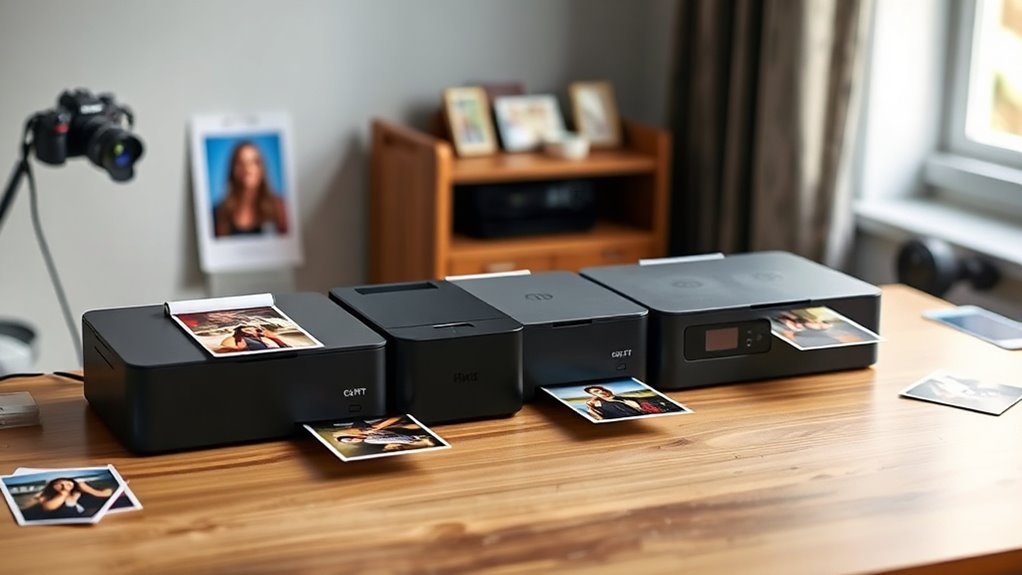
5 Best Cheap Printers for Pictures in 2027
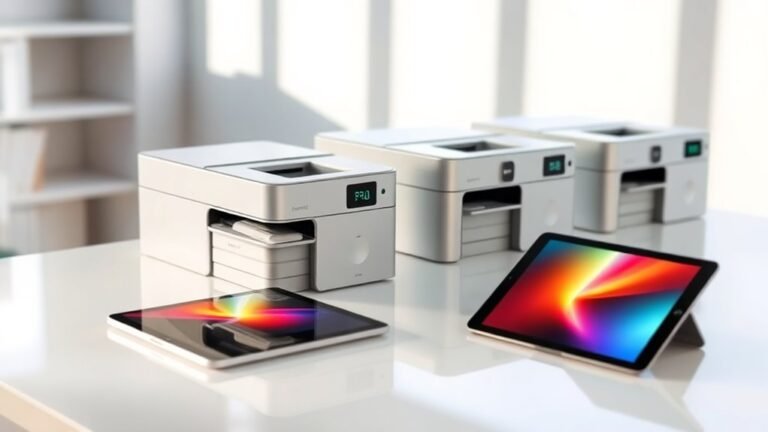
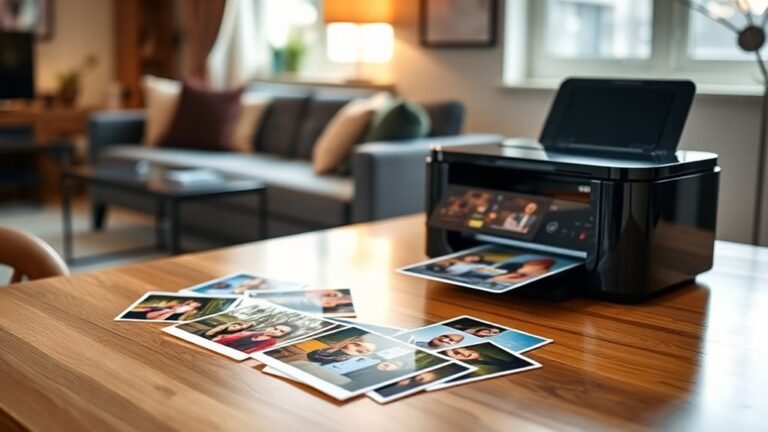
You’ll find great value in photo printers like the Liene M100 and iDPRT CP4100 for vibrant 4×6 dye-sub prints with water-resistant finishes. These printers deliver sharp, colorful images that last, making them ideal for anyone wanting quality photos without breaking the bank.
For pocket-sized 2×3 instant photos, the KODAK Mini 2 Retro’s 4PASS tech really shines. It’s perfect if you want quick, fun prints on the go that are easy to carry around.
Need versatile home use? The Canon PIXMA TS4320 handles both photos and documents with ease. The HPRT offers similar portability but adds some cool AR features to enhance your printing experience.
Each of these options balances affordability, durability, and convenience. Keep exploring them to find the perfect fit for your photo printing needs!
| Image | Name | Editor's Rating | Price |
|---|---|---|---|

|
|
||

|
|
||

|
|
||

|
|
||

|
|
Liene M100 Portable 4×6 Photo Printer with Wi-Fi
- User-Friendly Portable Photo Printer for iPhone, Android & PC - Get beautiful and colourful memories with Liene 4x6 photo printer! After opening the entire package, you...
- Superior Quality 4x6 Photo Printer - Print photos like no other thanks to the thermal-dye sublimation tech adopted by the picture printer for iphone. The dyes deeply...
- Wi-Fi Photo Printer for Smartphone - The built-in hotspot of the photo printer makes it easy to print pictures from your phone, avoiding outside interference with a fast...
- Multiple Device Compatibility - Liene phone printer provides instant photo printing for up to 5 simultaneous connections. Share with family and friends or print from your...
- Customize your Printing with the Liene App - Customize your photos with our specialized App! You can add a Square border, insert filters, enhance the contrast and...
Experience the freedom to print vibrant 4×6 photos anytime, anywhere with the Liene M100 Portable Photo Printer. This compact device connects seamlessly to your smartphone or laptop via Wi-Fi or USB-C, allowing easy printing without the hassle of cables or complicated setups. Its portability and lightweight design make it ideal for capturing and sharing memories on the go.
The Liene M100 uses thermal dye-sublimation technology to deliver glossy, water- and scratch-resistant prints with a laminated finish. This ensures your photos stay vivid and durable, perfect for keepsakes or gifts. The included Liene app enhances creativity by offering simple customization options like filters and brightness adjustments.
Maintenance is straightforward since the printer comes with 100 sheets and three color cartridges ready for immediate use. Its tray holds up to 20 sheets, which is convenient for small batches but may require frequent refills for larger print jobs. The device supports up to five simultaneous connections, making it versatile for personal or casual group use.
While print speed is about one page per minute and only simplex printing is available, the Liene M100 balances portability with reliable quality. It’s designed for users who value convenience and consistent photo output without bulky equipment.
Best for: Individuals seeking a lightweight, portable photo printer that delivers vibrant, durable 4×6 prints directly from smartphones or laptops with easy wireless connectivity.
What We Like:
- Produces glossy, water- and scratch-resistant 4×6 photos using thermal dye-sublimation.
- Connects up to five devices simultaneously via Wi-Fi hotspot or USB-C.
- Includes 100 sheets and three color cartridges for immediate use.
- Compact and lightweight design ideal for on-the-go printing.
Specification:
| Feature | Details |
|---|---|
| Manufacturer | Liene |
| Dimensions | Not specified |
| Weight | 200 grams (0.44 lbs) |
| Printing Technology | Thermal dye-sublimation |
| Connectivity | Wi-Fi hotspot, USB-C |
| Max Paper Capacity | 20 sheets |
| Print Size | 4 x 6 inches |
KODAK Mini 2 Retro 2×3 Portable Photo Printer, 4PASS, 38 Sheets, White
- Instant Photo Printing: The KODAK Mini 2 Retro is a portable photo printer designed to turn smartphone pictures into high quality prints in seconds. Whether capturing...
- Genuine 4PASS dye sublimation printing: Each photo is produced in three color layers and finished with a clear protective lamination layer. In approximately 55 seconds...
- Easy to Use: Print photos quickly without complicated setup or technical steps. Simply power on, connect wireless bluetooth, and start printing within seconds. The Mini...
- Print Anytime, Anywhere: Small enough to fit in your hand, bag, or even a pocket, the Mini 2 Retro is built for on-the-go printing. Ideal for parties, trips, school...
- KODAK Photo Printer APP: Featuring integrated Bluetooth connectivity, this portable printer connects to compatible iOS and Android devices through the KODAK Photo Printer...
The KODAK Mini 2 Retro is designed to bring your memories to life anytime, anywhere. Its compact, pocket-sized design lets you print vibrant 2×3-inch photos on the go, solving the hassle of waiting for prints or relying on digital-only images.
Using advanced 4PASS dye sublimation technology, it produces smudge- and water-resistant photos with a protective lamination that keeps your prints looking fresh longer. This means your favorite moments stay vivid and durable, whether displayed or shared.
Connecting via Bluetooth to your iOS or Android device is simple and quick. The accompanying app offers easy editing and customization, so you can perfect each photo before printing. This portable printer is ideal for capturing and sharing memories instantly.
Maintenance is straightforward with included cartridges and photo paper, though ongoing supplies are necessary to keep printing. The print speed is about 55 seconds per photo, suitable for casual use but slower for large batches.
Best for: Anyone wanting a reliable, portable photo printer for vibrant, durable 2×3-inch prints to preserve and share special moments.
What We Like:
- Produces durable, smudge- and water-resistant prints with 4PASS dye sublimation.
- Compact and pocketable design ideal for travel or events.
- Easy Bluetooth pairing and photo editing via app.
- Includes cartridges, 38 sheets, USB-C cable, and user guide for convenience.
Specification:
| Feature | Details |
|---|---|
| Manufacturer | KODAK |
| Print Size | 2 x 3 inches |
| Printing Technology | 4PASS dye sublimation |
| Sheets Included | 38 |
| Connectivity | Bluetooth (iOS, Android) |
| Power Cable | USB-C |
| Color | White |
| Weight | Compact, pocket-sized |
Canon PIXMA TS4320 – Wireless Color Inkjet Printer with Print, Copy, Scan
- Affordable Versatility - A budget-friendly all-in-one printer perfect for both home users and hybrid workers, offering exceptional value
- Crisp, Vibrant Prints - Experience impressive print quality for both documents and photos, thanks to its 2-cartridge hybrid ink system that delivers sharp text and vivid...
- Effortless Setup & Use - Get started quickly with easy setup for your smartphone or computer, so you can print, scan, and copy without delay
- Reliable Wireless Connectivity - Enjoy stable and consistent connections with dual-band Wi-Fi (2.4GHz or 5GHz), ensuring smooth printing from anywhere in your home or...
- Scan & Copy Handling - Utilize the device’s integrated scanner for efficient scanning and copying operations

The Canon PIXMA TS4320 offers a compact and stylish solution for home printing needs. Its small footprint makes it easy to fit into tight spaces, ideal for casual photo printing and everyday document tasks. This all-in-one printer combines printing, copying, and scanning in one device, simplifying your workspace.
Wireless connectivity is seamless with dual-band Wi-Fi, allowing you to print from smartphones, tablets, or laptops without hassle. Mobile app control enhances convenience, letting you manage print jobs directly from your device. This flexibility helps reduce clutter and keeps your workflow smooth.
With print resolutions up to 1200 x 1200 dpi, the TS4320 produces vibrant photos and sharp documents. It supports various media types, including glossy photo paper, making it versatile for creative projects and personal use. However, the single 100-sheet tray limits paper capacity, which may require frequent refills.
Maintenance is straightforward, but note that the printer lacks an automatic document feeder, so multi-page scanning or copying requires manual handling. Print speeds are moderate, suitable for light to moderate use rather than high-volume tasks.
Best for: Home users and hybrid workers needing a compact, wireless all-in-one printer for casual photo printing, copying, and scanning.
What We Like:
- Compact design fits well in small spaces
- Dual-band Wi-Fi and mobile app support for easy wireless printing
- High-quality photo printing with up to 1200 x 1200 dpi resolution
- Versatile media handling including glossy photo paper
Specification:
| Feature | Details |
|---|---|
| Manufacturer | Canon |
| Dimensions | Compact size (exact size not provided) |
| Weight | Not specified |
| Color Options | Not specified |
| Connectivity | Dual-band Wi-Fi, mobile app control |
iDPRT 4×6 Photo Printer, CP4100 Phone Printer 108 Sheets & 2 Cartridges
- 💝CAPTURE FLEETING MOMENTS, CREATE LASTING TREASURES: Make Memories You Can Hold! Don’t let life’s best moments get lost in your camera roll. Turn cozy family...
- 💞 108 SHEETS & 2 RIBBONS PHOTO PRINTER SET – This 4x6 photo printer set includes: 1 CP4100 sublimation photo printer, 1 power adapter, 2 ink ribbons, 108 sheets of...
- 📱 PHONE PRINTER WITH FUN APP – Connect this portable photo printer to your smartphone via built-in Wi-Fi hotspot (no router needed) or your home 2.4GHz Wi-Fi...
- ✨ AR VIDEO PRINTING – SCAN TO RELIVE THE MOMENT – Exclusive augmented reality feature lets you scan any printed photo with the HeyPhoto App to instantly replay the...
- 🎁 MEANINGFUL GIFT FOR EVERY OCCASION – This instant photo printer makes a thoughtful, personal gift for Mom, Dad, grandparents, couples, new parents, and photography...
The iDPRT CP4100 4×6 photo printer is designed to make printing vibrant, borderless photos simple and convenient. Its compact size and lightweight design ensure you can easily carry it anywhere, perfect for capturing special moments on the go. This printer uses thermal dye sublimation technology to deliver bright, high-quality prints that bring your memories to life.
Wireless connectivity through a built-in Wi-Fi hotspot and Bluetooth lets you print directly from your phone without any hassle. The HeyPhoto app enhances your experience by allowing easy editing, adding filters, and creating collages in just a few taps. This streamlines the process, saving you time and effort when preparing photos for printing.
Maintenance is straightforward with the included 108 glossy sheets and 2 ink ribbons, providing enough supplies for multiple uses. While the print resolution is modest at 300 × 300 dpi and print speed is about one color page per minute, this printer excels in delivering convenient, portable photo printing without extra bulk or complexity.
Its unique AR video printing feature adds a modern, interactive dimension to your photos, making it ideal for family events, gifts, or creative projects. Although it does not support scanning or copying functions, the CP4100 focuses on delivering quality photo prints with ease and style.
Best for: Casual photographers and gift makers seeking a portable 4×6 photo printer with wireless phone connectivity and creative editing capabilities.
What We Like:
- Compact and lightweight for easy portability
- Wireless printing via built-in Wi-Fi hotspot and Bluetooth
- HeyPhoto app supports editing, filters, collages, and AR video printing
Specification:
| Feature | Details |
|---|---|
| Manufacturer | iDPRT |
| Dimensions | Compact 4×6 inch printing |
| Weight | 0.5 kg |
| Printing Technology | Thermal dye sublimation |
| Connectivity | Wi-Fi hotspot, Bluetooth |
| Included Supplies | 108 glossy sheets, 2 ink ribbons |
HPRT Photo Printer 4×6 with 108 Sheets Photo Paper & 2 Ribbons
- Easy Setup & Portable 4x6 Photo Printer for iPhone & Android: The HPRT CP4100 4x6 photo printer makes smartphone photo printing simple. This photo printer for iPhone and...
- Professional 4x6 Photo Prints with Dye Sublimation Technology: The dye sublimation photo printer delivers professional-quality 4x6 photo prints with advanced dye...
- Instant Photo Printer with Creative Editing Features: Turn your favorite smartphone photos into vibrant 4x6 prints anytime with this instant photo printer. The HeyPhoto...
- Lower Cost Per Print with Included Photo Paper & Ink Ribbons: The instant picture printer includes 2 ink ribbons and 108 sheets of 4x6 photo paper, so you can start...
- AR Video Printing & Meaningful Gifts for Special Moments: Bring your photos to life with AR video printing. Use the HeyPhoto App to print photos from your favorite...
If you need quick, high-quality 4×6 photo prints without any hassle, the HPRT Photo Printer is designed to deliver. It prints sharp, vibrant images in under a minute, making it ideal for capturing memories on the spot. The dye sublimation technology ensures photos come out with a smooth finish and a protective coating that resists water, fingerprints, scratches, and fading.
This compact printer offers flexible wireless connectivity through 2.4 GHz Wi-Fi or its own hotspot. You can easily print directly from your iPhone or Android device using the HeyPhoto App. The device arrives ready to use with 108 sheets of photo paper and 2 ribbons, which help keep your printing costs low and maintenance simple.
The HPRT Photo Printer is perfect for home use or on-the-go printing, whether for family events or professional photography. One unique feature is the ability to print augmented reality (AR) videos alongside your photos, adding an interactive dimension to your prints.
While it only prints in 4×6 size and requires the HeyPhoto App for operation, this printer balances quality, portability, and ease of use. It fits well for anyone wanting reliable photo printing without complex setups.
Best for: users seeking a portable, user-friendly photo printer for quick, durable 4×6 prints at home or events.
What We Like:
- Sharp 300 DPI photos with water- and scratch-resistant coating
- Wireless printing via Wi-Fi and built-in hotspot
- Includes 108 sheets and 2 ribbons for low-cost, ready-to-print use
- Supports printing of AR videos for creative photo experiences
Specification:
| Feature | Details |
|---|---|
| Manufacturer | HPRT |
| Print Size | 4 x 6 inches |
| Resolution | 300 DPI |
| Connectivity | 2.4 GHz Wi-Fi, Hotspot |
| Included Consumables | 108 sheets photo paper, 2 ribbons |
| Compatible Devices | iPhone, Android |
| Technology | Dye sublimation |
Factors to Consider When Choosing a Cheap Printer for Pictures
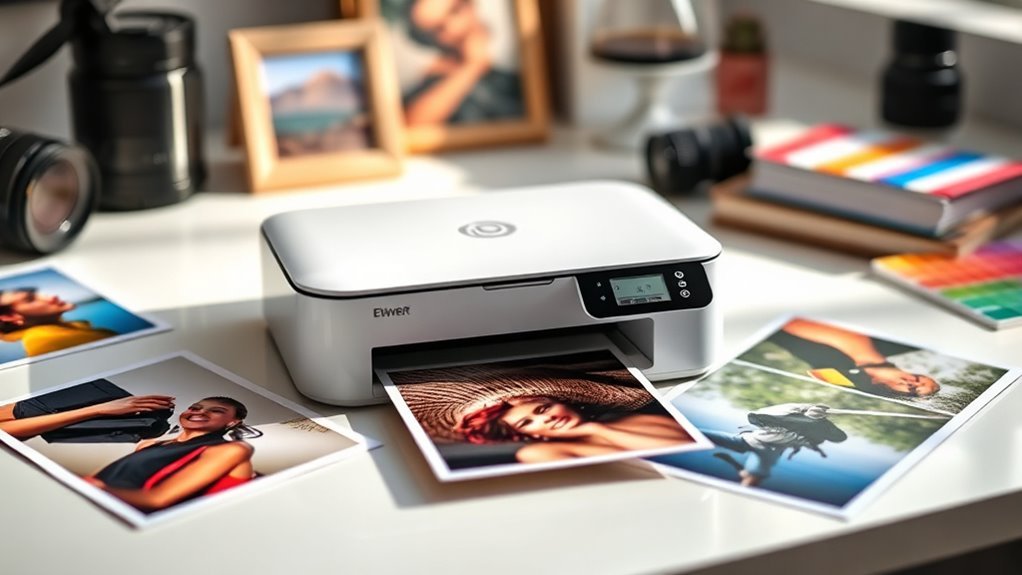
When choosing a cheap printer for pictures, you’ll want to focus on print quality and the type of printing technology it uses.
Also, think about connectivity options and media size compatibility. How fast the printer can produce your photos is important too.
These factors will help you find a printer that fits both your needs and budget. It’s all about getting the best value without compromising on quality.
Print Quality Standards
Although budget printers may seem similar at first glance, you’ll want to focus on print quality standards to get the best results for your photos. Aim for at least 300 dpi for small prints like 4×6, ensuring fine detail and smooth gradients.
Higher resolutions, between 600 and 1200 dpi, deliver crisper text and sharper photo details. Choose printers using dye-sublimation or quality pigment/CMYK inks for richer colors and smoother tonal shifts.
Check color depth—24 bits per channel or higher ensures accurate, natural hues in skin tones and landscapes. Also, pair your printer with glossy or coated photo paper to boost sharpness and saturation.
Finally, consider print consistency and color accuracy; low metamerism helps maintain reliable colors across multiple prints and matches screen previews better. It’s all about getting prints that look just right every time.
Printing Technology Types
Getting the right print quality starts with understanding the printing technology behind your cheap photo printer. Dye-sublimation printers create smooth, continuous-tone 4×6 photos with built-in lamination, typically around 300 dpi, and take about 50–70 seconds per print.
Their thermal dye-sublimation (4PASS) process adds layers plus a clear protective coating, making photos resistant to water, fingerprints, scratches, and fading. Pretty handy if you want your photos to last.
Inkjet printers, on the other hand, spray liquid inks through nozzles, achieving higher resolutions—often up to 1200 x 1200 dpi—and support various media sizes. However, inkjets usually require higher-quality photo paper and more maintenance.
Plus, inkjet prints may need special inks or coatings for durability, while dye-sublimation prints naturally resist smudging and fading without extra lamination. When choosing, weigh print speed, resolution, and protective features for the best value.
Connectivity Options Available
How you connect your cheap photo printer can make a big difference in convenience and compatibility. Wi-Fi, especially dual-band 2.4/5 GHz, lets you print wirelessly from multiple devices like smartphones and tablets. It supports AirPrint and Mopria for seamless mobile printing.
Some models even include a built-in Wi-Fi hotspot, creating their own network for direct device connections. This is perfect for events or when you’re on the go.
Bluetooth offers quick, low-power pairing but usually works over shorter distances. It also supports fewer connections compared to Wi-Fi.
USB Type-C or USB-A wired connections provide stable, high-speed data transfer. These are essential for setup or troubleshooting.
Finally, check if your printer supports mobile print protocols or has a dedicated app. That way, you can easily edit photos and adjust print settings right from your device.
Media Size Compatibility
One key factor to take into account when choosing a cheap printer for pictures is its media size compatibility. You want to check the maximum print size it supports—whether 2×3″, 4×6″, or letter size—to make certain it matches your photo dimensions.
Make sure the printer offers borderless printing for your selected sizes to avoid unwanted white margins. Also, confirm the paper tray’s capacity for common photo sizes, so you won’t need to reload often during batches.
It’s important that the printer accepts your preferred paper type and finish, like glossy or matte photo paper, with consumables that fit those sizes. If you plan to print multiple sizes, look for models with flexible media handling or adjustable trays to cover all your printing needs without buying separate devices.
Print Speed Expectations
Print speed often plays a pivotal role when selecting a cheap printer for pictures, especially if you plan to produce multiple prints in a row. Dye-sublimation or small portable printers typically take 50–70 seconds per 4×6 photo.
Consumer inkjets might be faster for draft prints but slower in high-quality mode. Remember to compare print speeds using consistent units—seconds per photo for photo printers or pages per minute for document printers.
Higher-resolution or laminated prints require more time due to multiple color passes. Also, if you’re printing many photos consecutively, paper tray capacity and warm-up times can slow you down.
Wireless or mobile connections add a few seconds per job, so factor in connection delays when estimating total print time.
Consumables Cost Efficiency
Several key factors influence the cost efficiency of consumables when choosing a cheap printer for pictures. You should calculate the cost per print by dividing the combined price of paper and ink or ribbon packs by the number of usable sheets. Aim for less than $0.30–$0.50 per 4×6 print for good value.
Compare starter kits with replacement packs since starters usually have fewer sheets or cartridges, which affects ongoing costs. It’s worth checking because that can really change how much you spend over time.
Consider your printer’s media format: dye-sub printers use integrated paper-plus-ribbon packs with lamination but require full pack replacements. Inkjet printers, on the other hand, let you replace ink separately, which can save money if you don’t print often.
Also, keep in mind that print settings impact ink or ribbon use. Buying larger, widely available multi-packs helps reduce long-term costs, so stocking up can be a smart move.
Device Portability Features
After weighing consumables cost efficiency, you’ll want to take into account how easy it is to carry and use your printer on the go. Check the physical size and weight—smaller, lighter models under about 1 kg are much easier to travel with or bring to events.
Look for battery-powered or built-in rechargeable printers so you can print without needing mains power. Keep in mind print times around 50–60 seconds per photo, as this affects battery life.
Opt for devices with wireless hotspot or Bluetooth support, enabling direct phone connections without routers. Also, consider media capacity; portable printers usually hold 20 to 108 sheets, so a larger capacity means fewer refills on the move.
Finally, choose printers that produce water- and scratch-resistant prints. This way, your photos stay protected while you carry them around.
App Integration Benefits
While choosing a cheap printer for pictures, you should prioritize models with strong app integration because they let you edit photos directly on your phone before printing. This saves paper and ink by reducing waste.
These apps often offer print presets and templates, like collage layouts or borderless 4×6 options. That makes setup quick and ensures accurate scaling.
With built-in Wi-Fi or Bluetooth, you can print directly from multiple devices without needing a computer. It’s perfect for on-the-go use.
Plus, apps that show print status and ink or paper levels help you avoid mid-print failures by keeping you informed.
Advanced features like AR linking or metadata embedding add extra value. They let your prints trigger digital content or store capture details for a richer photo experience.
Frequently Asked Questions
How Long Do the Printed Photos Typically Last Without Fading?
Your printed photos typically last 20 to 30 years without fading if you use high-quality photo paper. Just make sure to keep them away from direct sunlight and humidity.
Proper care can really help preserve the colors and sharpness for much longer. So, a little attention goes a long way!
Are These Printers Compatible With Both Android and iOS Devices?
Yes, these printers usually work seamlessly with both Android and iOS devices. You can easily connect via Wi-Fi or Bluetooth, so you won’t have trouble printing photos directly from your smartphone or tablet.
It’s pretty straightforward and super convenient. Just a few taps, and you’re good to go!
Can These Printers Handle Borderless Photo Printing?
Yes, many of these printers can handle borderless photo printing, letting you create edge-to-edge images without white margins.
You’ll just need to check the specific model’s settings to enable this feature easily.
It’s pretty straightforward once you know where to look!
What Is the Average Cost per Photo Print?
You’ll find the average cost per photo print ranges between 10 to 25 cents, depending on ink and paper quality.
Don’t worry; choosing efficient printers lowers your cost, letting you enjoy more photos without breaking the bank.
Do These Printers Require Special Photo Paper Types?
Yes, you’ll usually need special photo paper for the best quality prints. These printers work best with glossy or matte photo paper designed for inkjet or dye-sublimation.
This ensures vibrant colors and sharp details without smudging or fading. So, using the right paper really makes a difference!
Conclusion
Choosing the perfect cheap printer for your pictures isn’t just about saving money—it’s your gateway to turning everyday moments into stunning masterpieces! With options like the Liene M100 or Canon PIXMA TS4320, you’re practically wielding a magic wand that prints memories instantly.
Don’t settle for blurry or dull prints when you can have vibrant, professional-quality photos right at your fingertips. These printers make it easy to bring your favorite moments to life without breaking the bank.
So why wait? Grab one now and watch your memories come alive like never before! Whether you’re printing family photos, travel snapshots, or creative projects, a cheap printer for pictures can deliver amazing results. Get ready to enjoy bright, clear, and lasting prints every time!