6 Best Business Printers With Cheap Ink for 2027 Savings
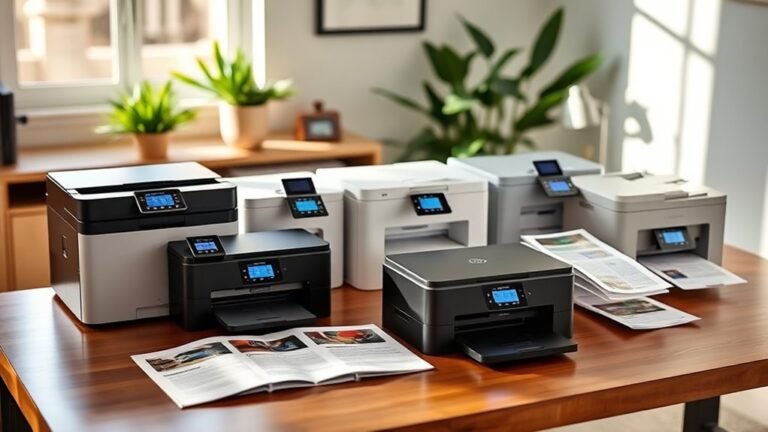
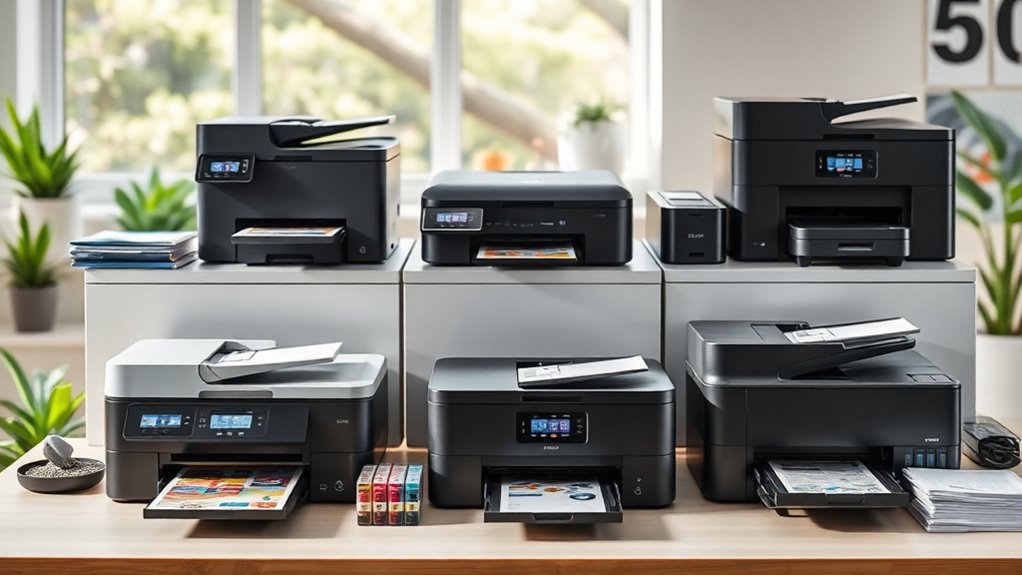
You’ll save big on ink costs with printers like the Canon MegaTank G3270, Epson EcoTank ET-4800, and Pro ET-5800, all featuring refillable tanks for long-lasting, low-cost printing.
These business printers with cheap ink are perfect for anyone looking to cut down on ongoing expenses without sacrificing quality.
The Canon MAXIFY GX2020 and Epson ET-5170 offer sharp prints with high ink yields ideal for small business needs.
Meanwhile, the HP OfficeJet Pro 9125 balances speed and affordable cartridge replacements, making it a solid choice for busy offices.
These options blend reliability, quality, and value, setting you up for significant 2027 savings.
Want to know more? Dive into the details on features and savings to find the perfect printer for your business.
| Image | Name | Editor's Rating | Price |
|---|---|---|---|

|
|
||

|
|
||

|
|
||

|
|
||

|
|
Canon MegaTank G3270 All-in-One Wireless Color Printer
- Wireless Print/Copy/Scan
- Up to 2 years of ink included (2)
- Print up to 6,000 black & white / 7,700 color pages using a single set of inks! (1)
- Save up to $1,000 on ink (1)
- 1.35” Square LCD display

The Canon MegaTank G3270 revolutionizes printing for home offices and small businesses seeking to reduce costs without compromising quality. Its all-in-one wireless color inkjet design delivers sharp prints and copies at resolutions up to 4800 x 1200 dpi, ensuring professional-looking documents every time.
Maintenance is simple with the refillable MegaTank system, which includes up to two years of ink. This feature significantly cuts replacement expenses, saving you up to $1,000 over time. The printer handles various paper sizes and supports Wi-Fi and USB connectivity, making it easy to print from multiple devices.
Designed to fit neatly into your workspace, the compact printer weighs just 13.2 pounds. While it offers reliable performance, note that print speeds are moderate, and it supports only single-sided printing. The 100-sheet paper tray works well for low to moderate printing volumes but may require frequent refills in busier settings.
Best for: Home office users and small business owners looking to lower printing costs while maintaining high-quality color prints and scans.
What We Like:
- Sharp print and copy resolution up to 4800 x 1200 dpi
- Cost-effective refillable MegaTank ink system
- Convenient wireless connectivity with Wi-Fi and app control
Specification:
| Feature | Details |
|---|---|
| Manufacturer | Canon |
| Dimensions | Not specified |
| Weight | 13.2 lb (6 kg) |
| Connectivity | Wi-Fi, USB |
| Printing Resolution | Up to 4800 x 1200 dpi |
| Paper Tray Capacity | 100 sheets |
Epson EcoTank ET-4800 Wireless Color All-in-One Supertank Printer
- INNOVATIVE CARTRIDGE-FREE PRINTING — High-capacity ink tanks mean no more dealing with lots of tiny ink cartridges; Epson’s exclusive EcoFit ink bottles make filling...
- CLEAR AND VIBRANT PRINT QUALITY ― Create memorable prints and projects; Unique Micro Piezo Heat-Free Technology allows wireless color printer to produce sharp text and...
- ZERO CARTRIDGE WASTE — By using an Epson EcoTank printer you can help reduce the amount of cartridge waste ending up in landfills
- BUILT IN SCANNER AND COPIER ― All-In-One Epson EcoTank is more than a printer; High-resolution flatbed scanner and color display come together for easy document copying...
- LESS FREQUENT INK REPLACEMENT — Replacement ink bottles don't have to be changed nearly as often as ink cartridges¹; Printer, scanner and copier lets you print up to...
The Epson EcoTank ET-4800 Wireless Color All-in-One Supertank Printer transforms your printing routine by eliminating frequent cartridge changes. Its large refillable ink tanks deliver up to 4,500 black or 7,500 color pages per bottle set, significantly cutting ink expenses. This system is designed to keep your workflow smooth and your printing costs low.
Beyond printing, it offers copying, scanning, and faxing capabilities with a sharp 5760 x 1440 dpi resolution. The compact design fits well in small office spaces or home setups, providing multifunction convenience without occupying excessive room.
Connectivity is versatile, supporting Wi-Fi, Ethernet, USB, and voice commands, making it easy to integrate with different devices. The 100-sheet paper capacity and manual duplexing add flexibility, though double-sided printing requires user involvement.
Maintenance is straightforward due to the refillable tanks, but spare parts availability is limited to one year, which may influence long-term upkeep. Print speed is moderate, suitable for typical office demands rather than high-volume rapid printing.
Best for: Small offices and home users needing affordable, eco-friendly, and versatile all-in-one printing solutions.
What We Like:
- Large-capacity EcoTank system lowers ink costs and reduces refills
- Multifunction features: print, copy, scan, and fax with high resolution
- Multiple connectivity options including wireless and voice control
- Compact design fits well in small workspaces
- Easy maintenance with refillable ink tanks
Specification:
| Feature | Details |
|---|---|
| Manufacturer | Epson |
| Dimensions | Approx. 14.8 x 13.7 x 11.4 in |
| Weight | Approx. 12.7 lb (5.75 kg) |
| Print Resolution | Up to 5760 x 1440 dpi |
| Ink System | Refillable EcoTank |
| Connectivity | Wi-Fi, Ethernet, USB, Voice Control |
| Paper Capacity | 100 sheets |
Epson EcoTank Pro ET-5800 Wireless Color All-in-One Supertank Printer
- 2 Years of Unlimited Ink promo valid for ET-5150, ET-5170, ET-5180, ET-5800, ET-5850, ET-5880, ET-16600 or ET-16650 printers purchased from 10/1/2021 to...
- Warning – Printer Designed For Use With Pigment Inks Only Use of Dye Inks May Cause Damage not covered by the Epson Limited Wnty
- You can save up to 80 percent with low-cost replacement ink bottles vs standard-capacity color laser toner cartridges (1) — very low cost per page with about 2 cents...
- Epson EcoTank is the #1 Best Selling Supertank Printer*
- Fast print speed — powered by PrecisionCore Heat-Free Technology up to 25 ISO ppm black (ƚ) no warmup time for fast first page out
The Epson EcoTank Pro ET-5800 Wireless Color All-in-One Supertank Printer is designed to help small offices and businesses reduce printing expenses while maintaining professional quality. Its cartridge-free refillable ink tanks eliminate costly replacements, offering up to 80% savings on ink and minimizing waste.
This printer delivers sharp, high-resolution prints at up to 25 pages per minute in black and 12 pages per minute in color. The automatic duplexing and large 500-sheet capacity streamline multi-page jobs, saving time and effort. A 4.3″ touchscreen makes navigation straightforward and user-friendly.
Maintenance is simple with easy refill tanks that allow you to print thousands of pages before needing a refill. Wireless and Ethernet connectivity options provide flexible setup, fitting seamlessly into various office environments. Its energy-efficient design supports eco-friendly operations without compromising performance.
Voice-activated printing is available but requires additional Epson Connect registration and compatible voice accounts, adding convenience for hands-free tasks. Overall, this printer balances speed, cost-efficiency, and quality for everyday business needs.
Best for: Small offices and businesses seeking a cost-effective, high-quality all-in-one printer with fast speeds and low operating costs.
What We Like:
- Cartridge-free refillable ink tanks reduce ink costs and waste
- Fast print speeds with sharp 4800 × 2400 dpi resolution
- Large 500-sheet capacity with automatic duplexing
- Intuitive 4.3″ touchscreen for easy operation
- Flexible wireless and Ethernet connectivity
Specification:
| Feature | Details |
|---|---|
| Manufacturer | Epson |
| Dimensions (W×D×H) | Not specified |
| Weight | Not specified |
| Color Options | Not specified |
| Print Resolution | Up to 4800 × 2400 dpi |
| Print Speed (Black) | Up to 25 ppm |
| Print Speed (Color) | Up to 12 ppm |
| Paper Capacity | 500 sheets |
| Connectivity | Wireless, Ethernet |
| Display | 4.3″ Touchscreen |
Canon MAXIFY GX2020 All-in-One Wireless Printer
- Wireless Print/Copy/Scan/Fax (2)
- Print up to 3,000 black & white / 3,000 color pages using a single set of inks! (1)
- 2.7” LCD Color Touchscreen
- Auto 2-sided printing
- ADF – 35 sheet Auto Document Feeder
The Canon MAXIFY GX2020 All-in-One Wireless Printer offers a practical solution for small businesses and home offices struggling with high ink costs. Its refillable tank system allows you to print up to 3,000 black and 3,000 color pages per ink set, significantly lowering your running expenses without compromising output quality. This makes it ideal for users who need reliable, high-volume printing.
Designed to fit comfortably in compact workspaces, the GX2020 combines functionality with convenience. Its automatic duplex printing and a 35-sheet automatic document feeder (ADF) streamline multitasking and reduce paper waste. The 2.7-inch touchscreen simplifies navigation, keeping operations smooth and user-friendly.
Maintaining this printer is straightforward thanks to the visible ink tanks, which help you monitor ink levels easily and refill as needed. The use of pigment-based black ink ensures sharp text, while dye-based color inks produce vibrant photos, meeting diverse printing needs. Connectivity options like Wi-Fi dual-band, USB, and Chromebook support make setup flexible and hassle-free.
The device’s footprint requires a dedicated space, and its maximum media size of 8 x 10 inches limits larger print jobs. Print speeds are moderate, suitable for typical office tasks but less ideal for very high-volume demands.
Best for: Small businesses and home offices seeking an affordable, efficient all-in-one printer with wireless features and cost-effective ink management.
What We Like:
- High ink yield with up to 3,000 pages per color and black ink set
- Automatic duplex printing and 35-sheet ADF improve workflow
- Simple maintenance with visible refillable ink tanks
- Flexible connectivity: Wi-Fi dual-band, USB, and Chromebook compatible
- Compact design fits well in hybrid or small office spaces
Specification:
| Feature | Details |
|---|---|
| Manufacturer | Canon |
| Dimensions | Approximately 15″ (W) x * |
| Weight | 17.8 lb (8.1 kg) |
| Ink System | Refillable ink tank |
| Max Media Size | 8 x 10 inches |
| Connectivity | Wi-Fi dual-band, USB, Chromebook |
| Display | 2.7″ Touchscreen |
HP OfficeJet Pro 9125 Wireless All-in-One Printer
No products found.
The HP OfficeJet Pro 9125 Wireless All-in-One Printer is designed to streamline your office tasks with ease and efficiency. It combines printing, scanning, and faxing into one compact device, helping you save time and space. This printer tackles everyday document needs with fast speeds of up to 22 ppm in black and 18 ppm in color.
Its smart design includes a 2.7-inch touchscreen and wireless connectivity via the HP Smart app. These features simplify managing print jobs directly from your phone or computer, reducing the hassle of cables and manual setups. The versatile 250-sheet input tray supports longer print runs without frequent refills.
Maintenance is straightforward with the use of HP 936 cartridges, which offer affordable replacements to keep running costs low. However, firmware updates enforce cartridge authentication, which might restrict the use of third-party ink options. The printer also supports duplex scanning and copying, enhancing productivity while reducing paper use.
Built with security and sustainability in mind, this all-in-one printer fits seamlessly into busy workspaces. It handles standard media sizes up to 8.5 x 11.7 inches, making it ideal for typical business documents but less suited for larger formats.
Best for: Small to medium-sized businesses and home offices requiring a reliable, cost-effective all-in-one printer with wireless features and security controls.
What We Like:
- Fast print speeds with duplex scanning and copying
- Intuitive 2.7-inch touchscreen plus HP Smart app for wireless management
- Cost-effective HP 936 cartridges simplify maintenance
- Built-in security and eco-friendly features support busy offices
Specification:
| Feature | Details |
|---|---|
| Manufacturer | HP |
| Dimensions (W×D×H) | 17.2 × 15.8 × 8.3 inches |
| Weight | Approximately 20.7 lbs |
| Color Options | White with gray accents |
| Maximum Media Size | 8.5 × 11.7 inches |
Epson EcoTank Pro ET-5170 Wireless Color All-in-One Supertank Printer
- Sold as 1 Each.
- Save a ridiculous amount on ink with revolutionary Cartridge-Free printing — save up to 80 percent with low-cost replacement ink bottles vs. standard-capacity color...
- Built for speed — up to 17 black/9.5 color ISO ppm print speed; no warmup time; fast first page out. Fewer out-of-ink frustrations — each set of replacement bottles...
- Professional-quality color prints — Epson DURABrite ET pigment inks for crisp, vibrant prints in black-and-white and color. Get more done with powerful productivity...
- Engineered for high-volume business environments — reliability you can count on with a 2-year limited warranty with registration; PrecisionCore permanent printhead...
Experience hassle-free, cost-effective printing with the Epson EcoTank Pro ET-5170 Wireless Color All-in-One Supertank Printer. Designed for busy small offices and high-volume users, it eliminates the need for cartridges, cutting ink costs dramatically. Each refill prints thousands of pages, so you spend less time worrying about supplies and more time on your work.
This all-in-one printer handles printing, copying, scanning, and faxing with ease. Its compact design fits comfortably in tight spaces while offering automatic double-sided printing and a 2.4″ touchscreen for intuitive control. Wireless and Ethernet connectivity ensure seamless integration into your office network.
Maintenance is simplified with high-yield ink bottles that reduce frequent replacements. The DURABrite ET pigment inks deliver sharp, vibrant prints, while the PrecisionCore printhead ensures reliability. Although initial setup bottles yield fewer pages, ongoing refills provide excellent value.
Best for: Small offices and businesses needing a cartridge-free, multifunction printer that balances efficiency, quality, and low running costs.
What We Like:
- Up to 7,500 black or 6,000 color pages per refill
- Multifunction printing with copy, scan, fax, and auto two-sided print
- Wireless, Ethernet, and USB connectivity with touchscreen and mobile app control
- Durable pigment inks and PrecisionCore printhead for vibrant, reliable output
- Compact design saves space without sacrificing features
Specification:
| Feature | Details |
|---|---|
| Manufacturer | Epson |
| Dimensions (W×D×H) | 14.7 × 13.6 × 11.7 inches |
| Weight | Approx. 13.5 lbs (6.1 kg) |
| Color Options | Black |
| Connectivity | Wireless, Ethernet, USB |
Factors to Consider When Choosing a Business Printer With Cheap Ink
When choosing a business printer with cheap ink, you need to focus on ink cost efficiency and how much it can handle your print volume. Don’t forget to check if the print quality meets your standards and what connectivity options it offers for your setup.
Also, consider maintenance needs and the printer’s durability to keep your operations running smoothly. These factors will help you pick a printer that’s both budget-friendly and reliable.
Ink Cost Efficiency
Understanding ink cost efficiency plays a pivotal role in selecting a business printer with cheap ink. You should calculate the cost per page using real-world yields, including both black and color, rather than relying on advertised cartridge counts.
Favor printers with refillable tanks or high-capacity systems since they markedly lower cost per page compared to standard cartridges. Don’t forget to factor in replacement ink prices and expected yields to estimate total ownership costs over your printing volume.
Keep in mind that maintenance routines and color-heavy printing increase ink consumption, raising your actual costs. Also, check warranty policies regarding third-party or refilled ink—while cheaper, they might void warranties or lead to higher maintenance expenses.
Being thorough here helps you pick a truly cost-efficient printer for your business.
Print Volume Capacity
Choosing a business printer with cheap ink often hinges on accurately evaluating your print volume capacity. First, estimate your monthly page output and pick a printer whose monthly duty cycle and recommended print range exceed that comfortably. This helps prevent premature wear or maintenance.
Compare ink yields by checking ISO/IEC page counts per cartridge or bottle. Then, calculate your effective cost-per-page by dividing yield by ink price.
If you print a lot or unpredictably, opt for refillable tank systems with high-capacity bottles. These cut refill frequency and lower your per-page ink cost.
Also, make sure the printer’s paper handling and tray sizes suit your job size. This helps avoid frequent reloads.
Print Quality Standards
After sizing up your print volume needs and ink costs, it’s important to focus on print quality standards to guarantee your documents and images look professional. Look for printers with a high optical print resolution, like 4800 × 1200 dpi or higher, to assure sharp text and vivid photo output.
Check copy and scan resolutions—600 dpi or above assure clear OCR results and quality reproductions. Verify if the printer uses pigment-based ink for crisp, long-lasting black text, and dye or pigment color inks for vibrant images.
Don’t overlook color depth and management features like bit depth and ICC profile support, which help reproduce accurate graphics and marketing materials. Finally, confirm the printer supports various media types and borderless printing to maximize your print quality across different paper options.
Connectivity Options Available
When you pick a business printer with cheap ink, you’ll want to look closely at the connectivity options it offers. Make certain it supports Wi-Fi, Ethernet, and USB to serve both mobile devices and wired workstations without extra gear.
Check for dual-band Wi-Fi (2.4/5 GHz) to boost reliability and cut interference in busy networks. If you manage multiple printers, prioritize Ethernet and SNMP support for easier monitoring and security.
Don’t forget mobile printing protocols like AirPrint, Mopria, or Wi-Fi Direct, so smartphones and tablets can print without joining the corporate network. Also, consider USB host printing and cloud printing options to simplify offline jobs and guest access.
These features make certain your printer fits smoothly into your office environment. It just makes everything run a lot easier, you know?
Maintenance and Durability
Connectivity options keep your business printer versatile, but maintenance and durability determine how well it performs over time. If you choose a refillable tank system, remember that while it cuts cartridge costs, you’ll need to refill bottles carefully to avoid spills and contamination.
Regular printhead cleaning, whether automatic or manual, is essential since pigment and dye inks can clog nozzles, especially with frequent short jobs. Don’t skip scheduled tasks like alignment, firmware updates, and nozzle checks—they prevent print quality drop and ink waste.
Check if replacement parts like wipers and rollers are readily available; this helps avoid costly downtime. Also, consider environmental factors—store inks properly and run test prints regularly to counteract drying and clogging caused by temperature, humidity, or infrequent use.
Compatibility With Devices
Although finding a business printer with cheap ink is important, you’ll also want to make certain it works seamlessly with your devices. First, confirm the printer supports your preferred connection types like Wi-Fi, Ethernet, or USB. This way, you can print from laptops, desktops, or mobile devices without extra adapters.
Next, check compatibility with your operating systems—Windows, macOS, iOS, Android, or ChromeOS. Make sure drivers or apps are available to avoid losing features such as scanning or faxing.
Look for support of printing standards like AirPrint, Mopria, and IPP, plus cloud and voice printing for flexible, secure access. If multiple users share the printer, centralized management tools help track usage.
Finally, verify any device-specific requirements that might limit third-party ink use or block printing from certain gadgets. It’s all about making sure your printer fits perfectly into your workflow without any hiccups.
Warranty and Support
Since your business printer’s reliability hinges on consistent support, you’ll want to verify the length and scope of the manufacturer’s warranty, including which parts are covered and whether using high-yield or refillable ink affects coverage.
Check if the warranty includes key components like printheads, electronics, and ink tanks. Look for extended warranty or service-plan options, noting costs, duration, and whether on-site support is available.
Make sure you register within any required timeframe to qualify. Confirm the technical support channels offered—phone, chat, email, or app—and typical response times.
Pay attention to exclusions, such as third-party ink use or accidental damage, that could void coverage. Finally, confirm spare parts and authorized service centers remain accessible for years to minimize downtime and keep your printer running smoothly.
Frequently Asked Questions
How Do Printer Ink Refill Kits Compare to Brand Cartridges in Quality?
You’ll find refill kits often match brand cartridge quality but can sometimes cause inconsistent prints or clog nozzles.
If you want reliability, stick with brand cartridges. But refills save money if you’re careful.
Can Business Printers Handle Printing on Specialty Paper or Labels?
Think of your business printer as a versatile artist’s brush—it can handle specialty paper or labels if you feed it right. Just check the specs, so you don’t end up smudging your masterpiece or jamming the machine.
It’s all about knowing what your printer can take. Different papers and labels have different thicknesses and coatings, so make sure your printer’s settings match up. That way, your prints come out clean and your printer stays happy.
What Are the Environmental Impacts of Using Supertank Printers?
You’ll reduce plastic waste using supertank printers since they use refillable ink tanks instead of cartridges. They also save energy by lasting longer and cutting down on frequent replacements, making your printing greener overall.
Plus, because you’re not tossing out empty cartridges all the time, it’s better for the environment. It’s a simple switch that can make a real difference in reducing trash and conserving resources.
Are There Subscription Services Available for Cheap Ink Refills?
Yes, you can find subscription services for cheap ink refills that deliver cartridges or ink tanks regularly. They help you save money, avoid running out, and often include recycling programs to reduce waste.
It’s super convenient because you don’t have to remember to reorder. Plus, some services even tailor the delivery schedule based on how much you print.
How Does Printer Ink Cost Affect Overall Office Budget Planning?
Printer ink costs directly impact your office budget by increasing recurring expenses. You’ll want to factor in ink prices to avoid surprises.
This way, you can ensure you choose affordable options or subscription services. They help control and predict printing costs effectively.
Conclusion
Choosing the right business printer can save you thousands in ink costs over time. Did you know that ink cartridges can cost up to 10 times more per milliliter than luxury perfumes? It’s wild when you think about it!
By opting for printers like the EcoTank or MegaTank series, you’ll slash your expenses and boost efficiency. These models come with refillable ink tanks, which means you buy ink in bulk at a fraction of the price.
So, invest smartly now—your wallet and productivity will thank you in 2027 and beyond. Don’t let pricey ink drain your budget! Picking one of the best business printers with cheap ink can make a huge difference in your savings and keep your office running smoothly.