9 Best Cheap Printers for Photos in 2027
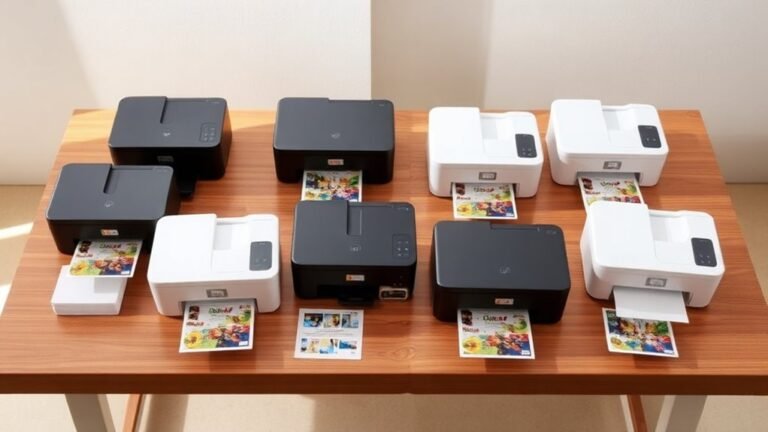
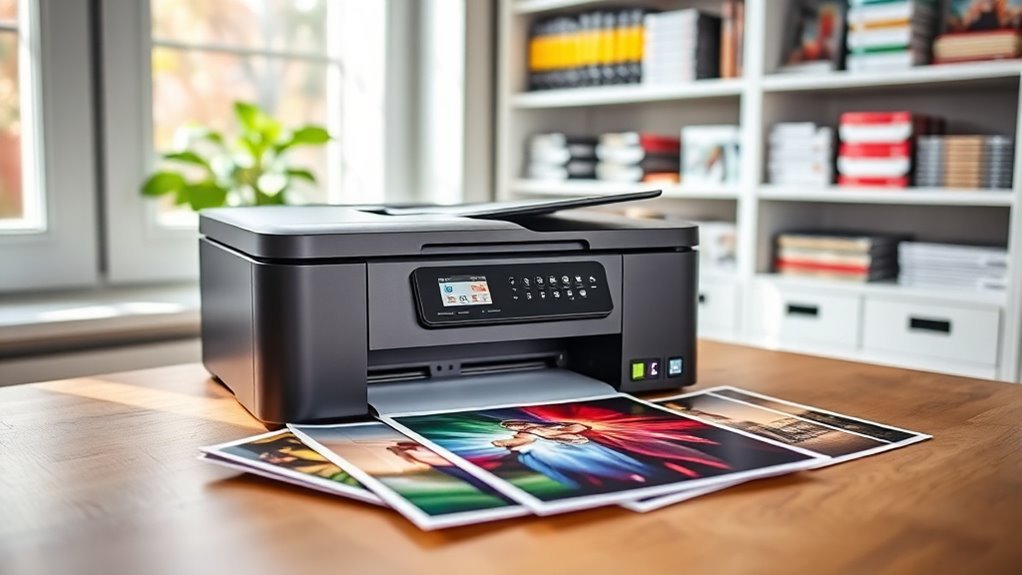
If you’re searching for the best cheap printers for photos in 2027, you’ve got some great options to consider. Affordable photo printers don’t have to mean low quality. Whether you want vibrant 4×6 prints or quick sticker-sized photos, there’s something out there for you.
Take the Liene M100, for example—it’s perfect if you want bright, colorful 4×6 photos without breaking the bank. Or, if you’re into something more portable, the KODAK Step and Canon Ivy 2 Mini are pocket-friendly choices that churn out 2×3 stickers in no time.
The Nelko PP01 stands out with its high 600 dpi resolution and cute compact pink design. Meanwhile, the iDPRT CP4100 offers borderless 4×6 photos and handy Wi-Fi connectivity, making printing super easy.
If you want to avoid ink hassles, look for printers using inkless thermal or ZINK technology. And for versatile inkjet options, Canon PIXMA models are always a solid bet. With so many choices, you’re sure to find the perfect printer to fit your needs!
| Image | Name | Editor's Rating | Price |
|---|---|---|---|

|
|
||

|
|
||

|
|
||

|
|
||
|
|
Liene M100 Portable 4×6” Photo Printer Kit
- User-Friendly Portable Photo Printer for iPhone, Android & PC - Get beautiful and colourful memories with Liene 4x6 photo printer! After opening the entire package, you...
- Superior Quality 4x6 Photo Printer - Print photos like no other thanks to the thermal-dye sublimation tech adopted by the picture printer for iphone. The dyes deeply...
- Wi-Fi Photo Printer for Smartphone - The built-in hotspot of the photo printer makes it easy to print pictures from your phone, avoiding outside interference with a fast...
- Multiple Device Compatibility - Liene phone printer provides instant photo printing for up to 5 simultaneous connections. Share with family and friends or print from your...
- Customize your Printing with the Liene App - Customize your photos with our specialized App! You can add a Square border, insert filters, enhance the contrast and...
Experience on-the-go photo printing with the Liene M100 Portable 4×6” Photo Printer Kit, designed to fit seamlessly into your busy lifestyle. This compact device solves the hassle of finding a nearby print shop by delivering crisp, borderless 4×6 prints wherever you are. Its lightweight design ensures effortless portability without compromising print quality.
The printer uses thermal dye-sublimation technology to produce vibrant, full-color photos at 300 dpi. You can easily connect via Wi-Fi hotspot or USB-C, enabling quick printing directly from your smartphone, laptop, or PC. The included Liene app simplifies photo customization, letting you add personal touches before printing.
Maintenance is straightforward with the kit’s sealed cassette that protects ink cartridges from dust and damage. The package also includes 100 glossy sheets and three color cartridges, giving you everything needed to start printing immediately. Although it prints at a modest speed of about one page per minute, this printer prioritizes quality and portability.
Ideal for travelers, event photographers, or anyone needing quick, high-quality prints on the move, this compact printer delivers convenience without bulk.
Best for: Mobile users and creatives who require a lightweight, portable photo printer for vivid 4×6 prints from multiple devices.
What We Like:
- Lightweight and compact for easy transport
- Produces durable, borderless, full-color photos
- Multiple connectivity options including Wi-Fi hotspot and USB-C
- User-friendly app for quick photo customization
Specification:
| Feature | Details |
|---|---|
| Manufacturer | Liene |
| Dimensions | Not specified |
| Weight | 200 g (0.44 lb) |
| Print Size | 4 x 6 inches |
| Print Resolution | 300 dpi |
| Technology | Thermal dye-sublimation |
| Connectivity | Wi-Fi hotspot, USB-C |
| Included Supplies | 100 glossy sheets, 3 cartridges |
KODAK Step Instant Wireless Smartphone Photo Printer
- STEP UP YOUR PRINTING GAME. KODAK Step Printer Connects to Any iOS or Android Device [Via Bluetooth or NFC] Turn Your Selfies, Portraits, Social Media Posts Into Physical...
- AMAZING ZERO-INK TECHNOLOGY. ZINK 2” x 3” Sticky-Back Paper with Embedded Dye Crystals Delivers High-Quality, Durable, Affordable, Beautifully Detailed Prints That...
- FULL EDITING SUITE VIA APP. Download the KODAK App to Create Collages & Customize Your Snaps with Stunning Filters, Interesting Borders, Cool Stickers, Funny Text & Other...
- TAKE YOUR PROJECTS TO GO. Our Palm-Sized Printer Weighs Less Than a Pound, Sets Up Fast & Delivers Gorgeous Prints You Can Peel & Stick Everywhere.
- CUTE, COMPACT & COLORFUL. Step Printer is Designed for Photo-Loving Influencers & Crafters of All Ages & Skill Levels! Portable, Lightweight Device Features Built-In...

The KODAK Step Instant Wireless Smartphone Photo Printer offers a simple and convenient way to capture memories on the spot. It lets you print vibrant, peel-and-stick photos directly from your smartphone, eliminating the need for traditional printing setups. This mini printer solves the problem of bulky photo printers by being compact and lightweight, easily fitting in your palm or bag.
Designed with ZINK thermal technology, the printer produces smudge-proof, moisture-resistant 2×3” full-color prints. Its Bluetooth and NFC connectivity ensure quick, hassle-free pairing with both iOS and Android devices. The KODAK app enhances functionality by allowing you to edit images with filters, stickers, and text before printing.
Maintenance is straightforward, as the device uses ZINK paper that requires no ink cartridges or ribbons. The rechargeable battery supports about 25 prints per charge, making it suitable for casual, on-the-go use. While the print speed is around one minute per photo, this is sufficient for personal and creative projects rather than high-volume printing.
Best for: Travelers, social media enthusiasts, and crafters seeking a portable and easy-to-use solution for instant smartphone photo printing.
What We Like:
- Compact, lightweight design ideal for travel and portability
- ZINK technology delivers smudge-proof, moisture-resistant prints
- Compatible with iOS and Android via a user-friendly editing app
- No ink cartridges needed, simplifying maintenance
- Rechargeable battery offers around 25 prints per charge
Specification:
| Feature | Details |
|---|---|
| Manufacturer | KODAK |
| Print Size | 2 x 3 inches (5.1 x 7.6 cm) |
| Technology | ZINK Thermal Printing |
| Connectivity | Bluetooth, NFC |
| Compatible Devices | iOS, Android |
| Battery Life | Approximately 25 prints per charge |
| Dimensions | Compact, fits in palm (exact size not specified) |
| Weight | Lightweight (exact weight not specified) |
Canon PIXMA TS4320 – Wireless Color Inkjet Printer with Print, Copy, Scan
- Affordable Versatility - A budget-friendly all-in-one printer perfect for both home users and hybrid workers, offering exceptional value
- Crisp, Vibrant Prints - Experience impressive print quality for both documents and photos, thanks to its 2-cartridge hybrid ink system that delivers sharp text and vivid...
- Effortless Setup & Use - Get started quickly with easy setup for your smartphone or computer, so you can print, scan, and copy without delay
- Reliable Wireless Connectivity - Enjoy stable and consistent connections with dual-band Wi-Fi (2.4GHz or 5GHz), ensuring smooth printing from anywhere in your home or...
- Scan & Copy Handling - Utilize the device’s integrated scanner for efficient scanning and copying operations
The Canon PIXMA TS4320 transforms everyday printing tasks with its compact, all-in-one design that fits seamlessly into any home or hybrid workspace. It tackles printing, copying, and scanning with sharp detail at 1200 x 1200 dpi, making it ideal for homework, recipes, and photos. This printer helps reduce clutter and complexity by combining multiple functions into one device.
Wireless dual-band Wi-Fi and mobile printing options such as Canon PRINT, AirPrint, and Mopria make it easy to print from smartphones and tablets. This flexibility solves the hassle of wired connections and supports a modern, connected lifestyle. You can print directly without a computer, which saves time and effort.
The PIXMA TS4320 supports various media types, including glossy photo paper and cardstock, and features auto duplex printing to cut paper use in half. Maintenance is straightforward with starter ink tanks and the optional PIXMA Print Plan, which offers convenience and cost savings for occasional to light users.
While it has a single tray with a 100-sheet capacity and moderate print speeds, this printer is well-suited for users who prioritize quality and versatility over high-volume output. Its lightweight, stylish design complements any setting without taking up much space.
Best for: Home users and hybrid workers needing a compact, versatile all-in-one printer for light to occasional printing, copying, and scanning.
What We Like:
- Compact footprint ideal for small spaces
- Wireless dual-band Wi-Fi with mobile printing support
- Auto duplex printing saves paper
- Supports various media including cardstock and photo paper
- Easy maintenance with starter ink tanks and print plan option
Specification:
| Feature | Details |
|---|---|
| Manufacturer | Canon |
| Dimensions | Approx. 12.0 x 14.5 x 5.0 in (30.5 x 36.8 x 12.7 cm) |
| Weight | Approx. 9.7 lbs (4.4 kg) |
| Color Options | Black, White |
| Print Resolution | Up to 1200 x 1200 dpi |
Nelko PP01 Photo Printer, 2×3 Portable Photo Printer, Mini Printer, Pink
- 2x3" Portable Photo Printer: The upgraded PP01 photo printer adopts advanced inkjet technology. This portable photo sticker printer delivers vivid, full-color prints on...
- Easy Printing via Bluetooth: The PP01 mini photo printer is compatible with iOS and Android phones via Bluetooth. Simply download the Nelko app from Google Play or the...
- High-Quality Photos: This mini photo sticker printer uses advanced inkjet technology for clear, vibrant prints. This portable photo printer produces 600 DPI...
- Powerful App: The Nelko 2x3" PP01 photo printer app lets you edit photos and offers a variety of frame designs, making it perfect for personalizing your photos for...
- Versatile Uses: This portable photo printer is ideal for travel journals, planners, and scrapbooking. Crafters use it for DIY projects, custom labels and photo printing...
Capture your memories instantly with the Nelko PP01 Portable Photo Printer. Its compact, lightweight design lets you print vibrant, smudge-proof photos wherever you go. No more waiting or bulky equipment—just quick, high-quality prints in under 90 seconds.
This mini printer uses advanced inkjet technology to produce sharp 600 DPI images on durable, 2×3-inch sticky-backed photo paper. The water- and tear-resistant prints are perfect for scrapbooks, gifts, or decorating your space. Plus, the adhesive backing lets you stick photos anywhere easily.
Maintenance is simple with ink cartridges that print up to 80 photos before needing replacement. The printer connects seamlessly to your iOS or Android device via Bluetooth and the Nelko app. Customize your photos with filters, frames, and text for a personal touch.
The device’s sleek pink finish and pocket-friendly size make it ideal for students, travelers, and crafters who want easy, creative photo printing on the move. Note that the printer requires the app for operation, and the USB charging adapter is sold separately.
Best for: Creative individuals needing a portable, user-friendly printer for instant, personalized photo prints.
What We Like:
- Lightweight, pocket-sized design for easy portability
- Produces high-resolution, durable, adhesive-backed photos
- Bluetooth connectivity with customizable print options
- Fast printing time under 90 seconds
Specification:
| Feature | Details |
|---|---|
| Manufacturer | Nelko |
| Dimensions | Compact, pocket-sized |
| Weight | 308 g (0.68 lbs) |
| Paper Size | 2 x 3 inches |
| Print Resolution | 600 DPI |
| Connectivity | Bluetooth |
| Color | Pink |
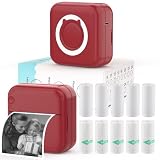
Mini Portable Photo Printer with Thermal Paper
- Ways to download print app "Fun Print" ---① Search "Fun Print" in Google Play. ② Search "Fun Print" in the App Store. You can turn on the wireless sticker printer and...
- Inkless Mini Sticker Printer --- Our wireless mini thermal printer measures 3.1x3.1x1.5 inch, weight 5.3oz, small size enough to carry with you anywhere. Our mini pocket...
- Multifunctional Print App “funprint’ --- This mini bluetooth printer’s app has many templates, such as holiday themed templates, such as Easter, Halloween...
- Multipurpose Uses --- You can choose pictures from your phone album, write your text or make labels, journals, notes, barcode, QR codes, receipt, etc. Students can use...
- 10 Rolls Of Thermal Paper --- The wireless mini photo printer comes with 1x mini thermal printer, 1x charging cable, 5x rolls of normal thermal papers (2.2’’ wide...
Experience the convenience of printing wherever you go with the Mini Portable Photo Printer. Designed for smartphone users, this compact device delivers quick, inkless printing without the hassle of cartridges. Its thermal technology ensures low maintenance and easy operation.
The pocket-sized printer produces clear monochrome photos, labels, and stickers up to 57mm wide. With a battery that supports around 800 prints per charge, it’s perfect for journaling, study notes, or organizing events on the fly. Simply connect via Bluetooth and customize your prints using the Fun Print app.
Weighing just 5.3 ounces, this lightweight printer fits easily in your bag or pocket. The included 10 rolls of thermal paper let you start printing right away. While it only prints in black and white and prints at a modest speed, its portability and ease of use make it a practical tool for quick print needs.
Best for: Smartphone users who need a compact, inkless printer for fast monochrome photo, label, or sticker printing on the move.
What We Like:
- Lightweight design at only 5.3 ounces for easy portability
- Inkless thermal printing reduces upkeep and eliminates cartridges
- Includes 10 rolls of thermal paper for immediate use
- Bluetooth connectivity with customizable options via the Fun Print app
Specification:
| Feature | Details |
|---|---|
| Manufacturer | Not specified |
| Dimensions | Pocket-sized (not specified) |
| Weight | 5.3 ounces (0.33 lb) |
| Printing Technology | Thermal (inkless) |
| Print Width | Up to 57mm |
| Color Options | Dark red |
Liene Pearl N200 Pro Portable Photo Printer Gold

- Professional-Grade Prints Sticker Photo Anywhere: Utilizing advanced dye-sublimation photo printing technology in a compact 3-inch portable design, this mini sticker...
- Discover Different Versions of Yourself with Liene Picture Printer: Upload your photo, choose from multiple artistic styles, and let AI reimagine you while keeping the...
- Instantly Shoot & Print with One-Touch Simplicity: Switch to InstaPic Print mode for a true "shoot-and-print" experience, complete with built-in CCD camera filters...
- Unleash Endless Creativity Beyond Editing: With rich built-in frames, AI-powered background removal for custom fun borders, personalized watermarks & timestamps, and...
- Fast Bluetooth Pairing & Group-Print Ready: With quick-connect technology and multi-device pairing support, everyone at parties or gatherings can print seamlessly...
The Liene Pearl N200 Pro Portable Photo Printer in gold offers a sleek solution for creating vibrant, sticker-style photos on the move. Designed for easy, instant printing, it uses dye-sublimation thermal technology to deliver sharper details and bright colors. This helps you capture and share memories quickly without compromising image quality.
Its built-in CCD camera with InstaPic mode simplifies the shoot-and-print process, letting you create 2×3-inch adhesive stickers with a single touch. Bluetooth connectivity allows seamless pairing with multiple devices, so friends can join in and print their favorite moments. The compact design makes it ideal for events, parties, or any creative outing.
Maintenance is straightforward; the printer uses proprietary adhesive sheets and cartridges included in the package. A full charge supports up to 27 prints, which is convenient for casual use but may require recharging during extended sessions. The Liene Photo App enhances photos with AI-powered portrait restyling, background removal, and customizable frames or watermarks.
This portable printer combines functionality with style, offering a practical way to print instant stickers that stand out. Its unique features are geared toward users who want quick, high-quality prints with creative editing options in a compact form.
Best for: Those seeking a vibrant, portable photo printer for instant sticker printing at social gatherings and creative projects.
What We Like:
- High-resolution dye-sublimation printing for vivid, sharp images
- Instant shoot-and-print with built-in CCD camera and InstaPic mode
- AI-enhanced editing features in the Liene Photo App
- Bluetooth pairing supports multiple devices for shared use
- Compact and stylish gold design suitable for on-the-go printing
Specification:
| Feature | Details |
|---|---|
| Manufacturer | Liene |
| Print Size | 2 x 3 inches (sticker photos) |
| Printing Technology | Dye-sublimation thermal |
| Connectivity | Bluetooth |
| Built-in Camera | CCD with InstaPic mode |
| Battery Life | Up to 27 prints per charge |
| Included Supplies | 50 adhesive sheets, 5 cartridges |
| Color | Gold |
Canon Ivy 2 Mini Photo Printer, Blush Pink

- Print and customize your photos directly from your smartphone devices via the Canon Mini Print App.(1)
- NO INK NEEDED! The IVY 2 Mini Photo Printer uses ZINK (Zero Ink) technology, which features colorful dye-based crystals embedded inside the paper.
- Place your photos anywhere, thanks to a PEEL & STICK backing that adheres to your favorite surfaces.
- PRINT QUALITY IMPROVED in the IVY 2 Mini Photo Printer(optimized skin tone colors, improved photo contrast, optimized photo sharpness)
- BETTER CONNECTIVITY for mobile printing using compatible smartphone devices with Bluetooth 5.0 technology
Experience truly portable photo printing with the Canon Ivy 2 Mini Photo Printer, designed to fit easily in your pocket for instant snapshots wherever you go. This compact device uses ZINK technology, which means no ink cartridges are needed. The colors are embedded directly into the special paper, simplifying maintenance and ensuring hassle-free operation.
The Canon Ivy 2 Mini prints vibrant 2″ x 3″ photos with a peel-and-stick backing, making sharing memories or decorating your space quick and fun. Its Bluetooth 5.0 connectivity pairs seamlessly with the Canon Mini Print app on iOS and Android, allowing easy control from your smartphone.
Weighing just 8.8 ounces, this blush pink printer offers exceptional portability without sacrificing convenience. While it holds up to 10 sheets at a time, frequent reloading may be necessary for extended use. The print resolution maxes out at 600 x 600 dpi, which suits casual photo printing but may not meet demands for high-resolution images.
Best for: Individuals wanting a compact, easy-to-use portable printer for on-the-go 2″ x 3″ photo prints with peel-and-stick backing.
What We Like:
- Ink-free ZINK printing technology for low maintenance
- Lightweight, pocket-sized design ideal for travel
- Bluetooth 5.0 with user-friendly app support on iOS and Android
- Vibrant, peel-and-stick 2″ x 3″ photo prints for quick sharing
Specification:
| Feature | Details |
|---|---|
| Manufacturer | Canon |
| Dimensions | Pocket-sized (approx.) |
| Weight | 8.8 oz (0.55 lb) |
| Printing Technology | ZINK (Zero Ink) |
| Print Size | 2″ x 3″ |
| Connectivity | Bluetooth 5.0 |
| Color Options | Blush Pink |
iDPRT 4×6 Photo Printer, CP4100 Phone Printer 108 Sheets & 2 Cartridges

- 💝CAPTURE FLEETING MOMENTS, CREATE LASTING TREASURES: Make Memories You Can Hold! Don’t let life’s best moments get lost in your camera roll. Turn cozy family...
- 💞 108 SHEETS & 2 RIBBONS PHOTO PRINTER SET – This 4x6 photo printer set includes: 1 CP4100 sublimation photo printer, 1 power adapter, 2 ink ribbons, 108 sheets of...
- 📱 PHONE PRINTER WITH FUN APP – Connect this portable photo printer to your smartphone via built-in Wi-Fi hotspot (no router needed) or your home 2.4GHz Wi-Fi...
- ✨ AR VIDEO PRINTING – SCAN TO RELIVE THE MOMENT – Exclusive augmented reality feature lets you scan any printed photo with the HeyPhoto App to instantly replay the...
- 🎁 MEANINGFUL GIFT FOR EVERY OCCASION – This instant photo printer makes a thoughtful, personal gift for Mom, Dad, grandparents, couples, new parents, and photography...
Capture your favorite moments instantly with the iDPRT CP4100, a compact photo printer designed for those who love to print on the go. This portable device easily fits in your bag, making it simple to create sharp, 4×6-inch borderless photos anytime. Its thermal dye sublimation technology ensures clear and vibrant prints at 300 dpi.
Printing directly from your smartphone is hassle-free, thanks to the built-in Wi-Fi hotspot and Bluetooth. The free HeyPhoto app connects seamlessly with iPhone and Android devices, letting you add creative touches like AR video printing, filters, and collage templates before printing.
Maintenance is straightforward with included supplies—108 glossy sheets and 2 ink ribbons—so you can start printing immediately. While the print speed is about one page per minute, the convenience of wireless printing and app integration makes it ideal for personal keepsakes and gifts.
Best for: Anyone seeking a portable, user-friendly photo printer to produce high-quality 4×6 borderless photos from smartphones.
What We Like:
- Compact, lightweight design for easy portability
- Comes with 108 sheets and 2 ink ribbons for instant use
- Supports AR video printing and built-in editing features through HeyPhoto app
Specification:
| Feature | Detail |
|---|---|
| Manufacturer | iDPRT |
| Photo Size Output | 4×6 inches |
| Print Technology | Thermal dye sublimation |
| Resolution | 300 dpi |
| Connectivity | Wi-Fi hotspot, Bluetooth |
| Included Supplies | 108 glossy sheets, 2 ink ribbons |
| Weight | Lightweight (exact weight not specified) |
Canon PIXMA TS7720 Wireless All-in-One Printer

- ALL-IN-ONE: Print, Copy, Scan features for full control at your fingertips.
- FAST PRINT SPEEDS: Print approximately 15 (black) / 10 (color) images per minute.
- EASY SETUP: Get running in just a few minutes thanks to a streamlined and easy setup process out of the box.
- EASY TO INSTALL INK: Print full color with only 2 (no mess) easy-to-replace ink cartridges.
- 2.7” LCD SCREEN: Get the job done with an intuitive and easy to use 2.7” LCD touchscreen.
Experience versatile home printing with the Canon PIXMA TS7720 Wireless All-in-One Printer. This compact device delivers sharp, high-quality prints that bring your photos and documents to life. Its wireless design helps reduce clutter and lets you print easily from your smartphone or laptop.
The printer’s dual paper trays handle various sizes, including borderless photos up to 8.5″ x 11″. This flexibility means fewer interruptions and smoother workflow when switching between tasks. The 2.7″ touchscreen simplifies navigation, making setup and operation straightforward even for beginners.
Maintenance is hassle-free thanks to the efficient 2-cartridge hybrid ink system. It uses pigment black ink for crisp text and dye-based colors for vibrant images. While ink replacements may be more frequent for color printing, the system balances print quality and ease of use.
Though print speeds are moderate, this printer suits typical home workloads well. Its compact size fits neatly into small spaces but limits paper capacity to 100 sheets per tray. Overall, it’s designed to enhance home printing with reliable performance and convenient features.
Best for: Home users who need a compact, wireless all-in-one printer for quality photos and documents without complex setup.
What We Like:
- Sharp 1200 x 1200 dpi printing for clear text and vivid photos
- Dual paper trays accommodate multiple paper sizes and borderless prints
- User-friendly 2.7″ touchscreen and seamless Wi-Fi connectivity
Specification:
| Feature | Details |
|---|---|
| Manufacturer | Canon |
| Dimensions | Compact size (exact not provided) |
| Weight | Not specified |
| Ink System | 2-cartridge hybrid (pigment black, dye-based color) |
| Max Print Resolution | 1200 x 1200 dpi |
| Paper Capacity | 100 sheets per tray |
| Connectivity | Wireless (Wi-Fi) |
Factors to Consider When Choosing a Cheap Printer for Photos
When choosing a cheap photo printer, you’ll want to focus on print quality and resolution to get sharp, vibrant images. It’s important to consider the printing technology and media compatibility too.
That way, you can make sure it handles your preferred photo paper without any issues. Also, don’t forget to check the connectivity options.
You want something that’s easy to connect, whether it’s via Wi-Fi, USB, or another method. Lastly, keep an eye on the ongoing cost of consumables.
This will help keep your printing affordable and convenient in the long run.
Print Quality And Resolution
Although cheap photo printers might seem similar at first glance, print quality and resolution vary markedly and directly impact your final images. You should aim for at least 300 dpi resolution for sharp 4×6 prints, but higher native optical resolution—between 600 and 1200 dpi—delivers smoother color gradients and finer detail.
Look for printers supporting 24-bit color depth to reproduce up to 16.7 million colors accurately, and consider devices that handle a wide color gamut for richer hues. Keep in mind that print quality depends not just on resolution but also on media type and proper color management, like ICC profiles.
Using borderless glossy photo paper can boost sharpness and color accuracy, so check these features alongside the advertised specs to get the best results from your budget printer. It’s these little details that really make a difference in your prints.
Printing Technology Types
Explore the various printing technologies available to find the best fit for your photo printing needs and budget. Dye-sublimation printers use heat to create glossy, durable 4×6 or 2×3 photos with smooth color gradations, ideal for vibrant snapshots.
ZINK printers produce peel-and-stick 2×3 photos without ink cartridges, offering smudge- and moisture-resistant prints that dry instantly. Thermal label printers print simple black or grayscale images on heat-sensitive paper but aren’t suitable for detailed color photos.
Inkjet printers spray tiny ink droplets for high-resolution, larger prints on various media, though they require frequent ink refills and maintenance. Consider the trade-offs: dye-sublimation and ZINK provide low-maintenance, portable options with limited sizes, while inkjets offer flexibility and superior resolution but demand more upkeep and ongoing costs.
Media Compatibility Options
Since media compatibility directly impacts print quality and convenience, you’ll want to make sure your photo printer supports your preferred paper sizes and types. Check if it handles common photo dimensions like 2×3″, 3×5″, 4×6″, or letter size.
Confirm it accepts the paper finishes you like—glossy, matte, adhesive, or thermal/ZINK—as each affects durability and look. Also, verify the maximum paper thickness or GSM your printer can handle to avoid jams, especially with thicker or sticker-backed sheets.
Look for borderless printing capabilities to get true edge-to-edge photos and note the maximum borderless size offered. Finally, consider media and consumable compatibility—some printers need proprietary cartridges, dye crystals, or ribbons, which can influence your ongoing costs and ease of finding supplies.
Connectivity And Compatibility
How will you connect your photo printer to your devices? First, check which connection types the printer supports—Wi-Fi hotspot, Bluetooth, NFC, USB-C, or USB-A. Make sure at least one matches your devices.
Also, confirm the printer’s mobile app compatibility and OS support for iOS, Android, Windows, or macOS. This way, you can print directly from smartphones, tablets, or computers without any hassle.
If multiple users will print, see if the printer allows multi-device pairing or simultaneous connections. It’s a handy feature that keeps things smooth when more than one person needs access.
Consider network options like 2.4 GHz versus 5 GHz Wi-Fi or direct hotspot printing. This will help guarantee reliable wireless range and speed for your printing needs.
Finally, verify the printer’s control features—whether it has an app, onboard buttons, or simple print-only hardware. Choose what fits your workflow best for editing, queue management, and status monitoring.
Cost Of Consumables
Calculate the true cost of printing by comparing the price of consumables—like ink cartridges, ribbons, or print packs—against the number of photos they produce. Divide the cost of a consumable pack by its photo yield to find your per-print expense.
Remember, specialty photo papers—glossy, laminated, sticky-back, or thermal/ZINK—raise costs compared to plain paper. Multi-color cartridges or ribbons typically cost more than monochrome ones, so factor that in.
Also, check cartridge or ribbon yields to estimate how often you’ll replace them based on your monthly print volume. Don’t overlook hidden costs like protective laminates, cleaning kits, or proprietary media required for quality and longevity.
These extras add up and increase your effective cost per photo over time. So, keep an eye on all these factors to get a real sense of what printing will cost you.
Frequently Asked Questions
How Long Do Printer Cartridges Typically Last for Photo Printing?
Printer cartridges typically last for about 100 to 300 photo prints, depending on your printer model and print quality. You’ll need to replace them sooner if you print high-resolution images frequently or use more ink-heavy settings.
It really comes down to how often you print and the kind of photos you’re making. So, if you’re printing lots of detailed pics, expect to go through cartridges a bit faster. But for casual use, they usually stretch out nicely.
Are These Printers Compatible With Both iOS and Android Devices?
Yes, these printers are compatible with both iOS and Android devices. You can easily connect via Wi-Fi or Bluetooth.
This lets you print photos directly from your smartphone or tablet without any hassle. It’s super convenient!
What Is the Average Print Speed for These Photo Printers?
Printing photos at about 1-2 minutes each, it’s like waiting for your coffee to brew—just enough time to savor the anticipation.
You’ll find most cheap photo printers keep a steady, reliable pace without rushing. It’s all about that perfect balance between speed and quality.
Can These Printers Handle Different Photo Paper Sizes?
Yes, these printers can handle various photo paper sizes, from standard 4×6 to larger formats like 8×10.
You’ll find them flexible enough for different projects, letting you print photos that fit your needs perfectly.
Do These Printers Support Borderless Photo Printing?
Yes, these printers support borderless photo printing, letting you produce edge-to-edge images without white margins.
You’ll enjoy vibrant, professional-looking photos perfect for framing or gifting, all without extra cropping or resizing hassles.
Conclusion
When choosing a cheap photo printer, remember that over 60% of users prioritize portability and ease of use above all. You’ll want a model that fits your lifestyle, whether it’s a compact portable printer or a versatile all-in-one.
With options like the Canon PIXMA TS4320 or the Kodak Step, you can get great quality without breaking the bank. These printers offer excellent photo printing capabilities while staying budget-friendly.
So, pick what suits your needs and start printing those memories today! Whether you want a lightweight printer to take on the go or a reliable all-in-one for home use, finding the best cheap printer for photos in 2027 is easier than ever. Happy printing!