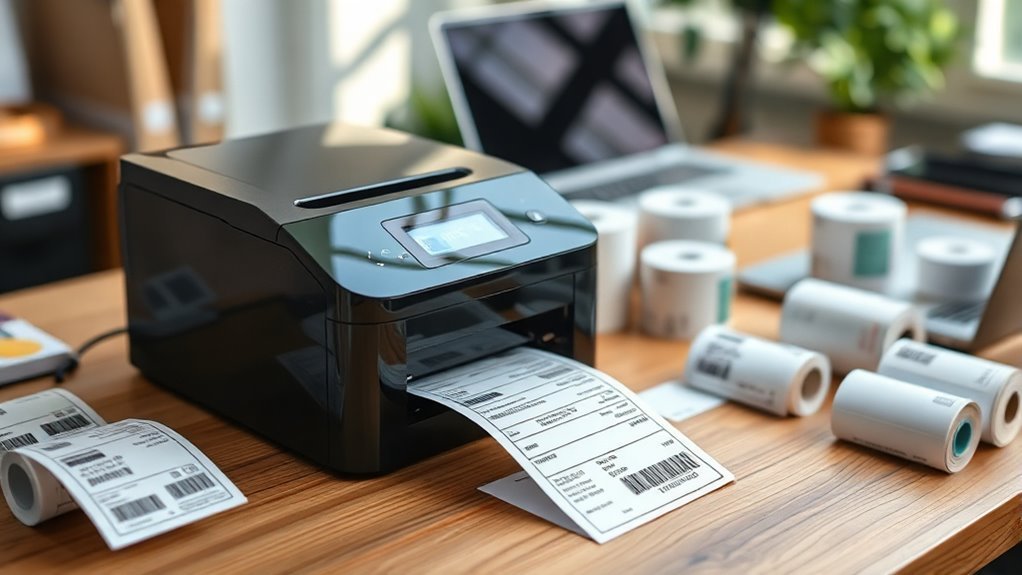
9 Best Cheap Printers for Shipping Labels in 2027
If you’re on the hunt for a budget-friendly, reliable 4×6 thermal printer for crisp shipping labels, you’ve got some great options. Brands like KNAON, Rongta, and TATTMUSE deliver fast, wireless printing with versatile app support across different devices. These printers make it easy to print labels quickly without breaking the bank.
Models like labelhive and Labeer bring smart calibration and jam alerts to the table, so you can avoid common printing headaches. Plus, Phomemo adds a handy touchscreen control for an even smoother experience.
They’re lightweight and compact, making them perfect for home offices and small businesses. Keep exploring to find the one that fits your specific label printing needs and workflow just right!
| Image | Name | Editor's Rating | Price |
|---|---|---|---|

|
|
||

|
|
||

|
|
||

|
|
||

|
|
KNAON Shipping Thermal Label Printer, 4×6 Portable Label Printer, White
- Bluetooth Wireless Connection: KNAON Bluetooth shipping label printer enables wireless printing. For Mobile users, download the 'FlashLabel Pro' app from APP Store or...
- USB Cable Connectivity: This printer ensures seamless USB connectivity with macOS, Windows (7 and above), ChromeOS, and Linux. KNAON printer features a built-in USB drive...
- Versatile DIY Labeling Options: KNAON Thermal Shipping Label Printer offers a vast selection of pre-designed templates, including 3,000+ templates, 5,000+ icons, and...
- Seamless Multi-Platform Compatibility: This Bluetooth shipping label printer works effortlessly with all major platforms, including Amazon, eBay, Shopify, USPS, UPS...
- Portable & Stylish Design: KNAON multi-function thermal label printer offers user-friendly operation in a compact design. Its perfect size (7.2 x 3.15 x 2.65 inches...

The KNAON Shipping Thermal Label Printer is designed to simplify your shipping and labeling tasks. Its compact white design fits easily into any workspace, making it a perfect portable solution. Whether you’re at home or in a professional setting, this printer handles 4×6 shipping labels with precision and speed.
You can connect effortlessly via Bluetooth using the FlashLabel Pro app on iOS, Android, Windows, and macOS. For broader compatibility, USB connection is also available. This versatility ensures smooth printing across multiple devices without hassle.
Maintenance is straightforward with preloaded drivers and tutorials that guide you through setup and daily use. The printer supports various paper widths up to 4.41 inches, accommodating most shipping and barcode labels. The fast print speed of up to 180 mm/s helps you stay efficient during busy periods.
The FlashLabel Pro app enriches your experience by offering thousands of customizable templates and icons, allowing you to create professional labels quickly. Note that Bluetooth printing requires the app, and ChromeOS users need an extension for USB printing. These small limitations are balanced by the printer’s overall ease of use and portability.
Best for: Small business owners and e-commerce sellers needing a portable, efficient thermal label printer for 4×6 shipping and barcode labels.
What We Like:
- Fast print speed up to 180 mm/s enhances productivity.
- Broad device compatibility via Bluetooth and USB connections.
- Extensive label design options with templates and icons.
- Compact and lightweight design for easy portability.
Specification:
| Feature | Details |
|---|---|
| Manufacturer | KNAON |
| Dimensions | Compact, fits small spaces |
| Weight | Lightweight |
| Color Options | White |
| Max Print Speed | 180 mm/s |
| Supported Paper Width | Up to 4.41 inches |
| Connectivity | Bluetooth (FlashLabel Pro app), USB |
Thermal Shipping Label Printer 4×6 Bluetooth Label Maker for Small Business
- 【High‑Quality, Energy‑Efficient Thermal Printing】The NULLTONEX shipping label printer uses direct thermal technology, eliminating the need for ink or toner and...
- 【Bluetooth & USB Dual Connectivity】 Connect seamlessly to your phone, laptop or PC via Bluetooth or USB. Download the free app for quick Bluetooth pairing to create...
- 【User‑Friendly Operation】 Easy setup and a dedicated app offer 1,800+ customizable templates, 300+ fonts, and multiple editing tools for everything from daily home...
- 【Wide Compatibility with Popular Shipping Platforms】 Works seamlessly with major shipping carriers and e‑commerce platforms including Amazon, Shopify, Etsy, USPS...
- 【Durable, Compact & Ready to Use】 Featuring a special matte finish with reinforced coating and a space‑saving design that fits neatly on any desk. Built‑in...
Experience hassle-free label printing with this 4×6 thermal shipping label printer, designed specifically for small business owners who need efficiency without complexity. It uses direct thermal printing, which eliminates the need for ink or toner, reducing your maintenance tasks and ongoing costs.
This printer produces sharp, clear barcodes and addresses at 203 DPI, ensuring your shipments are accurately labeled every time. It prints up to 72 labels per minute, helping you keep up with busy shipping schedules without delays or overheating issues.
Connectivity is simple with Bluetooth and USB options, allowing wireless printing directly from your phone or laptop via a free app. With over 1,800 templates and 300 fonts available, you can easily customize labels to fit your business needs, even when offline.
Compact and lightweight, it fits neatly into tight workspaces, making it ideal for home offices or small retail environments. While it prints only in black and white and supports label widths up to 4.3 inches, it covers the most common shipping label sizes.
Best for: Small business owners and e-commerce sellers needing a fast, budget-conscious thermal label printer for shipping and barcode applications.
What We Like:
- No ink or toner needed, lowering maintenance and supply costs
- Dual Bluetooth and USB connectivity for versatile use
- Large library of templates and fonts with offline printing support
- Compact design fits easily into limited workspace
Specification:
| Feature | Details |
|---|---|
| Manufacturer | — |
| Dimensions | — |
| Weight | — |
| Printing Technology | Direct Thermal |
| Print Resolution | 203 DPI |
| Max Label Width | 4.3 inches |
| Connectivity | Bluetooth, USB |
Labeer Bluetooth Thermal Shipping Label Printer, Wireless 4×6 Label Printer
- 【Smart PDF Printing】For Amazon, Etsy, Shopify and eBay sellers who print orders while packing, download the shipping label as a PDF and print it directly from an...
- 【4x6 Shipping Label Printing】For delivery workers, shipping staff and online sellers who prepare packages throughout the day, this 4x6 label printer handles standard...
- 【203 DPI Direct Thermal Printing】For warehouse employees, inventory teams and retail staff who print barcode labels, product labels and inventory tags, this Bluetooth...
- 【Multiple Label Sizes】For retail employees, small business owners and manufacturing teams who use different labels for products, inventory, parts and packages, this...
- 【Bluetooth Wireless Printing & Auto Calibration】For warehouse workers, shipping teams and small businesses that print labels throughout the day, connect your Windows...
The Labeer Bluetooth Thermal Shipping Label Printer offers a smart solution for printing clear 4×6 shipping labels without the hassle of wires. It connects effortlessly to your phone or PC via Bluetooth or USB, allowing easy label printing wherever you are. This wireless capability helps streamline your shipping process and reduces clutter in busy workspaces.
Designed for efficiency, it supports standard US 4×6 labels and customizable sizes with sharp 203 DPI direct thermal printing. Since it uses thermal technology, there’s no need for ink, toner, or ribbons, making maintenance simple and cost-effective. The printer’s built-in gap detection and jam alerts help prevent printing errors, keeping your workflow smooth.
This printer is ideal for sellers, warehouse teams, and small businesses that require fast, reliable label printing for shipping, returns, barcodes, and inventory management. The FlashLabel Pro app enhances usability by automatically detecting label areas and offering cropping tools, though it may take some time to get used to.
Best for: Small business owners, online sellers, and warehouse staff who need efficient, wireless printing of shipping and inventory labels.
What We Like:
- Wireless Bluetooth connection with multi-platform app support
- Crisp 203 DPI thermal printing with no ink or ribbons required
- Automatic gap detection and jam alerts for reliable operation
Specification:
| Feature | Details |
|---|---|
| Manufacturer | Labeer |
| Dimensions | Not specified |
| Weight | Not specified |
| Printing Method | Direct Thermal |
| Print Resolution | 203 DPI |
| Label Size | Standard US 4×6 and custom sizes |
| Connectivity | Bluetooth, USB |
labelhive Bluetooth Thermal Shipping Label Printer, Wireless 4×6 Printer
- 【4x6 Thermal Shipping Label Printer】 Built for small businesses, shipping stations, warehouses and home offices that handle packages every day. This 203 DPI direct...
- 【Smart PDF Printing for Online Sellers】 Designed for Amazon, Etsy, Shopify and eBay sellers who print shipping labels while packing orders. Download your shipping...
- 【Multiple Label Sizes & Media Types】 Supports thermal labels from 1.57" to 4.41" wide, including popular 4x6, 4x4, 4x2 and 2x1 sizes as well as custom-size labels...
- 【Bluetooth Printing & Automatic Label Calibration】 Print wirelessly from iPhone and Android devices through the FlashLabel Pro app, or connect a Windows computer...
- 【Wide Compatibility for Work & Home】 Connect to Windows through USB or Bluetooth, and use USB with macOS, ChromeOS and Linux. iPhone and Android devices connect...
The labelhive Bluetooth Thermal Shipping Label Printer offers a practical solution for small businesses and home offices looking to streamline their shipping process. This wireless 4×6 printer handles multiple label sizes, making it easy to print clear, scannable barcodes without the hassle of ink or ribbons.
Designed for convenience, it connects seamlessly via Bluetooth or USB to a variety of devices including iPhone, Android, Windows, macOS, and more. The included FlashLabel Pro app simplifies label formatting, especially for sellers on Amazon, Etsy, and Shopify, saving valuable time.
Maintenance is minimal since it requires no ink or toner, and automatic calibration ensures consistent print quality. Weighing just 2 pounds, it’s portable and quick, though initial page print times may feel slow at 8 seconds for very high-volume needs.
While it only prints in black and has a single USB port, its wireless capabilities and batch printing feature make it an efficient tool for managing shipping labels with ease.
Best for: small businesses, online sellers, and home offices needing reliable, wireless thermal shipping label printing with broad device compatibility.
What We Like:
- Wireless Bluetooth and USB connectivity across multiple platforms
- Fast print speeds with clear, ink-free barcodes and text
- Supports various label sizes with automatic calibration and batch printing
Specification:
| Specification | Details |
|---|---|
| Manufacturer | labelhive |
| Dimensions | Not specified |
| Weight | 2 lb (0.91 kg) |
| Supported Label Sizes | 4×6, 4×4, 2×1 inches |
| Connectivity | Bluetooth, USB |
Rongta Bluetooth 4×6 Thermal Shipping Label Printer
- Label maker for Shipping labels & small business labels
- supports multiple-size wide wireless printing
- Download "RONGTA" app for phone to bluetooth print
- Download computer driver for PC/Laptop to USB print
- Inkless Thermal Printing for Sharp Clarity
Rongta’s Bluetooth 4×6 thermal label printer offers a simple solution for small businesses needing fast, wireless printing. It connects seamlessly to Windows, macOS, Android, or iOS devices via Bluetooth or USB. This flexibility removes the hassle of cables and enhances mobility in busy workspaces.
The printer produces clear, monochrome labels up to 4 x 6 inches with a resolution of 203 dpi. It prints quickly at 15 pages per minute, making it efficient for shipping and inventory tasks. Its inkless thermal technology eliminates the need for costly ink or toner replacements.
Designed to fit into tight spaces, the compact and lightweight build makes it easy to move or store. The included RONGTA app simplifies Bluetooth printing, while the USB driver ensures smooth wired connections. Maintenance is minimal, limited mainly to paper replacement.
One limitation is its monochrome printing, which restricts output to black-and-white labels only. Also, the single USB port may limit simultaneous wired device connections. While the resolution is sufficient for most labels, it is lower than some premium models.
Best for: Small businesses and individuals needing fast, wireless, and versatile thermal label printing on multiple device platforms.
What We Like:
- Bluetooth and USB connectivity for flexible device use
- Fast printing speed of 15 pages per minute
- Compact, lightweight design ideal for limited workspace
- Inkless thermal printing reduces maintenance needs
Specification:
| Feature | Details |
|---|---|
| Manufacturer | Rongta |
| Print Size | 4 x 6 inches |
| Resolution | 203 x 203 dpi |
| Connectivity | Bluetooth, USB |
| Supported OS | Windows, macOS, Android, iOS |
| Print Speed | 15 pages per minute |
| Weight | Lightweight (exact weight not specified) |
TATTMUSE Bluetooth 4X6 Thermal Label Printer

- Easy to Setup: Built with a high-performance thermal print head, thermal label printer delivers reliable speed and precise printing for all your shipping needs. With...
- Save Time & Costs: No more cutting labels like traditional printers—Thermal shipping label printer prints ready-to-use labels directly, cutting down your shipping prep...
- Advanced Chip Technology: Powered by advanced chip technology, 4x6 thermal printer comes with automatic calibration, greatly reducing label misalignment issues. It’s...
- Clear Printing Performance: Wireless thermal printer delivers crisp, clear printing thanks to optimized print head performance, ensuring your label information is...
- Streamline Your Printing Tasks : Design labels effortlessly via the Labelife app (available for iOS & Android) or Chrome browser. You’ll get access to 4000+ design...
Experience the ease of wireless label printing with the TATTMUSE Bluetooth 4X6 Thermal Label Printer. Designed to simplify your shipping and organization tasks, this printer delivers clear, scannable labels quickly and efficiently. Its compact design fits easily in a backpack or on a desk, making it perfect for mobile use or home offices.
This thermal label printer connects effortlessly via Bluetooth or USB, supporting multiple operating systems including iOS, Android, Windows, macOS, and Chrome OS. It works smoothly with popular shipping platforms like FedEx and Amazon, helping you streamline your workflow without hassle.
Maintenance is straightforward thanks to its automatic calibration and anti-jam features. These functions reduce downtime and prevent common printing errors, ensuring reliable performance whenever you need it. The Labelife app enhances creativity with thousands of templates, fonts, and voice input for hands-free label creation.
While it prints only in black and white and supports label widths up to 4.6 inches, its 203 x 203 dpi resolution is sufficient for most standard shipping and organizational labels. This printer balances portability, functionality, and ease of use in a compact package.
Best for: Small business owners, home office users, and mobile professionals needing a portable, reliable thermal label printer compatible with various devices and shipping services.
What We Like:
- Wireless Bluetooth and wired USB connectivity across multiple platforms
- Automatic calibration and anti-jam technology for smooth printing
- Extensive design options with thousands of templates and voice input
- Compact and lightweight for easy portability
Specification:
| Feature | Details |
|---|---|
| Manufacturer | TATTMUSE |
| Dimensions | 6.8 x 4.7 x 3.7 inches |
| Weight | 1.5 lbs (approximate) |
| Connectivity | Bluetooth, USB |
| Compatible OS | iOS, Android, Windows, macOS, Chrome OS |
| Max Label Size | 4 x 6 inches |
| Print Resolution | 203 x 203 dpi |
Gloryang Bluetooth Thermal Shipping Label Printer 4×6

- Smaller, Lighter, and More Space-Saving Design: The Gloryang Bluetooth thermal printer is compact and lightweight, taking up less space on your desk compared to...
- Seamless Wireless Printing Across Multiple Devices: Easily connect via Bluetooth to phones, laptops, computers, Chromebooks, and tablets. Fully compatible with iOS...
- Fast and Clear Thermal Printing for Multiple Label Sizes: Whether you need 4x6 shipping labels or smaller 2-inch and 3-inch labels, the Gloryang label printer delivers...
- Hassle-Free Inkless Printing Technology: With advanced thermal printing, there’ s no need for ink or toner, reducing maintenance and operating costs. Simply load the...
- Easy Setup and User-Friendly Operation: Designed for quick setup and intuitive use, this phone printer is easy to operate even for first-time users. Its sleek, modern...
The Gloryang Bluetooth Thermal Shipping Label Printer offers a streamlined solution for small businesses and home offices needing quick, wireless label printing. Its compact design fits neatly into tight spaces, making it ideal for busy workstations.
Setting up is simple thanks to Bluetooth connectivity, compatible with iOS, Android, macOS, and Windows devices. This wireless feature eliminates clutter and provides flexibility in placement.
Using thermal printing technology, it produces sharp 4×6-inch labels without ink or toner. This reduces maintenance needs and operating costs, allowing you to focus on shipping rather than supplies.
The printer supports popular shipping platforms like Amazon, UPS, and Shopify, helping to streamline your workflow. A 100-label capacity tray means fewer interruptions for reloading during busy printing sessions.
While it only prints monochrome labels and lacks duplex printing, the Gloryang printer excels in delivering reliable, fast output at a budget-friendly price point.
Best for: Small businesses and home offices needing a fast, compact, wireless thermal label printer compatible with multiple devices and shipping platforms.
What We Like:
- Compact, lightweight design fits limited spaces
- Fast print speed up to 150 pages per minute
- Wireless Bluetooth setup for easy device pairing
- Inkless thermal printing lowers maintenance
- Supports major shipping label formats
Specification:
| Feature | Details |
|---|---|
| Manufacturer | Gloryang |
| Dimensions | Compact (exact size not specified) |
| Weight | Lightweight |
| Printing Technology | Thermal (inkless) |
| Label Size | 4 x 6 inches |
| Connectivity | Bluetooth |
| Compatible Devices | iOS, Android, macOS, Windows |
| Supported Platforms | Amazon, UPS, Shopify |
SVANTTO Thermal Label Printer, 4×6 Shipping Label Printer

- Fast & Stable Bluetooth 4.0 Connection: Say goodbye to dropped connections and complicated setup. Our advanced Bluetooth 4.0 ensures a 3-second, stable pairing with your...
- Feeding & Universal Label Compatibility: Stop wasting time and money on jammed labels. Our precision-engineered paper path and powerful auto-label detection work...
- Fast 180mm/s Printing for Peak Shipping Hours: Crush your daily orders with print speeds up to 180mm/s – that’s a 4x6 shipping label in under 2 seconds! you're...
- Seamless Integration with ALL Your Sales Channels: Works right out of the box with all major shipping and marketplace platforms, compatible with eBay, Etsy, Shopify...
- Built to Last: The Cost-Effective, No-Nonsense Tool You Can Rely On. We stripped away expensive gimmicks and invested everything into a printhead (50km life), a robust...
If you need fast, reliable label printing with easy Bluetooth connectivity, the SVANTTO Thermal Label Printer is designed to streamline your shipping process. It connects quickly with iPhone, Android, Mac, or Windows devices, eliminating setup hassles. This makes printing 4×6 shipping labels simple and efficient.
The printer’s precise paper path handles various label types, including fanfold and rolls, so you’re not tied to proprietary paper. It prints sharp, clear labels with a 203 DPI resolution and speeds up to 180 mm/s. This ensures barcodes and addresses are easy to scan, reducing delays.
Maintenance is straightforward thanks to the durable printhead, rated for 50 km of printing. While it’s built for high-volume shipping, the printhead may need replacement in very busy environments. The device supports monochrome labels only, focusing on essential shipping needs without extra color options.
SVANTTO integrates smoothly with major platforms like eBay and Shopify, improving your workflow. Its compact design suits small to medium-sized businesses looking for reliable 4×6 shipping label printing with Bluetooth convenience.
Best for: Small to medium-sized businesses and online sellers needing fast, reliable 4×6 shipping label printing with seamless Bluetooth connectivity.
What We Like:
- Quick and stable Bluetooth 4.0 pairing across multiple devices
- Compatible with various label types without requiring proprietary paper
- Clear, scannable labels printed at 180 mm/s and 203 DPI
- Durable printhead designed for high-volume shipping
- Easy integration with major shipping and marketplace platforms
Specification:
| Feature | Details |
|---|---|
| Manufacturer | SVANTTO |
| Label Size | 4 x 6 inches |
| Print Speed | Up to 180 mm/s |
| Print Resolution | 203 DPI |
| Connectivity | Bluetooth 4.0 |
| Compatible Devices | iPhone, Android, Mac, Windows |
| Printhead Life | Rated for 50 km |
Phomemo PM64D Shipping Label Printer with Touch Screen & Label Holder
No products found.
The Phomemo PM64D Shipping Label Printer offers a smart touchscreen that makes managing shipping labels straightforward and efficient. Its intuitive controls let you monitor printer status and adjust settings directly on the device, saving time and reducing hassle. This ease of use ensures smooth daily operation for busy environments.
Designed for flexibility, this thermal direct printer supports label widths from 0.79 to 4.53 inches, perfectly handling standard 4×6 shipping labels as well as barcode and inventory tags. Since it requires no ink, maintenance is simple and cost-effective, minimizing downtime and ongoing expenses.
Connectivity is seamless with Bluetooth 5.0 and USB Type-C options, allowing quick pairing with smartphones, laptops, and tablets. Its compact design includes a convenient label holder and bracket, making it a practical addition to small office spaces without clutter.
While the PM64D prints only in monochrome and has a modest resolution of 203 x 203 dpi, it meets the needs of users focused on clear, functional labels. The printer’s limited sheet capacity means frequent roll changes for high-volume users, but its simplicity and reliability benefit many small businesses and home offices.
Best for: Small business owners, online sellers, and home office users seeking a compact, versatile label printer for shipping and inventory needs.
What We Like:
- Smart touchscreen for easy control and status updates
- Supports a wide range of label sizes including standard 4×6 labels
- Bluetooth 5.0 and USB Type-C connectivity for flexible device pairing
- Ink-free thermal printing reduces maintenance and cost
Specification:
| Feature | Details |
|---|---|
| Manufacturer | Phomemo |
| Dimensions | Compact design (exact size not specified) |
| Label Width Range | 0.79 to 4.53 inches |
| Print Resolution | 203 x 203 dpi |
| Connectivity | Bluetooth 5.0, USB Type-C |
| Color | Monochrome (black and white) |
Factors to Consider When Choosing a Cheap Printer for Shipping Labels
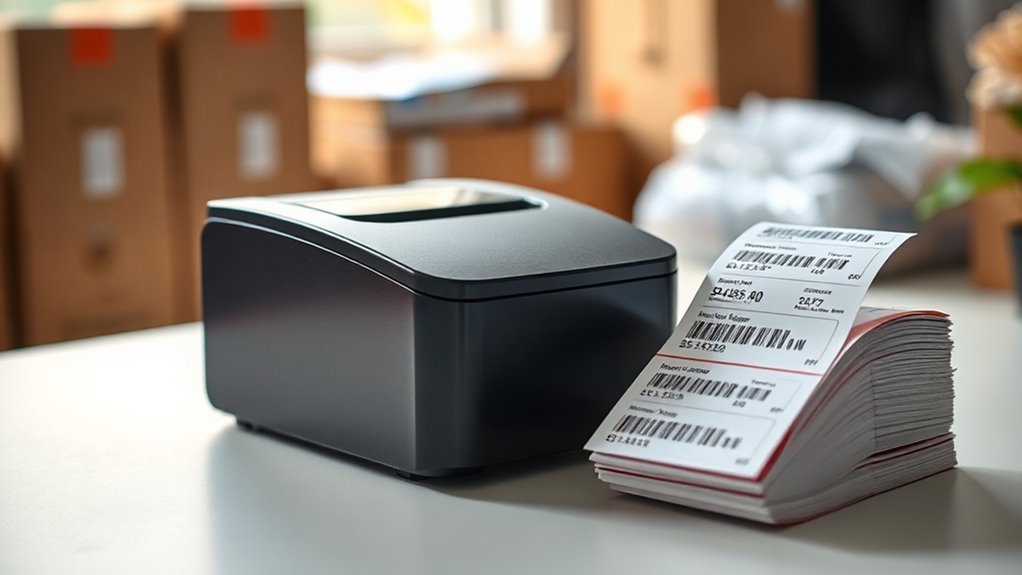
When choosing a cheap printer for shipping labels, you’ll want to focus on print quality and resolution to guarantee clear barcodes. Check the connectivity options and supported label sizes to match your setup and needs.
Also, consider print speed and software compatibility to keep your shipping process smooth and efficient. These factors really make a difference when you’re trying to get things done quickly and without hassle.
Print Quality And Resolution
Although budget printers come with limitations, you should prioritize at least 203 DPI resolution to guarantee your shipping labels produce crisp barcodes and readable addresses. This resolution is common in thermal label printers and guarantees scannable, clear prints.
If you print dense text or small fonts, consider 300 DPI for finer detail. Pay attention to print contrast and darkness settings, as adjustable thermal density prevents scans from failing due to overly light or dark prints.
Also, keep an eye on the printhead’s lifespan; a worn printhead can degrade print quality over time. Remember, faster print speeds might slightly reduce sharpness, so check manufacturer specs and sample prints to balance speed and clarity effectively for your shipping needs.
Connectivity Options Available
Picking the right connectivity options can make or break your shipping label printing setup. You’ll want a printer that supports both Bluetooth and USB if you plan to print from mobile devices and wired computers.
Check the Bluetooth version—newer ones like 5.0 offer faster, more stable connections than 4.0. Also, confirm USB compatibility, including whether it uses USB‑A or USB‑C, and guarantee your operating system supports the necessary drivers.
Look for printers with companion apps or platform-ready integrations that simplify printing directly from e-commerce sites by auto-detecting label areas. If you handle high volumes or multiple users, consider network options like Wi-Fi or Ethernet.
Or at least have Bluetooth and USB redundancy to avoid interruptions during busy shipping days. It’s all about keeping things smooth and hassle-free when you’re dealing with a lot of packages.
Supported Label Sizes
Many cheap printers support standard 4×6-inch shipping labels, but you’ll want to verify the exact label sizes compatible with your specific needs. Confirm the printer handles the widths you use most—while 4×6 inches is common, some printers accommodate narrower labels around 1.4 to 1.6 inches, useful for barcode or price tags.
Check the minimum and maximum label width range; many budget thermal printers cover roughly 30–110 mm (1.2–4.4 inches). Also, see if the printer accepts both roll and fanfold media and fits your label roll diameter or core size.
Make certain it supports your media types—single-sheet, continuous roll, die-cut, or black-mark—and offers gap or black-mark detection for accurate alignment. Finally, confirm the software preserves label margins to prevent cutting off important info.
Print Speed Performance
When choosing a cheap printer for shipping labels, you’ll want to focus on print speed since it directly impacts your workflow efficiency. Aim for printers that offer at least 150 mm/s, or about 70–75 4×6 labels per minute, to handle moderate shipping volume without delays.
Keep in mind, real-world throughput depends on label feed mechanics and warm-up times, so compare sustained speeds rather than peak numbers. In high-duty settings, printers with thermal-head overheat protection or long-rated printhead life maintain consistent speed during long runs.
Also, balance speed with resolution—203 dpi is common in budget thermal printers and sufficient for scannable barcodes and addresses. Finally, verify print speeds apply to your label size and look for continuous printing benchmarks to guarantee reliable performance.
Software And App Compatibility
Print speed matters, but your printer’s software and app compatibility can make or break your shipping label workflow. Make sure your printer supports the file types you use, like PDF, PNG, JPG, or ZPL. That way, you can print carrier-generated 4×6 labels directly without any extra steps.
Also, check if the printer offers apps for your devices—whether iOS, Android, Windows, macOS, ChromeOS, or Linux. This helps you print seamlessly from phones, tablets, or computers without a hassle.
Find out if Bluetooth printing requires a vendor app or works natively through your OS. The software should auto-detect label size, crop or rotate PDFs, and remove white margins to prevent misaligned prints.
If you handle large batches or work offline, look for template storage and bulk-printing features. These can keep your shipping smooth and efficient, saving you time and headaches.
Portability And Design
Choosing a shipping label printer that fits your workspace and workflow starts with portability and design. You want a compact printer, ideally under 8 x 3 x 3 inches and weighing less than 2 pounds, so it fits neatly on your packing desk or travels easily.
Battery-powered models with solid battery life let you print multiple 4×6 labels on the go without constant recharging. It’s super handy when you’re moving between stations or working remotely.
Focus on build quality: a sturdy casing with reinforced edges and a matte or tough coating stands up to daily use and accidental drops. You don’t want your printer giving out in the middle of a busy day.
Check how the media loads—top or front loading with jam detection speeds up roll changes. That way, you spend less time fixing jams and more time shipping.
Simple one-button controls and clear LED or touchscreen indicators help you monitor power, connectivity, and errors quickly during busy shipping tasks. It makes your workflow smoother and keeps things hassle-free.
Media Handling Features
Although portability and design play key roles, media handling features are just as indispensable to guarantee your shipping label printer meets daily demands. Make sure your printer supports the common 4×6 inch label size and a range of widths, roughly 1.5 to 4.4 inches, for versatile label formats.
Check if it handles both roll and fanfold media and uses standard core sizes like 1″ or larger to avoid sourcing headaches. You’ll want automatic label gap or black-mark detection to ensure precise alignment and reduce wasted labels during batch printing.
Also, confirm it supports continuous, die-cut, and perforated labels, plus third-party thermal stock compatibility, so you’re not locked into proprietary media. Finally, verify the maximum media capacity and print speed to handle your daily volume without frequent reloads.
Warranty And Support
After confirming a printer meets your media handling needs, you’ll want to take into account its warranty and support options to protect your investment. Check the length and coverage of the manufacturer warranty—does it last one year or longer?
Make sure it covers parts, labor, and critical components like the printhead, while noting exclusions like consumables or accidental damage. Look for clear, accessible support channels such as phone, email, or live chat, along with convenient hours so you can quickly get help with setup or troubleshooting.
Also, verify the availability of free firmware and driver updates throughout the printer’s life. Finally, review the return and replacement policies, including timelines and any fees, to avoid surprises if you need repairs or a replacement.
Frequently Asked Questions
Can These Printers Print Barcode Labels for Other Industries?
Yes, you can print barcode labels for various industries with these printers. They handle different label sizes and formats, making them versatile for retail, healthcare, or inventory management.
What Is the Average Lifespan of Thermal Printer Printheads?
Thermal printer printheads usually last between 50 to 100 kilometers of printed labels. You’ll want to clean and maintain them regularly to extend their lifespan.
Doing so helps you avoid print quality issues or costly replacements sooner than needed. It’s all about keeping things running smoothly!
Are These Printers Compatible With Mac and Linux Systems?
Think of compatibility as a bridge connecting your devices to the printer. Most models work smoothly with Mac and Linux, but you’ll want to check drivers first.
This helps keep your workflow flowing without any unexpected interruptions or delays. It’s always better to be sure before you start printing!
How Do These Printers Handle Label Jams or Misfeeds?
These printers usually alert you immediately when a label jam or misfeed occurs. You can quickly open the printer’s cover to remove stuck labels.
Then, just reset the feed to continue printing without hassle or damage. It’s pretty straightforward and saves you time.
Can These Printers Connect to Mobile Devices Without Bluetooth?
Of course, who needs Bluetooth when you’ve got Wi-Fi Direct or USB options?
You’ll easily connect your mobile device without it, making wireless printing surprisingly flexible—even if you’re ironically avoiding the most common wireless tech.
Conclusion
Choosing the perfect shipping label printer doesn’t have to feel like searching for a needle in a haystack. With these budget-friendly options, you’ll sail smoothly through your shipping tasks, saving time and money.
Whether you need wireless convenience or crisp thermal printing, there’s a trusty companion here ready to lighten your workload. So, gear up and print your way to shipping success without breaking the bank!
Finding the best cheap printer for shipping labels in 2027 means balancing quality, speed, and affordability. These printers deliver reliable performance without costing a fortune. Whether you’re shipping a few packages or managing a busy storefront, these budget-friendly printers make label printing simple and efficient.
Get ready to boost your shipping game with affordable, easy-to-use printers designed to keep your workflow smooth and your expenses low. Your ideal shipping label printer is just a click away!