8 Best Black and White Laser Printers with Cheap Toner in 2027
If you need a reliable black and white laser printer with cheap toner in 2027, there are some great options to consider. Models like the HP LaserJet M234sdw and Brother HLL2460DW deliver fast, quality prints without breaking the bank on cartridges. These printers are perfect for anyone looking to save money on printing costs while maintaining high performance.
For those wanting more multifunction features, the Canon imageCLASS MF462dw II is a solid choice that can handle scanning, copying, and printing with ease. Meanwhile, the Canon LBP122dw offers a nice balance of affordability and wireless convenience.
Looking for the best fit for your home or office? Keep reading to discover key features and ways to reduce your long-term printing expenses. You’ll find options tailored to your needs and budget.
| Image | Name | Editor's Rating | Price |
|---|---|---|---|

|
|
||

|
|
||
|
|
||

|
|
||

|
|
HP LaserJet M234sdw Monochrome Laser Printer | All-in-One
No products found.
The HP LaserJet M234sdw is designed to streamline printing, copying, and scanning for small teams or home offices. Its sleek all-in-one design saves space while handling daily document tasks efficiently. This monochrome laser printer meets common office needs with fast, reliable output.
With a 40-page automatic document feeder and printing speeds up to 30 pages per minute, it reduces wait times and improves productivity. Automatic duplex printing helps cut paper use, making it an eco-friendly choice for busy workspaces. The 600 x 600 dpi resolution ensures clear, professional black-and-white documents.
Connectivity options include dual-band Wi-Fi, Ethernet, and USB, allowing seamless integration with multiple devices. The HP Smart app enables mobile printing, adding convenience for users on the go. Maintenance is straightforward, with compact design and energy-efficient operation minimizing upkeep.
While it lacks color printing and has a 150-sheet paper capacity, the M234sdw offers dependable performance for teams needing essential document handling without complexity. Its built-in security protects sensitive information in everyday use.
Best for: Small teams or home offices needing a compact, reliable all-in-one monochrome laser printer for printing, copying, and scanning.
What We Like:
- Fast printing with automatic duplexing reduces time and paper waste.
- Multiple connectivity options support flexible workflows.
- Compact and energy-efficient design fits small office environments.
- Simple maintenance with user-friendly features.
- Built-in security safeguards document privacy.
Specification:
| Feature | Details |
|---|---|
| Manufacturer | HP |
| Dimensions (W x D x H) | 15.7 x 15.1 x 11.4 inches |
| Weight | 15.7 lb (7.1 kg) |
| Color Options | Black |
| Print Technology | Monochrome Laser |
| Print Speed | Up to 30 ppm (black & white) |
| Print Resolution | 600 x 600 dpi |
| Paper Capacity | 150 sheets |
| Connectivity | Dual-band Wi-Fi, Ethernet, USB |
HP LaserJet Pro 3105sdw Monochrome Laser Printer | All-in-One
No products found.
The HP LaserJet Pro 3105sdw Monochrome Laser Printer is designed to simplify office tasks with reliable, high-speed black-and-white printing. Its fast output of up to 33 pages per minute keeps your workflow moving smoothly, while duplex printing cuts paper use in half. This printer handles a variety of document types with ease, thanks to its versatile all-in-one scanning options.
Maintaining the printer is straightforward with original HP toner cartridges that ensure consistent quality. Although the printer requires chip-authenticated toner, this helps maintain print performance and security. The device supports wireless and app-based control, letting users print, scan, copy, and fax from smartphones without hassle.
This model suits small to medium-sized businesses that need efficient, monochrome printing and scanning in one compact device. Its single paper tray holds up to 250 sheets, balancing capacity with a space-saving design. The integration of HP AI features improves document formatting and email handling, making everyday tasks smarter.
Security is enhanced with HP Wolf Pro Security, giving users peace of mind when handling sensitive information. While it does not support color printing, its focus on monochrome output and multifunction capabilities makes it a dependable choice for professional environments.
Best for: Small and medium-sized businesses requiring fast, reliable monochrome printing with versatile all-in-one functions and mobile app control.
What We Like:
- Fast print speed up to 33 ppm with automatic two-sided printing
- Comprehensive all-in-one features including ADF and flatbed scanning
- Wireless and smartphone app integration for seamless mobile control
- Advanced HP AI features for improved document formatting
- Strong security with HP Wolf Pro Security
Specification:
| Feature | Details |
|---|---|
| Manufacturer | HP |
| Dimensions (W×D×H) | 15.7 × 15.7 × 11.7 inches |
| Weight | Approximately 17.7 lbs (8 kg) |
| Printing Technology | Monochrome Laser |
| Print Speed | Up to 33 pages per minute |
| Paper Capacity | 250 sheets |
| Connectivity | Wireless, USB, App control |
Canon imageCLASS LBP122dw – Wireless Monochrome Duplex Laser Printer
- Wireless, duplex printer (print-only)
- Fast print speeds up to 30 pages per minute (black and white)
- Print on-the-go with Canon PRINT app and more.
- Uses Canon GENUINE Toner 071 / 071 high-capacity
- Compact design fits almost anywhere in your home, great for home use and personal printing

Experience seamless, fast printing with the Canon imageCLASS LBP122dw, designed to meet your home or personal printing needs. This wireless monochrome laser printer delivers sharp black-and-white prints at speeds up to 30 pages per minute, helping you complete tasks quickly and efficiently.
Its compact design fits easily on any desk, saving valuable space. The printer supports automatic duplex printing, reducing paper waste and making it easier to manage double-sided documents without extra effort.
Wireless connectivity simplifies printing from smartphones and other devices using the Canon PRINT app. Maintenance is straightforward thanks to the use of Canon GENUINE Toner 071 cartridges, which offer reliable performance and help keep running costs low.
While the LBP122dw is print-only and does not support scanning or faxing, it provides a focused, budget-conscious solution for users who need dependable monochrome printing without extra features.
Best for: Individuals seeking a compact, fast, and reliable wireless monochrome laser printer for home or personal use without scanning or faxing requirements.
What We Like:
- Fast printing at up to 30 pages per minute with automatic duplexing
- Wireless printing via Canon PRINT app for mobile convenience
- Compact footprint ideal for small workspaces
- Uses genuine Canon toner for consistent output and cost efficiency
Specification:
| Feature | Details |
|---|---|
| Manufacturer | Canon |
| Dimensions (W x D x H) | 13.7 x 14.8 x 8.5 inches (34.8 x 37.6 x 21.6 cm) |
| Weight | 15.4 lbs (7 kg) |
| Color Options | White |
| Printing Technology | Monochrome Laser |
Canon imageCLASS MF3010 Wired Monochrome Laser Printer
No products found.
Experience efficient black-and-white printing with the Canon imageCLASS MF3010, designed to simplify your daily office tasks. This compact monochrome laser printer delivers sharp prints at 19 pages per minute, making it ideal for small offices or home environments where speed and clarity matter.
The multifunction design combines printing, scanning, and copying in one device, helping you save space and reduce clutter. Its single 150-sheet tray accommodates various paper types, including envelopes and card stock, allowing you to handle diverse printing needs without hassle.
Maintenance is straightforward with the included starter and additional toner cartridges producing up to 2,300 pages. This reduces the frequency of replacements and keeps your operating costs manageable. The wired USB connection ensures a stable, direct link to your computer without the complexity of wireless setup.
Though it lacks wireless capabilities and has a modest paper capacity, the MF3010’s energy-saving mode and compact footprint make it a practical choice for users seeking reliability and multifunction functionality in a streamlined package.
Best for: small offices or home users needing reliable, fast black-and-white printing with multifunction capabilities.
What We Like:
- Consistent print speed of 19 ppm with clear 600 x 600 dpi output
- Integrated scan and copy functions support various paper types
- Toner yield of 2,300 pages minimizes frequent replacements
- Compact design fits easily into limited workspace
- Energy-saving mode helps reduce power consumption
Specification:
| Feature | Details |
|---|---|
| Manufacturer | Canon |
| Dimensions | Compact size (exact not specified) |
| Weight | Not specified |
| Color Options | Monochrome (black and white) |
| Connectivity | USB wired |
| Paper Tray Capacity | 150 sheets |
Canon ImageCLASS LBP6030w Wireless B&W Laser Printer
- Sold as 1 Each.
- Print from virtually anywhere with wireless connectivity.
- Seamless, easy-to-use functionality.
- Space-saving design.
- Paper replenishment is simple with the front-loading cassette.
Experience efficient black-and-white printing with the Canon ImageCLASS LBP6030w, designed to meet the needs of home and small office environments. This compact laser printer produces clear, sharp prints at a steady pace of 19 pages per minute, helping you manage tasks quickly without sacrificing quality.
Wireless connectivity allows you to print from multiple devices without cables, adding convenience and flexibility to your workflow. A front-loading 150-sheet cassette supports various paper types, including envelopes and labels, making it adaptable for different projects.
Maintenance is straightforward with the Canon Genuine Toner 125, which keeps running costs low and ensures consistent print quality. Although it offers manual duplexing, this feature lets you double-side print without investing in a more complex machine.
The printer’s simple, space-saving design fits easily into tight workspaces, while USB 2.0 provides an alternative direct connection. Its focused functionality makes it ideal for users who need reliable monochrome printing without extra features.
Best for: users seeking a compact, dependable monochrome printer with wireless printing for home or small office use.
What We Like:
- Sharp 2400 x 600 dpi print quality at 19 ppm speed
- Wireless and USB connectivity for versatile use
- Compact design with convenient front-loading paper tray
- Low-cost maintenance with Canon Genuine Toner 125
- Manual duplexing option for double-sided printing
Specification:
| Feature | Details |
|---|---|
| Manufacturer | Canon |
| Dimensions | 13.0 x 9.8 x 7.7 inches (33 x 25 x 19.5 cm) |
| Weight | 9.3 lbs (4.2 kg) |
| Print Technology | Black-and-white laser |
| Connectivity | Wireless (Wi-Fi), USB 2.0 |
| Paper Capacity | 150-sheet front-loading cassette |
| Maximum Resolution | 2400 x 600 dpi |
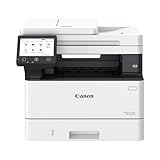
Canon imageCLASS MF462dw II – Wireless, Monochrome Duplex Laser Printer
- Monochrome, Wireless, Duplex 4-in-1: Print, scan, copy, fax.
- Fast Print Speeds: Print up to 37 pages per minute and spend less time waiting with a quick first print time of approximately 5 seconds.
- Easy Wireless Setup: Setup your wireless connection and get up and running in just a few steps2
- 5-inch Color Touchscreen: Get the job done quickly with Application Library - an intuitive and easy to use customizable access to the features you use most.
- Mobile Device Printing: Print from your compatible mobile devices using the free Canon PRINT app, Apple AirPrint and Mopria Print Service.
The Canon imageCLASS MF462dw II is designed to streamline your office’s daily tasks with reliable, fast monochrome printing. It quickly delivers sharp black-and-white documents at up to 37 pages per minute. This efficient speed reduces wait times, helping busy teams stay productive.
This all-in-one printer combines printing, copying, scanning, and faxing, making it a versatile addition to any workspace. The 5-inch color touchscreen offers intuitive control and customizable apps, simplifying complex workflows. Wireless connectivity and mobile printing support via the Canon PRINT app, AirPrint, and Mopria enhance convenience.
Paper handling is flexible with a 250-sheet cassette and a 100-sheet multipurpose tray, expandable to 900 sheets when needed. Duplex printing and a 50-sheet duplex automatic document feeder efficiently manage two-sided jobs, saving time and paper. Maintenance is straightforward, promoting consistent performance without frequent interruptions.
While it only supports monochrome printing and weighs 44 pounds, its robust design suits small offices or hybrid work environments that require dependable multifunction capabilities.
Best for: Small and home offices or hybrid work settings needing efficient, fast monochrome printing with versatile all-in-one functionality.
What We Like:
- Rapid printing speed of up to 37 ppm with fast first-page output
- Multifunction device combining print, copy, scan, and fax in one unit
- User-friendly 5-inch color touchscreen with customizable apps
- Wireless connectivity and mobile printing support for flexible use
- Duplex printing and 50-sheet duplex ADF streamline document handling
Specification:
| Feature | Details |
|---|---|
| Manufacturer | Canon |
| Dimensions (W x D x H) | 16.5 x 18.5 x 15.0 in |
| Weight | 44 lb (20 kg) |
| Color | Monochrome (Black & White) |
| Paper Capacity | 250-sheet cassette + 100-sheet multipurpose tray (expandable to 900 sheets) |
| Touchscreen | 5-inch color |
| Connectivity | Wireless, Canon PRINT app, AirPrint, Mopria |
Brother HLL2460DW Wireless Compact Monochrome Laser Printer
- BEST FOR HOME OFFICES & SMALL TEAMS – Engineered for consistent, premium print quality, the Brother HL-L2460DW XL Monochrome (Black & White) Laser Printer produces...
- HIGHER YIELDS, LOWER COSTS WITH XL – Print more black & white documents with the exceptional value of in-box toner that yields up to 4,200 consistently sharp, crisp...
- CONNECTED, MOBILE DEVICE PRINTING – Connect with built-in dual-band wireless (2.4GHz/5GHz), Ethernet, or to a single computer via USB interface. Manage your printer...
- VERSATILE PAPER HANDLING – Tackle high-volume black & white printing with the 250-sheet capacity paper tray.(5) The manual feed slot enables printing on envelopes and...
- BROTHER IS AT YOUR SIDE – Backed by Brother with a 1-year limited warranty and free online, call, or live chat support for the life of your printer
The Brother HLL2460DW is a compact monochrome laser printer designed to streamline your printing tasks. It delivers sharp black-and-white documents quickly, printing up to 36 pages per minute. Its automatic duplex printing helps reduce paper use, making it both efficient and eco-friendly.
This printer is ideal for home offices and small teams that require reliable, high-speed printing. The 250-sheet tray supports large print jobs, while the manual feed slot lets you easily print envelopes or specialty paper. Wireless dual-band and Ethernet connectivity provide flexible printing options, including mobile device access through the Brother Mobile Connect app.
Maintenance is straightforward with a high-yield XL toner cartridge included, which can print up to 4,200 pages. This lowers your operating costs and reduces the frequency of replacements. The printer’s compact design fits neatly into smaller workspaces without sacrificing performance.
While it offers robust functionality, it prints only in monochrome and has a basic one-year warranty. It lacks advanced security features that some business environments may require.
Best for: Small teams and home offices needing fast, reliable monochrome printing with flexible wireless connectivity.
What We Like:
- Fast black-and-white printing at up to 36 ppm with automatic duplex.
- Large 250-sheet capacity plus manual feed slot for diverse media.
- Dual-band wireless and Ethernet for versatile connectivity.
- High-yield toner cartridge reduces replacement frequency.
- Compact design ideal for limited workspace.
Specification:
| Feature | Details |
|---|---|
| Manufacturer | Brother |
| Dimensions (W x D x H) | 14.2 x 14.2 x 7.2 inches |
| Weight | 15.0 lbs (6.8 kg) |
| Printing Technology | Monochrome Laser |
| Print Speed | Up to 36 pages per minute |
| Paper Capacity | 250-sheet tray + manual feed slot |
| Connectivity | Wireless dual-band, Ethernet |
| Toner Yield | Up to 4,200 pages (XL toner) |
Brother Laser Printer, Monochrome Duplex Wireless Printer, HL-6210DW
- Professional Performance: Dominate your office printing tasks with this Brother Genuine laser office printer delivering an impressive 50 ppm output speed, ensuring your...
- Superior Capacity: Print business documents with this monochrome laser printer's robust 520-sheet main tray and 100-sheet multipurpose tray, expandable up to 1,660 sheets...
- Advanced Connectivity: Experience seamless integration with this Brother wireless printer's built-in Gigabit Ethernet and dual band wireless networking capabilities...
- Cost-efficient Printing: Maximize your printing budget with Brother Genuine ultra high-yield replacement toner cartridges for Brother printers delivering up to...
- Security Excellence: Safeguard your Brother Genuine business printer for daily office use with advanced Triple Layer Security features, ensuring comprehensive protection...
Experience efficient, high-volume printing with the Brother HL-6210DW, designed to keep busy offices running smoothly. Its fast print speed of 50 pages per minute and automatic duplexing reduce wait times and paper waste. This monochrome duplex printer handles large workloads effortlessly.
The HL-6210DW offers a generous paper capacity, starting with a 520-sheet main tray and a 100-sheet multipurpose tray. You can expand this up to 1,660 sheets, minimizing interruptions during heavy print jobs. This flexibility helps maintain productivity in demanding work environments.
Connectivity is seamless with built-in Gigabit Ethernet and dual-band wireless. These features enable smooth mobile printing and easy sharing across your office network. Managing print jobs remotely becomes simple and efficient.
Maintenance is straightforward with ultra high-yield toner cartridges that can print up to 18,000 pages. This lowers running costs and reduces the frequency of cartridge changes. The printer’s Triple Layer Security protects sensitive data, making it ideal for professional settings with strict security needs.
Best for: Offices requiring fast, reliable monochrome printing with secure network connectivity and high-volume capacity.
What We Like:
- Rapid 50 ppm print speed with automatic duplexing
- Large, expandable paper capacity up to 1,660 sheets
- Dual-band wireless and Gigabit Ethernet for versatile connectivity
- Long-lasting ultra high-yield toner cartridges
- Strong Triple Layer Security for data protection
Specification:
| Feature | Details |
|---|---|
| Manufacturer | Brother |
| Dimensions | 16.1 x 15.7 x 11.7 inches |
| Weight | 17.7 lbs (8 kg) |
| Printing Technology | Monochrome Laser |
| Connectivity | Gigabit Ethernet, Dual-band Wireless |
| Paper Capacity | 520-sheet main, 100-sheet multipurpose, expandable up to 1,660 sheets |
Factors to Consider When Choosing a Black and White Laser Printer With Cheap Toner

When choosing a black and white laser printer with cheap toner, you’ll want to focus on toner cost efficiency and how fast the printer works.
Also, consider the connectivity options that fit your setup and the paper handling capacity you need.
Don’t forget to check if the print quality meets your standards for every job. It’s important that your printer delivers consistent results, no matter what you’re printing.
Toner Cost Efficiency
Although upfront printer prices can be tempting, you need to focus on toner cost efficiency to truly save money with a black and white laser printer. Calculate the cost per page by dividing the toner price by its rated page yield, using ISO/IEC standard coverage for accuracy.
For example, a $40 cartridge yielding 2,000 pages costs 2 cents per page. Opt for high-yield or ultra-high-yield cartridges since they usually lower your cost per page.
Estimate your annual printing volume and multiply by the cost per page to understand your total ownership expense over time. Also, check if the printer restricts third-party toner with firmware locks or cartridge authentication. This can force you into pricier original cartridges, increasing your ongoing costs.
Print Speed Requirements
Toner cost efficiency matters, but matching print speed to your actual needs can save you time and frustration. If you print frequently with a small team, aim for a printer with at least 30 ppm to avoid bottlenecks.
For occasional home or solo use, 10–20 ppm is usually sufficient. Don’t overlook first-page-out time—printers that deliver the first page in 4–6 seconds feel much quicker on short jobs than those taking 8 seconds or more.
If you print many two-sided documents, check the duplex throughput since two-sided printing can halve effective speed. Also, consider warm-up times and automatic document feeder speeds for large or burst jobs to get a realistic sense of completion time.
Finally, balance print speed with your monthly volume to prevent excessive wear on faster, higher-duty-cycle printers. It’s all about finding the right fit for how and how much you print.
Printer Connectivity Options
Selecting the right connectivity options can make a big difference in how smoothly your black and white laser printer fits into your workflow. You’ll want a printer that supports both Ethernet and dual-band Wi-Fi. That way, you can choose wired reliability for heavy use or faster 5 GHz wireless for mobile printing.
Check for USB Type-A or USB 2.0/3.0 ports, including a direct-print USB port for secure offline jobs. It’s also important to make sure it’s compatible with mobile-printing standards like AirPrint or Mopria. Plus, look for a mobile app that lets you scan and print right from your phone or tablet.
For shared use, prioritize built-in Gigabit Ethernet or strong Wi-Fi with security protocols like WPA3 and 802.1x. Management tools such as SNMP can also be a big help.
Finally, consider secure cloud or remote-print features—just make sure they don’t lock you into proprietary services.
Paper Handling Capacity
When choosing a black and white laser printer with cheap toner, you’ll want to take into account its paper handling capacity carefully. Look for a high input tray capacity, ideally between 150 and 500 sheets, to minimize how often you need to refill.
Also, check for multipurpose or manual feed slots. These come in handy for envelopes, labels, and specialty media without messing up your main tray.
If you expect larger jobs, consider models with expandable capacity that can grow from around 150 up to over 1,000 sheets. It’s great to have that extra room when you need it.
Don’t forget to verify the automatic document feeder (ADF) capacity—usually 40–50 sheets—and whether it supports one-pass duplex scanning. That way, you can breeze through two-sided jobs efficiently.
Finally, confirm the recommended monthly duty cycle and output tray size to match your daily printing demands. This helps avoid jams or overflow issues and keeps things running smoothly.
Print Quality Standards
After making sure your printer can handle the paper volume you need, it’s important to focus on print quality standards. Aim for a minimum optical resolution of 600 x 600 dpi to get crisp text, but 1200 x 1200 dpi or higher is better if you want sharp fine fonts and halftone graphics.
Check toner yield and page coverage—low-cost toner with high yield can impact print quality over time. Also, consider emulator and RIP support like PCL or PS for consistent grayscale and line-art rendering.
Inspect sample prints for edge sharpness, solid-fill uniformity, and minimal background noise. Finally, look at first-page-out time and warm-up behavior because consistent toner fusion affects print density and durability, especially for quick, small jobs.
Device Security Features
Although cheap toner can help reduce printing costs, you shouldn’t overlook the importance of robust device security features in a black and white laser printer. Make sure your printer supports secure boot or firmware integrity checks to block unauthorized firmware that could compromise operations.
Look for network security protocols like TLS/SSL for print jobs, IPsec, and WPA3 for Wi-Fi to keep your data safe during transmission. These features really help protect your information from being intercepted.
Verify user authentication options such as PINs, badges, or LDAP integration to control access to printing and admin functions. It’s a good way to make sure only authorized users can get to sensitive settings.
Also, check for secure erase or overwrite capabilities to protect sensitive documents stored internally. This way, your confidential info won’t linger around after printing.
Finally, prefer printers with audit logging and role-based access controls so you or your IT team can monitor usage and respond swiftly to security incidents. It’s all about staying one step ahead when it comes to security.
Frequently Asked Questions
How Long Do Black and White Laser Printer Toners Typically Last?
You’ll typically get about 2,000 to 5,000 pages from black and white laser printer toner cartridges, depending on the model and usage.
Keep in mind, factors like print density and settings can affect your toner’s lifespan.
So, if you’re printing a lot of heavy graphics or dense text, your toner might run out sooner than expected.
On the other hand, lighter prints or draft modes can stretch that number further.
Can These Printers Print on Different Paper Sizes?
Think of these printers as versatile artists—they can handle various paper sizes, from standard letter to legal and even envelopes.
You’ll enjoy flexibility, letting you print documents just the way you need without hassle or extra trips.
Are These Printers Compatible With Mac and Windows Systems?
Yes, these printers are compatible with both Mac and Windows systems. You’ll find easy setup and seamless integration.
It lets you print effortlessly from either platform without worrying about driver issues or connectivity problems. Pretty convenient, right?
What Is the Average Warm-Up Time for These Laser Printers?
You’ll find the average warm-up time for these laser printers ranges from 10 to 30 seconds. They’re designed to get you printing quickly without much delay,
so you won’t have to wait long before starting your job.
Do These Printers Support Mobile and Cloud Printing Options?
Yes, these printers support mobile and cloud printing options, so you can easily print from your smartphone or tablet. They’re compatible with popular services like Apple AirPrint, Google Cloud Print, and various manufacturer apps for seamless wireless printing.
That means no more hassle with cables or transferring files to a computer first. Just tap and print wherever you are—super convenient!
Conclusion
Choosing the right black and white laser printer with cheap toner is like picking the perfect compass for your journey. Each model guides you through tasks with precision and efficiency. It saves you money while keeping your output sharp and clear.
As you navigate your printing needs, let these reliable printers be the steady lighthouse in your workflow. They ensure you never lose direction or quality, no matter how heavy the print waves roll in. With affordable toner and dependable performance, these printers make managing your documents easier and budget-friendly.
In the world of black and white laser printers, finding one with cheap toner is key. It’s not just about printing—it’s about doing it smartly and sustainably. So, gear up with a printer that balances cost and quality perfectly, and enjoy smooth, hassle-free printing every time.