7 Best Cheap Printers and Scanners for 2027
If you need reliable, budget-friendly printers and scanners for 2027, you’re in the right place. Finding the best cheap printer and scanner combo can be tricky, but there are plenty of great options that won’t break the bank. Whether you’re printing documents at home or running a small business, having the right device is key.
Models like the HP DeskJet 2923 are perfect for light home use. It’s simple, affordable, and gets the job done without fuss. On the other hand, the Canon PIXMA TR4720 comes with handy features like fax and an automatic document feeder (ADF), making it ideal for small business efficiency.
If photo quality is your priority, the Epson XP-4205 really shines. And for those who need fast monochrome printing, the Brother DCP-L2640DW won’t disappoint.
Plus, if you want versatile wireless connectivity with an eco-friendly design, the HP Envy 6555 is worth considering. Keep exploring to find which suits your printing style best.
| Image | Name | Editor's Rating | Price |
|---|---|---|---|

|
|
||

|
|
||

|
|
||

|
|
||
|
|
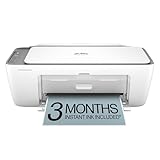
HP DeskJet 2923 Color Inkjet Printer | Wireless | All-in-One
- Perfect for basic printing needs – Print everyday color documents like to-do lists, letters, financial documents and recipes
- KEY FEATURES – Color print, copy, scan, and a 60-sheet input tray, plus mobile and wireless printing
- OPTIMIZE PRINT FORMATTING WITH HP AI – Print web pages and emails with precision—no wasted pages or awkward layouts; HP AI easily removes unwanted content, so your...
- ICON LCD – Print your basic documents with ease from the intuitive control panel
- PRINT SPEED – Up to 7.5 ppm black, 5.5 ppm color

Experience hassle-free printing with the HP DeskJet 2923 Color Inkjet Printer, designed to meet your everyday needs. Whether you’re printing documents, copying, or scanning in vibrant color, this all-in-one printer simplifies your tasks with reliable performance.
Its compact design fits easily into any home setup, saving space without sacrificing functionality. The 60-sheet input tray handles moderate print volumes, while the intuitive icon LCD control panel makes operation straightforward. Wireless connectivity via dual-band Wi-Fi and the HP App lets you print or scan directly from your smartphone, adding convenience to your workflow.
Maintenance is easy thanks to HP AI technology, which optimizes print jobs to reduce ink and paper waste. The printer’s eco-friendly build incorporates recycled plastics and meets ENERGY STAR standards, helping you minimize your environmental impact.
While print speeds are moderate, this printer is ideal for light to medium home use. Keep in mind that after a six-month trial, the Instant Ink subscription is necessary for automatic ink delivery unless you choose to cancel.
Best for: Individuals and families needing an affordable, compact all-in-one printer for everyday color printing, copying, and scanning at home.
What We Like:
- Wireless printing with dual-band Wi-Fi and mobile app support
- Eco-friendly design using recycled materials and ENERGY STAR certification
- HP AI technology reduces ink and paper waste
- Easy-to-use LCD control panel
Specification:
| Feature | Detail |
|---|---|
| Manufacturer | HP |
| Dimensions | Compact, fits neatly at home |
| Weight | Not specified |
| Material | Includes recycled plastics |
| Color Options | Not specified |
Canon PIXMA TS4320 – Wireless Color Inkjet Printer with Print, Copy, Scan
- Affordable Versatility - A budget-friendly all-in-one printer perfect for both home users and hybrid workers, offering exceptional value
- Crisp, Vibrant Prints - Experience impressive print quality for both documents and photos, thanks to its 2-cartridge hybrid ink system that delivers sharp text and vivid...
- Effortless Setup & Use - Get started quickly with easy setup for your smartphone or computer, so you can print, scan, and copy without delay
- Reliable Wireless Connectivity - Enjoy stable and consistent connections with dual-band Wi-Fi (2.4GHz or 5GHz), ensuring smooth printing from anywhere in your home or...
- Scan & Copy Handling - Utilize the device’s integrated scanner for efficient scanning and copying operations
The Canon PIXMA TS4320 is designed to meet the needs of users looking for a compact and stylish all-in-one printer. It simplifies everyday tasks by combining printing, copying, and scanning in one device. This printer delivers sharp color and black-and-white prints with a resolution of up to 1200 dpi, ensuring clear and vibrant results for your documents and photos.
Maintenance is straightforward with starter ink tanks included, allowing you to start printing immediately without extra purchases. Its wireless dual-band Wi-Fi and mobile app compatibility provide flexible control options, including voice commands via Alexa. This makes operation convenient whether you’re at home or working remotely.
The printer’s auto duplexing helps reduce paper use, supporting sustainable printing habits. While the single paper tray holds up to 100 sheets, it suits light to moderate use rather than heavy printing demands. It handles standard letter-sized media, which fits most home and small office needs but limits larger format projects.
Best for: Home users and hybrid workers needing a compact, easy-to-use all-in-one printer for occasional printing, copying, and scanning.
What We Like:
- Wireless dual-band Wi-Fi with mobile app and Alexa control
- Auto duplex printing saves paper and time
- Compact size fits well in small spaces
- Starter ink tanks included for quick setup
Specification:
| Feature | Details |
|---|---|
| Manufacturer | Canon |
| Dimensions | Compact (exact size not provided) |
| Weight | Not specified |
| Color Options | Not specified |
| Print Resolution | Up to 1200 dpi |
| Print Speed | 9 ppm (color), 14 ppm (B&W) |
| Paper Capacity | 100 sheets |
| Media Size | Up to Letter (8.5″ x 11″) |
Canon PIXMA TR4720 Wireless All-in-One Printer
- Wireless 4-in-1 (print | copy | scan | fax)..Power Consumption: 7W (0.8W Standby / 0.3W Off)
- Print speed up to: 4" x 6" Borderless Photo (PP-201): Approx. 65.0 Seconds / Black Document (Letter/Simplex): Approx. 8.8 ipm / Color Document (Letter/Simplex): Approx...
- Designed for easy ink cartridge installation and replacement.
- Auto 2-sided printing and auto document feeder.
- Produce quality documents, photos and boarderless prints up to 8.5" x 11".
The Canon PIXMA TR4720 is a compact all-in-one printer designed to simplify your home or office tasks. It handles printing, scanning, copying, and faxing, all controlled easily through a wireless connection or mobile app. This convenience helps you stay productive without being tied to a desk.
Its automatic two-sided printing and 100-sheet front tray reduce manual work and keep jobs moving smoothly. The auto document feeder allows you to process multiple pages quickly, saving you time on routine tasks. The printer produces crisp black text and vibrant color images with resolutions up to 4800 x 1200 dpi, ensuring clear, professional results.
Maintenance is straightforward, but heavy users should note that the ink cartridges may need frequent replacement. The printer supports borderless photo printing up to 8.5 x 11 inches, making it suitable for personal and creative projects. Energy-efficient and Alexa-compatible, it fits well into modern connected environments.
Best for: small business owners and home users needing a versatile, wireless all-in-one printer that balances quality with ease of use.
What We Like:
- Wireless printing and scanning via mobile app and Alexa voice control
- Automatic duplex printing and large paper capacity improve workflow
- High-resolution prints produce sharp text and vivid photos
Specification:
| Feature | Details |
|---|---|
| Manufacturer | Canon |
| Dimensions | 17.7 x 12.9 x 6.0 inches |
| Weight | 12.5 lbs |
| Printing Technology | Inkjet |
| Maximum Resolution | 4800 x 1200 dpi |
| Paper Tray Capacity | 100 sheets |
| Connectivity | Wireless, USB |
| Color Options | Black |
Epson Expression Home XP-4205 Wireless Color All-in-One Inkjet Printer
- Remarkable Print Quality for Home and Photo Printing — Epson’s leading-edge imaging technology produces crisp documents, vibrant borderless photos with rich colors...
- Stress-Free Setup and Operation — Large 2.4" color display for effortless navigation, plus easy installation and operation through your smartphone or tablet using the...
- Convenient Connectivity — Supports easy wireless connections and printing from Android or iOS devices (2)
- Engineered for Reliability — Consistently delivers high-quality prints with heat-free technology and a permanent printhead designed to last the life of the printer
- Easy, Affordable Printing — Individual ink cartridges make it easy to only replace the ink you need
Looking for a compact printer that handles everyday documents and vibrant photo prints? The Epson Expression Home XP-4205 delivers sharp results with its high-quality color printing at 5760 x 1440 dpi resolution. This all-in-one device combines wireless printing, scanning, and copying to simplify your daily tasks.
Designed for home use, it supports borderless photo printing and auto-duplex functionality, cutting down on paper waste and enhancing convenience. Its single paper tray holds up to 100 sheets, which is ideal for moderate printing needs. The printer’s energy-efficient design helps reduce power consumption.
Maintenance is straightforward with individual Claria 232 ink cartridges, allowing you to replace only the color that runs out. For hands-free printing, you can connect it to Alexa or Siri through Epson Connect, though setting up an account is required. Keep in mind, using genuine Epson ink is necessary to maintain warranty coverage.
Best for: users needing a reliable, compact all-in-one printer for home that offers quality photo prints and wireless convenience.
What We Like:
- Sharp print quality (5760 x 1440 dpi) with borderless photo support
- Wireless printing with voice commands via Alexa and Siri
- Energy-efficient design with duplex printing
- Individual ink cartridges for cost-effective maintenance
Specification:
| Feature | Details |
|---|---|
| Manufacturer | Epson |
| Dimensions | Compact size (exact size not specified) |
| Weight | Not specified |
| Color Options | White |
| Ink Type | Claria 232 individual cartridges |
HP DeskJet 2855e Color Inkjet Printer | Wireless | All-in-One
- The DeskJet 2855e is perfect for homes printing to-do lists, letters, financial documents and recipes. Print speeds up to 5.5 ppm color, 7.5 ppm black
- PERFECTLY FORMATTED PRINTS WITH HP AI – Print web pages and emails with precision—no wasted pages or awkward layouts; HP AI easily removes unwanted content, so your...
- KEY FEATURES – Color printing, copy, scan, and a 60-sheet input tray
- WIRELESS PRINTING – Stay connected with our most reliable Wii-Fi, which automatically detects and resolves connection issues.This printer is only 2.4 ghz capable.
- 3 MONTHS OF INSTANT INK WITH HP+ ACTIVATION – Subscribe to Instant Ink delivery service to get ink delivered directly to your door before you run out. After 3 months...
Experience the convenience of the HP DeskJet 2855e, an affordable all-in-one printer designed to simplify your daily tasks. This compact device prints, scans, and copies with ease, making it ideal for light home or small office use. Its straightforward functionality helps you manage documents efficiently without overwhelming complexity.
The printer’s 60-sheet input tray handles everyday printing needs, while wireless 2.4 GHz Wi-Fi ensures a smooth connection. Automatic issue detection minimizes downtime, so you spend less time troubleshooting. Using the HP App, you can print and scan directly from your smartphone or tablet, adding flexibility to your workflow.
Maintenance is hassle-free with HP’s Instant Ink subscription included for three months. The service keeps ink levels steady, reducing interruptions. Additionally, HP AI formatting optimizes web pages for printing, helping to save paper and ink.
While print speeds are modest, they suit typical household or small business demands. The wireless connection is limited to 2.4 GHz, which may affect performance in congested networks. Overall, this printer balances function and simplicity for everyday use.
Best for: individuals or small households needing a compact, wireless all-in-one printer for light daily printing, scanning, and copying tasks.
What We Like:
- All-in-one design for versatile document handling
- Reliable wireless 2.4 GHz connectivity with automatic troubleshooting
- HP App integration for mobile printing and scanning
- Three months of Instant Ink for uninterrupted printing
- AI-powered formatting reduces paper and ink waste
Specification:
| Feature | Details |
|---|---|
| Manufacturer | HP |
| Dimensions | Not specified |
| Weight | Not specified |
| Color Options | Not specified |
| Connectivity | Wireless 2.4 GHz Wi-Fi |
| Print Speed | Up to 7.5 ppm (black), 5.5 ppm (color) |
| Input Tray Capacity | 60 sheets |
HP Envy 6555 Wireless All-in-One Printer (C2XR6A)

- FROM AMERICA'S MOST TRUSTED PRINTER BRAND – The Envy 6555 is perfect for homes printing everyday high-quality color documents like homework and borderless photos. Print...
- 3 MONTH TRIAL OF INSTANT INK – Subscribe to the Instant Ink delivery service to get ink delivered directly to your door before you run out, and you save up to 50% on...
- KEY FEATURES – Color print, copy and scan, plus auto 2-sided printing, a 35-sheet auto document feeder and a 100-sheet input tray
- HP'S MOST INTUITIVE COLOR TOUCHSCREEN – Smoothly navigate your printer with the easy-to-use 2.4" touchscreen
- WIRELESS PRINTING – Stay connected with our most reliable dual-band Wi-Fi, which automatically detects and resolves connection issues
The HP Envy 6555 Wireless All-in-One Printer brings versatility and convenience to your home office. It handles printing, scanning, copying, and faxing with ease, streamlining your daily tasks. The printer’s smart AI features ensure smooth operation and enhance your workflow.
Enjoy vibrant, true-to-screen photos thanks to P3 color technology and borderless printing options. The automatic duplex printing and 35-sheet automatic document feeder (ADF) simplify multi-page jobs, saving you time and effort. Its compact design fits well in any space without sacrificing functionality.
Maintenance is straightforward with original HP cartridges and regular firmware updates that keep your prints sharp and reliable. The 2.4-inch color touchscreen and HP app provide seamless mobile control, allowing you to print or scan directly from your smartphone. Dual-band Wi-Fi, AirPrint, and Chromebook support add to its flexible connectivity options.
While print speeds are moderate and the scan resolution is basic, the Envy 6555 is ideal for everyday home use. It supports eco-conscious choices by using 60% recycled plastic and offers Instant Ink trials to reduce hassle and waste.
Best for: users seeking an all-in-one home printer with versatile color printing, smart AI features, and convenient mobile connectivity.
What We Like:
- Vibrant true-to-screen color printing with P3 technology and borderless photos
- Auto duplex printing and 35-sheet ADF for efficient document handling
- Easy mobile printing and scanning via HP app and dual-band Wi-Fi
- Eco-friendly design with 60% recycled plastic and Instant Ink trials
Specification:
| Feature | Details |
|---|---|
| Manufacturer | HP |
| Dimensions (W x D x H) | 17.0 x 14.2 x 5.9 inches |
| Weight | 12.5 lbs (5.67 kg) |
| Color Options | Black |
| Connectivity | Dual-band Wi-Fi, AirPrint, Chromebook compatible |
Brother DCP-L2640DW Wireless Monochrome Printer

- BEST FOR SMALL BUSINESSES – Engineered for extraordinary productivity, the Brother DCP-L2640DW Monochrome (Black & White) 3-in-1 combines laser printer, scanner, copier...
- FAST PRINTER WITH EFFICIENT SCANNING – Produces documents quickly with print speeds up to 36 ppm(2) and scan speeds up to 23.6/7.9 ipm(3) (black/color). A 50-page auto...
- FLEXIBLE CONNECTION OPTIONS – Easily navigate the changing demands of your business with secure multi-device connectivity via built-in dual-band wireless (2.4GHz...
- BROTHER MOBILE CONNECT APP – Print, scan, and manage your wireless printer anytime, from almost anywhere from your mobile device. Order Brother Genuine Supplies, track...
- CHOOSE BROTHER GENUINE TONER – When it’s time to replace your toner, be sure to choose Brother Genuine TN830 or TN830XL replacement toner. And with Refresh EZ Print...
The Brother DCP-L2640DW is designed to meet the demanding needs of small businesses and home offices. It delivers fast and reliable monochrome printing, helping you complete large print jobs efficiently without compromising quality. This wireless 3-in-1 laser printer combines printing, copying, and scanning in a compact form, making it ideal for limited spaces.
Its automatic duplex printing saves paper and time, while the 50-page automatic document feeder and 250-sheet tray handle high-volume tasks with ease. Connectivity is simple and versatile, thanks to dual-band Wi-Fi, Ethernet, and USB options. You can also manage the device remotely using the Brother Mobile Connect app, enhancing convenience and control.
Maintenance is straightforward with genuine high-yield toner options that reduce the frequency of replacements. The printer’s ENERGY STAR certification supports eco-friendly operation, although power consumption can peak at 470 W during use. This balance of functionality and efficiency makes it a practical choice for monochrome document workflows.
Best for: Small businesses and home offices requiring efficient, high-volume monochrome printing with wireless multifunction capabilities.
What We Like:
- Fast print and copy speeds up to 36 ppm
- Compact design with ADF and large paper capacity
- Multiple connectivity options including dual-band Wi-Fi and Ethernet
- Remote device management via mobile app
- ENERGY STAR certified for eco-friendly use
Specification:
| Feature | Details |
|---|---|
| Manufacturer | Brother |
| Dimensions (W×D×H) | 16.1 × 15.7 × 12.4 inches |
| Weight | 14.3 lbs (6.5 kg) |
| Print Technology | Monochrome Laser |
| Connectivity | Dual-band Wi-Fi, Ethernet, USB |
Factors to Consider When Choosing a Cheap Printer and Scanner
When choosing a cheap printer and scanner, you’ll want to focus on print quality and speed to match your needs. Don’t forget to check connectivity options, ink or toner costs, and the scanner features included.
Also, consider the device’s size to make sure it fits your space comfortably. It’s all about finding the right balance between function and convenience.
Print Quality and Speed
Although budget printers often sacrifice features, you can still find models that deliver respectable print quality and speed for everyday needs. Look for printers with higher DPI—consumer inkjets range from about 600 x 600 dpi up to several thousand for photos, while laser printers typically offer 1200 x 1200 dpi for crisp text.
Check print speeds measured in pages per minute (ppm); 5–10 ppm suits basic home use, but 20+ ppm benefits higher-volume tasks. Also, consider first-page-out time—aim for under 10–15 seconds to avoid long waits on occasional prints.
For scanning, 300–600 dpi optical resolution handles documents well, while 600+ dpi is better for high-quality images. Remember, cheap devices may have lower color accuracy, so review sample prints before deciding.
Connectivity Options Available
Print quality and speed matter, but how your printer and scanner connect can make or break your experience. You’ll want a model that supports both 2.4 GHz and 5 GHz Wi-Fi for stable, interference-free wireless connections.
Features like Wi-Fi Direct, Apple AirPrint, and Mopria let you print easily from smartphones or tablets without a PC. Handy, right?
If you work in a multi-user or office setting, consider a wired Ethernet port for faster, more reliable network access. It keeps everything running smoothly when many people are connected.
Don’t overlook USB ports for direct PC connections and scanning when network options fail. They’re a simple backup that can save the day.
Finally, check if the device supports cloud or app-based printing and scanning. This lets you print or scan remotely, and do things like scan-to-email or save files directly to cloud storage services. Super convenient for busy workflows!
Ink and Toner Costs
Since ink and toner cartridges can quickly become your biggest expense, you’ll want to understand how their costs add up before choosing a printer or scanner. Start by calculating the cost per page: divide the cartridge price by its rated page yield.
High-yield (XL) cartridges cost more upfront but can cut per-page expenses by 20–60%. It’s a smart move to opt for printers with individual color cartridges. That way, you only replace the color that runs out, avoiding the waste of tri-color cartridges.
Also, weigh subscription plans and the choice between OEM and third-party inks. Third-party options may be cheaper but could void warranties or harm reliability.
Finally, think about your monthly print volume. If you print infrequently, cheaper printers make sense despite higher per-page costs. But if you print a lot, investing in models with lower running costs pays off.
Scanner Features Included
When choosing a cheap printer and scanner, you’ll want to focus on key scanner features that match your needs. Start by checking the scan resolution—optical DPI matters.
If you’re scanning photos or fine text, aim for 600 to 4800 dpi. For basic documents, 300 to 600 dpi usually works fine.
Consider an automatic document feeder (ADF) if you handle multiple pages; look at its sheet capacity and whether it supports duplex scanning to save time.
Color depth affects photo accuracy, so choose 24-bit or higher if color fidelity is important. Don’t forget scanning speed, especially if you scan large batches.
Finally, confirm supported file formats and features like OCR, PDF creation, and cloud saving to make certain smooth workflow integration.
Device Size and Footprint
Although budget printers and scanners often focus on features and performance, you shouldn’t overlook their physical size and footprint. Check the device’s dimensions and compare them to your available desk or shelf space.
Compact models usually measure under 15 inches wide and 10 inches high, while larger all-in-ones take up more room. Consider input and output tray capacity, as trays holding 60–100 sheets or built-in ADFs increase the footprint and need extra clearance.
Remember to factor in 4–8 extra inches for opening the scanner lid or loading paper. If space is tight or you want portability, choose lighter models—many compact inkjets weigh under 12 pounds and have shallow depths.
Also, leave a few inches around the device for ventilation and cable access. It really helps keep things running smoothly and prevents any overheating issues.
Frequently Asked Questions
Are These Printers Compatible With macOS and Windows?
Yes, these printers are compatible with both macOS and Windows. You’ll find drivers and software readily available, so you can easily set them up and start printing or scanning without any hassle on either operating system.
Setting them up is pretty straightforward. Whether you’re on a Mac or a PC, you’ll be up and running in no time!
How Do Ink Costs Compare Among These Models?
Like choosing groceries on a budget, ink costs vary widely among these models. You’ll find some costing twice as much per cartridge.
Can These Printers Handle Duplex (Double-Sided) Printing?
Yes, most of these printers handle duplex printing automatically, saving you paper and time. A few require manual flipping, but they still support double-sided printing.
Just make sure to check each model’s specs to be certain it fits your needs. It’s always good to know exactly what you’re getting!
What Is the Average Print Speed for Each Printer?
Print speeds vary, but you’ll find most printers zip through 10 to 20 pages per minute. It’s like a coffee brew—some quick, some slow.
Check specs to match your pace and workload perfectly.
Do These Printers Support Mobile Printing Apps?
Yes, these printers support mobile printing apps, letting you print directly from your smartphone or tablet.
You’ll find compatibility with popular apps like Apple AirPrint, Google Cloud Print, and manufacturer-specific apps for easy, wireless printing on the go.
It’s super convenient when you’re out and about or just don’t want to fuss with cables.
Just pick your app, connect, and start printing!
Conclusion
When choosing a cheap printer and scanner, you want reliability that won’t quit, quality that won’t disappoint, and features that won’t complicate. You want wireless convenience, all-in-one versatility, and affordable running costs.
Whether you pick an inkjet or a monochrome model, prioritize what fits your needs without breaking the bank.
In the end, it’s about finding a device that prints, scans, and copies with ease—so you can focus on what matters most.
Finding the best cheap printer and scanner for 2027 doesn’t mean sacrificing quality or features. Look for devices that offer seamless wireless connectivity, easy-to-use controls, and low-cost ink or toner. That way, you get dependable performance without overspending. Whether you need basic printing or multifunction scanning, the right budget-friendly printer will deliver convenience and efficiency. Remember, the key is balancing price with reliability and versatility—so your new printer and scanner work smoothly for all your daily tasks.