10 Best Business Printers for Retail Teams in 2027
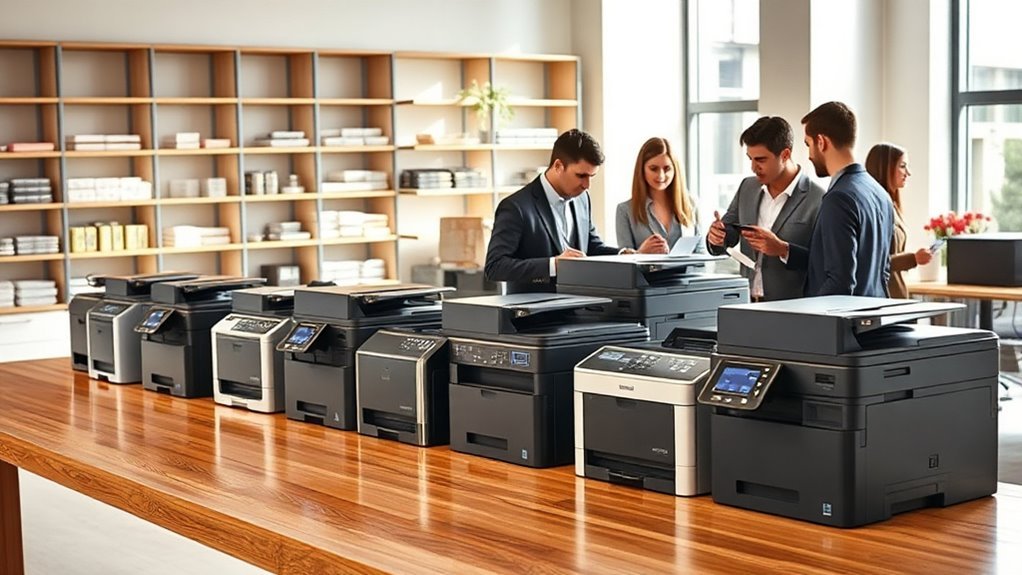
You’ll want a printer that’s fast, reliable, and built for heavy retail use. Business printers for retail teams need to handle high volumes without slowing down your workflow. The Epson Workforce Pro WF-4930 offers wireless all-in-one convenience and high-volume capacity.
Consider the Canon imageCLASS MF465dw II if you need fast monochrome printing. It’s perfect for crisp, quick black-and-white documents. For receipt printing, the Epson TM-T20IV excels in speed and adaptability, making it a solid choice for busy checkout counters.
Models like the Brother INKvestment 6960 and HP OfficeJet Pro 9125 add color and smart features to your printing setup. Exploring their specs and pros will help you pick the perfect fit for your retail team’s needs.
| Image | Name | Editor's Rating | Price |
|---|---|---|---|

|
|
||

|
|
||
|
|
||

|
|
||

|
|
Epson Workforce Pro WF-4930 Wireless All-in-One Printer
- Built for Speed — PrecisionCore Heat-Free technology delivers fast, high-volume printing with 25 (black)/12 (color) ISO ppm and fast first-page-out
- High-Precision Office Printing — Accurate dot placement and DURABrite Ultra instant-dry pigment inks for professional-quality prints
- High-Volume Durability for Heavy Workloads — Innovative heat-free technology engineered for reliability and reduced downtime
- Complete Duplex Solution — All-in-one printer with auto 2-sided print, copy, scan and fax; plus 50-sheet ADF
- Maximize Printing Productivity — High-performance office printer with 500-sheet paper capacity; includes two 250-sheet trays for added convenience

The Epson Workforce Pro WF-4930 Wireless All-in-One Printer is designed to tackle the demands of busy retail and office settings. It delivers fast printing speeds of up to 25 pages per minute in black and 12 in color, helping teams stay productive without delay. The sharp 4800 x 2400 dpi resolution ensures every document looks professional.
This printer improves workflow with duplex printing and scanning, plus a 50-sheet automatic document feeder to handle multi-page tasks efficiently. Its two 250-sheet trays reduce the need for constant refills, supporting high-volume printing throughout the day. Connectivity is simple with Wi-Fi, Ethernet, and USB options, allowing easy access from multiple devices.
Maintenance is straightforward, though it requires Epson Genuine Cartridges to maintain print quality and reliability. The maximum media size of 8.5 x 14 inches suits most standard documents but may limit larger print jobs. Its sturdy design is built to withstand the rigors of a busy environment.
Best for: Retail teams and busy offices needing a reliable, high-volume wireless all-in-one printer with versatile connectivity.
What We Like:
- Fast print speeds with high-resolution output
- Efficient duplex printing and large paper capacity
- Multiple connectivity options including mobile control
- Durable design suitable for heavy use
Specification:
| Feature | Details |
|---|---|
| Manufacturer | Epson |
| Dimensions (W×D×H) | 16.1 × 16.9 × 11.9 inches |
| Weight | 18.7 lb (8.5 kg) |
| Printing Technology | Inkjet |
| Max Print Resolution | 4800 x 2400 dpi |
| Connectivity | Wi-Fi, Ethernet, USB |
| Paper Capacity | 500 sheets (2 trays + ADF) |
| Media Size | Up to 8.5 × 14 inches |
Canon imageCLASS MF465dw II Wireless Monochrome Laser Printer
- Monochrome Wireless, Duplex 4-in-1: Print, Scan, Copy, Fax
- Print up to 42 ppm
- Easy Wireless Setup
- 5-inch Touchscreen
- Mobile Device Printing
Experience efficient printing that keeps your small office running smoothly with the Canon imageCLASS MF465dw II. This monochrome laser printer tackles printing, copying, scanning, and faxing with ease, helping reduce clutter and streamline daily tasks. Its fast print speed of up to 42 pages per minute means less waiting and more productivity.
Designed for busy work environments, the MF465dw II delivers sharp 1200 x 1200 dpi resolution for clear, professional documents. The quick first-page output under 5 seconds gets your jobs started without delay. Its flexible paper handling includes a 250-sheet cassette and a 100-sheet multipurpose tray, expandable to 900 sheets, minimizing interruptions for paper reloading.
Maintenance is straightforward with genuine Canon toner cartridges that ensure consistent print quality and reliability. Connectivity options such as wireless, Ethernet, and mobile app support allow seamless integration into hybrid work setups. A user-friendly 5-inch touchscreen simplifies operation, reducing training time.
While it offers powerful multi-functionality, note it only supports monochrome printing and has a power consumption of 1250 watts, factors to consider for energy-conscious users. The single USB port may limit wired connection options but wireless features help maintain flexibility.
Best for: Small offices and hybrid work environments needing a fast, reliable monochrome all-in-one printer with wireless and mobile connectivity.
What We Like:
- Fast print speed up to 42 ppm with sharp resolution
- Versatile 4-in-1 functions: print, copy, scan, fax
- Expandable paper capacity up to 900 sheets
- Easy-to-use 5-inch touchscreen interface
- Multiple connectivity options including wireless and Ethernet
Specification:
| Specification | Details |
|---|---|
| Manufacturer | Canon |
| Dimensions (W×D×H) | 16.5 × 16.7 × 15.7 inches |
| Weight | Approx. 34.9 lb (15.8 kg) |
| Print Technology | Monochrome Laser |
| Print Speed | Up to 42 pages per minute |
| Resolution | 1200 x 1200 dpi |
| Paper Capacity | 250-sheet cassette + 100-sheet multipurpose tray (expandable to 900 sheets) |
| Connectivity | Wireless, Ethernet, USB |
| Display | 5-inch color touchscreen |
Epson TM-T20IV Thermal Receipt Printer, USB Ethernet
- ✅【High-Speed Thermal Printing Performance】– Print receipts lightning fast at up to 310 mm/s, delivering smoother transactions and shorter wait times for your...
- ✅【Triple Interface Connectivity】– Equipped with USB, Serial (RS-232), and Ethernet ports for versatile integration with any POS system. Includes an extra USB-A...
- ✅【Seamless Multi-Platform Compatibility】– Works with Windows, Android, and iOS devices through Epson ePOS technology, allowing direct printing from tablets...
- ✅【Smart Paper-Saving & Eco Design】– Reduce paper usage by up to 30% using intelligent margin and spacing controls. ENERGY STAR certified and RoHS compliant, this...
- ✅【Compact, Durable & Easy to Install】– Sleek, space-saving design (5.5" × 7.8" × 5.7", only 1.7 kg) fits any countertop and supports horizontal, vertical, or...
Experience efficient and reliable receipt printing with the Epson TM-T20IV Thermal Receipt Printer. Designed to keep retail operations smooth during busy periods, it delivers fast, precise printing at 310 mm/s with a sharp 203 dpi resolution. This ensures every receipt is clear and professional.
The printer supports both 80 mm and 58 mm thermal paper rolls, making it versatile for different receipt sizes. A built-in paper-saving mode cuts paper usage by up to 30%, reducing waste and lowering costs. Its compact design helps maintain an organized workspace.
Connectivity is straightforward, featuring USB, Ethernet, and serial ports, plus an extra USB-A port for peripherals. This flexibility fits seamlessly into various POS setups. Compatible with Windows, Android, and iOS, it adapts well to modern retail environments.
Maintenance is simple, with easy paper loading and durable components that withstand daily use. This printer balances performance and energy efficiency, making it a practical choice for busy retail settings.
Best for: Retail businesses and small to medium-sized stores needing a fast, adaptable, and energy-conscious thermal receipt printer.
What We Like:
- Fast printing speed of 310 mm/s ensures quick customer service.
- Multiple connectivity options including USB, Ethernet, and extra USB-A port.
- Paper-saving mode cuts paper waste by up to 30%, supporting cost efficiency.
- Compatible with major operating systems for flexible POS integration.
Specification:
| Feature | Details |
|---|---|
| Manufacturer | Epson |
| Print Speed | 310 mm/s |
| Print Resolution | 203 dpi |
| Paper Width | 80 mm / 58 mm |
| Connectivity | USB, Ethernet, Serial, USB-A |
| Compatibility | Windows, Android, iOS |
| Dimensions (W×D×H) | Compact design (exact size N/A) |
| Color | White |
Canon Color imageCLASS MF753Cdw II – All-in-One Color Duplex Laser Printer
- Color, Wireless, Duplex 4-in-1: Print, scan, copy, fax.
The Canon Color imageCLASS MF753Cdw II is designed to meet the demands of small offices and hybrid workspaces. It speeds up your workflow by delivering sharp color and black-and-white prints at a fast rate of 35 pages per minute. This efficiency helps reduce downtime and keeps your team productive.
This all-in-one printer combines print, scan, copy, and fax functions with duplex automatic printing. It saves paper and time by handling double-sided documents without manual intervention. The customizable 5-color touchscreen and wireless connectivity simplify operations and provide flexibility.
With an expandable paper capacity starting at 250 sheets and reaching up to 850, the device can easily accommodate varying workloads. It supports legal-sized documents and produces clear images with a resolution of 1200 x 1200 dpi. Maintenance is straightforward, though toner replacements may be needed sooner due to lower starter yields.
While the printer is robust and reliable, its 50-pound weight limits portability. Additionally, only one USB port is available, which might constrain some connectivity needs.
Best for: Small offices and hybrid work environments needing fast, versatile, high-quality color and black-and-white printing with multifunction features.
What We Like:
- Fast print speed of 35 ppm for both color and black-and-white.
- 4-in-1 capabilities with duplex automatic printing for efficient workflow.
- Expandable paper capacity up to 850 sheets supports diverse document needs.
- Wireless connectivity and customizable touchscreen enhance usability.
Specification:
| Feature | Details |
|---|---|
| Manufacturer | Canon |
| Dimensions (W x D x H) | Approx. 16.1 x 18.1 x 16.1 inches |
| Weight | 50 pounds (22.7 kg) |
| Print Speed | 35 pages per minute |
| Resolution | 1200 x 1200 dpi |
| Paper Capacity | 250 sheets (expandable to 850) |
| Connectivity | Wireless, USB (1 port) |
| Supported Paper Size | Up to legal size |
HP OfficeJet Pro 9125 Wireless All-in-One Printer
No products found.
The HP OfficeJet Pro 9125 Wireless All-in-One Printer is designed to boost efficiency in busy retail environments and small offices. It handles multiple tasks swiftly, printing up to 22 pages per minute in black and 18 in color. This speed helps reduce wait times and keeps your workflow smooth.
Its duplex scanning and dual-pass automatic document feeder (ADF) simplify handling double-sided documents, saving time on manual scanning. The printer also features a 250-sheet input tray, which balances capacity with a manageable size for everyday use.
Connectivity is flexible with dual-band Wi-Fi, Ethernet, USB, and support for Apple AirPrint. You can easily print from various devices without hassle. The touchscreen interface makes operation intuitive, minimizing setup and maintenance efforts.
HP’s built-in AI technology optimizes print formatting, cutting down on wasted ink and paper. Security is also a priority, with HP Wolf Pro Security protecting your data. Plus, this model supports sustainability by incorporating over 40% recycled plastic in its construction.
Best for: Retail teams and small offices needing a fast, reliable all-in-one printer that handles multitasking and duplex scanning efficiently.
What We Like:
- Fast print speeds up to 22 ppm black and 18 ppm color
- Efficient duplex scanning with dual-pass ADF
- Versatile connectivity including dual-band Wi-Fi and Apple AirPrint
- AI-driven print optimization reduces ink and paper waste
- Strong security features with HP Wolf Pro Security
Specification:
| Feature | Details |
|---|---|
| Manufacturer | HP |
| Dimensions | Not specified |
| Weight | Not specified |
| Color Options | Not specified |
| Input Tray Capacity | 250 sheets |
| Print Speed | Up to 22 ppm black, 18 ppm color |
| Connectivity | Dual-band Wi-Fi, Ethernet, USB, Apple AirPrint |
Brother MFC-L8930CDW Color Laser All-in-One Printer
- Updated design, professional results. High-quality output with sharp color and black printing. Fast print and copy speeds up to 33ppm(1) help boost productivity. Reliable...
- Maximize printing budgets. Offers built-in value with included Brother Genuine 3,000-page black and 1,800-page color standard yield toner cartridges. Help lower printing...
- Advanced scanning. High-speed, two-sided scanning up to 104ipm(3) with 80-page auto document feeder(4) and legal-size glass. Scan to cloud, email, SharePoint, and more...
- Productivity-enhancing features. Flexible connectivity, including built-in dual-band (2.4GHz / 5GHz) wireless networking and Gigabit Ethernet networking. 7” color...
- Triple Layer Security. Advanced security features to help keep devices secure, protect documents in transit to and from print devices, and safeguard networks. Includes an...
The Brother MFC-L8930CDW Color Laser All-in-One Printer makes office tasks smoother and faster. It handles printing, scanning, copying, and faxing with ease—perfect for busy workspaces where efficiency matters. Its fast color laser printing delivers sharp documents at up to 33 pages per minute, cutting down wait times.
Designed to save time, this printer offers automatic duplex printing and an 80-page auto document feeder for quick two-sided scanning. The large 7-inch touchscreen lets users customize shortcuts, streamlining daily workflows. Its compact yet durable build fits well in most office setups without taking too much space.
Connectivity is robust with dual-band wireless, Gigabit Ethernet, and mobile printing support, enabling flexible placement and easy access. Security features keep sensitive data protected, which is essential for business environments. Maintenance is straightforward, though toner cartridges have moderate yields unless you upgrade to high-yield options.
Best for: Business teams and offices needing a reliable all-in-one color laser printer with fast output and strong security.
What We Like:
- Fast printing and copying speeds up to 33 ppm with duplex capability
- Large 80-page auto document feeder and intuitive 7-inch touchscreen
- Versatile connectivity including dual-band Wi-Fi, Ethernet, and NFC authentication
- Durable design suited for heavy office use
- Supports mobile printing for on-the-go convenience
Specification:
| Feature | Details |
|---|---|
| Manufacturer | Brother |
| Dimensions (W×D×H) | Approx. 17.3 × 19.5 × 15.0 in |
| Weight | Over 70 lb (approx. 31.8 kg) |
| Color Options | White with gray accents |
| Connectivity | Dual-band Wi-Fi, Gigabit Ethernet, NFC authentication |
Brother MFC-L3780CDW Wireless Digital Color All-in-One Printer

- Best for Small Businesses: The Brother MFC L3780CDW small business printer is a wireless multi-function digital color printer with copy, scan, and fax functionalities...
- AMPLIFY YOUR PROFESSIONAL DOCUMENTS. This Brother laser printer provides the consistent performance of laser-quality digital color printing
- MAXIMIZE EFFICIENCY WITH ALL-IN-ONE FUNCTIONALITY. This Brother all in one printer has print speeds up to 31 ppm(1) and scan speeds up to 29/22 ipm(2) (black/color) with...
- RELIABLE RESULTS WITH BROTHER GENUINE TONER. Choose Brother Genuine TN229 Standard Yield, TN229XL High Yield, or TN229XXL Super High Yield for your Brother printer...
- Flexible Connection Options: Brother laser color printer has built-in dual band wireless (2.4GHz / 5GHz)(5), Gigabit Ethernet, and Wi-Fi Direct connections, plus a USB...
The Brother MFC-L3780CDW Wireless Digital Color All-in-One Printer is designed to streamline your office tasks. It handles printing, copying, scanning, and faxing efficiently, making it ideal for busy home or small business environments. You can enjoy fast, sharp color prints at up to 31 pages per minute, helping you meet tight deadlines without sacrificing quality.
Its user-friendly 3.5″ touchscreen simplifies navigation, while automatic duplex printing and scanning cut down on paper use and save you time. This device integrates easily into your network through dual-band Wi-Fi and NFC authentication, ensuring secure and reliable connectivity. Maintenance is straightforward, and Brother’s toner subscription service helps keep your running costs predictable.
Compact yet versatile, the MFC-L3780CDW fits well in limited spaces without compromising on functionality. However, the standard 250-sheet paper capacity may require frequent refills in high-volume settings. Also, its power consumption is higher than some alternatives, which is worth considering for energy-conscious users.
Best for: Small businesses and home office users needing a fast, reliable color laser all-in-one printer that supports multiple functions with secure wireless networking.
What We Like:
- Fast print speeds with excellent color laser quality
- Automatic duplex printing and scanning for efficiency
- Secure dual-band Wi-Fi and NFC authentication
- Intuitive 3.5″ touchscreen for easy operation
- Toner subscription option helps manage costs
Specification:
| Feature | Details |
|---|---|
| Manufacturer | Brother |
| Model | MFC-L3780CDW |
| Dimensions (W×D×H) | 16.1 × 18.5 × 15.7 inches |
| Weight | 31.7 lbs (14.4 kg) |
| Printing Technology | Color Laser |
| Connectivity | Dual-band Wi-Fi, NFC |
| Paper Capacity | 250 sheets |
| Touchscreen Size | 3.5 inches |
Brother INKvestment 6960 Wireless Color Inkjet Printer

- BEST FOR SMALL BUSINESS: This multifunction printer makes it easy to print, copy, scan, and fax on up to 11”x17” paper. Includes one 1,800-page yield black ink...
- PRODUCTIVITY-FOCUSED FEATURES: 500-sheet capacity with two trays(3), 100-sheet multipurpose tray(3), up to 50-page single-pass duplex copy & scan via ADF(3), and...
- SPEED & QUALITY: Engineered with MAXIDRIVE Technology with print speeds of up to 31 pages per minute (ppm) in black and up to 30 ppm in color(5). The PerfectPrint Auto...
- INNOVATIVE TECHNOLOGY: With Wi-Fi Direct, print wirelessly without an external network connection. Print from and scan to Cloud apps(6), including Google Drive, Dropbox...
- THE BROTHER MOBILE CONNECT APP: The power of printing at your fingertips. Go mobile with the simple-to-use Brother Mobile Connect app(7) that delivers onscreen menu...
The Brother INKvestment 6960 Wireless Color Inkjet Printer is designed to keep up with busy small offices. It handles large media sizes up to 11” x 17” with ease, making it ideal for creating professional documents and marketing materials on demand. Its automatic duplexing saves time and paper by printing double-sided without extra effort.
This all-in-one printer features fast print speeds of up to 31 ppm in black and 30 ppm in color, helping teams stay productive during tight deadlines. The 3.5” color touchscreen offers simple navigation and control, reducing downtime and errors. Dual paper trays plus a 50-sheet duplex automatic document feeder (ADF) support high-volume tasks without frequent refills.
Connectivity is seamless with wireless, Ethernet, and cloud options, plus a mobile app for remote management and printing. While it weighs over 51 pounds, requiring a stable workspace, its robust design supports sustained use. Ink cartridges yield moderate page counts, so regular maintenance and replacements are necessary for heavy color printing.
Best for: Small businesses and office teams needing a versatile, reliable wireless color inkjet printer that handles large-format media with fast, high-quality output.
What We Like:
- Fast printing speeds with automatic duplex on ledger-sized paper
- Dual paper trays and duplex ADF for efficient multitasking
- Multiple connectivity options including cloud and mobile app
- Large media handling up to 11” x 17”
- Intuitive 3.5” color touchscreen for easy operation
Specification:
| Feature | Details |
|---|---|
| Manufacturer | Brother |
| Dimensions (W x D x H) | Approx. 16.7” x 16.1” x 9.6” |
| Weight | Over 51 lbs (approx. 23 kg) |
| Media Size | Up to 11” x 17” (ledger) |
| Paper Capacity | 2 trays + 100-sheet multipurpose tray |
| ADF Capacity | 50 sheets (duplex) |
| Connectivity | Wireless (dual-band Wi-Fi), Ethernet, Cloud, Mobile App |
Brother Professional Laser All-in-One Printer (MFC-L5915DW)

- FAST BUSINESS PRINTING AND COPYING: The Brother MFC-L5915DW business monochrome laser all-in-one printer delivers high-quality output and print and copy speeds of up to...
- LOW-COST OUTPUT: Help reduce operating costs by using the Brother Genuine TN920UXXL ultra high-yield 18,000-page replacement toner cartridge. Includes a Brother Genuine...
- FAST, HIGH-VOLUME SCANNING: The 70-page capacity(3) auto document feeder offers single-pass, two-sided scanning up to 56ipm(4). Features a large document glass for up to...
- FLEXIBLE CONNECTIVITY OPTIONS: Features built‐in Gigabit Ethernet and dual band wireless networking to seamlessly set up and share on your wired.
The Brother MFC-L5915DW is designed to keep busy offices moving smoothly. It handles high-volume tasks with fast printing speeds up to 50 pages per minute, reducing wait times and improving productivity. This monochrome laser all-in-one printer simplifies everyday workflows by combining printing, copying, scanning, and faxing in one compact device.
Its 5-inch color touchscreen allows easy customization of shortcuts, helping users complete frequent tasks quickly. With a 250-sheet paper tray and a 70-page automatic document feeder (ADF), it supports continuous printing and scanning without constant reloads. Duplex printing further cuts paper use and saves costs.
Connectivity options like Gigabit Ethernet, dual-band Wi-Fi, and USB provide flexible integration in various office setups. The printer also offers secure printing with Triple Layer Security, protecting sensitive information. Mobile and cloud printing capabilities support modern workstyles, letting users print directly from smartphones or remote locations.
Maintenance is straightforward, though the monochrome toner cartridge yields about 3,000 pages, which may require regular replacement in very busy environments. The printer’s footprint is moderate, so ensure enough space for installation.
Best for: businesses and workgroups requiring a reliable, high-speed monochrome all-in-one printer to manage large office workloads efficiently.
What We Like:
- Fast monochrome printing and copying at 50 ppm
- Versatile all-in-one functions with duplex and ADF
- Multiple connectivity options including dual-band Wi-Fi and Ethernet
- Customizable touchscreen simplifies common tasks
- Strong security features for sensitive documents
Specification:
| Feature | Details |
|---|---|
| Manufacturer | Brother |
| Dimensions (W×D×H) | Approx. 16.1 × 15.7 × 12.3 in (41 × 40 × 31.2 cm) |
| Weight | Approx. 27.3 lb (12.4 kg) |
| Color | Black |
| Printing Technology | Monochrome Laser |
| Print Speed | Up to 50 pages per minute |
| Paper Capacity | 250 sheets |
| Automatic Document Feeder | 70 pages |
| Connectivity | Gigabit Ethernet, Dual-band Wi-Fi, USB |
| Touchscreen | 5-inch color touchscreen |
Epson Workforce Pro WF-4935 Wireless All-in-One Printer

- Built for Speed — PrecisionCore Heat-Free technology delivers fast, high-volume printing with 25 (black)/12 (color) ISO ppm and fast first-page-out
- High-Precision Office Printing — Accurate dot placement and DURABrite Ultra instant-dry pigment inks for professional-quality prints
- High-Volume Durability for Heavy Workloads — Innovative heat-free technology engineered for reliability and reduced downtime
- Complete Duplex Solution — All-in-one printer with auto 2-sided print, copy, scan and fax; plus 50-sheet ADF
- Maximize Printing Productivity — High-performance office printer with 500-sheet paper capacity; includes two 250-sheet trays for added convenience
The Epson Workforce Pro WF-4935 is designed to handle demanding printing tasks with ease, making it a reliable partner for busy retail teams and small offices. Its fast print speeds of 25 ppm in black and 12 ppm in color help reduce wait times, letting your team focus on what matters most. With sharp 4800 x 2400 dpi resolution, documents and images come out clear and professional every time.
This all-in-one printer simplifies daily operations through auto-duplex printing and scanning, plus a 50-sheet automatic document feeder and dual 250-sheet trays. These features ensure smooth handling of large jobs without constant intervention. Wireless, Ethernet, and USB connectivity options keep you seamlessly connected in any workspace setup.
Maintenance is straightforward thanks to the use of DURABrite Ultra pigment inks, which offer durability and vibrant color. However, the printer requires Epson 842 ink cartridges, which may affect ink costs over time. Its robust build supports heavy use, though the larger size means you’ll need adequate desk space.
Best for: busy retail teams and small to medium offices needing a versatile, high-volume all-in-one printer that balances speed, quality, and efficient paper handling.
What We Like:
- Fast black and color print speeds with high-resolution output
- Efficient workflow with auto-duplex and large paper capacity
- Multiple connectivity options including Wi-Fi and Ethernet
- Easy control via 4.3″ color touchscreen and Epson Smart Panel app
- Durable pigment inks for long-lasting prints
Specification:
| Feature | Details |
|---|---|
| Manufacturer | Epson |
| Dimensions (W×D×H) | 17.5 × 18.7 × 11.4 inches |
| Weight | 23.6 pounds (10.7 kg) |
| Ink Type | DURABrite Ultra pigment inks |
| Connectivity | Wireless, Ethernet, USB |
| Paper Capacity | Dual 250-sheet trays, 50-sheet ADF |
| Display | 4.3″ color touchscreen |
Factors to Consider When Choosing a Business Printer for Retail Teams
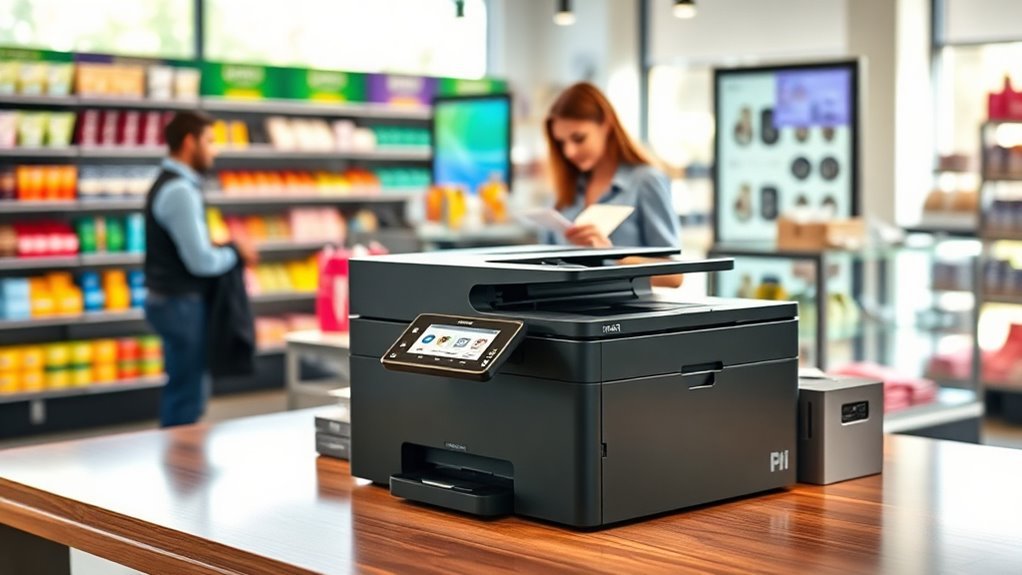
When choosing a business printer for your retail team, you need to take into account how fast it prints and the types of connections it supports. Think about durability and how easy it is to maintain, especially with heavy use.
Also, check the paper capacity and print quality to make sure it meets your daily demands. You want something reliable that keeps up without constant jams or downtime. That way, your team can focus on serving customers rather than dealing with printer issues.
Print Speed Importance
Although print speed might seem like a minor detail, it plays a crucial role in keeping your retail operations smooth and customers satisfied. Faster print speeds, measured in pages per minute (ppm), help reduce wait times at the point-of-sale and in back-office tasks.
Remember to weigh mono and color ppm separately since color prints typically run slower, affecting throughput for receipts or promotional materials. First-page-out time also matters, especially for quick, on-demand prints.
If your team handles multi-page returns or supplier documents, look at scan, copy, and ADF speeds to prevent bottlenecks. Finally, match your expected daily volume and peak periods with the printer’s duty cycle and rated ppm to avoid print queues.
Investing in higher ppm devices pays off when facing frequent concurrent jobs and customer-facing latency. It’s worth considering to keep things moving smoothly!
Connectivity Options Available
Choosing the right connectivity options can make or break your retail printing setup. You’ll want a printer that supports both wired Ethernet and dual-band Wi-Fi (2.4 GHz/5 GHz) to guarantee reliable connections for storefront terminals and back-office systems. This helps minimize wireless congestion.
Look for USB and USB-Host ports to connect directly to POS peripherals like barcode scanners, cash drawers, and receipt displays. These also make it easy to handle local print jobs or firmware updates.
Wi-Fi Direct or ad-hoc wireless lets mobile devices print without joining your store network. This is ideal for visiting staff or temporary setups.
Make sure your printer supports common mobile printing protocols—AirPrint, Mopria, or proprietary SDKs. That way, you can print from smartphones, tablets, or web-based POS apps without any hassle.
And if you’re still using legacy POS terminals, look for built-in Ethernet with optional serial or cash-drawer trigger ports. These offer low-latency, dedicated links that keep everything running smoothly.
Durability and Maintenance
Reliable connectivity is only part of what keeps your retail printing running smoothly; durability and maintenance play a big role in minimizing downtime and controlling costs. You should choose printers with high monthly duty cycles and solid life ratings to handle peak volumes without breaking down.
Durable components like metal paper paths, heavy-duty rollers, and robust auto-cutters extend your printer’s lifespan in constant use. Check maintenance intervals and make sure replacement kits for key parts are easy to find.
Also, consider consumable costs and lifetimes to avoid frequent, costly replacements. Look for models offering easy jam access, tool-free part replacements, and remote diagnostics or firmware updates, so you can quickly fix issues without waiting for a technician.
This approach keeps your retail operations efficient and your printing budget predictable.
Paper Handling Capacity
When you pick a business printer for your retail team, make sure its paper handling capacity can keep up with your daily demands. Check the total input capacity—the sum of all trays and feeders—to match your typical print volume, usually between 250 and 500 sheets. This way, you won’t need constant reloads.
Look for a 50-sheet automatic document feeder (ADF) to streamline multi-page scanning and copying. It’s super handy for receipts and supplier documents. Also, consider printers that allow expandable paper capacity, scaling up to 900 sheets to handle busy seasons or growth.
Verify the trays support various media types and sizes common in retail, including labels and envelopes, without jamming. And finally, make sure the output tray holds enough pages (50–250) so you don’t have to clear it frequently during busy transactions.
Print Quality Requirements
Focus on print quality to guarantee your retail materials look professional and clear. First, determine the resolution you need—text and invoices usually require 600–1200 dpi for crisp blacks. Product labels or photos might need 1200–4800 dpi to capture fine details.
Choose print technology wisely: pigment-based inks or laser toner excel for sharp, fade-resistant text. On the other hand, dye-based inks and high-resolution inkjets offer superior color accuracy for marketing materials.
Pay attention to color accuracy and gamut if printing images. Look for wide color support and at least 24-bit output for smooth gradients.
Also, make sure fonts, barcodes, and labels remain legible on your chosen media. Finally, consider how consumables and maintenance affect consistent quality over time to keep prints sharp throughout the printer’s life.
Cost Efficiency Factors
Although upfront price matters, you should evaluate a printer’s total cost of ownership to make a smart investment for your retail team. Add the initial cost to multi-year expenses like ink or toner, paper, thermal rolls, maintenance, parts replacement, and energy use.
Calculate cost per page using realistic yield figures, considering differences between color and monochrome cartridges and high-capacity options. Estimate monthly page volumes to budget for consumable replacements and downtime, factoring in labor or lost sales when printers are unavailable.
Don’t forget energy costs—multiply average watts used by local electricity rates and expected daily use. Also, look for features like duplexing and draft modes that reduce consumable use.
Finally, consider subscription or bulk purchasing options to lower per-page costs and boost overall efficiency. It’s all about finding ways to keep costs down while keeping your team running smoothly.
Frequently Asked Questions
How Do Printer Warranties Differ Among These Models?
Printer warranties vary by length and coverage; some offer extended support, onsite repairs, or full replacement, while others limit parts and labor.
You’ll want to compare terms closely to make sure your retail needs are fully protected.
It’s worth taking a little extra time to understand what each warranty covers.
That way, you avoid surprises and get the best value for your investment.
What Are the Typical Maintenance Costs for These Printers?
You’ll typically spend on ink or toner replacements, occasional part swaps, and routine cleaning. Maintenance costs vary by model, but keeping your printer in top shape usually means budgeting for consumables and occasional servicing.
It’s a good idea to set aside some funds regularly so you’re not caught off guard. Think of it like car maintenance—small investments now can save you from bigger expenses later.
Can These Printers Integrate With Popular Retail POS Systems?
You won’t believe how seamlessly these printers integrate with popular retail POS systems! They’re designed to sync effortlessly, letting you print receipts and labels without a hitch.
This saves you time and hassle every single day. It’s all about making your retail operations smoother and more efficient.
What Security Features Protect Sensitive Retail Data on These Printers?
You’ll find features like encrypted data transmission, user authentication, secure print release, and regular firmware updates protecting sensitive retail data.
These measures keep your information safe from unauthorized access and cyber threats while printing.
Are There Eco-Friendly Printing Options Available With These Models?
Yes, you’ll find eco-friendly options among these printers, including energy-saving modes, recycled materials, and duplex printing to reduce paper waste.
They help you lower your environmental impact while maintaining efficiency and print quality. It’s a win-win!
Conclusion
Choosing the right printer for your retail team is like picking the perfect tool from a craftsman’s kit—it can make all the difference between smooth sailing and bumping into waves. Whether you need speed, clarity, or wireless freedom, these top printers are ready to power your business forward.
So, don’t just print—ignite your retail workflow with a reliable partner that keeps your team humming and customers smiling. With options designed to boost efficiency and handle high volumes, the best business printers for retail teams will streamline your operations and enhance customer service. Your perfect printer awaits!