4 best beginner resin printer 2026
You’ll find the 4 best beginner resin printers in 2026 offer ultra-high resolution and easy setup, perfect for those just starting out in resin printing. These printers combine precision and user-friendly features to help you achieve detailed, professional-quality prints without hassle.
Whether you want speed, multicolor options, or compact designs, there’s something here to match your needs.
The ANYCUBIC Photon Mono 4 delivers precise, detailed prints with a 10K LCD screen and simple leveling. ELEGOO Mars 5 Ultra adds fast speeds and smart AI monitoring.
ELEGOO Centauri 2 Combo brings multicolor printing and automation, while MALYAN S100 Mini suits small projects with effortless calibration. Keep exploring to discover which fits your printing goals best.
| Image | Name | Editor's Rating | Price |
|---|---|---|---|

|
|
||
|
|
||

|
|
||

|
|
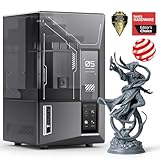
ANYCUBIC Photon Mono 4, Resin 3D Printer with 7” 10K Mono LCD Screen
- 【7'' 10K High Resolution】Photon Mono 4 boasts an impressive 105% increase in print precision compared to Mono 2. With a resolution of 9024x5120, each pixel measures a...
- 【Powerful Light Source】The time-tested Anycubic LighTurbo matrix light source technology delivers stable, balanced, and uniform lighting to reduce layer lines and...
- 【Sufficient Print Size】With a generous maximum build volume of 6.04'' x 3.42'' x 6.49''/153.4mm x 87mm x 165mm, you have ample print space to easily tackle your daily...
- 【Laser-engraved Print Platform 2.0】With a new design, the laser engraving platform of the photon mono 4 improves adhesion to mitigate lifting and warping of the model...
- 【User-friendly Function】The 4-point leveling method is ideal for beginners, after the first leveling and tightening the 4 screws, no need to repeat leveling. Photon...
The ANYCUBIC Photon Mono 4 offers a precise and efficient resin printing experience for those seeking detailed, high-quality results. Its 7-inch 10K mono LCD screen provides ultra-high resolution, enabling smooth surfaces and sharp details that enhance your models’ appearance and accuracy.
This printer’s design focuses on ease of use and reliability. The laser-engraved Print Platform 2.0 ensures your prints stick firmly during printing but release easily afterward. With a 4-point leveling system, you spend less time recalibrating and more time creating.
Maintenance is straightforward thanks to its compact, lightweight build. The printer supports fast print speeds of up to 70 mm/h and a generous build volume, making it suitable for a variety of projects without requiring complex setup or upkeep.
While it doesn’t support remote control via the Anycubic APP and has a moderate build size, the Photon Mono 4 balances performance and convenience well. It’s a practical choice for users who value detailed prints and straightforward operation.
Best for: Beginners and hobbyists who want sharp, reliable resin prints with minimal hassle.
What We Like:
- Exceptional 10K resolution (9024 x 5120) for fine detail
- Fast printing speed up to 70 mm/h
- Laser-engraved Print Platform 2.0 ensures strong adhesion and easy removal
- Simple 4-point leveling system reduces recalibration needs
Specification:
| Feature | Details |
|---|---|
| Manufacturer | ANYCUBIC |
| Screen Size | 7 inches |
| Screen Resolution | 9024 x 5120 (10K mono LCD) |
| Print Speed | Up to 70 mm/h |
| Build Volume | 153.4 x 87 x 165 mm |
| Weight | Lightweight (exact weight not specified) |
| Special Features | Laser-engraved Print Platform 2.0, 4-point leveling system |
ELEGOO Mars 5 Ultra Resin 3D Printer
- 【9K High Precision Mono LCD】Featuring a 7-inch mono LCD with 9K ultra-high resolution and 18 μm XY resolution, ELEGOO Mars 5 Ultra 3D Printer ensures the faithful...
- 【Blazing Fast Speed with Tilt Release Innovation】Boasting a blazing fast speed of up to 150 mm/h, ELEGOO Mars 5 Ultra resin 3D printer leaves competitors in the dust...
- 【AI Camera Acts as Your Eyes, Stay in Total Control】Say goodbye to costly failures and wasted time as the AI camera detects errors in real-time, guiding you to...
- 【Print Smarter, Print Easily】With a smart mechanical sensor, ELEGOO Mars 5 Ultra impresora 3D supports residue detection to prevent damage to the LCD screen. Plus...
- 【Wi-Fi Cluster Printing, Redefining Efficiency & Productivity】Redefine efficiency and streamline your workflow with seamless control over multiple ELEGOO Mars 5 Ultra...
Experience precision and convenience with the ELEGOO Mars 5 Ultra Resin 3D Printer, designed to elevate your resin printing projects. Its ultra-high 9K resolution captures fine details, making it ideal for intricate models and prototypes. The sharp 7-inch mono LCD screen delivers crisp 18 μm XY resolution, ensuring your prints come out with remarkable clarity.
This printer offers flexible print speeds up to 150 mm/h, letting you choose between faster output or finer detail. The innovative tilt release technology simplifies the peeling process, reducing print failures and saving you time during production. An AI-powered camera continuously monitors your prints, detecting issues like warping or empty build plates early to help maintain print quality.
Maintenance is straightforward, with easy access to components and reliable sensors that protect your printer from common errors. The built-in Wi-Fi cluster printing capability allows you to control multiple printers simultaneously, streamlining workflow in busy workspaces or small studios.
While its build volume of 6.04 × 3.06 × 6.49 inches suits detailed projects, it may limit larger creations. Weighing 19.36 pounds, it is designed primarily for stationary use rather than portability.
Best for: hobbyists and professionals seeking high-resolution resin 3D printing with smart monitoring and efficient multi-printer management.
What We Like:
- Exceptional 9K resolution with 18 μm precision for detailed models
- AI camera and sensors provide real-time error detection
- Wi-Fi cluster printing supports multiple printer control
- Tilt release technology speeds up peeling without quality loss
Specification:
| Feature | Details |
|---|---|
| Manufacturer | ELEGOO |
| Dimensions | 10.24 × 7.87 × 16.61 in |
| Weight | 19.36 lb (8.78 kg) |
| Build Volume | 6.04 × 3.06 × 6.49 in |
| Display | 7-inch mono LCD |
ELEGOO Centauri 2 Combo 3D Printer, Beginner-Friendly Multicolor Printing
- 4-Color Printing with CANVAS: Create vibrant multi-color models effortlessly with CANVAS 4-color printing. Independent motors, instant color switching, RFID filament...
- Start Printing with Confidence: Full auto calibration and smart pre-print checks simplify setup, while 22 intelligent sensors monitor every print in real time. From first...
- Designed for Speed: Experience faster creation with a high-speed CoreXY system reaching up to 500mm/s and 20,000mm/s² acceleration. The rigid aluminum frame and...
- Smoother, Sharper, Smarter: From the first layer to the final detail, intelligent calibration, vibration compensation, and precise extrusion control help produce clean...
- A Seamless Workflow from Idea to Print: Simplify your entire workflow with the ELEGOO ecosystem. Discover ready-to-print models on Nexprint, prepare projects with...

The ELEGOO Centauri 2 Combo redefines multicolor 3D printing for beginners and pros alike. Its innovative 4-color CANVAS system lets you switch colors instantly, eliminating downtime and unwanted color blends. This system also uses RFID filament recognition and auto refill, making color changes smooth and hassle-free.
Designed for speed and accuracy, the printer features a CoreXY motion system and a sturdy aluminum frame. These ensure stable, precise prints even at high speeds up to 500 mm/s. Intelligent calibration and auto leveling automate setup, so you spend less time adjusting and more time creating.
Maintenance is straightforward with a magnetic printhead cover and nozzle wiper that simplify cleaning. The 5-inch touchscreen offers an intuitive user interface, while 22 sensors provide real-time monitoring for reliable performance. Remote control and ready-to-print models help streamline your workflow.
This printer balances advanced features with ease of use, making multicolor printing accessible. Its footprint and weight may require a dedicated workspace, but the benefits far outweigh these considerations.
Best for: Beginners and makers seeking a high-speed, reliable multicolor 3D printer with smart features and smooth workflow integration.
What We Like:
- Instant multicolor switching with RFID filament recognition
- High-speed CoreXY system for precise, stable printing
- Automated calibration and leveling for consistent quality
- Easy maintenance with magnetic printhead cover and nozzle wiper
- Real-time monitoring via 22 sensors enhances reliability
Specification:
| Feature | Details |
|---|---|
| Manufacturer | ELEGOO |
| Dimensions (inches) | 19.69 x 18.9 x 23.23 |
| Weight (lbs) | 33 |
| Frame Material | Aluminum |
| Display | 5-inch Touchscreen |
MALYAN S100 Mini Resin 3D Printer with LCD Screen
- 【Entry-level Resin 3D Printer】MALYAN S100 features a 5.5-inch LCD screen with a resolution of 2560x1440, which can better restore 3d printing models and realize...
- 【Auto Calibrates And Leveling】MALYAN S100 Mini resin 3d printer has a printing size of 115x65x110 mm, which can be calibrated and run in one click. It automatically...
- 【Magnetic Build Plate】The magnetic build plate is easy to remove and takes the hassle out of cleaning and prepping for multiple print jobs in quick succession. The...
- 【Upgraded light source】The 57W parallel LED array can provides a stable and uniform parallel light source, thus effectively reducing the layer lines and eliminating...
- 【Laser-engraved Build Plate】S100 is equipped with a laser engraved platform, which has excellent flatness that can increase model adhesion, making the 3d model hard...
Discover precise resin printing made simple with the MALYAN S100 Mini Resin 3D Printer. Designed for ease of use, it delivers sharp details that bring your models to life. The 5.5-inch LCD screen with 2560 x 1440 resolution enhances texture clarity for exceptional print quality.
Its compact print volume of 115 x 65 x 110 mm suits small-scale projects, making it ideal for beginners stepping into resin printing. The one-click auto calibration and leveling system ensures your first layer adheres perfectly, reducing setup time and print errors.
Maintenance is straightforward thanks to the magnetic removable build plate, which features laser-engraved flatness for consistent printing surfaces. This design simplifies model removal and cleaning while minimizing warping issues. The 57W parallel LED array provides even light distribution, promoting smooth surface finishes.
To achieve optimal results, matching resin types with correct settings is essential. While the printer is tailored for entry-level users, it may not offer extensive customization options for advanced applications.
Best for: Beginners and hobbyists seeking a compact, reliable resin 3D printer with precise detail and effortless setup.
What We Like:
- High-resolution LCD screen delivers sharp, vivid details
- One-click auto calibration and leveling for consistent first layers
- Magnetic removable build plate eases model removal and reduces warping
- Uniform LED lighting ensures smooth surface finishes
Specification:
| Feature | Detail |
|---|---|
| Manufacturer | MALYAN |
| Print Volume | 115 x 65 x 110 mm |
| LCD Screen Size | 5.5 inches |
| LCD Resolution | 2560 x 1440 pixels |
| Light Source | 57W parallel LED array |
| Build Plate | Magnetic, laser-engraved |
Factors to Consider When Choosing a Beginner Resin Printer 2026

When choosing a beginner resin printer, you’ll want to prioritize print quality and precision to get the best results. It really makes a difference in how your prints turn out.
Also, consider how easy the printer is to use, especially features like calibration and leveling. These can save you a lot of time and hassle.
Don’t forget to check the build volume, speed, and overall efficiency. Make sure they match what you need for your projects.
Print Quality Precision
Although choosing a beginner resin printer might seem straightforward, understanding print quality precision is key to getting the best results. You’ll want a printer with a high XY resolution—pixel sizes between 10 and 20 microns deliver noticeably sharper, finer details than anything above 30 microns.
Layer thickness, or Z resolution, also matters; 25 to 50 microns strikes a good balance between detail and print time. Look for stable, uniform LCD illumination to avoid layer lines and uneven curing.
Mechanical stability is vital, too—a rigid gantry and precise leveling prevent surface artifacts that spoil fine details. Finally, effective light-source control and proper exposure settings tailored to your resin ensure crisp features without overcuring or blurring.
These factors combined give you the sharp, smooth prints you want.
Ease Of Use
Print quality precision sets the foundation, but ease of use makes a beginner resin printer truly accessible. You’ll want a printer with one-click or automatic bed leveling to cut setup time and guarantee consistent first-layer adhesion without fiddling.
Look for clear touchscreen menus, guided first-print wizards, and intuitive slicer presets to help you avoid trial-and-error. Handling resin should be simple, too—removable magnetic build plates and easy-to-clean vats make post-print cleanup less intimidating.
Features like power-recovery and basic error alerts save you from wasted prints during interruptions. Finally, choose a model that offers accessible learning resources, such as step-by-step instructions and sample settings, so you can confidently achieve great prints faster without frustration.
Build Volume Size
Selecting the right build volume size plays a crucial role in matching your resin printer to the projects you want to create. If you mainly print miniatures or jewelry, a build volume around 100–160 mm on the longest axis usually works well.
For larger prototypes, look for at least 200 mm in one dimension. Keep in mind, bigger volumes mean more resin use and longer print times, so balance size with material costs and time.
If you plan to print multiple miniatures simultaneously, prioritize a wider XY footprint rather than height to maximize efficiency. Also, consider your workspace and post-processing setup—wash and cure stations must handle the printed part size comfortably.
This guarantees smooth handling and finishing without resizing hassles.
Speed And Efficiency
Once you’ve settled on the right build volume, the next step is to think about how quickly and efficiently your resin printer can produce parts. Layer cure time and Z-axis travel speed set your maximum print pace—cutting cure time in half can nearly double output.
Printers with high peel speeds and smart release systems, like tilt or flexible films, also reduce each layer’s cycle time. While thicker layers or larger XY pixels speed things up, they do compromise detail and vertical resolution. So, it’s all about striking a balance based on what your project needs.
Fast printing demands sturdy motion systems and good thermal management to avoid defects during prolonged runs. Finally, consider overall workflow efficiency—from slicing files to post-curing—because optimizing just one step rarely speeds up the entire process.
Calibration And Leveling
Achieving reliable first-layer adhesion starts with proper calibration and leveling, which are essential for consistent print quality. You’ll want a printer offering automatic or one-click bed leveling and Z-offset calibration to save time and avoid manual guesswork.
Multi-point or 4-point leveling systems paired with a laser-engraved or textured build plate help maintain flatness and reduce warping or part lifting over time. These features really make a difference in keeping your prints looking sharp.
Look for software-assisted routines that store offsets and support power-loss resume, so you don’t have to recalibrate after interruptions. It’s a real time-saver when you can pick up right where you left off.
Easy-to-access physical adjustments like thumb screws or motorized fine-tuning let you make safe, repeatable tweaks. Plus, printers that provide live test prints or leveling verification patterns with clear guidance guarantee you can match calibration settings to different resin types confidently.
Connectivity And Software
After getting your printer properly calibrated and leveled, you’ll want to explore how it connects and communicates with your devices. Check if the printer offers native Wi-Fi or Ethernet support for easy network file transfers and remote monitoring.
Also, confirm which slicer software it supports, including file formats like .ctb, .photon, and .stl/.gcode exports. See if it provides preset profiles and resin libraries to speed up setup.
Look for built-in or companion apps that let you monitor prints in real time, receive alerts, and control jobs remotely. It’s super handy to keep an eye on your print without being right next to the machine.
Don’t forget to consider the firmware update process and ongoing software support. Keeping your printer reliable and safe over time is key.
Finally, take a look at on-device interfaces and offline options like USB support. This is great if you prefer not to rely on cloud connectivity or want a backup plan.
Reliability And Support
When choosing a beginner resin printer, you’ll want to prioritize reliability and support to save time and frustration down the line. Look for robust hardware features like automatic leveling, stable light sources, and secure build-plate attachment to reduce failed prints and manual adjustments.
Sensors and recovery functions—such as power-resume, resin-level detection, and tilt assistance—help prevent interruptions and protect key parts. Choose printers with clear error alerts and well-documented calibration and maintenance guides to speed up troubleshooting.
Also, make certain the manufacturer offers timely support, firmware updates, and easy access to replacement parts like FEP film and build plates. Finally, a large, active user community with quality manuals and tutorials can boost your learning curve and overall printer reliability.
Frequently Asked Questions
How Do I Safely Dispose of Used Resin?
You should cure leftover resin by exposing it to sunlight or UV light until solid, then dispose of it as regular waste. Never pour liquid resin down drains or trash.
Always wear gloves and work in a ventilated area. It’s super important to protect yourself while handling resin. Just take it one step at a time, and you’ll be fine!
What Post-Processing Tools Are Essential for Resin Prints?
Think of post-processing tools as your resin print’s best friends: isopropyl alcohol for cleaning, UV light for curing, and sandpaper for smoothing.
You’ll also want gloves for safety, and tweezers for those tiny detail jobs—you’ll need these to perfect your creation.
Trust me, having these essentials on hand makes the whole finishing process way easier and more enjoyable.
Can Resin Printers Print With Flexible or Specialty Resins?
Yes, you can print with flexible or specialty resins on many resin printers. Just make sure your printer supports those materials, adjust settings accordingly, and handle post-processing carefully to maintain the resin’s unique properties.
It’s pretty cool that these printers can work with different types of resin. Just remember, tweaking the settings and being gentle during post-processing really helps keep the quality intact.
How Do Ambient Temperature and Humidity Affect Resin Printing?
You’ll find that ambient temperature and humidity directly impact resin curing and print quality. Too cold slows curing, while high humidity can cause cloudiness or adhesion issues.
Keep your environment stable for the best results. It really makes a difference in how your prints come out!
Are There Any Health Risks Associated With Resin Printing?
You might not realize it, but uncured resin can cause skin irritation and harmful fumes. You’ll want gloves, proper ventilation, and a mask to stay safe while printing.
Don’t underestimate these health risks lurking in your workspace. It’s better to be cautious and protect yourself while working with resin.
Conclusion
Choosing your first resin printer can feel overwhelming, but remember, “a journey of a thousand miles begins with a single step.” Whether you pick the ANYCUBIC Photon Mono 4, ELEGOO Mars 5 Ultra, ELEGOO Centauri 2 Combo, or MALYAN S100 Mini, each offers beginner-friendly features to kickstart your 3D printing adventure.
Keep in mind your specific needs and budget, and you’ll be creating stunning prints in no time. These resin printers are designed to be user-friendly, making them perfect for beginners who want quality without complexity.
So, jump in and enjoy the process! With the right beginner resin printer, your 3D printing journey will be smooth and rewarding from the very start.