5 Best Cheap Portable Printers for 2027
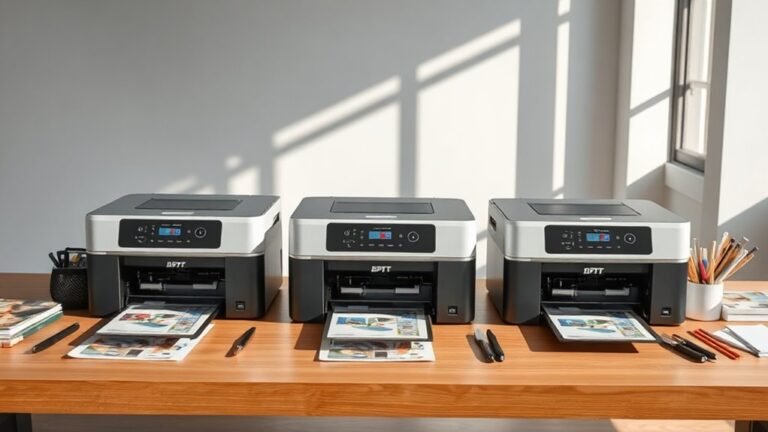
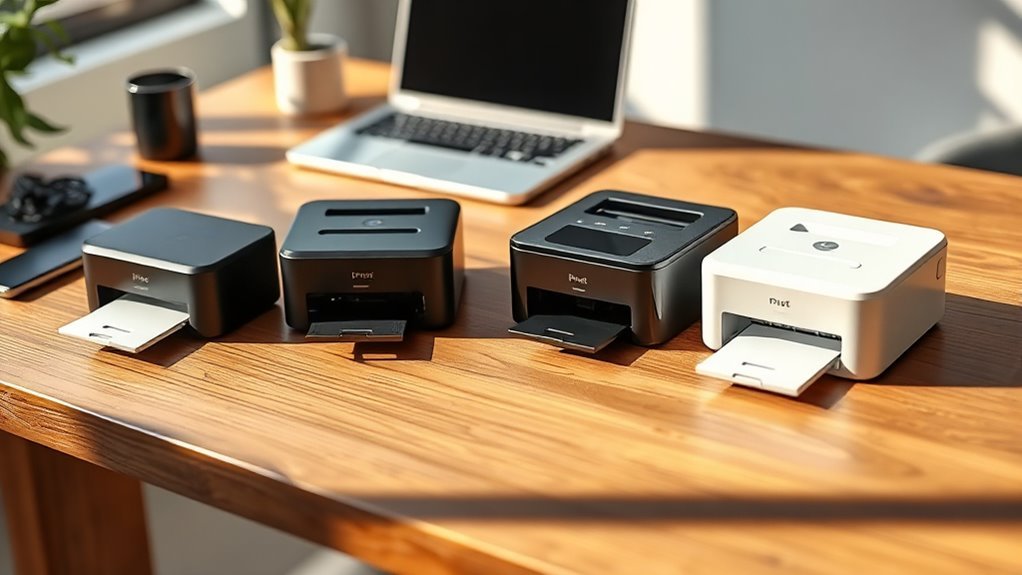
You’ll find top affordable portable printers like the Rongta Wireless for easy Bluetooth printing, the N80 Travel Printer with a rechargeable battery, and KNAON’s inkless model offering sharp 8.5×11 prints. These budget-friendly options make printing on the go super convenient without breaking the bank.
The lightweight Inkless Portable Thermal Printer comes with extra paper, so you’re ready to print anytime. Meanwhile, the HPRT MT610 boasts fast 15 ppm prints and broad OS support. Each of these printers balances portability, print quality, and connectivity in its own way.
To pick the perfect fit for your needs, you can explore key features and details further. That way, you’ll know exactly which cheap portable printer suits your lifestyle best.
| Image | Name | Editor's Rating | Price |
|---|---|---|---|

|
|
||

|
|
||

|
|
||

|
|
Rongta Wireless Thermal Portable Printer for Mobile Devices
- Easy to Set Up: RONGTA F11A portable thermal printer for travel go by bluetooth.Download "RONGTA" APP from Google Play or APP store for iOS and Android Phone or...
- RONGTA portable printer, 203DPI resolution, large to 8.5" design, easy to use and maintain. Print forms, letters, assignments, study materials, and travel documents...
- Stylish Thermal Printer:Rongta bluetooth wireless printer, It is compatible with your go-to paper sizes—including US Letter, Legal, A4 thermal papers. What’s more, it...
- Portable and Compact: When traveling you can take Rongta portable printer wireless in your backpack or tote bag wherever you need. It is compact and portable whether in...
- Warm Tips: Do Not Support Chrome. Rongta portable printers wireless for travel can't support pair bluetooth via Phone or tablet directly, must be pair on the"RONGTA" APP...

The Rongta Wireless Thermal Portable Printer offers a convenient solution for mobile printing without the mess of ink cartridges. It connects easily via Bluetooth through the dedicated RONGTA app, allowing seamless printing from Android, iOS, Windows, and macOS devices. This eliminates the hassle of tangled cables and complex setups, making it ideal for on-the-go use.
Designed for simplicity, the printer uses thermal paper, which means you never have to worry about replacing ink or ribbons. This reduces maintenance and keeps running costs low. Its compact and lightweight build ensures it fits comfortably in bags or briefcases, perfect for professionals who need quick access to printed documents anywhere.
The printer supports various paper sizes, including letter, legal, and A4, printing black and white pages at a steady 3.23 pages per minute. While it is not suitable for high-volume printing, its portability and ease of use make it a practical choice for everyday tasks.
One limitation is that it only prints on thermal paper and requires the RONGTA app for Bluetooth connectivity, restricting some flexibility in printing options. However, for users focused on efficient, compact printing from mobile and desktop devices, it delivers dependable performance.
Best for: Professionals and individuals needing a reliable, portable thermal printer for wireless printing from mobile and desktop platforms.
What We Like:
- Wireless Bluetooth printing through the dedicated RONGTA app on multiple platforms.
- Inkless thermal printing minimizes maintenance and running costs.
- Compact and lightweight design enhances portability.
- Supports multiple paper sizes including letter, legal, and A4.
Specification:
| Feature | Details |
|---|---|
| Manufacturer | Rongta |
| Dimensions | Compact and portable (exact size not specified) |
| Weight | Lightweight (exact weight not specified) |
| Paper Types | Thermal paper only |
| Print Speed | 3.23 pages per minute |
| Connectivity | Bluetooth via RONGTA app |
| Supported OS | Android, iOS, Windows, macOS |
Portable Printers Wireless for Travel, N80 Bluetooth Thermal Printer
No products found.
The NDYIN N80 Bluetooth Thermal Printer offers a compact and efficient printing solution for travelers and mobile workers. Its lightweight design, weighing just 1.7 pounds, makes it easy to carry in a bag without adding bulk. This printer uses direct thermal printing, so there’s no need for ink or toner, simplifying maintenance during travel.
Connecting wirelessly via Bluetooth, it pairs smoothly with iPhones, iPads, or Android devices through the Nada Print app. This allows for quick, monochrome printing on US Letter or A4 thermal paper, perfect for contracts, invoices, or boarding passes when you’re on the move. The rechargeable battery supports up to 160 prints per charge, ensuring reliable use throughout the day.
While it excels in wireless mobile printing, the N80 does not support wireless printing from laptops. For computer use, a USB-C connection and driver installation are necessary. Note that this printer only works with thermal paper, and you will need to provide your own charging adapter, as it’s not included.
Best for: travelers and professionals seeking a lightweight, wireless thermal printer for fast, inkless document printing on the go.
What We Like:
- Lightweight and travel-friendly at 1.7 pounds
- Easy Bluetooth connection with mobile devices via Nada Print app
- Direct thermal printing eliminates ink and toner hassles
- Long-lasting rechargeable battery supports up to 160 prints
- Compatible with US Letter and A4 thermal paper
Specification:
| Feature | Details |
|---|---|
| Manufacturer | NDYIN |
| Dimensions | Not specified |
| Weight | 1.7 lb (0.77 kg) |
| Connectivity | Bluetooth, USB-C |
| Paper Size | US Letter, A4 thermal paper |
| Battery | Rechargeable, up to 160 prints per charge |
| Color Options | Not specified |
KNAON Portable Inkless Printer, Bluetooth Thermal Printer, 8.5×11 (White)
- Bluetooth for Phones, USB for Computers – Connect iOS and Android devices through the FlashToy app. Windows and macOS laptops connect by USB after driver installation...
- Inkless Printer - This no-ink portable thermal printer uses direct thermal technology, eliminating the need for ink, toner, or ribbon, making it economical, and...
- Two Paper Formats Included - Comes with 1 thermal paper roll and 20 US Letter fanfold thermal sheets. Use the fanfold sheets for full-page documents, contracts and study...
- Portable Printers Wireless for Travel - This inkless portable printer weighs only 1.5 pounds and is compact enough to carry with you wherever you go. Ideal for business...
- Clear Print - KNAON wireless printer adopts high-definition printing technology, with a 203DPI resolution to provide you with clear printing results. This mobile printer...
The KNAON Portable Inkless Printer offers a smart solution for professionals who need quick, hassle-free printing on the go. Its ink-free thermal printing technology eliminates the mess and cost of cartridges, making maintenance simple and convenient. You get clear, sharp prints up to 8.5×11 inches, ideal for contracts, invoices, or study materials.
This compact white printer is designed for mobility, running on a rechargeable battery that supports up to 160 sheets per charge. It connects seamlessly via Bluetooth on iOS and Android devices using the FlashToy app, or through USB for Windows and macOS computers. This flexibility ensures you can print wherever your work takes you.
The printer uses special thermal paper, which means you won’t need to worry about replacing ink. However, it does limit media options and requires Bluetooth connection for mobile devices only. Printing speed is 4 pages per minute, which suits moderate workloads but may be slow for large volumes.
Best for: Mobile professionals and small offices needing efficient, portable, and inkless printing for letter-sized documents.
What We Like:
- Inkless direct thermal printing for clean and easy maintenance
- Lightweight design with rechargeable battery for travel use
- Bluetooth and USB connectivity covering multiple device platforms
Specification:
| Feature | Details |
|---|---|
| Manufacturer | KNAON |
| Dimensions | 8.5 x 11 inches |
| Weight | Lightweight (exact weight not specified) |
| Material | Plastic (white finish) |
| Color Options | White |
Inkless Portable Thermal Printer, Small Wireless & 21 Pcs Paper (1 Roll)
- Portable Printers Wireless for Travel [Compact & Space-saving]: The portable printer weighs only 1.5lb and is small in size. This inkless portable printer fits easily...
- Wireless Bluetooth Printer [High Compatibility]: The portable thermal printer compatible with iPhone, Android Phone, iPad, Tablet via Bluetooth. Print documents...
- Thermal Printer [Multi-Size Printing]: The wireless portable printer with built-in paper bin, support thermal roll paper, continuous and single sheet thermal paper. A285M...
- Inkless Printer [Cost-Effective & Inkless Printing]: The Bluetooth mobile printer adopts advanced thermal technology, no ink, toner, or ribbon required during printing...
- Mobile Printer [High Quality Printing]: The compact printer is designed for people who work outside. A wireless inkless portable printer is good for mobile notaries...
Experience hassle-free printing with the Inkless Portable Thermal Printer, designed to keep you productive wherever you are. This compact device eliminates the need for ink, toner, or ribbons by using thermal technology to print crisp black-and-white documents. It’s lightweight and small enough to fit in a backpack or briefcase, perfect for busy professionals on the move.
Connecting is simple with wireless Bluetooth, allowing seamless printing from your phone or tablet. You can also use the USB-C port for laptop compatibility. The printer supports various thermal paper sizes, making it versatile for receipts, contracts, and other essential documents without the bulk of traditional printers.
Maintenance is minimal since you don’t have to worry about running out of ink or dealing with smudges. However, it only prints in black and white and requires a specific 5V 2A charger to avoid damage. This makes it ideal for users who prioritize convenience and portability over color printing.
Best for: mobile workers, travelers, teachers, students, and professionals needing a lightweight, inkless printing solution on the go.
What We Like:
- Inkless thermal printing reduces maintenance and eliminates ink costs.
- Wireless Bluetooth and USB-C connectivity offer flexible device options.
- Compact and lightweight design ensures easy portability.
Specification:
| Feature | Details |
|---|---|
| Manufacturer | — |
| Dimensions | Compact (fits in backpack) |
| Weight | 1.5 lbs (approx. 0.68 kg) |
| Material | — |
| Color Options | — |
HPRT MT610 Portable Printer, Inkless Thermal Wireless for Home Use, Black
- 【Ultra-Portable & Long Battery Life】Weighing just 1.1 lbs (0.5kg) with a sleek, compact profile, the MT610 portable printer slips easily into your laptop bag or...
- 【Inkless Printing & Crisp HD Resolution】 Say goodbye to messy ink cartridges, toners, and ribbons! Utilizing advanced direct thermal technology, the MT610 thermal...
- 【Seamless Bluetooth & USB Connection】Instantly connect the MT610 wireless printer with your iOS or Android smartphones/tablets via stable Bluetooth using our...
- 【Versatile Paper & Smart Auto-Feed】 Tailored for all your document needs, the HPRT portable printer supports various sizes including US Letter, A4, and 4" widths. It...
- 【Easy Setup & Multi-Scenario Versatility】 No steep learning curve here! With physical power buttons, a smart 3-color LED status indicator for instant troubleshooting...
Experience hassle-free printing wherever you go with the HPRT MT610 Portable Printer. This lightweight, wireless printer is designed to keep you productive on the move, whether at home, in the office, or traveling. Its compact size and low weight make it easy to carry, fitting neatly into any laptop bag.
The MT610 uses inkless thermal technology, eliminating the need for messy ink cartridges. It produces sharp, monochrome prints at a resolution of 300 dpi and a speed of 15 pages per minute. This makes it ideal for printing labels, receipts, and documents quickly and efficiently.
Connectivity is simple and flexible. You can print via Bluetooth using the HerePrint app or connect through a USB-C cable. The printer supports multiple operating systems, including Windows, macOS, Linux, iOS, and Android, ensuring compatibility with a wide range of devices.
Maintenance is minimal with this device. The built-in 2000mAh battery enables portable use, though heavy printing may require recharging. Its smart auto-feed feature handles various paper sizes automatically, enhancing convenience and reducing paper jams.
Best for: Professionals and travelers needing a compact, wireless, and inkless printer for on-the-go document and label printing.
What We Like:
- Lightweight and compact for easy portability
- Inkless thermal printing for clean, maintenance-free operation
- Crisp 300 dpi monochrome prints at a fast 15 ppm
- Bluetooth and USB-C connectivity with broad OS support
- Smart auto-feed for handling multiple paper sizes
Specification:
| Feature | Details |
|---|---|
| Manufacturer | HPRT |
| Dimensions | Compact (exact size not specified) |
| Weight | 1.1 lbs (0.5 kg) |
| Printing Technology | Inkless thermal |
| Print Resolution | 300 dpi |
| Print Speed | 15 pages per minute |
| Battery Capacity | 2000mAh |
| Connectivity | Bluetooth (HerePrint app), USB-C |
| Compatible OS | Windows, macOS, Linux, iOS, Android |
| Color | Black |
Factors to Consider When Choosing a Cheap Portable Printer
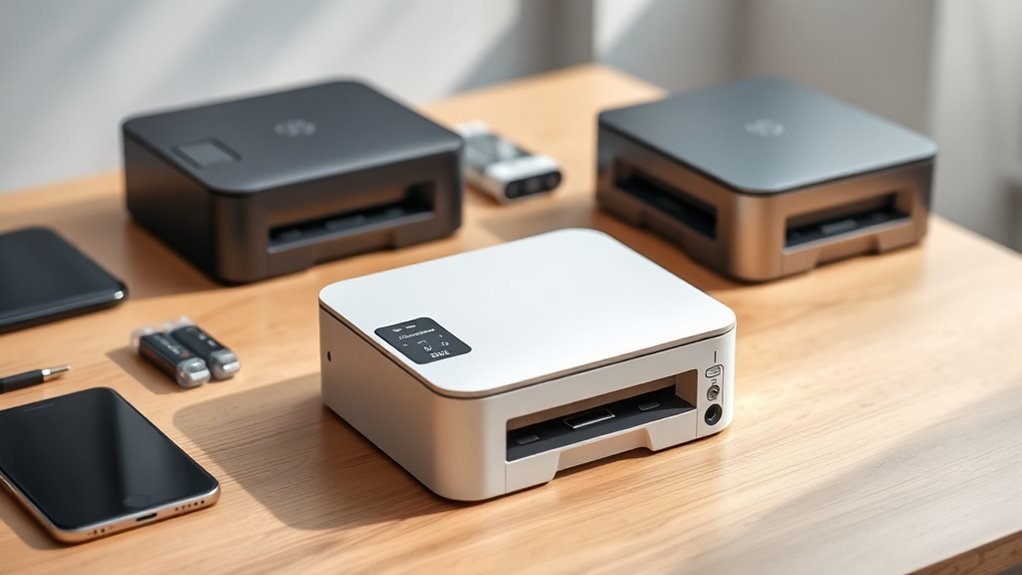
When choosing a cheap portable printer, you’ll want to focus on print quality and resolution to guarantee clear results. Check the connectivity options and supported paper types to match your needs.
Also, don’t forget to factor in battery life, portability, and print speed. These will make a big difference for convenience on the go.
Print Quality And Resolution
Although choosing a cheap portable printer means balancing cost and quality, you should prioritize print resolution to assure clear, legible text and crisp graphics. Look for at least 203 x 203 dpi; 300 dpi or higher sharpens details, especially in small fonts or intricate designs.
Keep in mind that direct thermal printers typically produce monochrome prints ideal for text and simple line art but lack fine shading. Using the recommended thermal paper assures clarity and prevents faint prints or streaks.
Print speed often trades off with resolution, so choose quality over quickness if detail matters. Also, consider print permanence—thermal prints may fade with heat and light, so think about how long your prints need to last before making your choice.
Connectivity Options Available
Choosing the right connectivity options plays a crucial role in how easily you can print from your devices with a cheap portable printer. Bluetooth is the most common wireless choice, letting you print directly from iOS or Android devices. Though, it often requires a vendor’s app for pairing.
USB-C or USB connections provide reliable wired printing and broad driver support for Windows and macOS. This is perfect if Bluetooth isn’t available or if you print from a laptop.
Some models offer Wi-Fi or Wi-Fi Direct for faster multi-device connections without cables. Make sure the printer supports native OS printing like AirPrint or Mopria. Relying solely on proprietary apps can limit browser or cross-platform use.
It’s best to pick a printer supporting both wireless and wired modes for maximum compatibility. That way, you’re covered no matter what device you want to print from.
Supported Paper Types
Beyond connectivity, the type of paper your portable printer supports directly affects your printing options and output quality. If you want inkless printing, confirm it handles thermal paper since many budget models require direct thermal media and can’t print on regular bond paper.
Check the maximum media sizes it supports—Letter, A4, A5, or narrow roll widths like 110 mm—so you’re sure it fits your documents. Also, verify if it accepts roll or fanfold/sheet thermal media, as some printers only use one form factor.
Make certain the media type matches your output needs; thermal printers often limit you to monochrome and can’t produce grayscale or color. Finally, use only manufacturer-recommended thermal paper grades to avoid damage and poor print quality.
Battery Life And Portability
When you’re picking a cheap portable printer, battery life often shapes how convenient it feels on the go. Compare battery capacity (mAh) and sheet-per-charge ratings—models boasting 150–200+ A4 sheets per charge usually offer longer runtime.
Balance battery size with weight; printers under 1.5 lbs are easier to carry, though smaller devices might compromise battery life. Check for fast recharge options and common ports like USB-C, so you can top up using power banks or car chargers quickly.
Features like sleep mode and auto-wake help stretch battery life between charges. Finally, consider your typical print volume—if you print occasionally, you don’t need a massive battery, but for frequent multi-page tasks, prioritize longer-lasting batteries to avoid interruptions.
Print Speed Performance
Battery life and portability set the stage for how you use a portable printer, but print speed determines how quickly you get your documents in hand. Print speed, measured in pages per minute (ppm), usually ranges from 3 to 15 ppm for cheap portable thermal printers.
Higher resolution, like 203–300 dpi, lowers speed since more dots mean slower printing. Your battery size also matters—small batteries can slow or pause printing to save power or cool the print head during long jobs.
The connection type affects speed too; USB generally offers faster, steadier data transfer than Bluetooth. Keep in mind, complex files with images print slower than plain text, so your actual speed will vary depending on what you’re printing.
Device Compatibility Range
Check that your portable printer works seamlessly with the devices you use daily. Make sure it supports your operating systems—Android, iOS, Windows 7–11, or macOS—so you can print from both mobile devices and laptops without hassle.
Look into wireless options: some printers require a vendor app for Bluetooth pairing, while others connect directly through your device’s native settings. Verify wired connections too, like USB-C or USB-A, and confirm if drivers are necessary for Windows, macOS, or Linux.
Also, guarantee the printer accepts the file types you often print, such as PDFs, Word docs, images, or web pages. Finally, check that its Bluetooth or USB ports match your device’s hardware, and have any needed adapters ready. This will prevent compatibility headaches down the road.
Warranty And Return Policy
Although cheap portable printers can save you money upfront, understanding their warranty and return policy is essential before committing. Check the manufacturer’s warranty length—usually one year—and what it covers, like defects in materials or workmanship.
Make sure to verify the return window; many retailers offer a 30-day voluntary return period. But watch for restocking or return-shipping fees that might limit your refund options.
Know what voids the warranty, such as using unsupported media or unauthorized repairs. Also, find out whether you’ll need to ship the printer for service.
Confirm the availability of support channels and expected response times to avoid delays. And don’t forget to read the fine print carefully—warranties often exclude consumables and may not cover issues caused by third-party software or apps.
Frequently Asked Questions
How Long Do Portable Printer Batteries Typically Last?
Portable printer batteries typically last between 2 to 6 hours of continuous use or can print about 20 to 60 pages on a full charge.
You’ll want to recharge regularly, depending on how often you print. It really depends on your printing habits and the type of printer you have.
Can Portable Printers Connect to Multiple Devices Simultaneously?
Of course, your portable printer isn’t a social butterfly—most can’t connect to multiple devices simultaneously.
You’ll have to play DJ, switching connections manually unless you invest in higher-end models that handle group chats effortlessly.
Are Portable Printers Compatible With Both Android and iOS?
Yes, most portable printers work seamlessly with both Android and iOS devices. You’ll just need the right app or driver, and you can easily print from your smartphone or tablet without any hassle.
It’s pretty straightforward once you have the setup done. Just make sure your device supports the printer’s app, and you’re good to go!
What Types of Media Can Portable Printers Print On?
Portable printers print photos, paper, labels, and sometimes cardstock or fabric. You’ll find they handle glossy, matte, and plain media with ease.
Just check your model’s specs to make certain compatibility before printing. It’s always good to be sure what your printer can handle!
How Do Portable Printers Handle Color Printing?
Portable printers handle color printing by using small inkjet cartridges or dye-sublimation technology, letting you print vibrant photos and documents on the go. They balance quality and speed but usually work best with lightweight media.
Conclusion
When choosing a cheap portable printer, you might think that lower price means lower quality, but that’s not always true. Many affordable models, like the ones listed here, deliver reliable wireless connectivity and decent print quality.
So, don’t let price alone limit your options. Instead, focus on features like portability, battery life, and print technology to find a printer that fits your needs perfectly without breaking the bank.
Remember, the best cheap portable printers for 2027 combine convenience with performance. Whether you need a printer for travel, home, or office use, looking beyond the price tag will help you find a budget-friendly option that offers great value. Prioritize key features like wireless capability and long-lasting battery life to get the most out of your purchase.