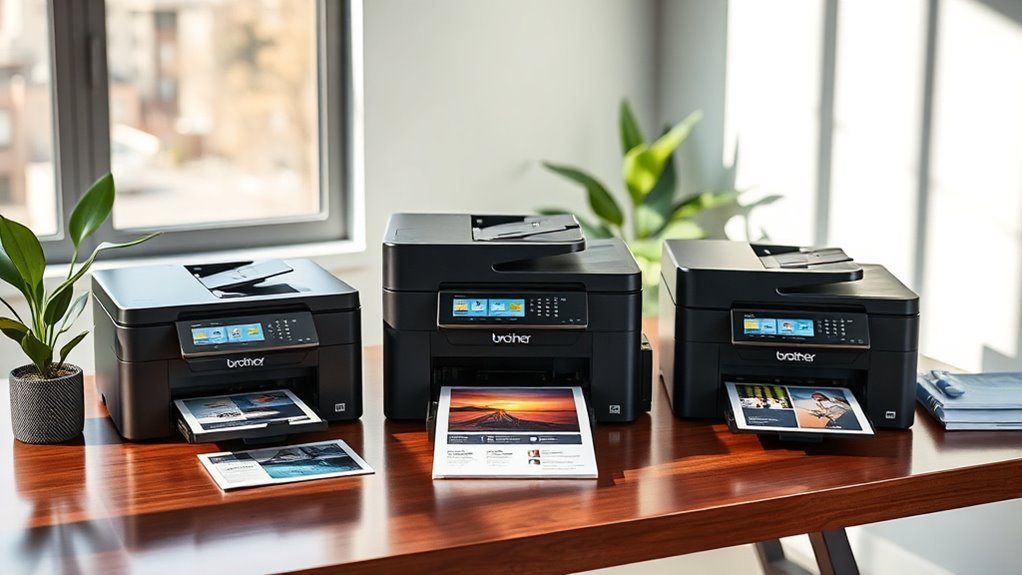
3 Best All-in-One Brother Printers for 2027 You Need Now
You’ll want the Brother MFC-L2820DW for fast, reliable monochrome printing. It offers duplexing and wireless connectivity, making it a solid choice for everyday tasks.
If you need color, the INKvestment MFC-J1365DW is a great option. It provides efficient ink use and versatile functions that are ideal for home offices.
For higher volume color work, the INKvestment 5010 combines speed and quality. Plus, it features a large paper capacity to keep up with busy workflows.
These models balance performance and features to suit various needs—and there’s more to know to help you pick the perfect fit. Whether you prioritize speed, color quality, or cost efficiency, these Brother all-in-one printers have something for everyone.
| Image | Name | Editor's Rating | Price |
|---|---|---|---|

|
|
||

|
|
||

|
|
Brother MFC-L2820DW Wireless Monochrome Laser Printer
- BEST FOR SMALL OFFICES – Combining space-saving efficiency and premium monochrome (black & white) print quality with affordability, the Brother MFC-L2820DW delivers...
- EFFICIENT PRINTING & SCANNING – Produces black & white documents quickly with print speeds up to 36 ppm(2) and scan speeds up to 23.6/7.9 ipm(3) (bk/cl). A 50-page auto...
- FLEXIBLE CONNECTION OPTIONS – Securely connect to multiple devices with built-in dual-band wireless (2.4GHz / 5GHz), Ethernet, or connect locally to a single computer...
- 2.7" TOUCHSCREEN – The intuitive 2.7” touchscreen enables effortless navigation with the added ability to print-from and scan-to popular Cloud-based apps such as...
- BROTHER MOBILE CONNECT APP – Print, scan, and manage your wireless printer anytime, from almost anywhere from your mobile device. Order Brother Genuine Supplies, track...

Experience efficient, professional-quality printing with the Brother MFC-L2820DW Wireless Monochrome Laser Printer. Designed for busy small and home offices, this compact device handles all your essential tasks—printing, scanning, copying, and faxing—in crisp black and white. It helps you complete jobs quickly, printing up to 36 pages per minute, so you spend less time waiting and more time working.
Its 250-sheet paper tray and 50-page auto document feeder simplify managing large documents. Duplex printing reduces paper usage by automatically printing on both sides. The printer’s touchscreen interface and Brother Mobile Connect app make daily operations straightforward and allow remote management, enhancing convenience and control.
Maintenance is straightforward, with energy-saving features that align with ENERGY STAR standards, though power consumption is on the higher side. The scanner offers basic 300 x 300 dpi resolution, suitable for standard office needs, though it may not meet detailed image requirements. While it only prints in monochrome, it covers the essential functions needed for a productive workspace.
Best for: Small offices and home office users who need a reliable, compact, and multifunctional monochrome laser printer with wireless and duplex capabilities.
What We Like:
- Fast printing speed of up to 36 pages per minute with automatic duplexing
- Multiple connectivity options including dual-band Wi-Fi and Alexa compatibility
- Easy management via touchscreen and remote control through Brother Mobile Connect
- Large paper capacity with a 250-sheet tray and 50-page auto document feeder
Specification:
| Feature | Details |
|---|---|
| Manufacturer | Brother |
| Dimensions | Approx. 16.1 x 15.7 x 12.7 in (41 x 40 x 32.3 cm) |
| Weight | Approx. 19.4 lbs (8.8 kg) |
| Printing Technology | Monochrome Laser |
| Connectivity | Dual-band Wi-Fi, Ethernet, USB, Alexa compatible |
| Paper Capacity | 250-sheet tray, 50-sheet ADF |
| Scan Resolution | 300 x 300 dpi |
Brother INKvestment MFC-J1365DW Wireless Color Printer
- BEST FOR HOME AND HOME OFFICE: This multifunction printer makes it easy to print, copy, and scan—all in one compact printer. Includes one 1,200-page yield black...
- WIRELESS, MOBILE, AND USB CONNECTIVITY: Connect your way. Interface with your printer on your wireless network or via USB. Enhance your workflow with Wi-Fi Direct, which...
- CLOUD APP CONNECTIONS: Print from and scan to popular Cloud apps(3), including Google Drive, Dropbox, Box, OneDrive, and more, from an impressive 1.8” color display...
- PRODUCTIVITY-FOCUSED FEATURES: A 150-sheet paper tray(4), 20-page single-sided automatic document feeder (ADF)(4), and automatic duplex (2-sided) printing. Prints at fast...
- THE BROTHER MOBILE CONNECT APP: Put the power of printing at your fingertips. Go mobile with the Brother Mobile Connect app(6) that delivers easy onscreen menu navigation...
The Brother INKvestment MFC-J1365DW Wireless Color Printer offers a smart solution for users aiming to reduce printing expenses without compromising quality. Its efficient ink system delivers sharp, vibrant prints while helping you manage ink usage effectively.
Designed for convenience, this printer supports wireless printing through Wi-Fi and the Brother Mobile Connect app. It integrates easily with cloud services like Google Drive, simplifying document handling wherever you are.
Maintenance is straightforward with included high-yield cartridges and an optional ink subscription that lowers running costs by ensuring you never run out of ink. The 150-sheet tray and automatic duplexing enhance productivity in busy home or small office settings.
Though the color cartridge yields about 500 pages, the printer balances cost and performance well. Its USB 2.0 connection is somewhat slower, and the small 1.8″ display may limit navigation ease, but these factors don’t overshadow its overall functionality.
Best for: small businesses and home office users seeking a cost-effective, wireless all-in-one color printer with reliable performance and versatile connectivity.
What We Like:
- Efficient ink system with high-yield cartridges and subscription option
- Fast print speeds with automatic duplex printing
- Wireless printing via mobile app and cloud integration
- Compact design with a 150-sheet paper capacity
Specification:
| Feature | Details |
|---|---|
| Manufacturer | Brother |
| Dimensions | 16.1 x 14.7 x 7.2 inches |
| Weight | 13.7 lbs (6.2 kg) |
| Connectivity | Wi-Fi, USB 2.0 |
| Display | 1.8″ Color LCD |
| Paper Capacity | 150 sheets |
Brother INKvestment 5010 Wireless Color Inkjet Printer
- BEST FOR SMALL BUSINESS: Print, copy, scan, and fax with one powerful device, with advanced security features for business. Includes one 1,800-page yield black ink...
- PRODUCTIVITY-FOCUSED FEATURES: A 250-sheet paper tray, 50-page single-pass duplex (2-sided) automatic document feeder (ADF), and automatic duplex printing on paper up to...
- SUPERIOR PRINTING: Engineered with the Brother PerfectPrint Auto Detection System, which helps ensure reliable, consistent print quality and performance you can depend on...
- SEAMLESS CONNECTIONS: Simplify your workflow with Wi-Fi Direct and multiple connection options, including wireless network interfacing, Ethernet, and USB. Plus, print...
- THE BROTHER MOBILE CONNECT APP: Put the power of printing at your fingertips. Go mobile with the simple-to-use Brother Mobile Connect app, which delivers easy on-screen...
Step into a world of efficient printing with the Brother INKvestment 5010 Wireless Color Inkjet Printer. This all-in-one device simplifies your workflow by combining printing, scanning, copying, and faxing into one compact machine. It tackles everyday office tasks quickly, helping you meet deadlines without hassle.
With print speeds up to 28 ppm in black and 26 ppm in color, it handles high-volume jobs with ease. The automatic duplex printing saves paper and time, while the 250-sheet main tray and 50-page duplex ADF keep your tasks moving smoothly. Managing ink is straightforward with the INKvestment system, which uses high-yield cartridges designed to lower your running costs.
Connectivity options like dual-band Wi-Fi, Ethernet, and mobile app support ensure the printer fits seamlessly into your workspace. Maintenance is easy, but note the 2.7″ color touchscreen is modest in size, and the starter color cartridges yield fewer pages compared to black. Weighing over 30 lbs, it’s better suited for stationary setups rather than frequent relocation.
Best for: small businesses and home offices needing a versatile, reliable all-in-one color inkjet printer with efficient ink use and robust connectivity.
What We Like:
- Fast print speeds with automatic duplexing
- Large paper capacity and a duplex automatic document feeder
- Cost-efficient INKvestment high-yield ink system
- Multiple connectivity options including dual-band Wi-Fi and Ethernet
Specification:
| Feature | Detail |
|---|---|
| Manufacturer | Brother |
| Dimensions (W x D x H) | Approx. 16.1 x 15.7 x 9.6 in |
| Weight | Over 30 lbs (approx. 13.6 kg) |
| Ink System | INKvestment High-Yield Cartridges |
| Display | 2.7″ Color Touchscreen |
| Paper Capacity | 250-sheet main tray, 50-page duplex ADF |
Factors to Consider When Choosing an All in One Brother Printer
When picking your Brother all-in-one printer, you’ll want to focus on print speed and quality to match your needs. Check how well it connects with your devices and whether it handles enough paper for your tasks.
Also, consider ink efficiency and the printer’s size to make sure it fits your space and budget. These little details can make a big difference in your daily use.
Print Speed and Quality
Picking the right Brother all-in-one printer means paying close attention to print speed and quality. Check the rated print speeds in pages per minute (ppm) for both black and color printing—office models range from single digits to over 30 ppm.
Look for ISO/IEC 24734 compliance for reliable comparisons. Print resolution matters too; higher dpi values, like 1200 x 1200 for lasers or up to 4800 x 1200 for inkjets, guarantee sharp text and detailed photos.
Don’t overlook first-page-out time if you need quick responses for short jobs. Also, consider duplex printing speed and ADF throughput to speed up two-sided and multi-page tasks.
Finally, balance these speeds with the recommended monthly volume to maintain consistent quality and avoid wear at high print loads. It’s all about finding the right fit for your needs.
Connectivity and Compatibility
Print speed and quality set the foundation for your printing needs, but how your Brother all-in-one printer connects and works with your devices shapes the overall experience. You’ll want a model supporting dual-band Wi-Fi (2.4 GHz and 5 GHz) and Ethernet to ensure dependable wireless and wired connections.
USB 2.0 or higher ports and Wi-Fi Direct let you print directly from computers and mobile devices without a router. It’s pretty convenient to skip the extra steps, right?
Confirm compatibility with your operating systems—Windows, macOS, Android, or iOS—and check if manufacturer apps or drivers are needed for full functionality. This helps avoid surprises when you start printing.
Cloud printing and scan-to-cloud services like Google Drive, Dropbox, or OneDrive can simplify your workflow, but verify if an Internet account is required. Finally, look for support of mobile standards like AirPrint and Mopria for seamless smartphone and tablet use.
Paper Handling Capacity
Since your printing tasks vary, understanding the paper handling capacity of a Brother all-in-one printer is essential to keep your workflow smooth. Start by checking the main paper tray capacity, usually between 150 and 250 sheets. This helps you match your typical print volume and reduce refills.
If you work with different media like envelopes or labels, look for a multipurpose or second tray holding 100–150 sheets. That way, you can avoid constant swapping and keep things moving.
For frequent multi-page copying or scanning, choose a model with an automatic document feeder (ADF) that can handle 20–50 pages or more. It really speeds up batch jobs and saves you time.
Don’t forget to factor in the output tray’s capacity too, so you can prevent jams during large runs. Also, be sure to verify the maximum media size and duplex capability to suit your needs and save paper.
Ink and Toner Efficiency
After considering how much paper your Brother all-in-one printer can handle, you’ll want to focus on ink and toner efficiency to keep operating costs manageable. Start by checking the page yield of cartridges and comparing standard versus high-yield options to estimate replacement frequency and cost per page.
Calculate the cost per page by dividing cartridge price by its page yield, helping you assess long-term expenses. Look for printers offering high-capacity or XL cartridges and duplex printing to cut ink use.
Choose models with ink-saving modes and adjustable print quality so you can lower consumption on everyday prints. Also, consider printers with subscription or automatic replenishment features that track your usage and deliver supplies just in time, preventing emergency replacements and keeping your workflow smooth.
Device Size and Footprint
When choosing a Brother all-in-one printer, you’ll want to measure your available desk or shelf space carefully. This helps make sure the device fits comfortably where you plan to put it.
Compare your space to the printer’s depth, width, and height. Don’t forget to allow extra room for paper trays and easy access to controls and ports.
Also, keep in mind the operational footprint—open trays, paper output, and the ADF can extend the device’s size during use. It’s a good idea to check vertical clearance if the printer goes under a cabinet or on a shelf, since lids and the ADF need extra top space.
Think about the printer’s weight too. Lighter models under 25 pounds are easier to move around, while heavier ones might require a sturdy surface to hold them.
Finally, leave a few inches of space around the printer for ventilation and cable management. This helps everything run smoothly and keeps your setup tidy.
Frequently Asked Questions
Are Brother Printers Compatible With Macos and Windows?
Yes, Brother printers are compatible with both macOS and Windows. You can easily install drivers and software on either system, ensuring smooth printing, scanning, and copying without hassle.
No matter which operating system you use, Brother has got you covered. It’s pretty straightforward to get everything set up and running!
What Is the Average Lifespan of a Brother All-In-One Printer?
Like a trusty steed, a Brother all-in-one printer usually lasts about 3 to 5 years with regular use.
If you maintain it well, you’ll keep printing smoothly without unexpected hiccups along the way.
Just a little care goes a long way in making sure your printer stays reliable for years.
Do Brother Printers Support Mobile Printing Apps Like Airprint?
Yes, Brother printers support mobile printing apps like AirPrint and Brother iPrint&Scan.
You can easily print from your smartphone or tablet without hassle, making wireless printing fast and convenient wherever you are.
How Energy-Efficient Are Brother All-In-One Printers?
Brother all-in-one printers are quite energy-efficient, often meeting ENERGY STAR standards.
You’ll save power with features like automatic sleep mode and duplex printing. These help reduce your environmental impact and lower your electricity bills effortlessly.
What Warranty Options Are Available for Brother Printers?
Think of Brother’s warranty as a sturdy shield: you get a one-year limited warranty covering defects, with options to extend coverage for peace of mind.
You’ll appreciate their reliable customer support when you need it most. It’s like having a helping hand right when things get tricky.
Conclusion
Choosing the perfect all-in-one Brother printer for 2027 means balancing brilliant features with budget-friendly benefits. Whether you want wireless wonders like the MFC-L2820DW, color clarity from the INKvestment MFC-J1365DW, or ink-saving innovation with the 5010, you’re set to simplify your space.
Keep key factors in focus, and you’ll capture crisp, consistent, and cost-effective copies that keep your creativity and productivity perfectly paired. With the best Brother all-in-one printers, you get reliable performance, convenience, and affordability all in one package. So, investing in a Brother all-in-one printer today means you’ll enjoy seamless printing, scanning, and copying for years to come. It’s all about choosing the right model that fits your needs and budget while delivering quality results every time.