8 Best Business Printers for Mac in 2027: Top Picks Reviewed
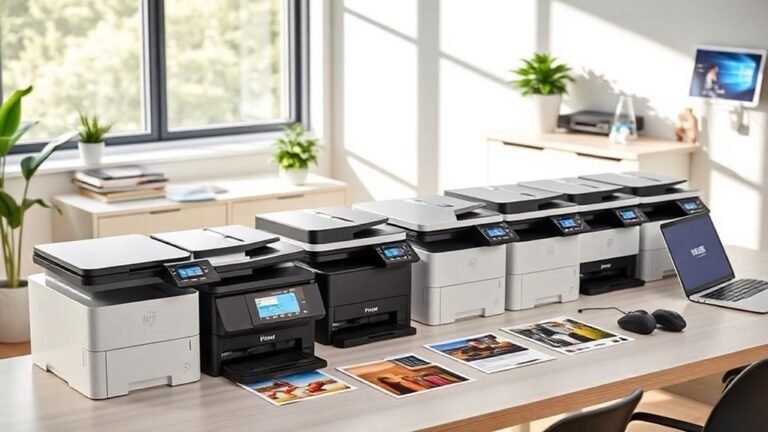
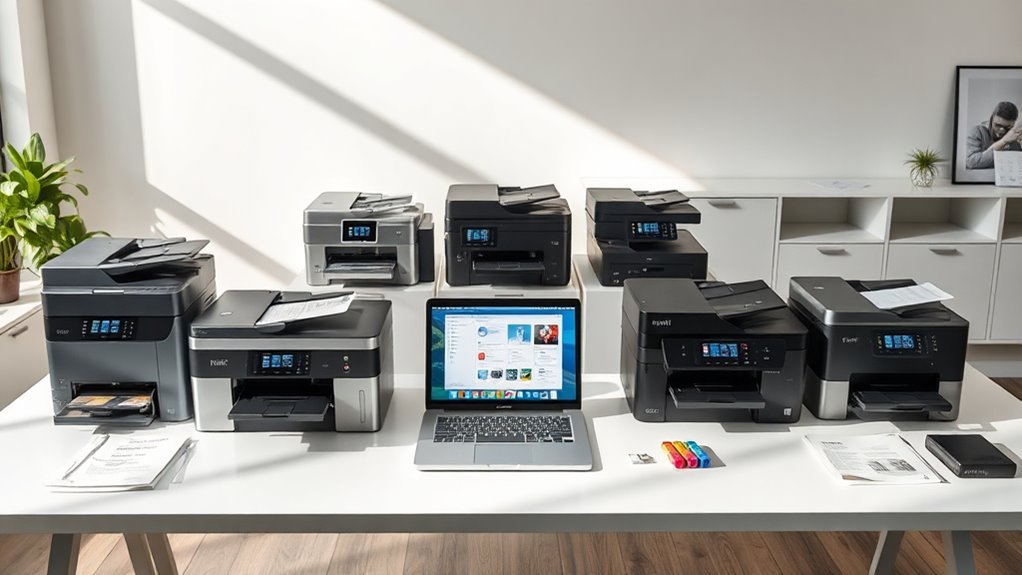
You’ll find the best business printers for Mac in 2027 cover a range of needs—from the HP OfficeJet Pro 8125’s all-in-one versatility to the KNAON Bluetooth 4×6’s thermal label printing. Whether you’re looking for ink-saving options or fast monochrome output, there’s something for every business.
Options like the Canon MegaTank G3270 and Epson EcoTank ET-4800 help save on ink costs, making them perfect for high-volume printing. On the other hand, laser models such as the HP LaserJet M234sdw and Brother DCP-L2640DW offer speedy, reliable monochrome prints.
Keep your workflow smooth with devices that support AirPrint and macOS compatibility. These features ensure seamless connection with your Mac, so you can print directly without any hassle. Explore these top picks and find the key features that match your business demands perfectly.
| Image | Name | Editor's Rating | Price |
|---|---|---|---|

|
|
||
|
|
||

|
|
||

|
|
||

|
|
HP OfficeJet Pro 8125 Wireless All-in-One Printer
- FROM AMERICA'S MOST TRUSTED PRINTER BRAND – The OfficeJet Pro 8125 is perfect for home offices printing professional-quality color documents like business documents...
- 3 MONTH TRIAL OF INSTANT INK INCLUDED – Subscribe to the Instant Ink delivery service to get ink delivered directly to your door before you run out, and you save up to...
- KEY FEATURES – Fast color printing, scan, copy, auto 2-sided printing, auto document feeder, and a 225-sheet input tray
- 2.7-INCH TOUCHSCREEN – Quickly navigate your printer with a large color touchscreen and a phone-like user interface
- WIRELESS PRINTING – Stay connected with our most reliable dual-band Wi-Fi, which automatically detects and resolves connection issues

Experience seamless productivity with the HP OfficeJet Pro 8125 Wireless All-in-One Printer, designed to handle all your home office printing needs. This versatile device combines printing, scanning, copying, and faxing to streamline your workflow and reduce clutter. Its duplex printing and one-sided auto document feeder help save time on multi-page tasks.
Enjoy sharp, professional-quality prints with resolutions up to 4800 x 1200 dpi and fast output speeds—20 pages per minute in black and 10 in color. The built-in 2.7-inch touchscreen and dual-band Wi-Fi make setup and operation straightforward, while wireless connectivity keeps your workspace tidy and cable-free.
Maintaining this printer is simple, but keep in mind it requires original HP cartridges with embedded chips, which can limit ink options. Faxing is supported via the mobile app rather than directly from the printer, and the 225-sheet paper tray is suited to moderate use without multi-tray expandability.
The HP OfficeJet Pro 8125 is an efficient, all-in-one solution that fits well in a home office environment, offering both convenience and quality in a compact design.
Best for: Home office users seeking a wireless all-in-one printer that balances versatility and efficient printing.
What We Like:
- Multifunctional with print, scan, copy, and fax capabilities.
- Sharp print quality with fast speeds and duplex printing.
- Easy wireless setup with dual-band Wi-Fi and touchscreen control.
Specification:
| Feature | Details |
|---|---|
| Manufacturer | HP |
| Dimensions | Not specified |
| Weight | Not specified |
| Color Options | Not specified |
| Connectivity | Dual-band Wi-Fi, Apple AirPrint |
| Display | 2.7-inch touchscreen |
| Paper Capacity | 225-sheet input tray |
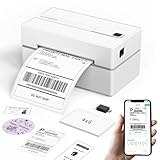
KNAON Bluetooth 4×6 Thermal Shipping Label Printer
- Bluetooth Wireless Connection: KNAON Bluetooth shipping label printer enables wireless printing. For Mobile users, download the 'FlashLabel Pro' app from APP Store or...
- USB Cable Connectivity: This printer ensures seamless USB connectivity with macOS, Windows (7 and above), ChromeOS, and Linux. KNAON printer features a built-in USB drive...
- Versatile DIY Labeling Options: KNAON Thermal Shipping Label Printer offers a vast selection of pre-designed templates, including 3,000+ templates, 5,000+ icons, and...
- Seamless Multi-Platform Compatibility: This Bluetooth shipping label printer works effortlessly with all major platforms, including Amazon, eBay, Shopify, USPS, UPS...
- Portable & Stylish Design: KNAON multi-function thermal label printer offers user-friendly operation in a compact design. Its perfect size (7.17 x 3.9 x 3.43 inches...
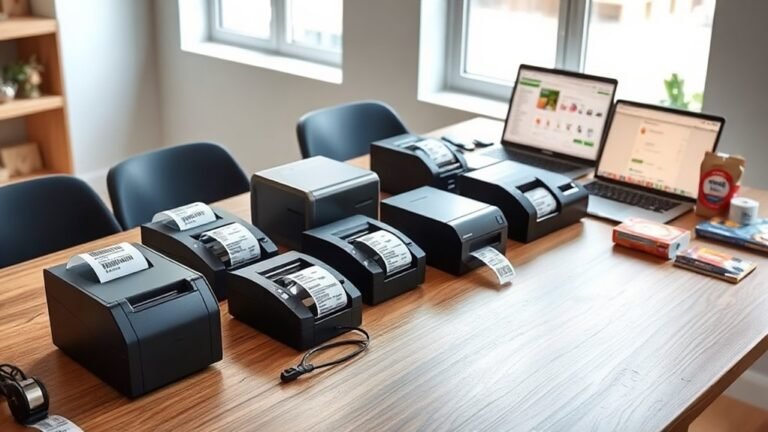
The KNAON Bluetooth 4×6 Thermal Shipping Label Printer offers a compact and wireless solution for printing shipping labels quickly and efficiently. Its Bluetooth connectivity allows you to print labels directly from your devices using the FlashLabel Pro app. This makes it a practical choice for users needing a clutter-free workspace without cables.
Designed for ease of use, it delivers sharp, monochrome labels at a high resolution of 203 dpi. The fast print speed, up to 180 mm/s, helps reduce wait times and keeps your shipping process running smoothly. Compatible with major shipping platforms like Amazon and Shopify, it supports over 3,000 label templates, simplifying customization.
Maintenance is straightforward with thermal printing technology, which eliminates the need for ink or toner. The printer includes a small starter roll of label media, but you’ll want to stock up on additional labels to meet ongoing demand. Its portable design fits well in home offices or small business setups.
While the device is print-only and limited to monochrome labels, its wireless functionality and broad software support make it a reliable tool for managing shipping labels efficiently.
Best for: Small business owners and home office users seeking a compact, fast, and wireless thermal label printer compatible with multiple shipping platforms.
What We Like:
- High-resolution printing (203 dpi) ensures clear, professional labels.
- Fast print speeds (up to 180 mm/s) improve workflow efficiency.
- Wireless Bluetooth connection via FlashLabel Pro app supports multiple operating systems.
- Large template library and compatibility with popular shipping platforms simplify label creation.
Specification:
| Feature | Details |
|---|---|
| Manufacturer | KNAON |
| Dimensions | Compact size (exact size not provided) |
| Weight | Not specified |
| Printing Technology | Thermal |
| Print Resolution | 203 dpi |
| Print Speed | Up to 180 mm/s |
| Connectivity | Bluetooth |
| Compatible OS | macOS, iOS, Windows |
| Media Included | Starter roll (10 labels) |
Canon MegaTank G3270 All-in-One Wireless Color Printer
- Wireless Print/Copy/Scan
- Up to 2 years of ink included (2)
- Print up to 6,000 black & white / 7,700 color pages using a single set of inks! (1)
- Save up to $1,000 on ink (1)
- 1.35” Square LCD display
Discover hassle-free printing with the Canon MegaTank G3270 All-in-One Wireless Color Printer. It delivers sharp color and black-and-white prints, helping you complete everyday tasks efficiently. Designed for home offices and small businesses, it combines printing, copying, and scanning in one compact device.
This printer’s refillable MegaTank system holds enough ink to last up to two years, reducing the need for frequent cartridge replacements. This feature lowers your running costs and minimizes interruptions. Its wireless connectivity lets you print easily from your smartphone, tablet, or computer, adding convenience to your workflow.
Maintaining the Canon MegaTank G3270 is simple, thanks to its user-friendly interface and energy-efficient operation. While it doesn’t support duplex printing, its versatile paper handling accommodates various sizes and types, making it adaptable for different projects and documents.
Best for: Home office users and small business owners seeking an affordable, wireless color printer with scanning and copying capabilities.
What We Like:
- Long-lasting ink supply with refillable MegaTank system
- Easy wireless printing from multiple devices
- Supports a variety of paper sizes and types
- Compact design suitable for limited workspace
Specification:
| Feature | Details |
|---|---|
| Manufacturer | Canon |
| Dimensions | Approx. 17.7 x 13.3 x 5.8 in (45 x 33.8 x 14.7 cm) |
| Weight | Approx. 9.9 lb (4.5 kg) |
| Color Options | Black |
HP LaserJet M234sdw Monochrome Laser Printer | All-in-One
No products found.
The HP LaserJet M234sdw is designed to meet the needs of small teams with a focus on efficiency and ease. It produces sharp, professional-quality black-and-white documents quickly, helping you maintain a smooth workflow. With fast print speeds of up to 30 pages per minute, it tackles busy days without slowing down.
This all-in-one monochrome printer goes beyond printing – it enables easy copying and scanning using a 40-page auto document feeder. This feature minimizes manual handling, saving time and effort on multi-page tasks. Its automatic two-sided printing reduces paper use, supporting both your productivity and sustainability goals.
Connectivity is versatile and straightforward. You can connect via dual-band Wi-Fi, Ethernet, or USB, and print directly from Mac, Windows, or mobile devices using AirPrint or the HP Smart app. The printer’s compact design and intuitive controls make it a practical addition to small office spaces.
Maintenance is simple with a modest 150-sheet paper capacity, although frequent refills may be necessary in high-volume settings. While it prints only in monochrome, this focus ensures crisp, clear text and graphics without distraction. The single processor handles everyday tasks well but may slow with heavy multitasking.
Best for: Small teams or offices requiring reliable, fast monochrome printing with efficient all-in-one capabilities.
What We Like:
- Fast print speeds up to 30 pages per minute with automatic duplexing.
- 40-page auto document feeder streamlines copying and scanning.
- Multiple connectivity options including Wi-Fi, Ethernet, and mobile support.
- Compact design fits well in limited workspace environments.
Specification:
| Feature | Details |
|---|---|
| Manufacturer | HP |
| Dimensions | Not specified |
| Weight | Not specified |
| Printing Technology | Monochrome Laser |
| Print Speed | Up to 30 pages per minute |
| Paper Capacity | 150 sheets |
| Connectivity | Dual-band Wi-Fi, Ethernet, USB |
| Compatible Systems | Mac, Windows, Mobile (AirPrint, HP Smart) |
Brother DCP-L2640DW Wireless Monochrome Printer
- BEST FOR SMALL BUSINESSES – Engineered for extraordinary productivity, the Brother DCP-L2640DW Monochrome (Black & White) 3-in-1 combines laser printer, scanner, copier...
- FAST PRINTER WITH EFFICIENT SCANNING – Produces documents quickly with print speeds up to 36 ppm(2) and scan speeds up to 23.6/7.9 ipm(3) (black/color). A 50-page auto...
- FLEXIBLE CONNECTION OPTIONS – Easily navigate the changing demands of your business with secure multi-device connectivity via built-in dual-band wireless (2.4GHz...
- BROTHER MOBILE CONNECT APP – Print, scan, and manage your wireless printer anytime, from almost anywhere from your mobile device. Order Brother Genuine Supplies, track...
- CHOOSE BROTHER GENUINE TONER – When it’s time to replace your toner, be sure to choose Brother Genuine TN830 or TN830XL replacement toner. And with Refresh EZ Print...
The Brother DCP-L2640DW Wireless Monochrome Printer offers small businesses a practical solution to streamline daily printing tasks. With fast print and copy speeds of up to 36 ppm, it reduces wait times and boosts productivity. Automatic duplex printing helps save paper and time by handling double-sided documents efficiently.
This all-in-one device includes a 50-page auto document feeder, making scanning and copying multiple pages effortless. Its compact design fits neatly into small workspaces without sacrificing functionality. Dual-band wireless and Ethernet connectivity ensure a stable and flexible network connection.
Maintenance is straightforward with ENERGY STAR certification, promoting energy efficiency. An optional toner subscription helps manage supply costs and prevents downtime. While the printer handles monochrome tasks well, it lacks color printing and has modest paper capacity, which may require frequent refills in busy offices.
The Brother DCP-L2640DW is ideal for users needing a reliable, fast, and space-saving monochrome printer with wireless capabilities for everyday office use.
Best for: Small businesses and home offices requiring a fast, dependable all-in-one monochrome printer with easy wireless connectivity.
What We Like:
- Fast print and copy speeds up to 36 ppm with automatic duplexing
- Compact design with a 50-sheet auto document feeder
- Dual-band wireless and Ethernet for versatile network options
- ENERGY STAR certified for energy-efficient operation
- Optional toner subscription for hassle-free supply management
Specification:
| Feature | Details |
|---|---|
| Manufacturer | Brother |
| Dimensions (W x D x H) | 16.1 x 15.7 x 12.5 inches |
| Weight | Approx. 18.7 lbs (8.5 kg) |
| Color Options | Monochrome (Black & White) |
| Connectivity | Wireless (Dual-band), Ethernet, USB |
| Auto Document Feeder | 50 pages |
| Paper Tray Capacity | 250 sheets |
Brother HL-L2405W Wireless Compact Monochrome Laser Printer
- BEST FOR HOMES & HOME OFFICES – Engineered for consistent, premium print quality, the Brother HL-L2405W Monochrome (Black & White) Laser Printer delivers sharp, crisp...
- COMPACT, CONNECTED PRINTER – Flexible connection options make this an ideal printer for home use and at-home offices. Securely connect to multiple devices with built-in...
- BROTHER MOBILE CONNECT APP – Manage your printer remotely and print from your mobile device anytime, from almost anywhere. Order Brother Genuine Supplies, track toner...
- VERSATILE PAPER HANDLING – Enjoy seamless, reliable everyday printing with the 250-sheet paper tray(4) and a manual feed slot that enables printing on envelopes and...
- BROTHER IS AT YOUR SIDE – Backed by Brother with a 1-year limited warranty and free online, call, or live chat support for the life of your printer
The Brother HL-L2405W Wireless Compact Monochrome Laser Printer is designed to fit effortlessly on your desk while delivering fast, clear black-and-white prints. It tackles everyday document needs with a print speed of up to 30 pages per minute, ensuring you spend less time waiting and more time working.
Its compact design doesn’t just save space; the 250-sheet tray and manual feed slot handle a variety of media types, making it versatile for home or small office use. Wireless dual-band connectivity and USB support allow easy printing from multiple devices, including Mac, iPhone, and Alexa, streamlining your workflow.
Maintenance is straightforward with efficient toner options that reduce downtime and keep running costs manageable. While it only prints in monochrome and requires manual duplexing, this printer excels in reliability and consistent output quality.
Best for: individuals or small businesses needing a fast, compact, and reliable monochrome printer for home or small office use.
What We Like:
- Fast print speed of up to 30 ppm with sharp 1200 x 1200 dpi resolution.
- Dual-band wireless and USB connectivity for flexible device support.
- Compact footprint with a 250-sheet input tray for varied media.
- Efficient toner usage helps maintain productivity with minimal interruptions.
Specification:
| Feature | Details |
|---|---|
| Manufacturer | Brother |
| Dimensions (W×D×H) | 14.2 × 14.2 × 7.2 inches |
| Weight | 15.4 lbs (7 kg) |
| Printing Technology | Monochrome Laser |
| Connectivity | Wireless (Dual-band), USB |
| Paper Capacity | 250-sheet tray + manual feed |
HP Color LaserJet Pro MFP 3301sdw Printer

- FROM AMERICA'S MOST TRUSTED PRINTER BRAND – Perfect for small teams printing, scanning and copying professional-quality color documents and reports. Print speeds up to...
- PROFESSIONAL PRODUCTIVITY – Proficiency with every print—next-generation TerraJet toner brings your business to life with more vivid colors.
- ORIGINAL HP TONER CARTRIDGES – This HP printer uses Original HP 218A standard and 218X high yield LaserJet toner cartridges.
- UPGRADED FEATURES – Fast color printing, scan, copy, auto 2-sided printing, auto document feeder, and a 250-sheet input tray.
- AWARD-WINNING RELIABILITY – Performance you can count on page after page, and always ready for the high demands of business.
The HP Color LaserJet Pro MFP 3301sdw Printer combines speed and quality to meet the demands of busy offices. It handles large print jobs efficiently with fast print and copy speeds of up to 26 pages per minute. Automatic duplexing reduces paper use, saving time and resources.
This all-in-one device includes a flatbed scanner, expanding its functionality beyond printing. Its 250-sheet capacity minimizes interruptions, supporting sustained productivity. Connectivity options like Wi-Fi, Ethernet, USB, and mobile printing through the HP app provide seamless integration with various devices, including Macs.
Maintenance is straightforward but requires using Original HP 218A or 218X toner cartridges to ensure optimal performance and vibrant color output. While print resolution maxes out at 1200 x 1200 dpi, the printer delivers sharp and consistent results suitable for most office needs.
The compact white design fits well in small office environments. Built-in HP Wolf Pro security helps protect sensitive information, making it a dependable choice for teams needing versatile and secure printing solutions.
Best for: Small teams and offices needing a fast, reliable color laser printer with versatile connectivity and automatic duplex printing.
What We Like:
- Fast print and copy speeds up to 26 ppm for both color and black
- Multiple connectivity options including Wi-Fi, Ethernet, USB, and mobile printing
- Automatic duplex printing saves time and paper
- Flatbed scanner adds versatile all-in-one functionality
- Built-in HP Wolf Pro security for enhanced data protection
Specification:
| Feature | Details |
|---|---|
| Manufacturer | HP |
| Dimensions | Not specified |
| Weight | Not specified |
| Color Options | White |
| Print Speed | Up to 26 ppm (color and black) |
| Print Resolution | Up to 1200 x 1200 dpi |
| Paper Capacity | 250 sheets |
| Connectivity | Wi-Fi, Ethernet, USB, HP app |
Epson EcoTank ET-4800 Wireless Color All-in-One Supertank Printer

- INNOVATIVE CARTRIDGE-FREE PRINTING — High-capacity ink tanks mean no more dealing with lots of tiny ink cartridges; Epson’s exclusive EcoFit ink bottles make filling...
- CLEAR AND VIBRANT PRINT QUALITY ― Create memorable prints and projects; Unique Micro Piezo Heat-Free Technology allows wireless color printer to produce sharp text and...
- ZERO CARTRIDGE WASTE — By using an Epson EcoTank printer you can help reduce the amount of cartridge waste ending up in landfills
- BUILT IN SCANNER AND COPIER ― All-In-One Epson EcoTank is more than a printer; High-resolution flatbed scanner and color display come together for easy document copying...
- LESS FREQUENT INK REPLACEMENT — Replacement ink bottles don't have to be changed nearly as often as ink cartridges¹; Printer, scanner and copier lets you print up to...
The Epson EcoTank ET-4800 Wireless Color All-in-One Supertank Printer is designed to streamline your home or small office printing needs. This versatile device handles printing, copying, scanning, and faxing with ease, reducing the clutter of multiple machines. Its high-resolution flatbed scanner and auto document feeder simplify handling multi-page documents.
Thanks to the refillable EcoTank system, you can print thousands of pages without worrying about expensive cartridge replacements. This reduces ink costs significantly and minimizes waste, making it an eco-friendly choice. Connectivity options include Wi-Fi, Ethernet, and USB, allowing flexible placement and easy integration into your workspace.
Maintenance is straightforward with the large ink tanks and simple refilling process, which reduces downtime. The compact design fits neatly on desks without sacrificing functionality. While duplex printing requires manual intervention and print speeds remain moderate, the printer delivers sharp text and vibrant colors consistently.
Best for: Home users and small offices seeking an affordable, versatile all-in-one printer with low ink replacement costs and wireless connectivity.
What We Like:
- Refillable EcoTank ink tanks cut ink costs and waste
- Combines print, copy, scan, and fax functions with an auto document feeder
- Supports Wi-Fi, Ethernet, USB, and voice control
- Compact design fits small spaces efficiently
Specification:
| Feature | Details |
|---|---|
| Manufacturer | Epson |
| Dimensions | Approx. 14.8 x 13.2 x 9.6 in |
| Weight | Approx. 11.5 lbs (5.2 kg) |
| Color Options | White |
| Connectivity | Wi-Fi, Ethernet, USB, Voice |
Factors to Consider When Choosing a Business Printer for Mac
When choosing a business printer for your Mac, you’ll want to make sure it’s fully compatible with macOS to avoid any software issues. Consider how fast you need your documents printed and whether color or monochrome suits your needs best.
Also, check the connectivity options and if multifunction features like scanning and copying are included to boost your productivity. These little extras can really save you time and effort in the long run.
Compatibility With Macos
Although many printers claim macOS compatibility, you should verify native driver support or AirPrint functionality to guarantee seamless printing and scanning without relying on third-party software. Check that the printer supports your macOS version, including recent releases and both Apple silicon and Intel architectures.
This ensures ongoing driver updates after OS upgrades. Confirm that key features like scanning, duplex printing, and automatic document feeder (ADF) functions work with macOS-native scanning utilities or the vendor’s dedicated app, not just Windows-only software.
Make sure wireless protocols such as AirPrint and Bonjour, along with wired connections like USB and Ethernet, integrate smoothly with macOS networking for reliable device discovery. Finally, review the vendor’s support policies and update frequency to avoid losing features due to firmware changes or blocked third-party supplies.
Print Speed Requirements
Choosing a business printer for your Mac often hinges on print speed requirements that match your workload. Start by estimating your peak monthly print volume: light use (<500 pages), medium (500–2,000), or heavy (>2,000). This helps you pick a printer class with suitable duty cycles and maintenance levels.
For typical office tasks, aim for black print speeds of at least 25–30 ppm if you handle large batches, or 10–15 ppm for smaller teams to prevent delays. Don’t forget first-page-out time—shorter warm-up speeds matter for quick jobs.
If you print double-sided reports regularly, compare duplex speeds since they’re usually slower than simplex. Finally, make certain your scanner or automatic document feeder matches your printer’s speed to keep workflows smooth and avoid bottlenecks.
Color Vs Monochrome
If your business depends on producing marketing materials, photos, or color-coded reports, you’ll need a color printer to meet those demands. Color inkjet or Supertank systems offer high color resolution and richer visuals but tend to print slower. They also have higher per-page costs because they use multiple consumables.
On the other hand, if your workflow focuses on high-volume text documents or internal black-and-white printing, a monochrome laser printer is a smarter choice. These printers deliver faster speeds—often 30–36 ppm—and lower operating costs. That’s because their consumables are cheaper, and the devices usually last longer.
Think about your use case. Choose color if you need accurate brand colors and customer-facing materials. Pick monochrome if your workload is mostly text, you require higher duty cycles, and want to keep expenses minimal.
Balancing print quality, volume, and cost will help you select the right business printer for your Mac. It’s all about matching the printer to what you actually need.
Connectivity Options Available
After deciding between color and monochrome printing, you’ll want to focus on how your Mac connects to the printer. Make certain it supports AirPrint or native macOS drivers to print directly from Mac apps without hassle.
Look for dual-band Wi-Fi (2.4 GHz and 5 GHz) and Wireless Direct to print even when you’re off the network. If your office requires secure, high-volume printing, choose one with wired Ethernet and IPv6 support for stable network integration.
For quick local setup or transfers, confirm USB-C or USB-A compatibility—USB-C is preferred on newer Macs. Also, consider cloud printing and app integration features, which enable remote job submissions and streamline workflows without extra software.
Connectivity matters as much as print quality for seamless Mac compatibility. So, don’t overlook these options when making your choice!
Multifunction Capabilities Included
When you pick a business printer for your Mac, make sure it offers essential multifunction features like printing, scanning, and copying.
If your workflow demands faxing or batch scanning multi-page documents, look for built-in fax and automatic document feeder (ADF) capabilities.
Check scan specs carefully—optical resolution, duplex scanning, and color support—to guarantee your scans meet archival or frequent digitization needs.
Automatic duplex printing and ample ADF capacity save you time and paper on two-sided jobs and high-volume tasks.
Also, confirm that the printer supports these functions fully on macOS, including scanner drivers and TWAIN or ICA support.
You’ll want to avoid models that limit you to print-only drivers, so you can access all features seamlessly from your Mac apps.
Ink and Toner Costs
Don’t overlook ink and toner costs when picking a business printer for your Mac, as they materially impact your long-term expenses. Instead of focusing solely on upfront price, compare cost per page by dividing cartridge or bottle prices by their page yields.
Opt for high-yield or refillable ink tanks, which often cut costs markedly, especially if you print a lot in color. Be sure to factor in subscription plans that include monthly fees and page limits—they can lower costs but may add charges if your usage fluctuates.
Also, consider supplemental consumables like maintenance kits and drum units, as their replacement adds to ongoing expenses. To get a clear picture, estimate your monthly print volume, multiply by cost per page, and add periodic maintenance costs for an accurate total cost of ownership.
Paper Handling Capacity
Evaluate the paper handling capacity carefully to guarantee your business printer keeps pace with your workflow. Start by checking the input tray capacity. Small teams benefit from trays holding 150–250 sheets to cut down on refills, while busy offices may need larger or multiple trays.
Also, confirm the automatic document feeder (ADF) capacity and whether it supports duplex scanning or copying to speed up multi-page jobs. Make sure the printer handles all your paper sizes and media types, from standard documents to envelopes and card stock.
Automatic duplexing saves both paper and time, so prioritize that feature over manual duplexing. Finally, consider the output tray capacity and the printer’s duty cycle to avoid interruptions during heavy print runs. This way, you can keep your work flowing smoothly.
Security Features Needed
Although business printers often seem like simple tools, their security features play a crucial role in protecting your sensitive data and network integrity. You’ll want a printer supporting network protocols like WPA3/WPA2 and 802.1X to block unauthorized access.
Look for built-in firmware integrity checks and secure boot to prevent tampering. User authentication methods—like PINs, cards, or passwords—and role-based access control help restrict sensitive functions such as scanning or copying.
Make certain encrypted data transport via TLS/SSL or IPsec, plus secure printing options like PIN release to keep documents safe both in transit and at the device. Finally, confirm the printer offers audit logging and remote management with secure protocols, letting you monitor usage, detect anomalies, and apply updates efficiently across your network.
Frequently Asked Questions
Can These Printers Handle Mobile Printing From Iphone or Ipad?
Yes, these printers can handle mobile printing from your iPhone or iPad. They support AirPrint and other wireless printing options.
What Is the Average Printer Lifespan for Heavy Business Use?
You can expect a heavy-use business printer to last about 3 to 5 years, depending on maintenance and workload. Regular servicing and quality parts help extend its lifespan, keeping your printing reliable over time.
It’s all about how well you take care of it. Keeping up with maintenance and not overloading it can really make a difference. So, if you treat your printer right, it’ll stick around longer than you might think!
Are There Any Eco-Friendly or Sustainable Printing Options Available?
Just like choosing a hybrid car, you can pick eco-friendly printers using recycled paper, soy-based inks, and energy-saving modes.
You’ll reduce waste and save money while keeping your business green and efficient—easy and impactful.
How Do These Printers Perform With Different Mac OS Versions?
You’ll find these printers work seamlessly across various macOS versions, including the latest updates. They’re designed for compatibility, so you won’t face driver issues or connectivity problems.
This means smooth printing no matter your Mac’s OS. No hassles, just plug and play!
What Are the Typical Maintenance Costs for These Business Printers?
You’ll find the upkeep expenses pleasantly manageable, mostly involving ink or toner refills and occasional parts replacement.
Staying proactive with routine cleaning and updates helps you avoid surprise costs and keeps your printer humming smoothly.
Conclusion
Choosing the right business printer for your Mac is like finding the perfect pair of shoes—it needs to fit your workflow comfortably and support you all day long. Whether you prioritize speed, color quality, or wireless convenience, one of these top picks will match your needs.
Keep your specific tasks and budget in mind, and you’ll easily find a printer that keeps your business running smoothly and efficiently. Don’t settle—print smart and work smarter! With the best business printers for Mac, you can enjoy seamless compatibility, reliable performance, and professional-quality prints every time.
Investing in the right printer means less downtime and more productivity, helping your business thrive in today’s fast-paced environment. So, take your pick from our top-reviewed options and elevate your Mac office setup now!